
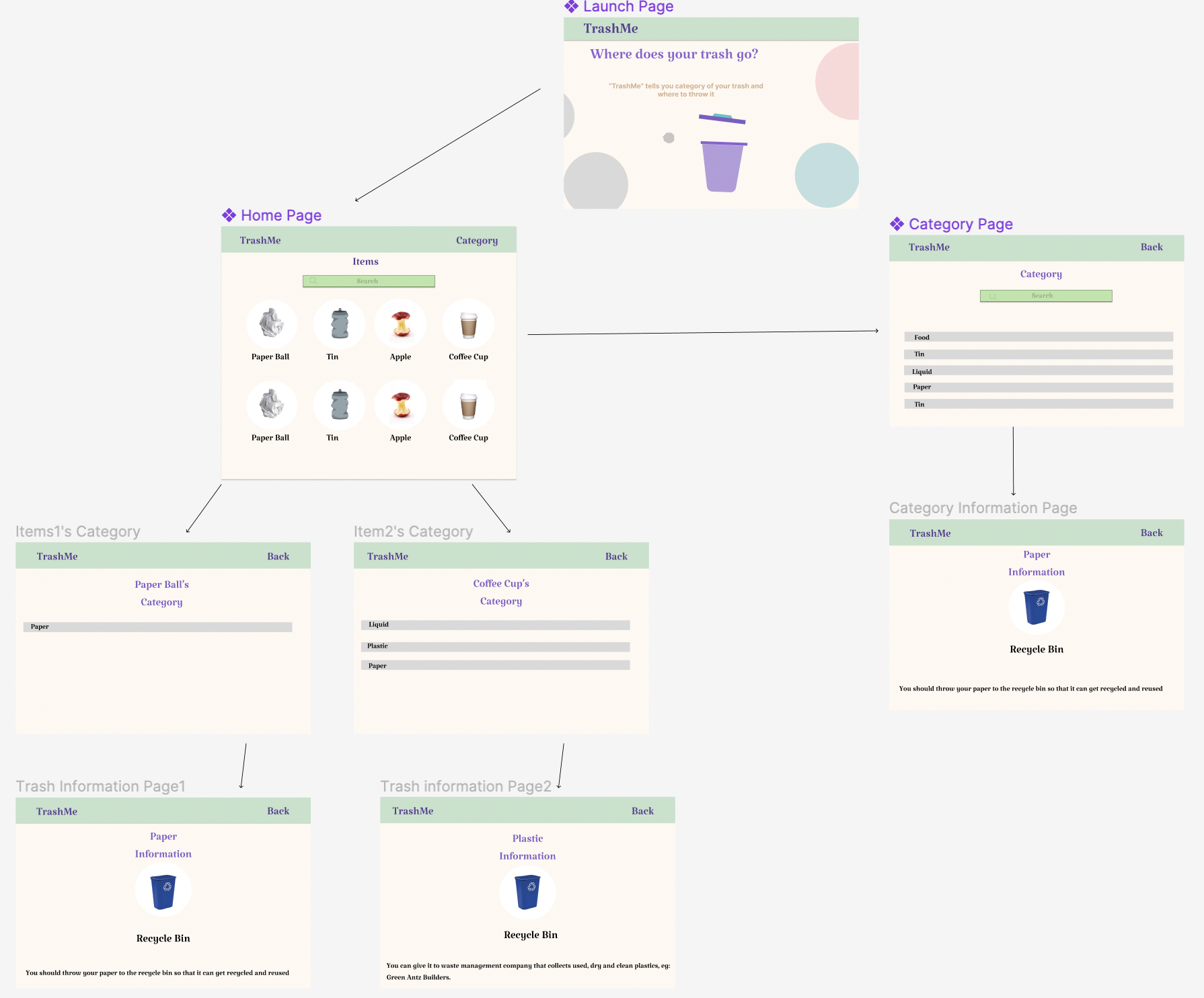
Description
- TrashMe shows the user the list of thrown trash by students, categorizes the trash, and shows them the proper way to dispose of them. It focuses on sustainable waste management.
Inspiration
Have you ever wondered whether you should throw your cupcake in a paper cup in the food bin or recycle bin? You see multiple colored trash bins but have no idea what each of them is used for throwing that trash and where the trash goes at the end. As international students and avid environmental lovers, we always struggled with this basic information about waste management when we first came to the US. Hence, we bring our app "TrashMe" which would be able to create awareness, guide users, make the process easier for them to manage their waste properly, and help the environment and us.
How we built it
We used the following technologies:
React.js, Azure, Javascript, HTML/CSS, Figma
1) We hard-coded our own datasets required for the project by researching different governmental papers and databases. 2) We took an online course on developing web applications using React as we had never used it before. 3) We did extensive research for designing the front end and deploying the application in Azure.
Frontend Design We used Miro Board to make our rough sketch first and used Figma to visualize the design of the website. Finally, we decorated our structured website incorporating React while using CSS.
Challenges we faced
1) Implementing Lottiefiles as a button on the Launch Page => found an alternative to that later; using gif instead 2) Merge conflicts in GitHub => solved them successfully 3) Linking one webpage to another page => succeeded in that with the mentor's help 4) Showing more than one category for a single waste item => dived deep to understand the logic and implemented it. 5) How to show information details in a consistent and organized way for all of the different trash items on the main page.
What we learned and are proud of
1) Creating a working website with HTML, CSS, and React 2) Implementing a search bar 3) Deploying web application using Azure 4) Coding in a collaborative manner using Git 5 ) Trial and error in figuring out the first stages of the web app


Log in or sign up for Devpost to join the conversation.