-
-

Meet the team!
-
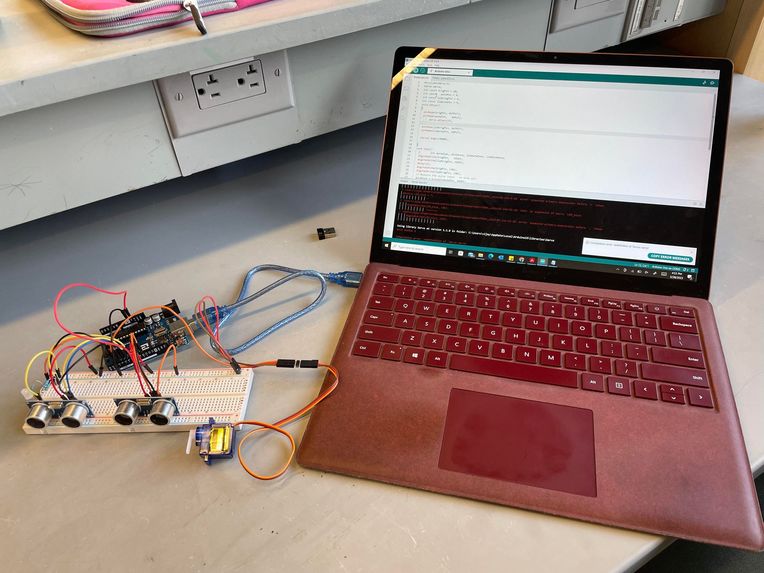
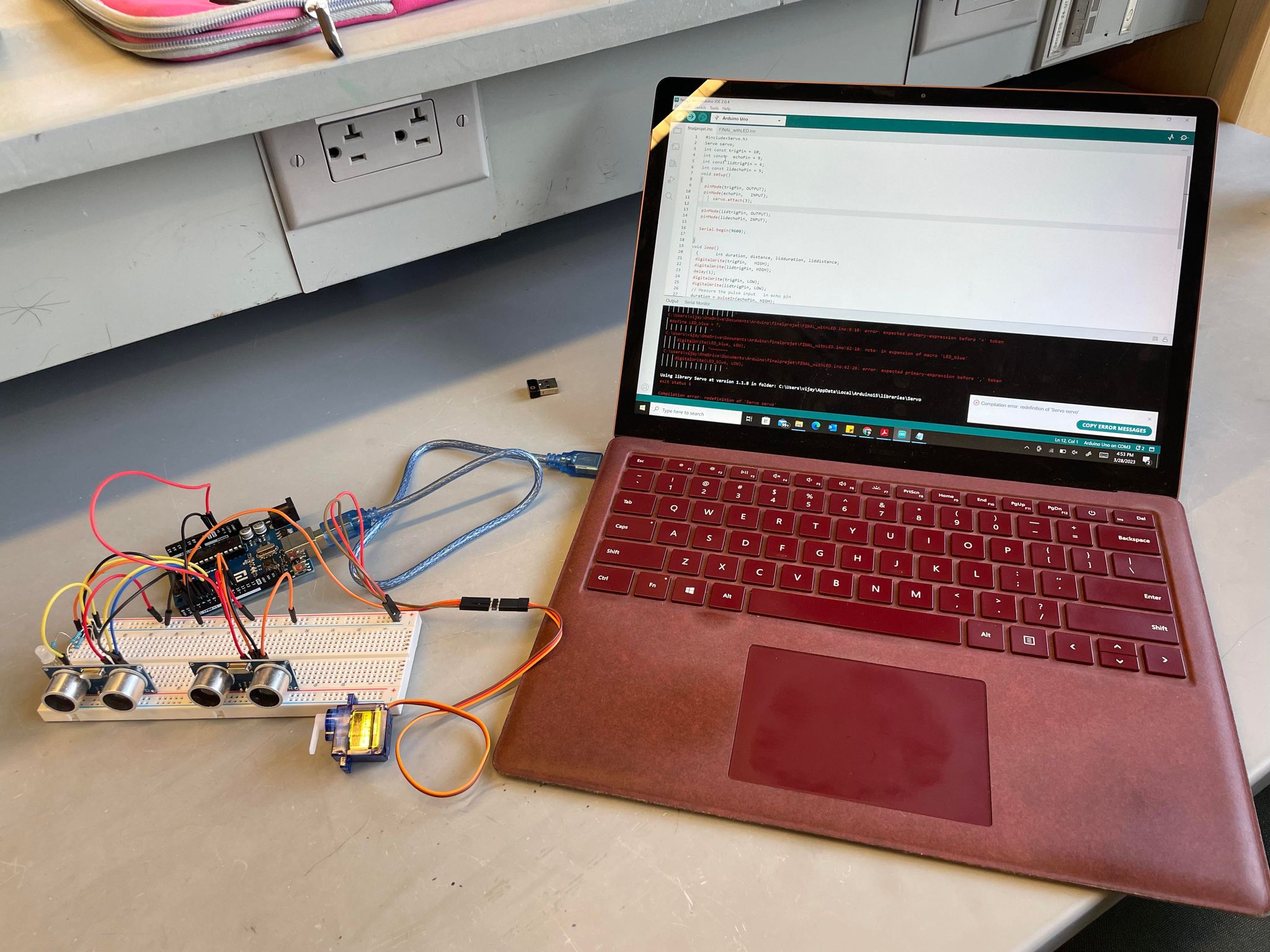
Our internalized electronics
-
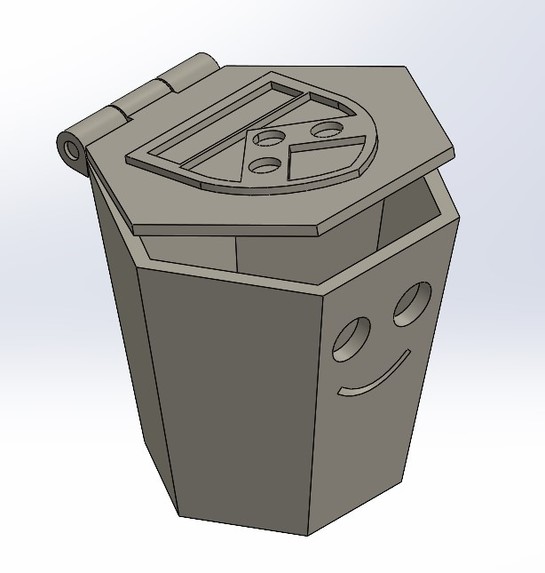
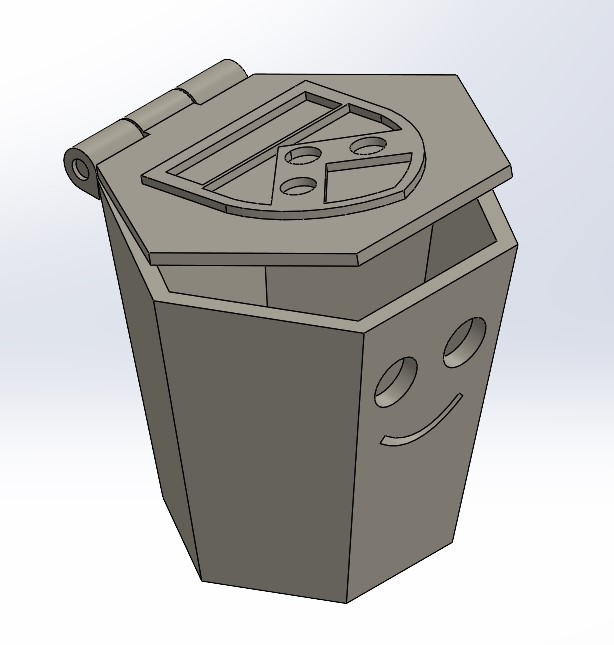
CAD

Overview
TrashBot is a convenient solution in any home to simplify the messiness of trash disposal. When the user approaches TrashBot, the lid will open. Furthermore, there is a manual override mode where the user can use an app to close or open the lid wirelessly.
Our Design Process
The team wanted to create a smart trash can that could automatically open its lid when a user walks up to the trashcan. For the electronics, an obvious choice was to use an ultrasonic sensor paired with a servo motor. When the sensor reads that a user is close, it activates the servo motor to lift up the trash can lid. For the IOT component, a wireless manual override mode was implemented. The user can wirelessly open or close the lid using a WIFI board. For the housing, the goal was to find a unique trash can geometry that could be customizable and fit on tabletops. The team created a 3D-printed trash can design that could house the electronics in a smart way. The smiley face allows room for the sensor to be within the thickness of the trashcan and offers a way to route the cables.
Iterations
The initial idea for Trashbot was to have the capability to tell the user when the trash can was full. Another ultrasonic sensor was to be used on the underside of the lid and when detecting a close to the full trash can, it would send a message to the user. For the first MVP of the product, we pursued this idea. However, we came across some challenges integrating the entire system on one Arduino board plus were concerned with the added weight of the second sensor on the lid which would make it difficult for the servo motor to lift up the lid.
Additionally, TrashBot was much larger standing at a height of 8 inches. However, manufacturing issues along with too large of a lid required the product to be scaled down.
For the second iteration, Trashbot was scaled down by 50%, and the trash fullness detecting feature was scrapped. Instead, the team opted for a manual wireless override mode in which the user could open or close the trash can from any distance. This would be done by using an Arduino MKR 1010.
Electronic components
TrashBot uses the following electronic components to function:
- Arduino UNO
- Arduino MKR 1010
- Ultrasonic distance sensor
- Servo motor
- Wires and cables
Challenges we ran into
- The first challenge was manufacturing the product itself. The original design was way too big and the servo motor did not have sufficient torque to be able to lift up the lid. Additionally, the added weight of a second sensor was of major concern.
- The team struggled with integrating two ultrasonic distance sensors on the same Arduino board. For some reason, only one sensor would work at a time and the only solution was to run each sensor on separate Arduino boards.
- IOT Components. Originally, a WIFI shield was implemented in the system however we could not get it to connect to the lab's wifi or cellphone hotspots. Eventually, an Arduino MKR 1010 was utilized however we could only get it to run on a team member's home wifi and nothing else.
- At some points the servo motor will refuse to close the lid despite the user being away from the minimum distance threshold to open up the lid. It is not a consistent bug and will happen at random times. The only solution was to restart the program.
What We Learned
- Fail fast and fail early. Arduino components can be very finicky so it is much better to spend most of ur time troubleshooting and smoothing out the system.
- IOT/Components can be very tricky and a lot of patience is needed.
- A lot of cool things can be accomplished with simple electronics! It was very exciting to see the various projects students were working on in the class and the cool automated systems that were created.
Next Steps
- Troubleshoot and find a more robust method for the wireless override system.
- Implement a bigger servo motor with a larger torque in order to be able to scale the system and create larger trash cans.
- Add a feature to be able to notify the user when the trash can is full.
Code
https://drive.google.com/file/d/1MPalXw0PI60N3aSceNCgHK4NYH3qzjVK/view?usp=share_link

Log in or sign up for Devpost to join the conversation.