-
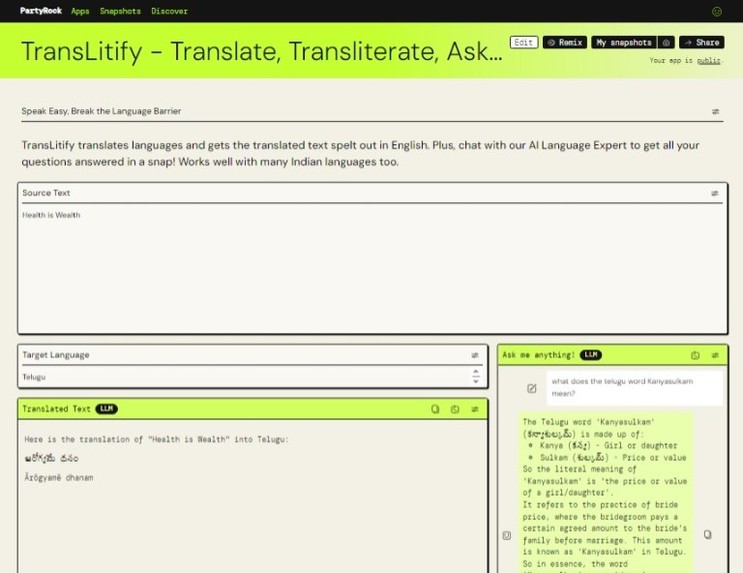
Sample output of TransLitify
Inspiration
India's constitution officially recognizes a staggering 22 languages! Like many Indians, I learnt to read, write and speak three languages while at school. Sometimes, that's just not enough. Whether you're traveling, working, or simply striving to connect meaningfully with others, language barriers can pose a challenge.
If you're a movie buff and a language learner, OTT streaming sites like Netflix and Amazon Prime have regional language movies with (subtitles in multiple languages) that can be best appreciated if you have a basic understanding of regional languages. While Google Translate is helpful, AI assistants like Claude and Llama additionally offer a chatbot interface that can be added to interactively discuss and seek clarifications regarding the translation and transliteration from non-English text into English (or other supported languages). This is invaluable for language learning, bridging spoken sounds with written words.
I'm thrilled that with AI as your personal language guru, it is easier to overcome language barriers (while buying groceries or ordering food in a new place, following social media conversations in regional languages).
What it does
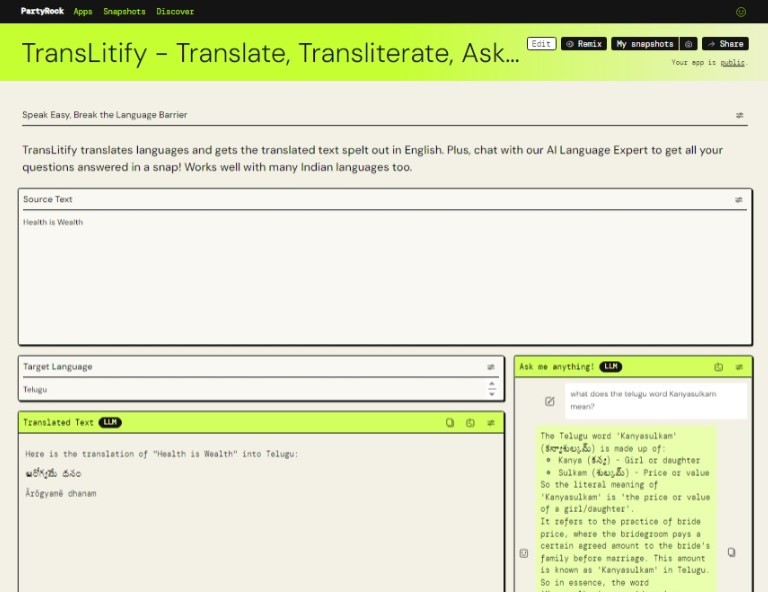
TransLitify translates languages and gets the translated text spelt out in English. It has a chat interface to communicate with a AI-based Language Expert to get your questions answered in a snap! What's more, it works well with many Indian languages like Hindi, Urdu, Telugu, Tamil, Odia too.
How I built it
I "prompted" PartyRock to create an app that will translate and transliterate languages. I specified that there should two input boxes for the reader to provide source text and the choice of target language to translate to. Additionally I asked for a chatbot to help address queries related to languages. PartyRock created a form for me with the required User Input, Text Generation & Chatbot widgets. I iteratively refined the prompts for these widgets based on the generated results. The Text Generation & Chatbot widgets are configured to use the Claude Model.
Challenges I ran into
During testing, I discovered that translations may not be perfect for lengthy or complex sentences. I switched the Model for Text Generation widget to Llama, but found that results from Claude were generally better. I believe that as the models evolve, translation quality will also improve for Indian languages.
Accomplishments that I'm proud of
I run a blog in Telugu, where I frequently mix Telugu and English. In the past, I relied on online translation tools for writing. I found that these translations were often too literal and didn't meet my expectations. With AI assistants/Models like Claude which I have leveraged in my PartyRock app, I've been pleasantly surprised by the improved and relatively more meaningful responses as they also often include mixed language output with valuable cultural and historical context. I'm thrilled to have created an AI-powered app that enhances the quality of my language-related tasks. I hope it proves to be valuable not only to me but also to fellow language enthusiasts.
What I learned
- It's quick and easy to build a proof-of-concept (POC) app/Minimum Viable Product (MVP) with PartyRock.
- As Models evolve with newer mind-boggling capabilities, integrating AI features can make the functionalities of apps richer.
What's next for TransLitify - Translate, Transliterate, Ask an Expert
Now that I've built a sort of a MVP, I would like to make my app production-grade by utilizing Amazon Bedrock. I will explore ways to make the app return more accurate results cost-effectively.
Built With
- claude

Log in or sign up for Devpost to join the conversation.