Inspiration
What it does
How we built it
Challenges we ran into
Accomplishments that we're proud of
What we learned
What's next for Translator Agent
Translator Agent — A Simple Way to Talk Across Languages
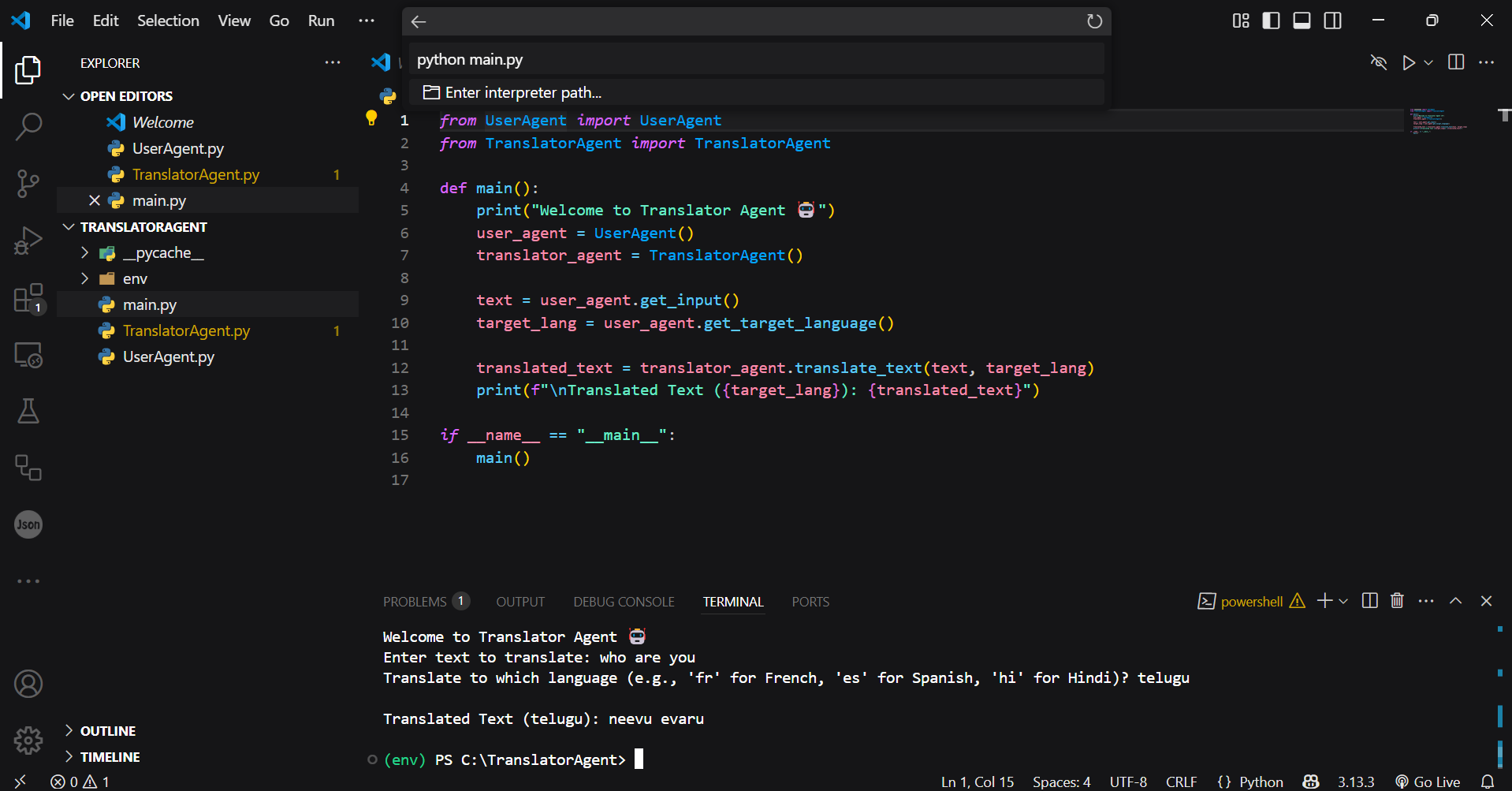
About the Project Translator Agent is a simple Python project I built to translate sentences from one language to another, right from the terminal. It’s designed as a beginner-friendly project using the idea of “agents” — small parts of the program that each do one job. One part handles the user’s input, and the other handles the translation.
What Inspired Me I’ve always wanted to build something useful using Python — something real and practical. I also got interested in the concept of agents, where each part of the system focuses on a specific task. That’s when I thought of making a translation tool — something small that can help people communicate across languages, and also help me learn how to structure my code better.
What I Learned Through this project, I learned how to:
Set up a Python virtual environment
Organize code using multiple files and classes
Use external libraries like translate to perform real-world tasks
Handle common setup issues and errors
Design a small system where different components work together
It also helped me practice clean coding habits and better understand how to break problems down into steps.
How I Built It I created three Python files:
main.py — this runs the app
user_agent.py — this asks for text and the target language
translator_agent.py — this handles translating the text using the translate library
I used VS Code for writing and running the code. I installed the necessary packages with pip, activated a virtual environment, and tested everything by translating phrases to different languages like French, Hindi, and Telugu.
Challenges I Faced At first, I couldn’t activate the virtual environment in PowerShell due to Windows restrictions. I fixed that by changing the execution policy. Later, I faced some errors like missing modules — mostly due to typos in file names or skipped installations. I also looked into using Google Cloud for translation, but it required billing info, so I went with a free alternative instead. While some translations weren’t 100% accurate, especially for complex sentences or regional languages, the basic functionality worked great.
What’s Next I’d like to improve this project by:
Automatically detecting the input language
Creating a user interface (like a desktop or web app)
Saving translations to a file or showing translation history
Exploring integration with OpenAI’s Agent Development Kit
Final Thoughts Building Translator Agent showed me that you don’t need a huge system or cloud tools to make something useful. Even a simple tool can be a great learning experience. This project helped me understand how to organize code, use libraries, and handle real input — and it felt rewarding to build something that actually works.
Built With
- powershell
- python
- translate
- virtual
- vscode

Log in or sign up for Devpost to join the conversation.