-
-
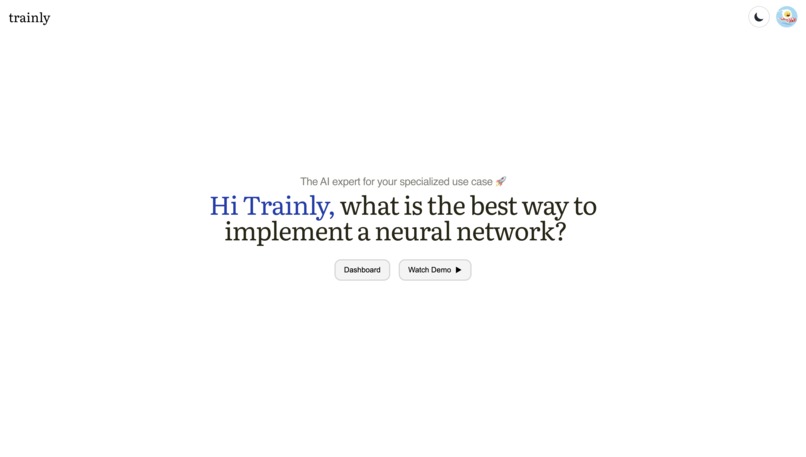
Home Page
-

Main Page
-
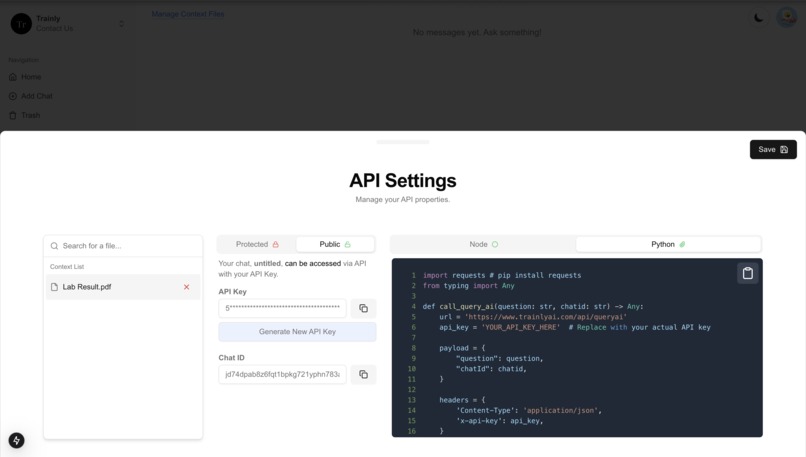
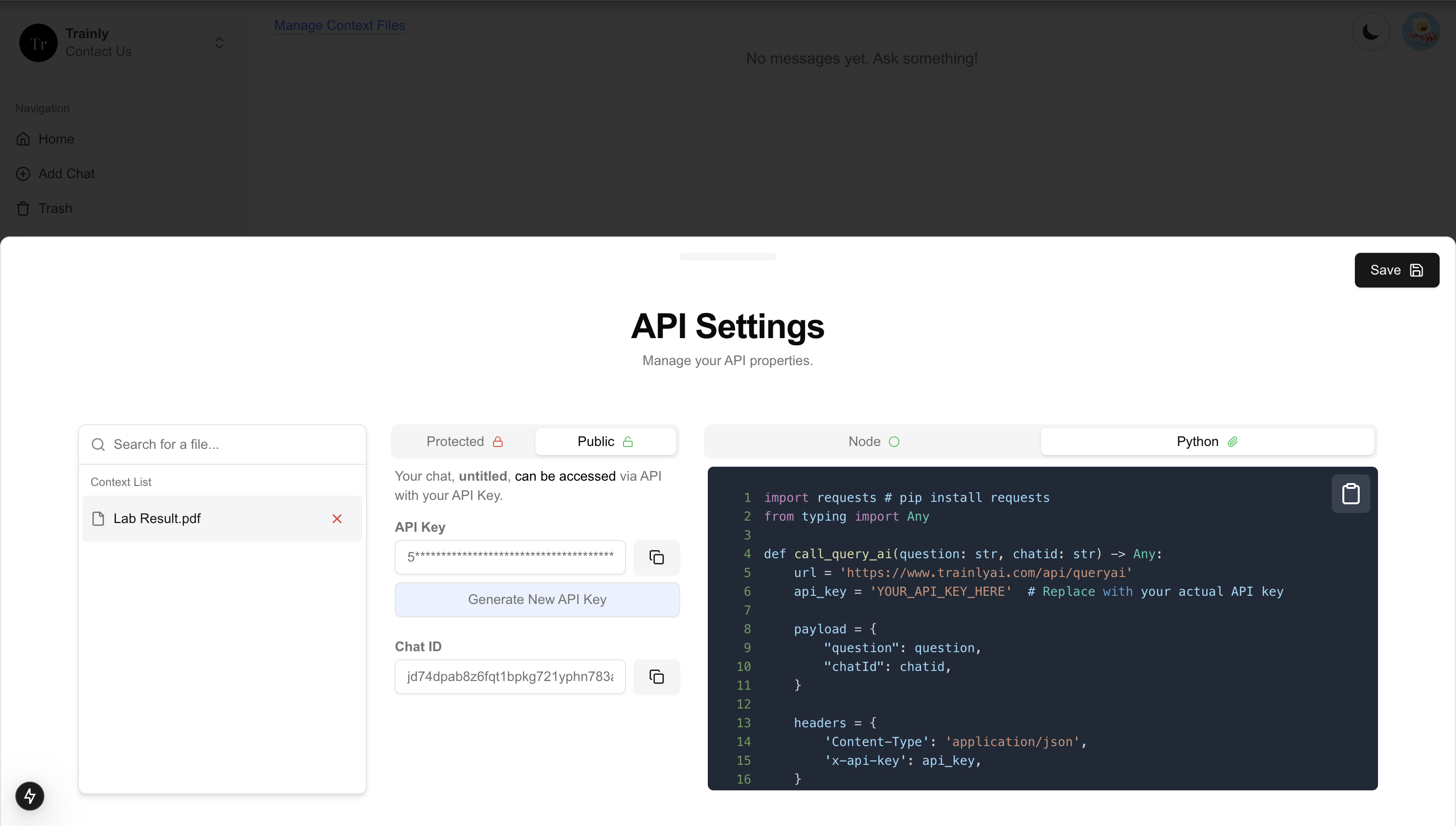
API Information

Inspiration
- The application I made is something that resolves one of my own pain points. A few months ago when I was first getting into RAG, I noticed that openai has a way to upload files and create custom chats. However, there was no way to use these custom chats via API for any applications I chose to build. Trainly solved this.
- Using a custom AI chat via API allows for flexibility and there are many many use cases for something like this (discussed below).
What it does
The primary goal of this project is to develop an AI-powered application capable of processing and analyzing text documents to extract meaningful entities and relationships, then use this information to perform semantic searches and provide contextual answers to user queries. This involves:
Utilizing OpenAI models for natural language processing tasks.
Extracting text from files and segmenting it into manageable chunks.
Generating embeddings for text chunks and storing them in a Neo4j database.
Performing a semantic search using cosine similarity between text embeddings.
Creating a responsive web interface for user interaction.
Potential Use Cases
Making RAG easy and accessible via chat and API to those with less technical expertise.
Quick analysis and extraction of information from research papers.
Understanding codebases and documentation for programming.
Extracting and exploring complex relational data from documents.
Company onboarding is made simple with chats trained on company information.
Overall ease and flexibility for custom trained AI chats and AI APIs.
Using this application is very easy:
- Login
- Create a chat
- Click embed context (located on the bottom left of the chat box)
- Select context files
- Ask the chat any questions!
- Click the MyAPI section, find the chatId, API key, and code example. Use the API with just a few clicks!
How we built it
Modus Framework
The provided codebase showcases various functionalities including client-server interactions. A significant part of this system leverages the Modus framework, primarily via the @hypermode/modus-sdk-as package. Here's an overview of how Modus is utilized within the application:
Key Components
1. Model Definitions
The Modus SDK is employed to define models that interact with the OpenAI systems, as seen in the code:
OpenAIChatModel: This model allows for creating chat-based interactions. It's used for generating responses based on input questions and supplied context.
OpenAIEmbeddingsModel: This model enables the generation of embeddings from text inputs, which is crucial for semantic searches and understanding relationships between chunks of text.
2. Neo4j Integration
Modus facilitates interactions with a Neo4j database, enabling complex graph-based operations:
The framework is used to execute Neo4j Cypher queries to manage graph nodes and relationships based on AI-generated insights.
Functions like
createChunkEmbeddingsInNeo4jare orchestrated to store text chunks and their embeddings into the Neo4j database.
3. AI-Powered Interpretations
The framework aids in interpreting and processing data through AI:
interpretFile function: This function processes raw text to extract entities and relationships using AI instructions and generates corresponding Cypher queries for Neo4j.
answerQuestion function: Utilizes AI embeddings and models to answer user questions by referencing the stored embeddings in Neo4j, providing context-based responses.
Python File Processing
The Python backend in this codebase primarily revolves around a FastAPI application for handling file uploads and processing. Additionally, there are functionalities that involve OpenAI's API and Neo4j database management. Here's a structured overview:
Components
1. File Handling
Class:
ReadFiles- Purpose: To encapsulate methods for extracting text from various file formats.
- Supported Formats: Includes
.pdf,.docx,.txt,.md, etc. Extraction Methods:
- PDFs use
PdfReader. - DOCX uses
docxlibrary. - HTML uses
BeautifulSoupfor text extraction. - Other text-based files are processed directly.
- PDFs use
Challenges we ran into
1. Integration with Multiple APIs and Libraries
OpenAI API Integration: Managing API credentials securely and handling errors that originate from the OpenAI API.
Neo4j Database Interaction: Ensuring that the database queries are optimized and correctly formatted, especially with dynamic entity and relationship extraction.
2. Complex Data Processing
Text Chunking and Embedding: Breaking down large text blocks into manageable chunks and obtaining embeddings
Entity and Relationship Extraction: Interpreting AI outputs to extract meaningful relationships and entities from text data and converting them into actionable database queries required sophisticated natural language processing logic.
What we learned
From developing this project, I learned these lessons:
- Integration of Libraries:
- Successfully integrating various libraries such as `@clerk/nextjs`, `@nextui-org`, and GraphQL demonstrates the importance of understanding third-party libraries to extend application functionalities.
- State Management:
- Managing complex state scenarios using React hooks (such as asynchronous API fetching and UI state handling) is critical for a smooth user experience.
- Backend Communication:
- Interacting with a GraphQL backend for both querying and mutation operations strengthened knowledge around handling backend communication, managing API responses, and handling errors.
- Understanding Authentication Flows:
- Implementing robust authentication and user session flows is crucial for protecting user data and ensuring that users interact with the application safely.
What's next for Trainly - RAG Made Simple
1. Neo4j Enhancements
Central Node for Chats: Currently, documents are separated, even when similar documents are uploaded. This could be improved by having a central node for a chat with all contexts interconnected.
- However, this increases the complexity of removing any context.
Batch Processing: Implement batch processing of messages and file uploads to enhance performance under load.
Caching: Use caching techniques for previously processed responses using libraries like
react-queryorSWRto reduce fetching times and database hits.
2. Performance Optimization
Chunk Management: Optimize text chunking mechanism to ensure more efficient processing and reduce idle time during large file processing.
Batch Processing: Implement batch processing of messages and file uploads to enhance performance under load.
Caching: Use caching techniques for previously processed responses using libraries like
react-queryorSWRto reduce fetching times and database hits.
3. Backend Enhancements
Improved Error Handling: Implement detailed error handling and logging mechanisms using tools like Sentry to catch and manage errors efficiently.
Scalability: Vertical and horizontal scaling of the backend using cloud services like AWS or Google Cloud can help manage growing traffic demands.
Security Improvements: Enhance data security and privacy with more robust encryption methods and secure API key storage.
4. Feature Additions
Advanced Analytics: Include analytics for user insights using tools like Google Analytics or Mixpanel to track user behavior and application usage patterns.
Expanded AI Functionalities: Incorporate additional AI models or tools to offer more sophisticated interactions and processing capabilities.
Built With
- amazon-ec2
- amazon-web-services
- embeddings
- fastapi
- graphql
- hypermode
- modus
- neo4j
- nextjs
- openai
- python
- typescript
- vercel

Log in or sign up for Devpost to join the conversation.