-
Main Interface
Inspiration
We wanted to bridge the gap between the immersive world of train simulation and real-world railway operations. Driving trains in Train Sim World has incredibly realistic physics, but we wanted to build a "control center" experience. Our idea was a secondary screen that provides deep, real-time analytics, charting, and advanced automated controls that aren't available out of the box in the game's default HUD. Plus, we couldn't resist the urge to build our very own autonomous train driver!
What it does
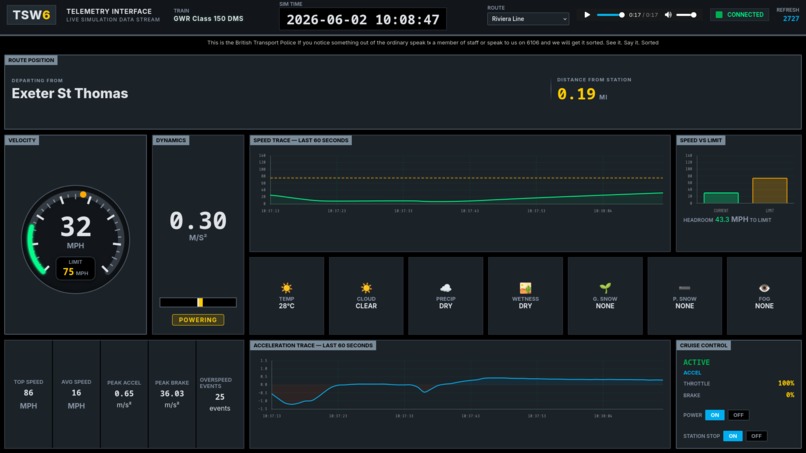
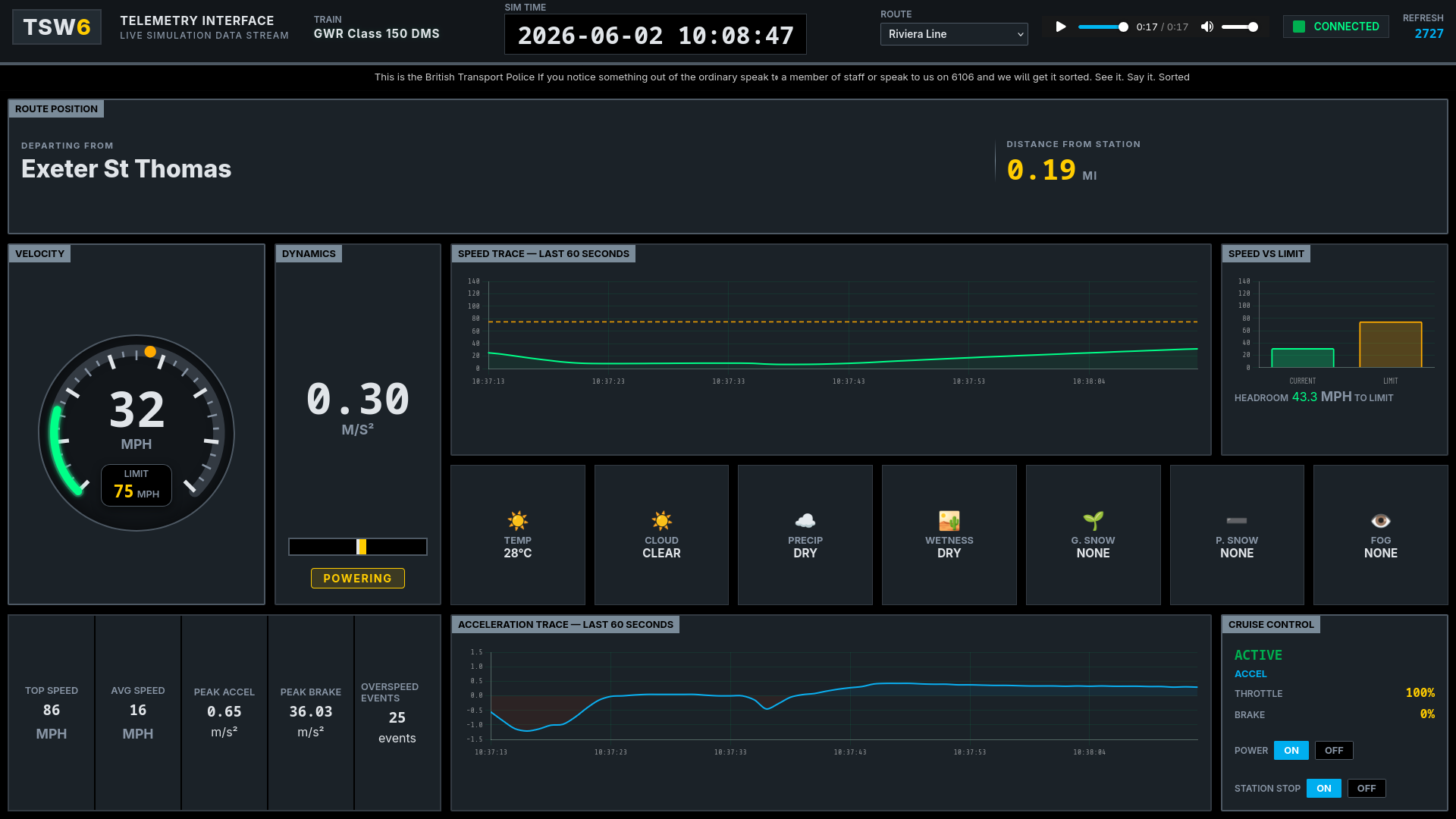
The interface is a live, web-based dashboard and control system that hooks directly into the running simulation. It features
- Live Telemetry Dashboard displaying velocity, acceleration, speed limits and interactive charts
- Live Route Tracking that grabs the trains GPS coordinates and then calculates the distance to the next station along pre-programmed routes
- Autonomous Cruise Control which actively monitors the trains speed, distance to next station and speed limits. It then takes control of the throttle and brake to ensure the train obeys the limits and stops at stations
- Live Weather Manipulation which allows the user to instantly change the in-game environment (temperature, fog, snow and rain)
- The "Very" Useful Easter Egg occurs when the system detects you are driving Thomas the Tank Engine which the UI will shift into a custom theme with custom slogans and music
How we built it
- Backend we did as Python/Flask. We are using a flask server that continuously polls a local Train Sim World API
- We are also utilising concurrency with Python threading and thread-safe locks to handle cruise control, weather and audio fetching so we don't block the main server
- Frontend we are using HTML/CSS/JS. We have created a highly responsive, data-heavy UI. We have utilised raw SVGs for dynamic speed arc gauges and Chart.js for smooth 60second history traces for speed and acceleration Math and Geospatial Logic have been used to convert raw longitude and latitude coordinates from the game into precise real-world distances between the stations
Challenges we ran into
- Writing the logic for the Cruise Control was a massive challenge. Trains are incredibly heavy and have massive braking distances. We had to carefully balance the throttle and braking thresholds to ensure the train didn't jerk violently, overspeed on downhills, or miss the station platforms
- The game only gives us raw latitude and longitude. Figuring out exactly where the train is on a complex route, determining whether it is approaching or leaving a station, and calculating the exact distance to the stopping point required intricate math and strict route mapping
- Constantly reading data from the game, updating the cruise control state, and serving it to the web UI simultaneously caused race conditions. Implementing proper mutex locks was essential to keep the system stable
Accomplishments that we're proud of
- Successfully building a custom cruise control system that can bring a massive, speeding train to a complete and safe halt at a station platform completely autonomously
- Creating a responsive, and visually striking "control center" UI that feels like a professional piece of railway software
- Getting the live integration to work so seamlessly that the web charts react instantly to in-game physics
What we learned
- We leveled up our frontend skills, specifically in managing high-frequency DOM updates for live data streams without causing performance bottlenecks in the browser
- Learnt how to interact with a new API and follow its documentation to discover what it can do
What's next for Train Sim World 6 Telemetry Interface
- Enhancing the system to automatically detect which route you are driving on, rather than having to select it from a dropdown
- Adding buttons to the web interface to sound the horn, open/close passenger doors, and control the train's lighting systems remotely

Log in or sign up for Devpost to join the conversation.