-
-
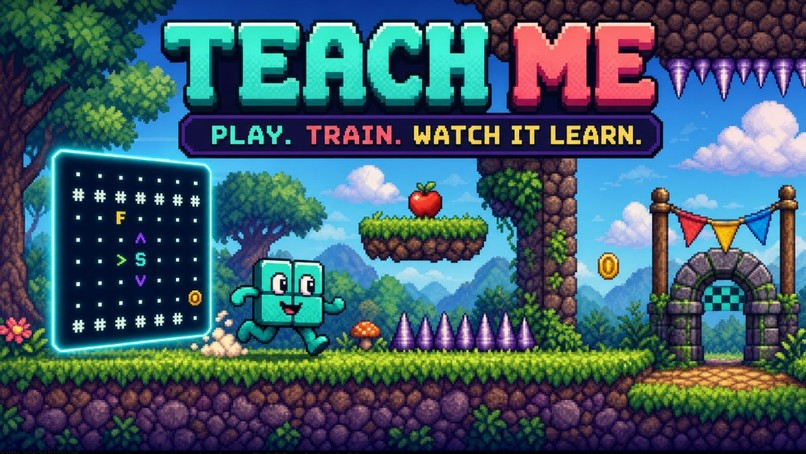
TEACH ME
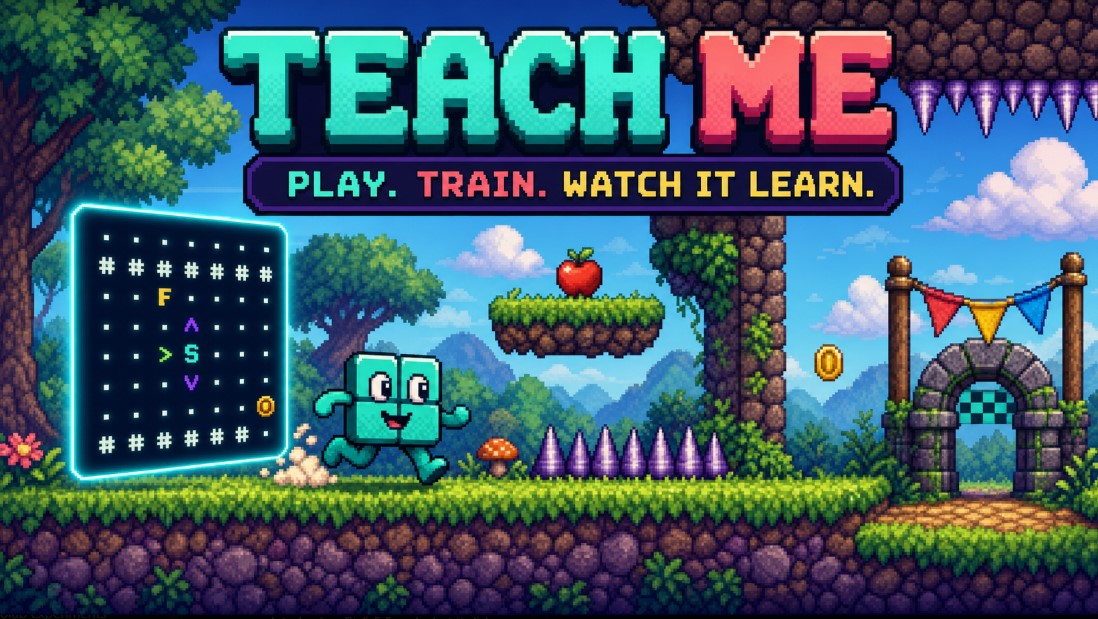
Teach an AI
Teach Me is a complete retro platform game where playing creates a dataset. You demonstrate how to survive, and train a fresh neural network on your actions, then watch that student face three new levels alone.
The central question is not “Can an AI play a platformer?” It is:
Can you teach one well enough to generalize?
Play the live game · View the source
Inspiration
Machine learning is often introduced through terminology, static charts, or a polished pretrained model. Those approaches can explain definitions, but they hide the causal experience: what did the model actually see, what examples did it receive, what choices shaped training, and why did it fail?
In Teach Me, the player is the teacher. The student watches a tokenized version of the game, while the player demonstrates Continue, Jump, and Crouch. Successful play becomes the lesson. The model then attempts unfamiliar courses using only what it learned.
Many AI demonstrations hide the data and training process. Learners see an input and an impressive output, but they do not build a useful mental model of:
training examples; underfitting and overfitting; learning rate and model capacity; memorization versus generalization; validation metrics versus real behavior; the limits imposed by what a model can perceive.
Teach Me turns each of those ideas into a decision with a visible consequence. The player creates the examples, chooses the experiment, watches real optimization, and sees the resulting policy succeed or fail in motion. The lesson is not a paragraph beside the game—the lesson is the game loop.
What the player does
- Demonstrate
The player controls the creature through up to three progressively harder 30-second levels. Ten times per second, the game pairs the player’s action with exactly what the model could perceive:
a forward-only 5 × 24 symbolic grid; grounded, jumping, crouching, and vertical-motion state; jump timing; the previous action; the chosen action: Continue, Jump, or Crouch.
Failed-level data is discarded. Cleared levels become successful demonstrations, and the player may stop and train after a level or continue to build a broader lesson.
- Design the experiment
Nothing is preselected. The player chooses:
Epochs: how many times the model studies the lesson; Learning rate: how aggressively it changes; Model size: how much pattern capacity it has.
The choices are intentionally consequential. Too little training can underfit. Too much with an aggressive rate can overfit or destabilize the policy. A tiny model may lack capacity, while a very large one can memorize narrow examples.
- Train a real model
A fresh PyTorch network trains from scratch on the player’s demonstration. The progress display is connected to the real optimizer—not a timer or animation—and shows live epoch progress, training loss, held-out loss, and the evolving curve.
- Watch an unseen exam
The trained student receives three different 45-second exam levels. Teaching and exam generators use separate curricula and random namespaces, so the test changes obstacle order, spacing, and combinations instead of replaying the demonstrated route.
The same creature, controls, collision rules, and physics are used for human and AI play. The model’s raw highest-probability action executes directly. There is no obstacle-specific rescue rule, hidden action correction, or scripted exam policy.
A strong lesson can produce a three-level victory. A narrow lesson or poor training experiment can fail visibly—and that failure is useful evidence for the next attempt.
A complete product experience
Teach Me is designed as a game, not a machine-learning dashboard with a game attached.
The one-screen interface uses a colorful 16-bit console style, generated pixel artwork, readable retro menus, responsive platform physics, finish arches, celebrations, and three levels of visual variation. Walls, spikes, gaps, one-way platforms, true low ceilings, food, and platform-assisted tall walls create a traditional platforming challenge.
The colorful world and the model’s ASCII-style symbolic perception are displayed together. The player can see both the experience intended for a human and the limited information available to the AI. During autonomous play, the Why? view reveals the exact symbolic observation and raw action probabilities.
The result is one coherent loop:
Play → create data → train → test → understand → improve
How it works
The browser game is built with JavaScript and HTML5 Canvas. It includes fixed-step 60 Hz platform physics, procedural course generation, 10 Hz decision recording, collision handling, input controls, sprite rendering, training UI, and autonomous playback.
A Python service handles validated lesson storage, single-flight training, model publication, versioning, and inference. PyTorch trains a position-preserving multi-layer pattern network. Every one of the 120 grid positions remains distinct, allowing the model to learn that a near wall requires a different response from a far wall.
The model produces exactly three logits: Continue, Jump, and Crouch. Playback uses deterministic raw neural argmax.
Three selectable sizes make capacity experimentally meaningful:
Tiny: 12,239 parameters; Standard: 232,079 parameters; Huge: 941,711 parameters.
The standard model stays close to the original approximately 250,000-parameter design target. The outer choices deliberately make under-capacity and over-capacity observable.
After training, exact float32 weights run in the browser so public-network latency cannot delay each decision. A parity audit compares browser predictions with PyTorch. If a browser cannot retain the exported tensors, the same saved PyTorch model remains available through the prediction API—still using raw argmax, never a substitute policy.
How Codex was used
Codex was the primary development collaborator across the core build, not a final polish tool.
The project began with two detailed design documents: one describing the educational game and one specifying the machine-learning system. The primary Codex task ran with GPT-5.6-sol high and was used to turn those documents into the working architecture, implementation, tests, art pipeline, public deployment, and repeated revision loop.
Codex helped me:
implement the browser platformer and Python/PyTorch service; translate the specifications into versioned model and dataset contracts; reproduce failures from real player reports; trace constant-Jump and constant-Continue collapse through actual logits and timelines; replace an unsuitable history-heavy architecture with a position-preserving pattern network; align collection, training, validation, browser inference, and physical gameplay; repair one-way platforms, low ceilings, spike hitboxes, tall-wall routes, timing, and public-host behavior; generate and integrate multiple retro obstacle-art families; simplify a crowded technical interface into a coherent game; build automated unit, browser-parity, course-generation, and full scrolling-physics audits; repeatedly re-read both original specifications and compare the finished product against them.
The current suite contains 83 automated tests: 82 pass, with one GPU-only test skipped on the CPU test machine. Additional audits cover 40 procedural seeds, browser/PyTorch prediction parity, slow-frame timing, and full physical AI exams.
Primary Codex task/session: 019f639f-3ee8-71e1-8010-acca79e235fa.
The hardest challenge
The hardest problem was making evaluation agree with reality.
Early versions could report encouraging classification accuracy while the creature jumped constantly, continued forever, crouched too late, or failed on physical edge cases. A percentage alone was not enough.
I built full behavioral audits that place a saved model into the same scrolling world, call the same prediction path, execute the same physics, and count a success only when the creature actually survives. Those audits exposed representation errors, timing mismatches, validation gaps, unfair hitboxes, and host-latency problems that ordinary accuracy metrics missed.
A second challenge was resisting the easy fix. Adding hand-written obstacle rules could have made the AI look better, but it would have destroyed the educational premise. The improvements therefore came from the data representation, sampling, architecture, aligned runtime, and fair shared physics—not from secretly correcting the model’s decisions.
What I am proud of
A complete demonstrate → train → unseen exam → improve experience; a genuine supervised-learning model rather than a scripted platform policy; meaningful player control over epochs, learning rate, and capacity; visible underfitting, overfitting, narrow-data, and generalization outcomes; three teaching levels and three distinct exam levels; pixel and symbolic model views visible at the same time; a student that can learn to wait, jump, crouch, use platforms, and combine learned skills; literal failures that remain understandable and educational; a polished retro game that is publicly runnable; a three-level victory that produces an unmistakable celebration.
What I learned
The representation and dataset mattered more than simply making the model larger. A history-heavy model learned route habits. A position-preserving symbolic model learned the upcoming situation.
I also learned that validation is a proxy, not the final truth. For an embodied model, the strongest evaluation is behavioral: place it in a new world and watch what it actually does.
Most importantly, the project proved its own idea to me. When the student fails, I now ask, “What did I demonstrate, and what could the model see?” That is the mental model Teach Me is intended to give its players.
What is next
The next step is classroom testing: short guided lesson prompts, educator notes, and comparisons between teaching strategies. I would also like to add accessible input options and optional experiment history without cluttering the central experience.
The core will remain deliberately focused:
Teach by playing. Train honestly. Test on something new. Learn from what happens.


Log in or sign up for Devpost to join the conversation.