-
-
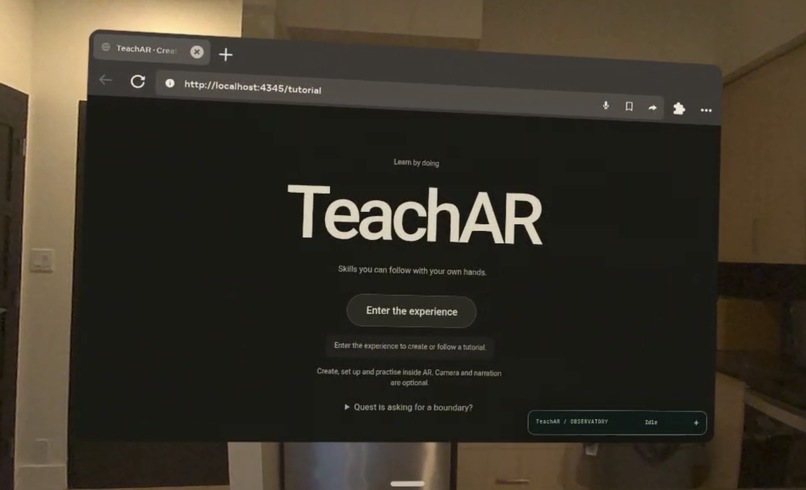
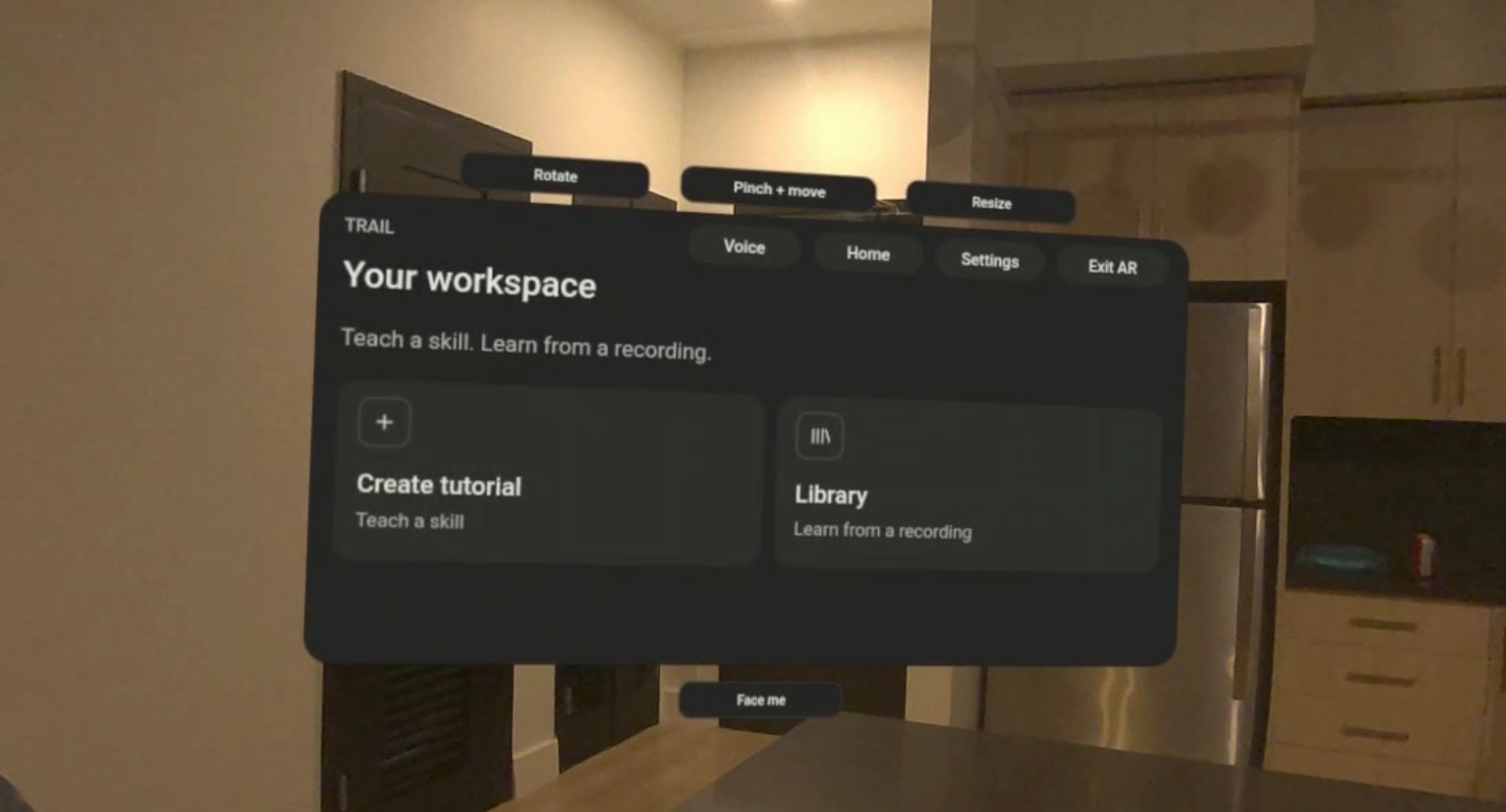
home screen
-
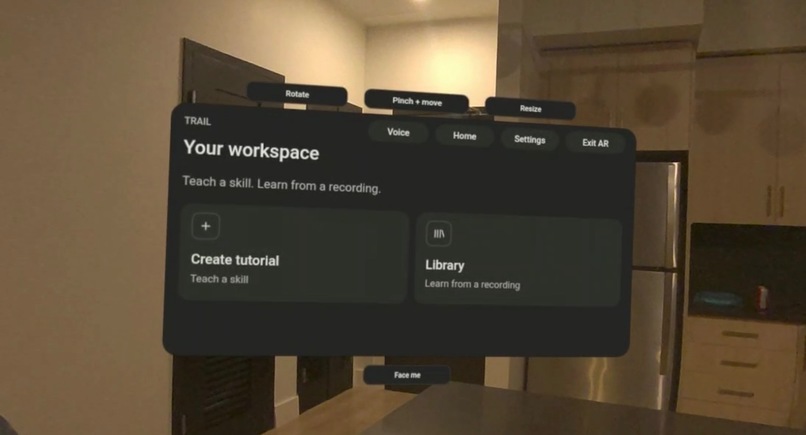
workspace (create/list tutorials)
-
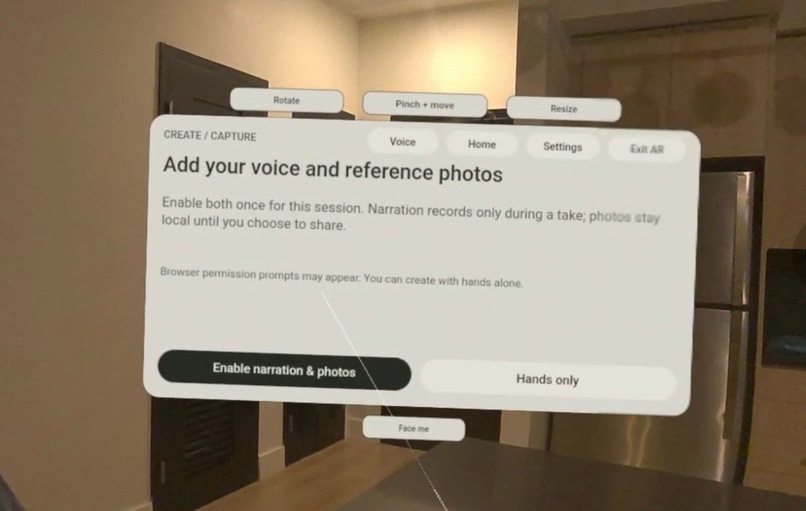
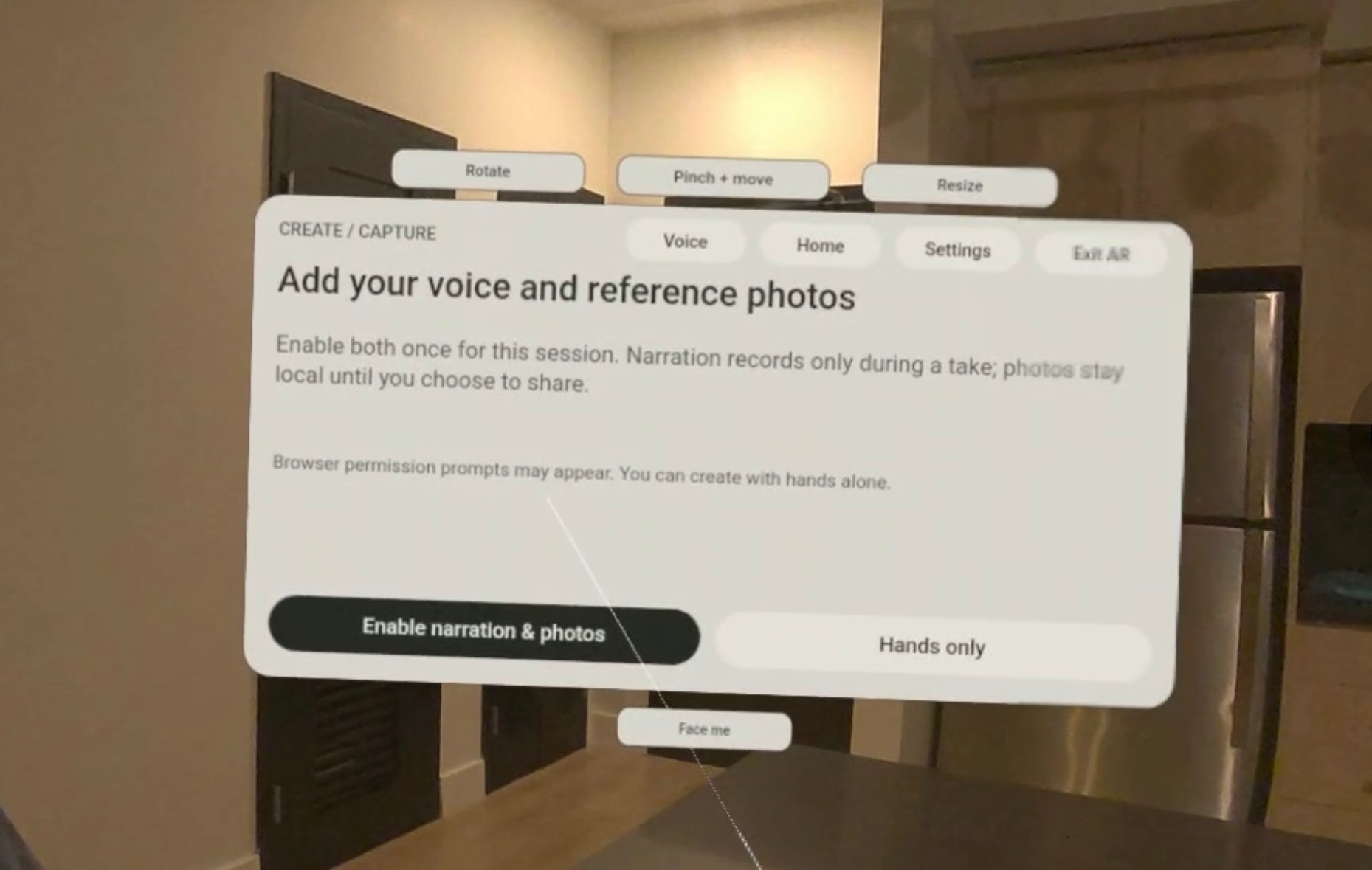
create (light theme)
-
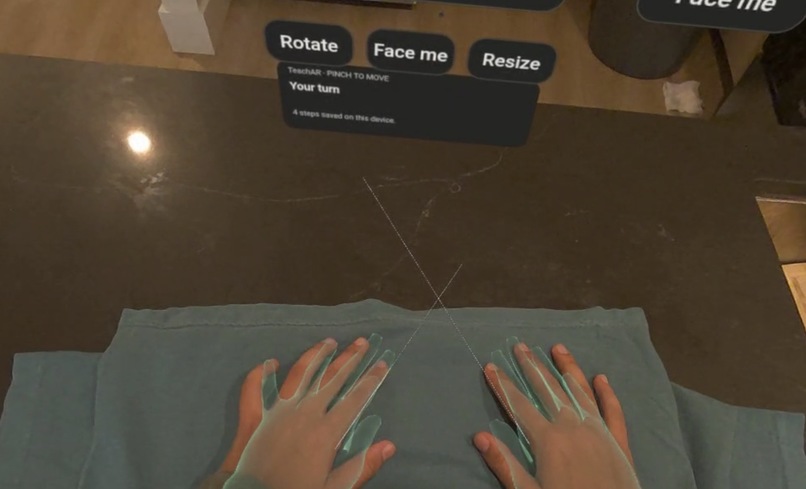
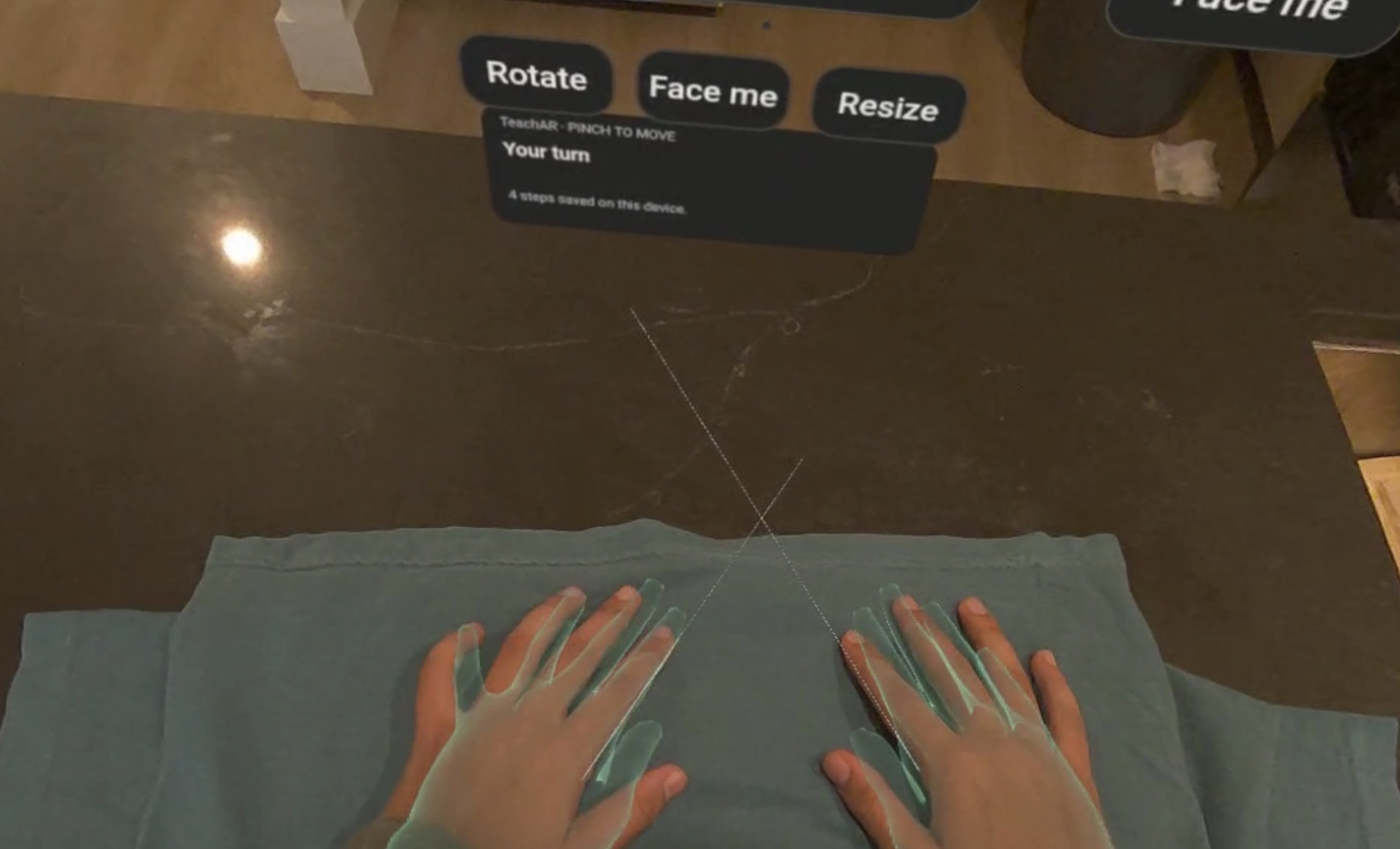
calibrating
-
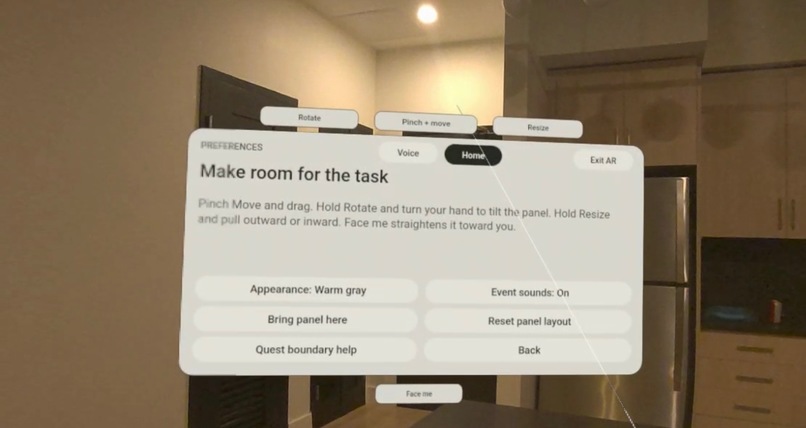
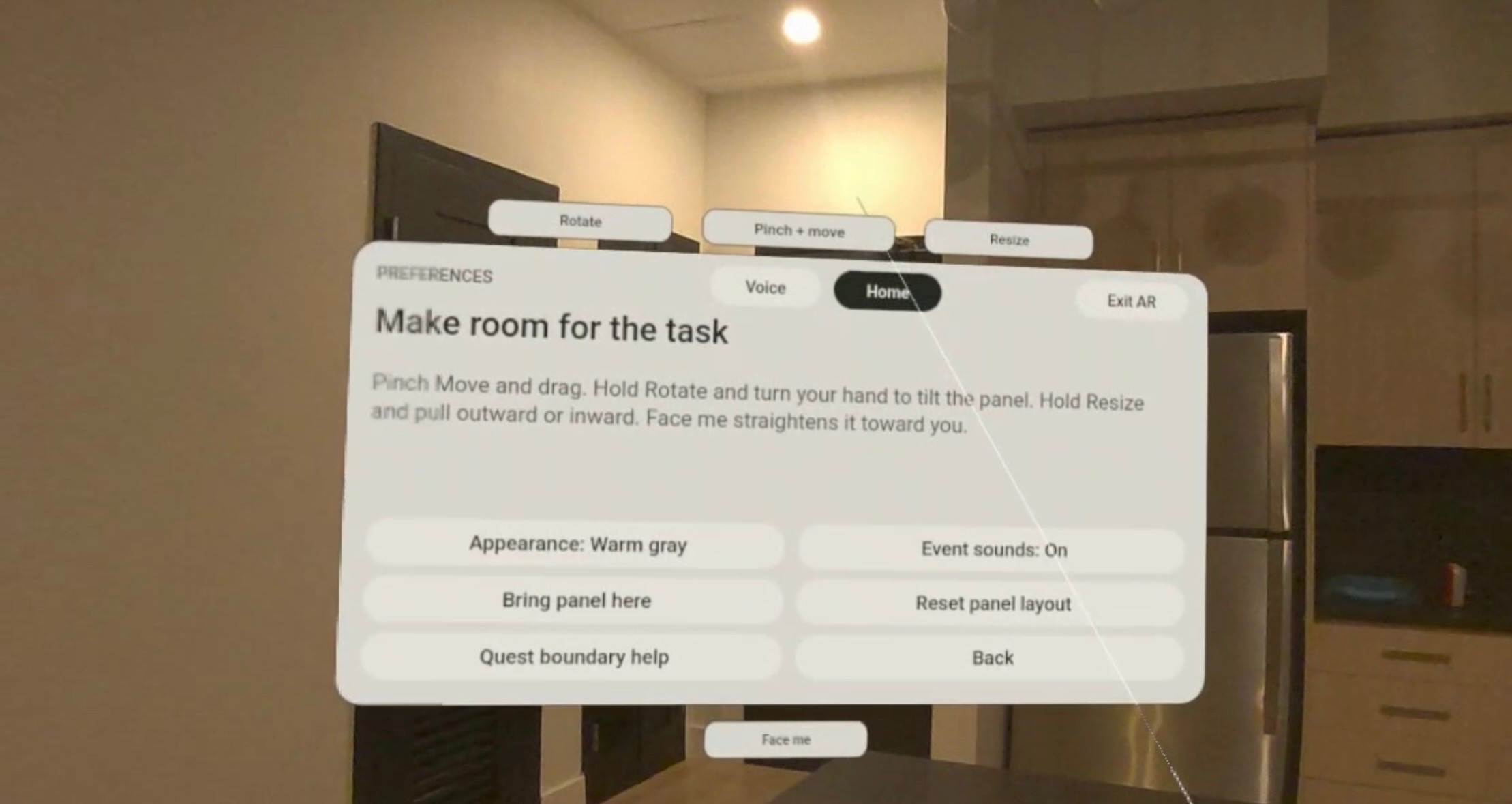
preferences (light theme)
-
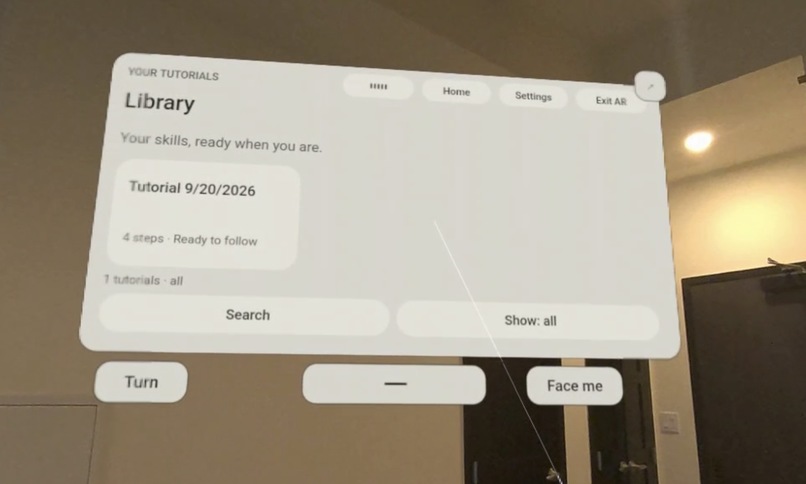
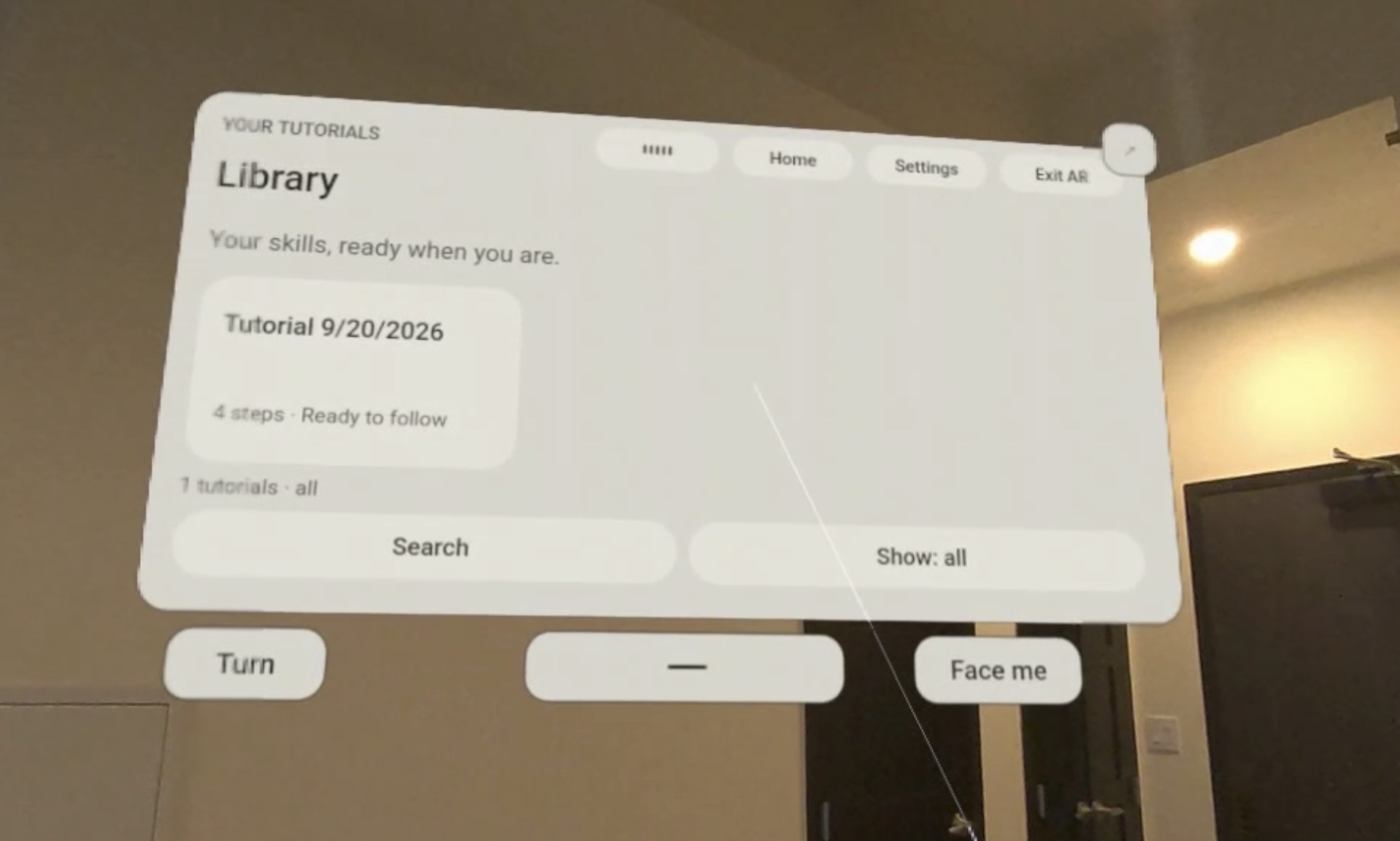
saved library (light theme)
-
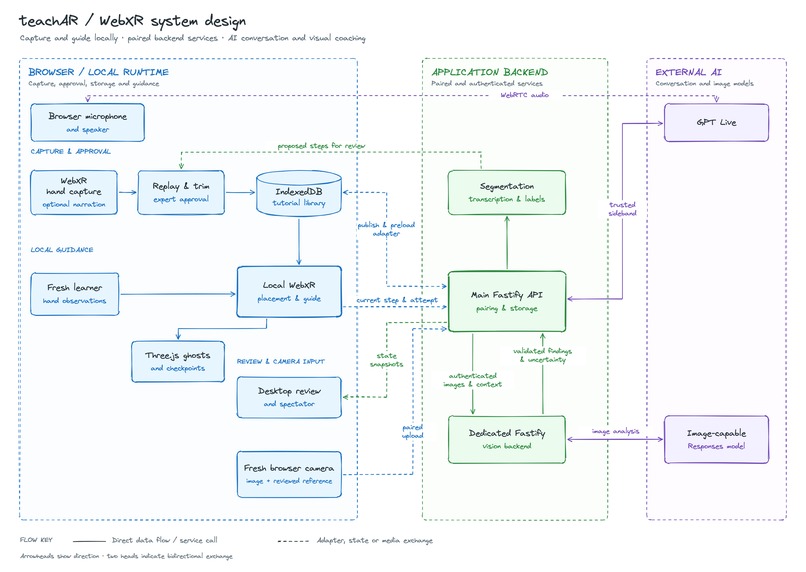
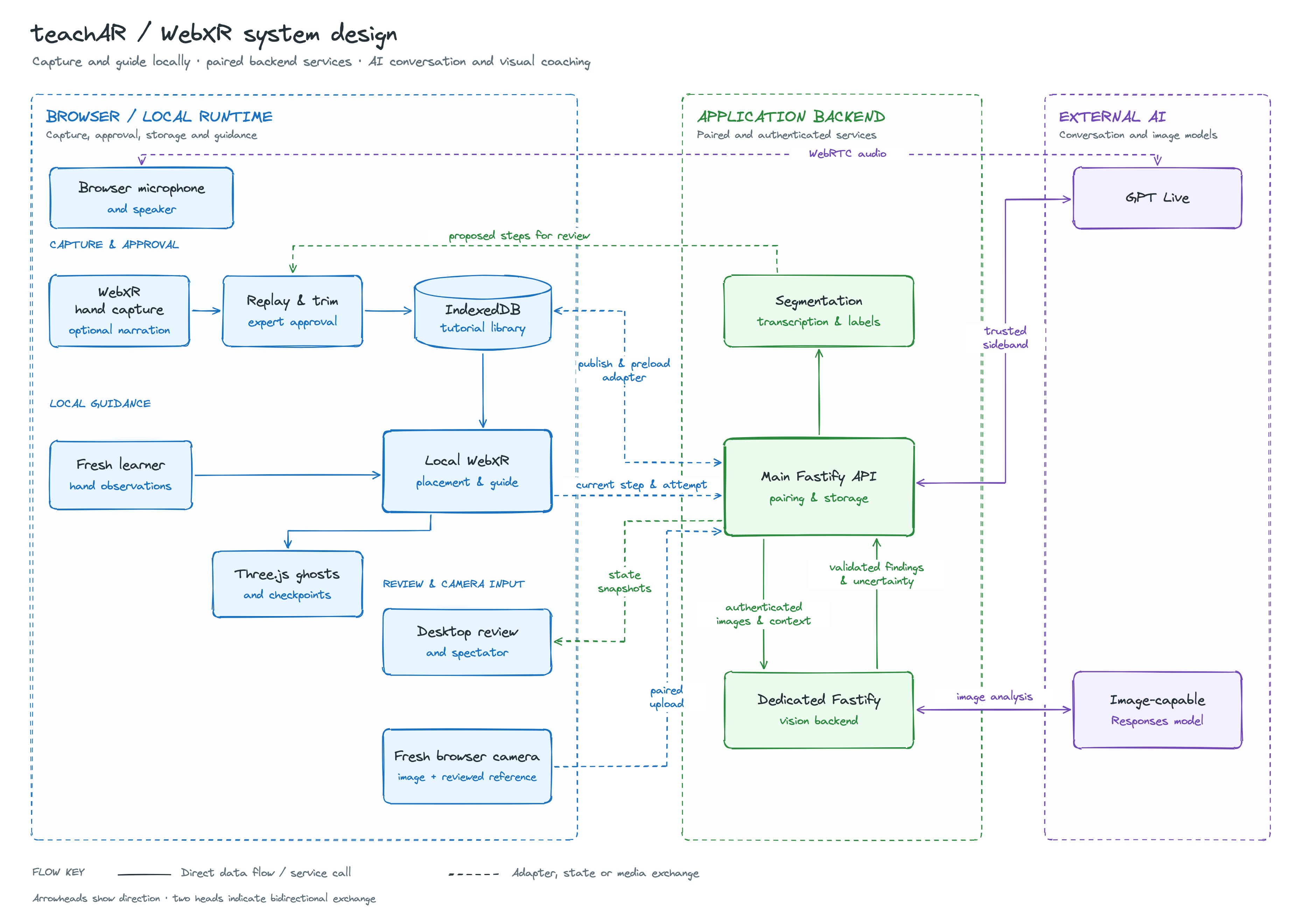
systems design
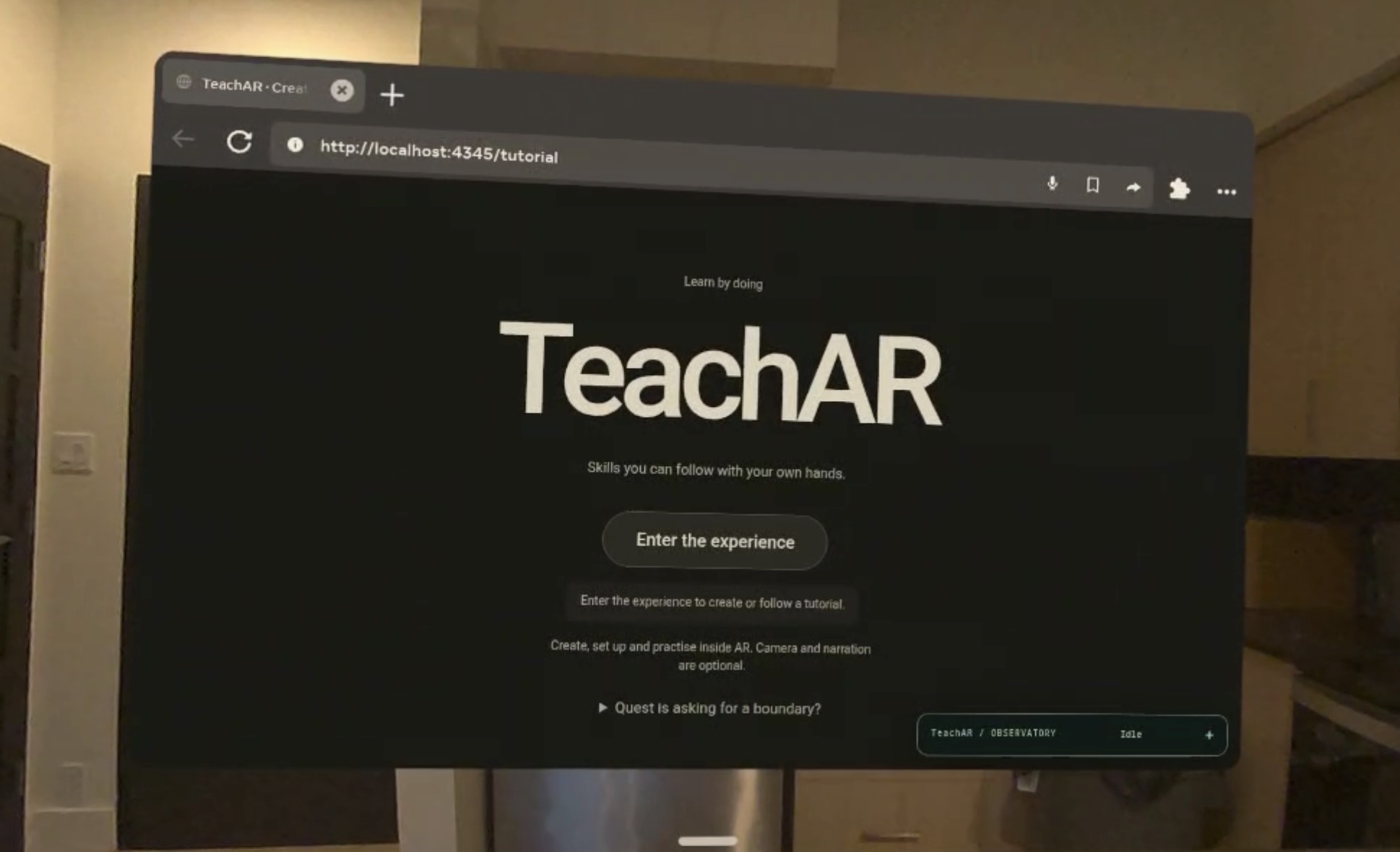
Have you ever paused a tutorial, looked down at your hands, and immediately forgotten what you were supposed to do? Or watched someone fold a paper crane and thought “that looks easy,” right up until your paper looked nothing like theirs?
Meet teachAR: a tutorial you step into.
We wanted to bring the demonstration to the place where you are actually learning. Put on a Meta Quest 3S, place a recorded lesson in your workspace, and follow an expert’s translucent ghost hands over your own table. Take your time, repeat a movement, and ask the AI coach about the instruction when you need help.
The idea starts with something familiar: “Here, let me show you.” We wanted to capture enough of that demonstration for someone else to learn from it later.
What it does
An expert records their hand movements while performing a task. They can review and trim the recording, edit the instructions, choose which hands matter for each movement, and save the lesson. A learner then sets up the same objects, places the recording in their workspace, and follows the ghost hands. The guide uses fresh hand observations and movement checkpoints to respond to the learner’s pace. Pausing, losing tracking, or holding your hands still should never quietly earn progress.
We also wanted learners to be able to ask questions. Ask coach connects the current lesson to an AI assistant that can explain the reviewed instructions, so the learner can ask for help without hunting through another video.
How we built it
Underneath the ghost hands, the headset experience runs in Quest Browser using WebXR and Three.js. WebXR supplies hand tracking, Three.js renders the recorded movements, and the browser runs the movement logic locally. Tutorials are stored in IndexedDB, with export and import for deliberate transfer. Recordings are placed through translation and rotation at their original scale, so changing the lesson’s position does not quietly change the size of the movement.
Our TypeScript and Fastify backend handles pairing, stored tutorials, and AI sessions. It keeps provider credentials off the headset and supplies the coach with approved context. We built the movement system and conversational system with separate responsibilities: the guide checks movement, and the coach explains the lesson. Saying “I’m done” to the model cannot complete a step. Matching the recorded motion also cannot prove that a fold, grasp, or assembly is physically correct.
What we learned
We explored a native Unity implementation before moving the current headset experience into the browser. Along the way, we learned how much physical interfaces ask of you. A hand can disappear from tracking as soon as it grips something. A guide can look convincing while being poorly aligned. Passing software tests still leaves the question of whether someone can actually use it on a headset.
Building the happy path was one problem; keeping the experience understandable when tracking, assets, or network requests failed was another. Our sponsor integrations helped us work on both the learning experience and the engineering behind it.
OpenAI: API Prizes
A coach that knows which movement you are learning
We integrated GPT-Live over WebRTC for tutorial-grounded conversation. Our server supplies the expert-reviewed instructions, current step and attempt context. When a learner asks what to do next, the coach has the context of the lesson they are following. It can explain the instruction, but it cannot advance the guide or certify that the physical task is complete.
OpenAI also supports authoring. Whisper transcribes recorded narration, and the Responses API with structured outputs turns it into editable step titles and instructions. The expert reviews those drafts before they become guidance. Provider credentials stay on the server.
Our recorded live-provider desktop tests verified spoken greetings, answers grounded in the current step, and recovery when a step changed during an answer: the old audio was muted, the next question waited for the updated context, and the next response addressed the new step. Recorded runs measured first spoken words 0.7–1.3 seconds after input speech ended. These tests used synthesized speech through Chromium’s fake microphone and the real OpenAI API; they are desktop provider results, not Quest microphone or latency measurements. The voice-hardening log records the scenarios and limits.
How Codex improved teachAR
One of the most interesting bugs let a learner pass a movement without moving. Overlapping target regions meant stationary hands could satisfy successive checkpoints. Codex helped reproduce the defect with an 18 cm synthetic recording, add a failing regression, and repair the follower to require fresh movement in the recorded direction. We replayed the same input against the old and repaired versions: stationary hands completed the old movement and did not complete the repaired one.
Codex also helped fix a stopped coach restarting after delayed setup and added visible fallback hand outlines when model assets failed to load. The team supplied requirements, review and physical observations; Codex supported implementation, debugging and verification. Our Codex case studies connect those changes to the reproductions, repairs and tests, while the OpenAI brief maps the API integration.
Sentry: Best Use of Sentry
A spatial button can look unresponsive for several different reasons. The hand might miss the target, the application might reject the action, or the state might change without the expected feedback. We built a diagnostic observatory around the browser tutor to make those stages visible using Sentry Tracing, Logs and Session Replay.
- Tracing follows observed interaction stages, including activation, hit-testing, dispatch, state changes, render submission and explicit rejection paths.
- Logs record structured guide state and step-attempt summaries. They distinguish required-hand tracking loss from voluntary pauses, watching a demonstration, application waiting and unknown intervals.
- Session Replay reconstructs an allowlisted diagnostic panel and connects it to the interaction traces. It records diagnostic state rather than the learner’s room, raw hand coordinates, narration or tutorial text.
We verified data arriving in all three Sentry products on September 20. A recorded desktop-preview interaction showed activation, hit-testing and an explicit no_control rejection, with matching logs and a playable diagnostic replay. That gave us a concrete view of where the interaction stopped.
The first hosted replay also exposed a real privacy bug: it displayed an inferred IP address even though our application omitted user information. Our final sanitizer had accidentally removed the SDK’s IP-inference opt-out. We preserved that setting, added regression checks against the actual SDK payload, enabled Sentry’s IP-storage safeguard, and verified that a fresh hosted replay displayed Anonymous User.
That is the concrete improvement Sentry helped us make: we found a problem in the delivered telemetry, changed the implementation, and checked the corrected result in the hosted product. The Sentry implementation and evidence record links the traces, replay and fix. These are recorded desktop and hosted-telemetry results; improvements to headset usability and human learning still need their own trials.
Cognition: Best Use of Devin
We used Devin for repository planning and reproducible testing documentation. Two Devin-authored pull requests were reviewed and merged before we ran out of credits: PR #9 revised the earlier platform plan, voice implementation order and demo-risk handling; PR #12 added concrete desktop execution notes covering isolated ports and storage, local pairing, fake-microphone testing and recovery cases. Those contributions helped make the development and verification workflow explicit. This was planning and test-documentation work, separate from the product’s runtime AI coach.
What’s next
There is more we want to build. We have a separate image-interpretation backend, but connecting fresh camera images to reliable spoken coaching remains unfinished. Better alignment to task objects, demonstrations that transfer reliably between workspaces, and trials with people who did not build the app are the next steps. We want to measure whether the guidance helps someone learn, beyond whether the ghost hands look good.
The bigger idea is a library of skills recorded by people who know how to do things. Someone shows a movement, explains what matters, and leaves behind a lesson another person can practice with their own hands.
Show once. Pass it on.
Built With
- codex
- cognition
- devin
- fastify
- gpt-live
- meta-quest
- node.js
- openai
- quest-browser
- sentry
- three.js
- typescript
- unity
- webrtc
- websocket
- webxr
- whisper
- zod


Log in or sign up for Devpost to join the conversation.