Inspiration
As an avid hiker and runner, I've experienced the frustration of losing cell service on trails when I need information the most. Traditional navigation apps fail when you're deep in nature, and AI assistants require constant internet connectivity. I wanted to create a solution that combines the power of modern AI with true offline capabilities, ensuring that adventurers always have an intelligent companion by their side, regardless of connectivity.
The Google Chrome Built-in AI Challenge presented the perfect opportunity to explore how on-device AI could transform outdoor recreation. I envisioned a tool that could answer questions about plants, wildlife, first aid, and navigation, all without requiring a single byte of data once you're on the trail.
What it does
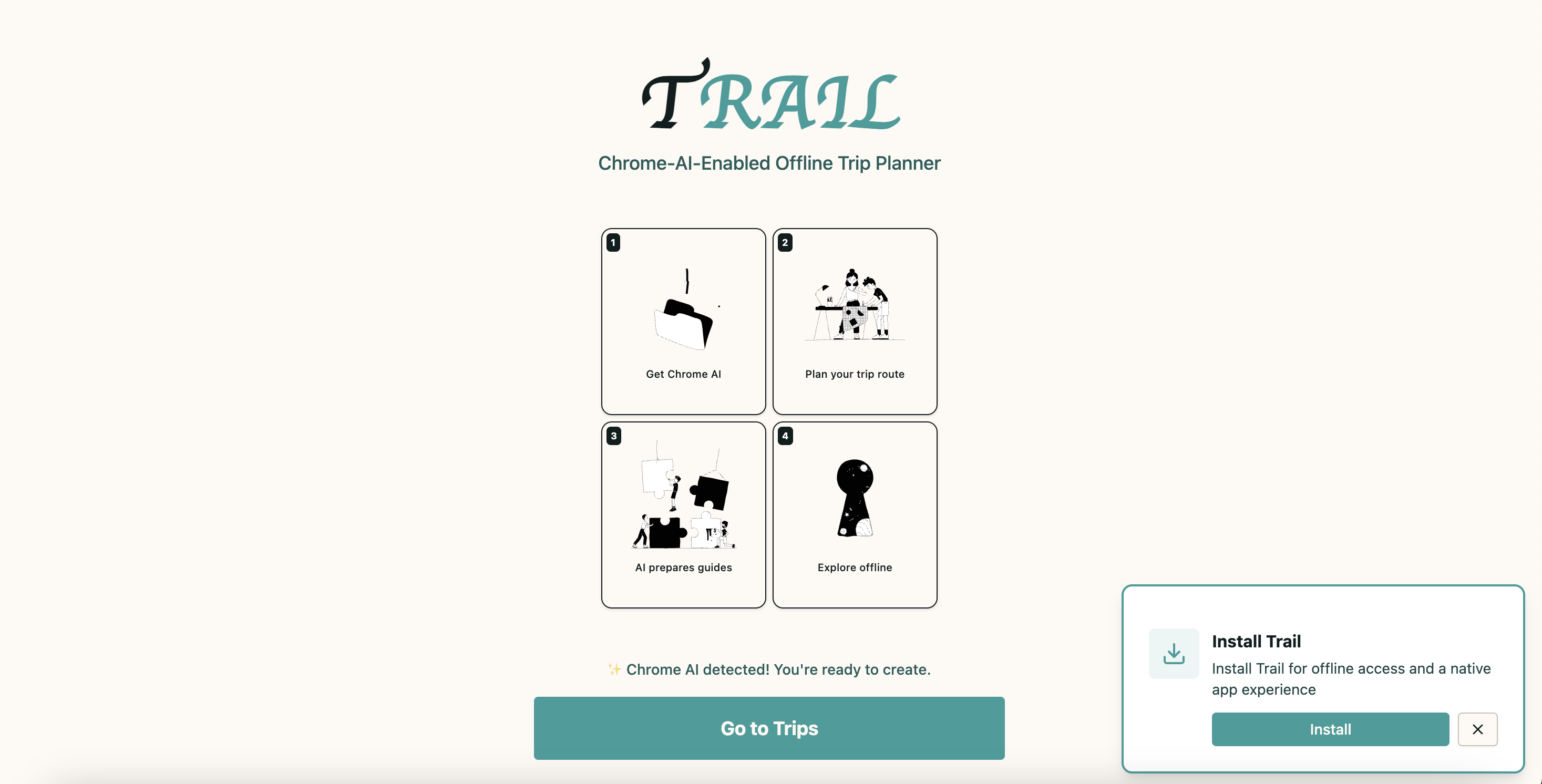
Trail is a Progressive Web App (PWA) that leverages Chrome's Built-in AI (Gemini Nano) to provide offline trip planning and real-time navigation assistance. Here's what makes it unique:
Core Features
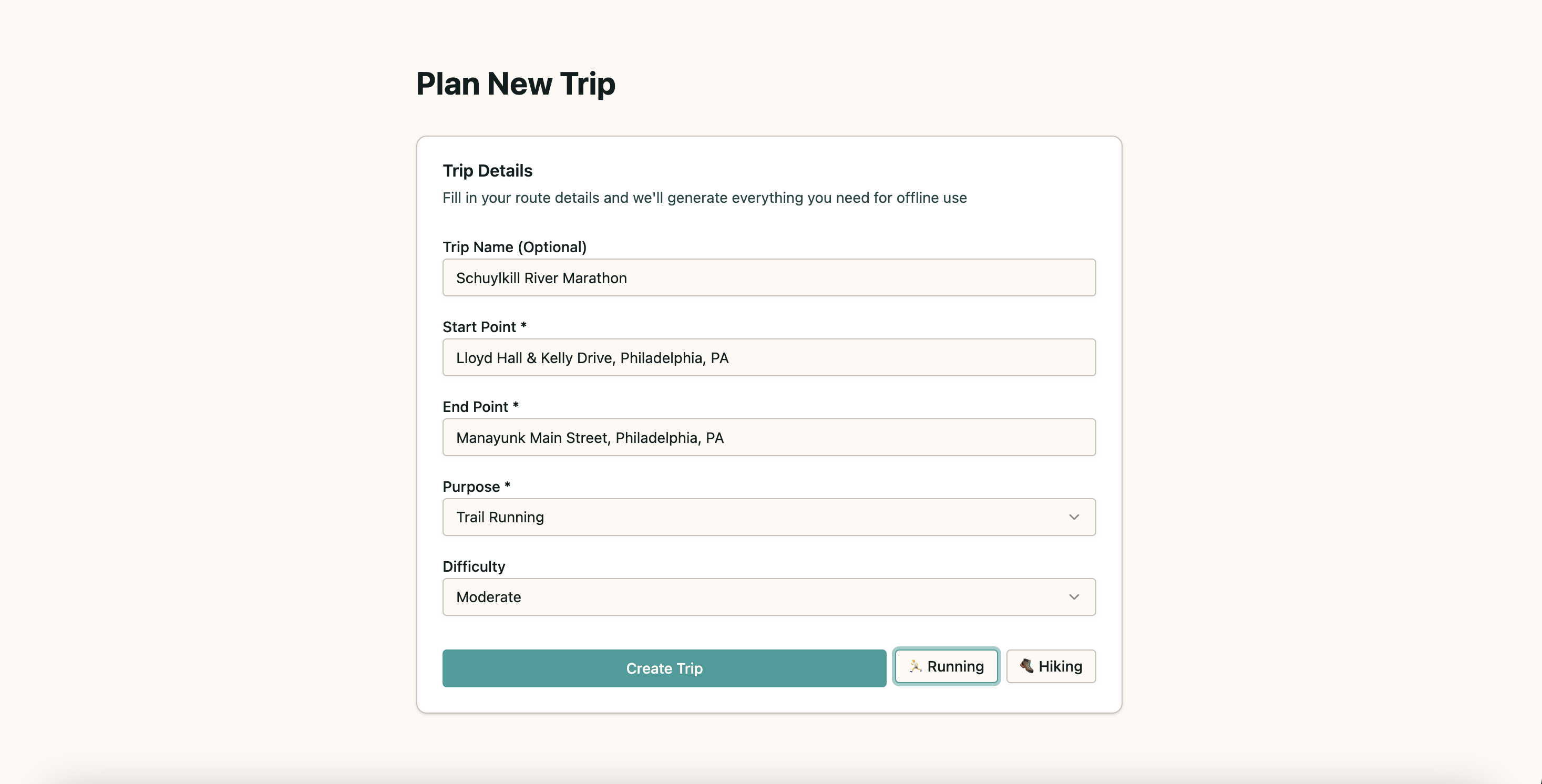
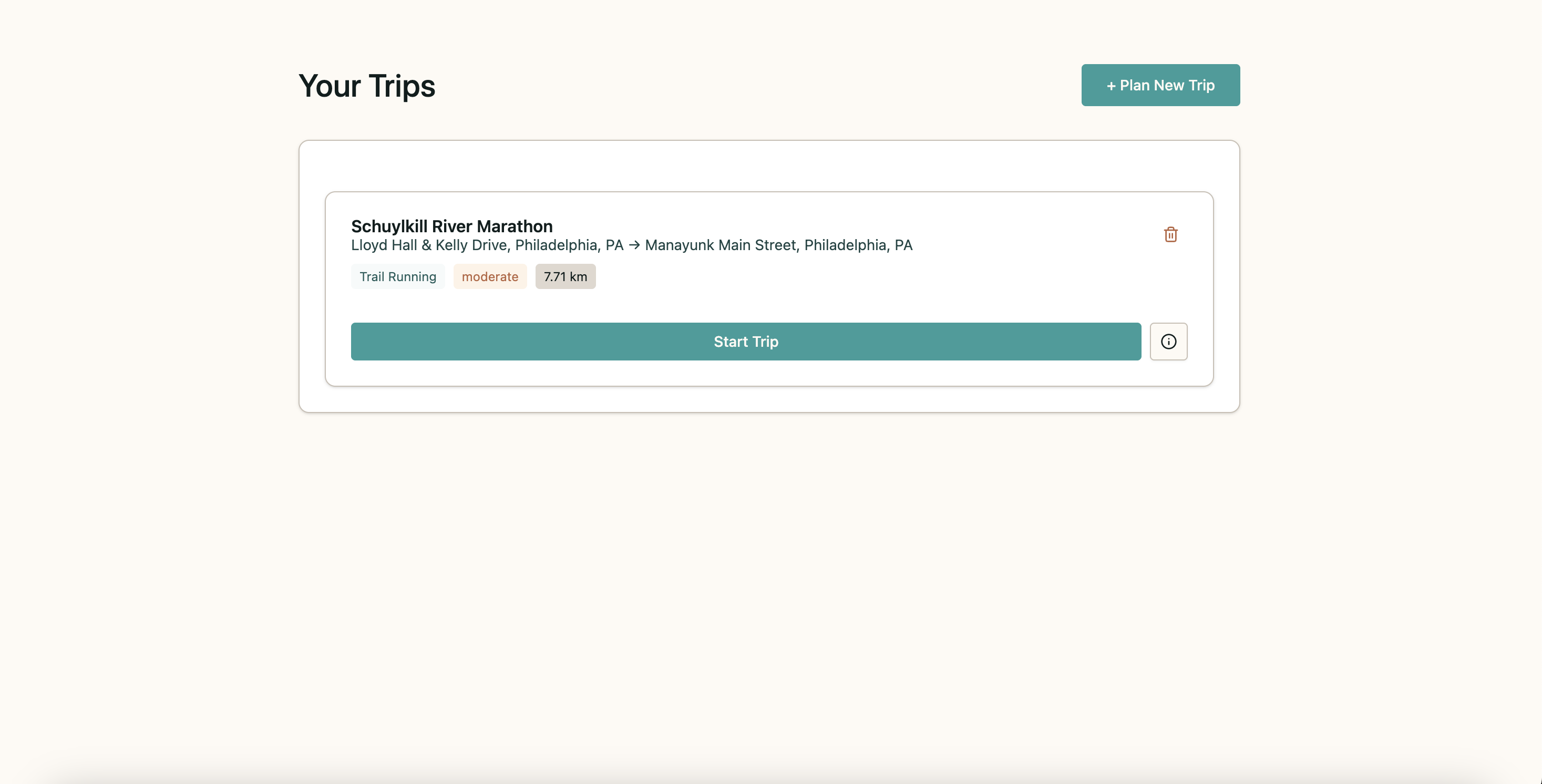
Intelligent Trip Planning
- Users input start/end points, trip purpose (hiking, running, cycling, etc.), and difficulty level
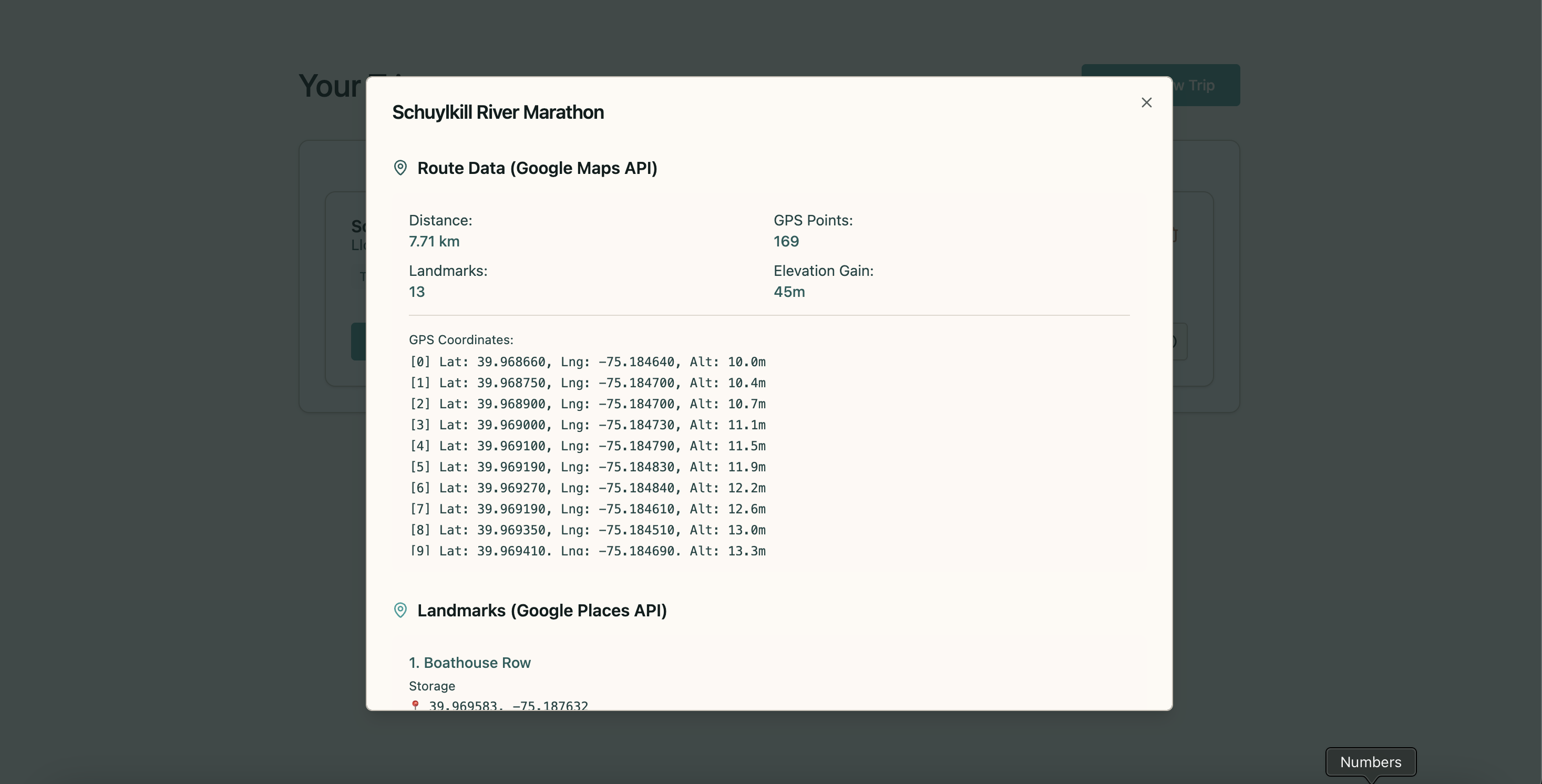
- The app generates detailed routes using Google Maps Routes API with accurate GPS coordinates
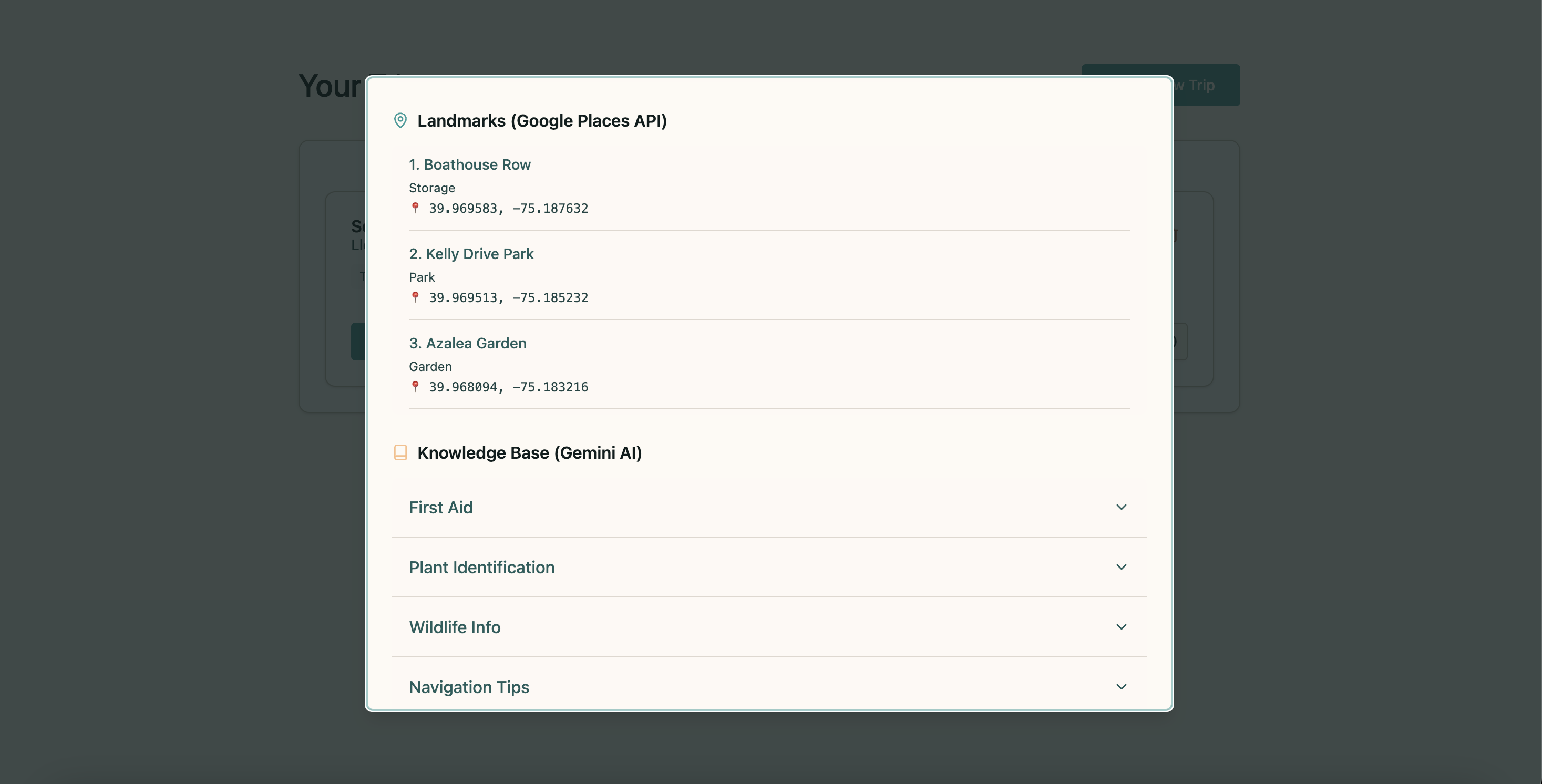
- Google Places API identifies real landmarks and points of interest along the route
- Google Gemini API creates a comprehensive knowledge base covering first aid, local flora/fauna, weather tips, and navigation advice
Real-Time GPS Simulation
- Simulates GPS tracking with realistic variations (drift, speed changes, elevation)
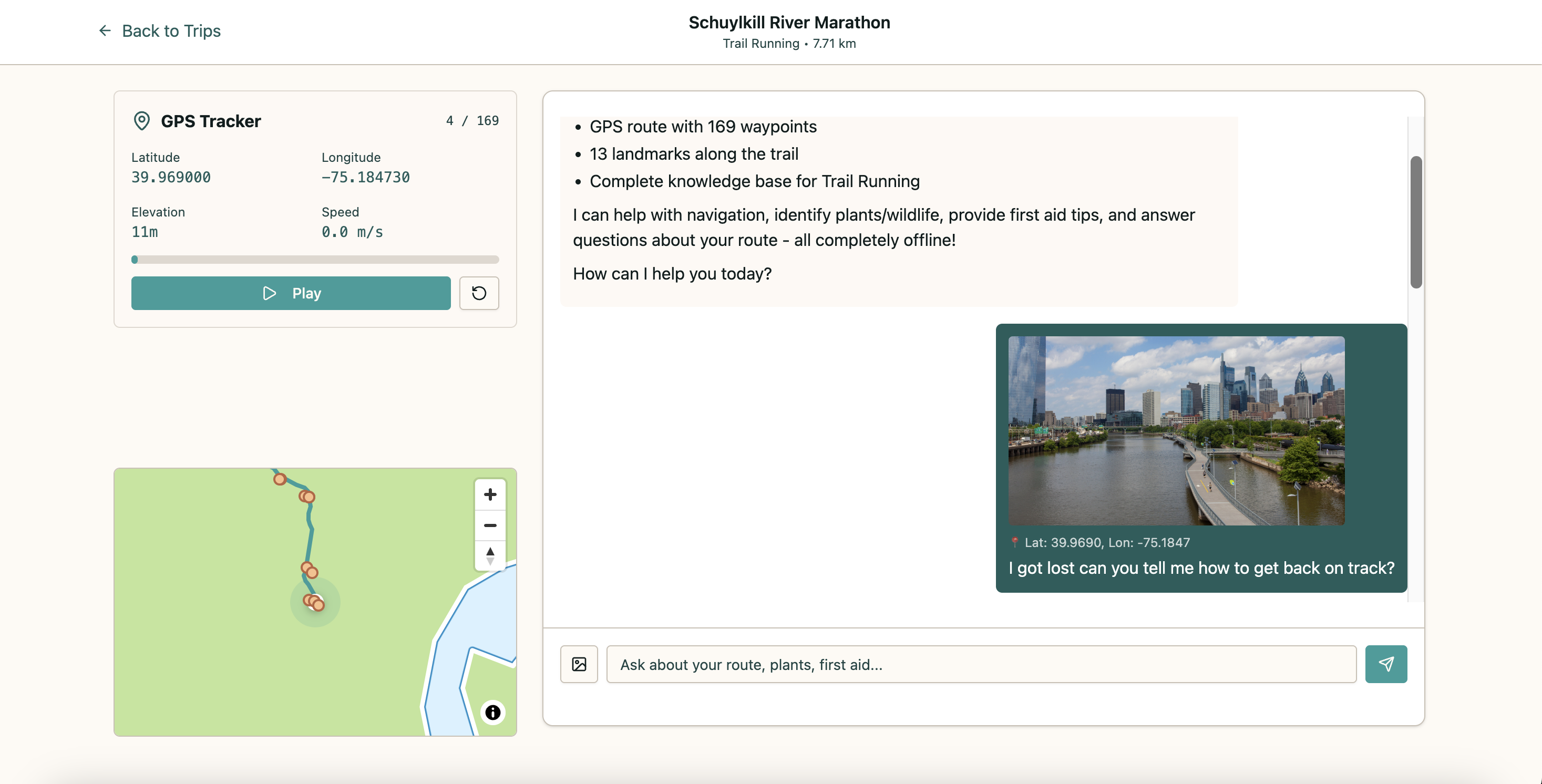
- Displays position on an interactive map powered by MapLibre GL JS
- Automatically alerts users when approaching landmarks or points of interest
Offline AI Chat Assistant
- Uses Chrome's Built-in Prompt API (Gemini Nano) for on-device inference
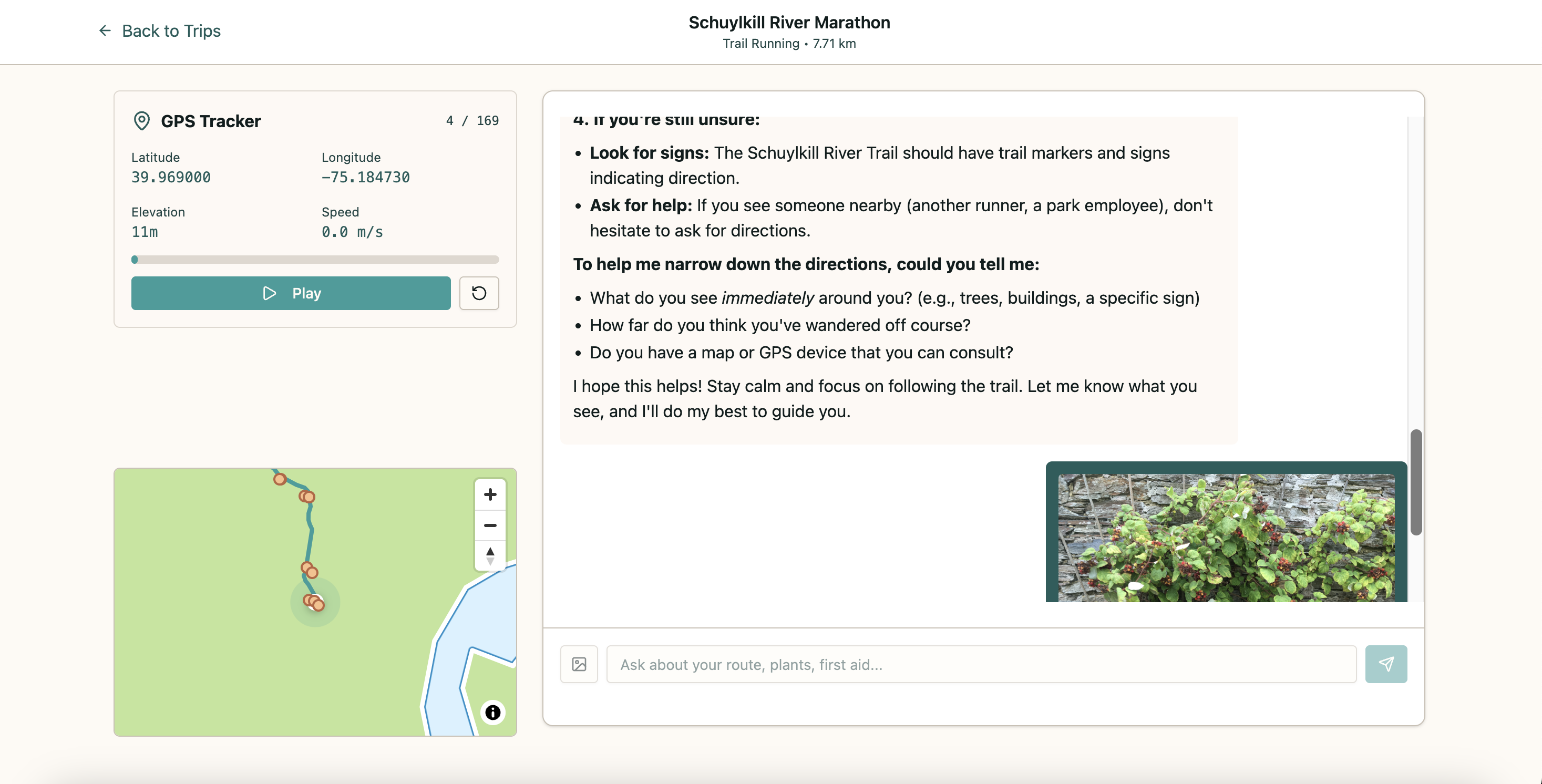
- Supports multimodal input (text + images) for plant/wildlife identification
- Contextually aware of your current GPS location and trip details
- Answers questions instantly without requiring internet connectivity
Complete Offline Functionality
- Service Worker caches all UI assets for offline access
- IndexedDB stores trip data, GPS routes, landmarks, and AI knowledge bases
- PWA manifest enables "Add to Home Screen" for native app experience
- Offline indicator shows connectivity status
Example Use Case
Imagine you're hiking the Wissahickon Valley trail. Before you leave (while still online), you create a trip in Trail. The app generates your route, identifies landmarks like Valley Green Inn and Devil's Pool, and builds an AI knowledge base about local wildlife, edible plants, and trail safety.
During your hike, even with no cell service, you can:
- See your position on the map in real-time
- Ask "What's this mushroom?" and attach a photo for AI identification
- Get first aid advice: "How do I treat a bee sting?"
- Learn about your surroundings: "Tell me about the trees in this area"
How I built it
Tech Stack
AI Integration
- Chrome Built-in Prompt API (
window.ai) for on-device Gemini Nano inference - Google Gemini API (backend) for knowledge base generation
- Custom context injection for GPS-aware and trip-aware responses
Maps & Location
- Google Maps Platform APIs:
- Routes API (accurate polyline generation)
- Places API (POI discovery)
- Geocoding API (address resolution)
- MapLibre GL JS for offline-capable map rendering
- Custom GPS simulation with realistic drift and accuracy modeling
Data & Storage
- Dexie.js wrapper for IndexedDB (trips, sessions, messages)
- Service Worker (Workbox-inspired) for asset caching
- Web App Manifest for PWA installation
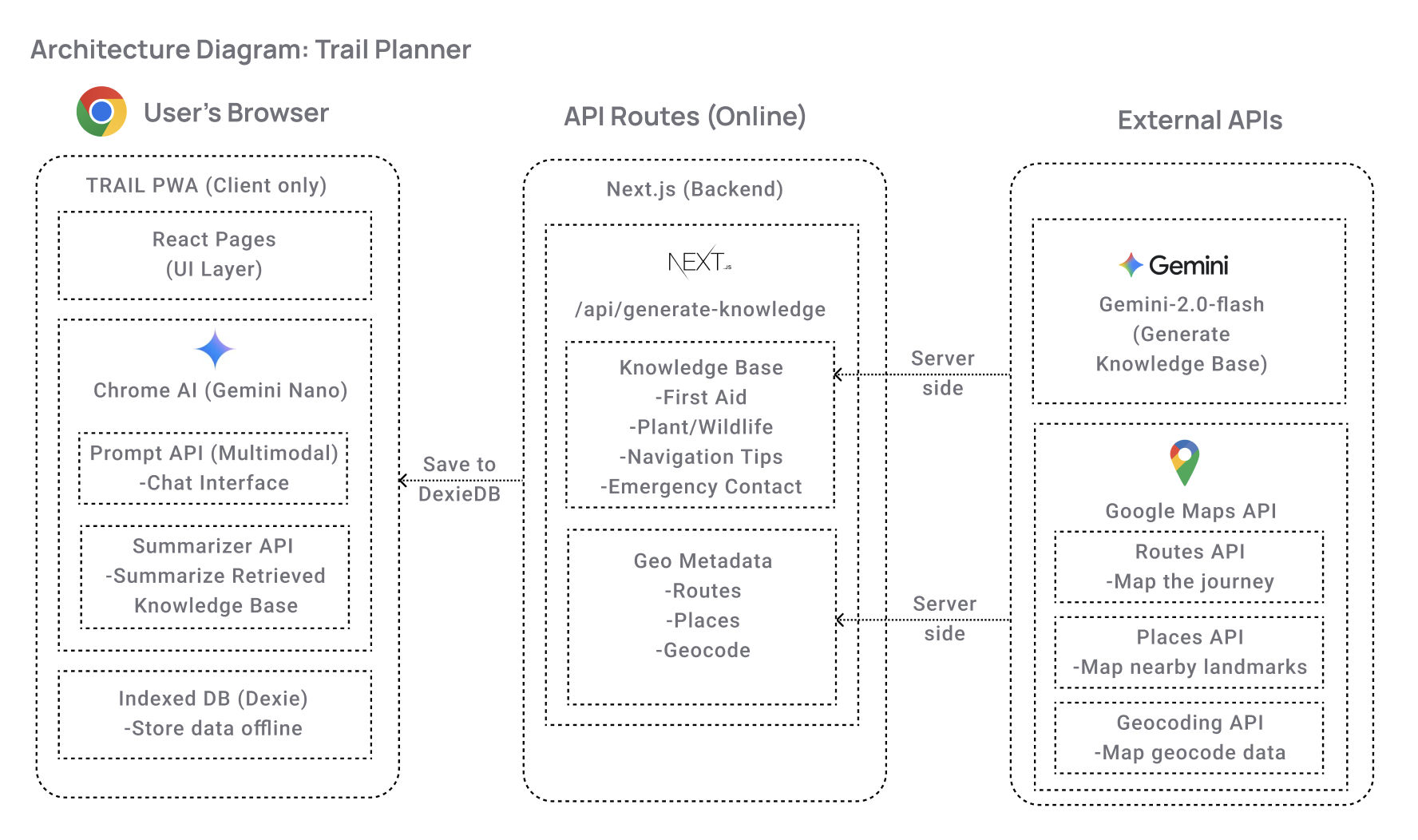
Architecture Highlights
I designed a hybrid approach that maximizes both data quality and offline capability:
Online Trip Creation Phase:
- Google Maps generates accurate route polylines
- Places API identifies real landmarks within 500m of route
- Gemini API creates trip-specific knowledge base (2000-4000 words)
- All data stored locally in IndexedDB
Offline Trip Execution Phase:
- GPS simulator uses stored polyline coordinates
- MapLibre renders map with cached tiles
- Chrome Built-in AI uses stored knowledge base as context
- All AI inference happens on-device via Gemini Nano
Progressive Enhancement:
- App checks for
window.aiavailability - Falls back gracefully if Chrome AI isn't available
- Guides users through Chrome Canary setup if needed
- App checks for
Code Organization
trail/
├── app/                    # Next.js app router
│   ├── trips/             # Trip management UI
│   ├── trip/[id]/         # Trip session page
│   └── api/               # Backend API routes
├── components/            # React components
│   ├── GPSSimulator.tsx   # GPS tracking & playback
│   ├── MapView.tsx        # MapLibre integration
│   └── ui/                # Shadcn components
├── lib/
│   ├── ai.ts              # Chrome Built-in AI wrapper
│   ├── google-maps.ts     # Google Maps API integration
│   ├── db.ts              # Dexie IndexedDB schema
│   └── mock-trail-data.ts # GPS simulation logic
└── public/
    ├── sw.js              # Service Worker
    └── manifest.json      # PWA manifest
Challenges I ran into
1. Integrating Chrome Built-in AI API
The Prompt API was in active development during this hackathon. I had to:
- Track API changes across Chrome Dev releases
- Handle graceful degradation when AI wasn't available
- Implement feature detection (
window.ai?.canCreateTextSession) - Work around initial rate limiting and context window constraints
2. Multimodal Image Processing
Getting image uploads to work with the Prompt API required careful handling:
- Converting File objects to base64 for API compatibility
- Managing MIME type detection and validation
- Optimizing image sizes to fit within context limits
- Ensuring images were properly embedded in the AI context
3. Realistic GPS Simulation
Creating believable GPS data was harder than expected:
- Initial version had unrealistic "jumps" between points
- Had to model GPS drift perpendicular to route direction
- Added clamping to prevent excessive deviations
- Incorporated dynamic speed, elevation, and accuracy variations
- Ensured simulated path stayed true to the actual route
4. Offline-First Architecture
Making the entire app work offline required solving multiple puzzles:
- Service Worker scope and caching strategy conflicts
- IndexedDB schema versioning (breaking changes required migration)
- HTML caching invalidation while still providing offline fallback
- Asset precaching vs. runtime caching trade-offs
- Testing offline behavior without breaking hot reload in development
Accomplishments that I'm proud of
Hybrid Data Architecture
I designed an elegant solution that gets the best of both worlds:
- Online: High-quality real-world data from Google Maps and Places
- Offline: Instant AI responses via on-device Gemini Nano
- Result: Professional-grade trip planning with zero-latency AI assistance
Production-Ready PWA
Trail isn't just a demo—it's a fully deployed, installable Progressive Web App:
- Live at www.trailplanner101.com
- Passes PWA audits (installable, offline-capable, mobile-responsive)
- Polished UI with loading states, animations, and error handling
- Comprehensive documentation (README, ARCHITECTURE)
What I learned
On-Device AI is Transformative
Working with Chrome's Built-in AI showed me the future of AI applications. Having a capable language model running locally on the device changes what's possible:
- Privacy: User data never leaves the device
- Speed: Zero network latency for AI responses
- Reliability: Works anywhere, anytime
- Cost: No per-query API charges
This experience convinced me that on-device AI will be as important as GPU acceleration was for graphics.
Progressive Web Apps Are Underrated
PWAs offer a compelling middle ground between web and native apps:
- No app store approval process
- Instant updates without user action
- Cross-platform by default (iOS, Android, Desktop)
- Lower development cost than native apps
- Still get installability and offline capabilities
The Service Worker API is more powerful than I initially thought, especially for offline-first architectures.
What's next for Trail
Voice Interface
- Hands-free AI queries while hiking (using Web Speech API)
- Audio responses for eyes-free navigation
- Wake word activation: "Hey Trail..."
Enhanced Image Recognition
- Offline plant identification using TensorFlow.js models
- Wildlife tracking and species logging
- Photo-based trail condition reporting
Activity Tracking
- Distance, elevation gain, calories burned
- Heart rate integration (Web Bluetooth)
- Trip statistics and personal records
Built With
- gemini
- gemini-nano
- google-maps


Log in or sign up for Devpost to join the conversation.