-
-
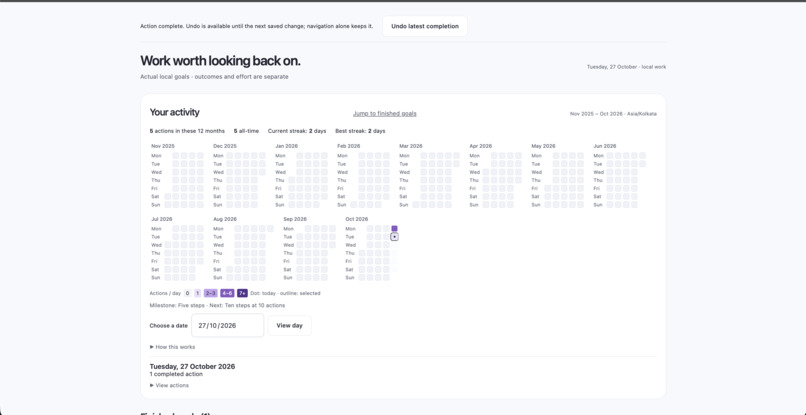
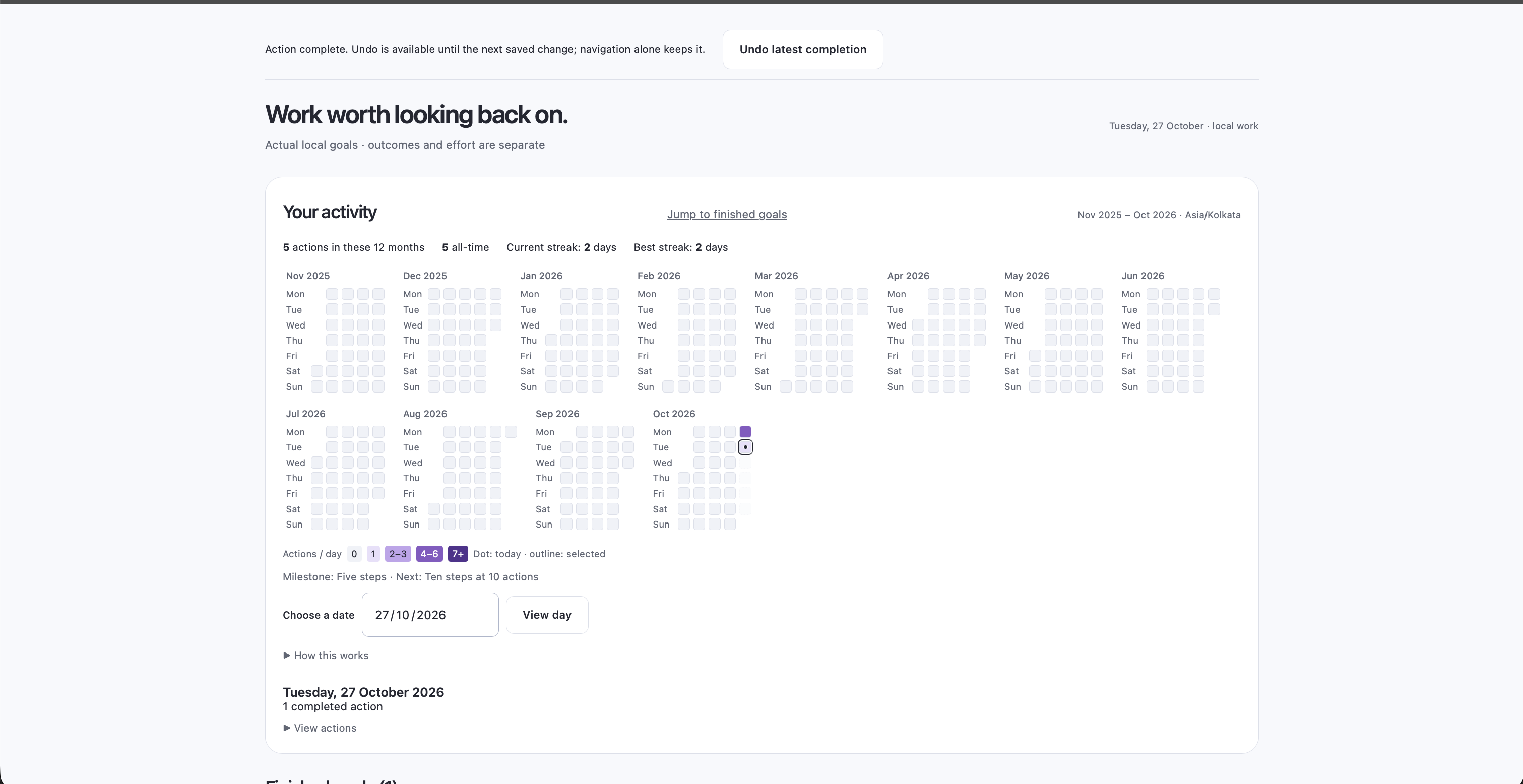
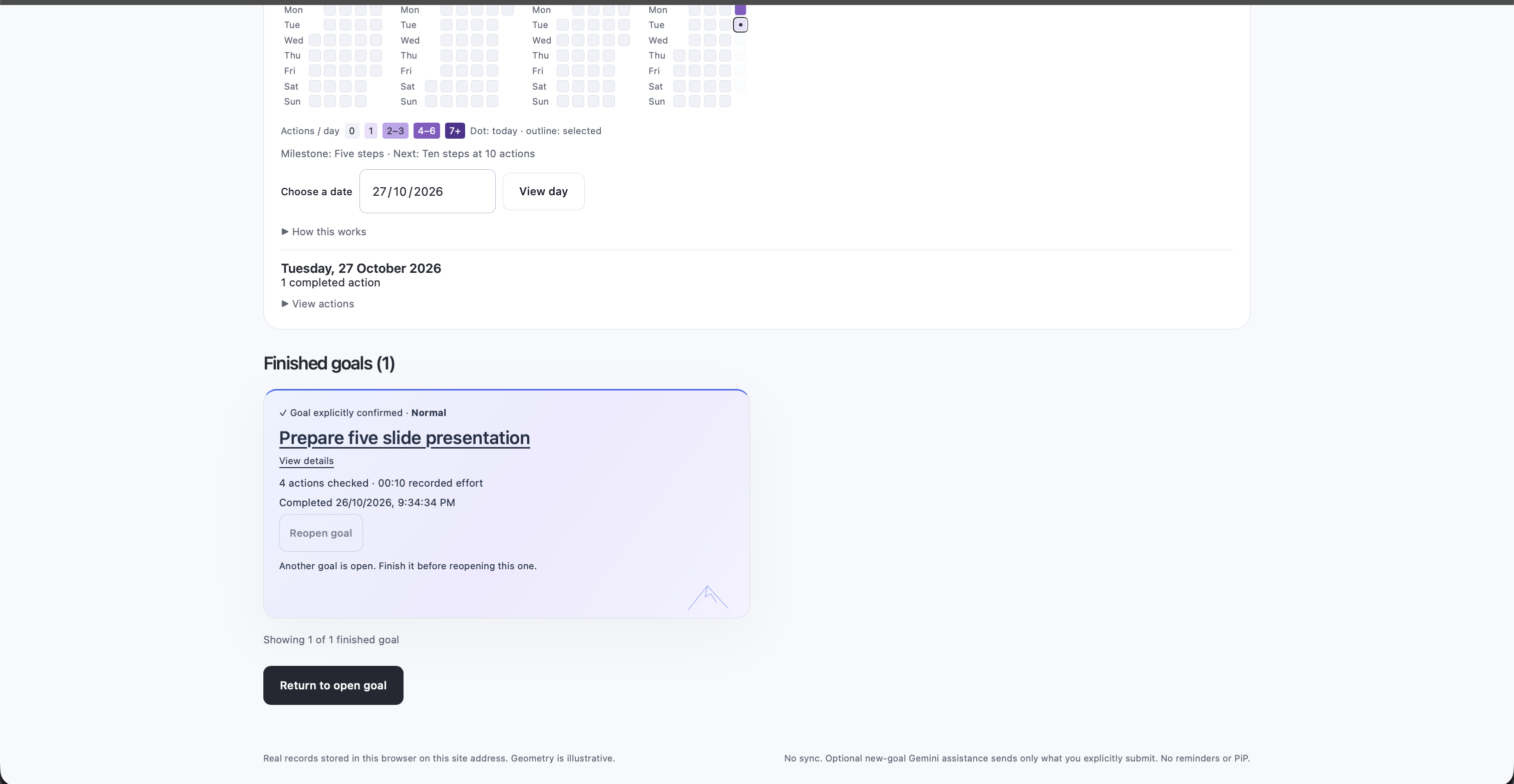
This is the finished page where all finished tasks are stacked here along with streak based calendar
-
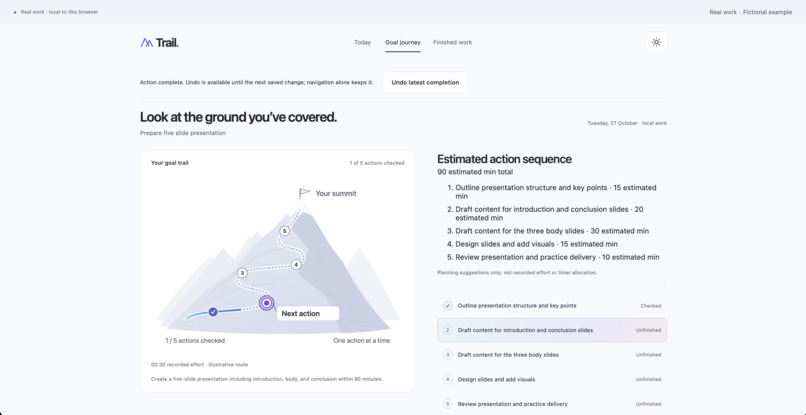
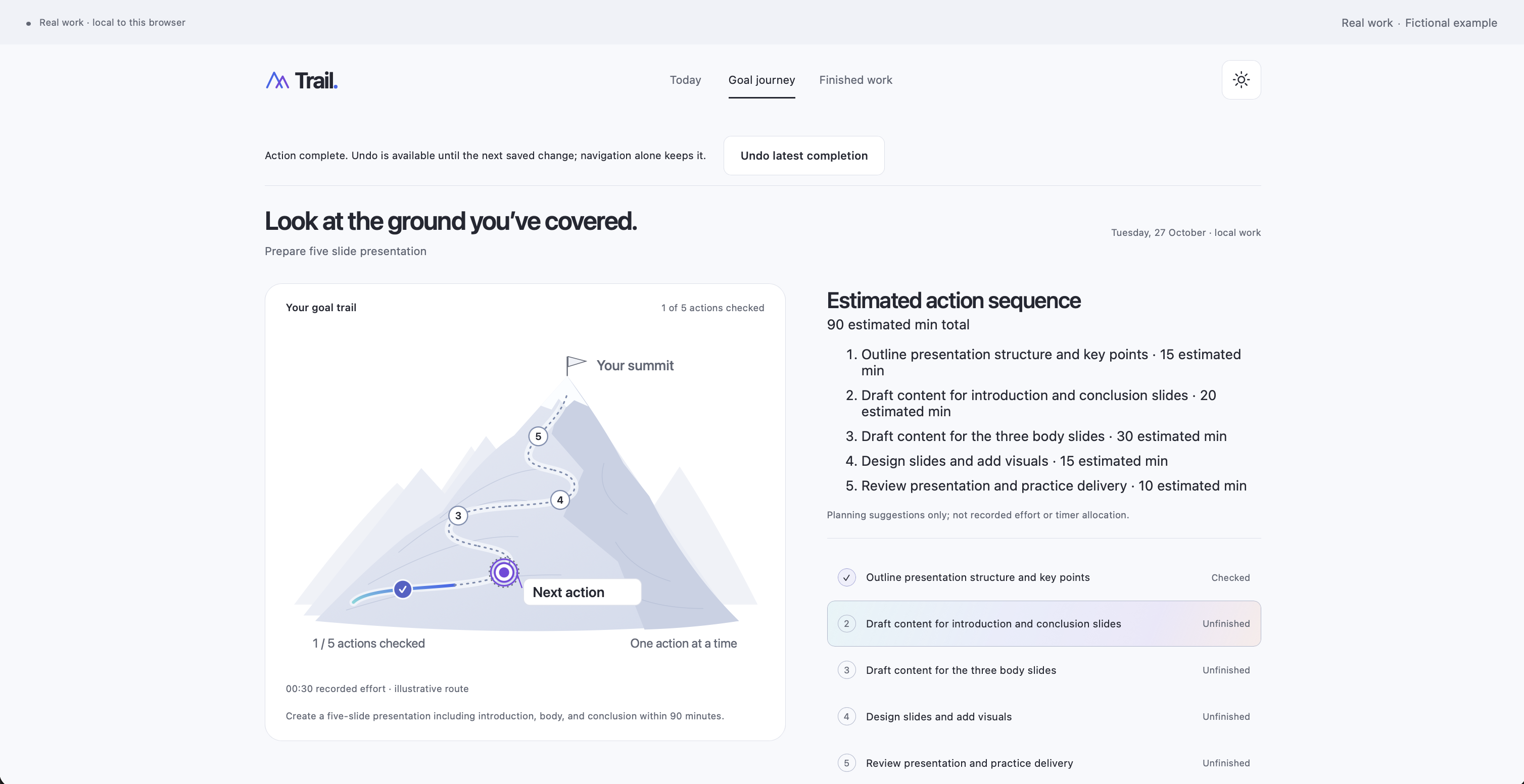
This is the goal journey
-
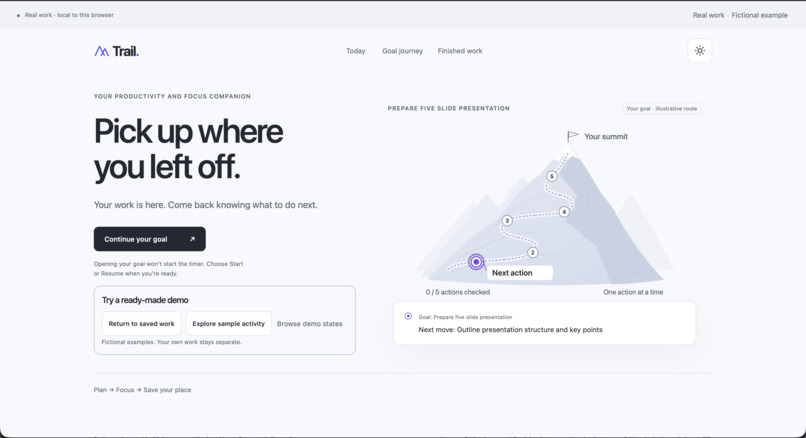
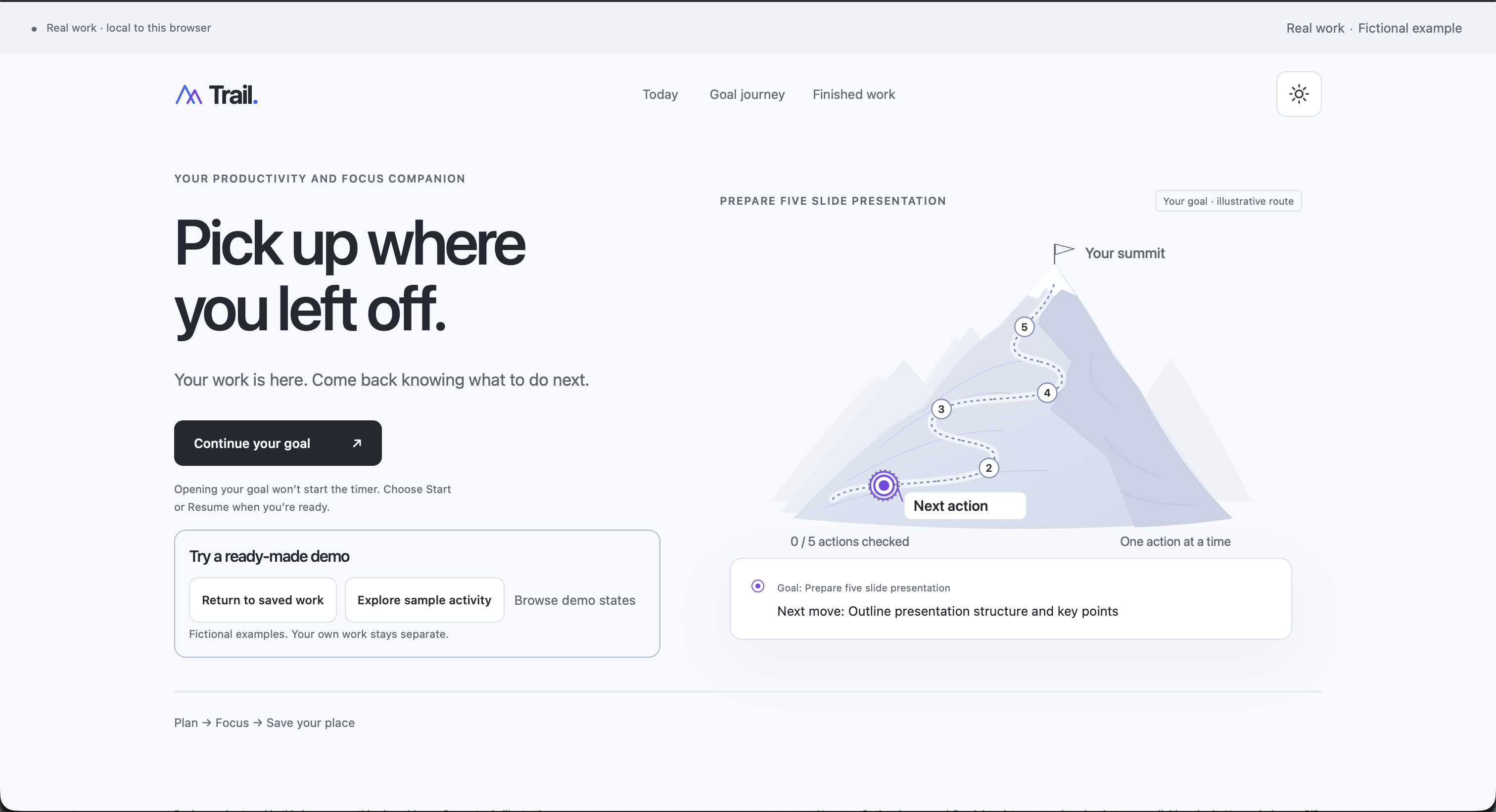
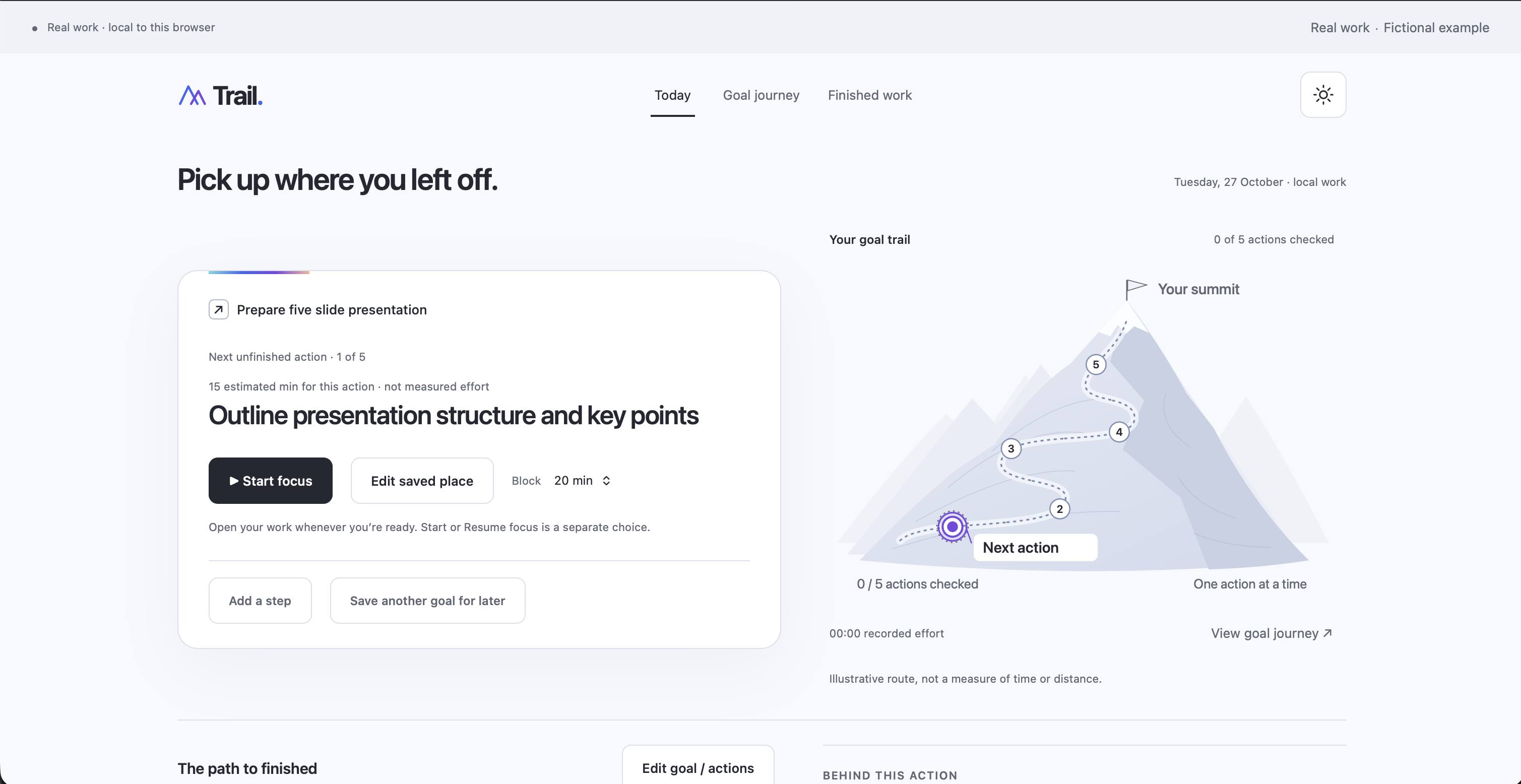
Home page light theme
-
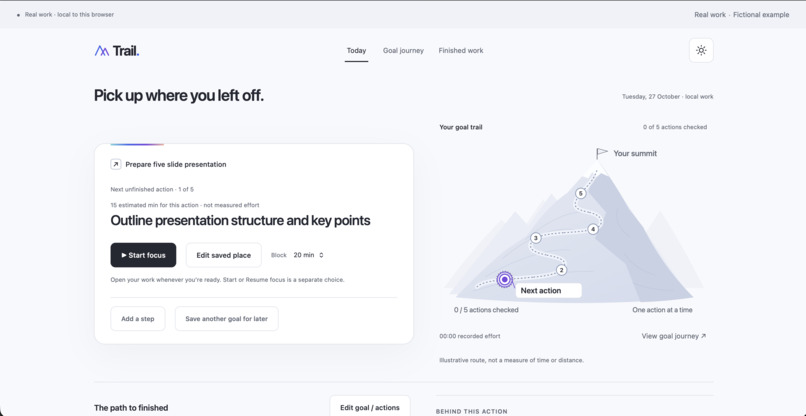
task home page
-
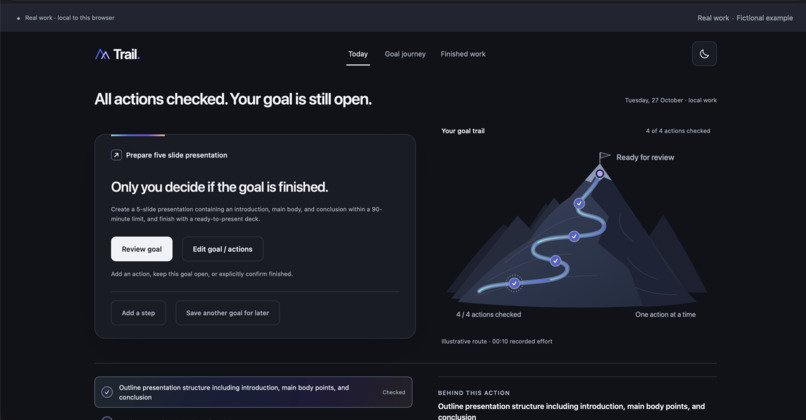
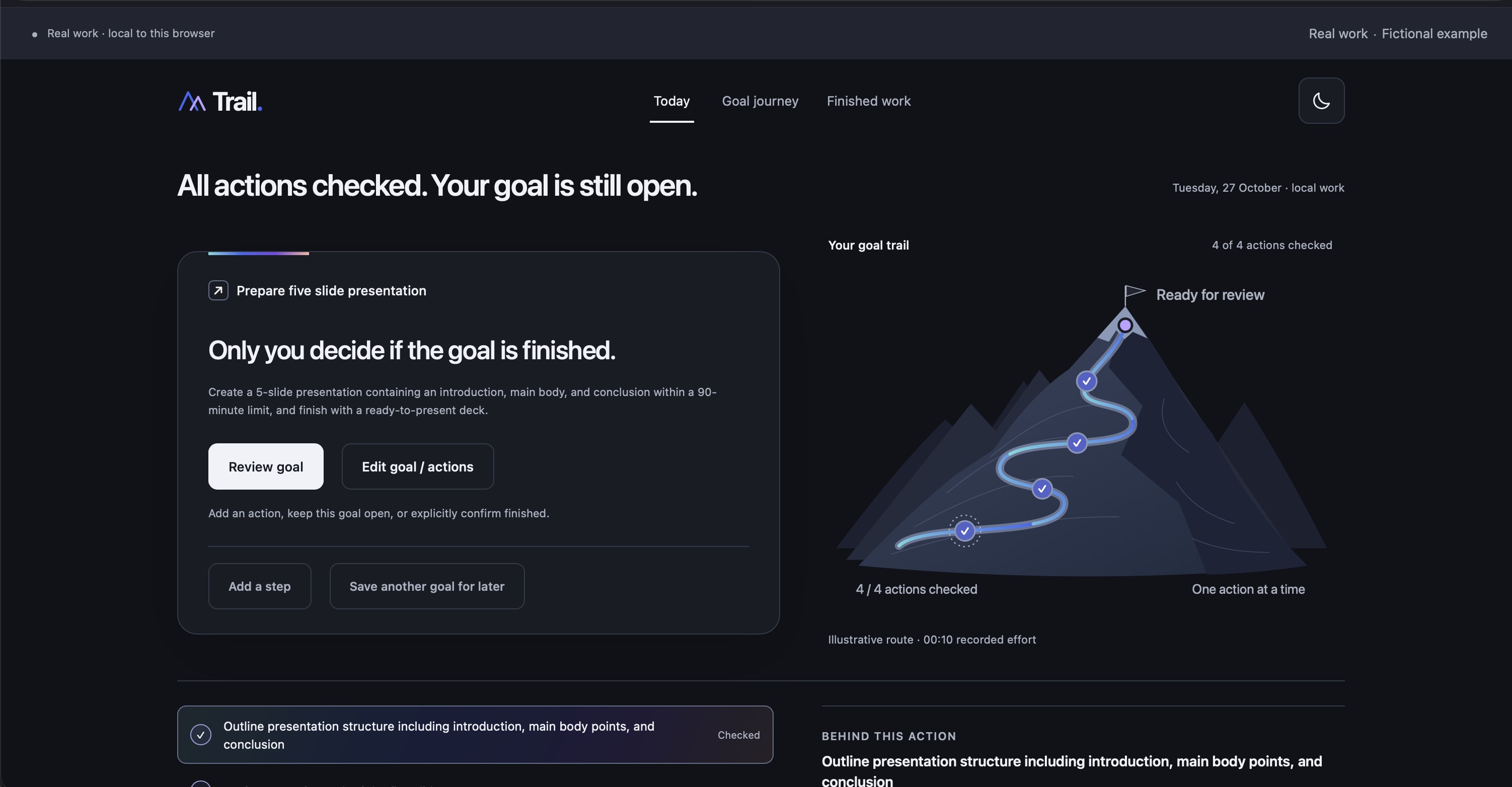
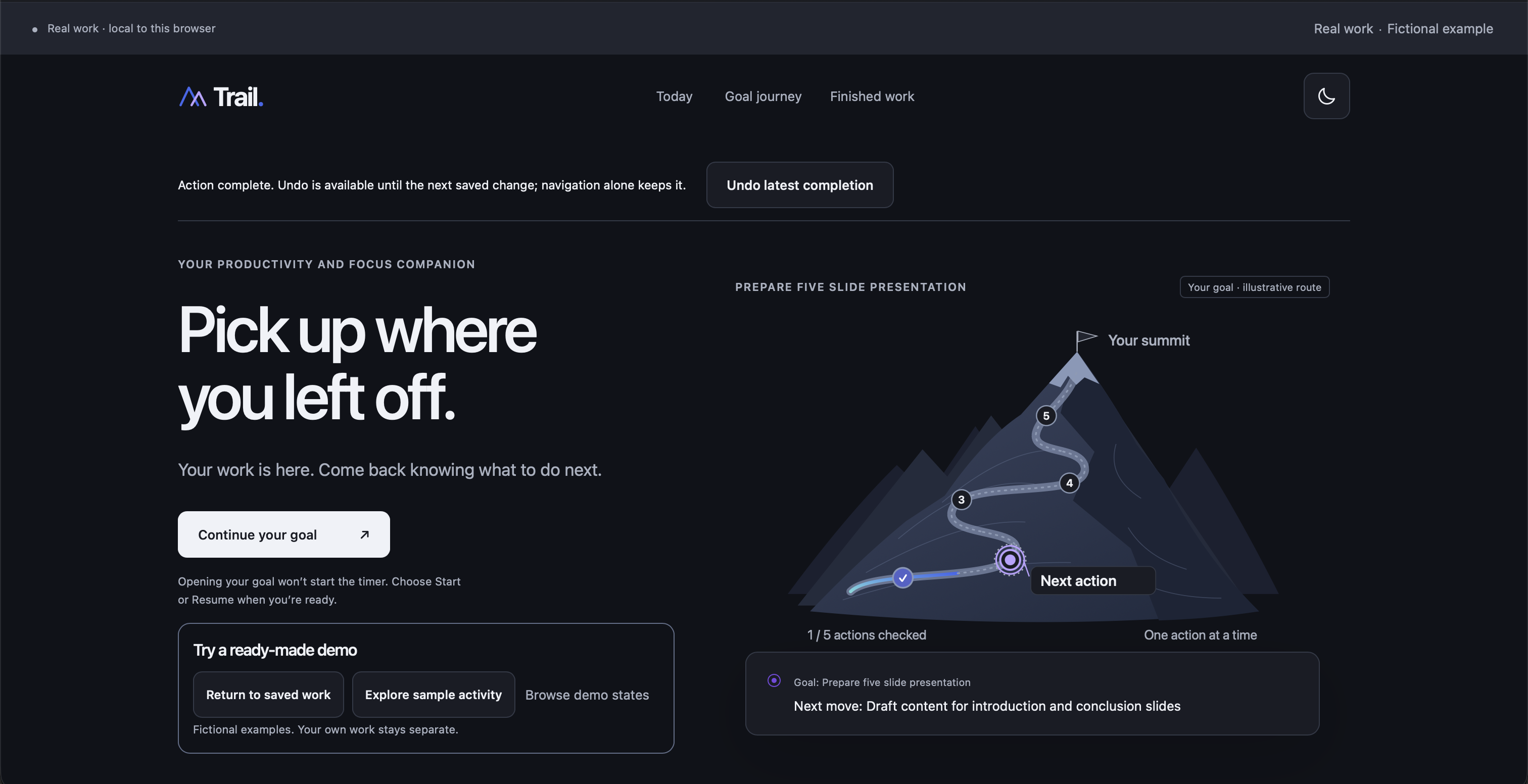
task home page dark theme
-
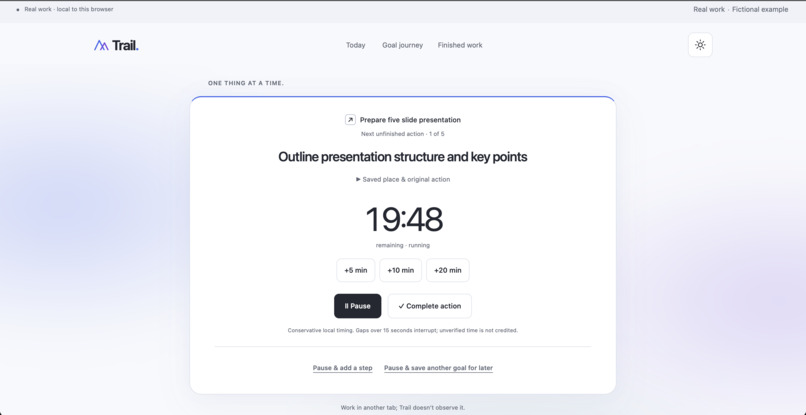
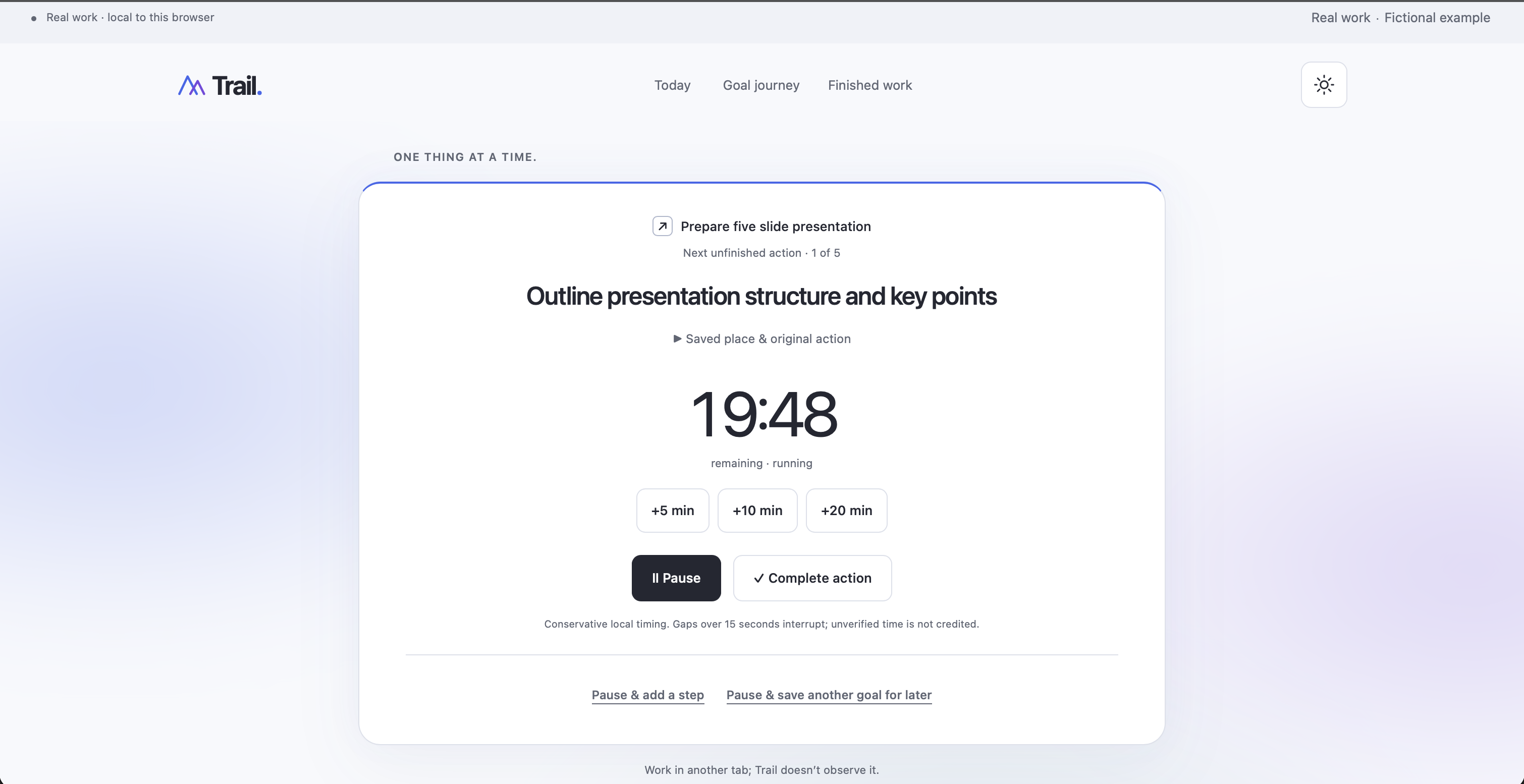
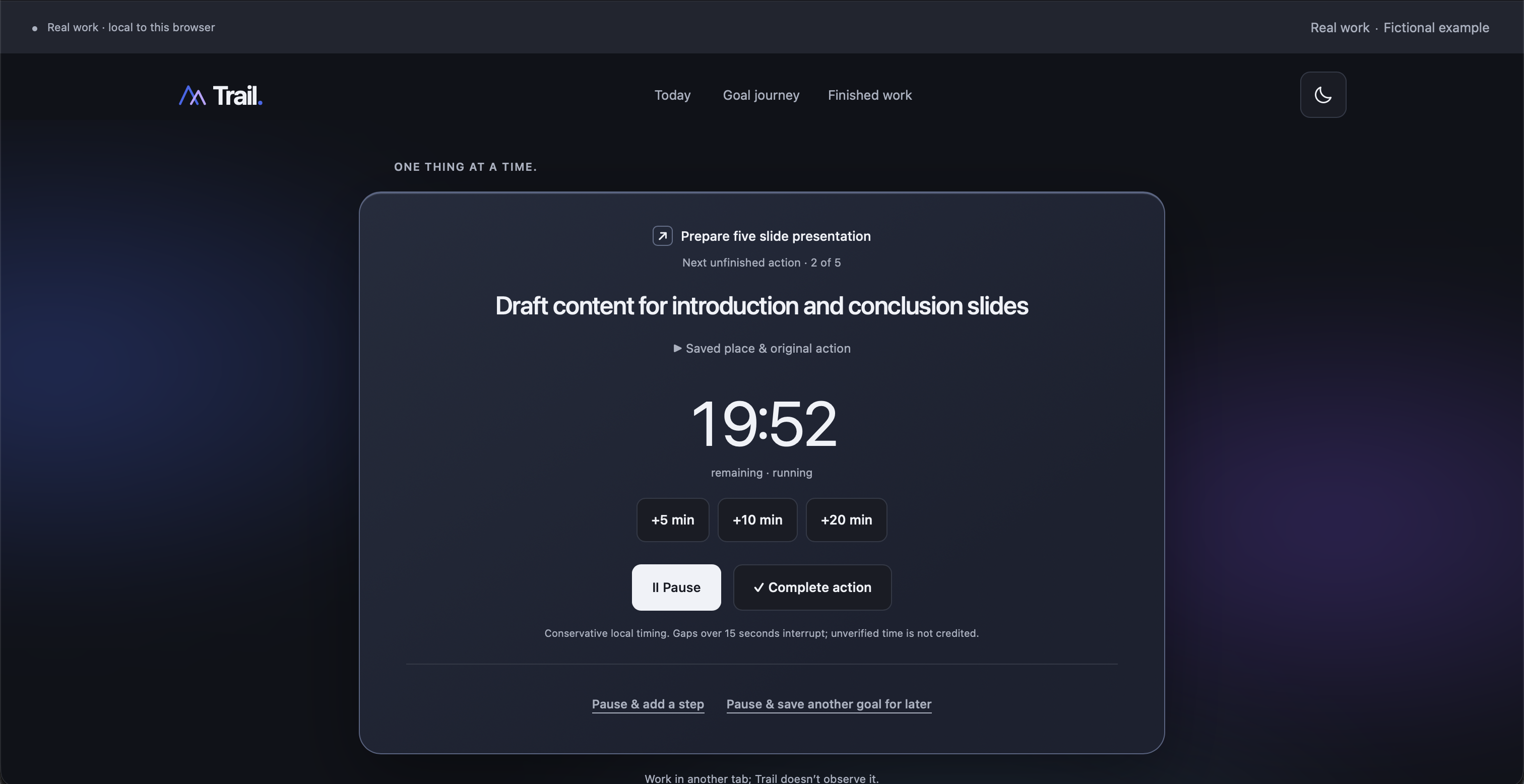
Focus mode in light theme
-
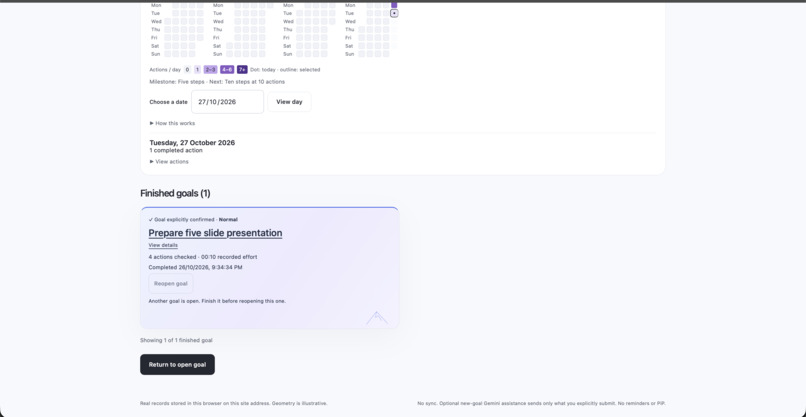
This is how a completed task looks
-
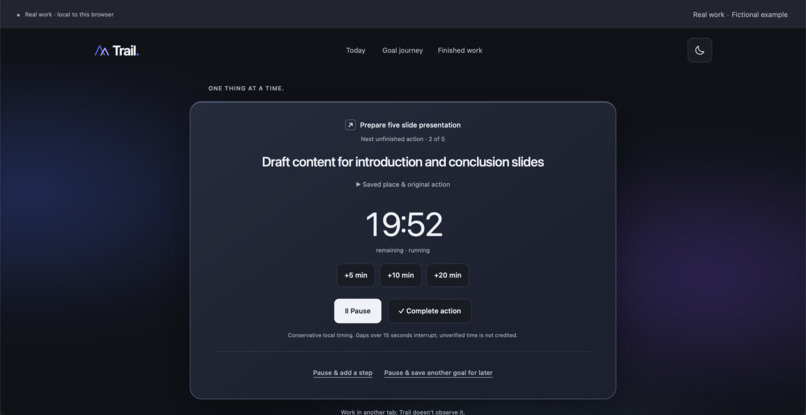
Focus mode in dark theme
-
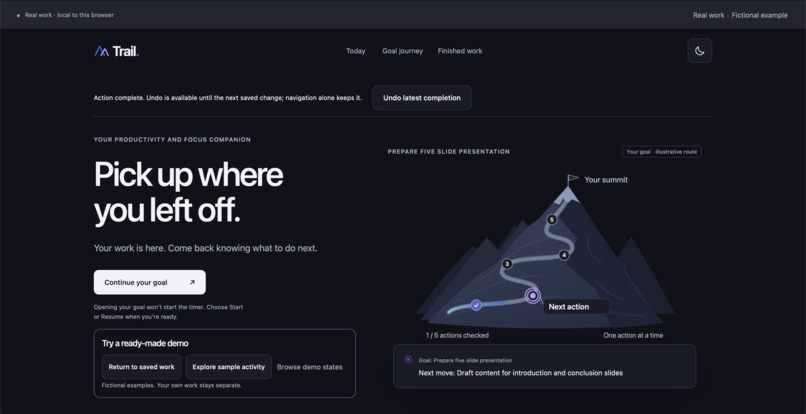
Home page dark
Inspiration
“Where was I?”
That question is why I built Trail.
When I face a large task, I need help turning it into something I can actually begin. But even after starting, an interruption can leave me reconstructing what I was doing, which decision was unfinished, and what should happen next.
I wanted a tool that supported the whole experience: breaking down a goal, focusing on one action, and keeping my place when life interrupts.
Trail was created from scratch for this hackathon, inspired by that personal problem.
What it does
Trail turns a goal into a path you can follow—and return to.
- Plan from a rough idea. Describe your goal in ordinary language, or use your device’s dictation. Gemini suggests an editable action list with time estimates. Review it and explicitly save your goal. Manual planning remains available.
- Focus on one action. A calm workspace brings the current action forward, with a focus timer and deliberate Start, Pause and Resume controls.
- Leave yourself a useful next move. Before stepping away, save the exact instruction, context and optional reference you will need when you return.
- Capture another thought without replacing your work. Pause to add a step to the current goal, or save a separate goal in the Later queue.
- See the journey take shape. A mountain path reflects checked actions, a campsite marks a saved place, and the summit follows explicit confirmation that the goal is finished.
- Look back on completed work. Finished goals, an activity calendar and completion-based streaks make previous steps visible.
For example, “Work on my presentation” is a task title. “Return to slide three, compare the two sources, and write the conclusion” is a place to restart.
That distinction is the heart of Trail.
How I built it
Trail uses HTML, CSS, browser JavaScript modules and custom SVG mountain graphics. IndexedDB stores real work in the browser, while a Node.js backend and Vercel Functions support optional Gemini planning.
The Gemini API key stays on the server. Only the description and optional planning details explicitly submitted by the user are sent for planning; saved work and history remain local.
I used the Devpost Learn Skill Pack throughout development, relying most heavily on Scope, PRD and Spec. As the product went through repeated revisions, these steps helped me clarify the problem, refine requirements and translate changes into concrete instructions for my coding agent.
AI-assisted development helped me implement and iterate. Separate review and regression testing helped check whether the resulting behavior matched those requirements.
Challenges I faced
The hardest decisions involved what the interface should mean.
A checked action, a finished goal and recorded effort are different things. Trail keeps them separate: checking every action leads to a final review, and the user decides when the goal is finished.
Saving also needed to be dependable. Failed writes preserve the draft and offer an exact retry. Interrupted timing requires an explicit resume rather than silently crediting time away.
AI introduced another challenge: a generated plan must remain a suggestion. Users can edit it, save deliberately, or continue manually when the provider is unavailable. Saving a plan never starts focus automatically.
Finally, the mountain needed to support the work. Its checkpoints, campsite and summit follow actual application states, so the visual story stays connected to the user’s decisions.
What I’m proud of
Trail supports a complete loop:
Describe → review → save → focus → pause with context → return → resume → finish → revisit.
I’m proud that the project goes beyond an attractive screen into the small details that make that loop usable: recoverable saves, guarded corrections, separate planning and starting, and clearly labelled fictional examples that let visitors explore without changing their real records.
What I learned
Trail taught me how much thought goes into making a website both visually appealing and comfortable to use.
I learned to think beyond how a screen looks and ask what someone needs to understand at each moment: Where do I begin? What happens when I click this? Will my work still be here when I return? Repeated revisions helped me connect UI design with the experience of actually using the product.
I also learned that visual polish depends on consistency—colour, typography, spacing and motion should work together, while keeping important actions easy to find.
On the technical side, I gained practical experience with persistent browser storage, input validation, error handling, testing and protecting API credentials. I learned to use GitHub to maintain a repository, review changes through pull requests, and carry those changes into deployment.
The Devpost Learn Skill Pack, especially Scope, PRD and Spec, helped me turn changing ideas into clearer requirements. Working with coding agents also taught me to give precise instructions and verify the result.
My biggest lesson was that a beautiful interface is a starting point. Building a useful product means caring just as much about what happens when someone pauses, makes a mistake, loses a connection or comes back tomorrow.
What’s next
My next priority is to watch people use Trail during real work: what they save before leaving, what they understand when returning, and where the flow creates friction.
I also want to explore export and recovery options. Today, records belong to the browser and site address where they were created; Trail does not yet provide accounts or cloud sync.
The direction remains simple: make a large goal easier to begin, and unfinished work easier to return to.

Log in or sign up for Devpost to join the conversation.