-
-
-

Stop sign
-

-




Inspiration
In the world of Artificial Intelligence and advancement in technologies, many researchers and big companies like Tesla, Uber, Google, Mercedes-Benz, Toyota, Ford, Audi, etc are working on autonomous vehicles and self-driving cars. So, for achieving accuracy in this technology, the vehicles should be able to interpret traffic signs and make decisions accordingly.
What it does
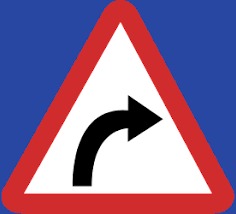
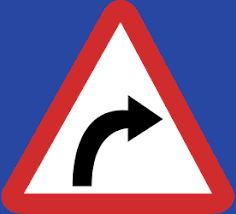
This project classifies traffic signs present in the image into different categories. With this model, we are able to read and understand traffic signs which are a very important task for all autonomous vehicles.
How we built it
My approach to building this traffic sign classification model is discussed in four steps:
1.Explore the dataset 2.Build a CNN model 3.Train and validate the model 4.Test the model with the test dataset
‘Train’ folder contains 43 folders each representing a different class. The range of the folder is from 0 to 42. With the help of the OS module, we iterate over all the classes and append images and their respective labels in the data and labels list. To classify the images into their respective categories, I have built a CNN model (Convolutional Neural Network). CNN is best for image classification purposes.
My model got a 96% accuracy on the training dataset and 98% accuracy on the validation dataset.
The dataset contains a test folder and in a test.csv file, I have the details related to the image path and their respective class labels. I extracted the image path and labels using pandas. Then to predict the model, I have resized images to 30×30 pixels and make a NumPy array containing all image data. From the sklearn.metrics, I imported the accuracy_score and observed how my model predicted the actual labels. We achieved a 95% accuracy in this model on the test dataset.
I have also built a graphical user interface for our traffic signs classifier with Tkinter. Tkinter is a GUI toolkit in the standard python library. In this Tkinter file, I have first loaded the trained model ‘traffic_classifier.h5’ using Keras. And then we build the GUI for uploading the image and a button is used to classify which calls the classify() function. The classify() function is converting the image into the dimension of shape (1, 30, 30, 3). This is because to predict the traffic sign we have to provide the same dimension we have used when building the model. Then we predict the class, the model.predict_classes(image) returns us a number between (0-42) which represents the class it belongs to. We use the dictionary to get information about the class. The code is in Traffic_sign_recognizer.py.
Challenges we ran into
The challenge which came my way is resizing the image. When we train the model we need to take care of the size of the image we are feeding to the model. And also we need to resize the image before classifying it from model
Built With
- convolutional-neural-networks
- kaggle
- keras
- python
- tensorflow
- tkinter

Log in or sign up for Devpost to join the conversation.