-
-
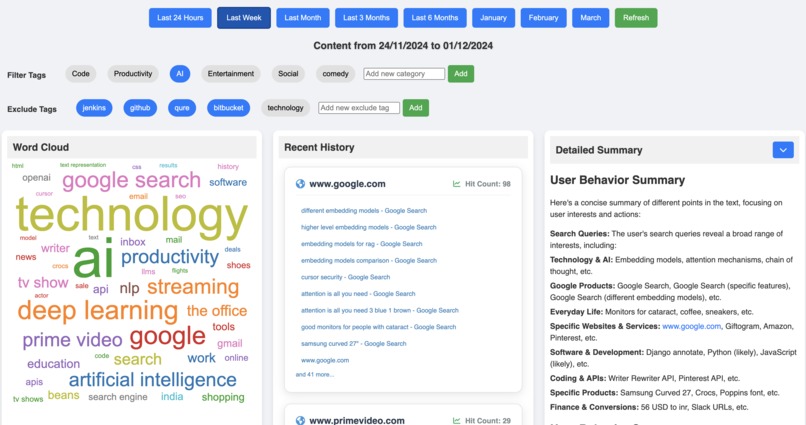
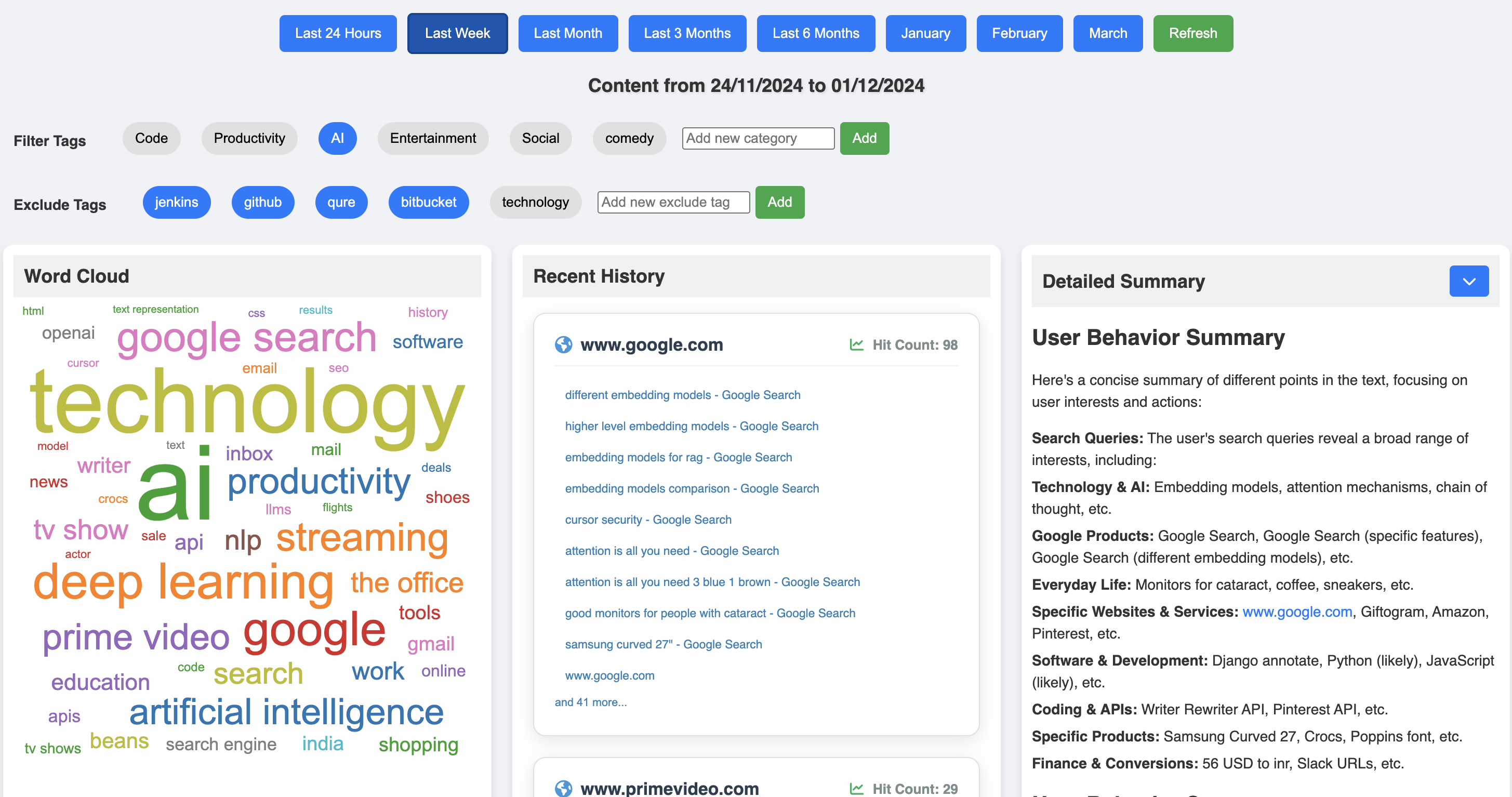
History View with word cloud on the left, all history items in middle and detailed summary on the right
-
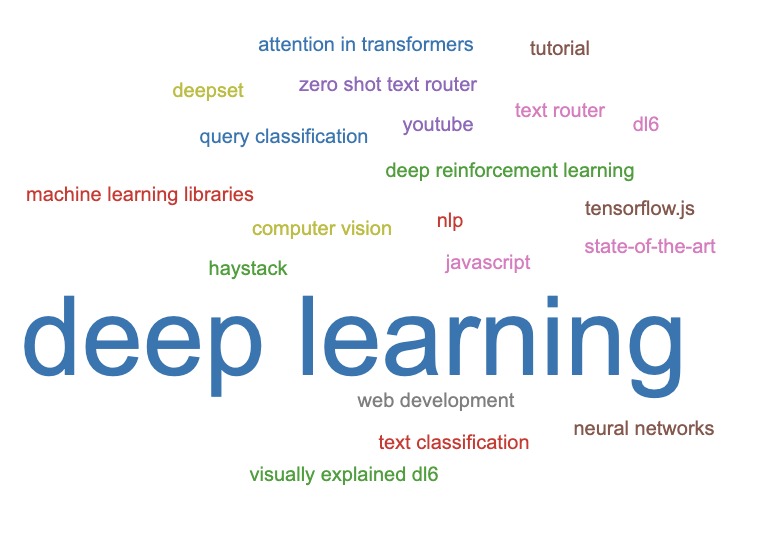
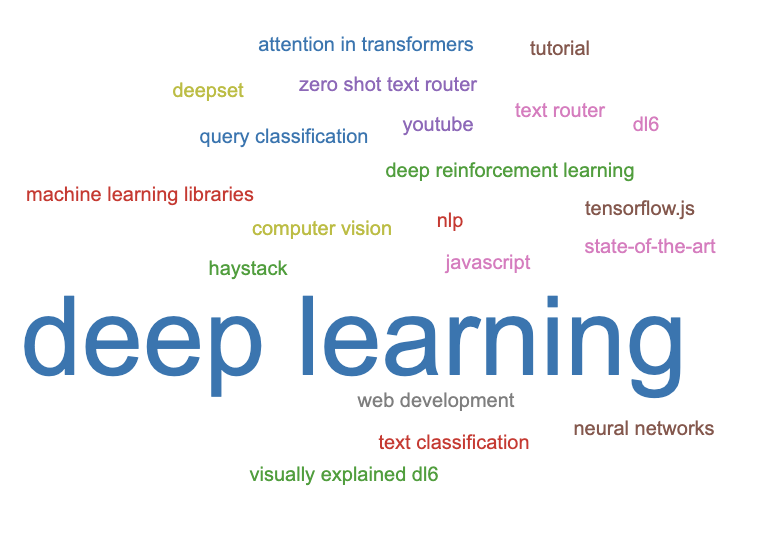
Example Word cloud for a user
-
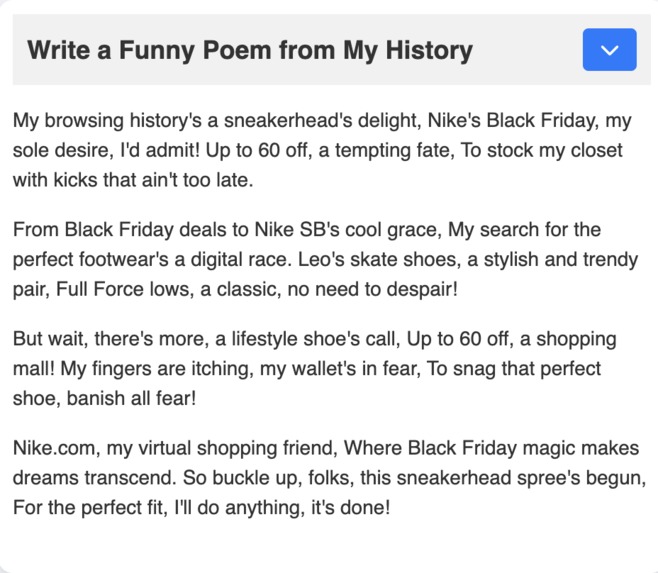
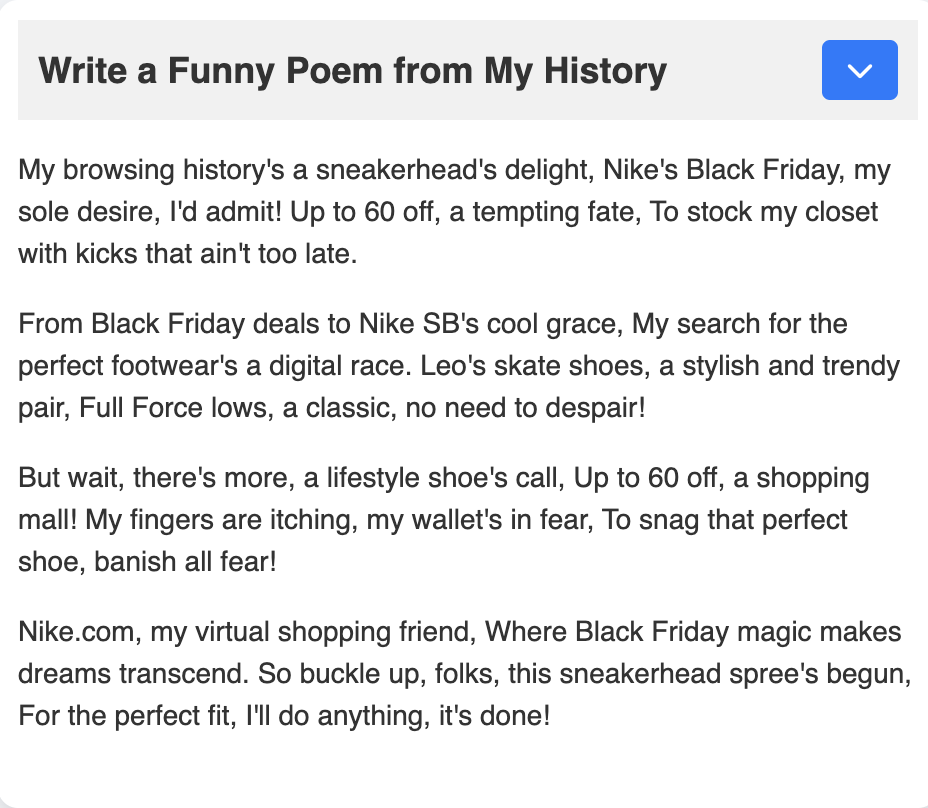
A funny poem generating on filtering clicking on 'Nike'
-
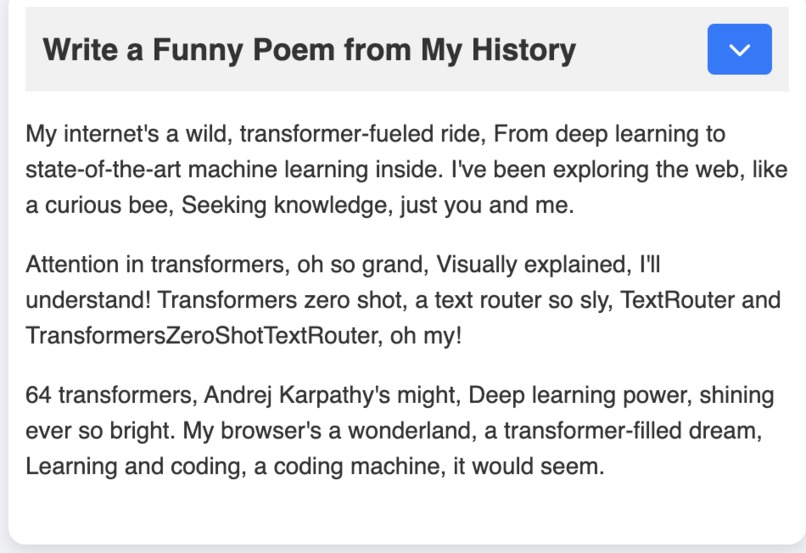
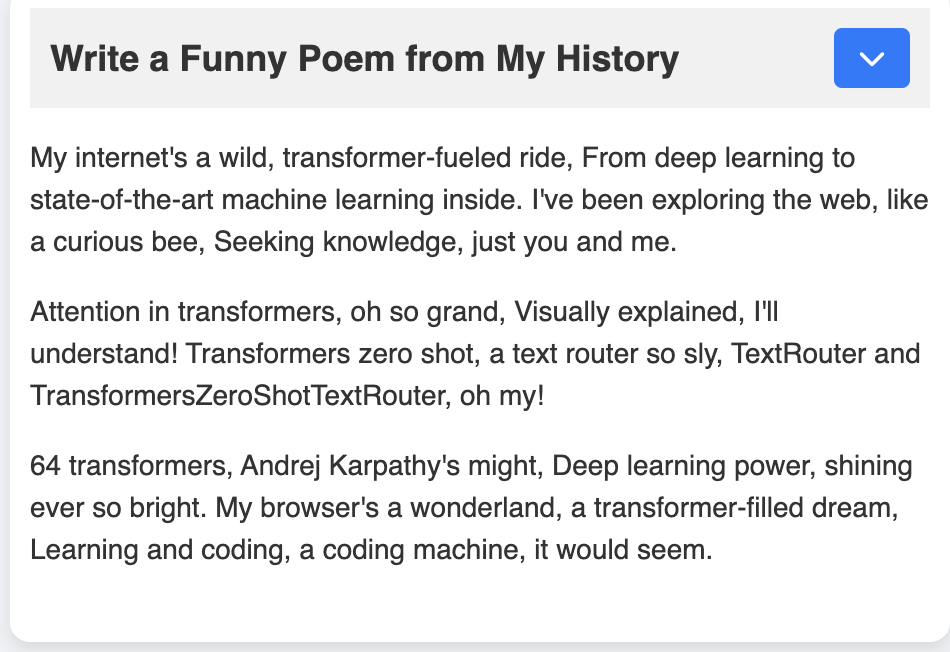
A funny poem generated on filtering 'Transformers'
-
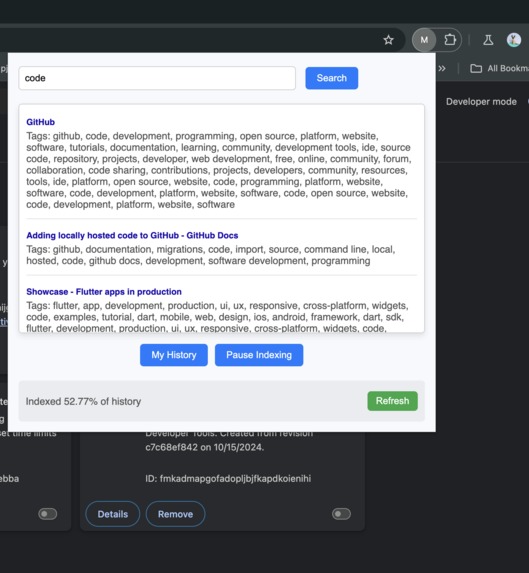
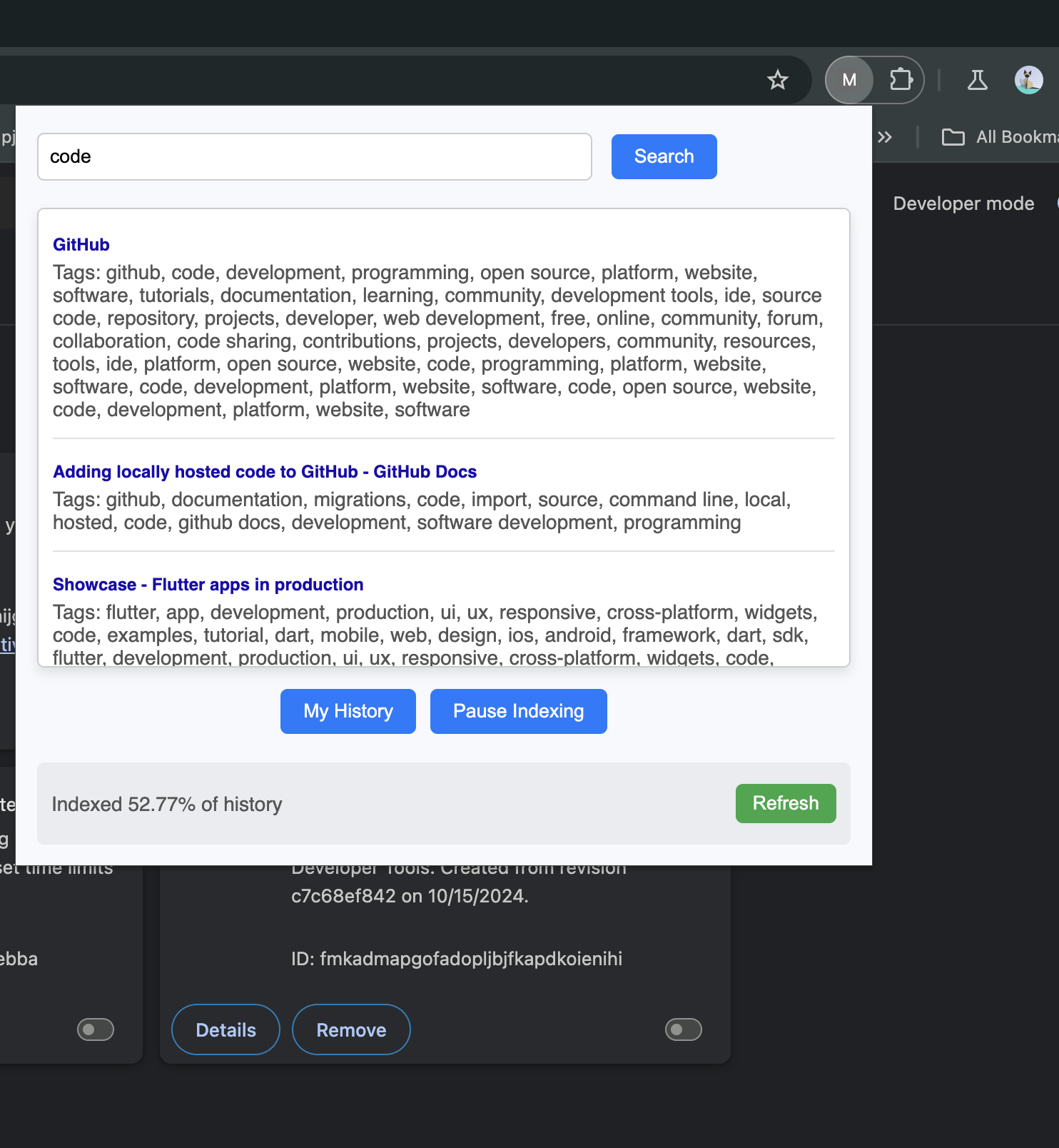
Available search bar in the extension popup. This offers tag based + fuzzy search
Inspiration
I consume a lot of content daily on internet. But I don't remember exactly what I saw last month, what did I learn, what did I find funny, where is my time is going. On the chrome store, I found a lot of history app but none that give a useful summary of my usage, with ability to group my history into different tags.
What it does
This chrome extension creates a interactive word cloud over a user's browsing history. The words in the word clouds are made of generic words and specific words to aggregate user's history. These words are clickable and helps to filter search history with generic words like AI, Code or Productivity and specific words like Nike, Gemini Nano or Black Friday Sale. The extension also generates brief summaries about the filtered history items over different time spans and can generate funny poems and jokes on it. These summarisation features are centred around the user's history can tell user's something interesting about themselves, understand themselves better.
How we built it
This chrome extension generates a group of tags for each history items in the user's search using Prompt API. These tags are used to generate word clouds, which give a higher level view of the internet usage for the user. The words in the word clouds are clickable and act as filters for quickly finding all relevant history relating to the specific word. This filtered history is available sorted by domain and links to each titles, to re-access it. All the titles are then used to generate brief summaries using summarization api, to understand what exactly was watched and is available for the user to revisit. We also use prompt api to generate a small funny story poems about the search history. Every time you refresh you get a new poem.
- Please note that the extension generates tags for your browsing history in the background. Over time, you will start to see the word cloud populate, and it will improve as more of your history is indexed.
- For all new history items, the extension generates tags in real-time. This means that any new pages opened after installing the extension will have tags generated immediately.
Challenges we ran into
Since the user's browsing history is very large, indexing it takes a long time and happens over some time. The history of the user is indexed in background but due to limitations in the prompt api, bulk history couldn't be indexed all at once. For now, the word cloud will start making more sense after sufficient amount of history is indexed. For all the new pages that the user visits after installing the extension, the history is enriched with tags in real time.
The limited context window for the model being 1024 tokens also pushed me to think how to generate good results with limited tokens. We also experimented with writer/rewriter API but giving it a lot context made it start summarizing instead of following the prompts, so we had to think how to get good performance while being limited to the nano model. For that, tested different context sizes and found the sweet spot which gave good performance.
Accomplishments that we're proud of
People really liked using and playing around with the word cloud, which generates well filtered history. They were able to find their history items fast. A lot of people found things that had forgotten that they had searched in the last month which amused them. People are excited to use this as their homepage as a way to quickly go through their history and jump back to the things they find interesting. We are really happy with this feedback. Many people also found the poems and jokes being generated on their history very funny and engaging. It was interesting to see poems on their search history linking it in very interesting ways. New poems were generated every time on hitting refresh which gave them a lot of flexibility.
What we learned
I learnt first hand about the potential of running AI models on the browser and the possibilities it offers to reimagine the web browsing experience. Being a backend engineer this was my first time writing complex javascript applications, experimenting with UIs. I was also very excited to be using generator functions for streaming responses which I had wanted to experiment with for sometime.
What's next for TraceMyJourney
I want to make a lot of people to use it and get their feedback about improvements of this product. I will also like to add more features like giving people the ability to customise and create their own prompts, export summaries. I want to also explore building this as a default ai powered search engine for chrome adding context to the user query so that they are able to get better search results with very less information, basically populating the context through user history. This is the beginning of intelligent browsers, I want to personalise user experience as much as possible through the use of edge models.
Built With
- gemini-nano
- html
- indexeddb
- javascript
- npm
- prompt-api
- summarization-api
- wordcloud


Log in or sign up for Devpost to join the conversation.