-
-
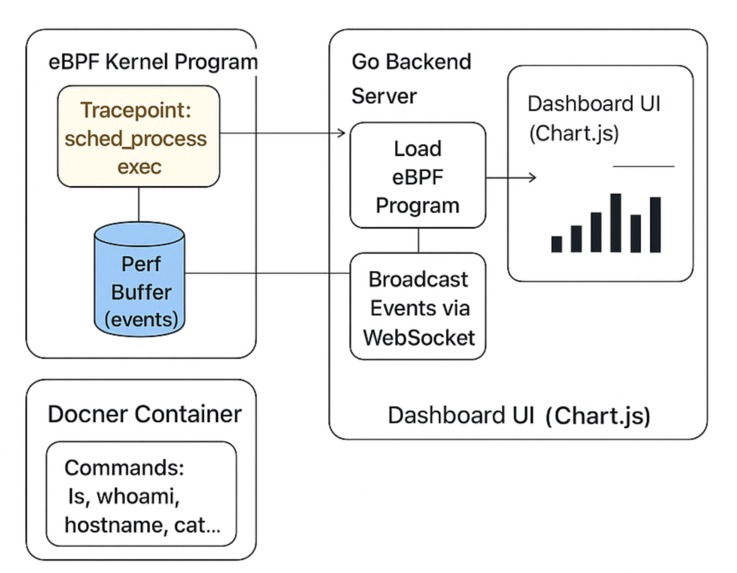
TraceViz monitores and visualizes real-time process executions within Docker containers using eBPF kernel tracing.
Inspiration
Modern container systems handle thousands of temporary processes every minute. But teams often don’t know:
- Which processes ran?
- Which container were they in?
- Is anything unusual happening?
- How can we get this information quickly without slowing the system down?
Old tools like top, logs, and agents can’t track short-lived processes, and full observability solutions are often too slow, costly, or take up too much system resources.
We wanted a tool that is:
- Zero overhead
- Real-time
- Container-aware
- Beautiful and intuitive
That mission became TraceViz.
What it does
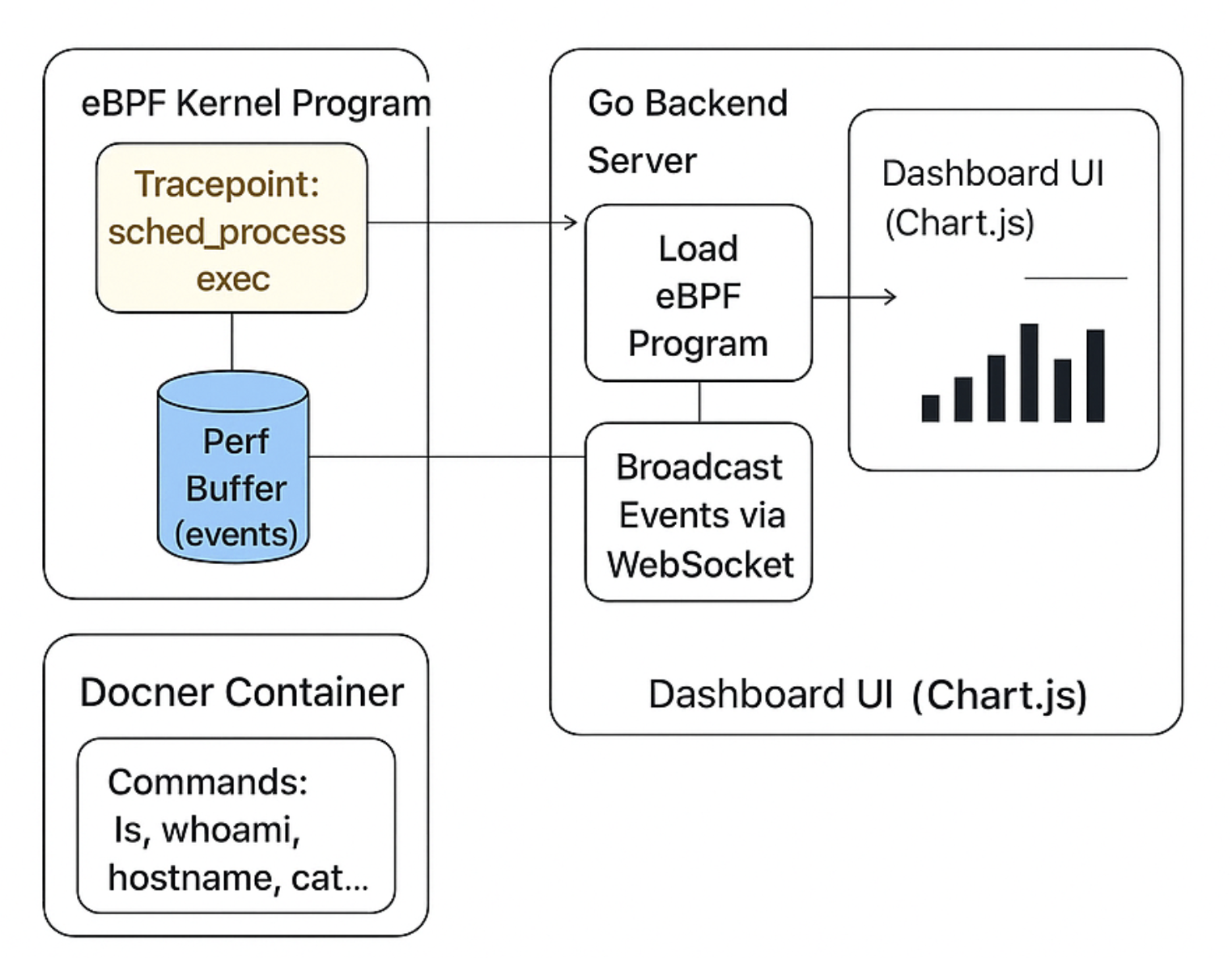
TraceViz is a real-time dashboard that helps you watch what's happening inside containers using eBPF. It collects information like every process running on the node, which container or cgroup the process is part of, the command that started it, and the process ID along with other details. All this data is sent live to a dashboard made with Chart.js through WebSockets.
Key features include:
- Seeing process activity as it happens
- Tracking containers using their cgroup IDs
- Getting live updates through WebSockets
- Sharing metrics with Prometheus
- No need for extra agents or system restarts — everything works through eBPF
TraceViz lets you see what's happening inside your containers right now, in real time.
How we built it
eBPF Program
- We created a special program that runs at the kernel level.
- This program listens for process execution events by using a feature called
sched_process_exec. It does this with very little impact on system performance.
Perf Buffer
- The events captured by the eBPF program are sent to the user space using a performance ring buffer.
- This helps in efficiently passing data between the kernel and user applications.
Go Backend We built a Go-based service that does the following:
- Reads the eBPF events
- Makes the process and cgroup data easier to understand
- Updates Prometheus metrics
- Sends events through WebSockets to the dashboard
Real-time Dashboard Using HTML, Chart.js, and WebSockets, we developed a dashboard that shows:
- line that show when processes are running
- Automatic updates without needing to reload the page
- A simple and modern look and feel
Together, these parts form a full observability system with a latency of less than 3 milliseconds.
Challenges we ran into
eBPF Permissions and Environment
- Working with eBPF in containers with Go was tricky.
- Issues like kernel headers, permissions, and mismatched tracepoints led to early problems.
Real-time Dashboard Sync
- Prometheus works by pulling data, but we needed to push data for live charts.
- We switched to WebSockets, which fixed the issue but required completely rewriting the dashboard.
Decoding Perf Events
- Converting binary data from C structs into Go structures required careful alignment and padding.
- A single wrong byte could break everything.
Container Mapping
- Mapping kernel cgroup IDs to container identities needed understanding how Kubernetes and Docker set up cgroups.
These challenges made us learn a lot, from kernel events to how the front end works.
Accomplishments that we're proud of
Built a monitoring tool with no performance impact, running at the kernel level
- Created a real-time UI from scratch
- Achieved updates in under a second
- Tracking processes with awareness of containers
- No agents or polling—purely eBPF and WebSockets
- Made Prometheus metrics available for future Grafana use
TraceViz is small but powerful, and that's what makes it elegant.
What we learned
We learned:
- How strong and secure modern eBPF tools actually are
- How sched tracepoints function inside the system
- How to send telemetry data smoothly and effectively
- Why creating observability tools is challenging
- How to design a clean and professional dashboard using raw kernel data
Most importantly, we found out that getting deep insights from the kernel doesn’t have to look messy or complicated.
What's next for TraceViz
Grafana Plugin
- Grafana dashboards that are powered by Prometheus metrics.
Per-container analytics
- Ability to group processes by container name, namespace, pod, or Kubernetes labels.
Built-in security alerts
- Detect unusual process behaviors in real time.
SQLite history mode
- Keep track of execution history for future analysis.
Interactive UI V2
- Dark mode
- Heatmap showing processes per container
- Timeline charts
- Visualizations of process trees
Zero-configuration Kubernetes operator
- Automatically deploy and collect data across the entire cluster.
TraceViz will move from being just a demo to a full, reliable observability platform for containers.
Built With
- c
- chart.js
- cilium
- golang
- html
- javascript
- linux
- prometheus
- tracepoint
- websockets

Log in or sign up for Devpost to join the conversation.