-
-

Tracer Logo.
-

Stage 1. Describing your board.
-

Stage 2. Analyzing your intent.
-
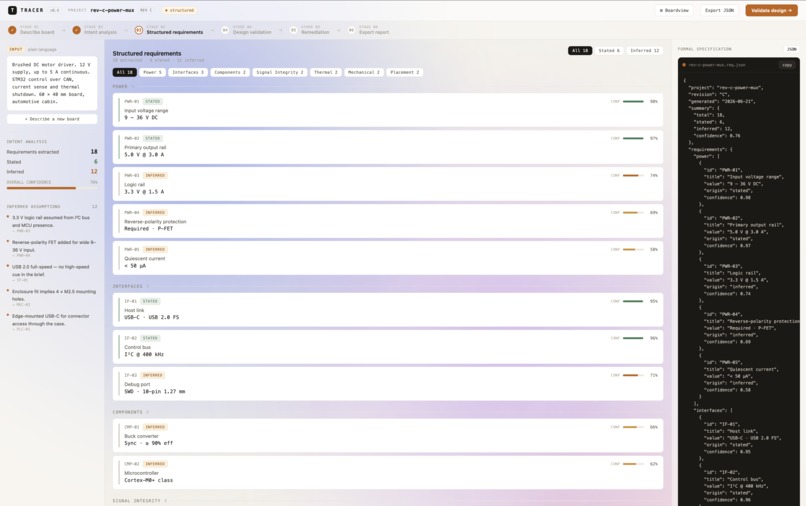
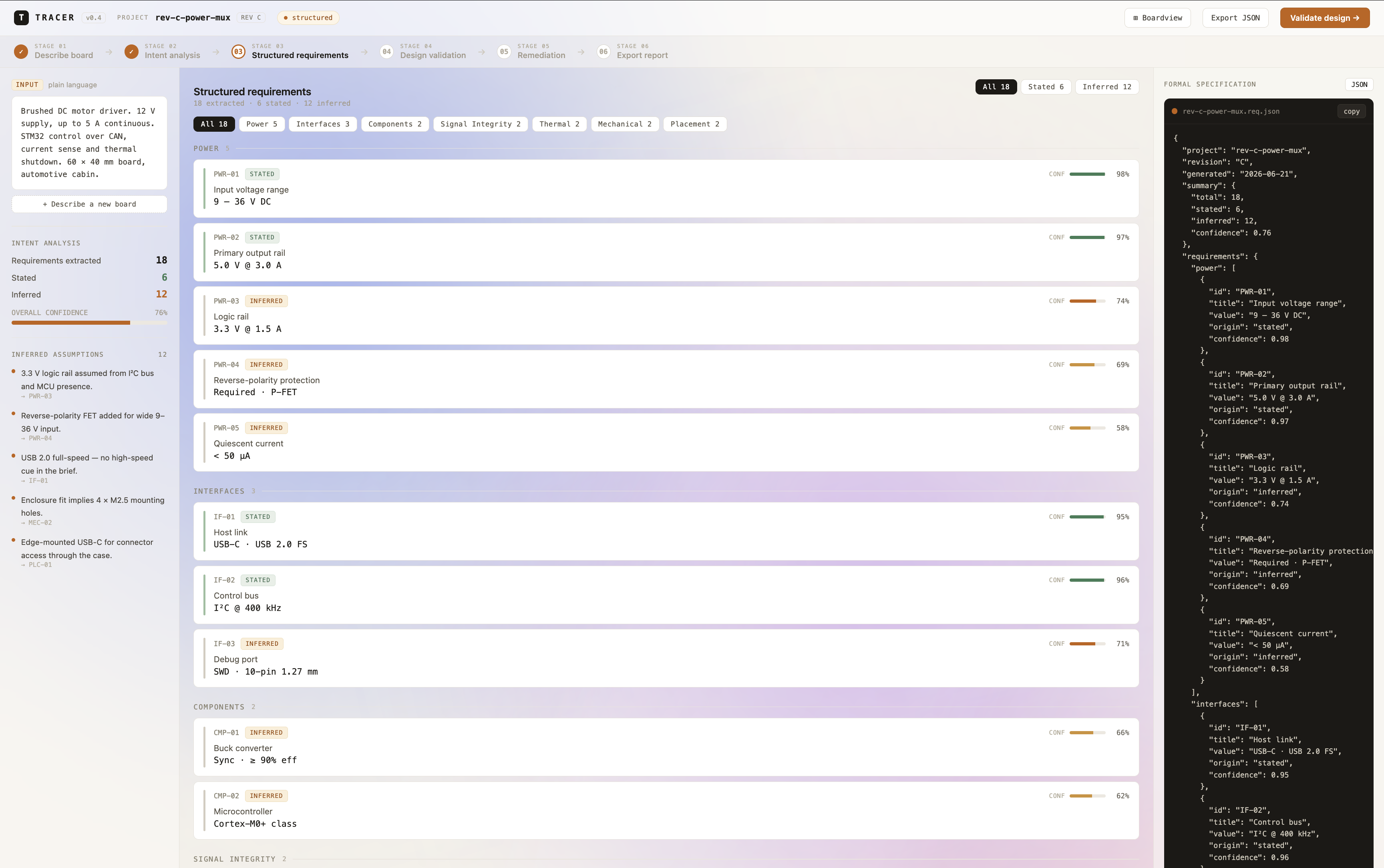
Stage 3. Structured requirements.
-
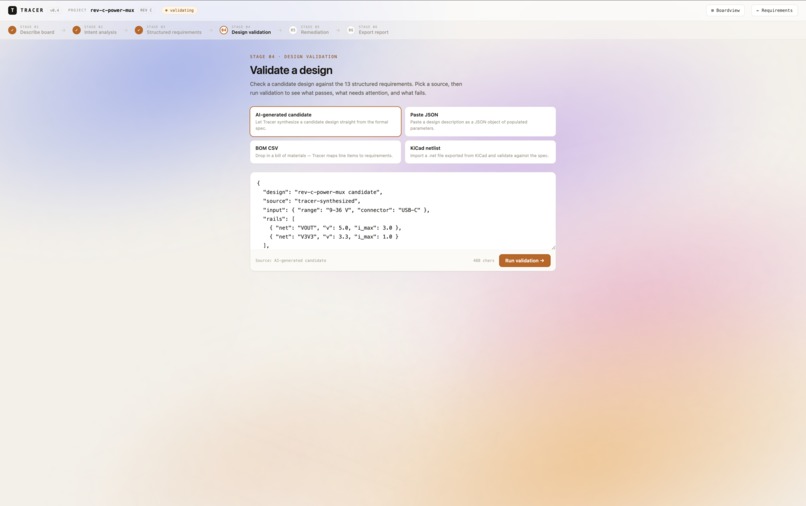
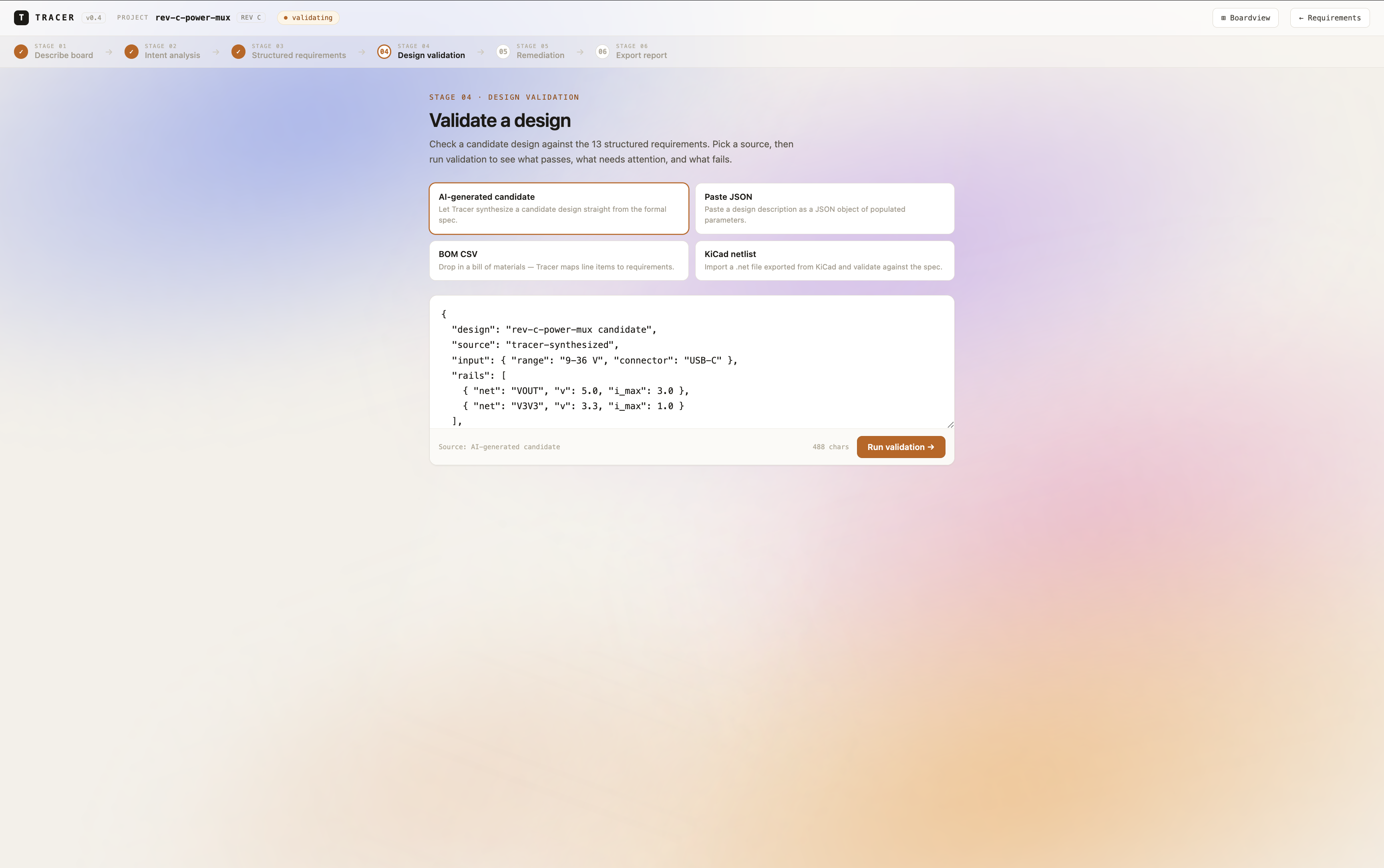
Stage 4. Design validation.
-
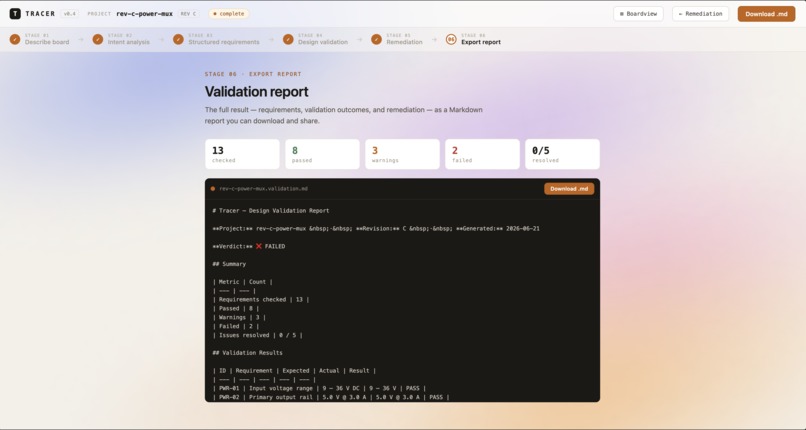
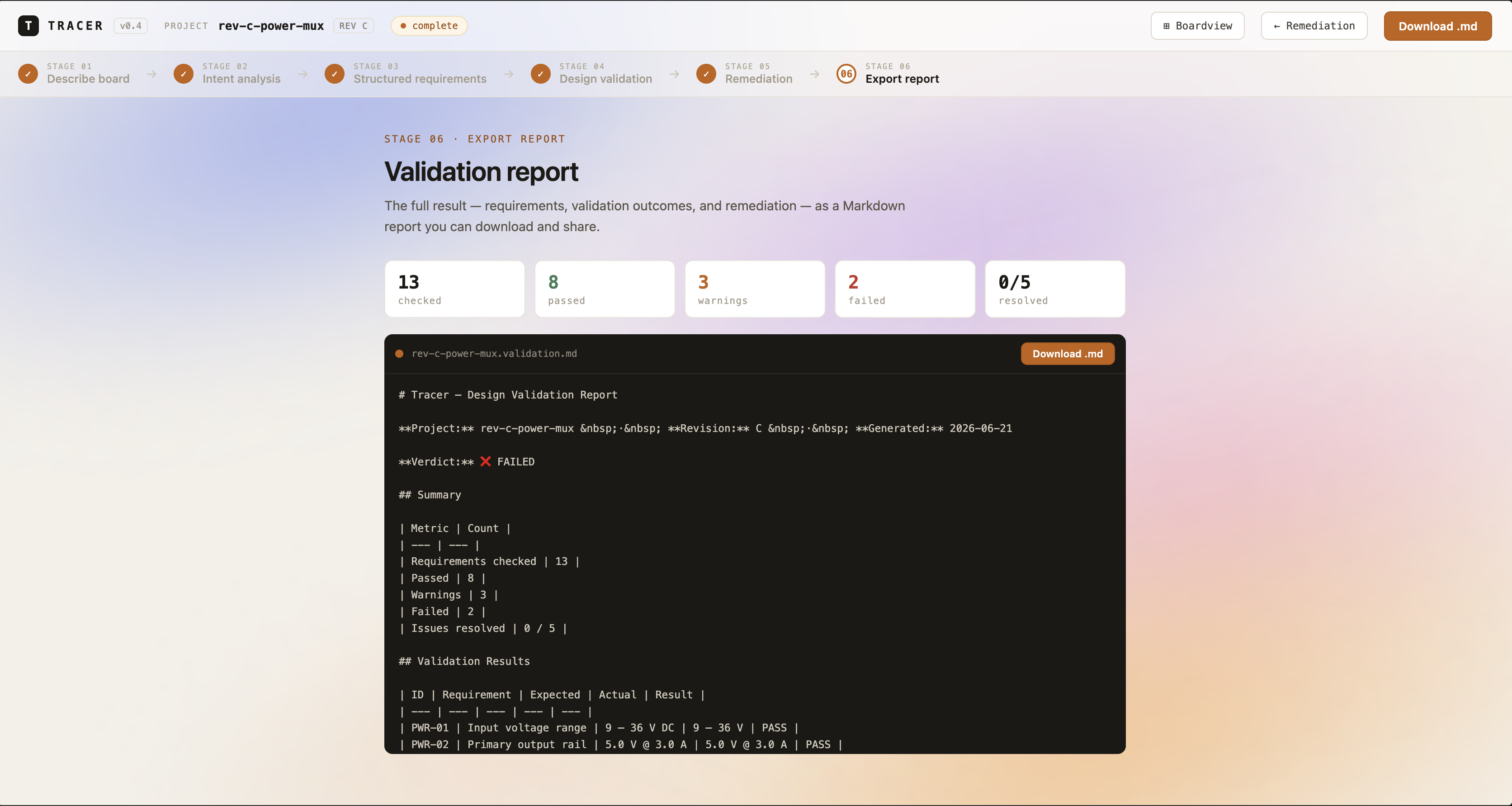
Stage 5. Report.
-
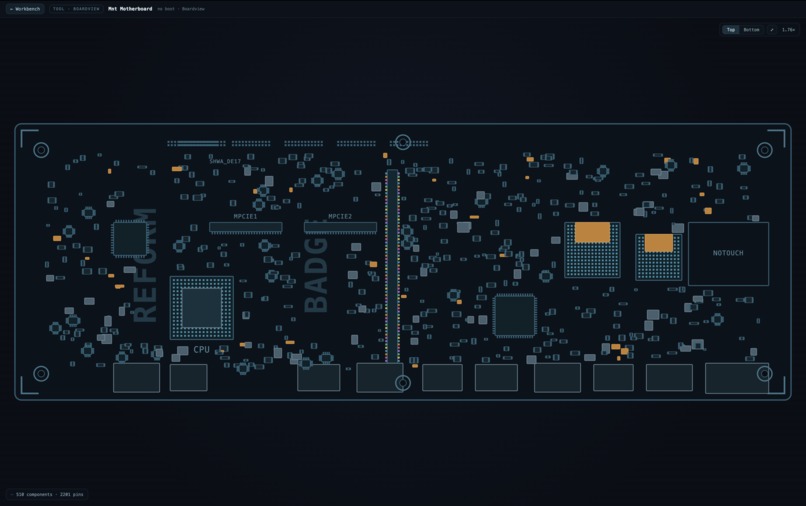
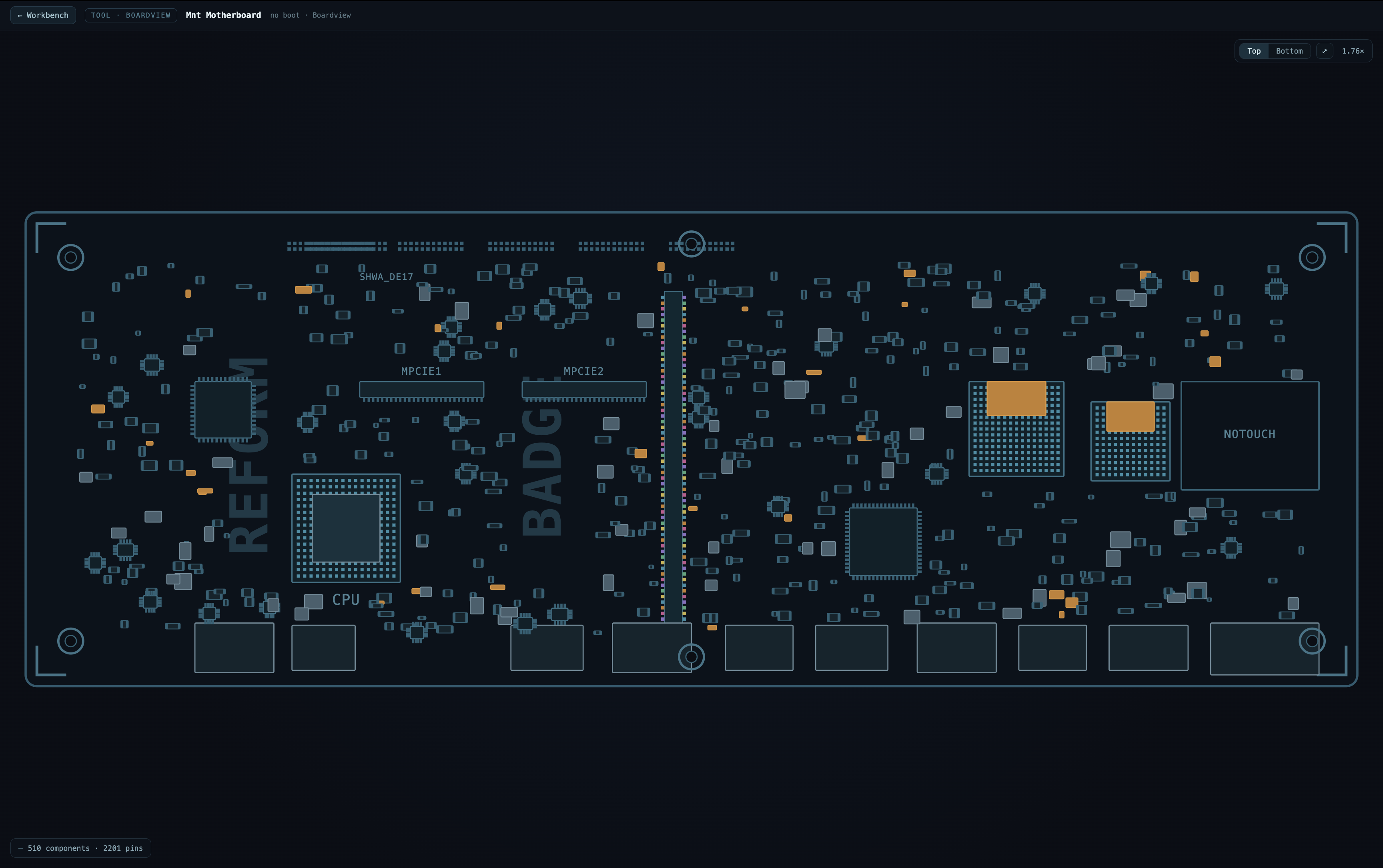
Image of the Boardview section.



Inspiration
Designing PCBs is not just about generating a circuit. The hard part is knowing whether the design actually satisfies the requirements. Engineers often start with vague ideas like “make a low-power ESP32 sensor board,” but that has to become precise specs: voltage limits, current draw, interfaces, battery life, thermal constraints, and component choices. If those requirements are unclear, an AI-generated design can look convincing but still be wrong.
That’s why we built Tracer: an AI-assisted PCB requirements and validation workbench that turns plain-English hardware ideas into formal specs, then checks a real design against them.
What It Does
Tracer takes a natural-language PCB idea and walks it through an engineering pipeline:
- Understands the user’s design intent.
- Converts it into structured hardware requirements.
- Turns those into formal, checkable specifications.
- Validates a candidate or real design against the specs.
- Accepts real design inputs through JSON, BOM CSV, or KiCad netlist.
- Flags failures or unclear checks.
- Suggests concrete fixes.
- Exports the full result as a Markdown engineering report.
In short: Tracer turns a plain-English PCB idea into formal requirements, validates a real board design, suggests fixes, and exports the review report.
How We Built It
- Backend: Built with FastAPI and Python, using Gemini to generate structured engineering outputs. We store projects and stages locally, so each pipeline step can be reviewed, revised, and reused.
- Frontend: Built with React + Vite. Users can create a project, run each stage, paste a design artifact, import a BOM CSV, import a KiCad netlist, view validation results, generate remediations, and export the final report.
- Validation Logic: We combined AI judgment with deterministic checks. If a requirement has a clear numeric constraint, like $\text{sleep_current} < 50\mu\text{A}$, Tracer performs the math directly, including unit handling. For more ambiguous requirements, it uses Gemini but labels those checks appropriately.
Challenges We Ran Into
- Avoiding "AI Checking AI": The first version validated an AI-generated candidate design, which was useful for demos but not rigorous enough. We fixed that by allowing users to validate real design artifacts.
- Simplifying Hardware Inputs: Full EDA file support can get complex fast, so we started with practical imports: JSON, BOM CSV, and KiCad netlists.
- Guarding Against Hallucinated Validation: If the AI claims a design passes because of a component or net that is not actually in the artifact, Tracer flags that instead of blindly accepting it.
Accomplishments
We built a full end-to-end PCB review pipeline:
Describe board → Intent → Requirements → Formal Spec → Validate Design → Suggest Fixes → Export Report The strongest part is that Tracer does not stop at generating specs. It checks a design against them, requirement by requirement.
The strongest part is that Tracer does not stop at generating specs. It checks a design against them, requirement by requirement.
What We Learned
- For hardware AI tools, generation is only half the problem. Trust comes from validation, traceability, and clear engineering outputs.
- We learned how important it is to support real artifacts like BOMs and KiCad netlists, because engineers need tools that fit into workflows they already use.
What’s Next
Next, we want to support deeper KiCad integration, richer PCB artifact parsing, stronger electrical rule checks, and better alignment with the final design system.
Long term, Tracer could become a validation layer for AI-generated PCB design: helping engineers move faster without losing confidence in correctness.
Built With
- Python
- FastAPI
- Gemini
- React
- Vite
- SQLite
- Pydantic
- JavaScript
- KiCad netlist parsing
- BOM CSV parsing
Built With
- fastapi
- gemini
- javascript
- kicad
- pydantic
- react


Log in or sign up for Devpost to join the conversation.