Inspiration
Every developer has done it: something breaks, you copy the stack trace, and paste it into a chatbot. Then you look closer and see what came with it. A database URL with the password in it. An AWS key. A customer's email. An internal hostname.
AI is great at debugging, but logs are full of secrets. I wanted the help without the leak. Hybrid inference made that possible: clean the log on the device, and only send the cloud what's safe.
What it does
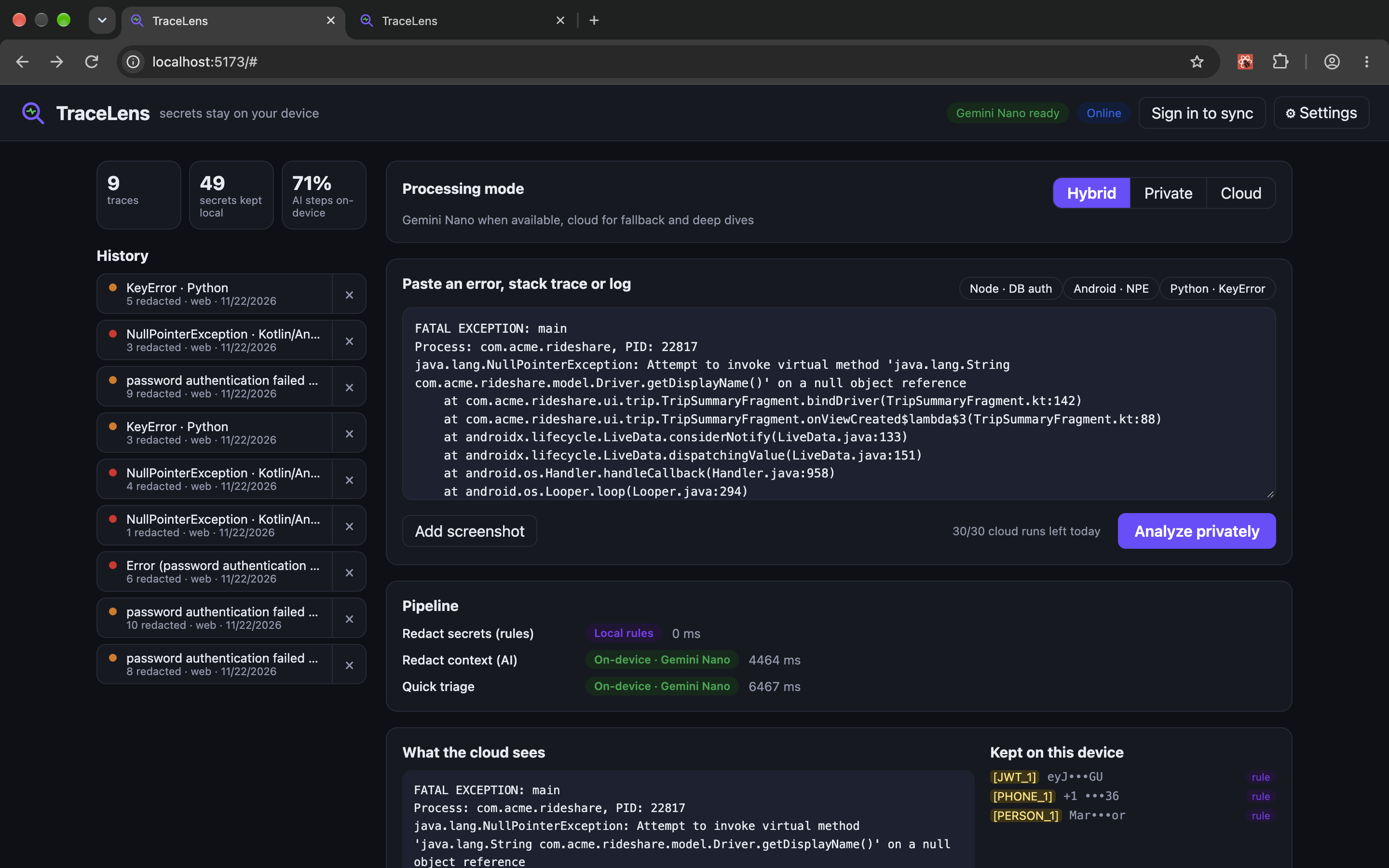
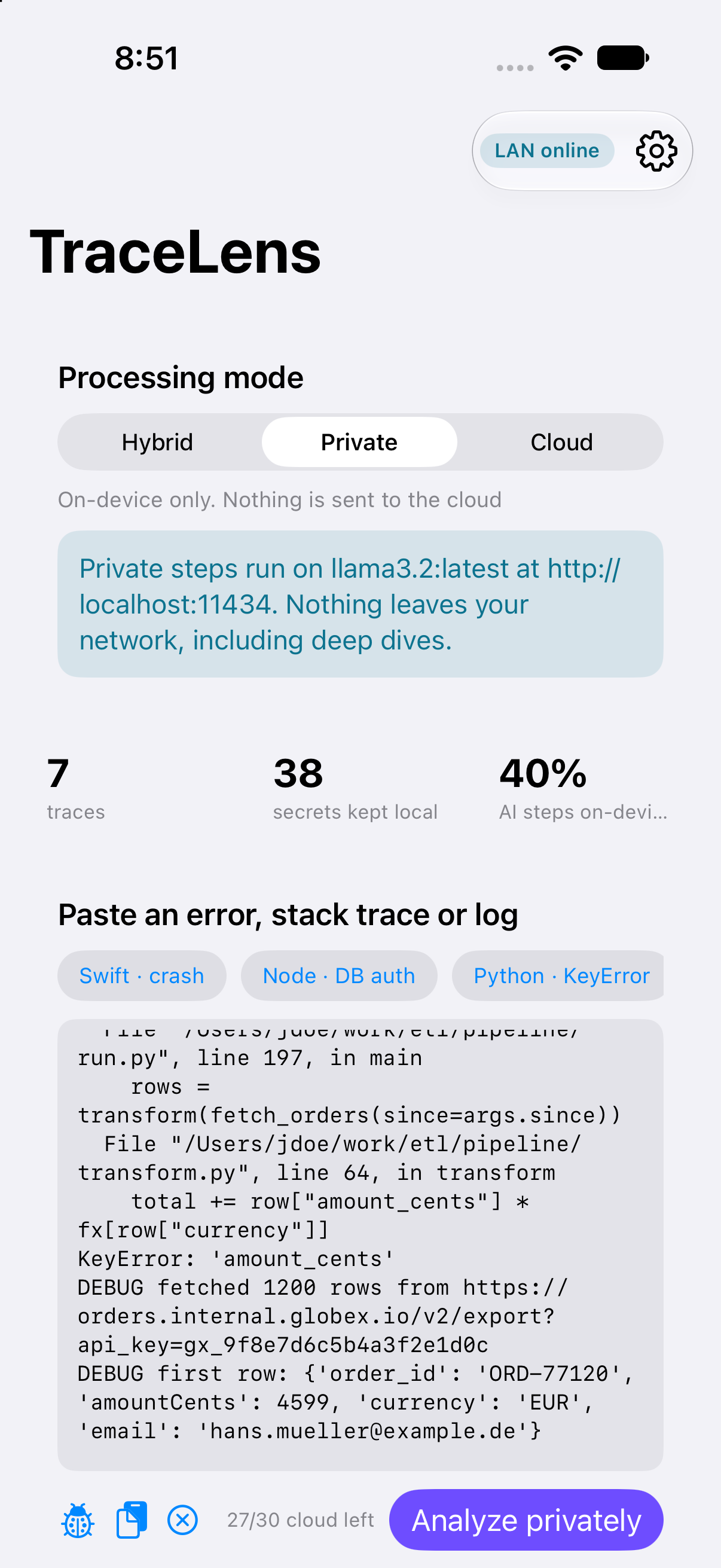
TraceLens takes an error, a stack trace, a log file or a screenshot and runs it through a privacy pipeline:
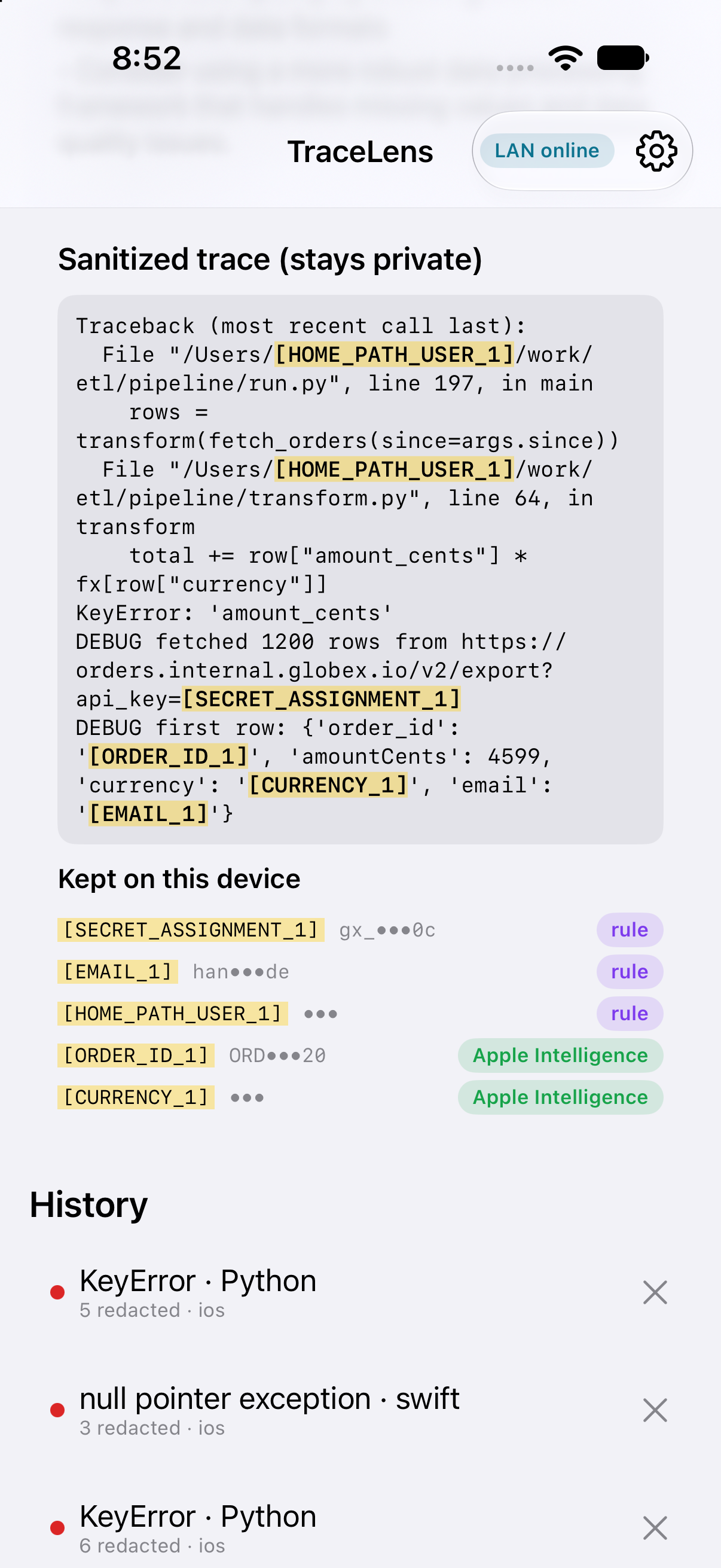
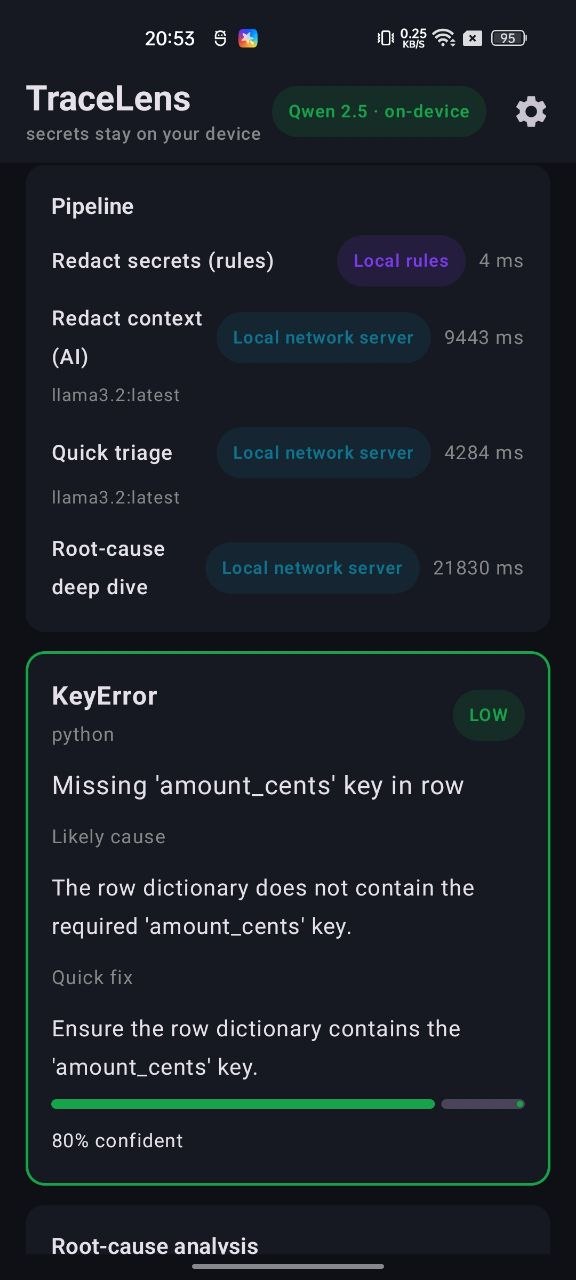
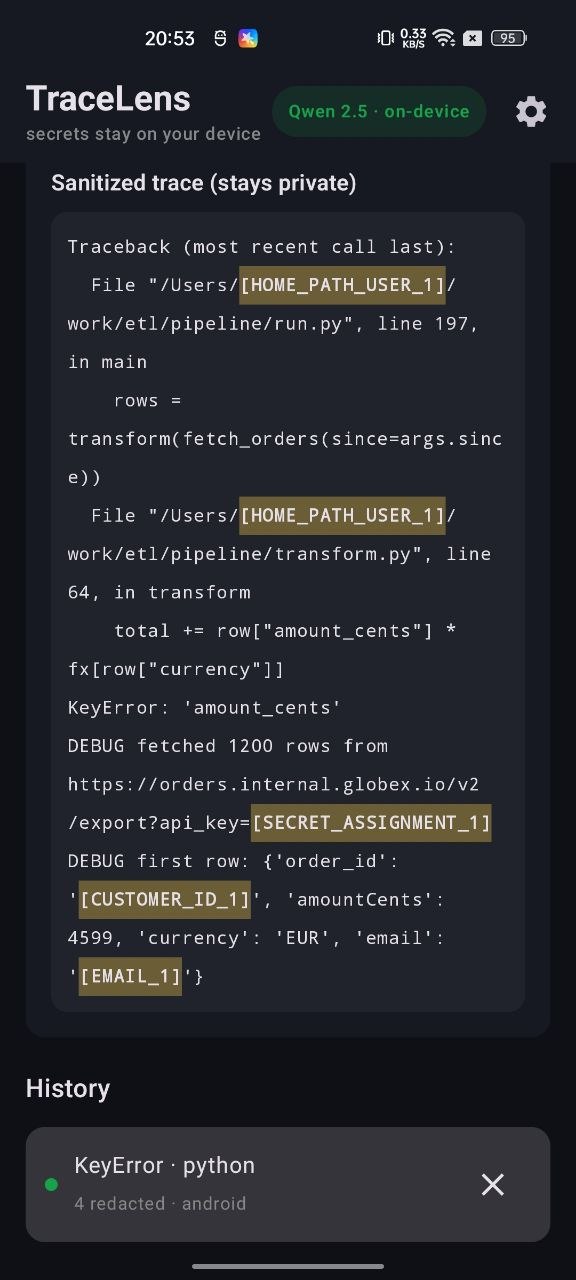
- Redact. Fixed rules strip API keys, tokens, passwords, emails, phone numbers and IPs in milliseconds. Then an on-device model catches what rules miss: names, internal hosts, customer IDs.
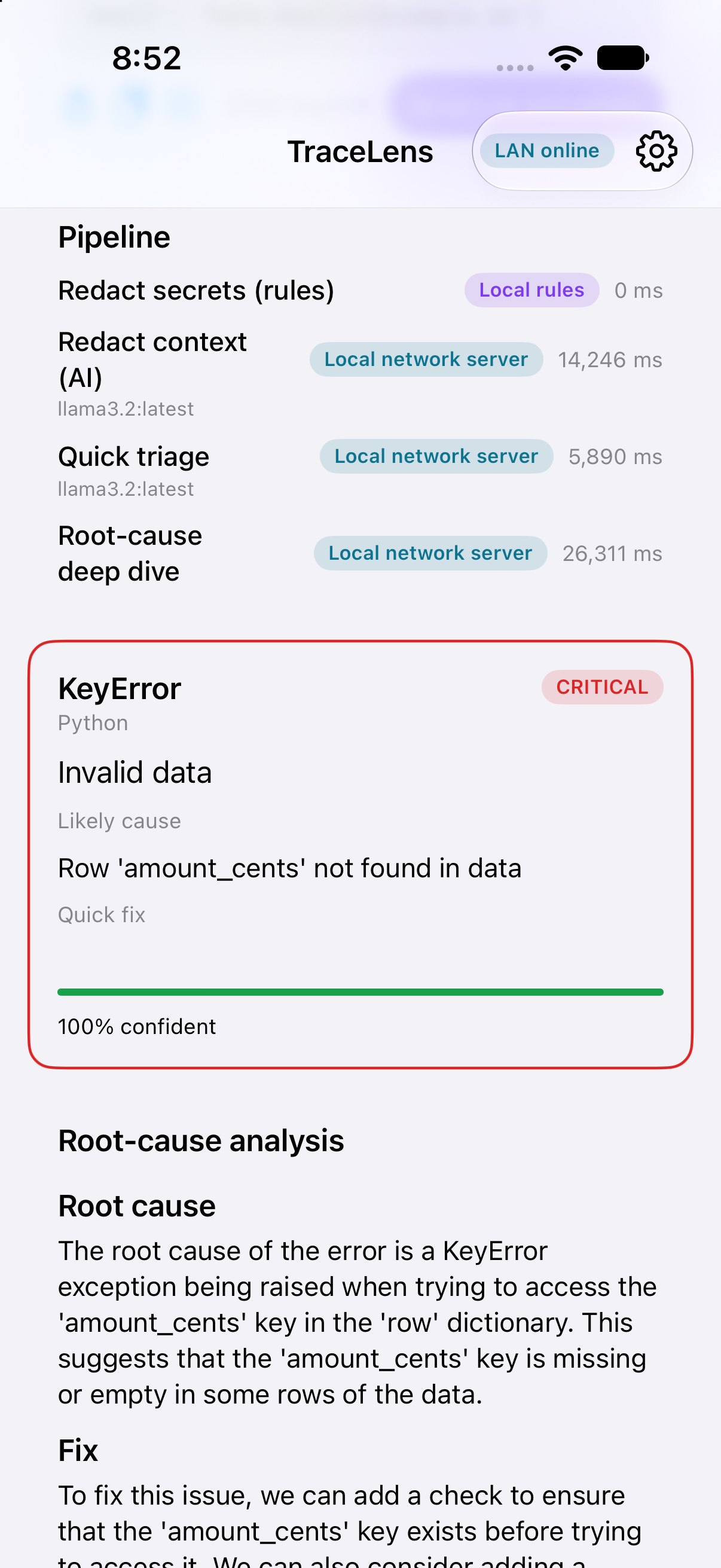
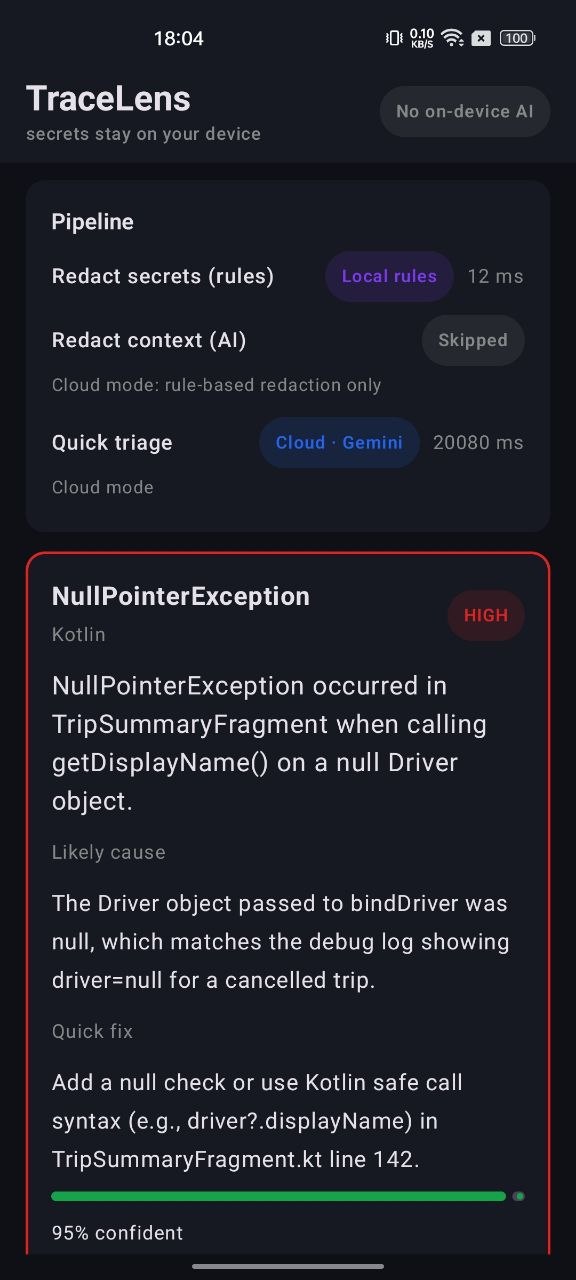
- Triage. The on-device model gives the error type, likely cause, a quick fix and a confidence score.
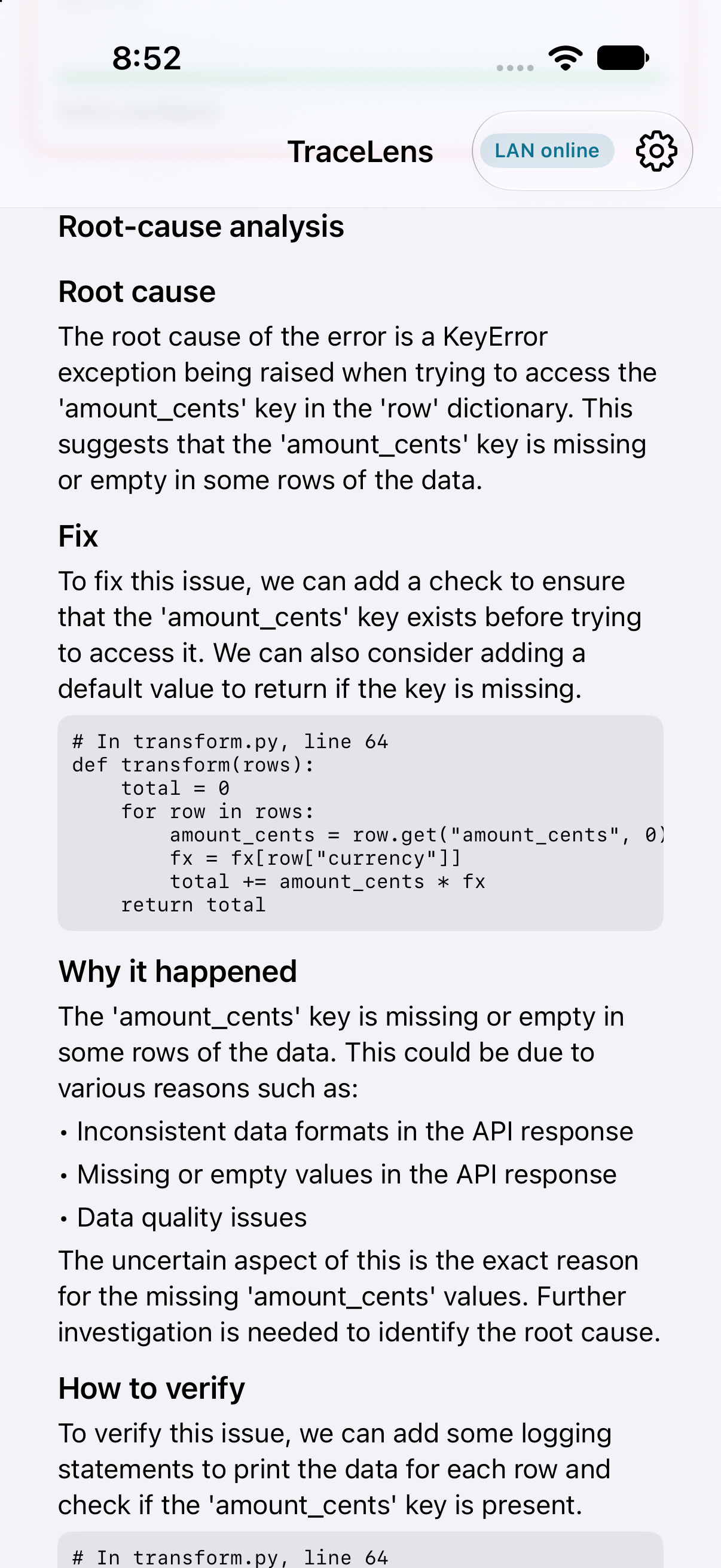
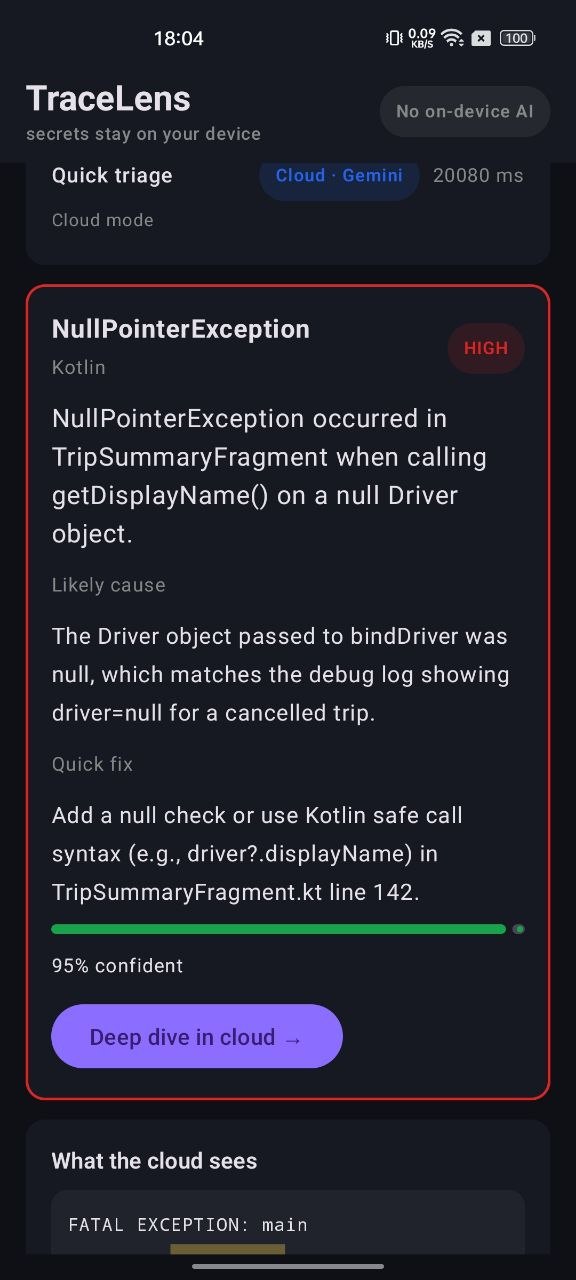
- Deep dive. If confidence is low, or you ask, cloud Gemini does a full root-cause analysis with a code fix. It only ever sees the cleaned text, with placeholders like
[AWS_KEY_1].
The screen shows exactly what the cloud sees, what stayed on your device, and where every step ran.
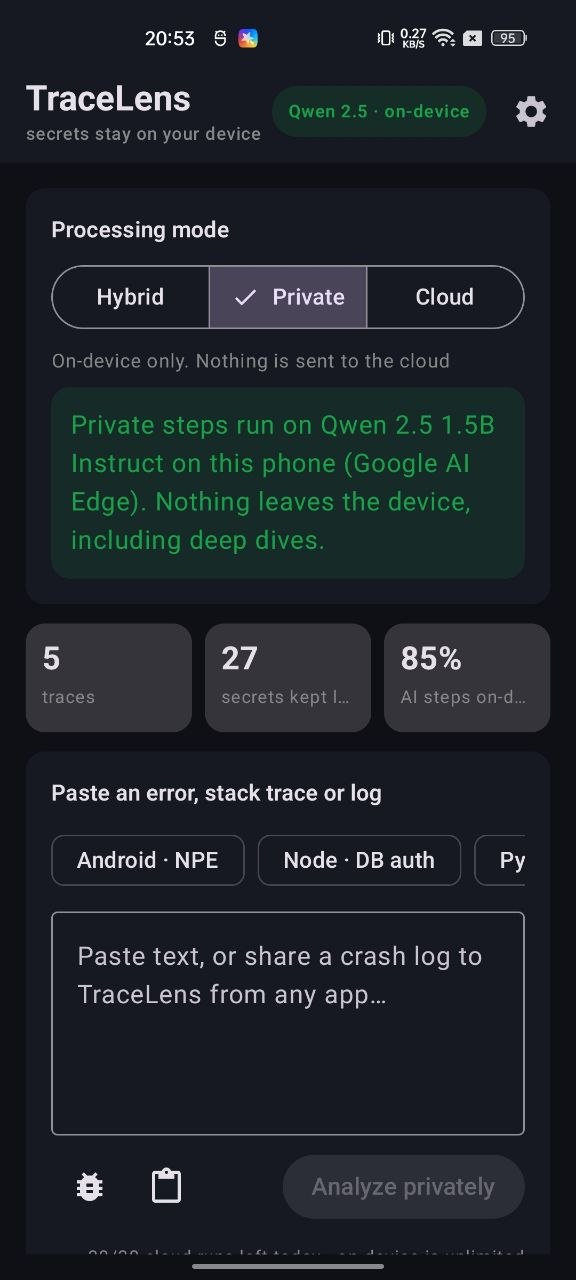
There are three modes:
- Hybrid: on-device first, cloud when needed.
- Private: nothing ever leaves the device.
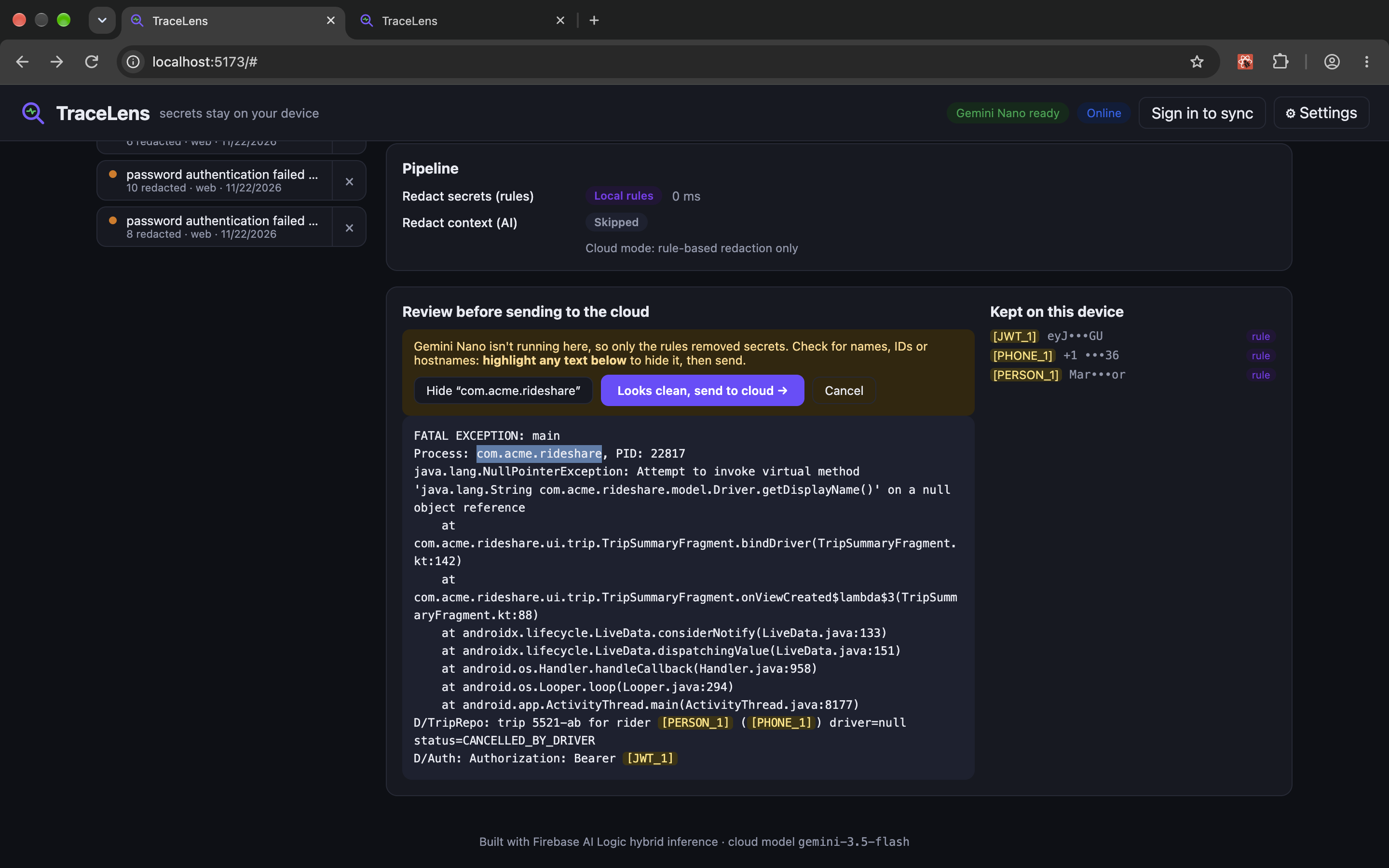
- Cloud: for devices without a local model. Before anything is sent, you review the text and can highlight and hide anything the rules missed.
How I built it
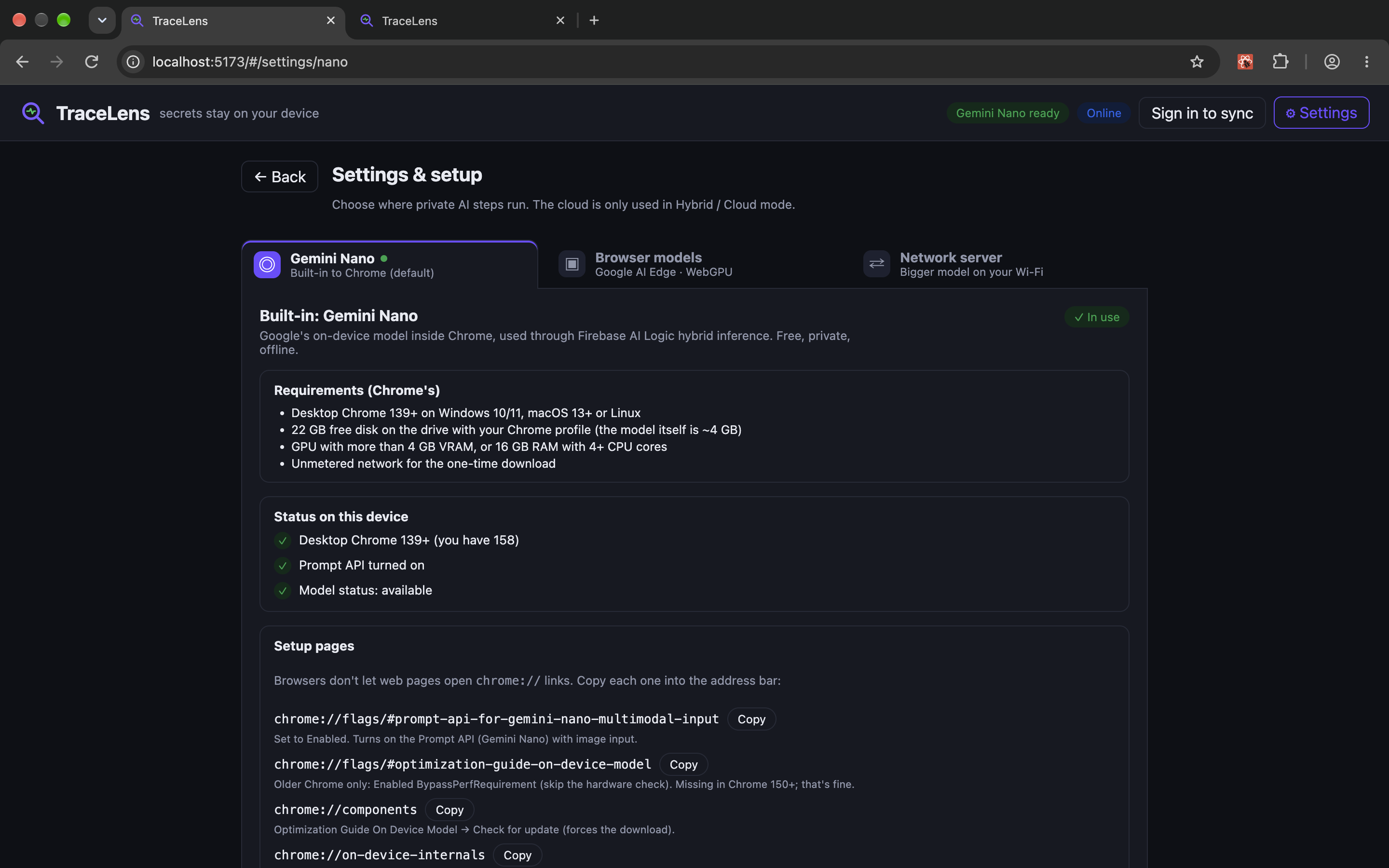
- Web: React and Vite, with Firebase AI Logic hybrid inference and Gemini Nano in Chrome.
- Android: Kotlin and Jetpack Compose with
firebase-ai-ondevice, plus "Share to TraceLens" and an importer for crashes from other installed apps. - iOS: SwiftUI, using Firebase's
GeminiLanguageModelinside Apple's Foundation ModelsLanguageModelSession. - Firebase: App Check, Authentication, Firestore, Remote Config and Hosting tie it together.
Not every device can run Gemini Nano, so I added two more private engines:
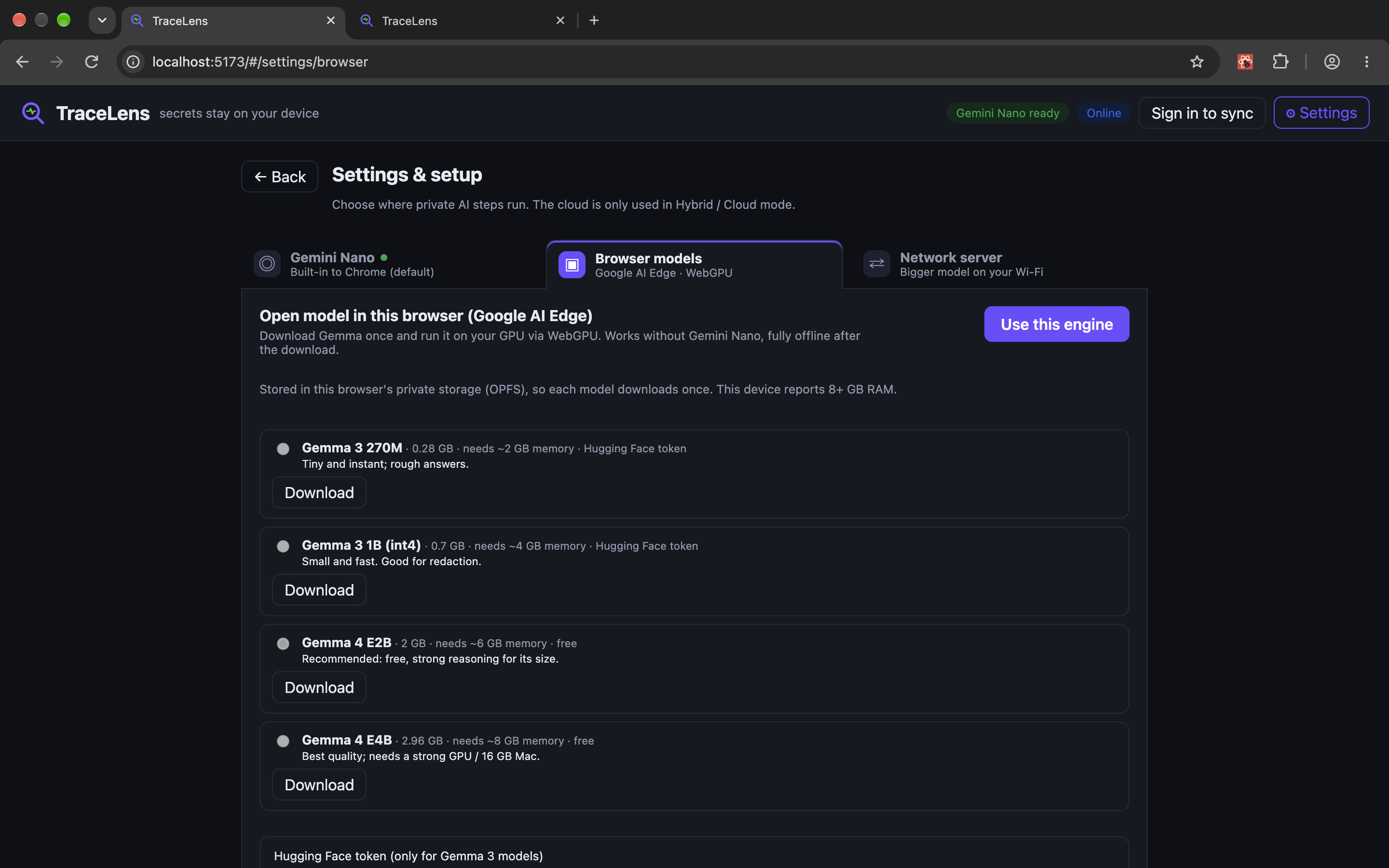
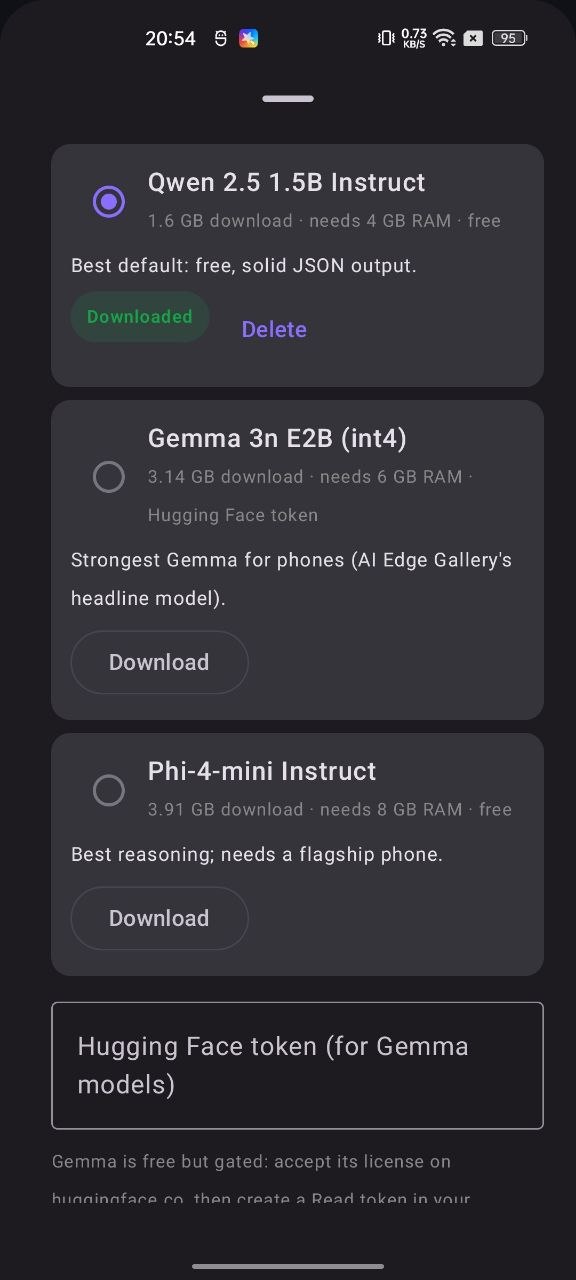
- Open models on the device through Google AI Edge: Gemma 4 in the browser over WebGPU, and Qwen or Gemma on Android phones without Nano.
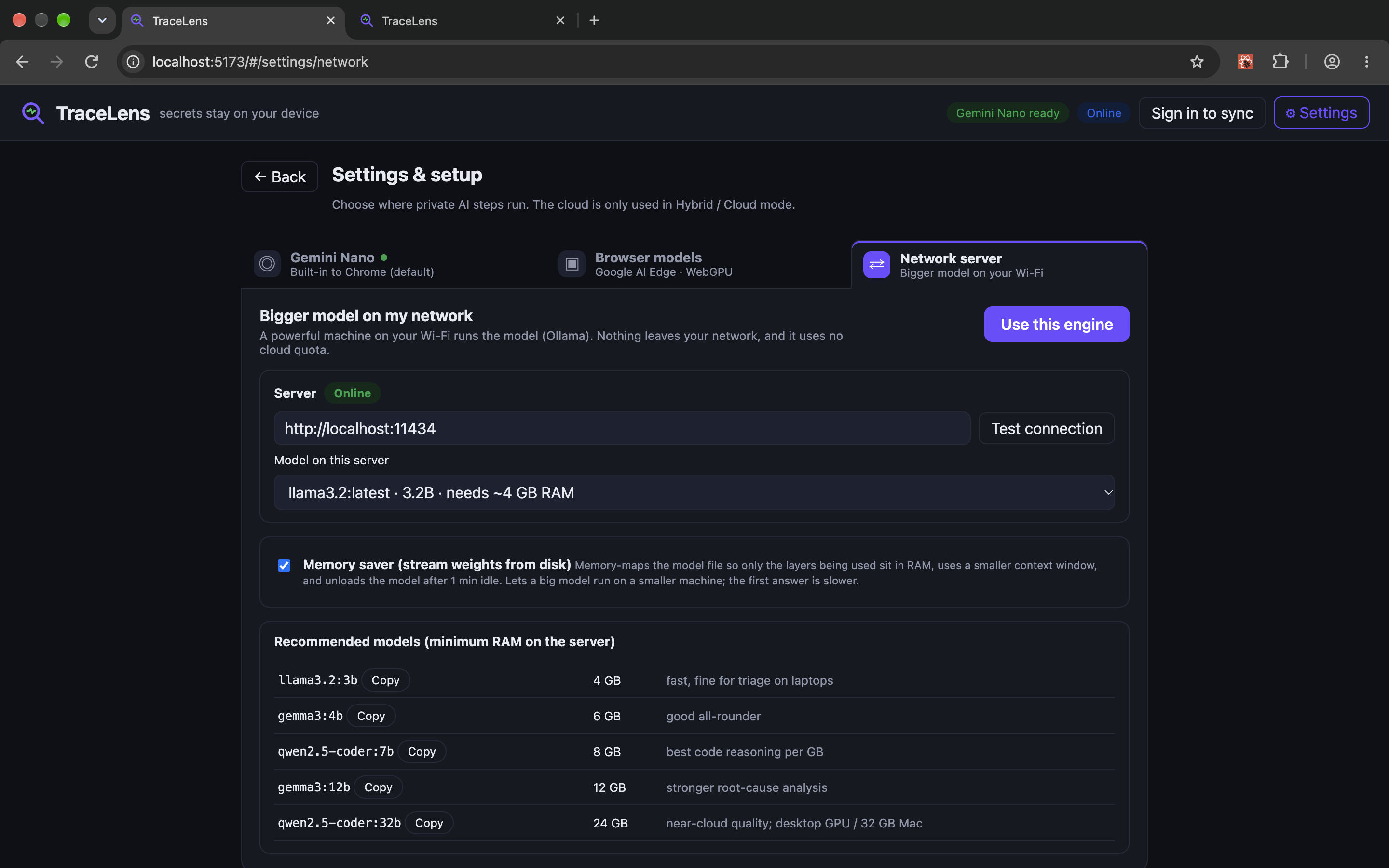
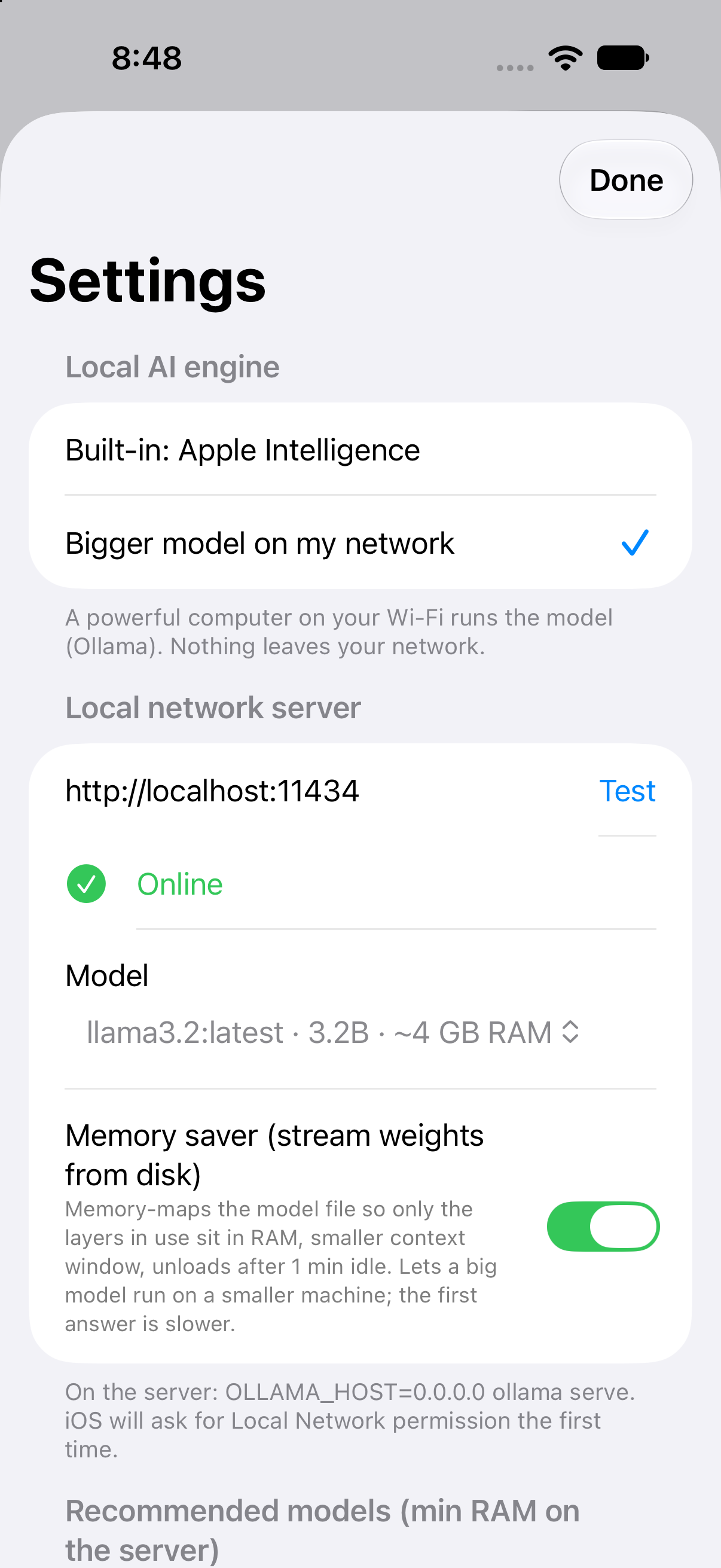
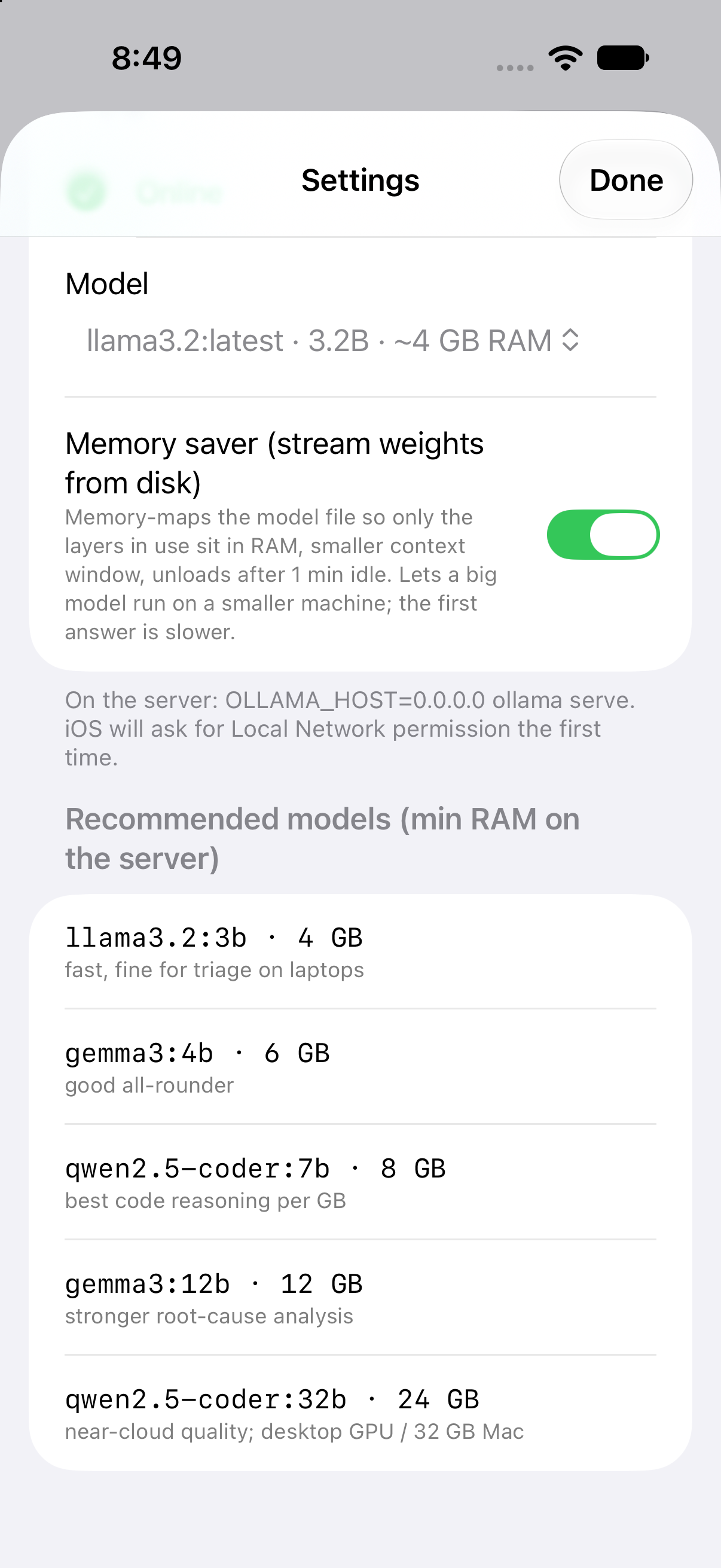
- A bigger model on your own network, such as Ollama on a laptop, with a live online/offline status.
To stay free, Firestore security rules cap cloud calls at 30 per user and 300 per day overall:
$$300 \times 30 = 9{,}000 < 10{,}000 \text{ free reCAPTCHA checks per month}$$
Challenges
- On-device AI is uneven. On my 8 GB M1, Gemini Nano took about 8 minutes per request, and on some machines it won't download at all. That's why I added browser models: Gemma 4 E2B in Chrome did the same triage in about 4 seconds.
- Small models are quirky. One copied my example answer word for word. Another echoed part of the log before answering, so my JSON parser grabbed the wrong braces. A long instruction preamble made Gemma return nothing at all. I fixed these with example-based prompts, a tolerant JSON parser, and instructions placed both before and after the data.
- Privacy edge cases. I found that if on-device redaction failed quietly, rules-only text could reach the cloud without review. Now any failure falls back to the user reviewing the text first.
- Setup traps. A reCAPTCHA key created in the wrong Google Cloud project produced a confusing
401 App Check token is invalid. On iOS, Firebase's SDK 13 removed the hybrid API the docs still describe, so I moved to the new Foundation Models integration.
What I learned
Hybrid AI isn't "on-device or cloud". It's about routing: the right model for each step, based on privacy, cost, the device's hardware and how confident the model is. I also learned to design for the device you actually have, not the one in the docs. Showing users exactly where each step ran turned out to be the feature that builds the most trust.
What's next
- A browser extension that redacts logs right inside DevTools.
- Team sharing of sanitized traces.
- A signed iOS TestFlight build with on-device Apple Intelligence.
Built With
- android
- artificial-intelligence
- cloud
- firebase-ai-logic
- gemini
- gemini-nano
- generative-ai
- hybrid-ai
- ios
- javascript
- kotlin
- machine-learning
- react
- swift
- typescript
