-
-
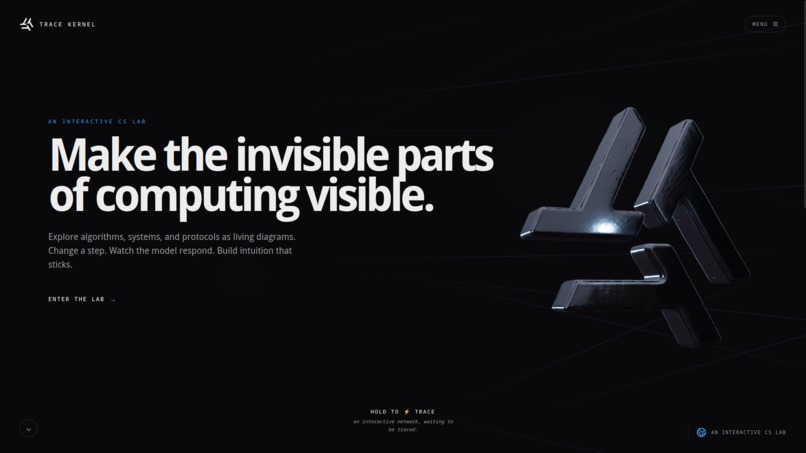
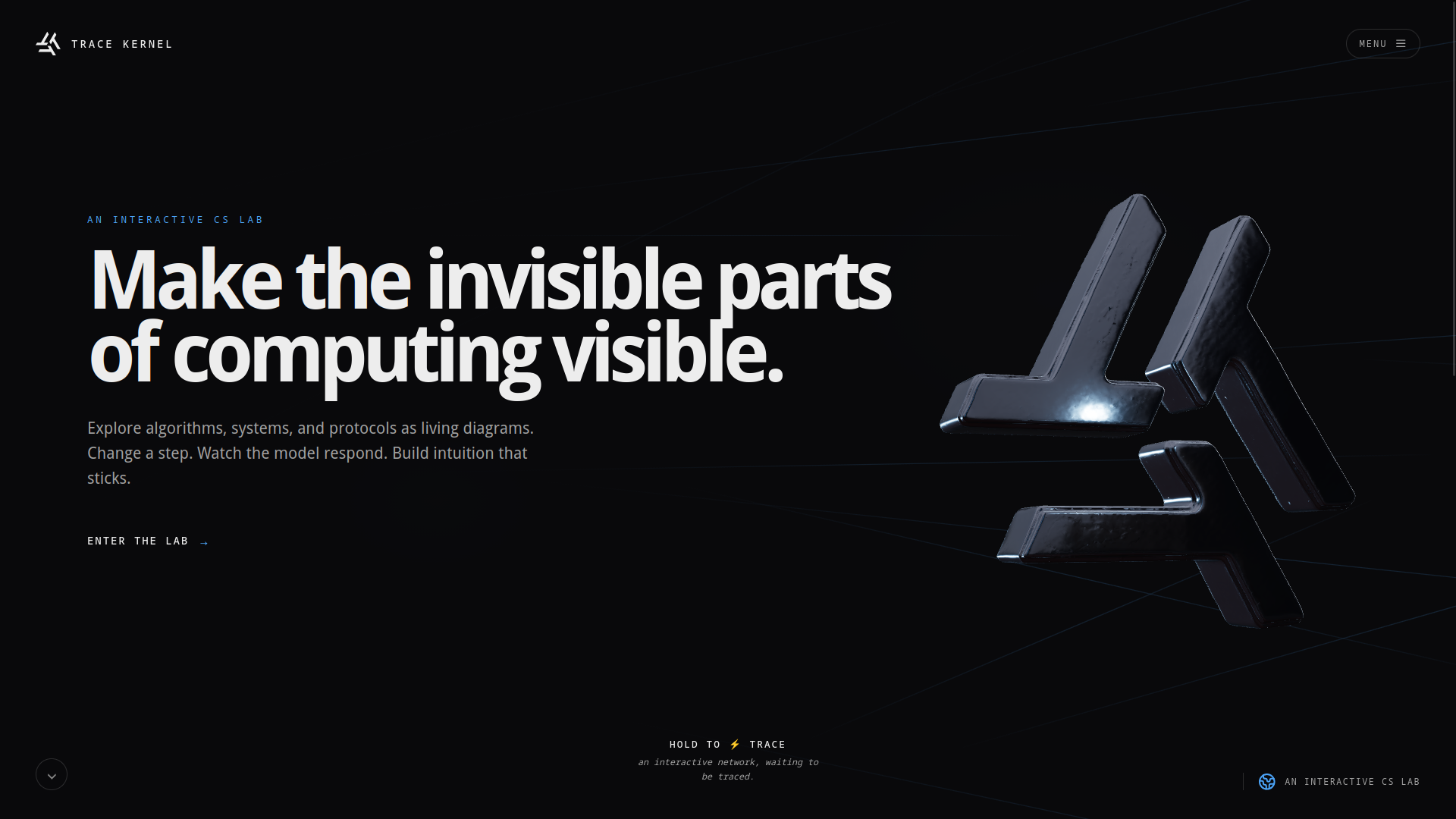
Landing Page
-
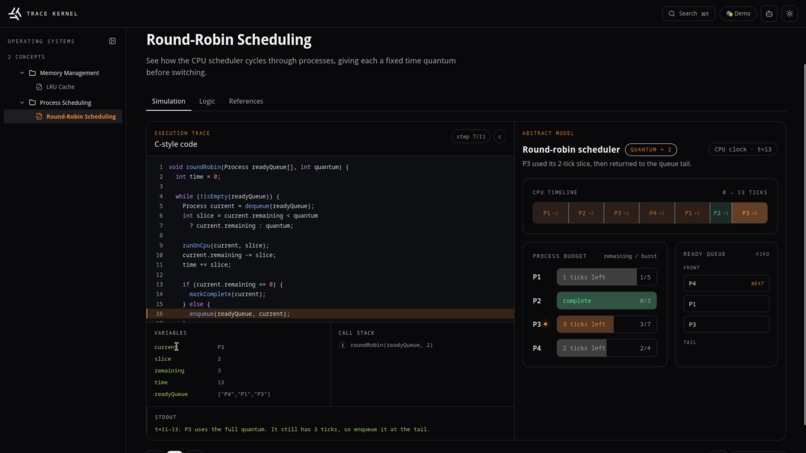
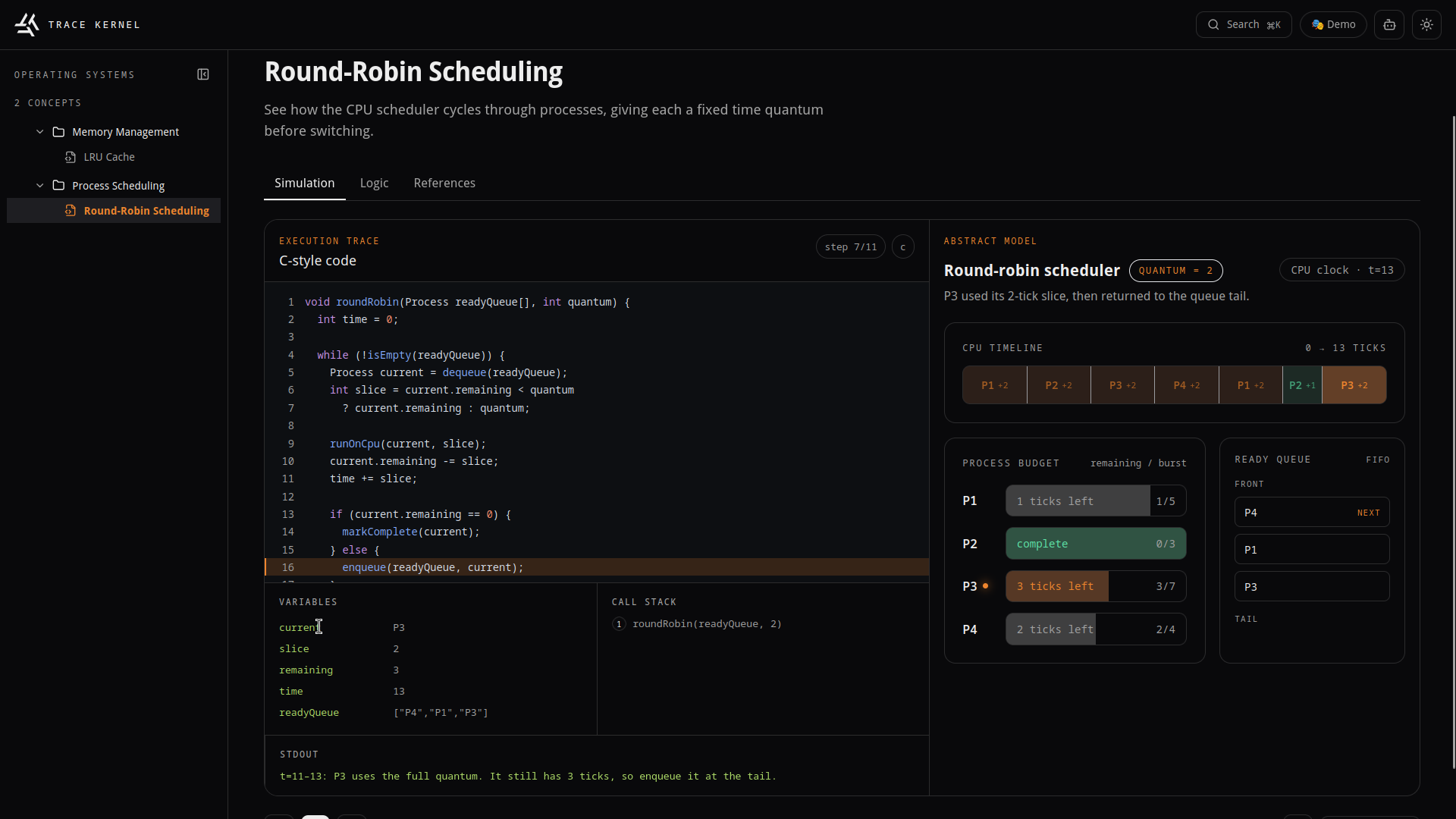
Simulation
-
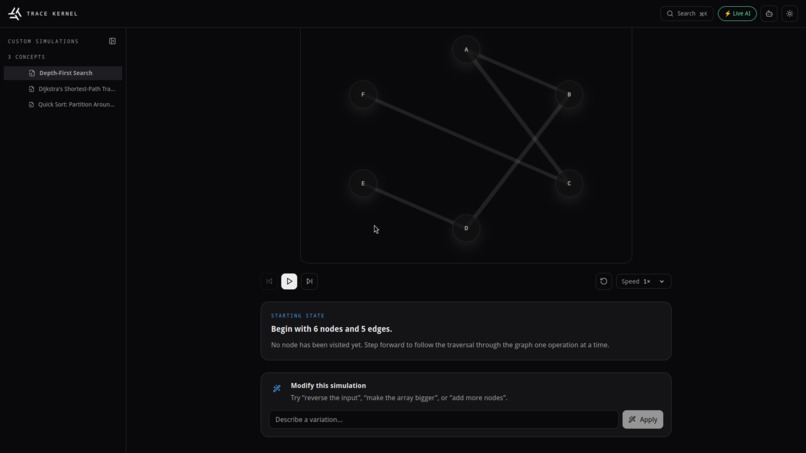
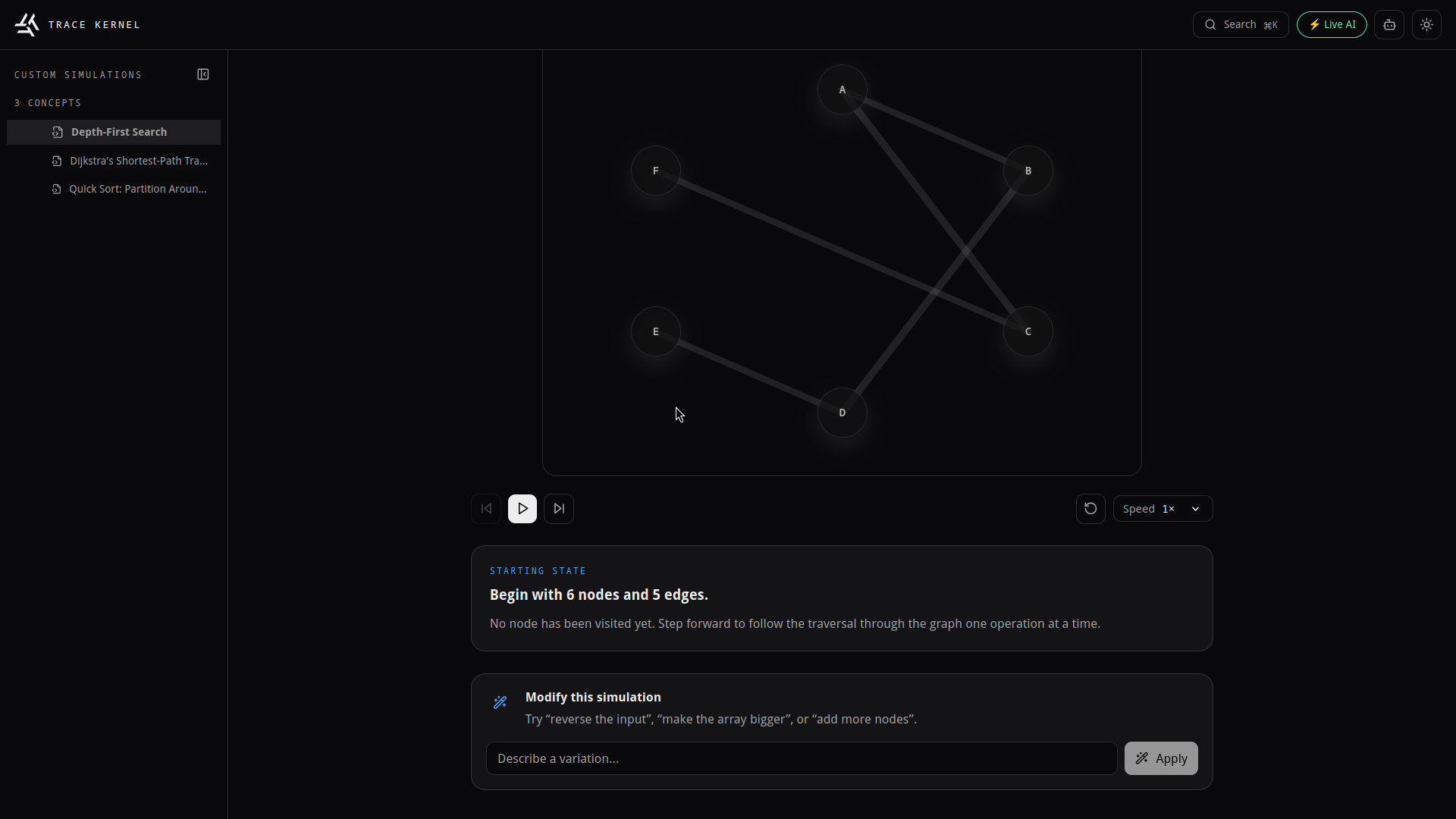
AI Generation
-
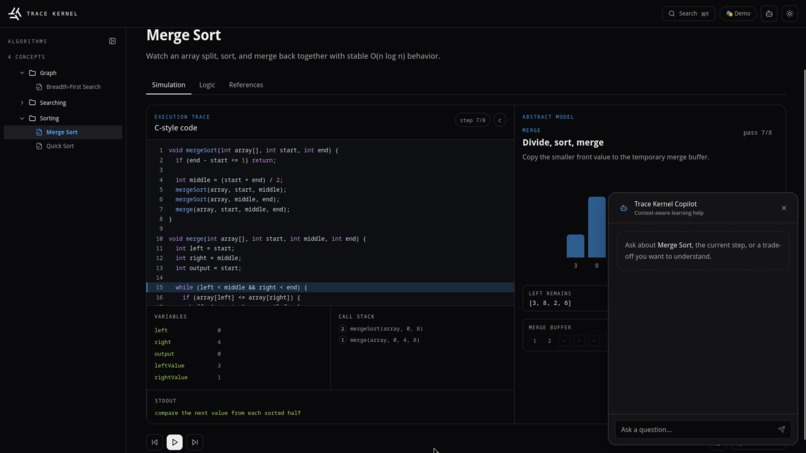
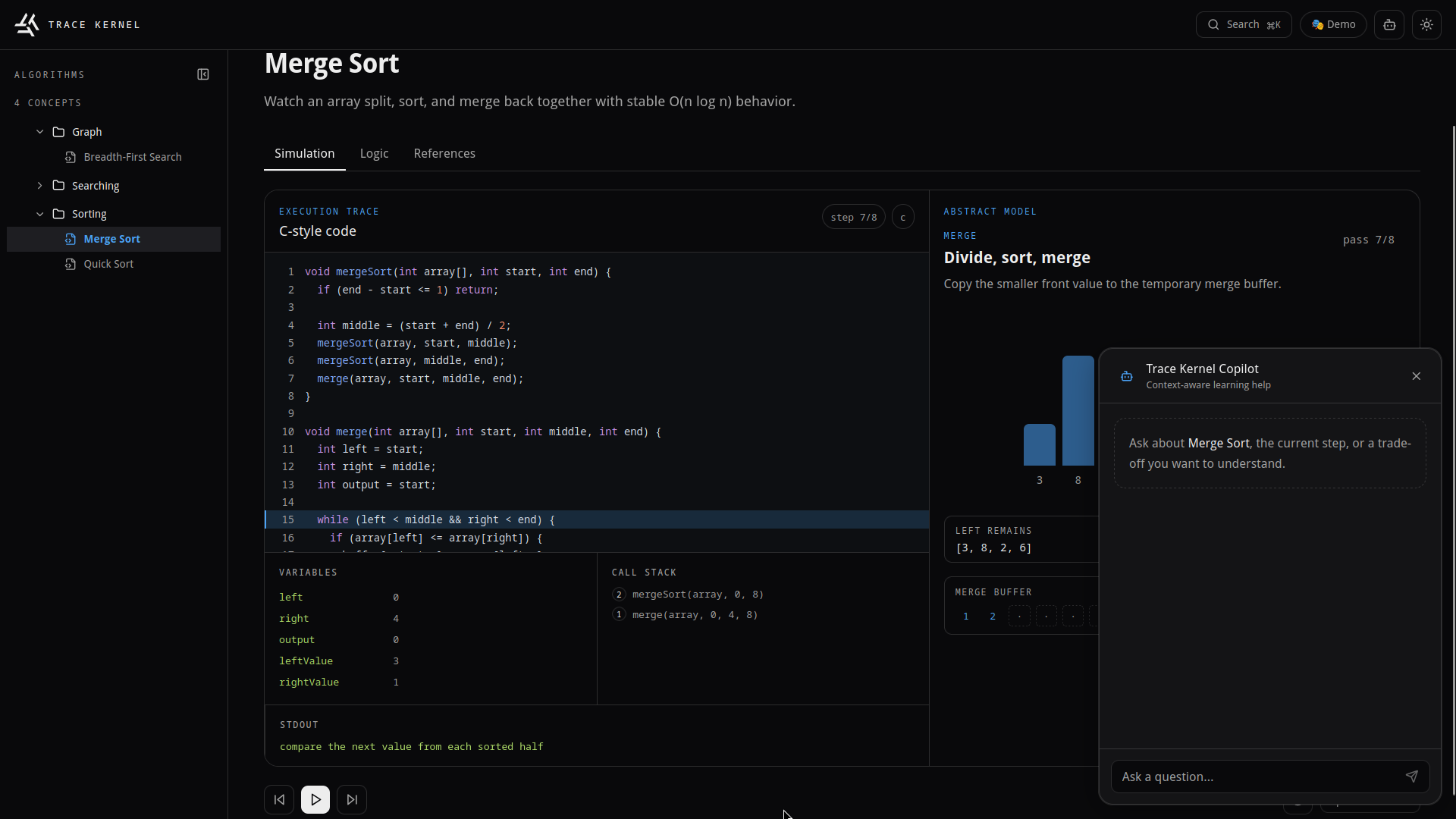
Concept Copilot
Codex Session Id 1: 019f6e57-ac44-7232-8044-6b6598955b1a
Codex Session Id 2: 019f768c-90b1-7fd0-a513-89cfcf150dd2
Inspiration
So this started from a really simple frustration. We're CS students, and every time we'd sit down with a textbook to learn something like Dijkstra's or Round Robin scheduling, it was always the same experience: stare at pseudocode, try to trace through it in your head, maybe draw some arrows on paper, and hope it clicks. Half the time it doesn't.
We kept thinking, why isn't there a tool where I can just type "Tower of Hanoi" and instantly get a visual, interactive simulation that I can step through? Not a YouTube video. Not a static diagram someone made in 2014. Something that actually lets you poke at the algorithm, ask questions about it, and change the inputs on the fly. That's basically what we set out to build.
What it does
Trace Kernel is an interactive CS learning platform. There are three main things it does:
First, it comes with a built-in library of 8+ simulations across Algorithms, OS, Networking, Systems, and Languages. Things like Bubble Sort, Quick Sort, Merge Sort, Binary Search, BFS, DFS, Dijkstra's, and Round Robin CPU Scheduling. Each one has animated visualizations (arrays or graphs), pseudocode that highlights the current line as you step through, time/space complexity info, and common pitfalls.
Second, and this is the part we're most excited about, you can generate completely new simulations with AI. Just type something like "topological sort" or "red-black tree insertion" into the prompt bar, and GPT-5.6 generates a full simulation from scratch. Pseudocode, complexity breakdown, step-by-step trace, everything. The cool part is the system is model-agnostic. It works with Groq, NVIDIA NIM, Ollama, OpenRouter, basically anything that speaks the OpenAI API format. You plug in your own key right from the browser and your credentials never hit our servers.
Third, every simulation has a Concept Copilot. It's a streaming AI chat that actually knows what's happening in your simulation at each step. You can ask it "why did this node get visited first?" and it'll give you a precise answer, not some generic explanation. There's also a Variation Modifier where you can type something like "add 3 more disks" and the entire simulation regenerates in-place with new steps, updated pseudocode, recalculated complexity. You don't lose your chat history or leave the page.
Some other things we added: a Cmd+K command palette for searching across all concepts, dark/light themes, a zero-config demo mode so judges (hi!) can try it without any API key, and a 3D WebGL landing page because we wanted the first impression to hit hard.
How we built it
The frontend is a Vite 6 + React 18 + TypeScript app with Tailwind for styling. We used GSAP and Lenis for animations and smooth scrolling. The 3D hero on the landing page is React Three Fiber. We ran into some issues with the model looking rough under normal lighting, so we ended up going with a rim-light approach that makes the silhouette look clean even with low-poly geometry. We also did manual chunk splitting in Vite to keep Three.js from bloating the initial page load.
For AI, we built everything on top of the Vercel AI SDK. GPT-5.6 is the main engine. We wrote a provider factory (aiProvider.ts) that reads API credentials from HTTP headers on each request, so the backend doesn't care which model you're using. The Copilot chat uses the SDK's tool() API with Zod schemas for structured tool calls, and everything streams to the UI in real time.
One thing we spent a lot of time on was validation. LLMs don't always return clean JSON, especially open-source ones. So we built a Zod 4 schema with discriminated unions for array vs. graph simulations, and a whole normalization layer (normalizeRawSpec()) that fixes common issues before validation runs. Things like op being used instead of type, flat complexity strings instead of { time, space } objects, missing edge labels. It was tedious but it's what makes the platform actually reliable across different providers.
The backend is three Vercel Serverless Functions: one for generating simulations, one for the Copilot chat stream, and one for the variation modifier.
We used Codex pretty heavily throughout the build. It helped us scaffold the initial project structure, write the WebGL shaders, build out the normalization pipeline, and debug some really annoying state management bugs where the Copilot's tool calls were conflicting with React re-renders.
Challenges we ran into
The biggest headache was LLM output inconsistency. We tested with Groq, NVIDIA NIM, and Ollama, and every single one returned slightly different JSON structures for the same prompt. One would nest complexity as an object, another would return it as a flat string. Some would use nodeId instead of id. We basically had to build an entire preprocessing layer just to normalize everything before it even hits our Zod validation. It took way longer than we expected.
The 3D hero was also tricky. The model we used looked great in Meshy's preview, but once we loaded it into Three.js with standard lighting, you could see all the polygon edges and surface artifacts. We tried a bunch of lighting setups before landing on a rim-light silhouette approach that actually hides those flaws while still looking cinematic.
Theming was a whole thing too. We started with hardcoded colors and then realized we needed semantic tokens (--accent-algorithms, --accent-systems, etc.) with color-mix() compositing for both light and dark modes. That meant auditing basically every component to make sure nothing looked broken.
And getting the Copilot's tool calls to update the simulation visualizer without messing up the streaming chat was a real coordination challenge. There's this dance between addToolOutput, sendAutomaticallyWhen, and React state that took us a while to get right.
Accomplishments that we're proud of
Honestly, the thing that feels the best is that it actually works. You can type pretty much any CS concept and get back a working interactive simulation in under 10 seconds. We weren't sure the normalization pipeline would hold up across different LLM providers, but it does, and there's no provider-specific code paths anywhere. It's all the same logic regardless of whether you're hitting Groq or running Ollama locally.
The provider abstraction turned out really well too. You can switch your entire AI backend by just changing one setting in the browser. No code changes, no redeployment. We designed it that way from day one and it saved us so much time during development.
And honestly we're just happy with how it looks. A lot of hackathon projects end up looking like hackathon projects, and we really tried to avoid that. The 3D landing, the glassmorphism cards, the GSAP animations, the dark mode. It actually feels like a real product, not a prototype.
What we learned
Zod's discriminated unions turned out to be amazing for validating AI output. TypeScript types disappear at runtime, but Zod catches malformed JSON the moment it comes in. The error messages are specific enough that we could use them as debugging output, which was super helpful.
Going model-agnostic from the start was one of the best decisions we made. We could test with Groq when we needed speed, NVIDIA NIM when we wanted better output quality, and Ollama when we were working offline. Zero code changes between any of them.
We also learned that if you're building anything that depends on AI, you need a fixture/demo mode. It saves you from burning API credits during development, it lets judges try your project without signing up for anything, and it gives you a stable baseline for testing UI changes.
And the big takeaway from the validation work: always normalize before you validate. If you try to validate raw LLM output directly, you'll get cryptic errors from every provider for slightly different reasons. A preprocessing step that absorbs those quirks before they hit your schema saves a ton of debugging time.
What's next for Trace Kernel
- Collaborative sessions so study groups can step through simulations together in real time
- Concept dependency graphs that show you what prerequisites you need before tackling something new
- PDF/Markdown export so you can generate a study guide from any simulation with one click
- Voice interaction with the Copilot so you can ask questions hands-free while stepping through
- A community library where users can share and fork AI-generated simulations


Log in or sign up for Devpost to join the conversation.