-
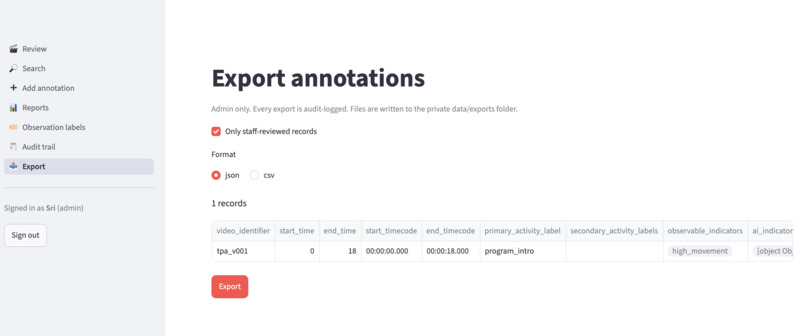
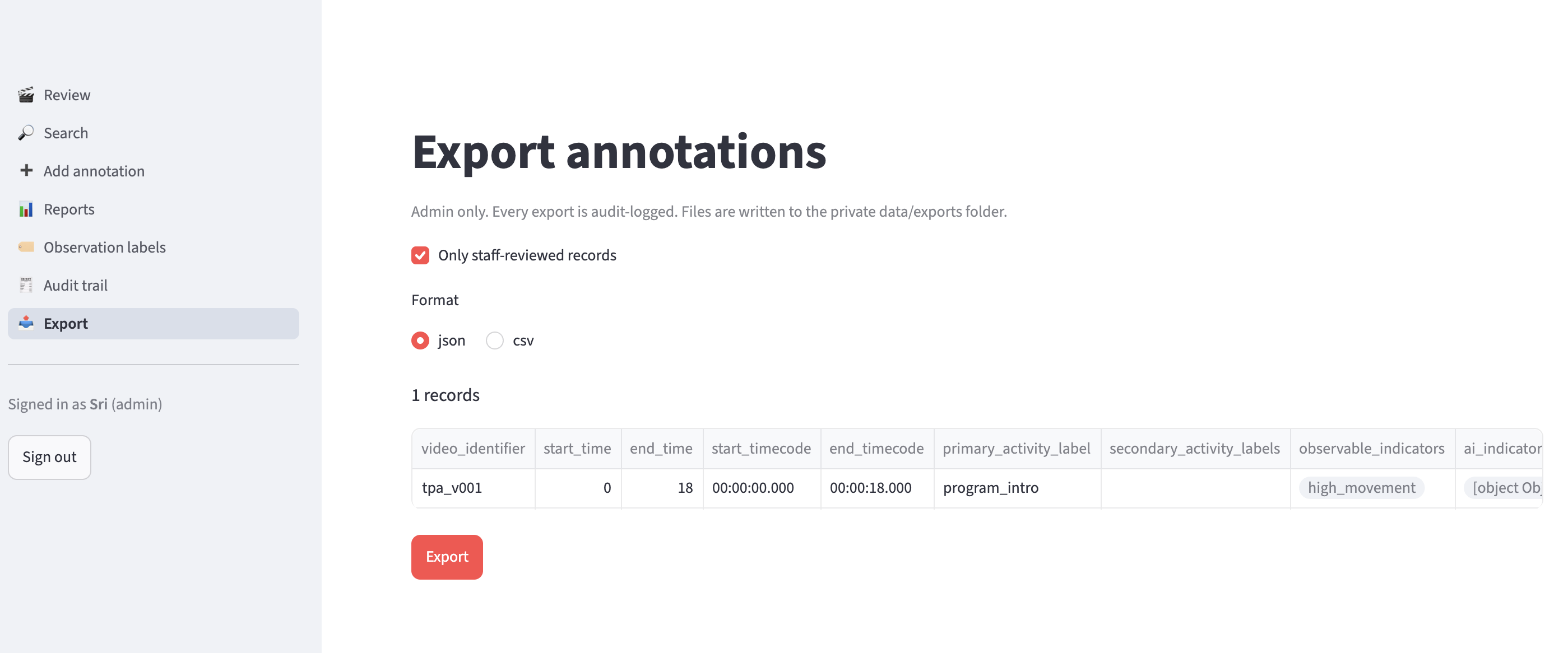
Export page: Admin-only download of annotation records as JSON or CSV, with review status and guideline version.
-
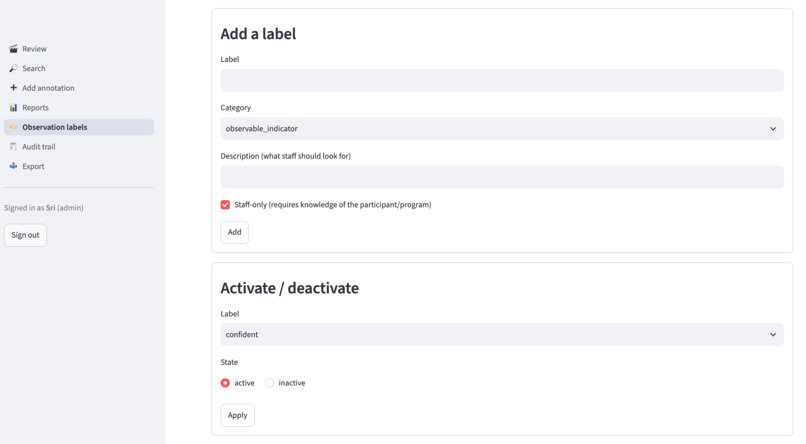
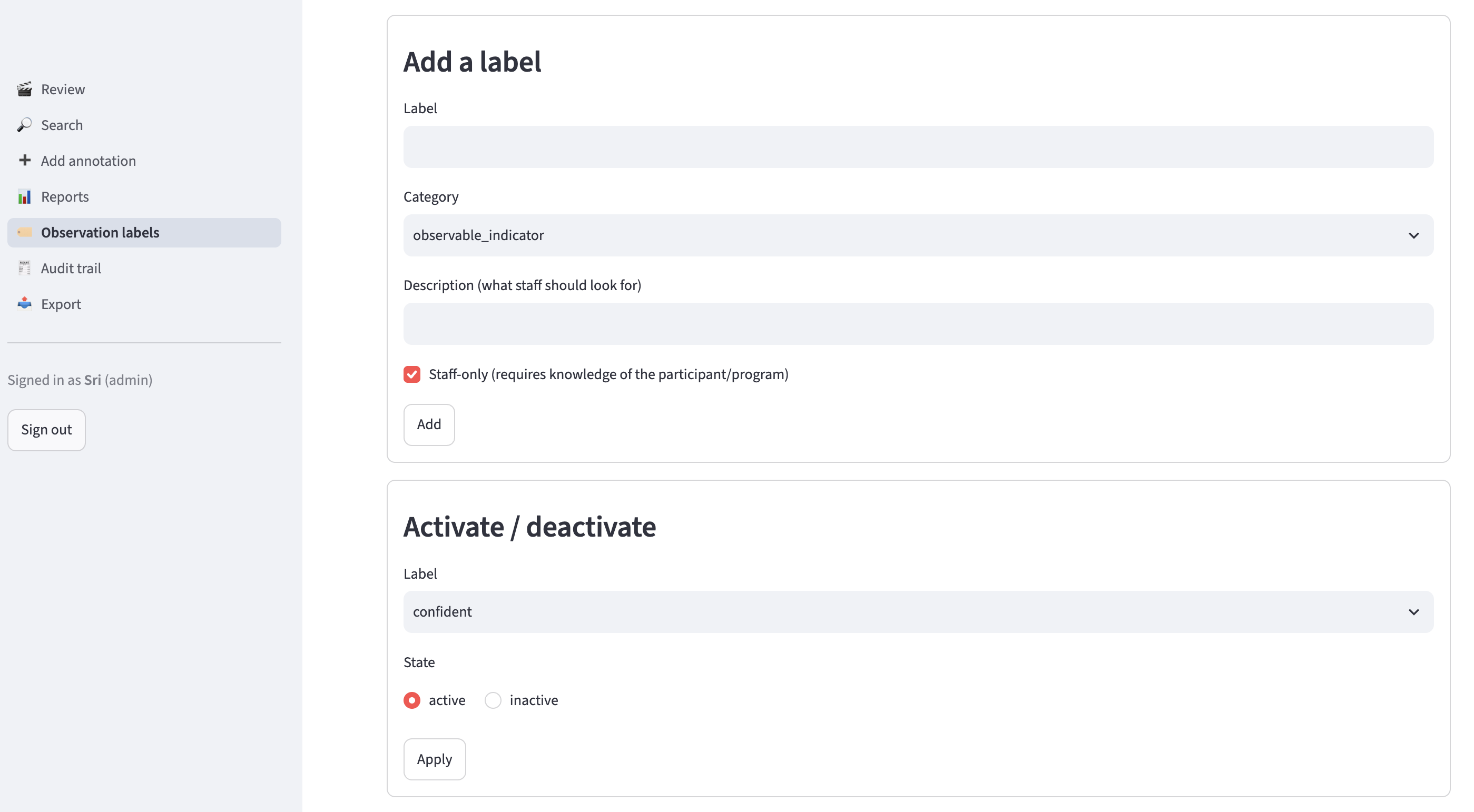
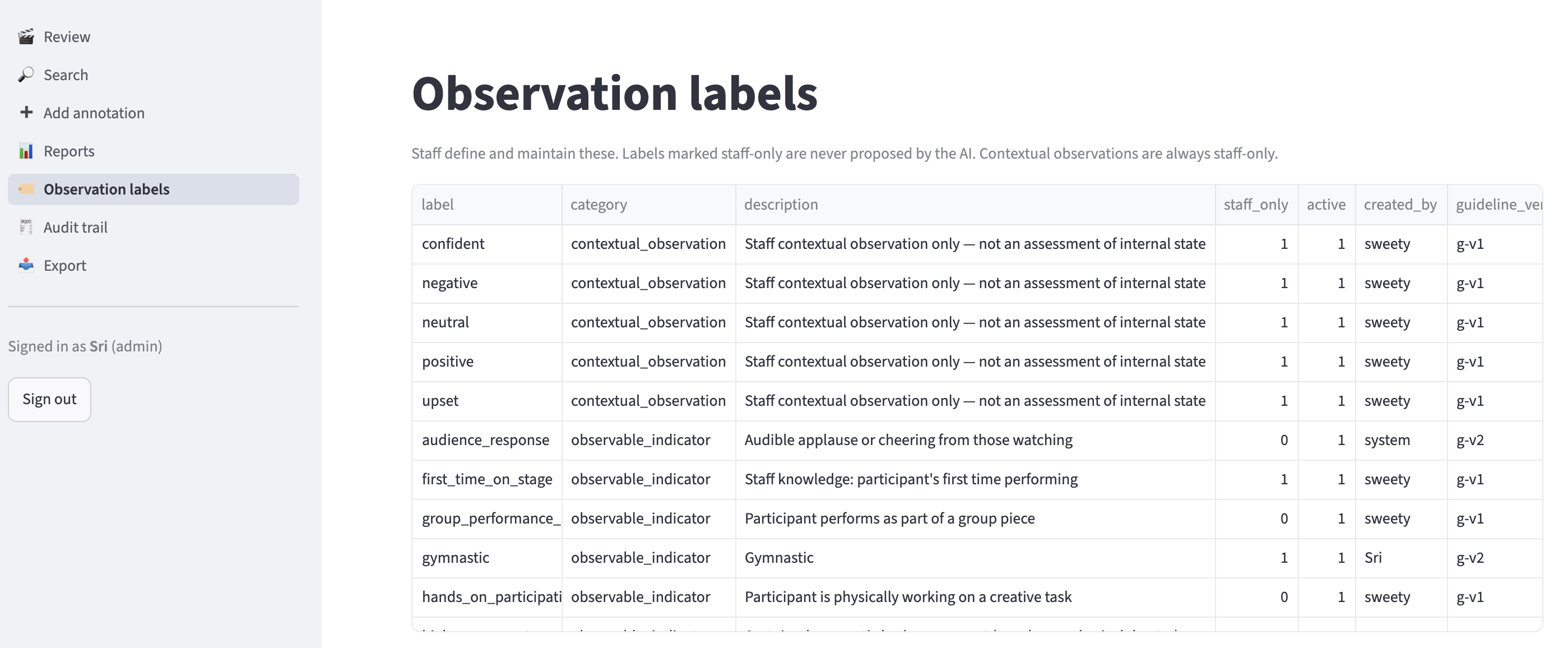
Observation labels page: Manage observable indicators and staff-only contextual observations, which the AI can never write.
-
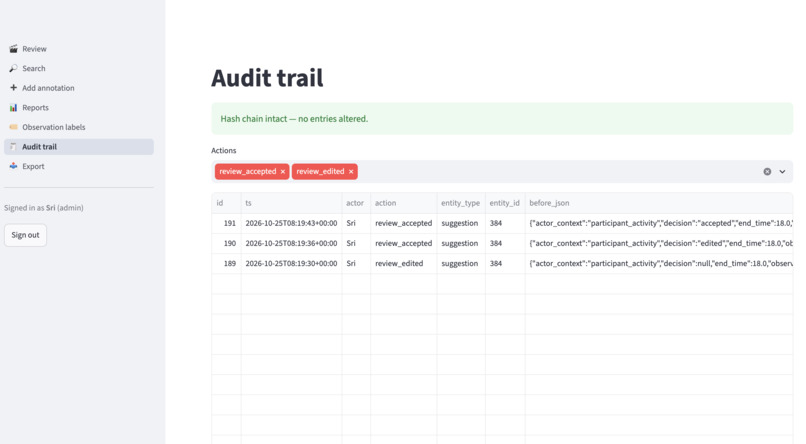
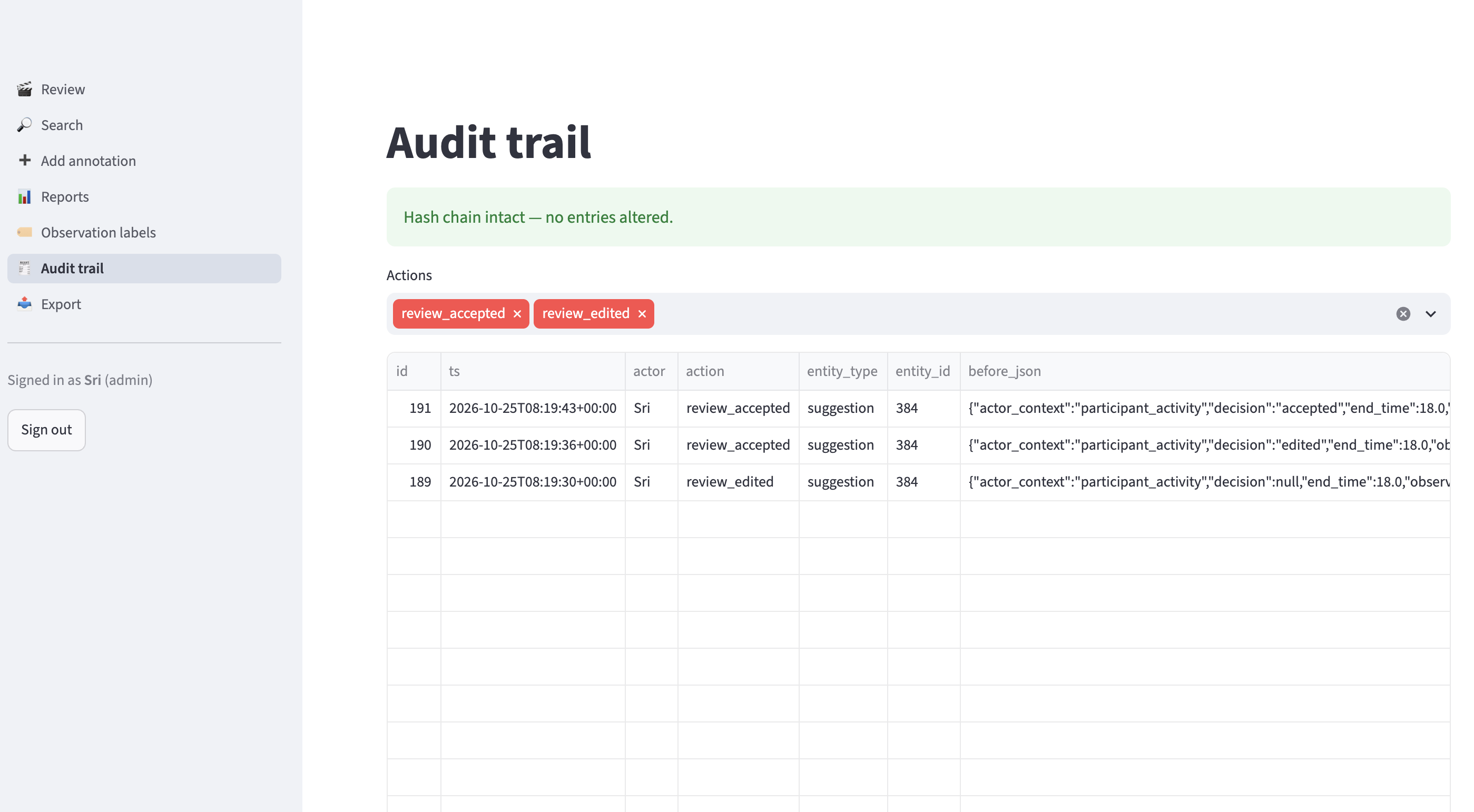
Audit trail page: Tamper-evident log of every review, edit, login and export, with before/after values.
-
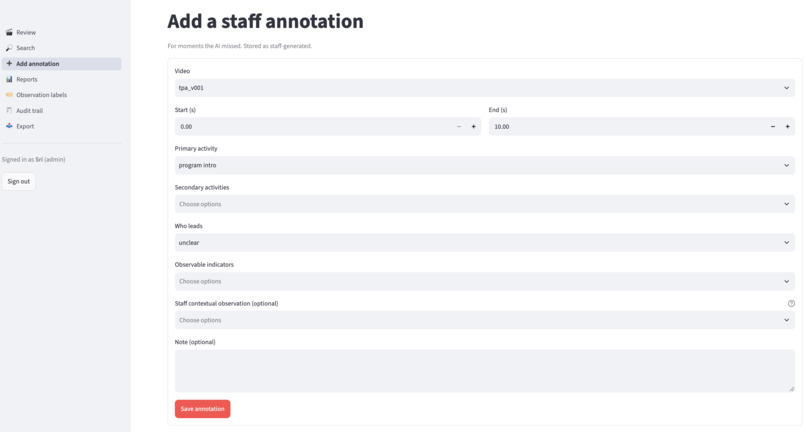
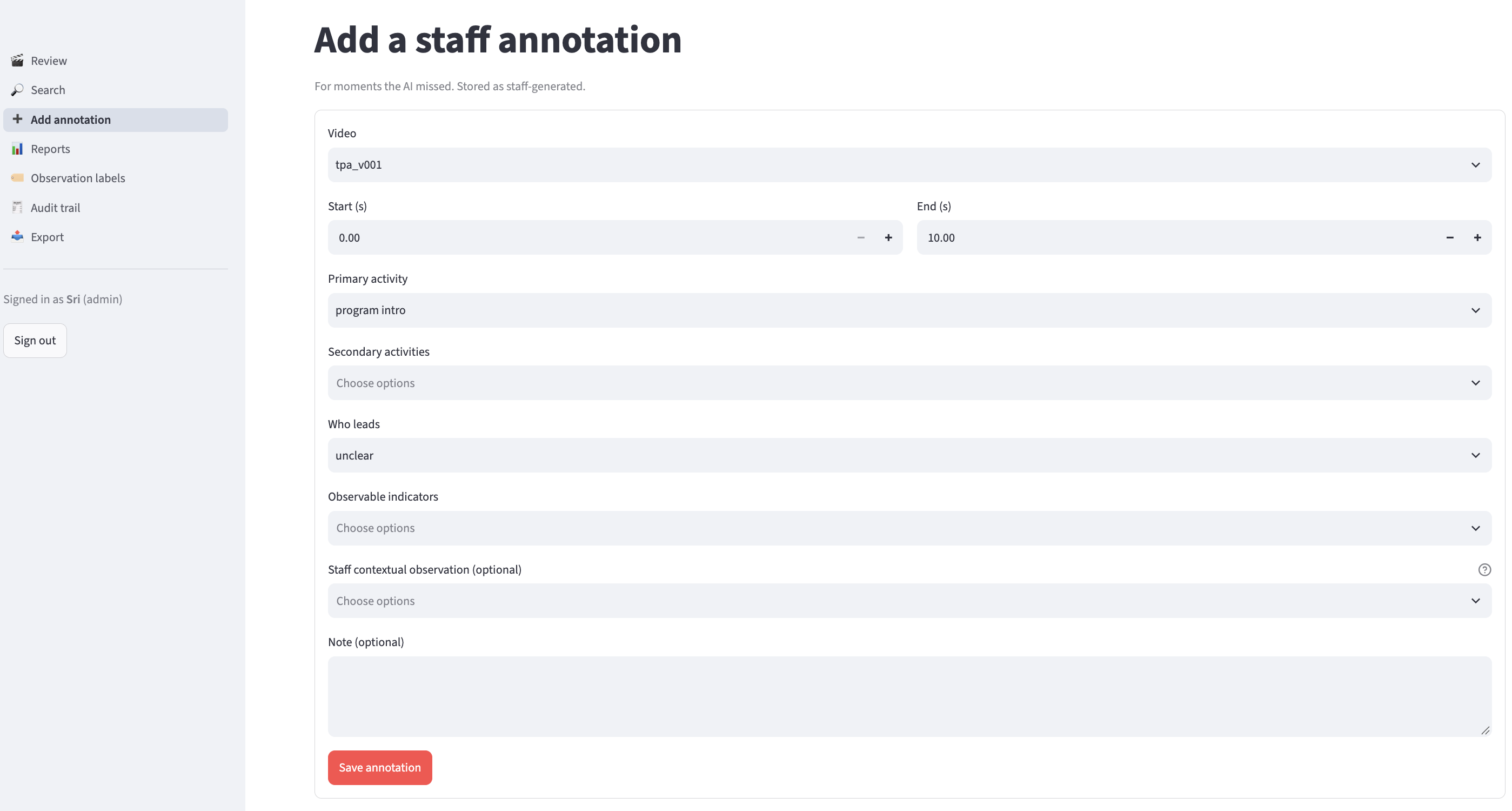
Add annotation page: Record a moment the AI missed, with times, activities and indicators, saved as staff-generated.
-
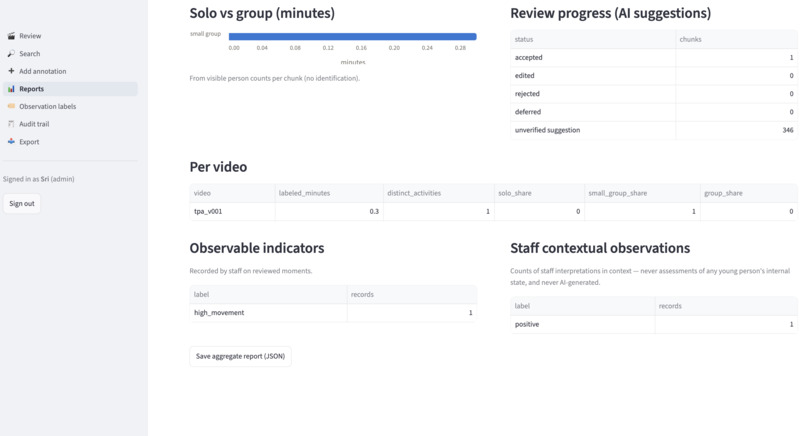
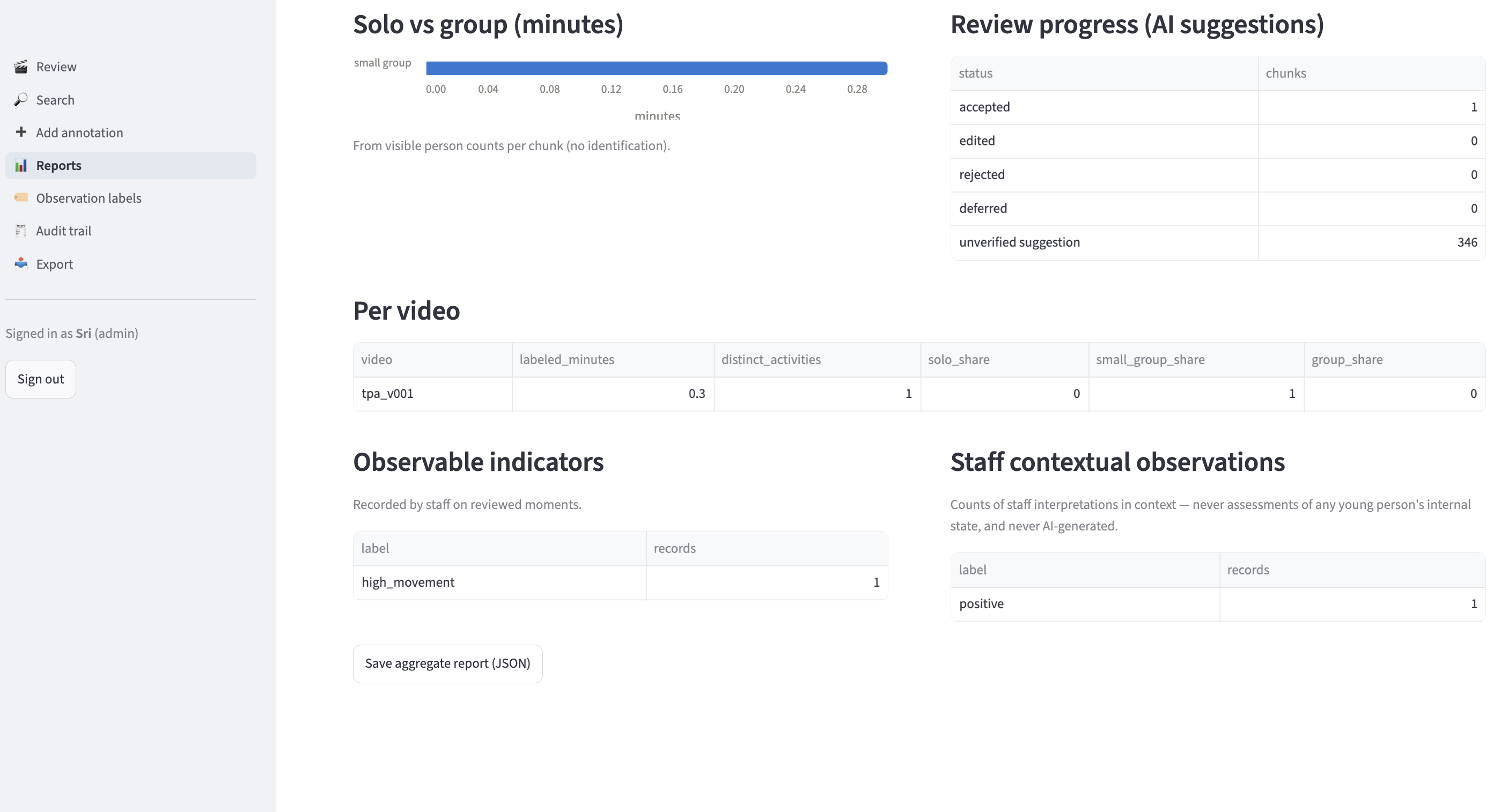
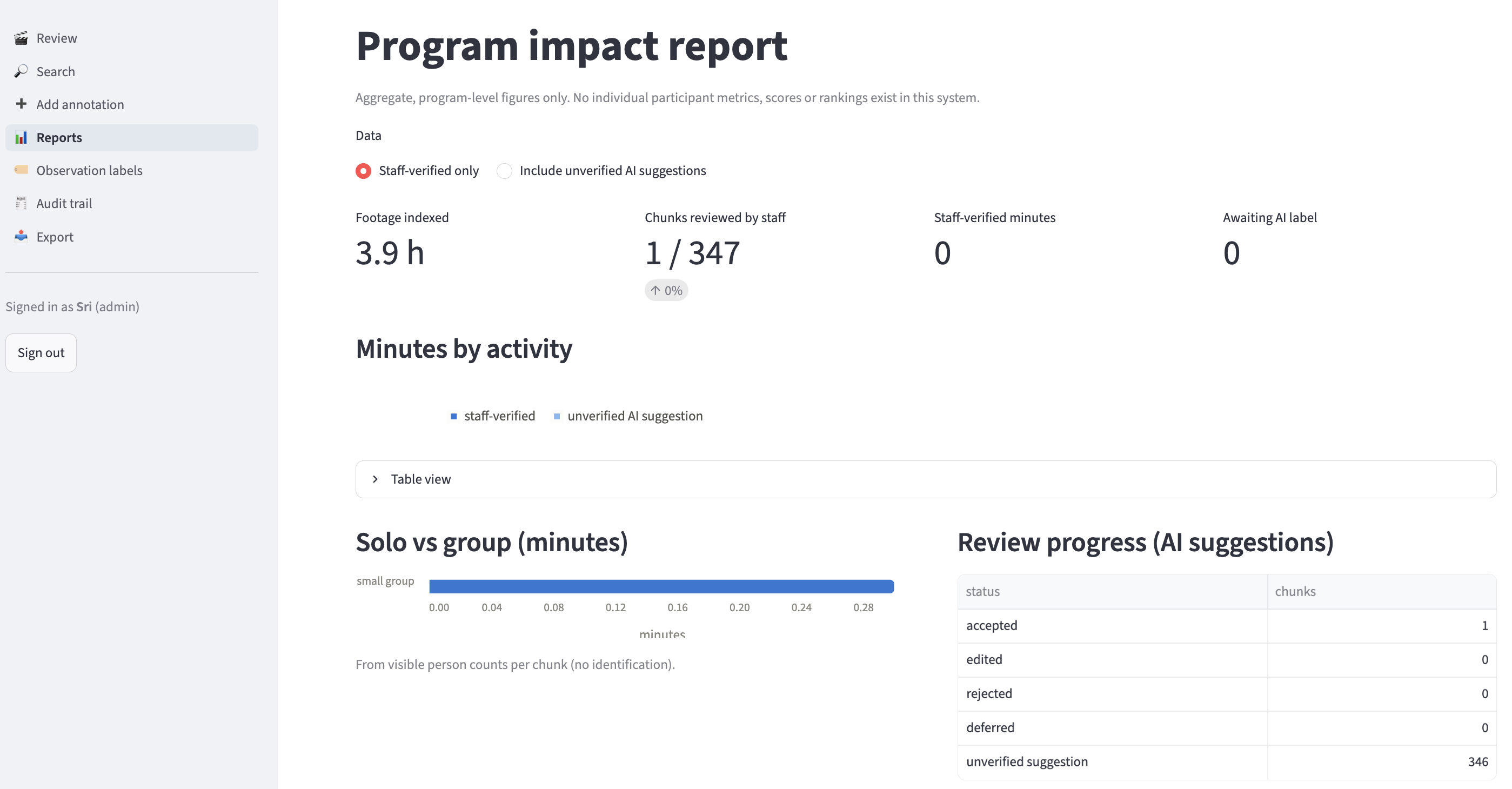
Reports page: Program-level impact totals: minutes per activity, solo vs group and review progress, no per-person data.
-
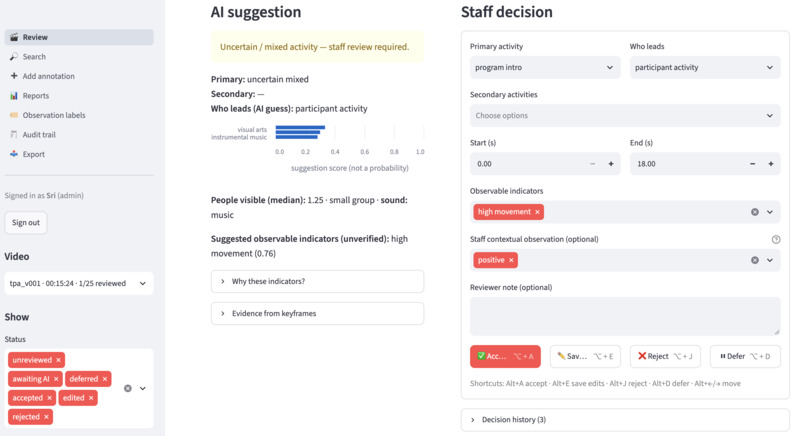
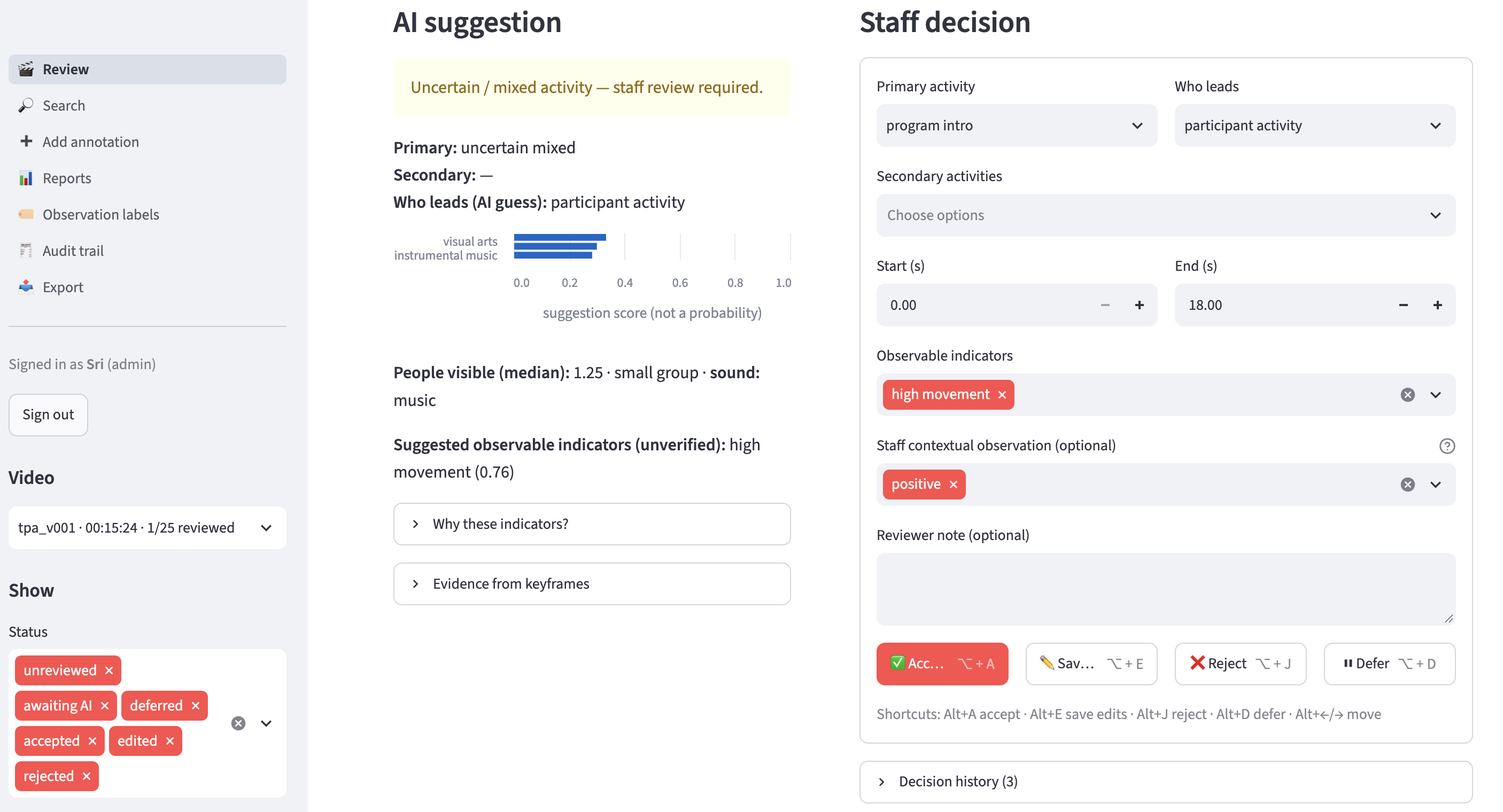
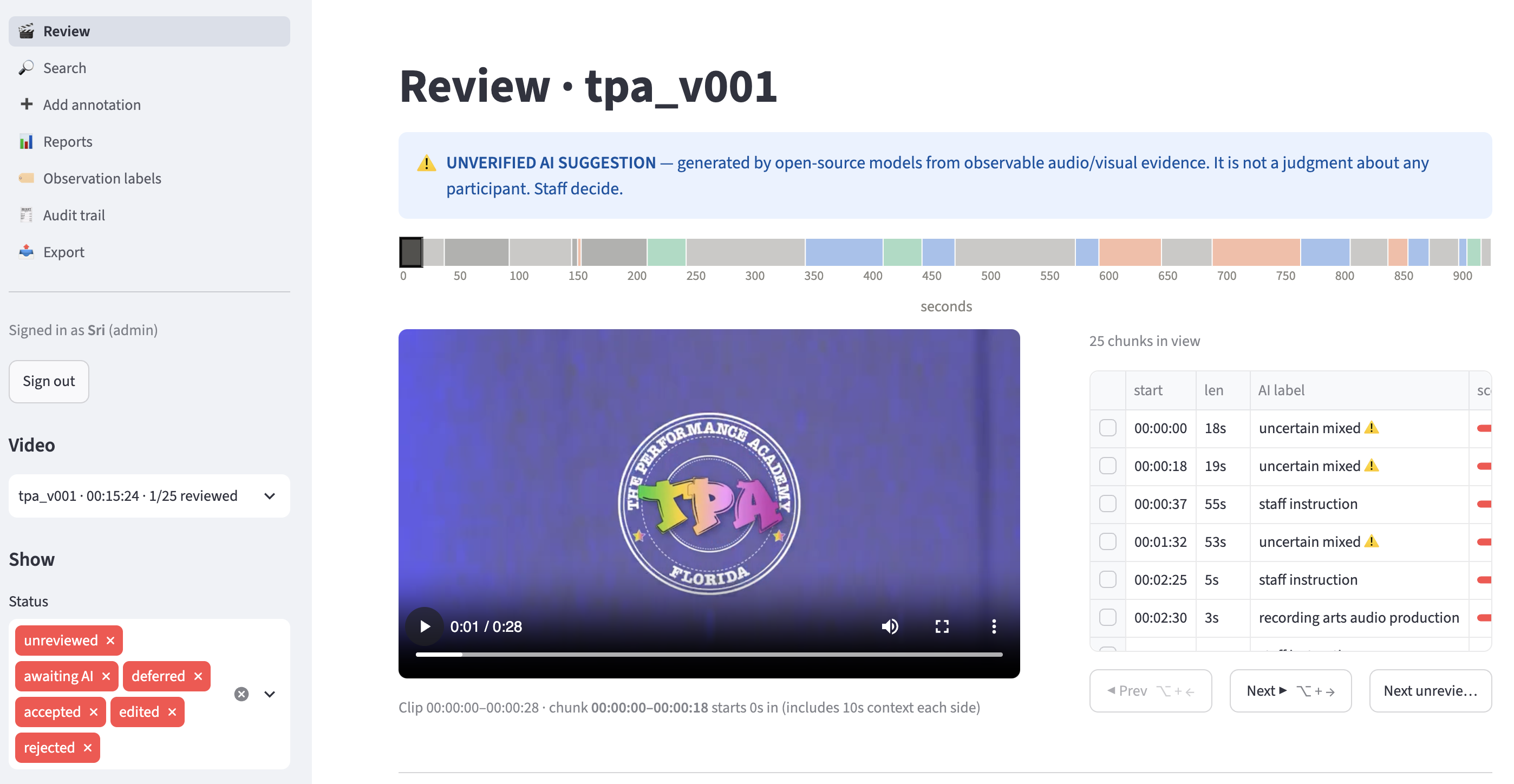
Review page: Watch each AI-suggested moment in context and Accept, Edit, Reject or Defer it with one keystroke.
-
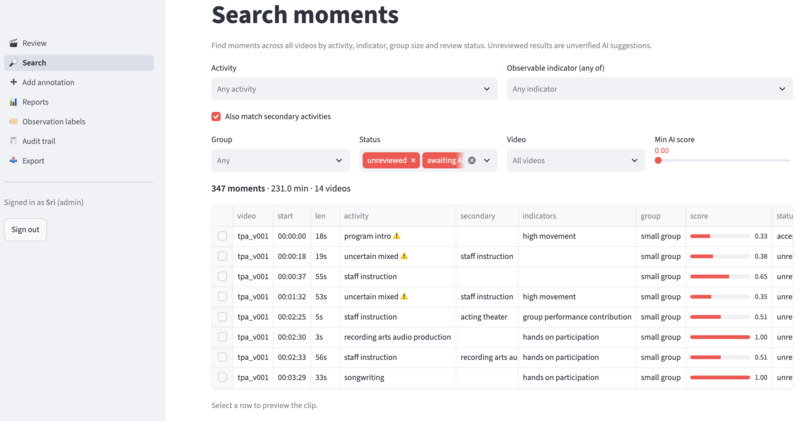
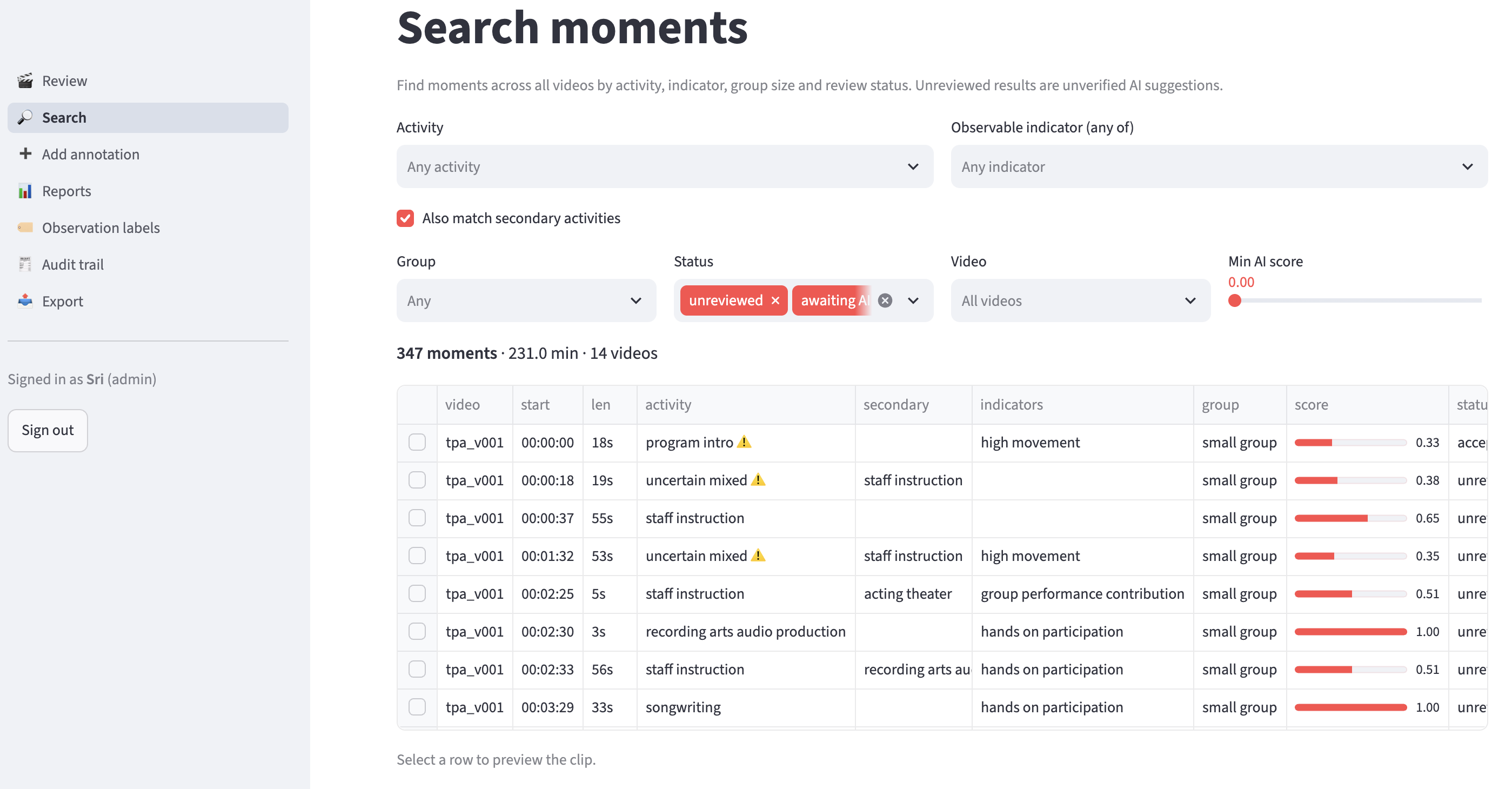
Search page: Find moments across all videos by activity, indicator, group size or status, then jump to review.
-
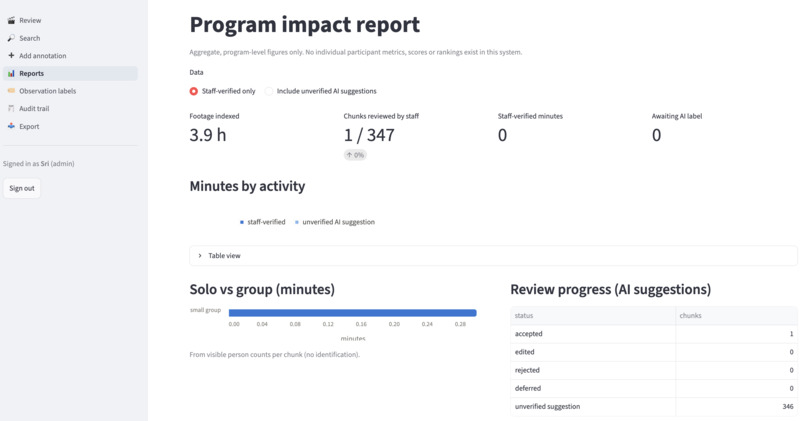
Reports page: Program-level impact totals: minutes per activity, solo vs group and review progress, no per-person data.
-
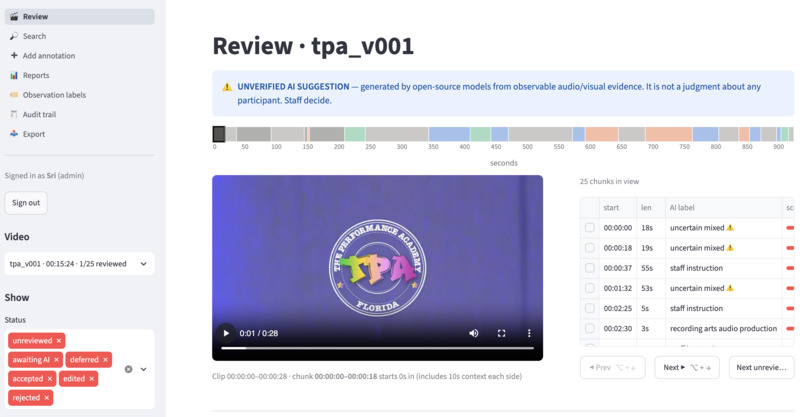
Review page: Watch each AI-suggested moment in context and Accept, Edit, Reject or Defer it with one keystroke.
-
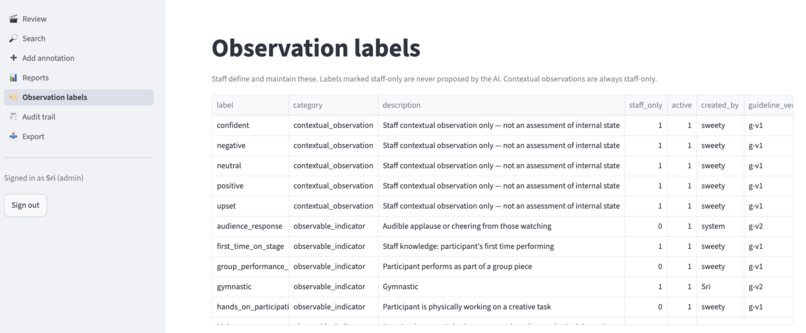
Observation labels page: Manage observable indicators and staff-only contextual observations, which the AI can never write.
## Inspiration
The Performance Academy (TPA) runs "This is Me", a three-week expressive-arts camp where teens aged 15–17 tell their own stories through singing, dance, acting, spoken word, film and fashion design. Every session is filmed, which leaves hours of unedited, multi-gigabyte footage. Somewhere in that footage is the evidence TPA needs for funders: how much time students spent creating and performing, in which art forms, alone or together.
Finding those moments by hand takes staff hours they don't have. The obvious "AI video analytics" answer is the wrong one here. A camera can't reliably tell how a teenager feels, and a system that labels a young person as "upset" or "not engaged" can cause real harm. We wanted to give staff their time back without ever letting the AI judge a young person.
AI finds the creative moments. Staff make the final call.
## What it does
TPA Video Intelligence is a fully local, offline pipeline plus a review app:
- Ingest with consent. Each video gets a pseudonymous ID, and nothing is processed until staff record consent.
- Find the moments. The video is cut into variable-length activity chunks wherever the sound or movement changes. If 0–8 s is singing and 8–22 s is dance, that's two chunks.
- Suggest, don't decide. A small local vision-language model picks 1 of 19 arts activities for each chunk, and simple rules add observable indicators (solo vs group performance, high movement, applause), each with its evidence. Every AI output starts as an unverified suggestion.
- Staff verify. Reviewers watch each clip with 10 seconds of context, then Accept, Edit, Reject or Defer it, using keyboard shortcuts and a tamper-evident audit trail.
- Search and report. Staff can find moments across all videos and export aggregate impact numbers (minutes per art form, solo vs group, activity variety) from staff-verified data only.
The AI never proposes emotions. Labels like Confident or Upset exist only as staff contextual observations, kept separate in the database so the AI can't write them.
## How we built it
The main constraint was compute. Sending hours of video to a large multimodal model would exhaust an 8 GB laptop. So we ran cheap signals on every second and the expensive model only where it matters:
- Audio: AST (AudioSet) and Silero VAD detect speech, singing, music, applause, voice activity and loudness.
- People: YOLO11n-pose gives person counts, movement and raised arms. There are no IDs and nothing is stored per person.
- Segmentation: PELT change-point detection (ruptures) splits video into activity chunks (median about 30 s).
- Labels: Qwen2.5-VL-3B (4-bit, local, MLX) picks an activity from a fixed 19-label taxonomy.
- Store and UI: SQLite (append-only) and Streamlit hold reviews, the audit log, search and reports.
Segmentation. Every second becomes a feature vector built from robust z-scores of the audio and motion signals. PELT then finds the change points that minimize:
total within-chunk variance + β · d · log(n) · (number of chunks)
where d is the number of features, n the number of seconds, and β was tuned with a sweep. The penalty stops the video from being over-split.
Labeling only keyframes. The VLM sees just 3 keyframes per chunk. For 3 h 51 min of footage at 15 fps, that's about 208,000 frames → about 1,100 keyframes, roughly 190× less work for the big model, with peak memory around 3.7 GB.
Fusion. Keyframe votes give each activity a VLM score v. Audio evidence e (between 0 and 1, for example a singing sound for "singing") can only raise the score, never lower it:
s = v + 0.3 · e · (1 − v)
If the best score is below 0.45, the chunk is labeled uncertain and shown to staff first, instead of being forced into a category.
Privacy by design.
- Everything runs offline after a one-time model download.
- No faces, embeddings, voiceprints, transcripts or tracking IDs are ever created.
- Original file names appear only in an admin-only table.
- Reviews are append-only, enforced by database triggers.
- Every action goes into a hash-chained audit log.
## Challenges we ran into
- Real footage is messy. Handheld cameras triggered 6–26 "scene cuts" per minute, so we use cuts only as soft hints for boundaries. Some videos had variable frame rates, which we convert to a constant-rate proxy. One video was a duplicate, which we caught by its SHA-256 hash.
- Quiet doesn't mean disengaged. A student editing audio or sewing a garment is quiet but fully engaged. We only mark time as inactive when the room is near-silent, voiceless and empty.
- Small models are uncertain. Singing in a reverberant room rarely scores high, and acting vs dance is easy to confuse from still frames. We made uncertainty visible (scores, per-keyframe evidence, an uncertain label) instead of hiding it.
- The ethics are hard, not just the code. The brief invited AI-proposed emotional labels. We concluded that even an "unverified" Upset next to a teenager's clip would anchor reviewers and create records that look like assessments. So the AI proposes only what it can observe, and emotional context stays with the humans who know the participants.
- No cloud AI on the data. Every model had to run on one 8 GB laptop, offline, overnight, before the deadline.
## Accomplishments that we're proud of
- Ran end to end on real footage: all 14 videos (3 h 51 min) went from raw files to 347 labeled activity chunks, on a single 8 GB laptop with zero bytes sent to any cloud AI.
- About 190× less work for the big model, by labeling about 1,100 keyframes instead of about 208,000 frames, with peak memory around 3.7 GB.
- Uncertainty that's honest: 15% of chunks are flagged uncertain and shown to staff first instead of being guessed. Only 5 of about 1,080 model answers failed, and they failed safe.
- A complete human-in-the-loop workflow: Accept, Edit, Reject and Defer; cross-video search; adding moments the AI missed; append-only reviews; and a tamper-evident audit trail.
- Privacy and ethics built into the database design: no faces, no identities, no emotion inference by the AI, no per-person scores, and a consent gate before any processing.
- 51 automated tests on synthetic data, plus a synthetic sample output that shows the format without exposing any participant.
## What we learned
- Efficient beats big. Choosing where to spend compute mattered more than choosing the largest model.
- Human-in-the-loop is a design constraint, not a checkbox. It shaped the database (append-only reviews), the UI (an unverified banner and uncertain-first ordering) and the reports (staff-verified by default).
- Being honest about limits builds trust. We haven't measured accuracy against TPA ground truth yet, and we say so. Each staff Accept, Edit or Reject becomes a label, so accuracy can be measured as the system is used.
## What's next for TPA Video Intelligence
- Staff pilot: measure the AI's agreement rate per activity and the time saved per hour of video, then refine the activity taxonomy with TPA.
- Runs on Colab: add a CUDA backend for the labeling model so it runs on a free Colab T4, not only on Macs.
- Progress over time: add session dates so TPA can show how participation changes across the camp, still as program totals and never per student.
- Governance handover: agree retention and consent policies with TPA, and deploy on an encrypted staff machine.

Log in or sign up for Devpost to join the conversation.