-
-
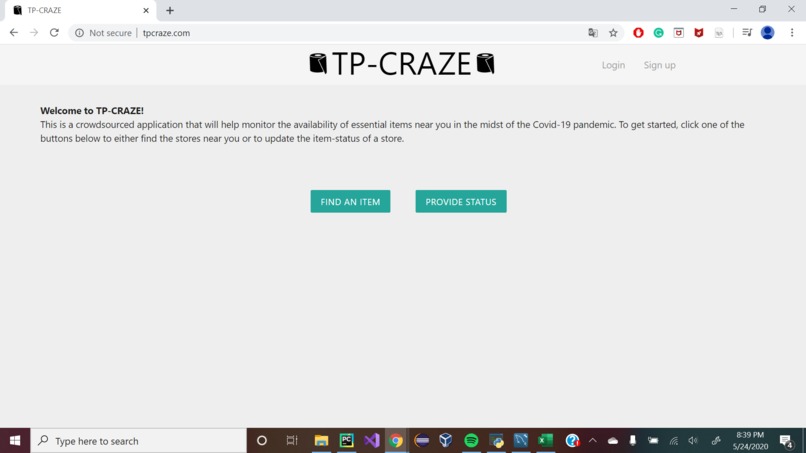
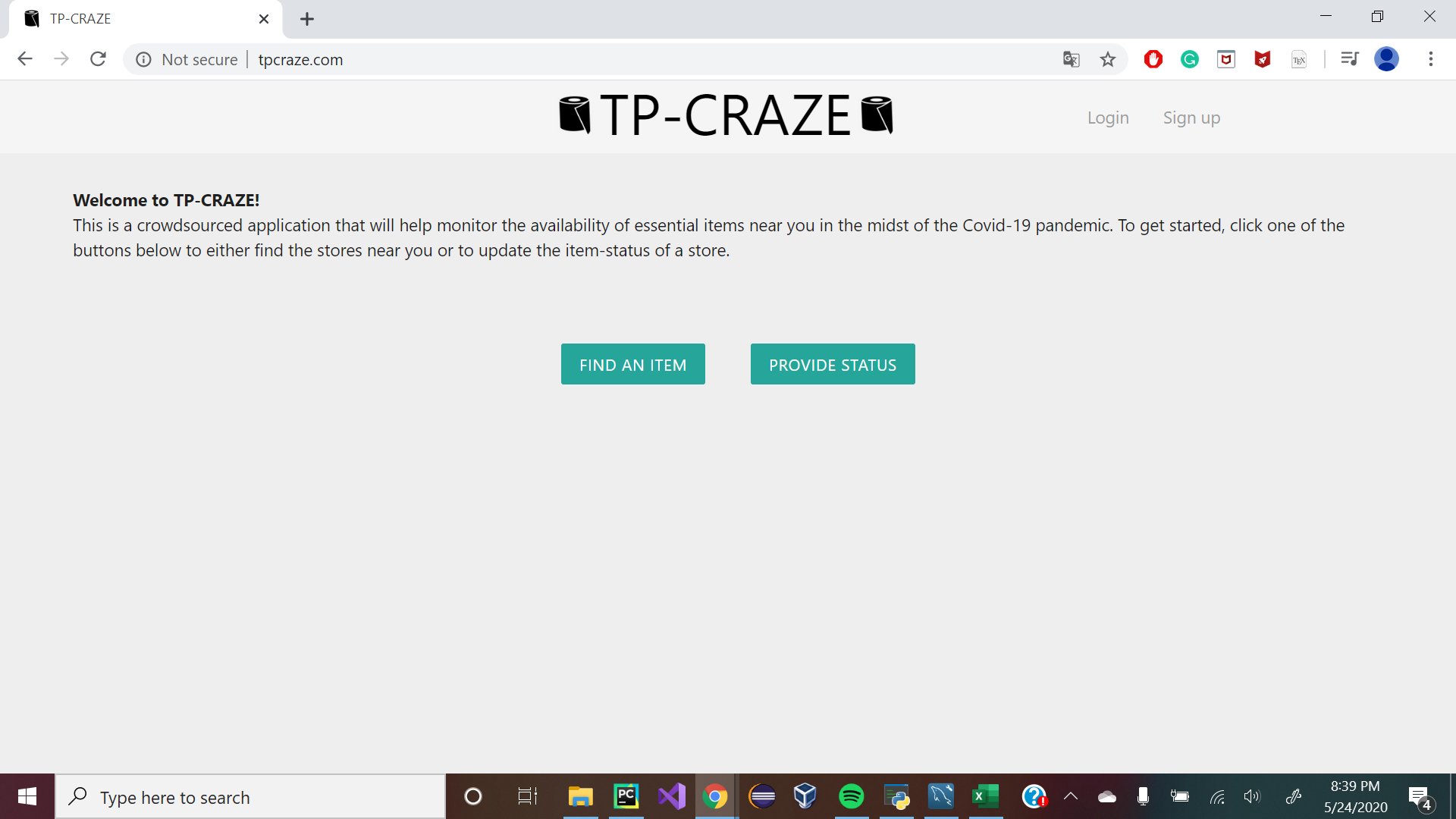
Home Screen
-
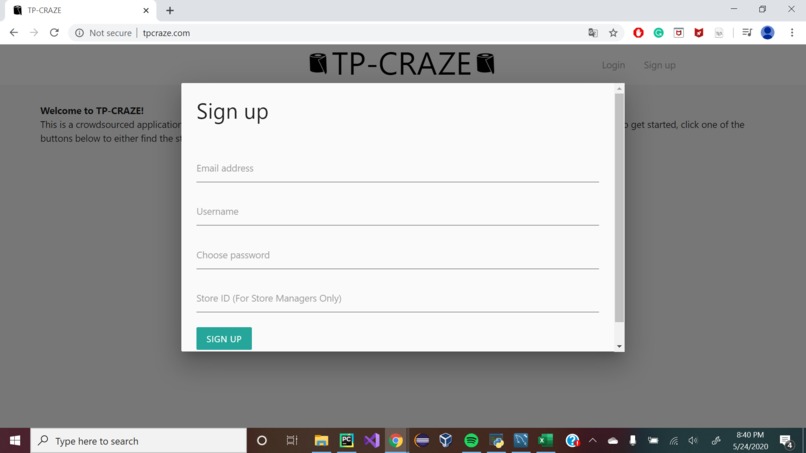
Sign up popup
-
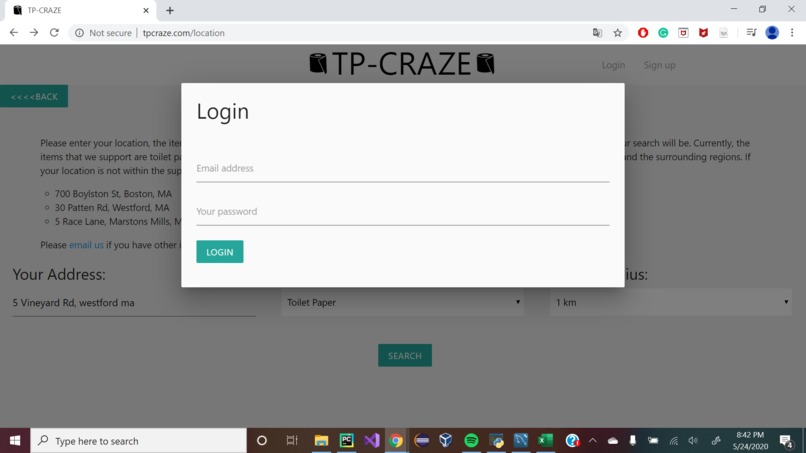
Login Screen
-
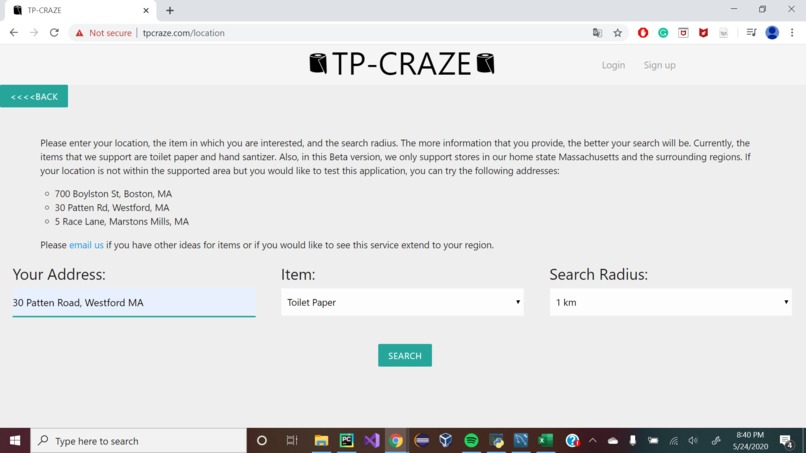
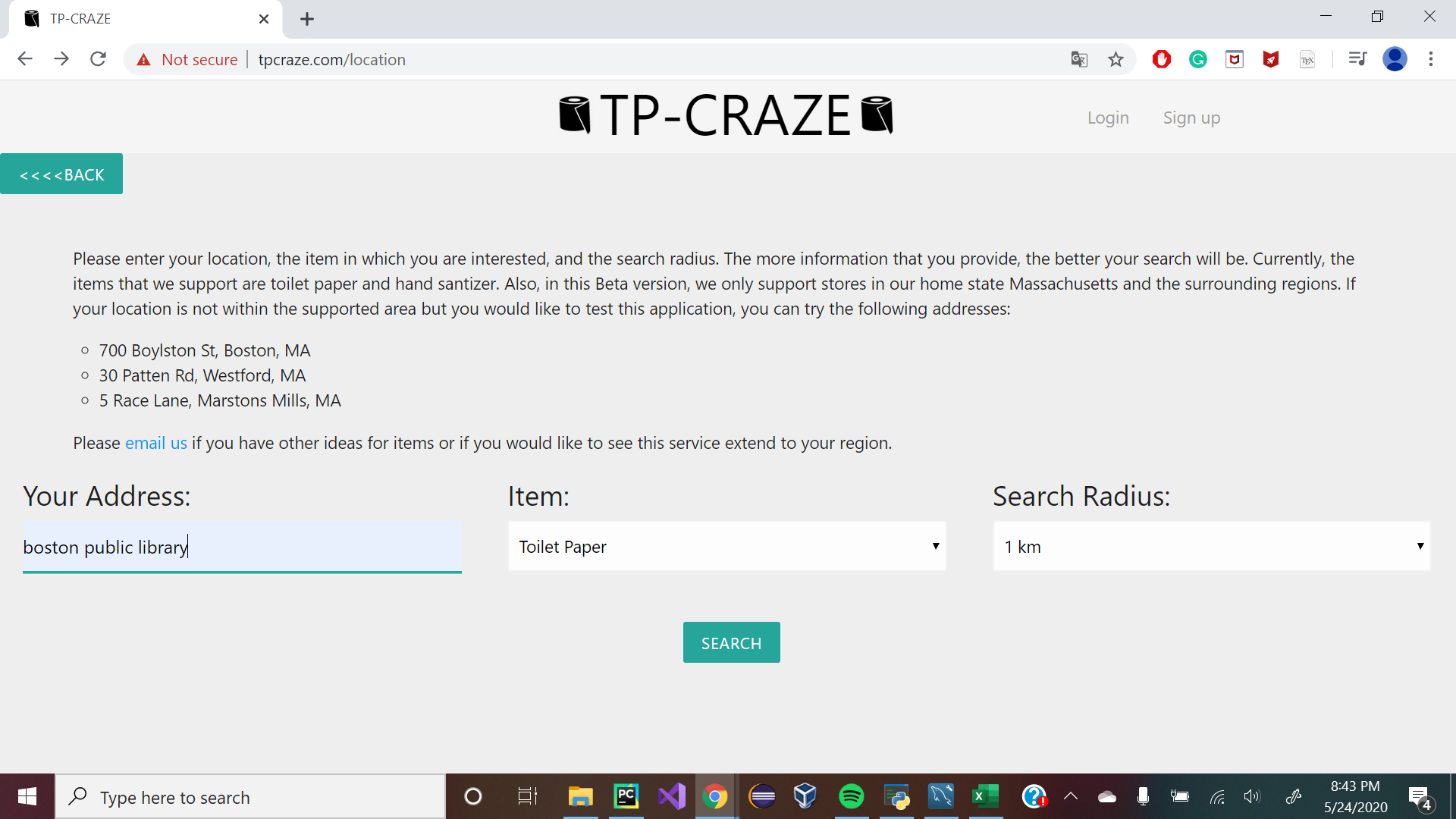
Find Item Screen
-
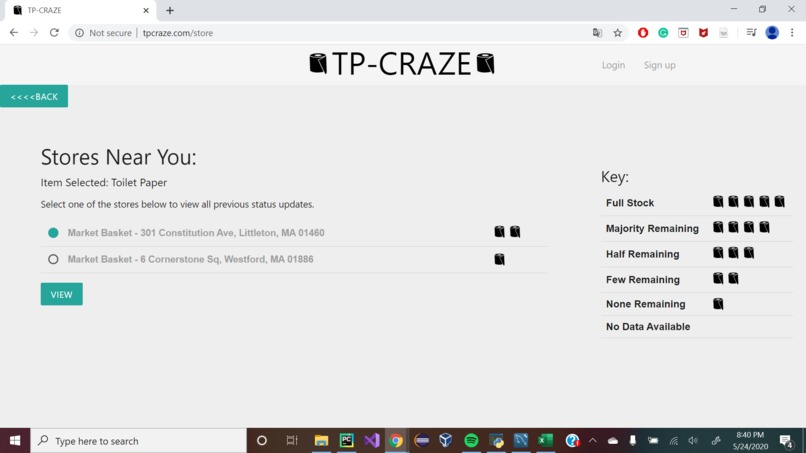
Store Listing Screen
-
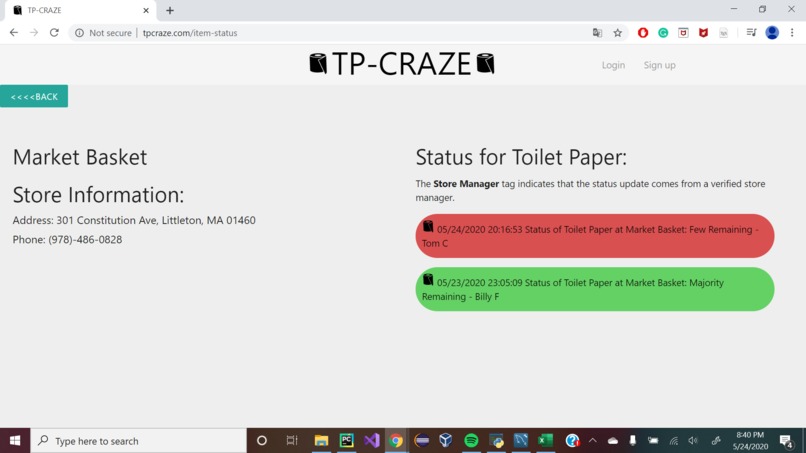
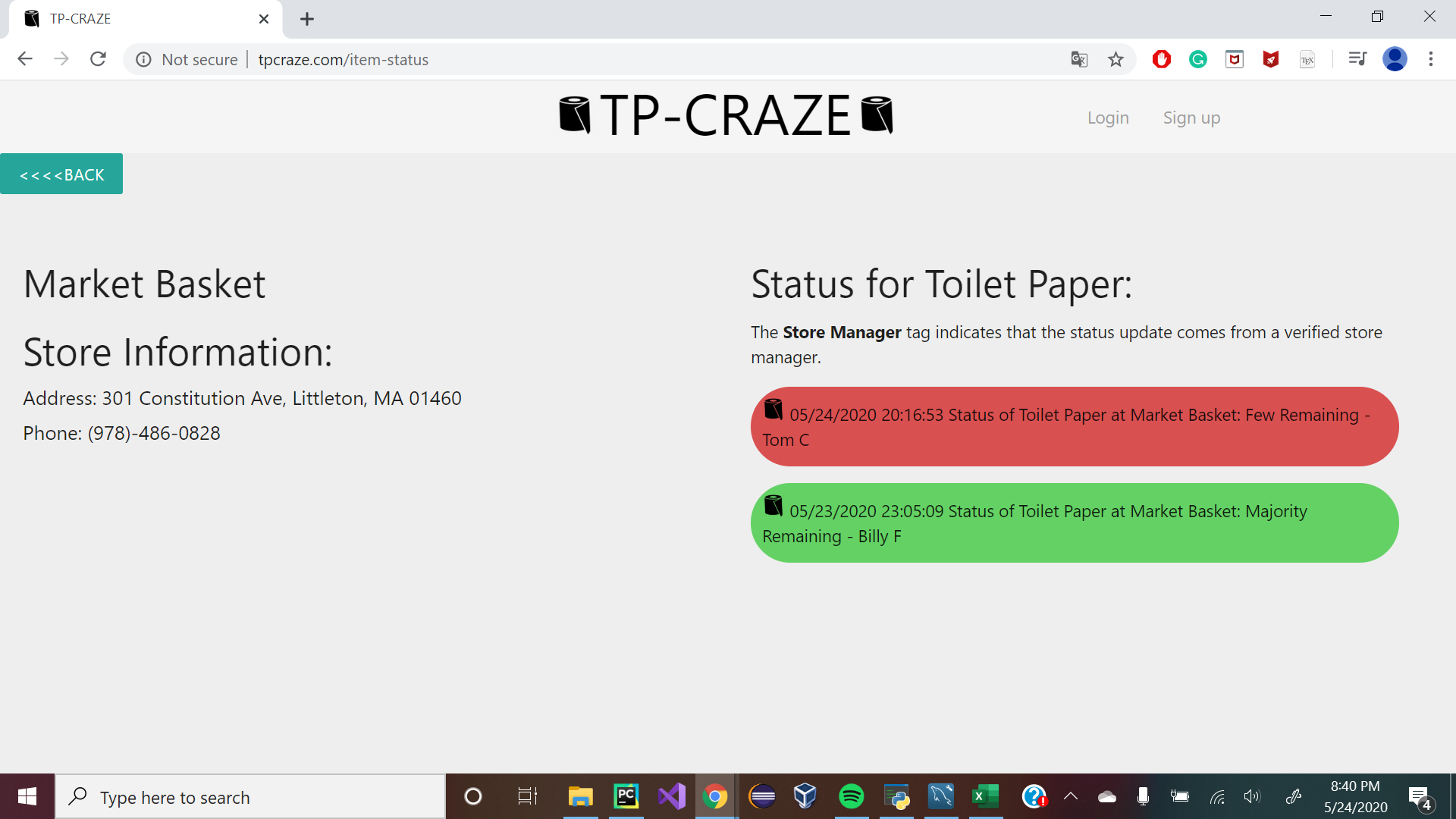
Status Screen
-
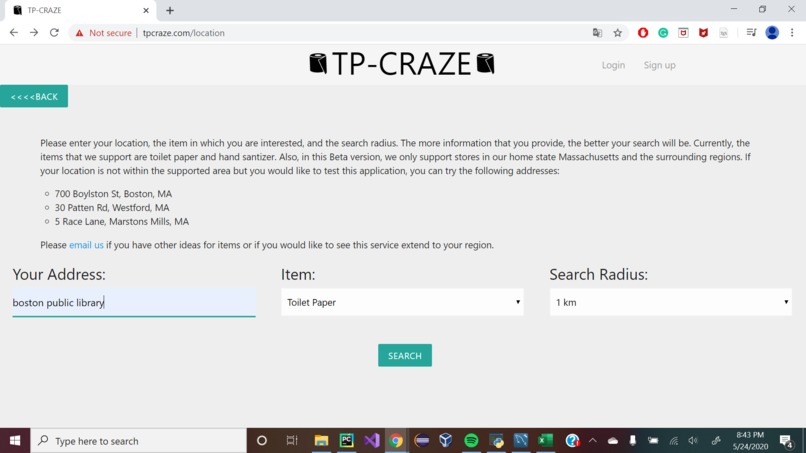
Initial Status Update Screen
Inspiration
When we first heard about the severe shortage of toilet paper and hand sanitizer in stores across the country, we came up with an idea to make people’s lives easier in today’s chaotic society. The problem we identified was that if stores were out of hand sanitizer or toilet paper, both relatively essential goods in a time of pandemic, people making trips to these stores were not only wasteful but needlessly increased the risk surface of that given individual; making a trip for nothing but yet increasing their risk of contracting the sickness. To fix this problem, we decided to take inspiration from Waze and many other live-data crowdsourcing apps that don’t rely on stores and their management teams, but instead to get data directly from the customers visiting stores to provide the most accurate and up to date information. This way, people won’t have to travel to or call numerous stores, wasting time while also coming up empty-handed. Also, any unnecessary travel would further expose consumers to the virus.
What it does
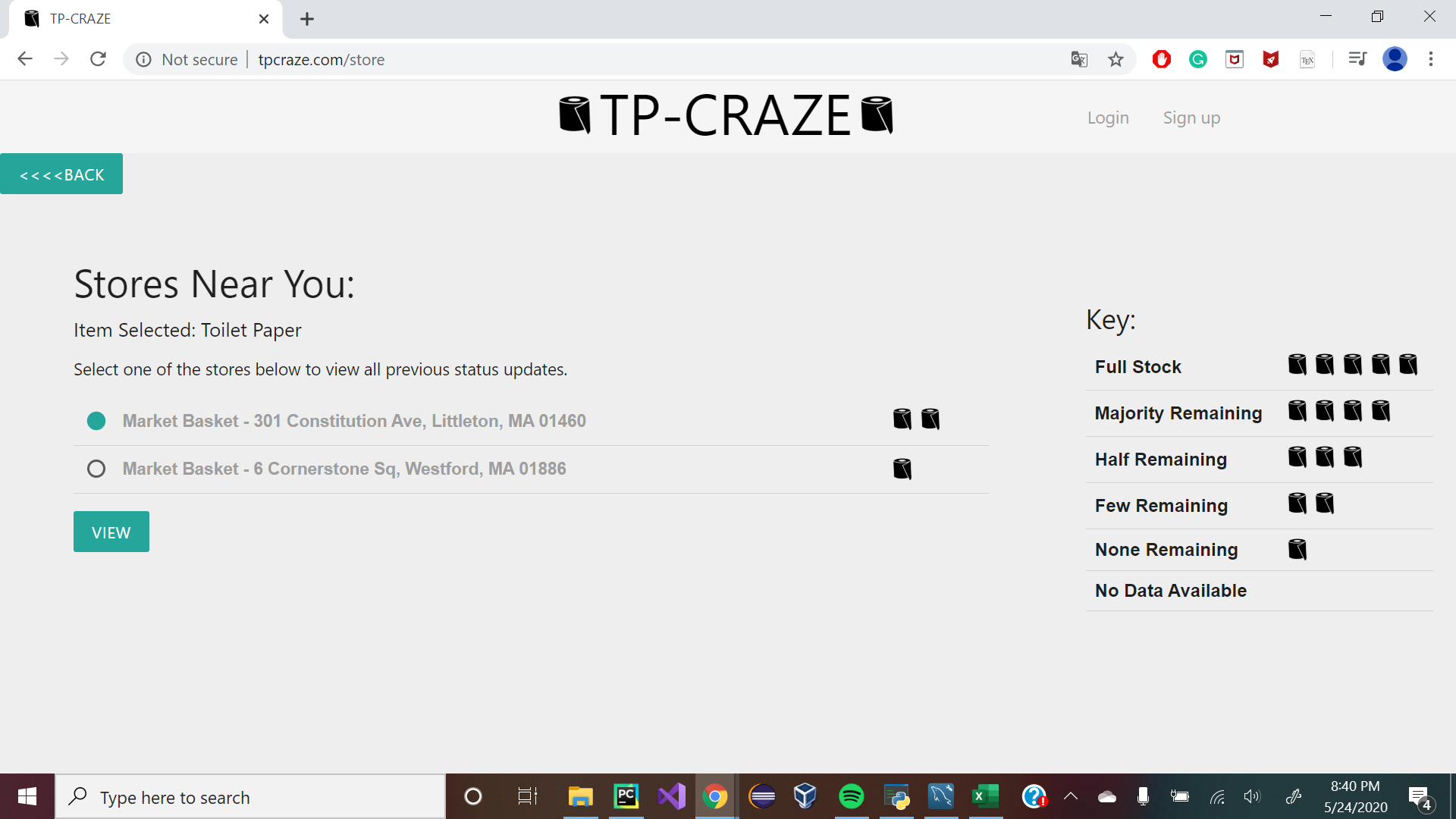
TP-Craze compiles crowdsourced data about the real-time availability of certain items to create a summary of which stores in a user’s region actually have key supplies such as hand sanitizer and toilet paper in stock. We allow the user to input their address, the search radius, and the item they hope to buy (as of now toilet paper and hand sanitizer). The user will then be provided a listing of stores with the existing item in stock and a corresponding icon to indicate how much of the item is in stock as per the latest status update. The user can then choose to select a certain store and view all the status updates. Additionally, the user can submit a status update for a particular item and store near them by first creating an account and navigating to the desired store. The user can choose from one of the five status levels (“Full Stock” to “None Left”). Finally, if a store manager contacts us and provides the necessary credentials, we can add them as an administrator for their store by providing them with a unique store id that they can input during sign up. Any store manager updates are indicated distinctly in the web GUI. Below we present a walkthrough for our application:
Walkthrough
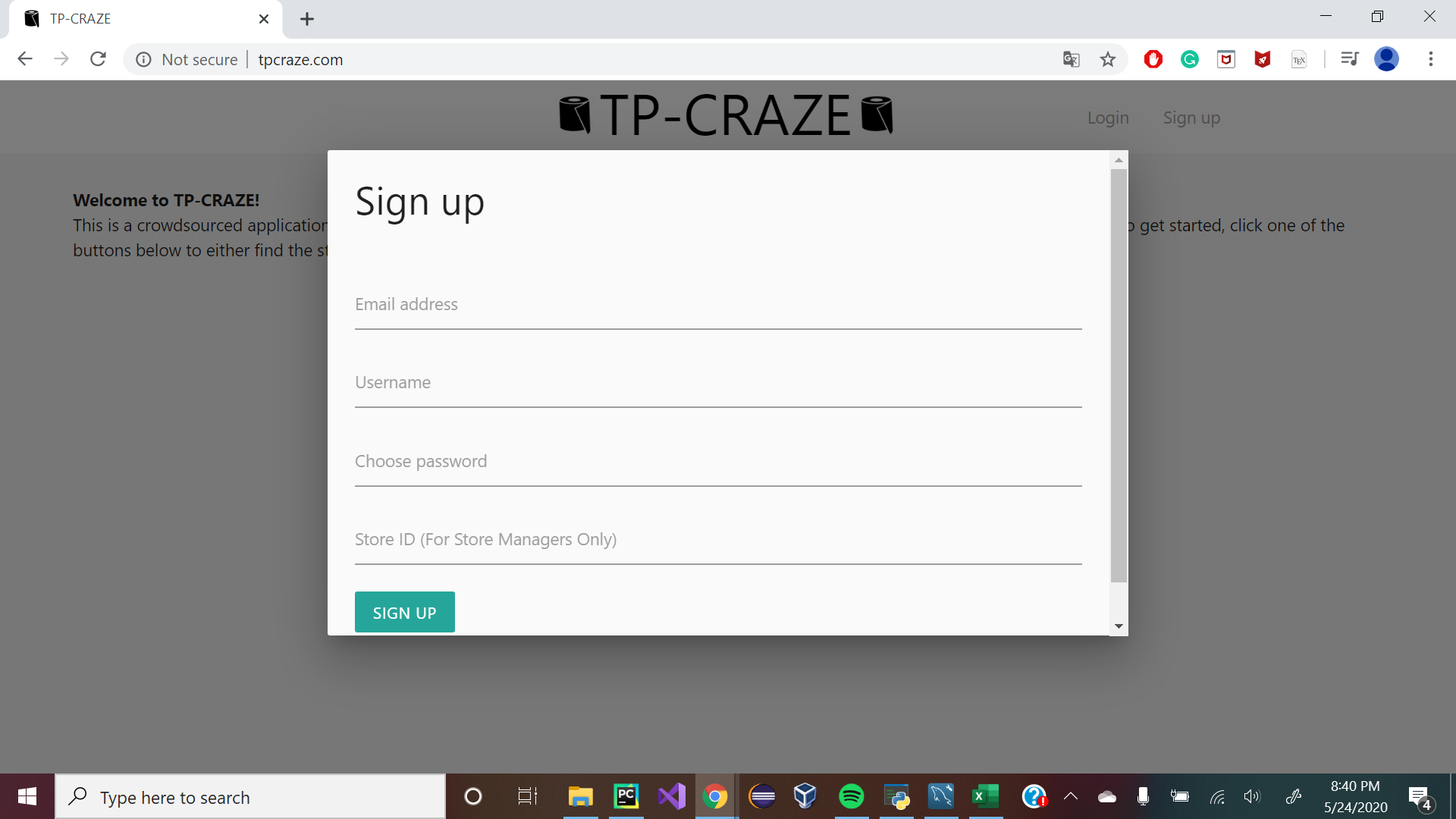
To create an account, click the “Sign Up” button in the upper right-hand corner. Fill in the data fields of Email Address, Username, and Password. The Store ID field is optional, and should only be used by store owners. Click Sign Up to finalize your account creation.
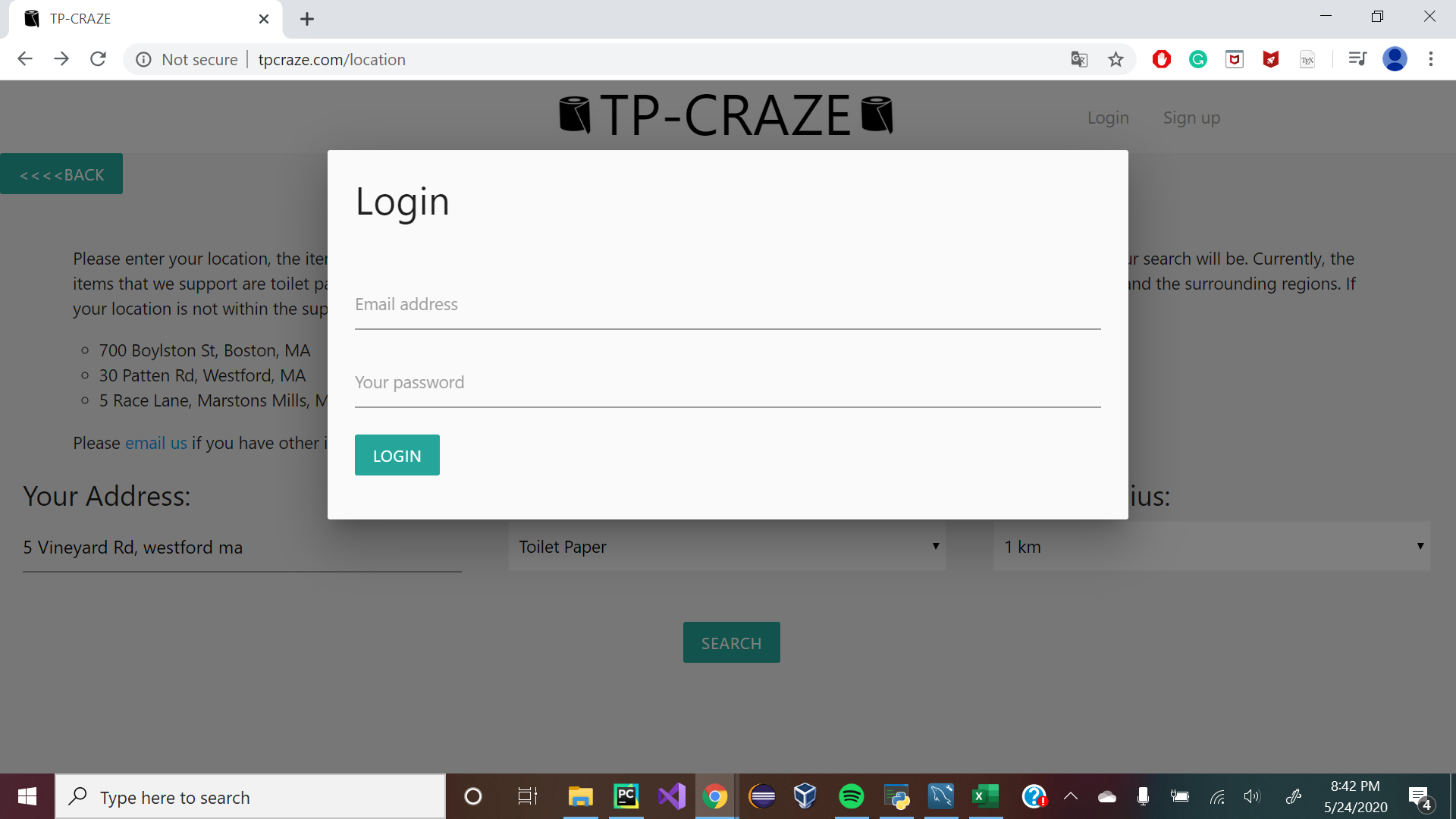
Once you have been logged in, you can create specific status updates of a store (you need to be logged in to avoid spam for providing status updates, but anybody can look up stores without being logged in).
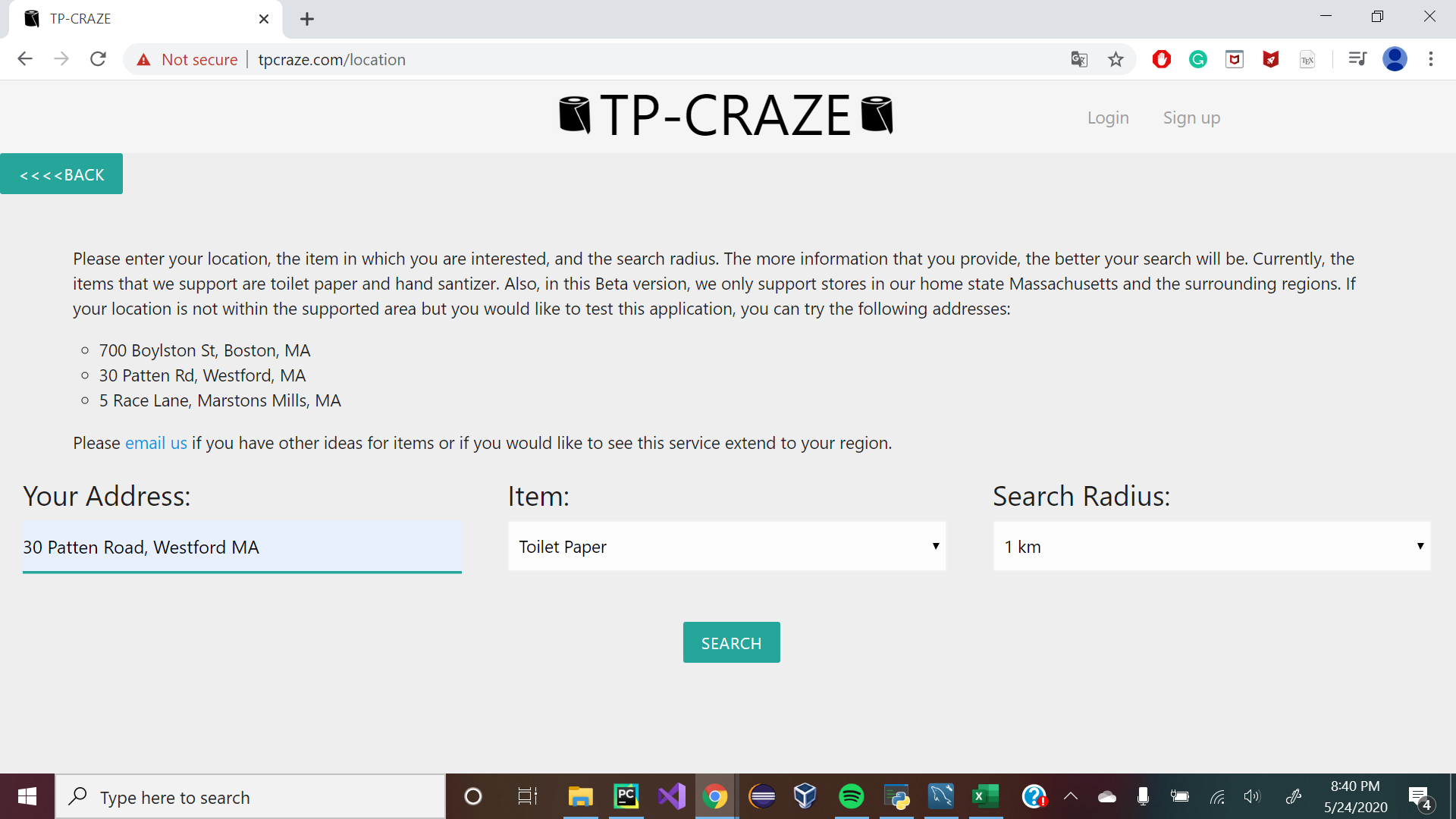
Let’s start by providing status to a store in your area. Click the “Provide Status” button to find specific inventory information of stores in your area. Here, you can enter an address to find stores in your area. As of now, we only support stores in the states of Massachusetts, Connecticut, and Rhode Island (United States of America) and regions in the area. If you do not live in this area, feel free to type in the sample addresses we have listed. Choose which item you want to provide a status for, as well as the search radius from the listed address. Click Search.
Once you are on the specific store page, you can add a specific status update for the specific item of the store. The drop-down menu to the left contains specific descriptions of inventory status. Choose one (for example, say that Hand Sanitizer is in full stock), and click “Submit Status”.
You should see a new status update appear to the right. This is a status update made by a customer; store managers will have specific tags differentiating them from customers.
Once again, you can search for a store in the same way that was described above. Search using the same address.
Click on the store that shows up (this should be the same store that you provided the data for) and click “View” to see the specific store information. If no stores show up in the search query, click “Back” and search with another address or radius. This is because we avoid providing information on stores for which we have no data.
The page that shows up should show all information of the specific store you have searched, including Address, Phone Number, and all past inventory status updates. To go back to the home page, click the TP-Craze Logo.
How I built it
To build the project, we drew on what skills we knew best. We knew that we would require integration into outside mapping services, likely via APIs, while also querying databases. Therefore, we chose the micro web framework Python Flask for the backend because of its versatility and flexibility through WTForms. For user authentication, we used Google’s Firebase platform because we wanted to allow users to login securely and responsibly as user data in transit is encrypted via HTTPS. We employed the Tomtom API for both geocoding and geographic search, because it was relatively cheap but allowed us to scale while providing category-based querying. Finally, we store update reports and stores in a MySQL database. All of this is hosted in Microsoft Azure, which allows us to have deployment slots in production and development, as well as integrating their Kudu build service for direct access from a private Git repository.
The MySQL database first had to be populated with a list of stores: we used a querying system not dissimilar to an archaeological grid in order to query the TomTom database to get granular detail on almost every single relevant store in the desired view frame. Then, we assigned every user who signed up in the Google Firebase authentication database with a unique ID, which matches up with their entries into the logs of each product. This would then be queried to display the most recent status for stores close to the user.
Challenges I ran into
A big decision we had to make early on was how to manage logins of users and store owners. Our group has some cybersecurity background, so we know that managing passwords responsibly and implementing a secure login system was key. Creating and managing our own authentication service could be insecure, so we decided to hand off authentication to a third party either via SSO or a first-party solution we could tie in. Therefore, we decided on using Google Firebase early on, which provided a secure, trustworthy authentication service for users. However, one challenge we ran into was how we should give permissions to store owners/managers/employees; we obviously wanted the status of a trusted update from these store members to be differentiated from the average customer, much like social media has ‘verified’ users.
Our team created an “admin”-level user, which was originally planned to be given to storeowners. However, we eventually decided on giving “admin” status to the developers of the website, and instead of giving specific Store IDs to store owners who will authenticate their status.
Accomplishments that I'm proud of
Our biggest accomplishment was migrating our hosted service from a platform that wasn’t suited to our needs to a big-name cloud provider. The initial deployment was in a service called PythonAnywhere, which was rather difficult to use. Therefore, we made the decision to move to a paid cloud provider that was more mainstream and conventional; Azure fit our needs the best. Moving resources from PythonAnywhere to Azure was a nontrivial task, but we accomplished it relatively quickly, and doing so also allowed us to upgrade some of the infrastructures and make some parts of our code more “best-practice”.
We are also very proud of our search algorithm that undercuts the limitations of the Tomtom search API. The Tomtom search API allowed us to only set a bounding box with coordinates and returned a maximum of 100 results in 20 “pages”. By setting sub-bounding boxes and variability manipulating size, we were able to improve store resolution and get a complete list of stores within the roughly 10,000 stores in the test region, for instance. This approach results in a scalable method that only needs to be run once.
Finally, we are proud of the general look and feel of our website which we achieved through the CSS Materialize Framework. We feel that it is crisp and streamlined without being overbearing. Overall, we are proud of learning many new skills and how we could utilize these skills and apply them in ways outside of the classroom, in a time where self-motivation is key.
What I learned
In a major project like TPCraze that required a lot of work and input from several different team members, we learned the importance of effective collaboration and time management in development scenarios.
Also, coming into the project, we did not know much about databases and MySQL. This hackathon provided a perfect opportunity to learn about databases, database security, etc.
We learned how to utilize multiple open source APIs such as the TomTom and Firebase APIs. These skills will be crucial in the future as interacting with open source APIs is a very common industry practice.
What's next for TP-Craze
This project is mostly a proof-of-concept. As a group of high school juniors and seniors, we’ve been pretty stressed about college applications and our future plans for this fall respectively, and we’ve been working on APs concurrently, meaning what little time we have left over is being poured into this.
In the future, we plan to expand our product to more regions, implement an inframe map viewer to see where stores are in Flask, staggering access and store recommendations as to not overwhelm in-inventory stores with customers, and implement more native security features like two-factor authentication and SSO via Firebase. We also plan to upgrade from a pre-populated store list to a list of stores that could expand on the fly as users from new regions join. Finally, we hope to expand the number of products that we support beyond toilet paper to hand sanitizer.


Log in or sign up for Devpost to join the conversation.