-
-
Our Logo
-
TIM Prototype
🚁Inspiration Behind TIM🚠
Our journey at TIM began with the realization that for many individuals, especially those who are new to Canada, it may be difficult to gain any real information from common tourist destinations and activities in Canada. Take a museum, for example, you can only put so much text on a panel, and does anyone really read those? How is anyone supposed to learn about Canada, or wherever they're visiting, if every sign, pamphlet, and tour they have in in a foreign language?
We invisioned a fun, accessible, and interactive way for guests to learn about their surroundings. That is, we invisioned TIM. The Tourist Information Machine.
📷What TIM does✈️
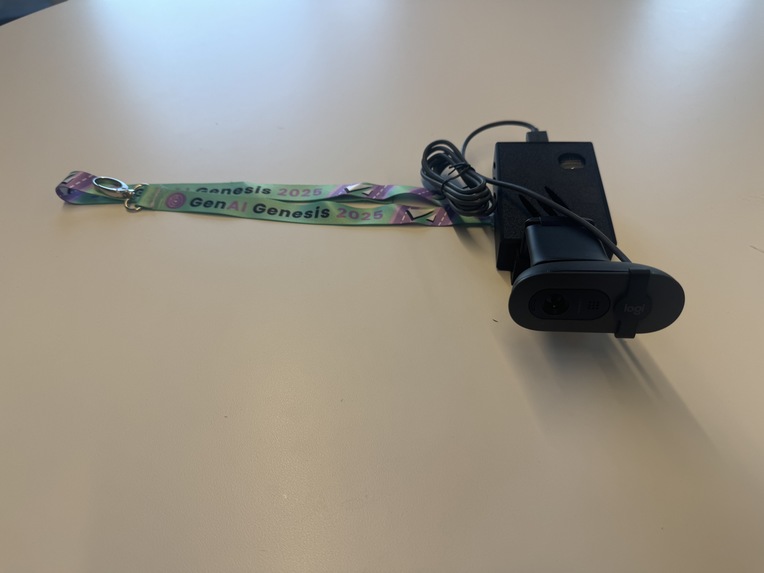
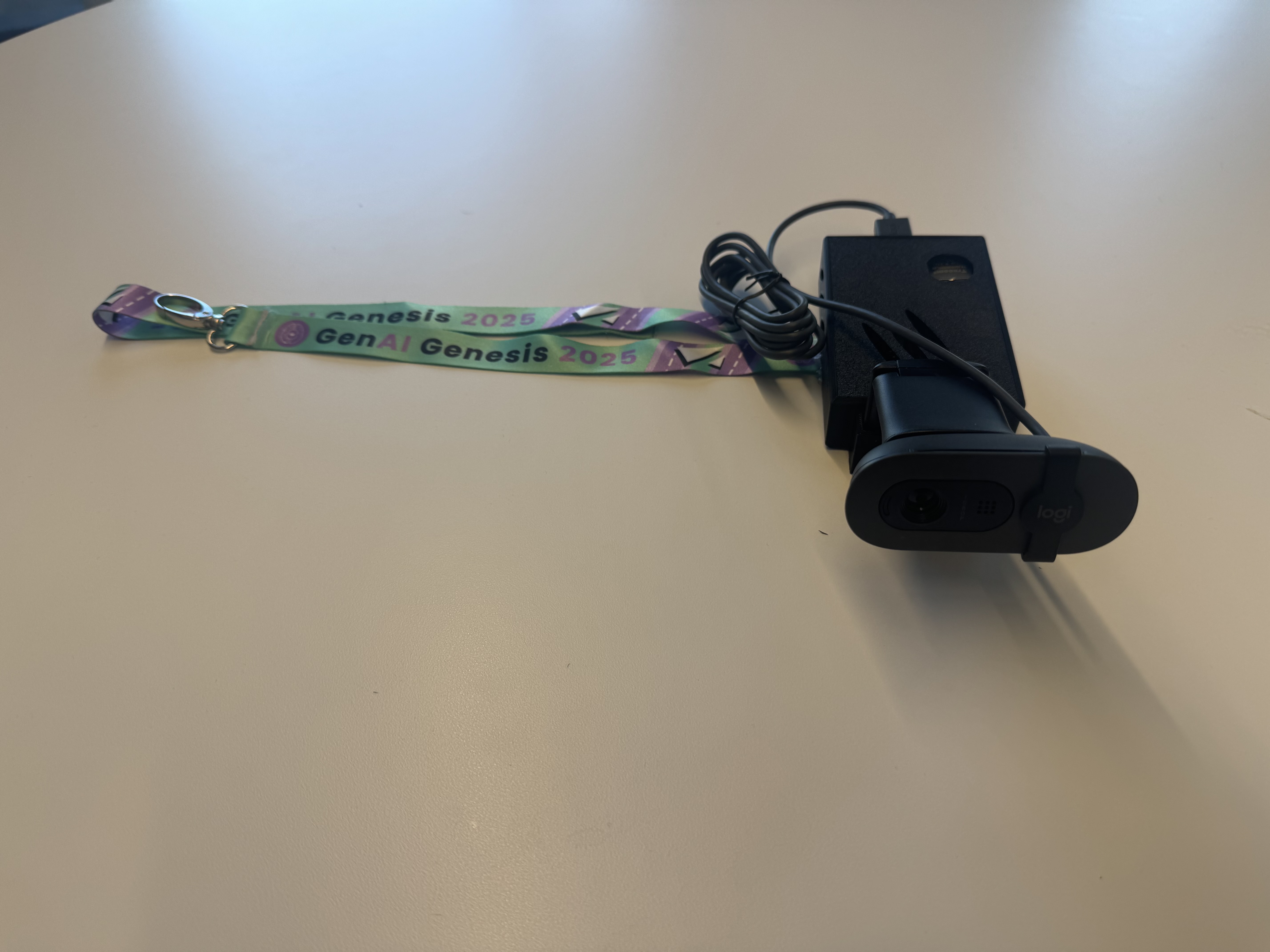
When a tourist visits a national park, a heritage site, a museum, or any other important location, they can rent TIM from the owner/manager of the organization. The system consists of a camera, which comfortably straps to one's wrist, and the computer/battery portion, which gets tucked away in the users bag.
The user then connects their headphones to the device via bluetooth, and from then on it's plug and play! The AI has been pre-trained on identifying certain landmarks, and accesses Gemini to provide even more in-depth information. The user simply points to any landmark/point of interest, and they are told fascinating information about what they are standing right in front of.
In addition, the user can change modes on TIM! With the click of a button on a website, TIM becomes a translation helper, translating foreign text to the user's native language in real time. This way, tourists can visit foreign locations without having to worry about not understanding the words.
Furthermore, TIM works equally well in every country, with every language, thanks to its integrated language learning model. This means that no matter what, the user has an immersive experience in whichever language they speak.
📲How we built TIM⌨️
The camera we are using is a USB desk camera, connected to a Raspberry Pi 5 running a virtual machine. The front end was developed with flask to allow the user to switch between two modes, one to detect landmarks, and one to translate foreign text. At the back end, OpenCV runs in a python script to identify landmarks, or any other range of custom objects. The data is then sent to Google Cloud, and then Google Gemini provides more detailed information to the user. Several Google Cloud services are used to maximise usability and accessibility, such as Google Cloud Translate, and Google Cloud Text-to-Speech.
All this software running on the Raspberry Pi is enclosed by a custom case to fit both the Pi and the camera.
⚙️Challenges we overcame at TIM🪛
One of the major challenges was running the computer vision AI on the Raspberry Pi. After troubleshooting and failing to connect the original serial camera module for Raspberry Pi, the prototype was switched to a USB webcam, which worked much better. This was a key pivot to make, as it allowed us to continue pursuing our vision on the short timeline.
Another challenge was ensuring a seamless transition from Google Cloud to the Raspberry Pi, and making sure that the back end code successfully performed threading to run multiple tasks at the same time.
🎉Accomplishments that we're proud of at TIM✨
Our journey creating TIM was a great experience for all of us, and certainly a steep learning curve. In the end, we modelled a custom case to fit the camera and the Raspberry Pi using SolidWorks, and managed to 3D print it, and test it as a functioning prototype.
Another accomplishment we're proud of is seamlessly integrating several features of Google Cloud into one program, along with running Gemini and OpenCV to work in collaboration. This allowed the user to get the most informative and immserive experience possible when using TIM.
📖Key Lessons we Learned from our Journey🚀
The creation of TIM was not only a huge challenge to create, but it provided an incredibly valuable learning experience to every member of our group.
The first thing we learned was how Raspberry Pis work, how to navigate their terminal, and how to install various dependencies in order to access and run the camera.
Next, we had to learn how to model a custom case in SolidWorks, based on existing models of Raspberry Pis, and our camera.
Finally, we had to integrate OpenCV with Gemini, to allow users to get access to even more information about what they are looking at. We not only learned how to use Google Cloud, but how to use it on a Raspberry Pi in parallel with several other key APIs.
⭐What's next for TIM🌎
The next step for TIM is providing even better accessibility by improving the translation abilities, so that the user can select a language, and the AI text-to-speech will translate its information to that language in real-time. This would further aid in removing education barriers to people travelling to Canada and around the world.
Another immediate next step is also to compartmentalize the Raspberry Pi with a battery, in a package that can easily slip into the bottom of a backpack, and have it simply connected to a camera that slips onto your wrist.


Log in or sign up for Devpost to join the conversation.