-
-

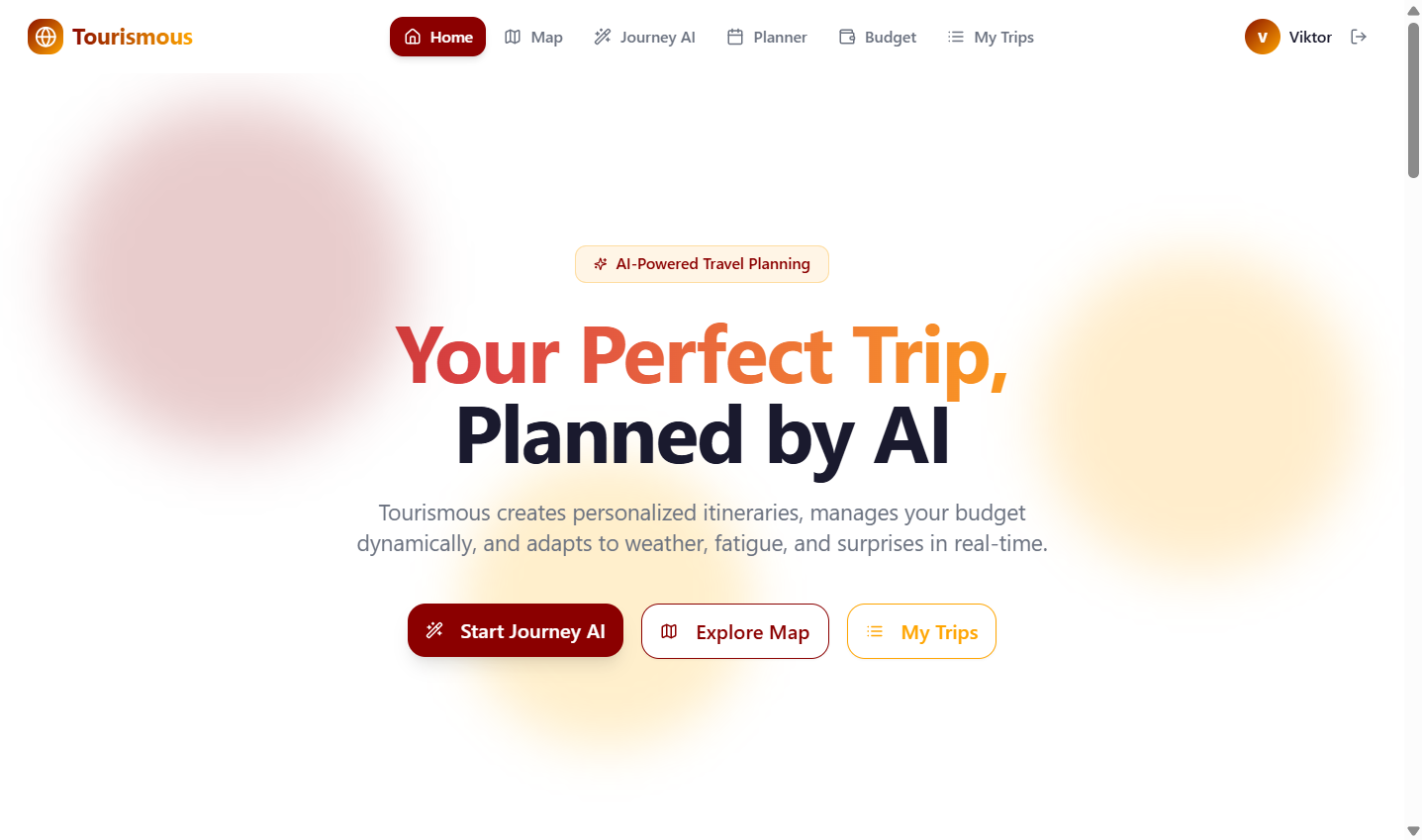
Home page
-
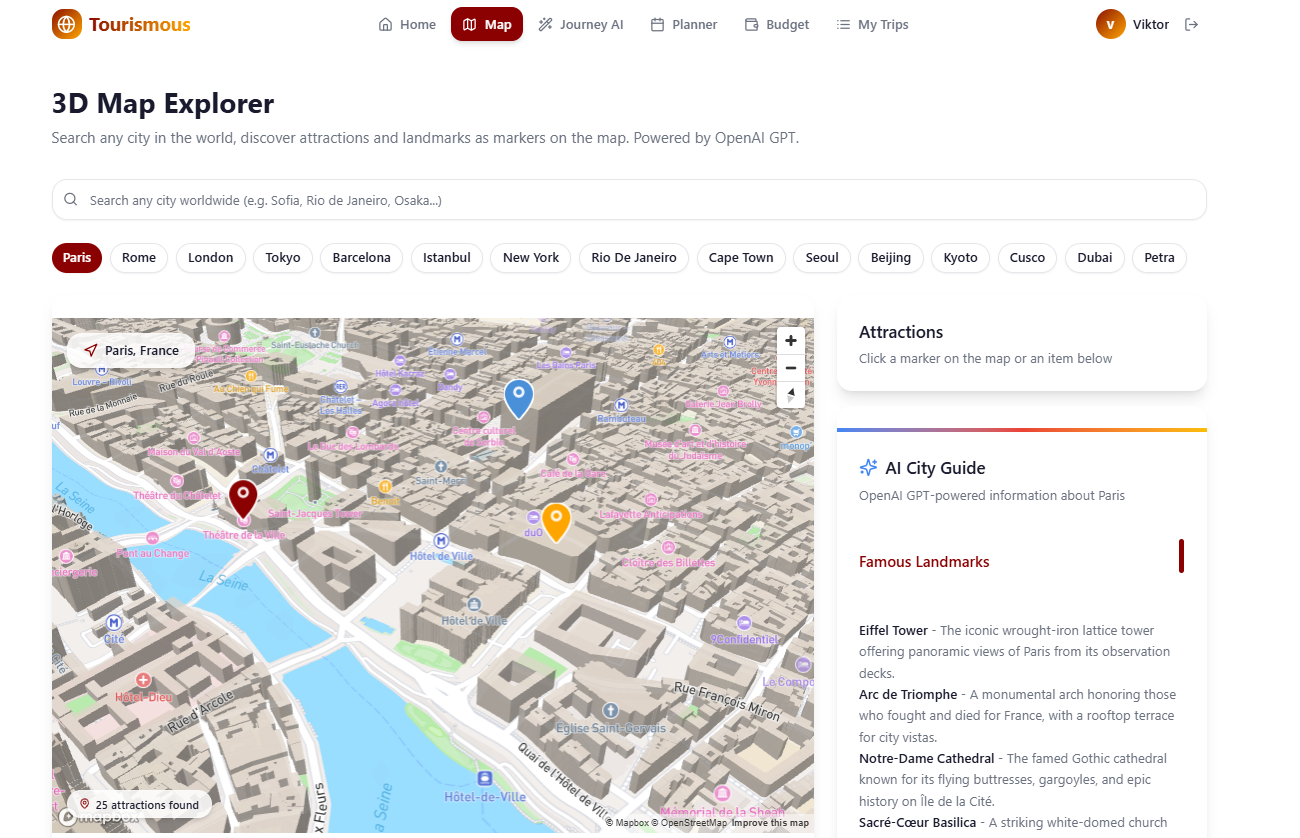
Map page
-
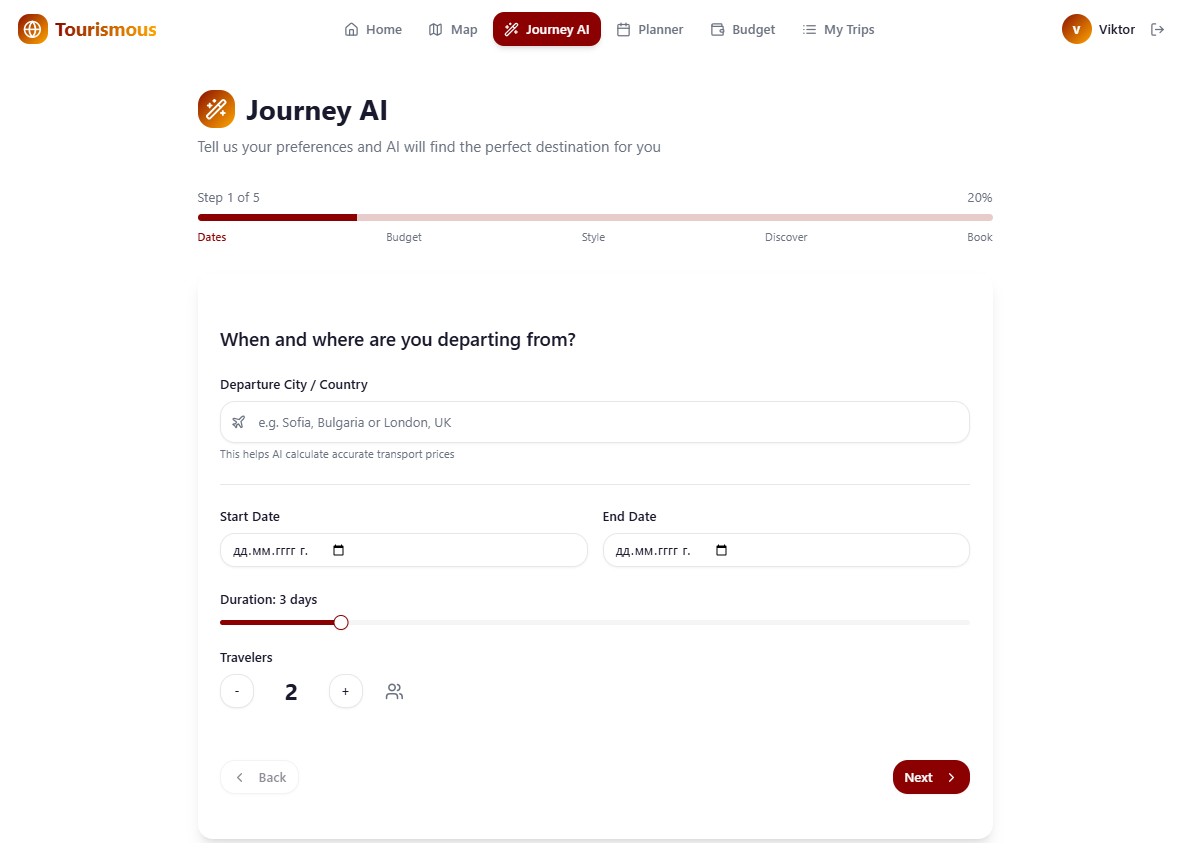
Journey AI
-
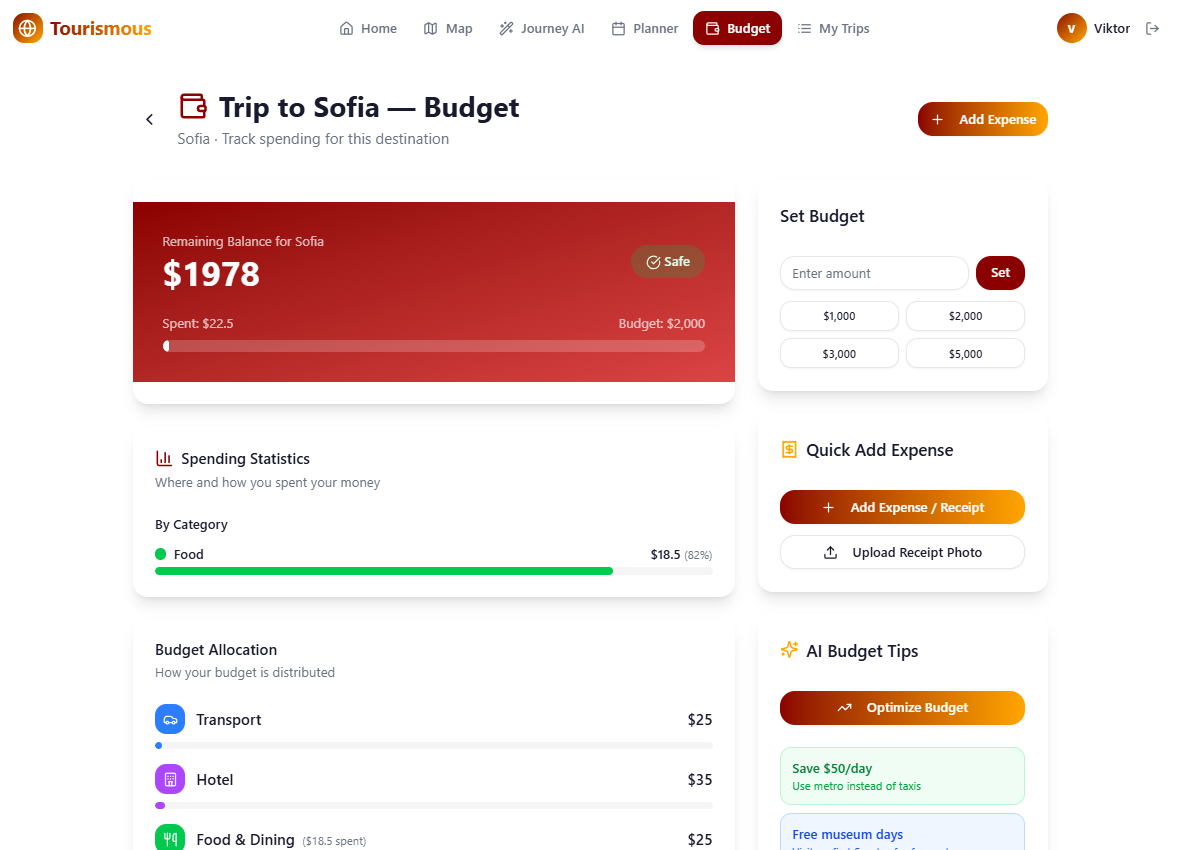
Budget page
-
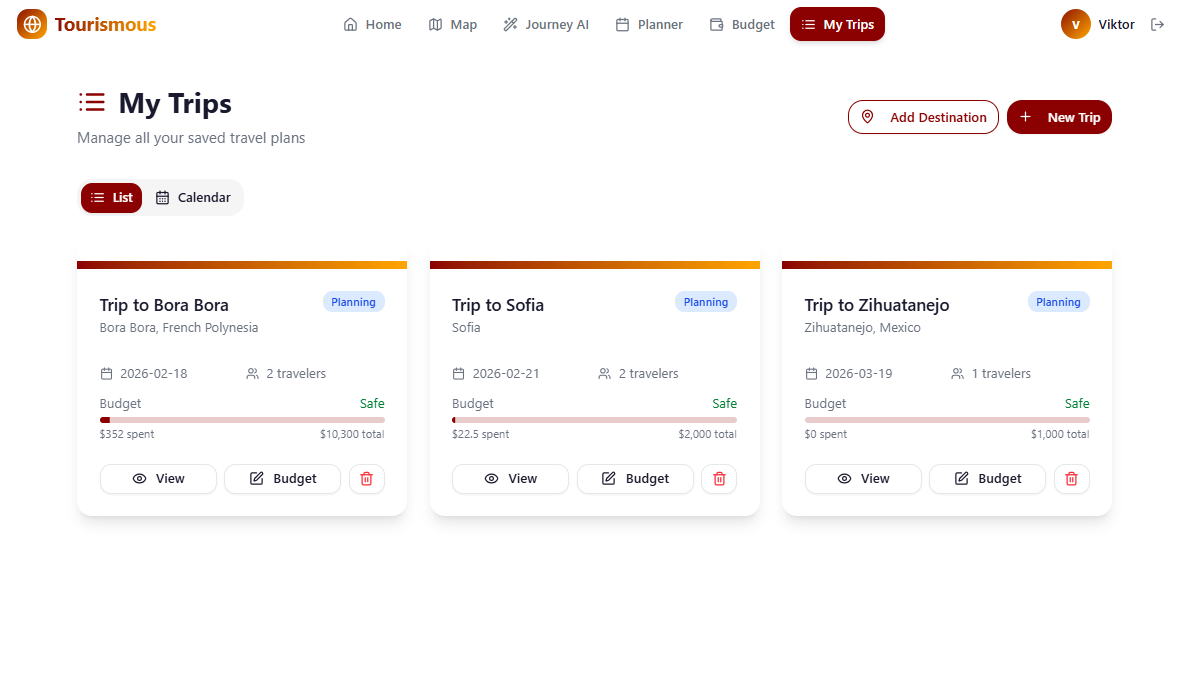
My Trips page
Inspiration
Traveling should be exciting, not stressful — but planning a trip often feels like a second job. You're juggling dozens of browser tabs: searching for flights, comparing hotels, building day-by-day itineraries, tracking budgets in spreadsheets, and trying to find hidden gems that aren't just tourist traps. We asked ourselves: what if a single AI-powered platform could handle all of that? What if your travel planner could actually adapt — adjusting your schedule when you're tired, swapping outdoor plans when rain is forecast, or suggesting a local spot you'd never find on your own? That's the idea behind Tourismous.
What it does
Tourismous is an all-in-one AI-powered travel planning platform that covers the entire trip lifecycle:
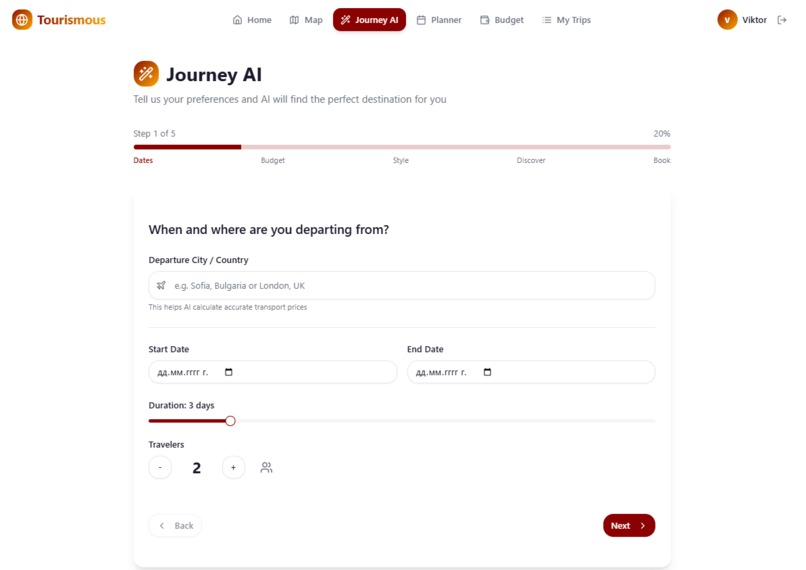
Journey AI Wizard — A guided flow that collects your preferences (dates, budget, travel style) and uses AI search to recommend 4 personalized destinations with transport options and hotel tiers.
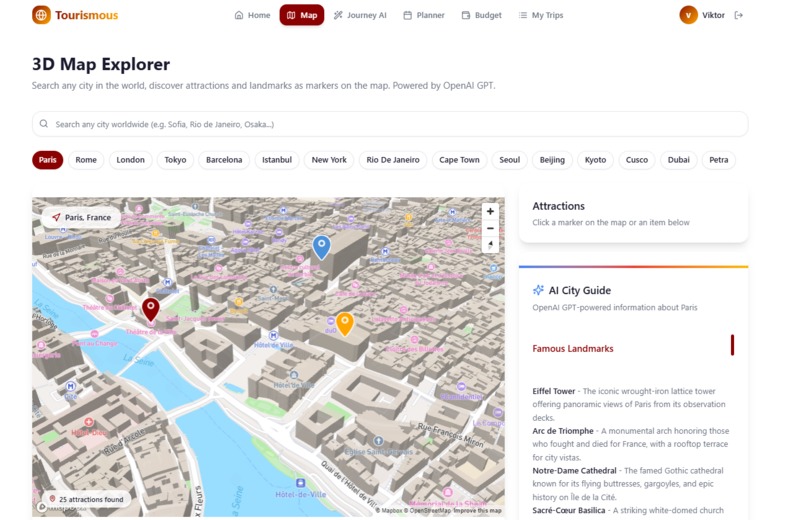
3D Map Explorer — An interactive Mapbox-powered globe where you can search any city worldwide, discover points of interest (landmarks, museums, parks, restaurants), get AI-generated attraction details, and add locations directly to your trip itinerary.
Smart Trip Planner — A day-by-day itinerary manager with AI-generated schedules, an "I'm Tired" mode that lightens your day, weather adaptation that swaps outdoor activities for indoor ones, and a "Surprise Me" button for hidden local gems. Exportable to CSV, PDF, or Word.
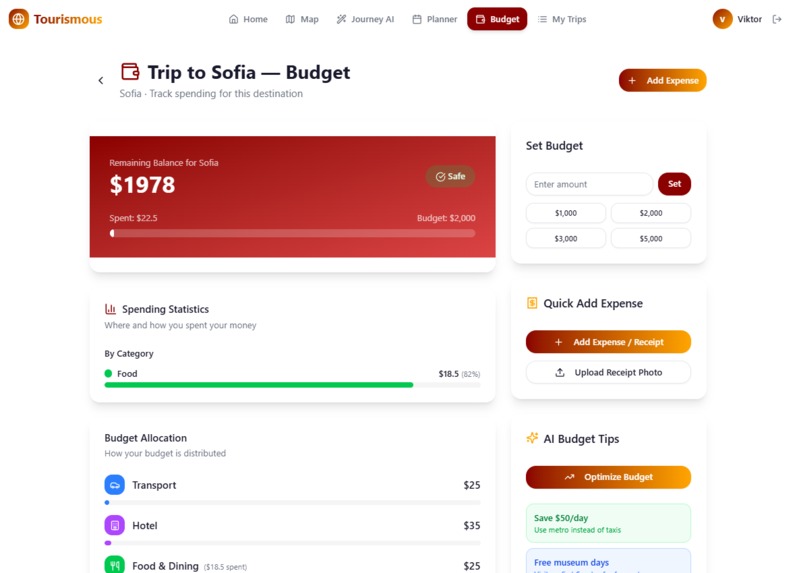
Dynamic Budget Manager — Real-time budget tracking across transport, hotel, food, and attractions with AI-powered receipt scanning that auto-extracts amounts and categories from uploaded photos.
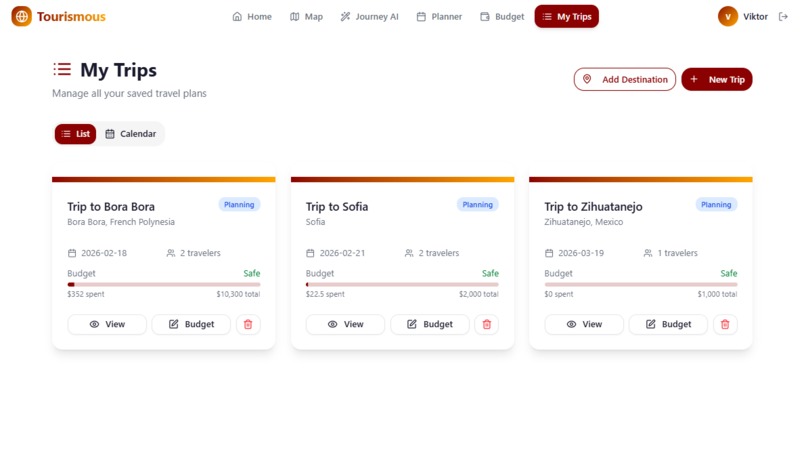
My Trips Dashboard — A calendar and list view for managing multiple trips with color-coded timelines, status tracking, and quick access to planning tools.
How we built it
It was built using CREAO.AI
The frontend is built with React 19, TypeScript, and Tailwind CSS v4, using shadcn/ui for a polished component library. Routing is handled by TanStack Router and server state by TanStack Query. Global state management uses Zustand with localStorage persistence for offline-friendly sessions.
For AI, we integrated two services: OpenAI GPT-4.1-nano for fast, structured tasks (attraction geocoding, itinerary generation, receipt OCR) and Perplexity AI Search for grounded, real-time information (destination discovery, transport/hotel recommendations with citations). The map layer uses Mapbox GL JS with 3D terrain and buildings, plus Mapbox Geocoding and Search Box APIs for worldwide POI discovery. We implemented a progressive loading pattern where API results appear instantly while AI supplements additional landmarks in the background.
Challenges we ran into
Multi-source POI accuracy — Combining Mapbox API results with AI-generated landmarks required robust deduplication (by name and proximity) and distance validation (25km radius from city center) to avoid placing markers in wrong locations.
AI response reliability — LLM outputs aren't always perfectly structured JSON. We built retry logic with exponential backoff (up to 4 attempts) and multiple geocoding fallback strategies to handle failures gracefully.
Adaptive itinerary logic — Making the "I'm Tired" and weather modes feel intelligent rather than random required careful prompt engineering so the AI understands context like walking distance, crowd levels, and indoor/outdoor classification.
Budget synchronization — Keeping the budget manager in sync with checked-off itinerary activities while supporting manual expenses and receipt uploads required careful state management across multiple features.
Responsive 3D maps — Making the Mapbox globe with 3D buildings, terrain, and dozens of animated markers perform well on mobile devices took significant optimization work.
Accomplishments that we're proud of
A genuinely adaptive itinerary system — toggle "I'm Tired" and watch your schedule intelligently lighten; enable weather mode and outdoor activities swap to indoor alternatives.
Global coverage — search any city on Earth and get real POI data combined with AI-discovered attractions, not just a hardcoded list of popular destinations.
AI receipt scanning — snap a photo of a receipt and the budget manager auto-extracts the amount and category, making expense tracking nearly effortless.
The calendar view — multiple trips rendered as color-coded overlapping timelines with tooltip previews, progress bars showing "Day X of Y", and smooth interactions.
The entire platform feels cohesive — from the Journey AI wizard through map exploration to day-by-day planning and budget tracking, every feature feeds into the next.
What we learned
Prompt engineering is a design discipline. Getting consistent, useful outputs from LLMs required as much iteration as UI design — especially for structured data like itineraries and geocoordinates.
Progressive enhancement matters for AI features. Showing fast API results first while AI supplements in the background makes the app feel responsive even when LLM calls take several seconds.
State management complexity scales fast. Managing trips, itineraries, budgets, expenses, checked activities, saved locations, and user auth in a single store taught us the importance of clear data model boundaries.
Fallback strategies are non-negotiable. Every external API call — Mapbox, OpenAI, Perplexity — can fail, and the user experience depends entirely on how gracefully you handle those failures.
What's next for Tourismous
Collaborative trip planning — invite friends to co-edit itineraries in real time with shared budgets and voting on activities.
Live trip mode — a companion view for when you're actually traveling, with turn-by-turn navigation between activities, real-time weather updates, and push notifications for schedule changes.
Booking integration — connect to flight and hotel booking APIs so users can go from planning to purchasing without leaving the platform.
Offline support — full PWA with service workers so itineraries and maps work without internet while abroad.
Trip memory journal — automatically compile photos, visited places, and expenses into a shareable trip summary after you return home.
Built With
- css
- mapbox
- openai
- perplexityai
- react
- typescript


Log in or sign up for Devpost to join the conversation.