-
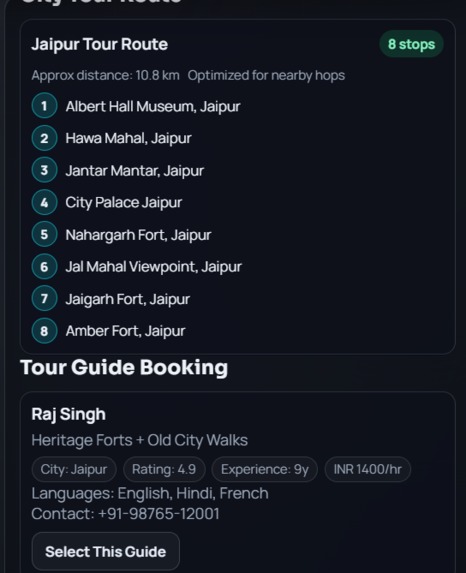
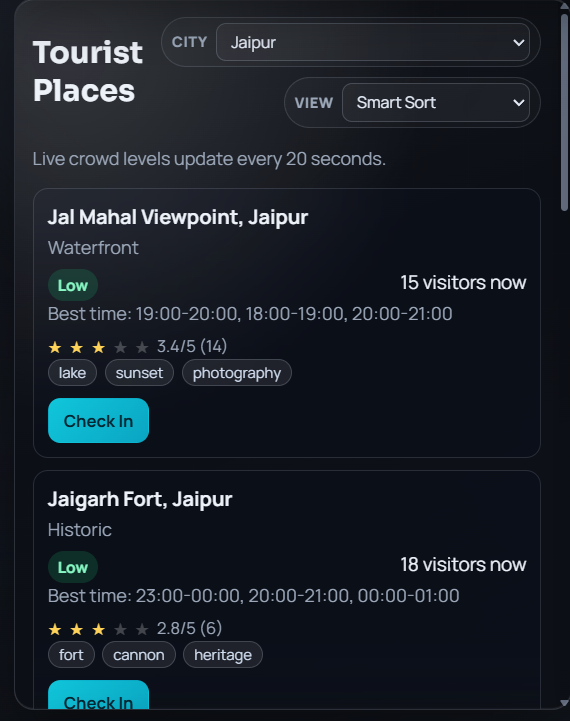
places to visit
-
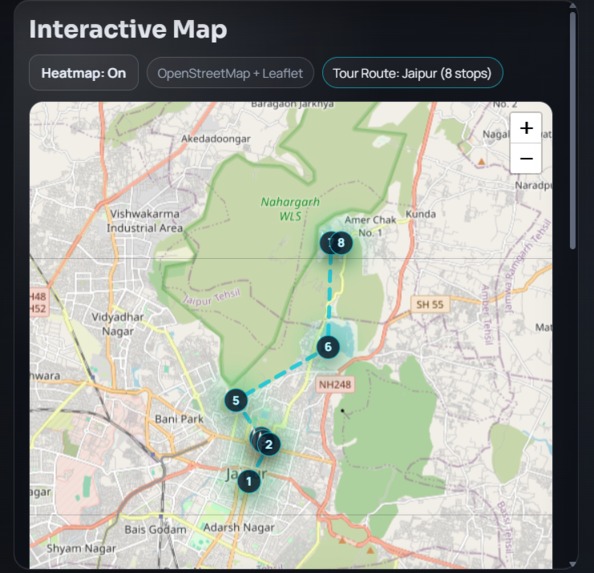
from where to start
-
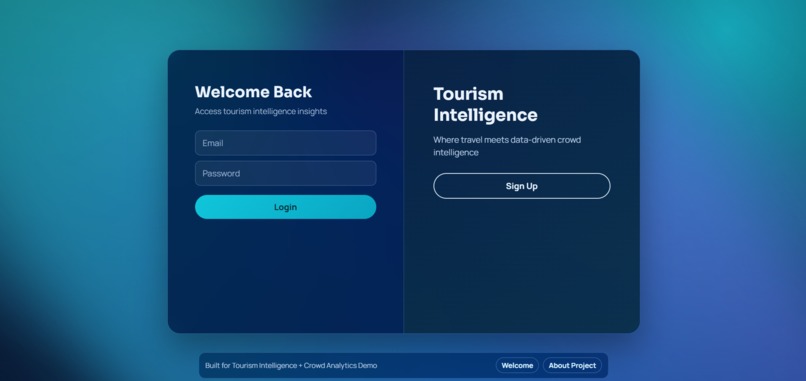
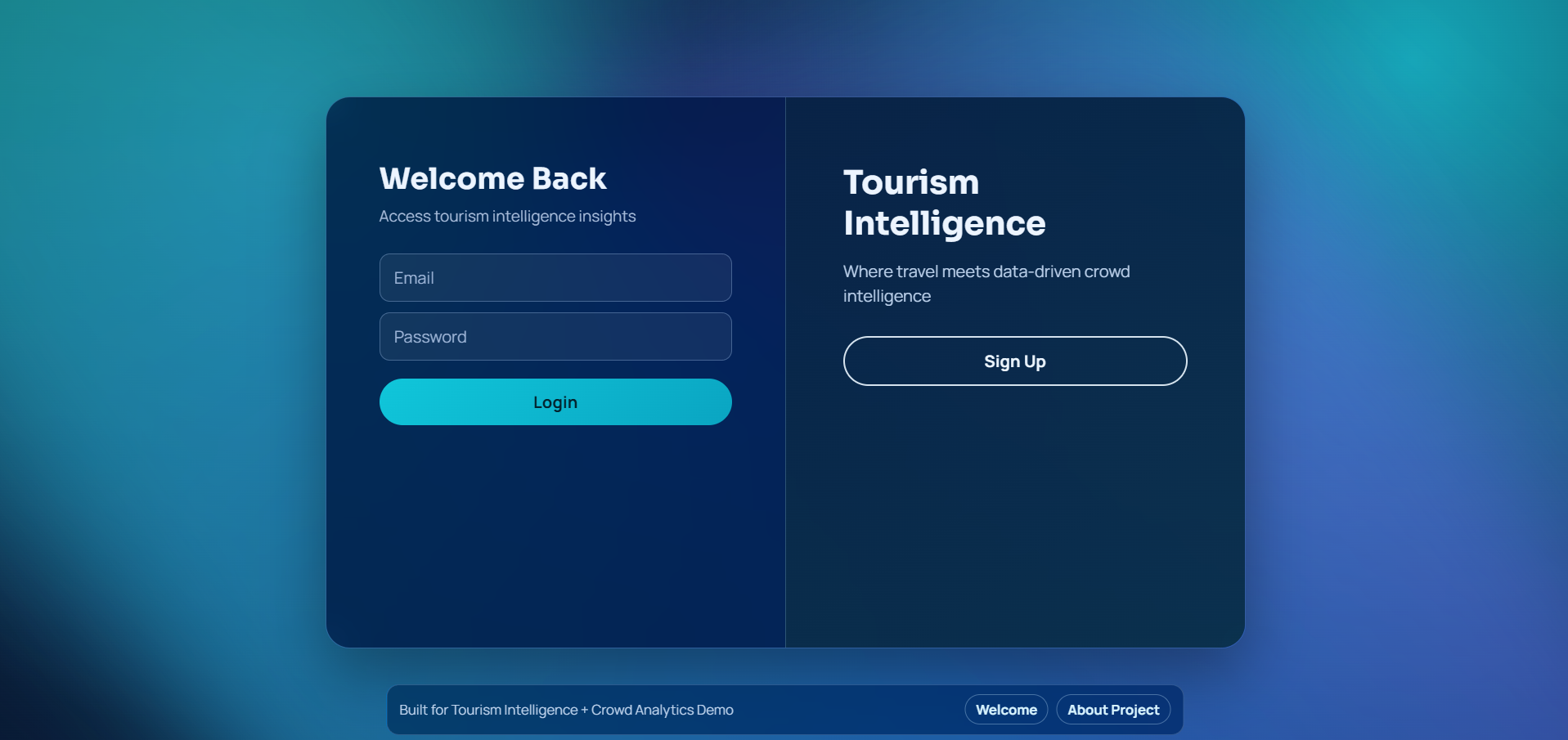
login page
-
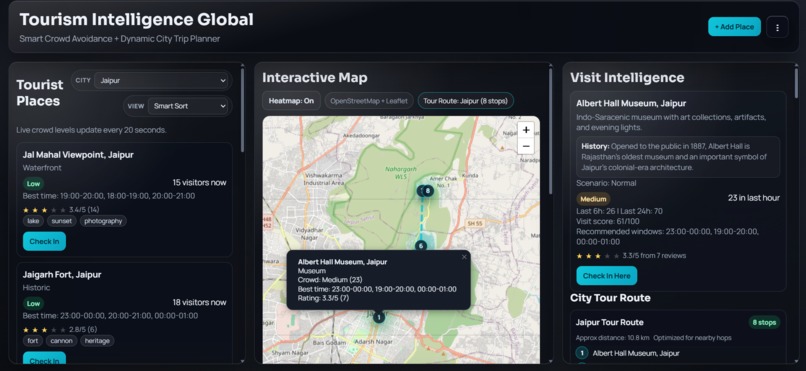
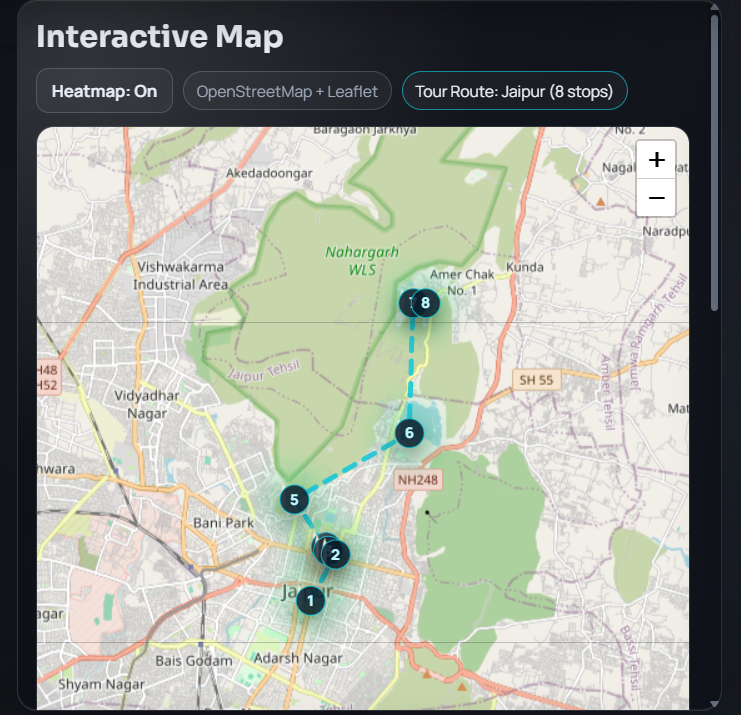
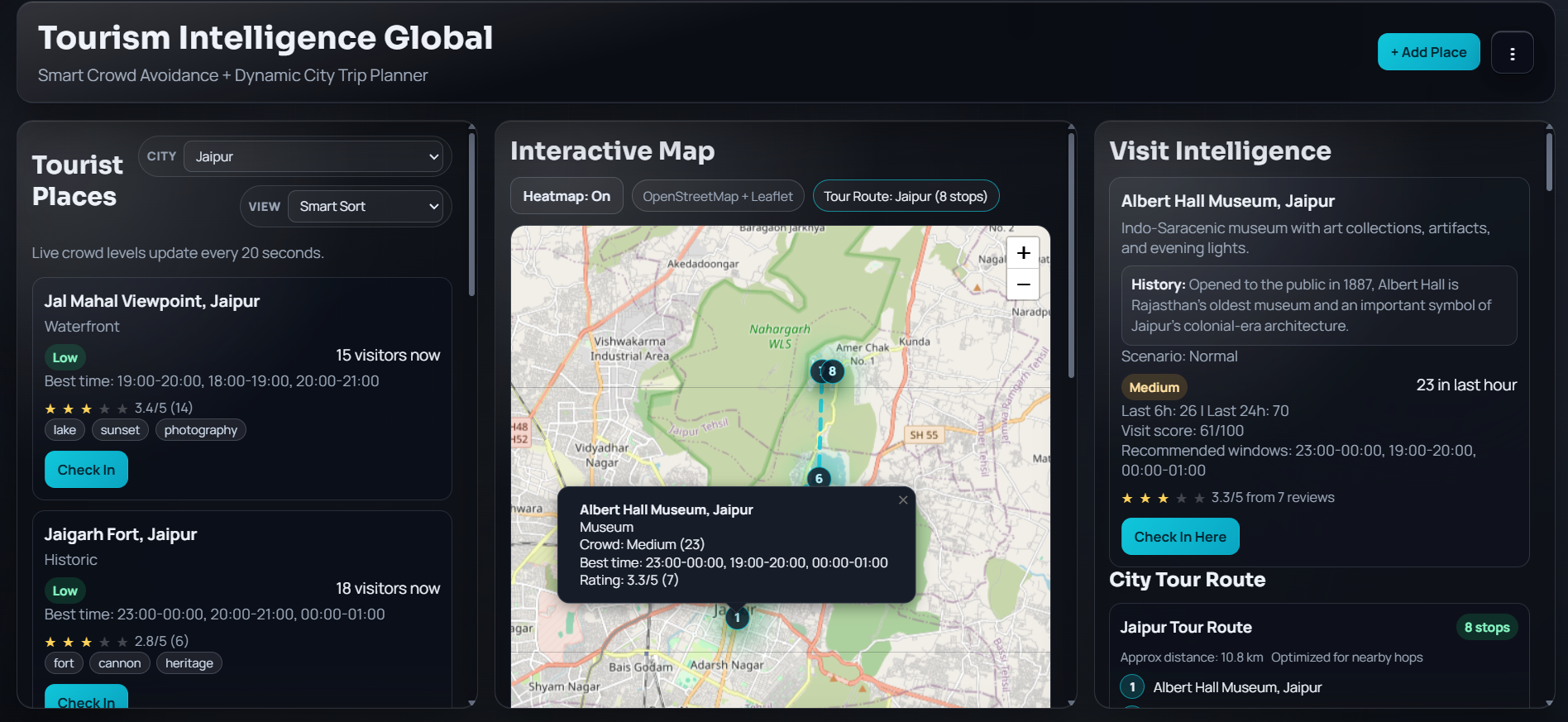
heat map
-
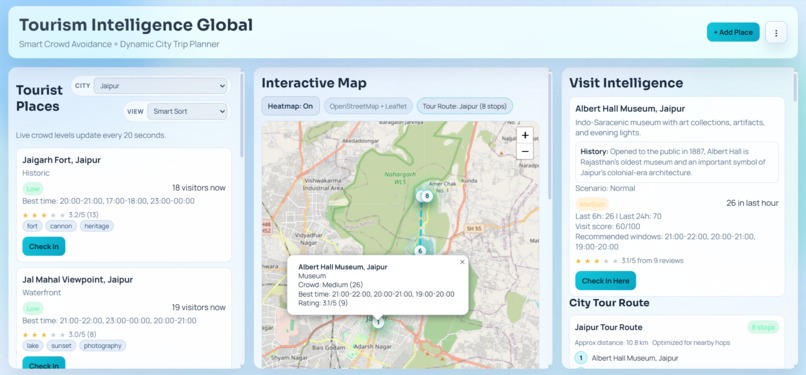
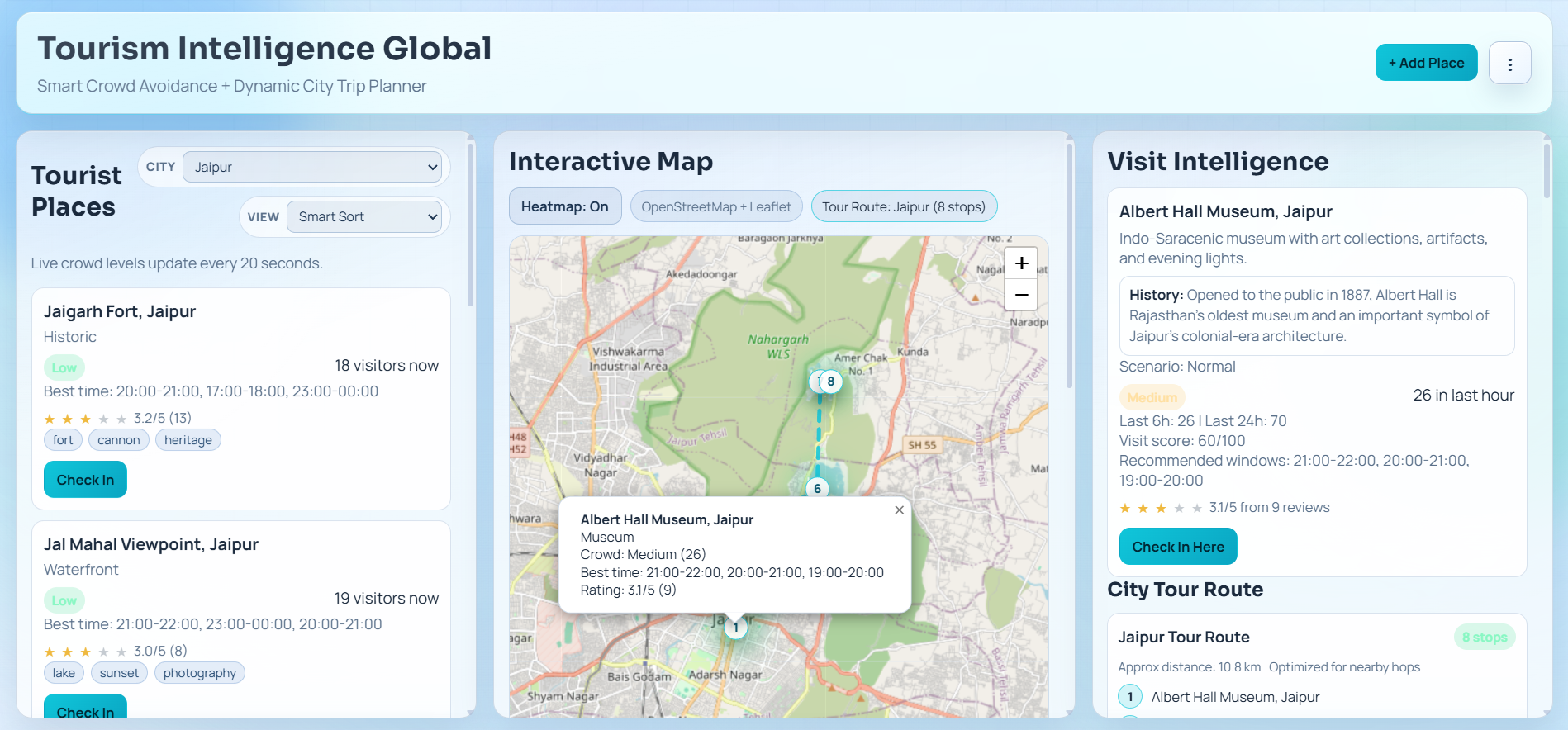
home page
-
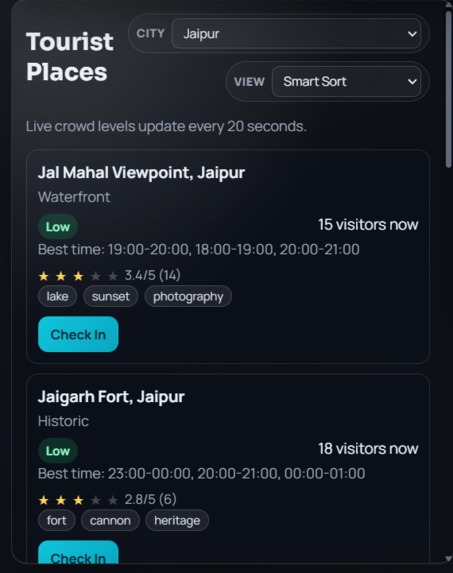
about place
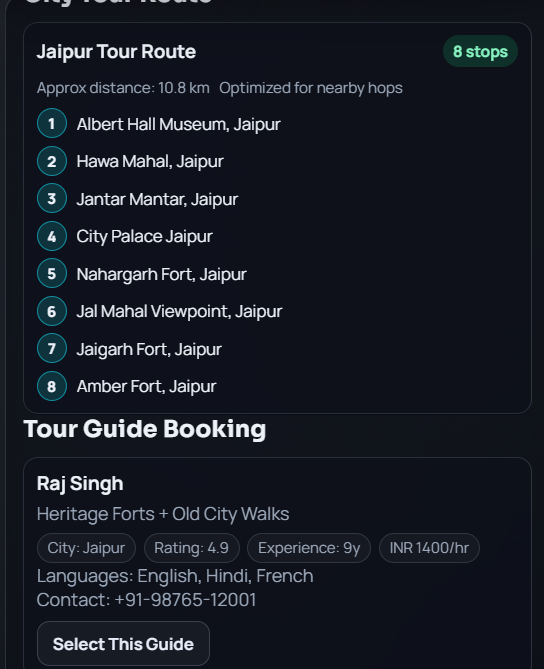
Tourism Intelligence Global 🌍
Explore the City, Not the Crowd. A real-time tourism decision engine that optimizes city visits using crowd analysis and map intelligence.



📖 Overview
Tourism Intelligence Global is a web-based smart tourism platform designed to solve the problem of overcrowding at popular destinations. By combining real-time crowd predictions with map intelligence, the application helps travelers maximize their time and helps city organizers manage foot traffic.
The current prototype features a Jaipur-centric experience, offering a "glassmorphism" dashboard where users can view crowd heatmaps, book guides, and plan optimal routes in seconds.
✨ Key Features
- Real-Time Crowd Analysis: Categorizes locations as Low, Medium, or High crowd density.
- Smart Recommendations: Instantly suggests alternative "quiet" locations when primary spots are overcrowded.
- Optimal Visit Times: Data-driven suggestions for the best time to visit specific landmarks.
- Jaipur Guided Experience:
- Curated tour routes.
- Interactive side-panel with historical data.
- Integrated tour guide booking system.
- Modern UI/UX: A sleek Glassmorphism interface overlaying OpenStreetMap (OSM) for intuitive navigation.
🛠️ Tech Stack
Backend
- Node.js & Express.js: RESTful API architecture for handling bookings, reviews, and crowd data logic.
- MongoDB: NoSQL database for storing location data, user itineraries, and crowd metrics.
Frontend
- HTML5, CSS3, JavaScript: Custom frontend implementation.
- Leaflet.js & OpenStreetMap: For interactive maps and rendering location markers.
- Heatmap.js: For visualizing crowd density layers.
🚀 Installation & Setup
Prerequisites: Make sure you have Node.js and MongoDB installed locally.
Clone the repository
git clone [https://github.com/your-username/tourism-intelligence-global.git](https://github.com/your-username/tourism-intelligence-global.git)
cd tourism-intelligence-global
Install dependencies
npm installEnvironment Variables Create a
.envfile in the root directory and add your configuration:PORT=3000 MONGO_URI=your_mongodb_connection_stringRun the application
# For development (using nodemon)
npm run dev

# For production
npm start
Access the Dashboard Open your browser and navigate to
http://localhost:3000.
📸 Screenshots
(Add screenshots of your Glassmorphism dashboard and Heatmaps here)
🔮 Future Scope
- AI Integration: Implementing predictive ML models for seasonal crowd forecasting.
- IoT Connectivity: Integration with smart city sensors for live foot-traffic feeds.
- Global Expansion: Scaling the database to include major metro cities beyond Jaipur.
🤝 Contributing
Contributions are welcome! Please fork the repository and create a pull request for any feature enhancements or bug fixes.
Developed with ❤️ for Smarter Urban Mobility.
