-
-
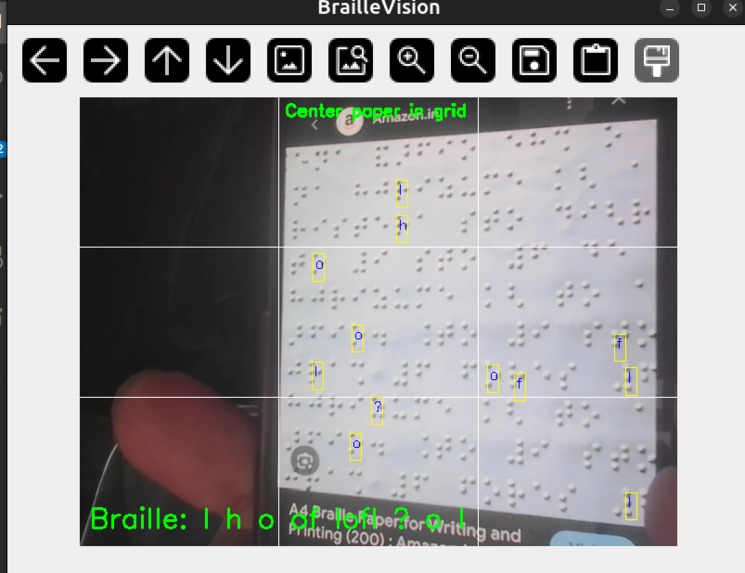
Translating the Braille
Inspiration
Braille is one of the most important tools for literacy and communication for visually impaired individuals. However, many caregivers, teachers, volunteers, and family members cannot read Braille. We wanted to create an affordable solution that could instantly translate Braille into speech using only a smartphone or webcam, making information more accessible to everyone.
What it does
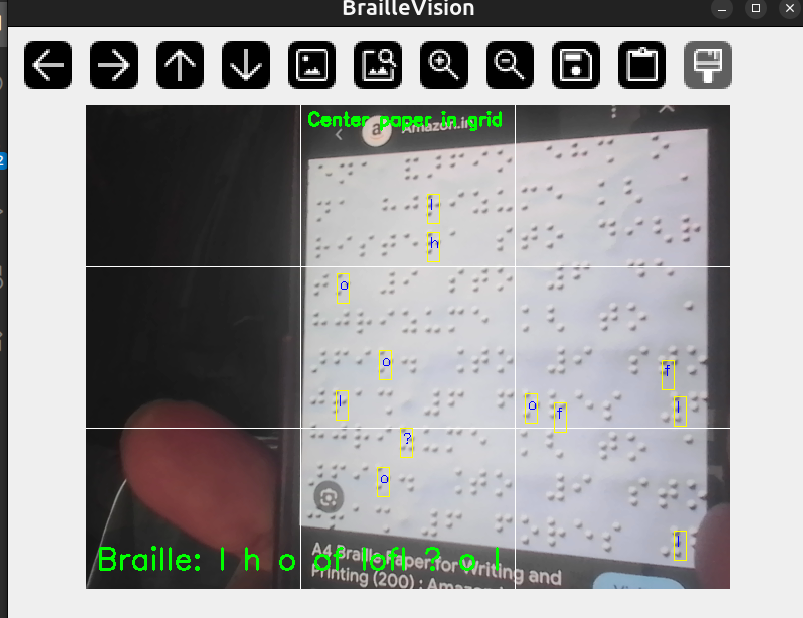
TouchSpeak captures Braille using a camera, detects the Braille dots, converts them into readable text, and speaks the result aloud in real time. The system provides both visual and audio feedback, helping users access Braille content more easily without requiring specialized hardware.
How we built it
We built TouchSpeak using Python, OpenCV, and text-to-speech technologies. The system uses computer vision techniques to:
- Detect Braille dots from camera images.
- Estimate the Braille grid structure.
- Convert detected dot patterns into Braille characters.
- Translate the characters into text.
- Read the text aloud using speech synthesis.
The project runs entirely offline and works with a standard webcam or smartphone camera.
Challenges we ran into
- Detecting small Braille dots under different lighting conditions.
- Handling blurry images, shadows, glare, and camera movement.
- Estimating Braille cell spacing when the page was tilted or partially visible.
- Reducing false detections caused by background textures and noise.
- Achieving real-time performance while maintaining accuracy.
Accomplishments that we're proud of
- Built a working end-to-end Braille-to-speech system.
- Successfully detected and processed Braille patterns from camera input.
- Developed a completely offline solution that does not require internet access.
- Integrated real-time speech output for accessibility.
- Created a low-cost assistive technology that can run on commonly available devices.
What we learned
- Computer vision systems require extensive testing under real-world conditions.
- Braille recognition is heavily dependent on robust dot detection and grid estimation.
- Accessibility-focused projects must prioritize simplicity, reliability, and ease of use.
- Iterative experimentation and debugging are essential when building assistive AI applications.
What's next for TouchSpeak
- Improve recognition accuracy on real-world Braille documents.
- Support Grade 2 Braille and additional languages.
- Develop a mobile application for Android and iOS.
- Add voice-guided camera positioning assistance.
- Introduce cloud and AI-powered enhancements for faster and more accurate recognition.
- Expand accessibility features such as haptic feedback and document translation.

Log in or sign up for Devpost to join the conversation.