Inspiration
So much of school is visual: cell diagrams, maps, graphs. For a student with vision impairment, those usually become one line of text. A label tells you the name of something, but not where it is.
The numbers back this up. RNIB's 2026 analysis of England's 2023–24 attainment data shows students with vision impairment are behind from the start. The gap is 25% at age 5 on the early-development standard, and still 20% at age 11 in reading and writing. 3 in 4 reported challenges understanding graphs or photos.
We found research showing that spatial sound can be learned. In a 2023 study of a system called Topo-Speech, blind and low-vision participants identified locations with 73% accuracy after training, compared with 11% by chance. Then we noticed a gap. Tools that let you "feel" an image with sound mostly live on tablets and phones, where your finger has an absolute position on the screen. Most students work on laptops, and a trackpad doesn't work that way. So we asked: what if a laptop trackpad could let you hear a picture?
What it does
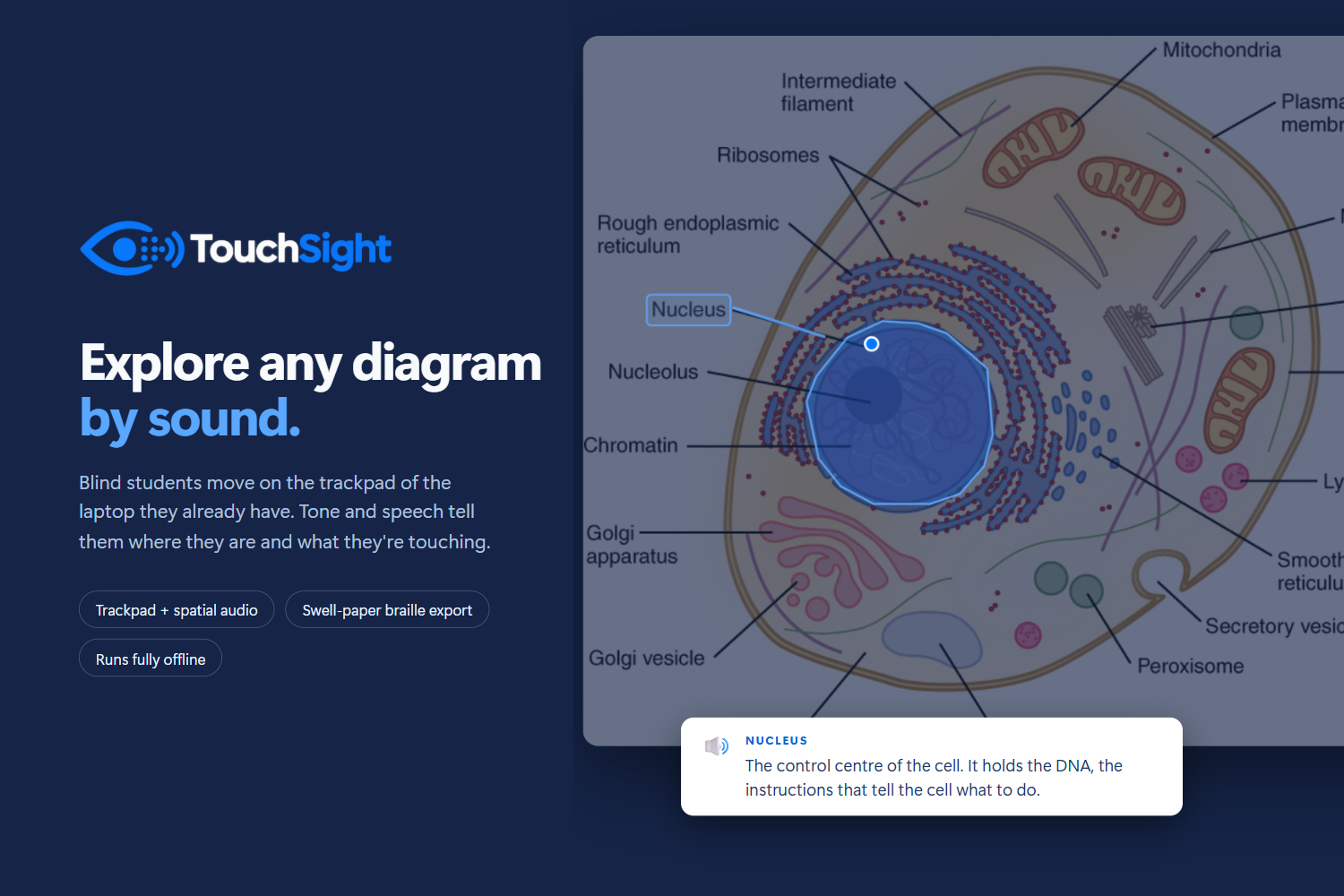
TouchSight turns a visual into a space you can explore by ear.
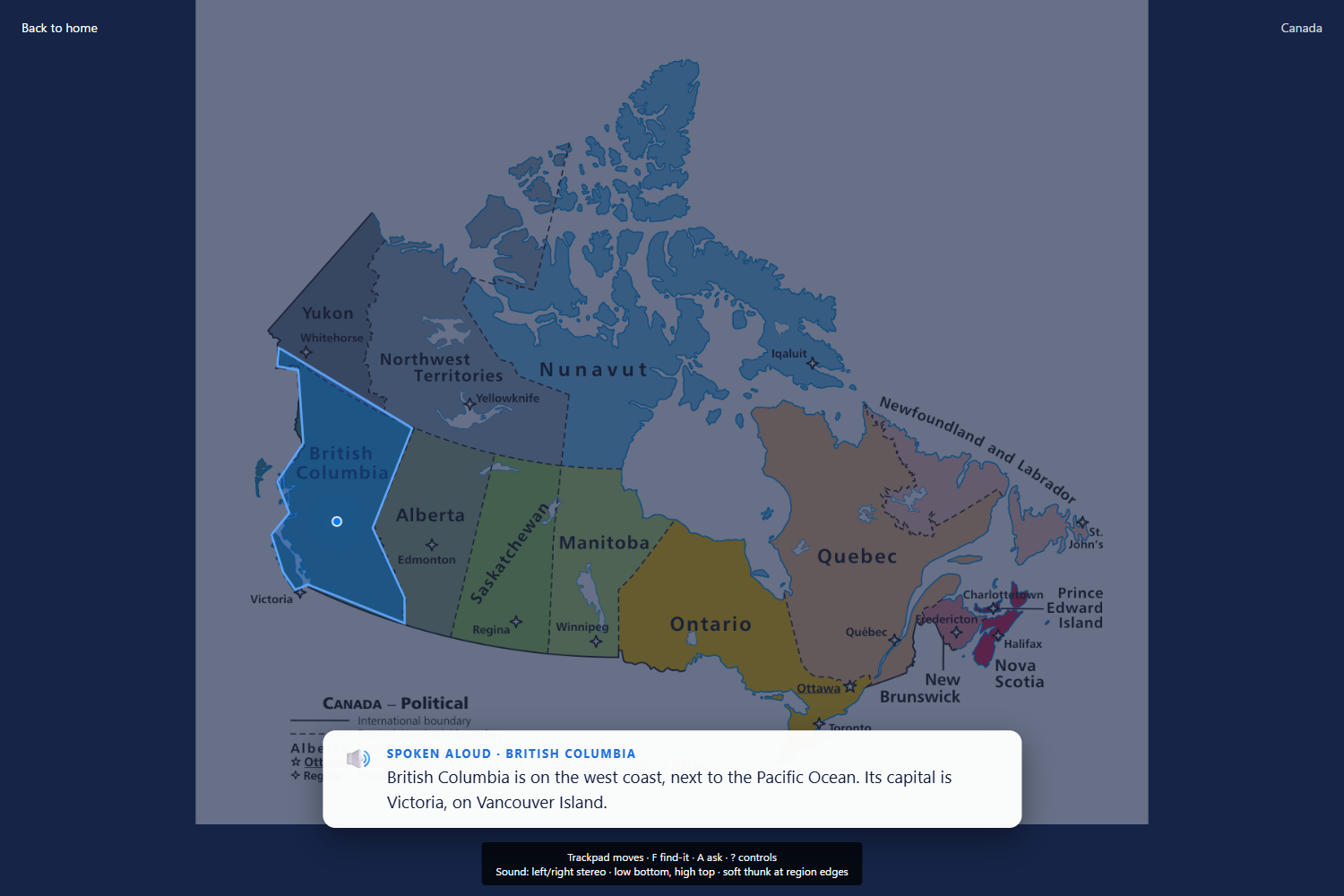
- Hear the layout. Left and right become stereo, and height becomes pitch, from 220 Hz at the bottom to 880 Hz at the top. The same spot always sounds the same, so the sound works like a coordinate system.
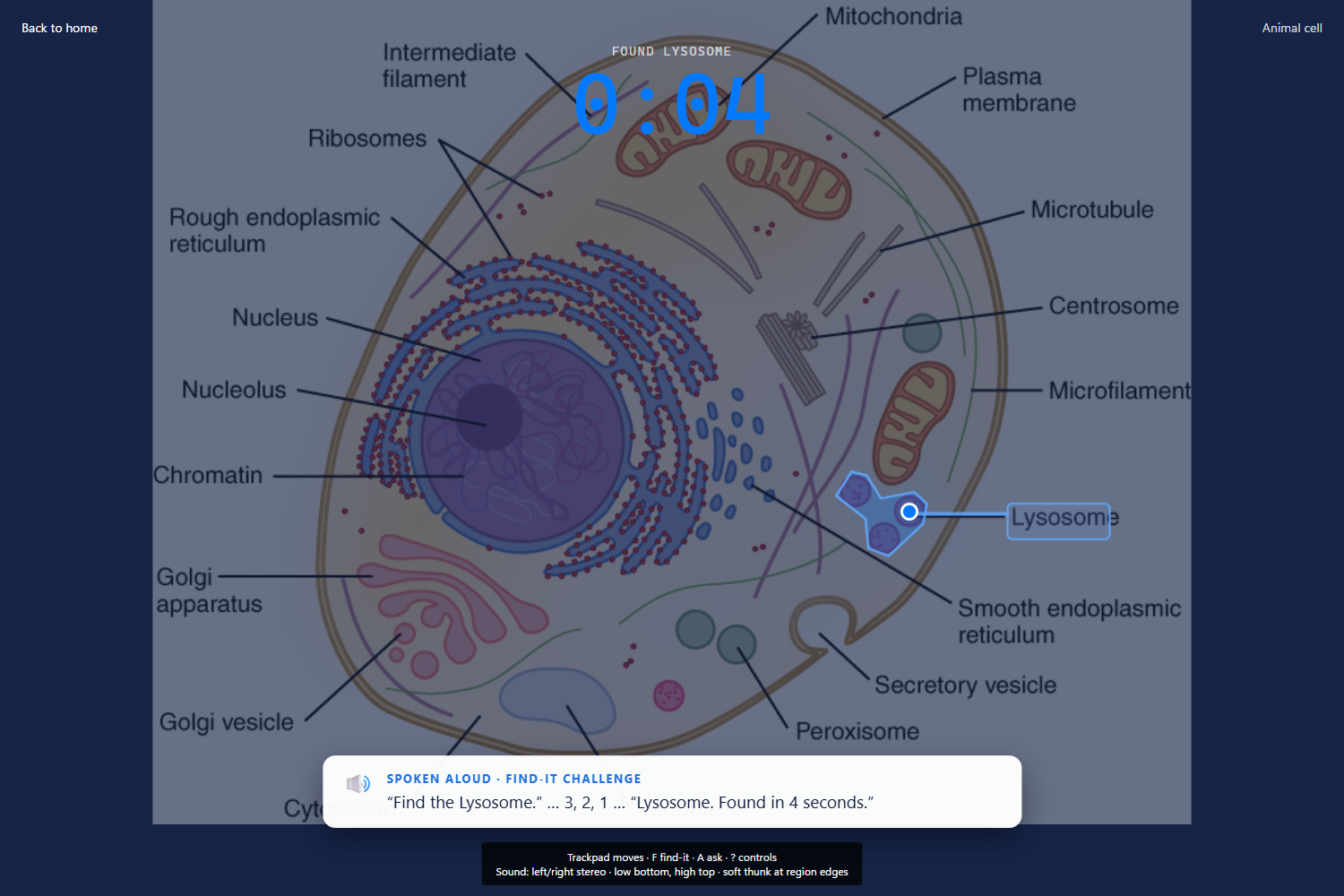
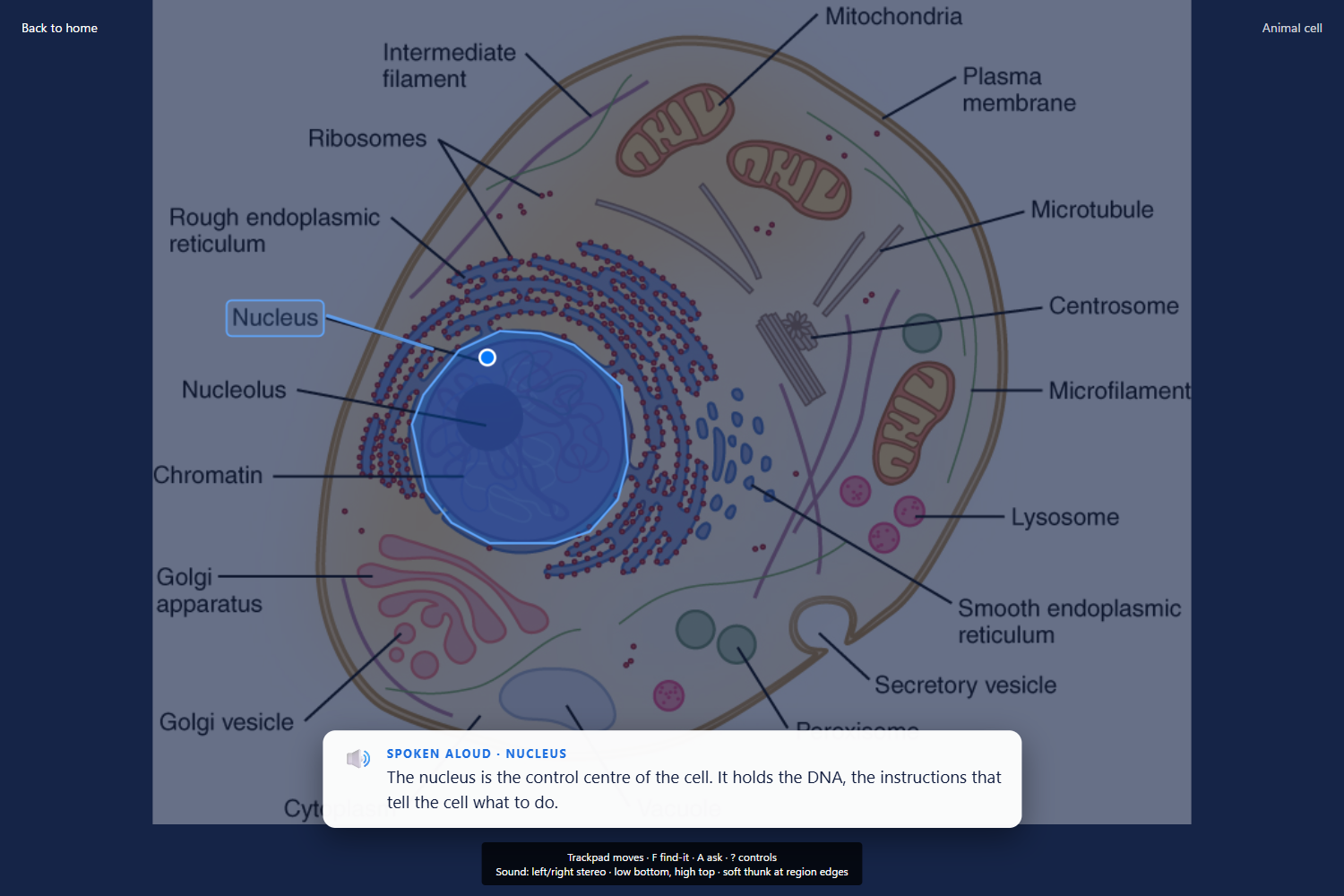
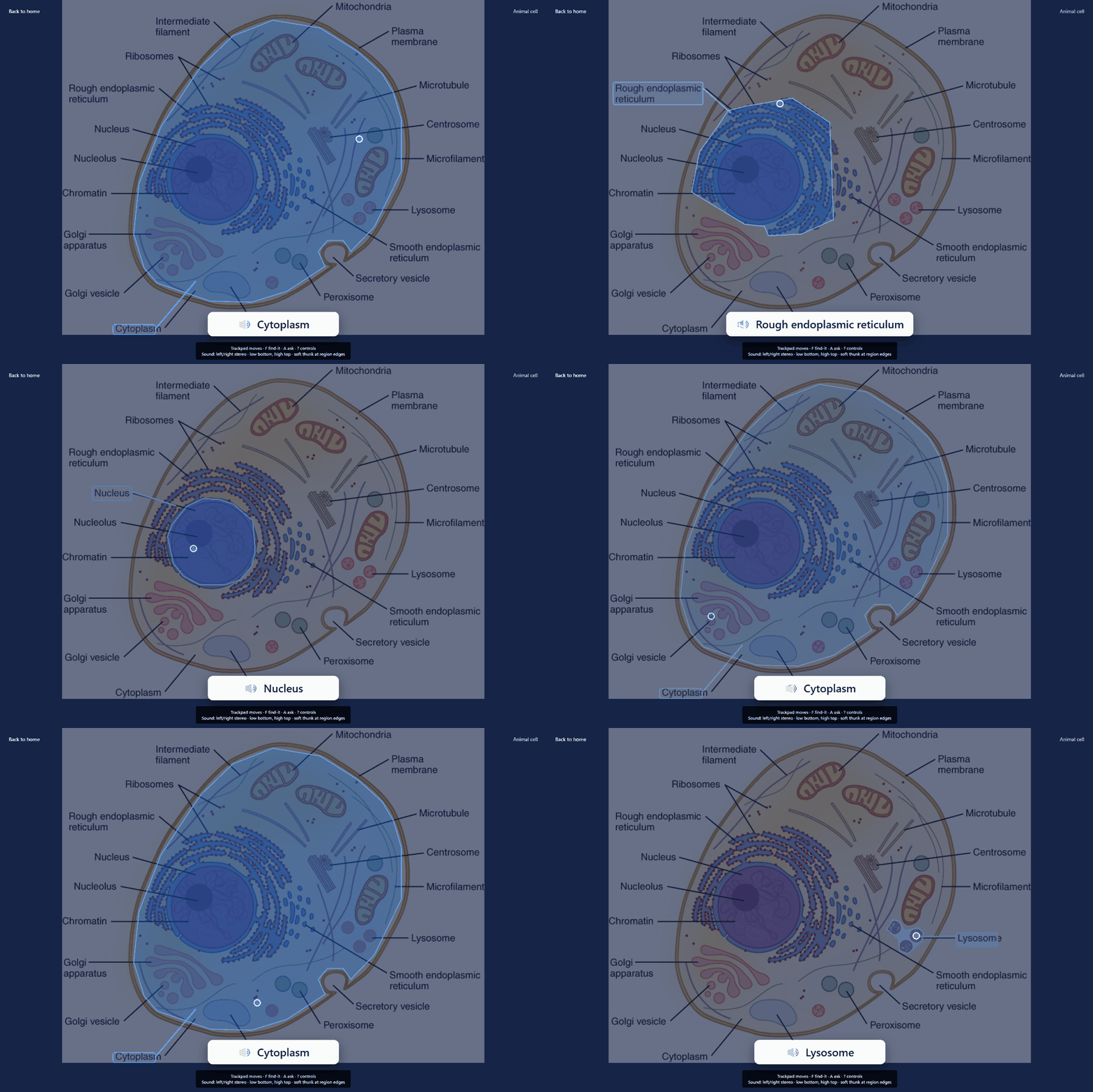
- Hear what you're touching. Moving into a new part plays a thunk and speaks its name.
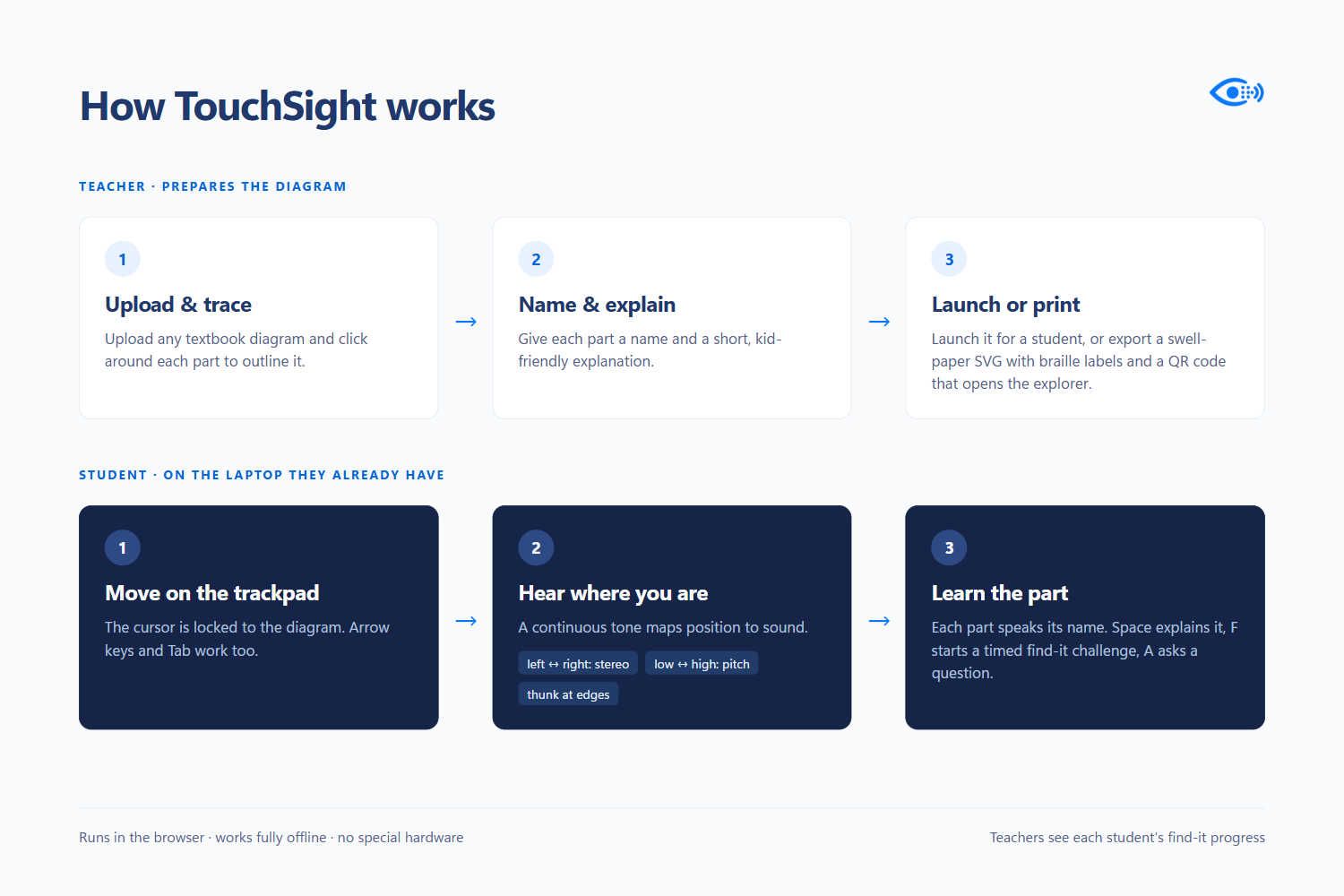
Spaceexplains the part,Tabjumps between parts, and the arrow keys move you. - Practice with a game. Find-it mode gives you a target, plays a quick hint of where it is, and times your search.
- Ask questions out loud. Press
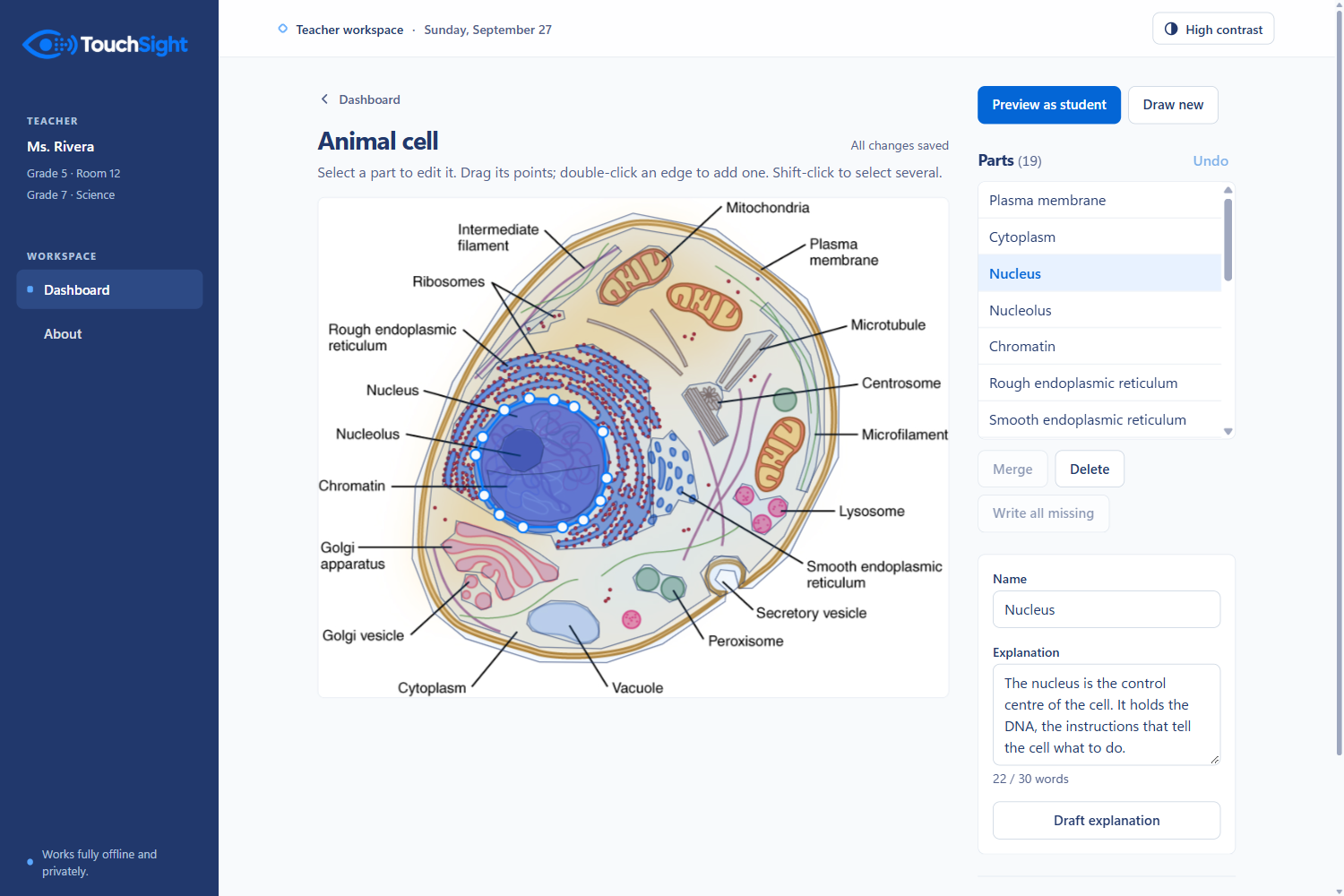
Aand ask about the part you're on. Whisper transcribes your voice on the device, and you can type the question instead. - Teach your way. Teachers upload a PNG or JPG, trace and name each region, write the explanation students will hear, preview it, and assign it to a class.
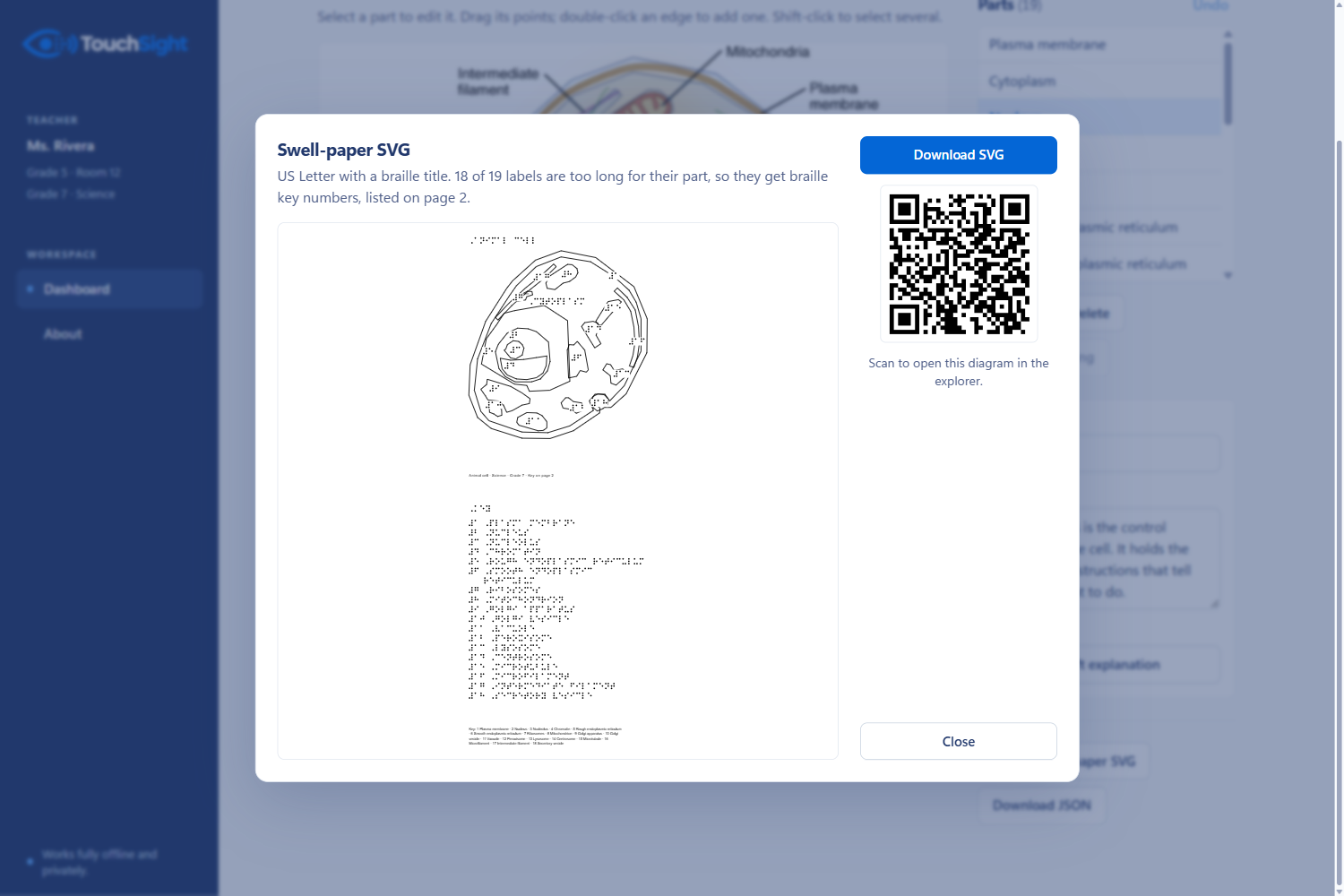
- On screen or on paper. The same map exports as an SVG with basic braille labels, ready for a swell-paper tactile print.
How we built it
- Extensive planning with our mentor and codex, reviewing functions, testing limits, and designing code.
- React + TypeScript + Vite + Tailwind, with no backend. Images, preferences and session records are stored in the browser with IndexedDB.
- Web Audio API: an oscillator feeds a gain node and then a
StereoPannerNode. Pan is2x/width − 1, and pitch is220 · 4^(1 − y/height), so halfway up is exactly one octave above the bottom. - Pointer Lock API turns the trackpad into a relative cursor that can't slide off the screen. Hitting the edge of the image makes its own "wall" thunk.
- Point-in-polygon hit-testing (ray crossing) finds the region you're in. When shapes are nested, the smallest one wins, so the nucleolus beats the nucleus.
- Whisper (
whisper-tiny.en) runs through Transformers.js on WebGPU for local voice transcription.speechSynthesisor an ARIA live region reads the labels aloud. - SVG export draws braille dots in millimetres at US Letter size, and switches to a numbered key when a label won't fit.
We split the work into three, but unfortunately one team member had to drop halfway through. Instead, work was divided in two; the student explorer and the teacher workspace, with a shared contract for data types. That let us build both at once and merge cleanly.
We have gotten express approval from Jay Park ahead of time that we will still remain eligible for all prizes and awards despite presenting as a team of two.
Challenges we ran into
- A trackpad isn't a touchscreen. There's no absolute position, so we had to make the position itself audible and keep it consistent enough to learn.
- Too much sound is noise. Continuous tones got tiring, so we fade them when you stop moving, lower them during speech, and use short thunks for edges instead.
- Thin parts. Structures like the cell membrane are only a few pixels wide, so selection kept flickering. We added buffer zones so the current part stays selected near its edge.
- Timing. Announcements, audio cues and the find-it hint all had to line up without talking over each other.
Accomplishments that we're proud of
- You can close your eyes, move a laptop trackpad around a cell diagram, and find the mitochondrion by sound alone.
- The whole loop works in one app: a teacher maps an image, a student explores it, the attempt shows up on the teacher's dashboard, and the same map prints as a tactile graphic.
- Voice questions run through a speech model on the student's own laptop.
What we learned
- Two simple cues (stereo and pitch) carry far more spatial information than we expected.
- Designing for no screen changes everything: every action needs a sound, a key and a spoken confirmation.
What's next for TouchSight
- Build with users: a small pilot with blind and low-vision people and accessibility educators, measuring accuracy, completion time, comfort and how long authoring takes.
- Automate region and label mapping so teachers don't have to trace everything by hand.
- Go beyond diagrams: charts, infographics, maps and visual guides.
Our goal: more independence when exploring visual information.
Built With
- claude
- codex
- css3
- html5
- indexeddb
- react
- svg
- tailwindcss
- transformers.js
- typescript
- vite
- whisper

