TOUCHSCAPE — What if you could feel a photograph?
Inspiration
A photograph can capture an entire world in a fraction of a second. But what happens when the information inside that photograph cannot be accessed visually?
For millions of people with visual impairments, images can contain information that conventional accessibility tools struggle to communicate. Alt text can describe a scene, but it cannot easily convey the spatial relationships, boundaries, and shapes within it.
We wanted to explore a different possibility: what if anyone could transform a photograph into a tactile illustration that could be explored, edited, and eventually produced physically?
That question became TOUCHSCAPE.
What it does
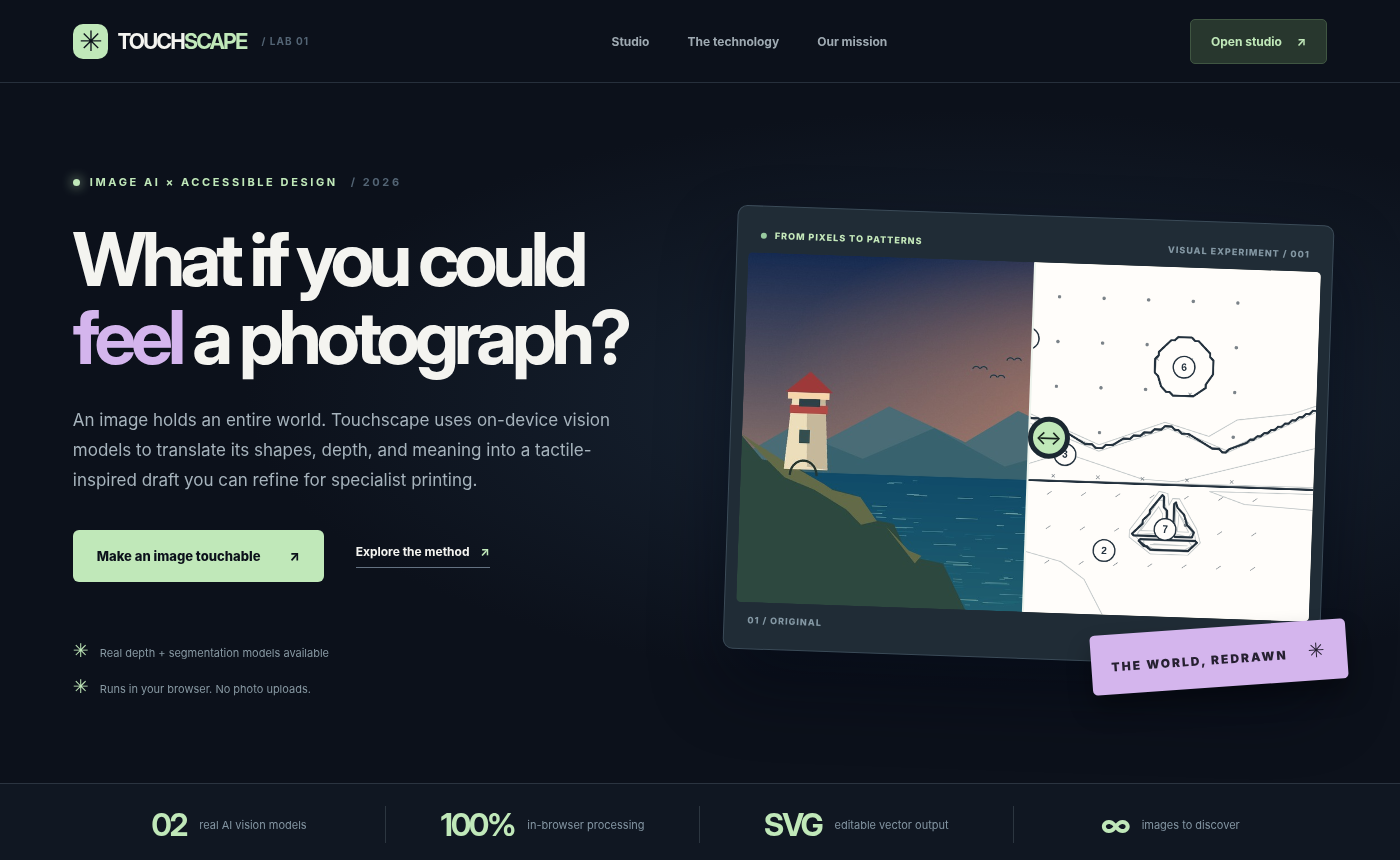
TOUCHSCAPE is a browser-based computer vision studio that transforms ordinary photographs into editable, tactile-inspired vector illustrations.
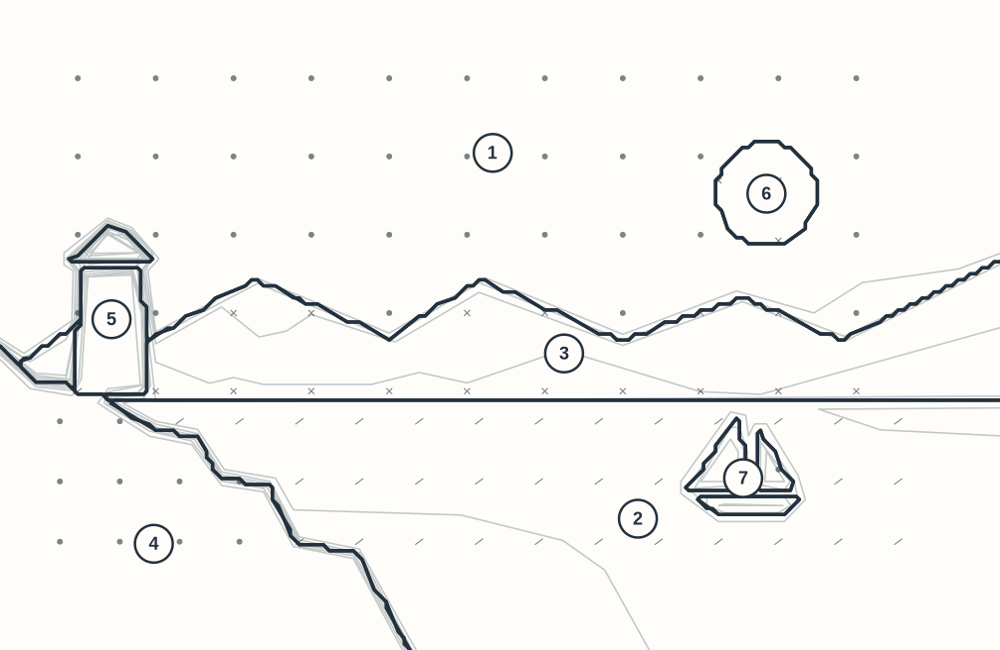
Instead of merely generating an image caption, TOUCHSCAPE analyzes the structure of a scene and translates visual information into simplified geometric representations.
The application combines:
- Semantic segmentation: SegFormer identifies meaningful regions within a photograph.
- Depth estimation: Depth Anything estimates relative spatial depth.
- Custom vectorization: Our geometric processing pipeline converts image regions into structured contours and vector paths.
- Interactive editing: Users can select regions, correct labels, adjust contour detail, simplify scenes, and switch between Hybrid, Objects, and Depth modes.
- Tactile design tools: Distinct textures, numbered regions, and simplified outlines help prepare illustrations for tactile interpretation.
- A4 Print Lab: Users can generate dimensioned SVG drafts for further adaptation into physical tactile materials.
- Export tools: Download SVG, PNG, and JSON outputs for inspection and further processing.
The result is not just another AI-generated picture. It is an editable intermediate representation connecting computer vision with accessible design.
How we built it
TOUCHSCAPE runs as a web application using JavaScript, HTML, CSS, browser-based machine learning, and custom computational geometry.
Our processing pipeline follows five stages:
1. Image input: A user uploads a photograph directly into the browser.
2. Scene understanding: SegFormer and Depth Anything analyze semantic regions and spatial depth.
3. Geometric translation: A custom contour extraction and vectorization engine converts the results into paths suitable for further editing.
4. Human refinement: Users can remove visual clutter, correct classifications, prioritize important regions, and adjust the level of detail.
5. Export: The final representation can be downloaded as vector artwork or a dimensioned A4 design draft.
We also developed a deterministic fallback pipeline so that users can still explore image-to-vector processing when neural inference is unavailable.
Challenges we faced
The hardest challenge was not simply connecting two computer vision models. It was translating their predictions into something meaningfully different from the original image.
Segmentation masks can be noisy. Depth maps contain relative values rather than physical distances. Automatically extracted contours can generate hundreds of unnecessary paths.
A tactile-oriented design should prioritize meaningful structure rather than reproduce every visible detail.
We therefore implemented contour simplification, complexity controls, semantic region editing, and multiple visualization modes.
Another challenge was reliability. Browser-based neural inference may encounter model-loading failures, memory limitations, or partial results. TOUCHSCAPE handles these cases explicitly and distinguishes full neural analysis from partial analysis and offline previews.
Accomplishments we're proud of
- Built an end-to-end image-to-vector workflow integrating two computer vision models.
- Implemented our own contour extraction and vector-processing logic.
- Created an interactive studio rather than a static AI demonstration.
- Added a print-oriented A4 SVG workflow with real physical dimensions.
- Implemented human-in-the-loop region correction and scene simplification.
- Passed 22 automated unit tests and browser interaction tests.
- Successfully ran a dual-model browser analysis that produced nine detected regions and 101 vector paths on a test photograph.
What we learned
Accessibility requires more than applying AI to an existing interface.
A technically impressive prediction is not necessarily a usable representation. Human control, geometric clarity, transparent limitations, and the ability to correct mistakes are essential parts of the design process.
We also learned that a useful AI application needs to remain understandable and functional when a model fails.
What's next
Our next priority is testing TOUCHSCAPE with blind and low-vision users, accessibility educators, and tactile graphics specialists.
We want to evaluate whether the generated illustrations genuinely communicate useful spatial information, rather than assuming that visually convincing contours automatically make good tactile diagrams.
Future development could include physical embossing workflows, improved texture and spacing rules, automated tactile-readability evaluation, accessible object labeling, and integration with educational materials.
The current A4 exports are design prototypes, not certified braille or production-ready tactile graphics. Physical usability requires specialist review and testing.
Our long-term vision is simple: visual information should not be limited to visual experiences.
TOUCHSCAPE is a step toward making images something more people can explore.
From seeing to feeling.
Built With
- computer-vision
- css3
- depth-anything
- github
- html5
- hugging-face
- javascript
- onnx-runtime-web
- python
- segformer
- svg
- transformers.js

Log in or sign up for Devpost to join the conversation.