-
-
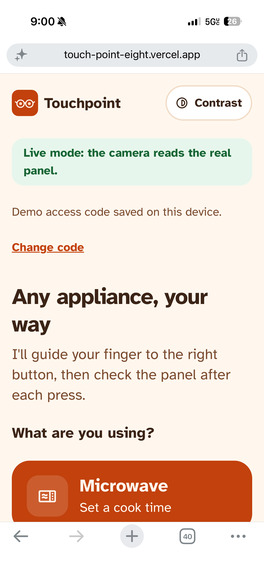
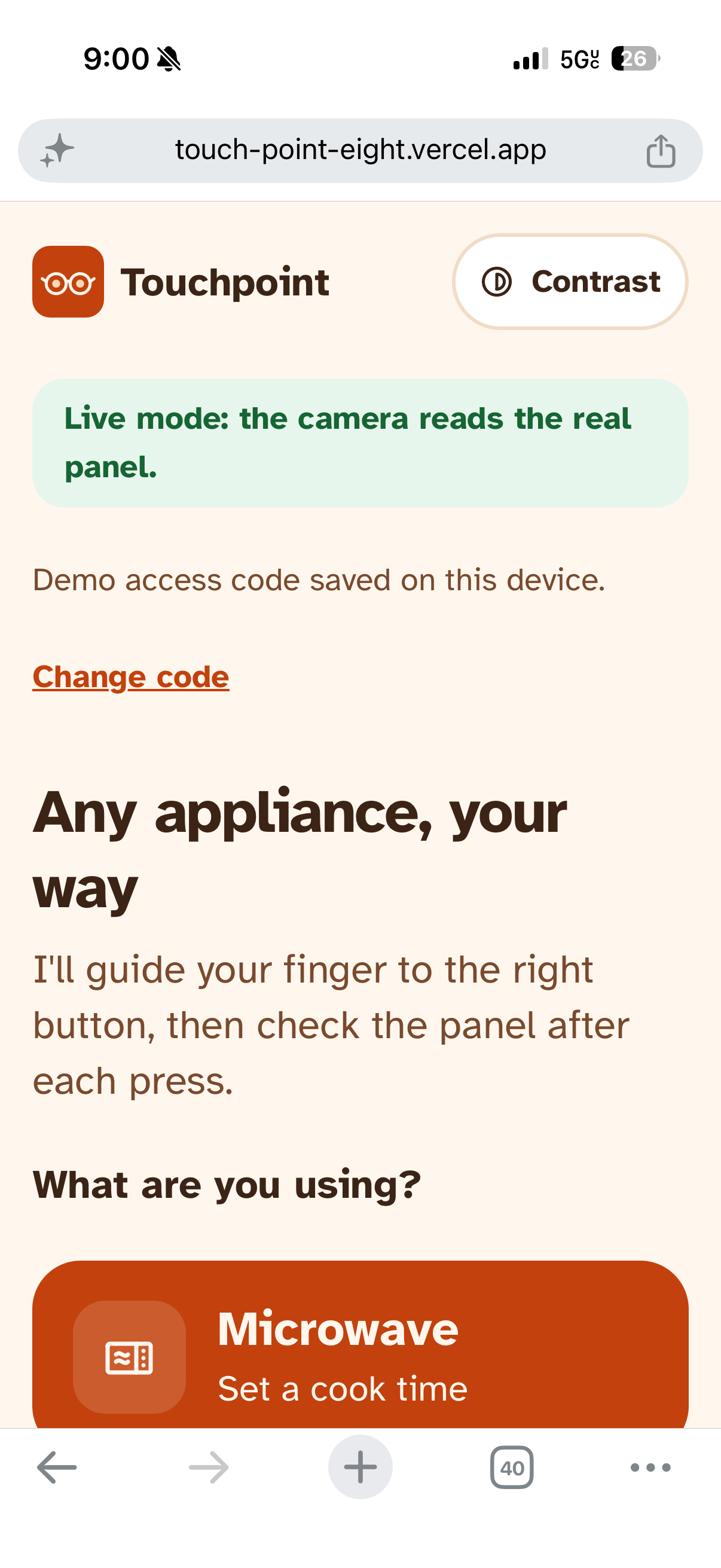
TouchPoint home page
-
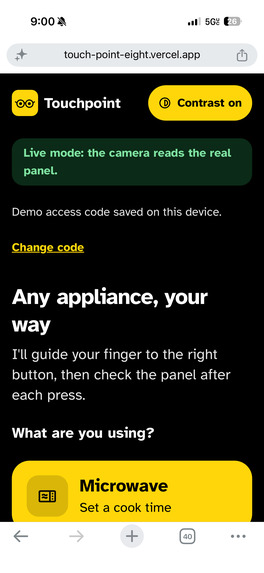
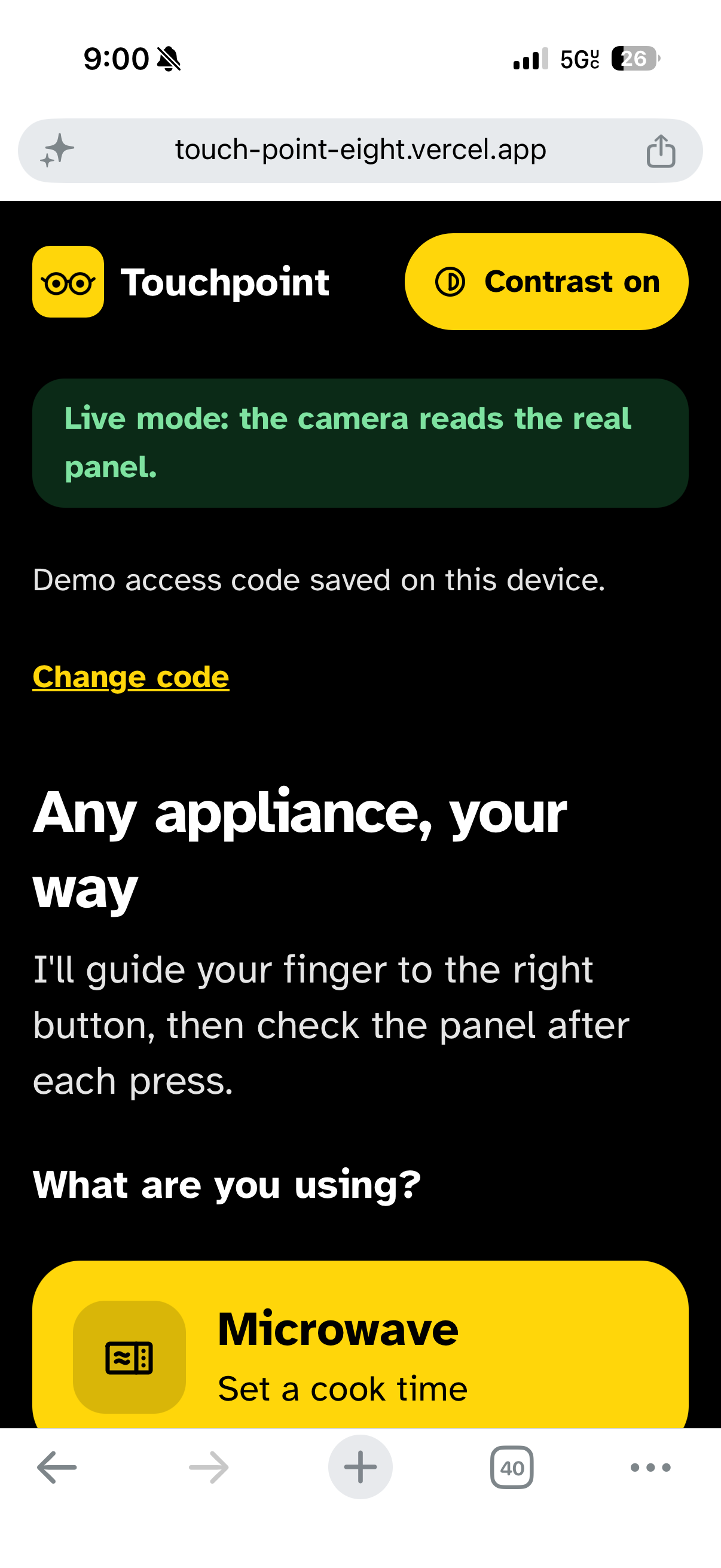
Alternate setting - low vision
-
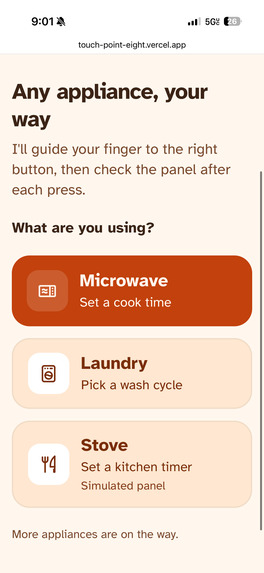
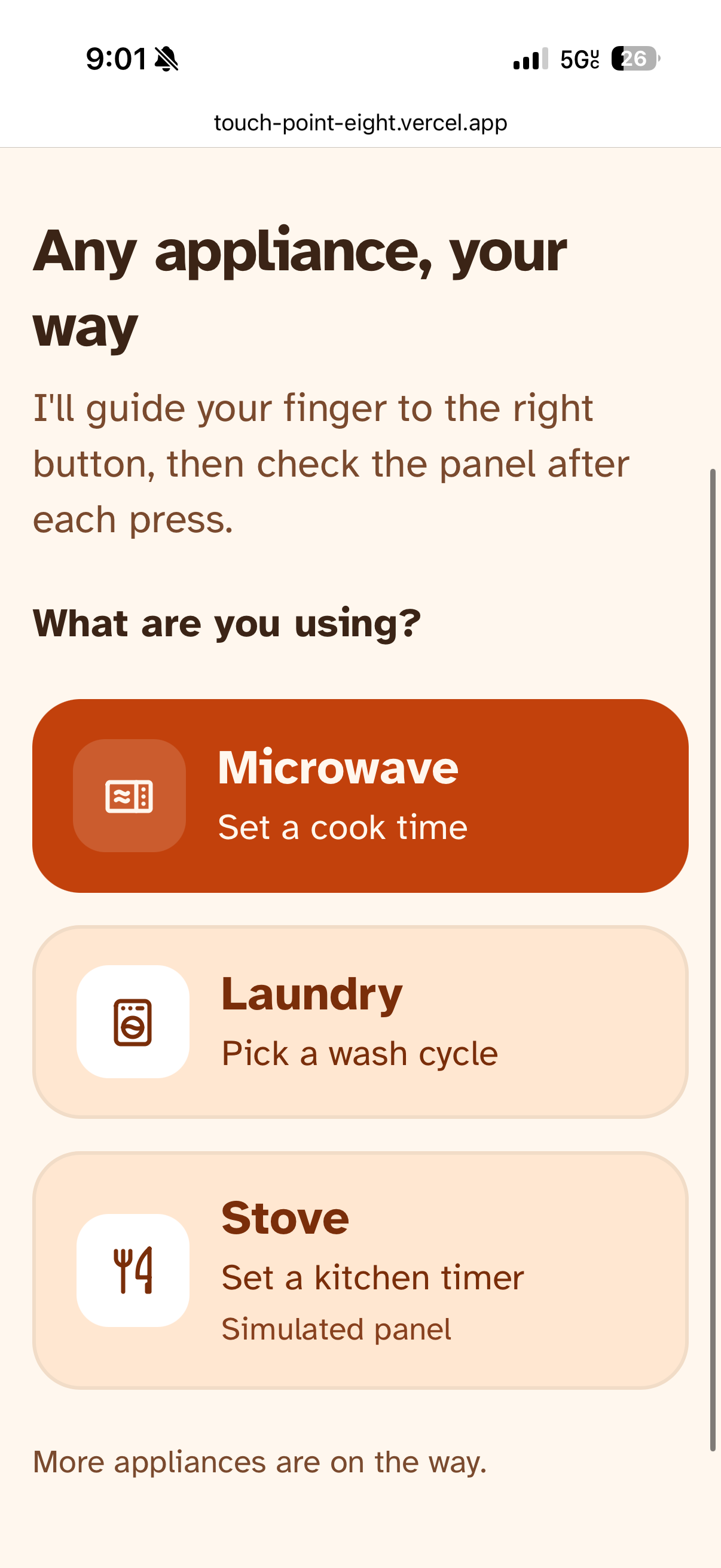
Appliance menu
-
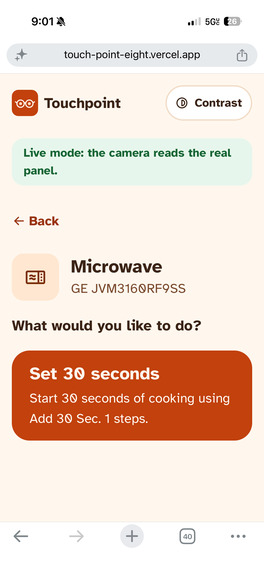
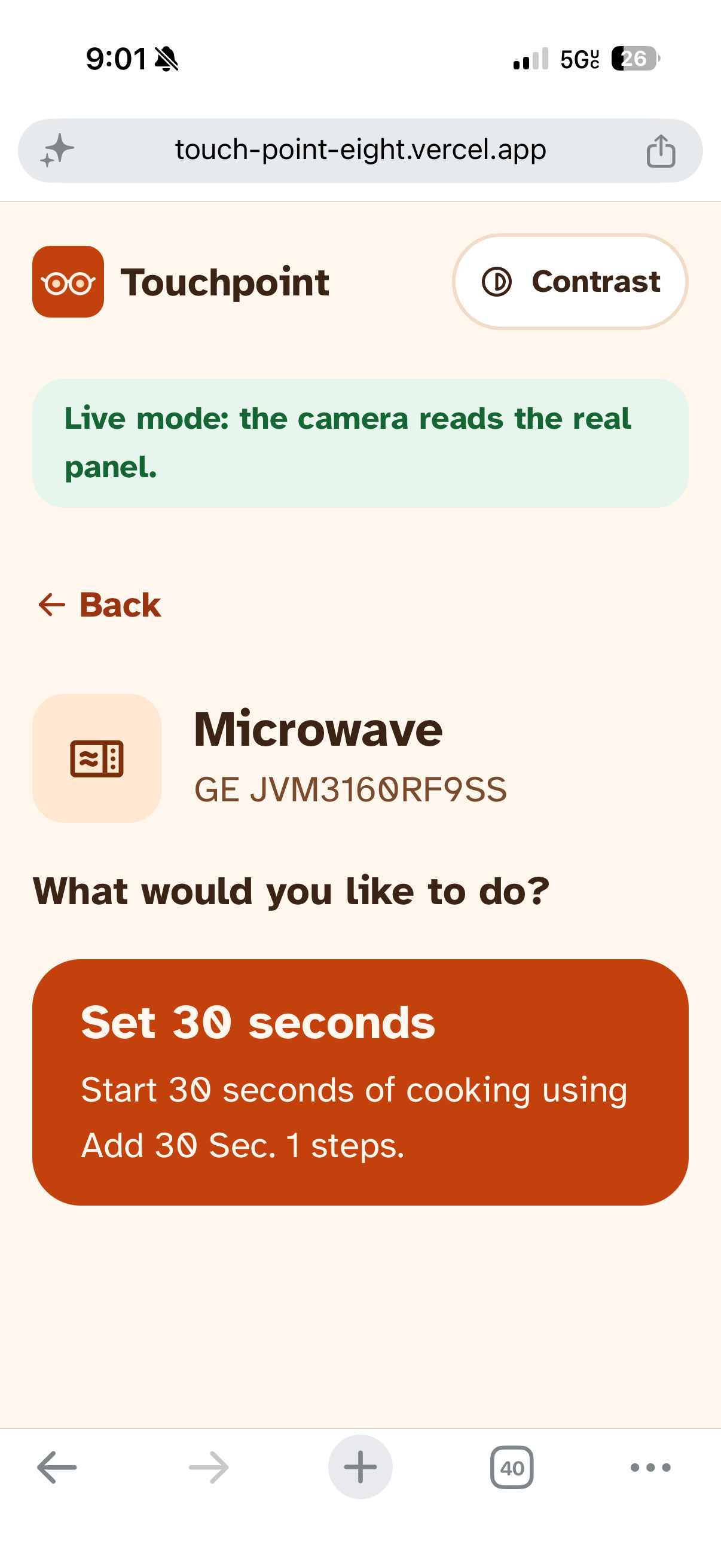
Microwave menu
-
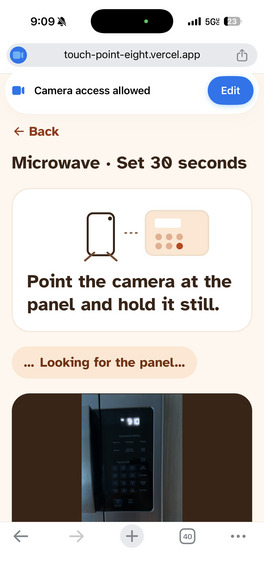
Demo 1
-
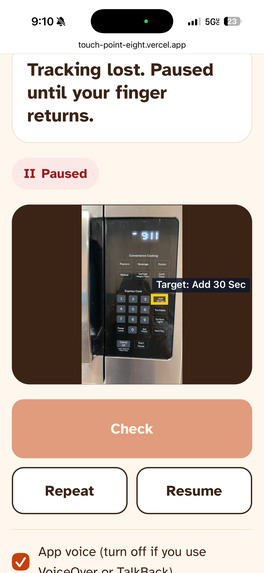
Demo 2
-
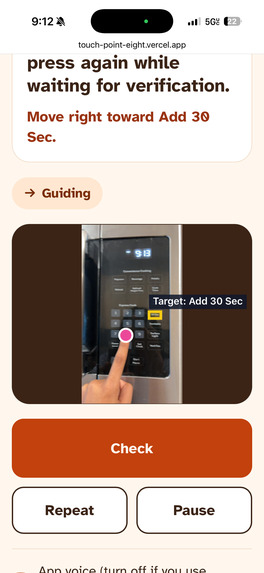
Demo 3
-
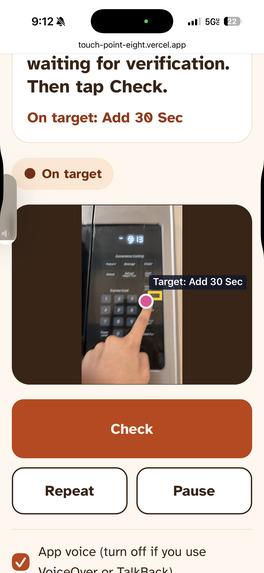
Demo 4
Inspiration
When brainstorming, we were taken back to the first days we spent in our own apartment. We struggled so heavily with getting used to new appliances: our microwave and washer especially. It was not only difficult to understand how they functioned, but it took us ages to press the right buttons to perform simple, everyday tasks. We couldn’t help but think how hard it would be for someone who couldn’t see the buttons at all.
Appliances have quietly moved from physical knobs and buttons to flat panels, tiny printed labels, and small indicator lights. For blind and low-vision people, that often means asking a roommate or a stranger for help with something as basic as warming up food or starting laundry. This happens especially with shared appliances in dorms, apartment buildings, or someone else’s home, where you can’t add braille stickers. We wanted to give that independence back.
What it does
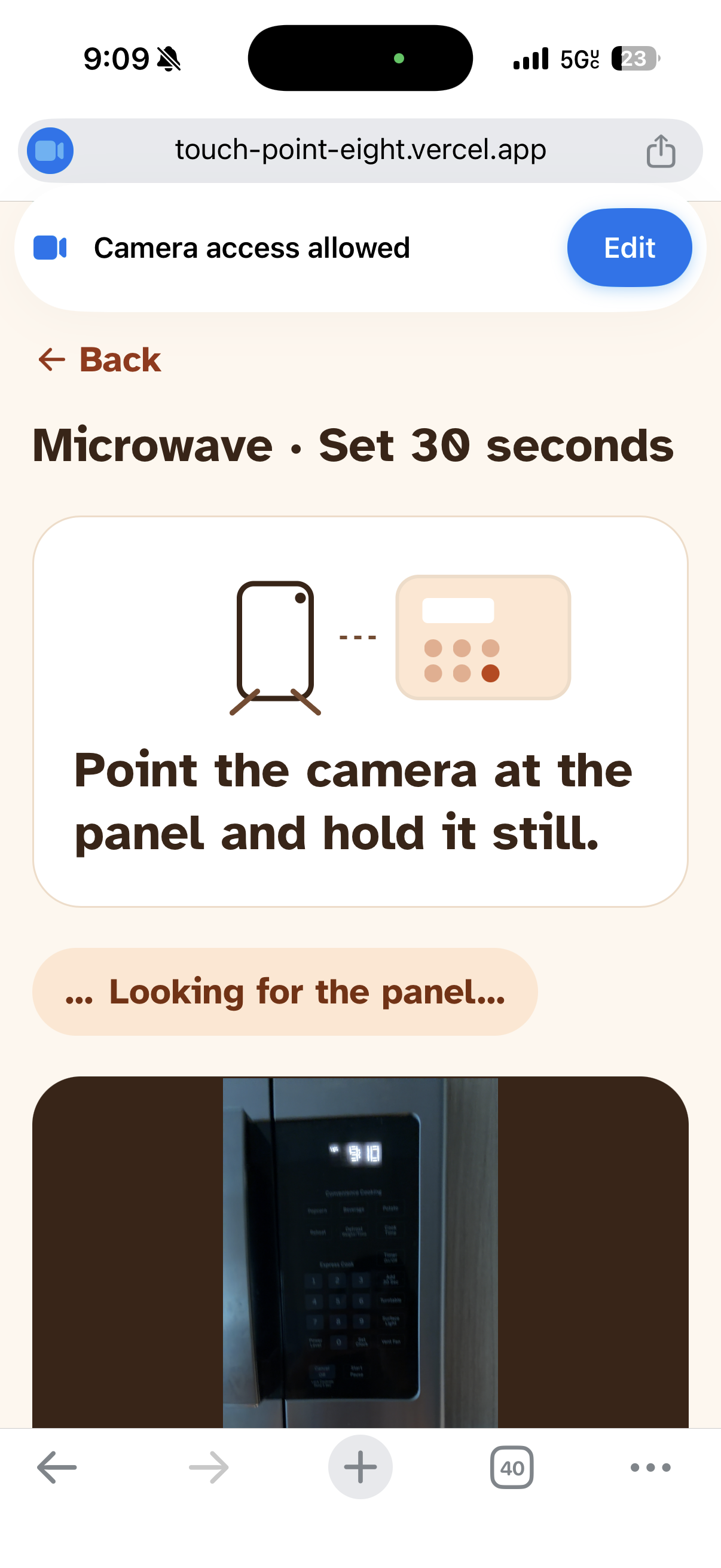
Touchpoint: any appliance, your way. You prop your phone up facing an appliance’s control panel, choose what you want to do (for example, “Normal wash, cold water”), and Touchpoint walks you through it:
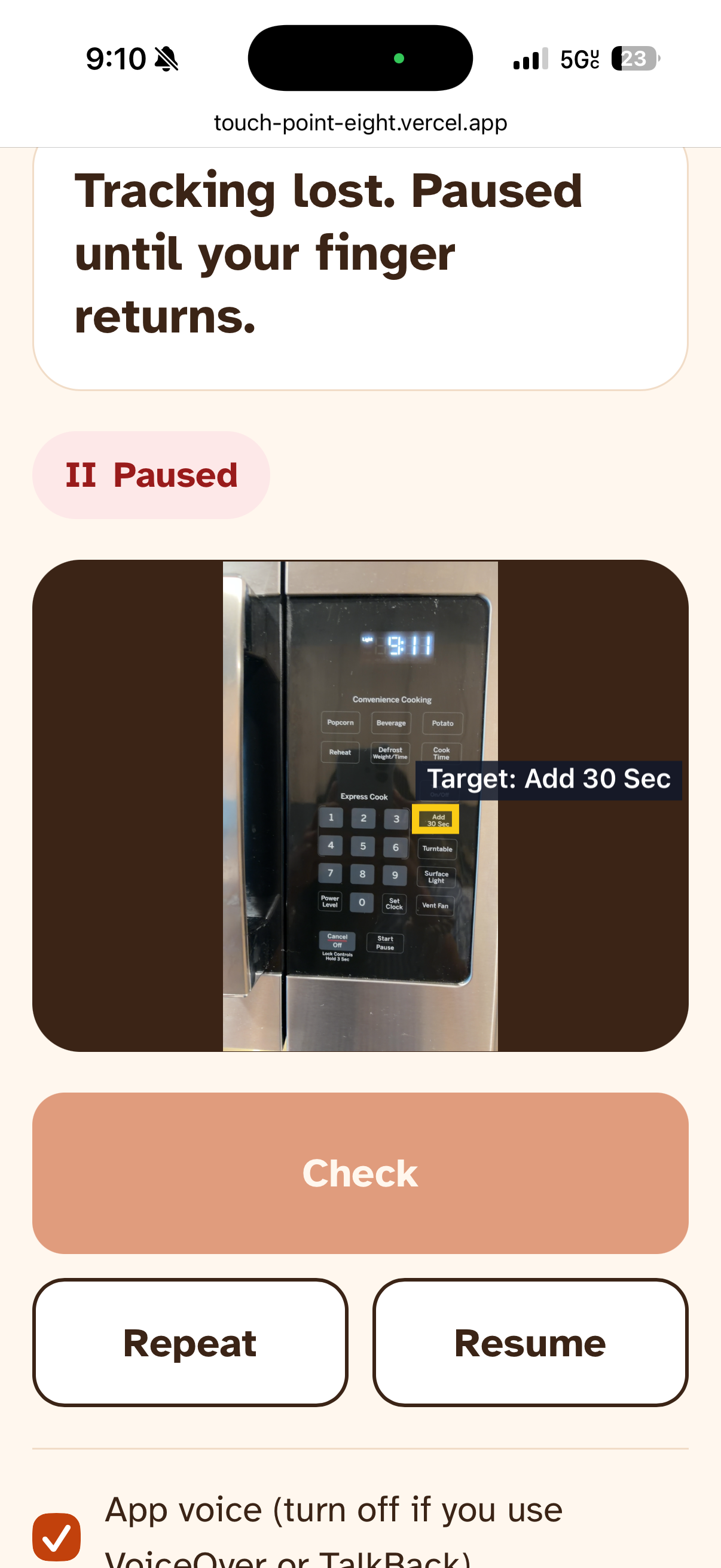
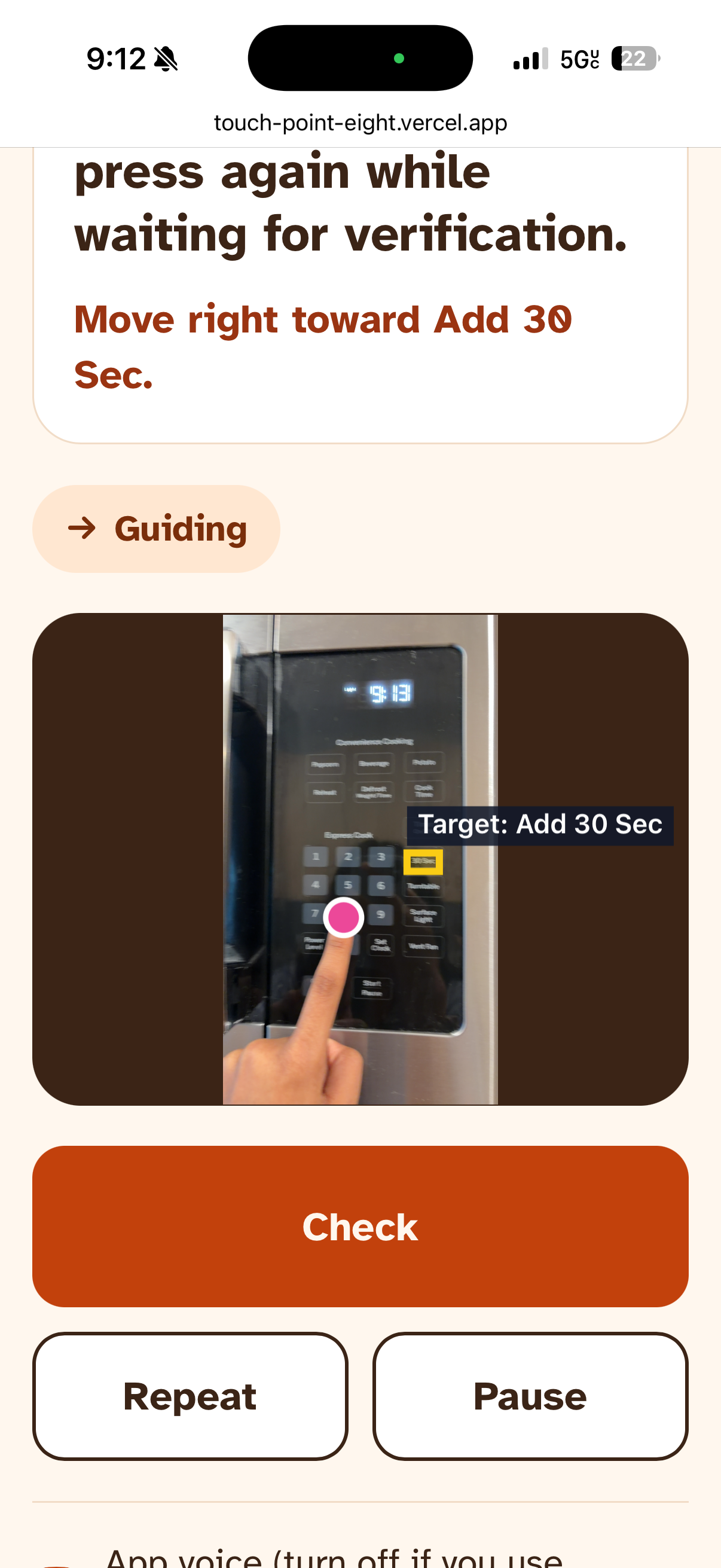
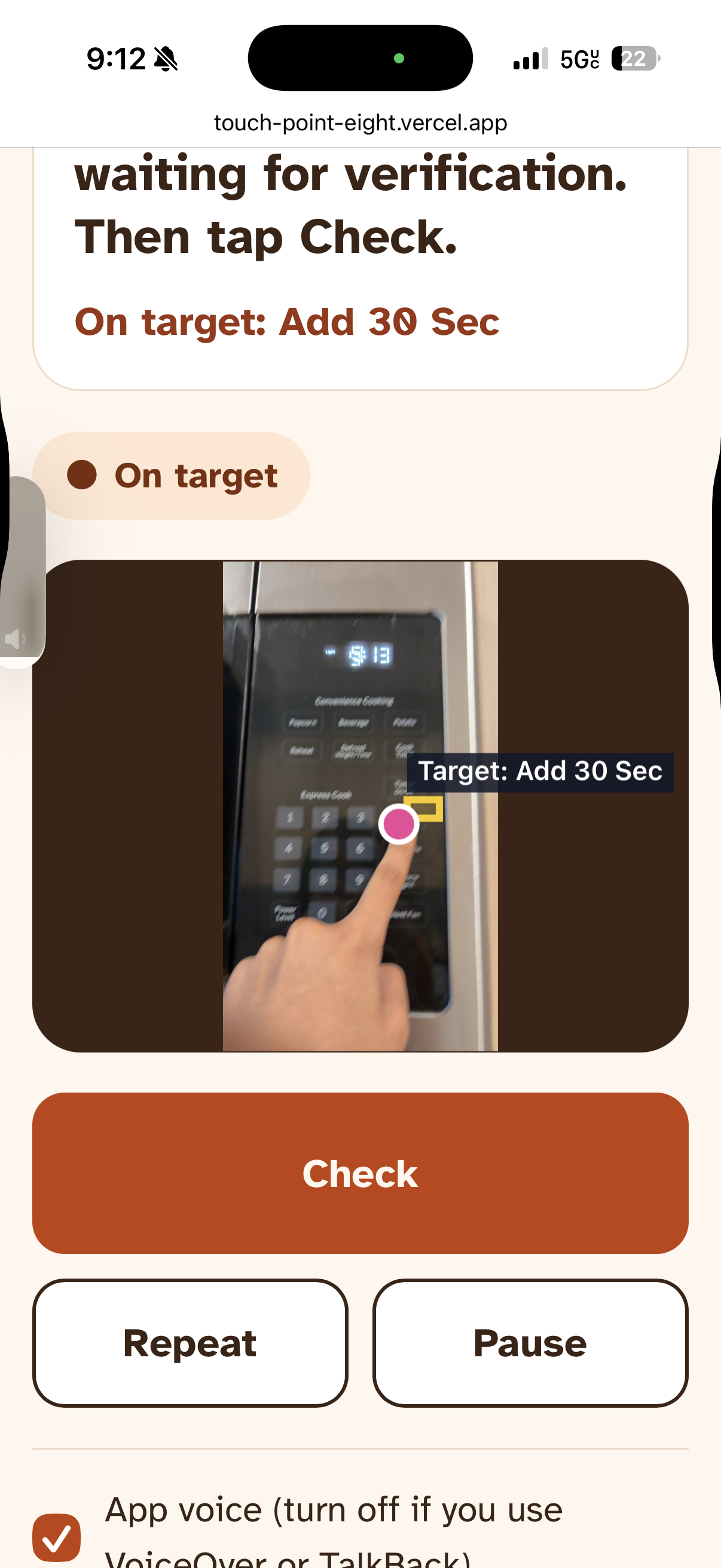
- It finds the controls. The camera scans the panel and locates the buttons and dials the task needs. Touchpoint tracks your fingertip live and gives short spoken directions (“move right toward Temp”) until you’re on target, then plays a chime.
- It checks every press. After each action, Touchpoint takes a fresh look at the panel and confirms what actually changed, only moving to the next step when it can see that it worked.
- It never guesses. If the panel is blocked or unreadable, it says so and asks you to check again, rather than assuming success.
Every instruction is spoken and shown in large text. The app uses Atkinson Hyperlegible, a font designed for low-vision readers, and has a one-tap high-contrast mode (black and yellow) that also follows the phone’s own contrast setting.
How we built it
- Frontend: Next.js, React, TypeScript, and Tailwind
- Fingertip tracking: MediaPipe Hand Landmarker runs on the phone, and we map the fingertip with the detected controls.
- Perception: The Perceptron API locates controls on the panel and reads the appliances state after each step: which indicator lights are on, or what the display shows.
- Routine engine: Each supported appliance model has a checked profile listing its controls, the steps of each routine, and the visible result expected after every step.
- Safety by design: the server validates every model response, and a malformed or unclear answer counts as “uncertain,” never as success. API keys stay on the server.
- Deployment: Vercel, as it runs on any phone with a camera.
- Voice and sound: Browser’s built-in Web Speech API
Challenges we ran into
Our first versions explained things in ways only a sighted person could use, like “the light next to Normal” or relying on the camera overlay. We had to rethink every instruction so it actually helps a blind user, and doesn't make any assumptions. Additionally, every appliance is different. Our microwave uses a single “Add 30 Sec” button instead of a keypad, and our washer sets its cycle with a dial and “Cold” through a “Temp” button. We built a system where each appliance model has its own checked profile, so adding a new one means adding data, and allows for any appliance format to work.
Accomplishments that we're proud of
We're most proud of making our initial idea a reality. This concept seemed very complex at the beginning, especially because the frontend needed to be heavily integrated with the backend. There were a lot of pieces to build the final product, and it took a lot of time to figure out how to delegate tasks and make the overall idea something people could actually see themselves using. There wasn't too much we had to compromise on, instead we iterated on an idea and made it inherently stronger rather than veering off in another direction.
What we learned
Doing a hackathon with just two people is never easy. We each took ownership of one half, the UI and the perception engine, so we could build in parallel and come together with a working product. That only worked because we agreed on how the two halves would talk to each other at the very start and built against mock data until the real pieces were ready.
We also learned that accessibility is about trust, not just access. A tool that sometimes guesses wrong is worse than no tool at all, so we made “I’m not sure, check again” a normal answer instead of pretending to succeed.
What's next for TouchPoint
- Testing with blind and low-vision users, and shaping the next version around their feedback.
- More appliances, verified one model at a time, starting with shared machines in dorm laundry rooms, break rooms, and apartment buildings.
- Adding more functions for each appliance, so users don't need to worry about a lack of options.
Built With
- next.js
- perceptron
- typescript
- vercel

Log in or sign up for Devpost to join the conversation.