What if I made LED's controllable by touch?
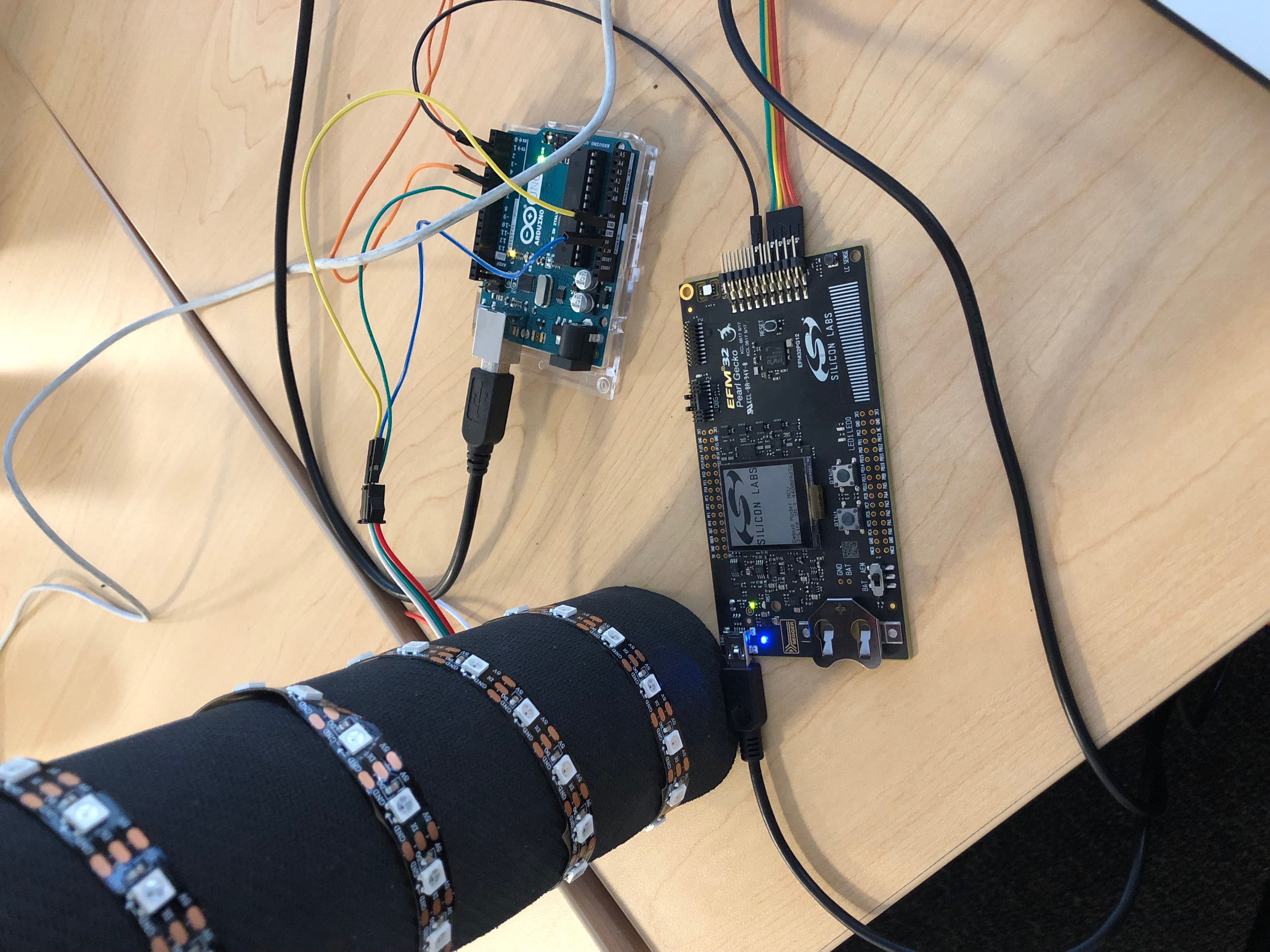
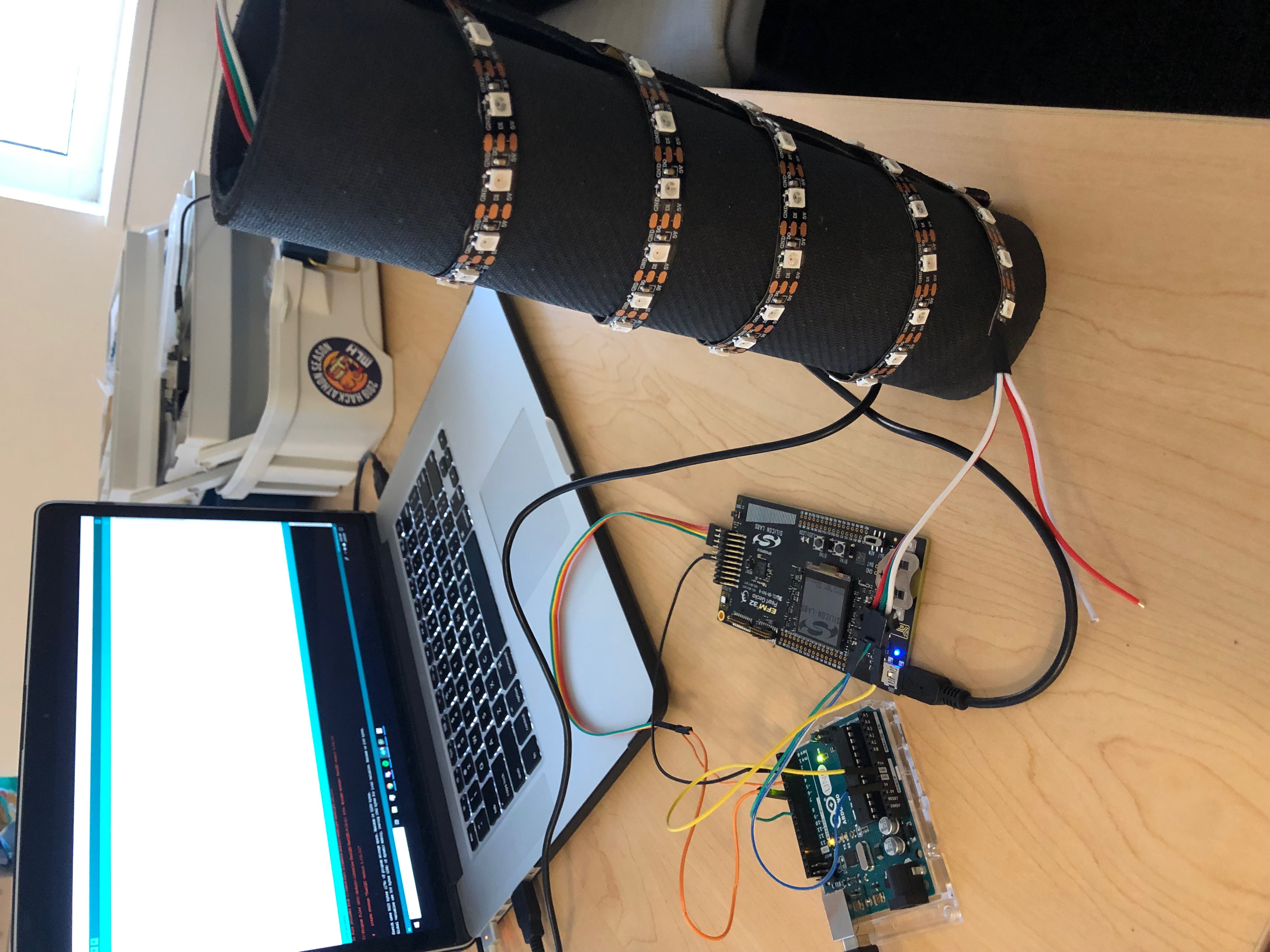
Touch sensors are in our everyday life, but with a little work, and a couple of micro controllers, I figured I could add some flare to the ordinary touch sensor. There are only three components: A low power consumption board called the Pearl Gecko, an Arduino Uno, and a strip of LEDs.
What it does
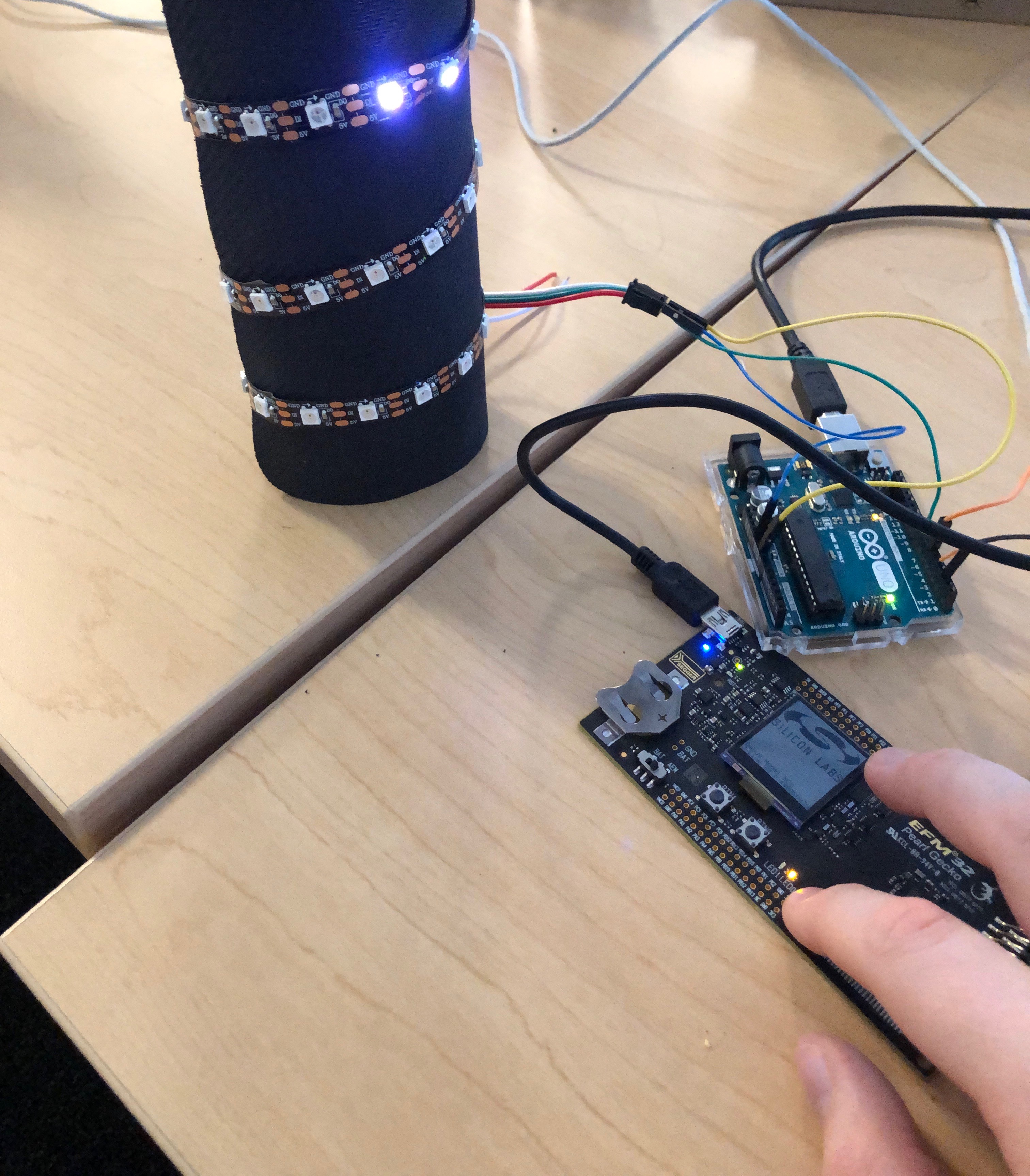
The capacitive touch sensor is housed on the Pearl Gecko. Once it senses a touch, it sends this information via GPIO to the Arduino (Either 0 for no touch, or 1 for touch). The Arduino then takes this information, and drives the LED's accordingly. The buttons on the Pearl Gecko give different types of lights to display!
How I built it
The Pearl Gecko is a low power consumption board, so by default most devices on the board are powered off. In order to turn a peripheral on (like the touch sensor), I had to: enable the peripheral's clocks (in many cases, one peripheral runs off of many different clocks), route the connection, and finally initialize the peripheral.
Now that the sensor is enabled, I need to establish that a touch has occurred. The sensor has a register that stores its data at all times(0x0 for no touch, and around 0x4050 for a touch). If a touch occurred then the GPIO pin would be set to high.
In order to have more fun I decided to add push button functionality as well that changed what color and style of LEDs would be displayed.
Moving to the Arduino, the LEDs are driving using the famous FastLED library. This gave me a skeleton structure to code the LEDS off of, as well as well defined values for colors.
There was one output pin for the LED data, and 3 input pins to read in the Pearl Gecko Data. There is an interrupt on one of the pins, in order to have stacked LED display.
Challenges I ran into
The Pearl Gecko uses code that embedded software to satisfy its low power consumption. The Arduino Uno is a board that is higher level. Making these two talk to each other was very difficult at times. I originally wanted to use SPI, UART, or I2C, but I figured that a simple hi-low communication would be the best when talking between two different boards. On/Off is the universal language of the computer world!
Accomplishments that I'm proud of
The response is almost immediate It works! It only draws ~5mA
What I learned
*Making different micro controllers that run off of different languages talk to each other is a very intricate process. *
What's next for CapSense LED
I want to piggy back off of my 5mA comment before, if this system only draws that much current here is what is in store with this idea:
Specific board design for this idea If I could isolate all of the logic onto one board, the power draw would be even less, through some math about ~3mA average. This would allow the addition of flare to any touch sensor system on the market, without impeding the circuitry at all. Why?
3mA is very negligible. How negligible?
An iPhone 7 battery has a 1960mAh battery. Meaning you could run this circuitry for 653 hours drawing 3 mA.


Log in or sign up for Devpost to join the conversation.