-
-
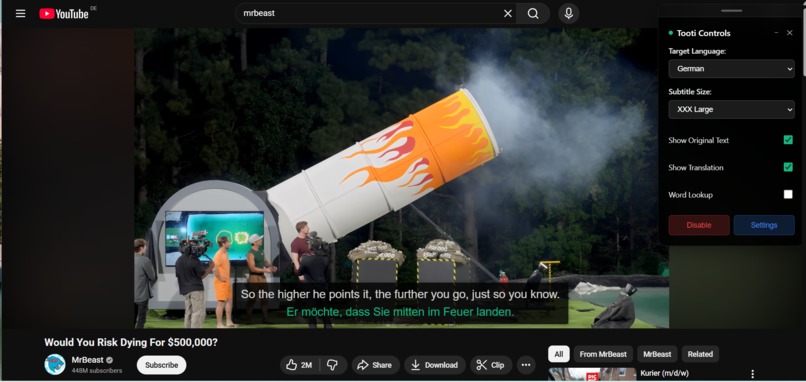
Youtube Double Language Subtitle
-
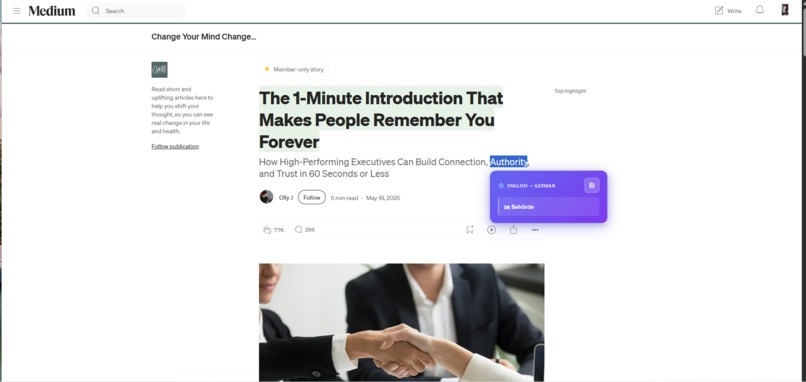
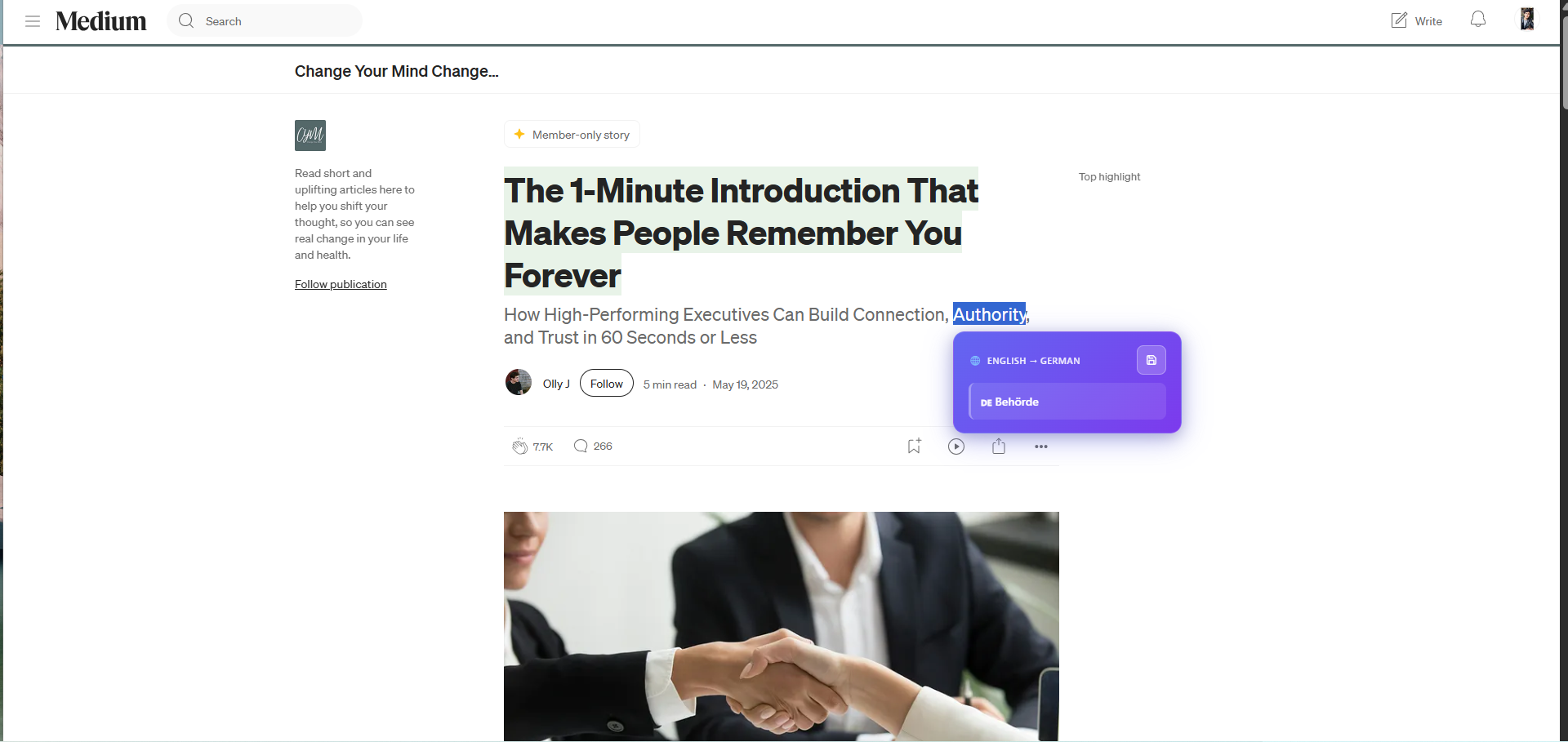
Medium Selected word AI translation
-
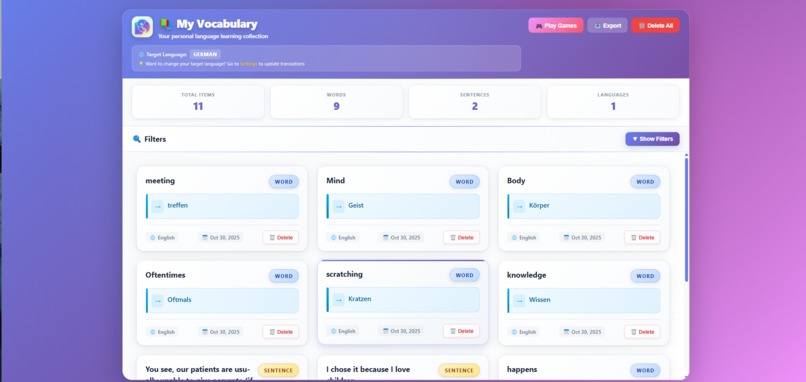
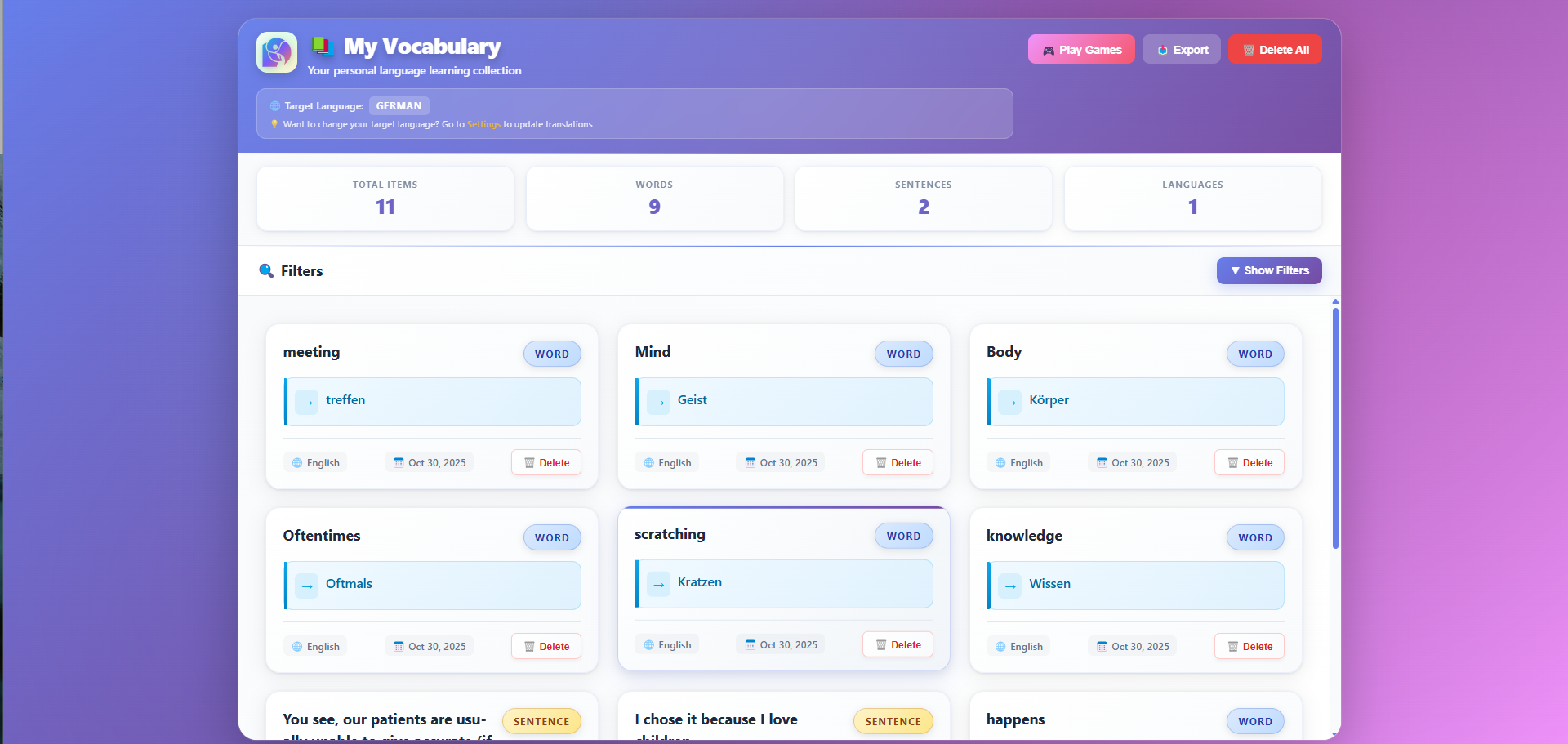
Vocabulary: Saved words and sentences
-
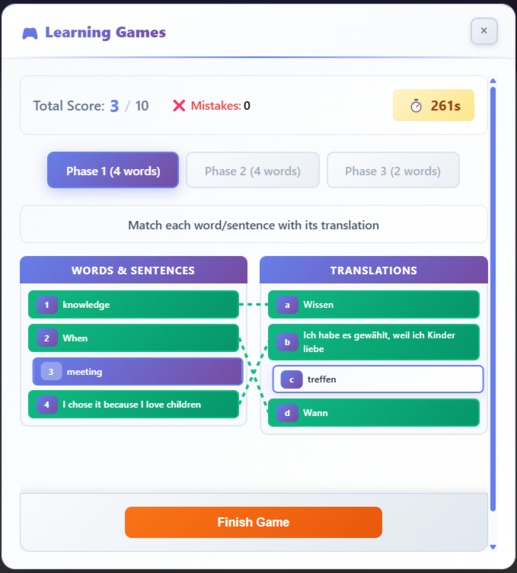
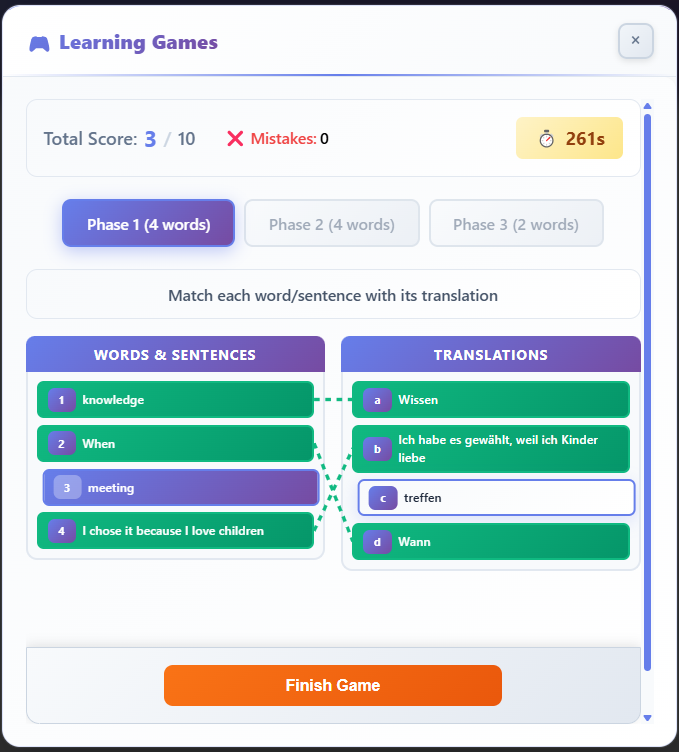
Word matching game
-
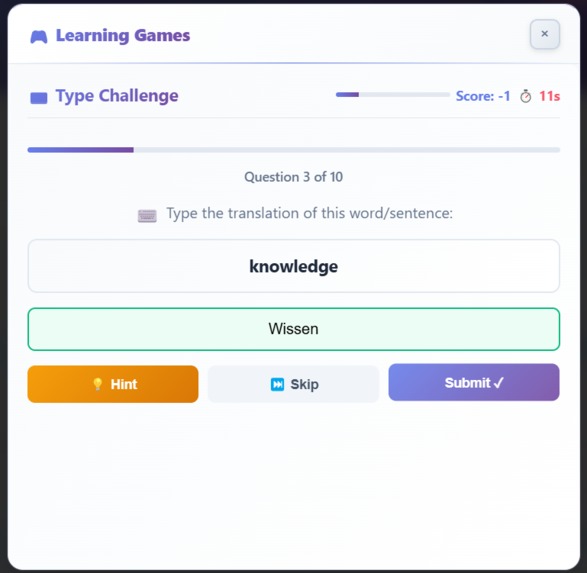
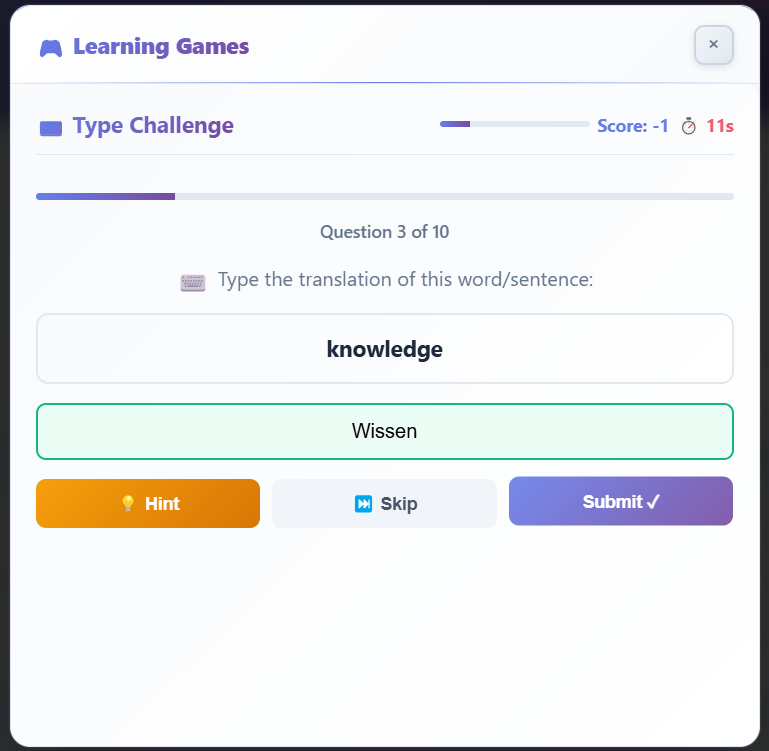
Typing game
-
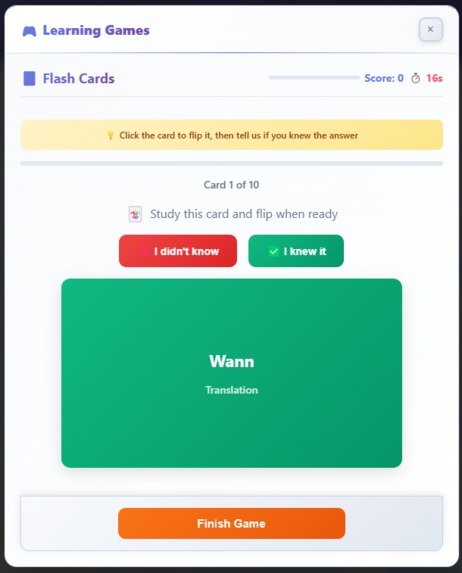
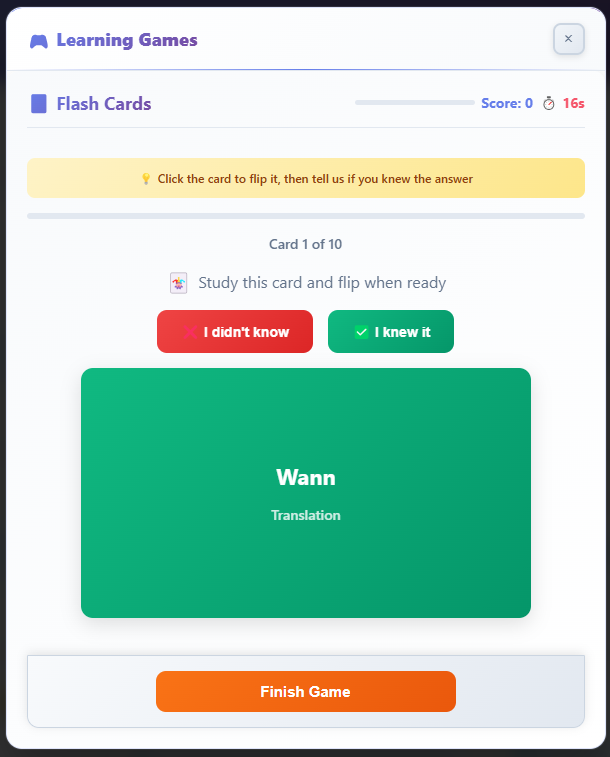
Flip cards game
-
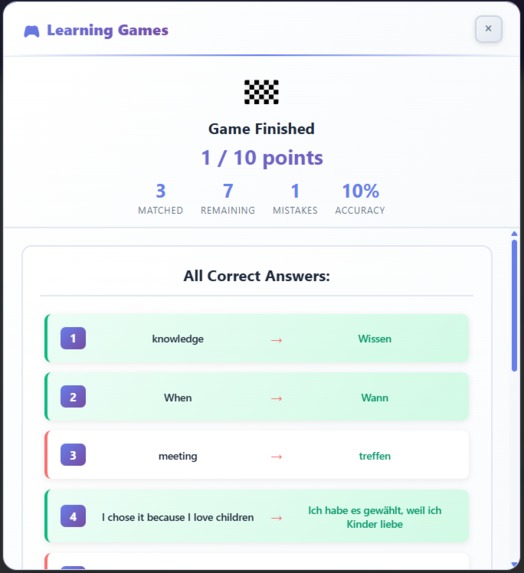
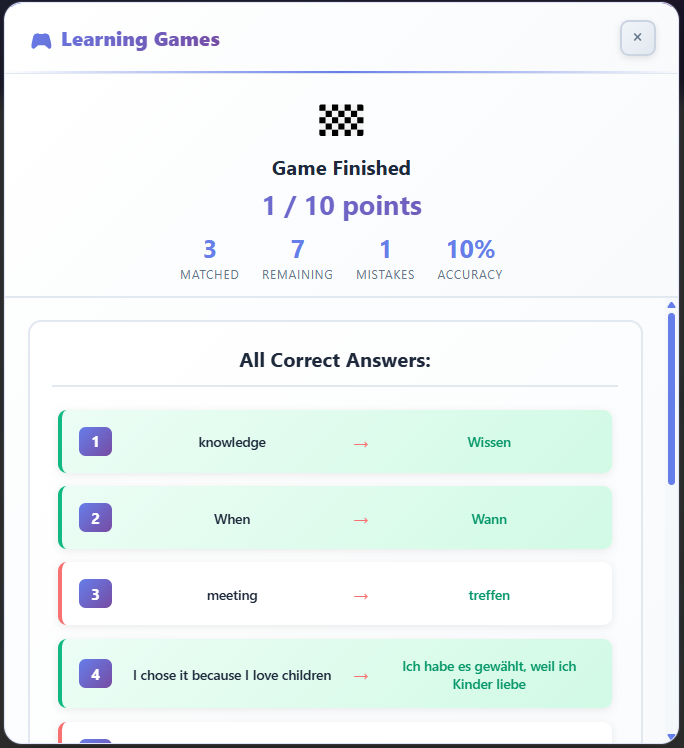
Result Scores based on correct and incorrect answers
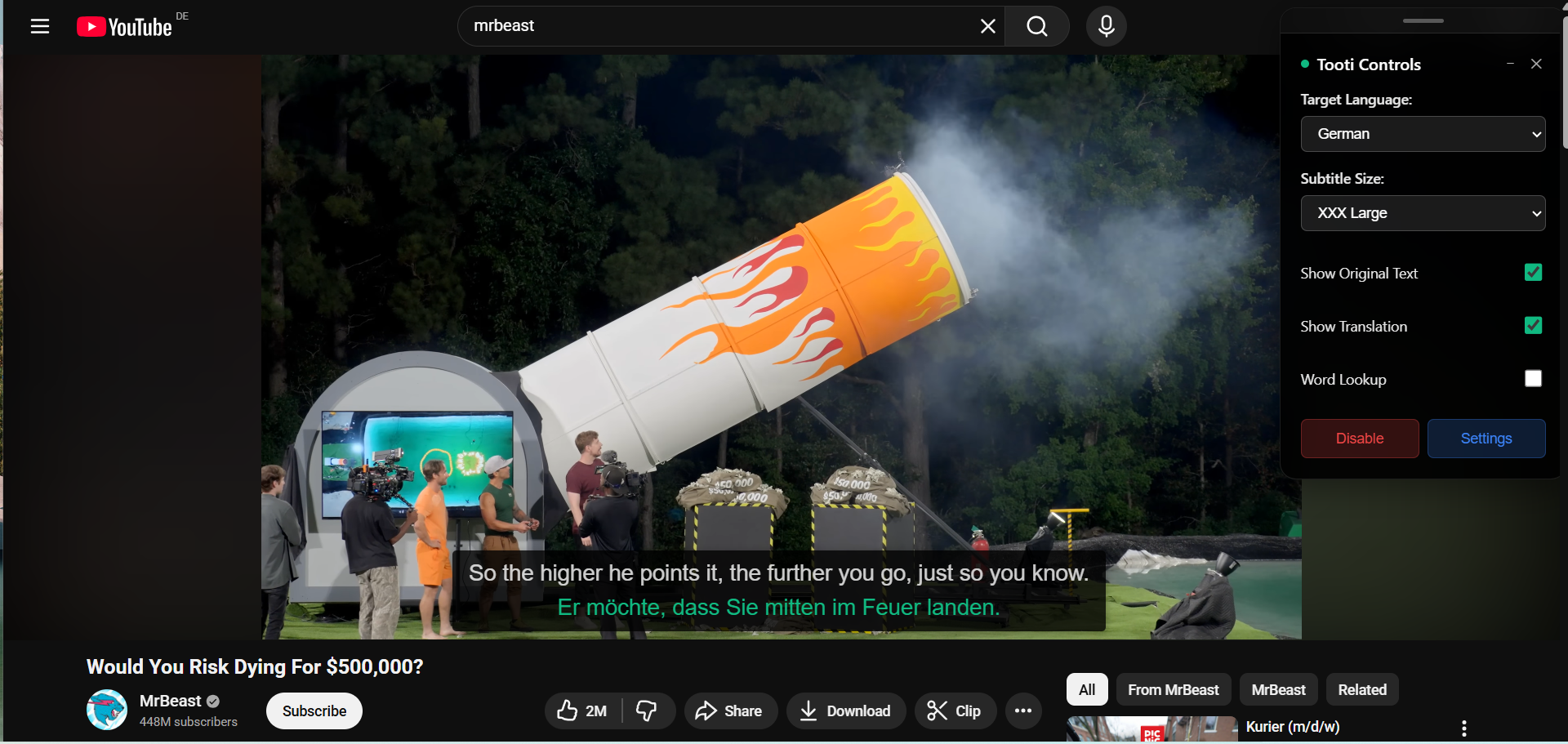
Tooti – AI Language Assistant
Inspiration
Language shouldn’t be a barrier to learning. We’ve all faced videos, articles, or courses that we couldn’t fully understand. Existing tools can translate, but they don’t actually teach or blend naturally into real browsing. We wanted to change that — to make understanding and learning happen instantly, in context, anywhere on the web.
What it does
Tooti transforms any website into an interactive language learning experience. It provides instant AI translations, adds double subtitles to videos, lets you tap any word or sentence for meaning, and saves vocabulary to personal decks. You can then reinforce what you’ve learned through quick, lightweight games. It’s private by design, works offline, and runs smoothly across the entire web.
How we built it
- Modular Chrome extension with content scripts that detect and enhance subtitle interfaces across multiple sites.
- Translator and Language Detector APIs for real-time, on-device translation and recognition.
- Robust DOM observers that track dynamic captions and keep translations perfectly in sync.
- Smart caching for sub-500 ms perceived latency and smooth offline use.
- Custom UI components for overlays, double subtitles, word lookups, settings, and vocabulary management.
- A mini-game loop built around saved words to make practice short, effective, and fun.
Challenges we ran into
- Making subtitle detection work across completely different DOM structures and video players.
- Keeping fast-changing captions synchronized without flicker or layout shift.
- Preserving readability — line wrapping, punctuation, and timing — while maintaining speed.
- Designing a clean, unobtrusive interface that fits naturally into any site’s design.
- Enforcing privacy-by-default without sacrificing responsiveness or reliability.
Accomplishments we’re proud of
- Achieved true “works anywhere” double subtitles — not limited to one platform.
- Built tap-to-translate that functions inside live subtitle elements and normal web pages.
- Delivered sub-500 ms perceived latency with smart caching and minimal reflows.
- Created an accessible UI with keyboard navigation and high-contrast typography.
- Ensured private, on-device processing with offline-friendly performance.
What we learned
- A unified subtitle abstraction layer is key for reliability across sites.
- Micro-UX details — timing, spacing, and contrast — matter more to comprehension than raw speed.
- Observability and fallback logic are vital because edge cases are everywhere.
- Caching strategy strongly affects how fast and reliable the product feels to users.
What’s next for Tooti
- Adaptive learning: spaced repetition and personalized practice based on real browsing.
- Dialect- and domain-aware translations with broader language support.
- Shared decks, educator tools, and classroom modes.
- Deck import/export and optional encrypted cross-device sync.
- Deeper media support — from livestreams to presentations and transcripts.
Impact & use cases
- Students: understanding lectures or MOOCs outside their native language.
- Professionals: reading global research, news, and technical documentation.
- Casual learners: turning everyday entertainment into easy daily practice.
- Travelers: instantly grasping local content and signage with captions.
Technical architecture (high level)
- Content scripts: detect text and captions, inject overlays, and handle interactions.
- Core services: translation, language detection, caching, and subtitle synchronization.
- UI layer: overlay renderer, lookup popover, double-subtitle layout, and settings panel.
- Storage: local decks and cached translations with optional sync support.
Performance & privacy
- Everything runs on-device by default — no content leaves the browser unless the user chooses to sync.
- Intelligent caching ensures lightning-fast repeat translations and reliable offline reuse.
- Minimal DOM updates keep the experience smooth and stable, even during video playback.
Accessibility
- Fully keyboard-navigable controls and popovers.
- High-contrast, readable typography with adjustable size and position.
- Screen-reader-friendly labels for all core UI elements.
Key metrics & validation
- Verified compatibility with major video platforms and standard article layouts.
- Achieved sub-500 ms perceived latency for repeated translations through caching.
- Optimized UX for clarity — no flicker, clean line wrapping, and consistent timing.
Built With
- api
- chromeapi
- css3
- html5
- javascript


Log in or sign up for Devpost to join the conversation.