-
-
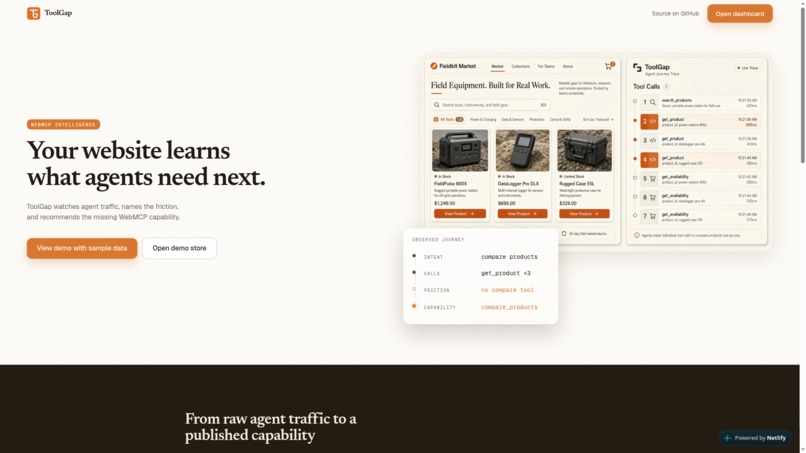
Landing Page
-
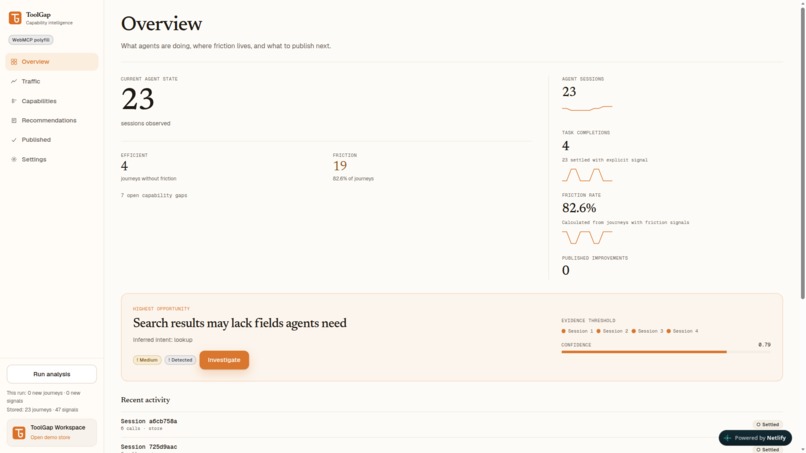
Overview
-
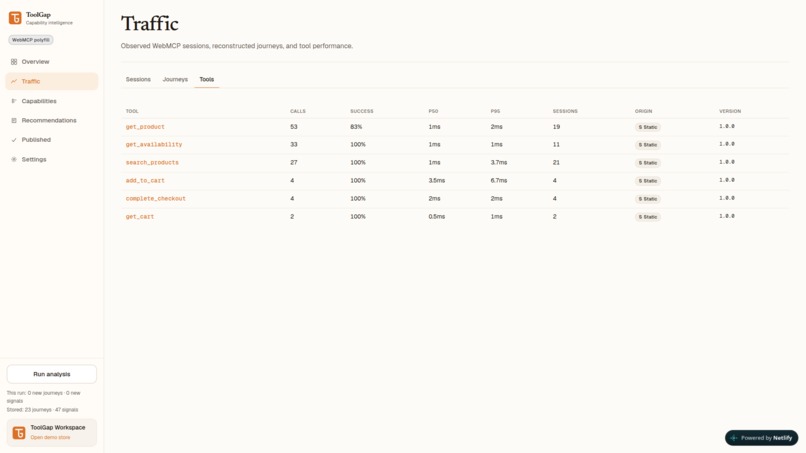
Tools
-
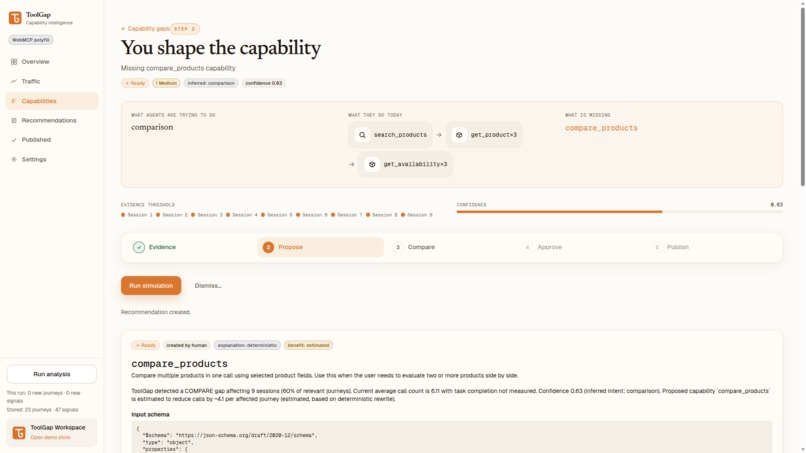
Gap
-
Impact
-
Gap List
-
Results
-
Fieldkit Market
Inspiration
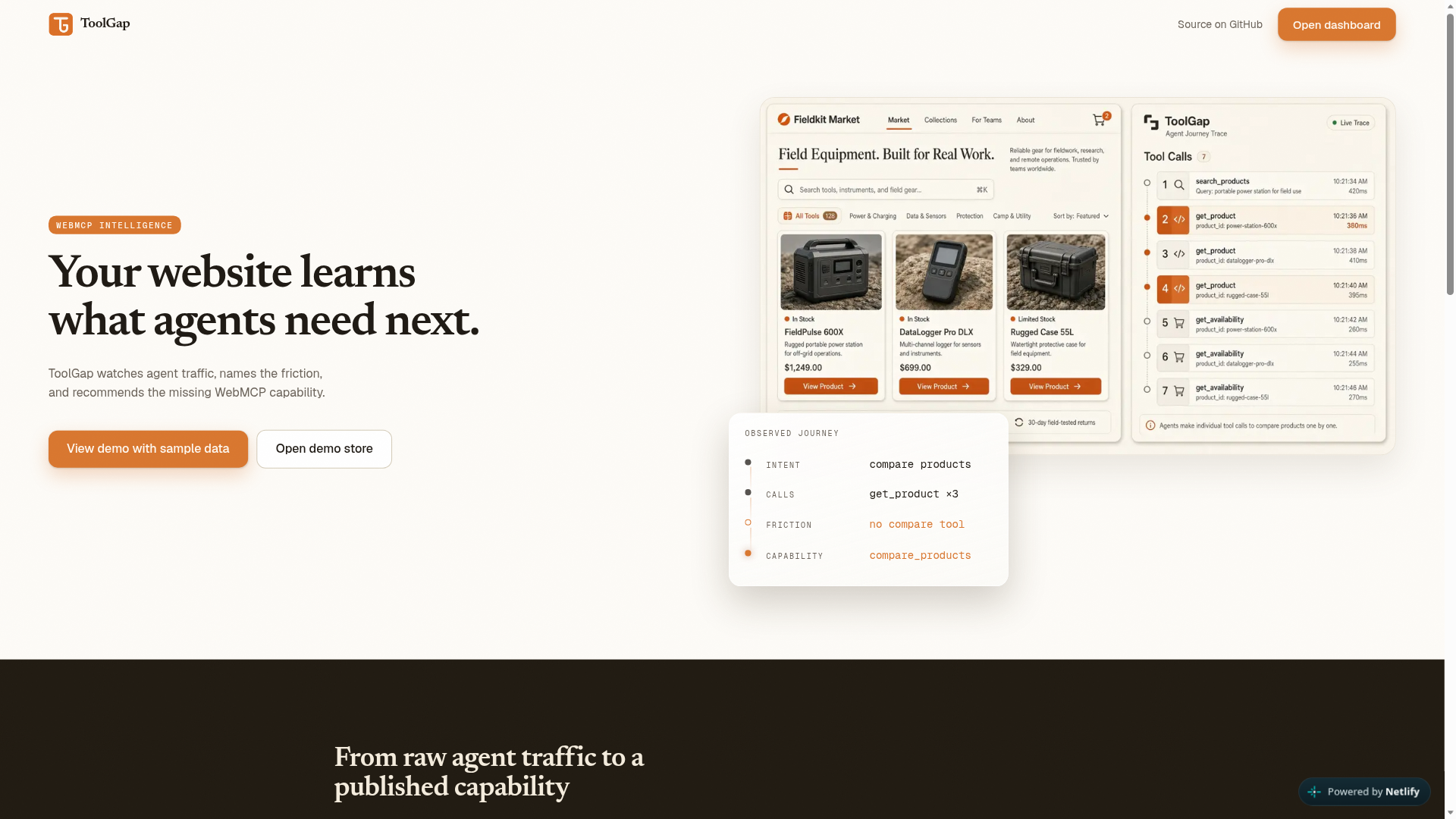
AI agents already shop on websites. Ordinary analytics still treat them as bounces. You cannot see the capability they needed and could not find.
WebMCP changes that: every action becomes a typed tool call with a name, parameters, and an outcome. Once calls look like that, a missing tool is no longer a guess. If agents call get_product three times in a row to compare headphones, the log itself is the gap.
ToolGap is capability intelligence for site owners whose pages are already used by agents. The site should learn what those agents need next.
What it does
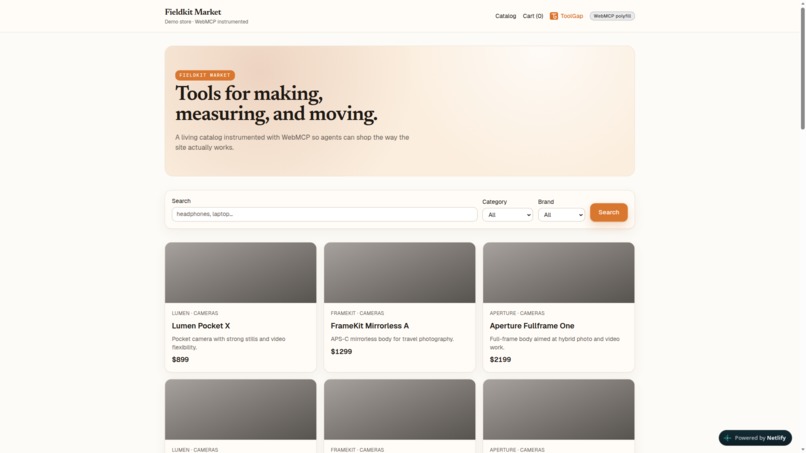
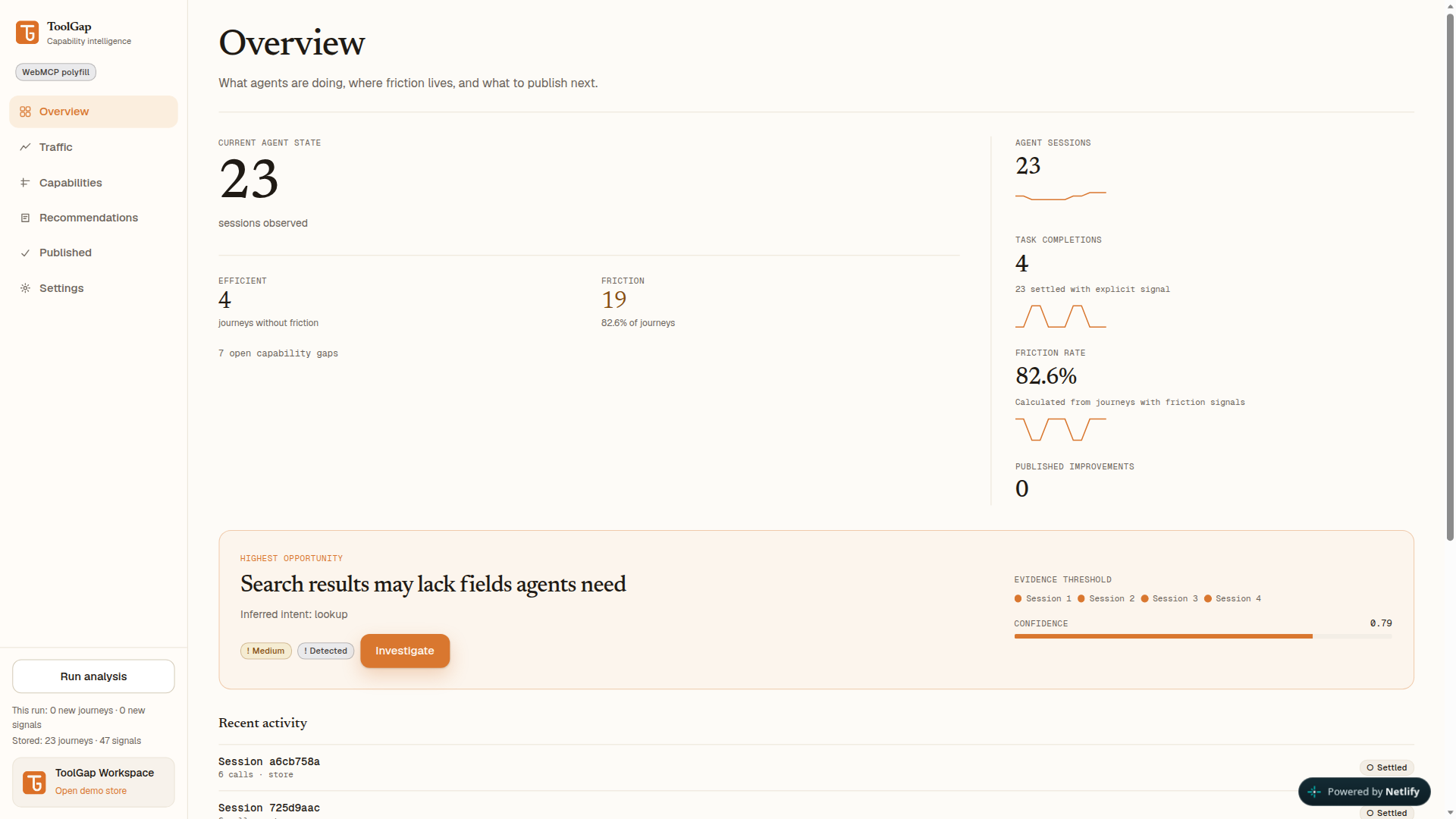
ToolGap watches WebMCP traffic on an instrumented store (Fieldkit Market), reconstructs each agent journey, names the missing capability, and lets a human publish a safe fix through the same channel. The loop:
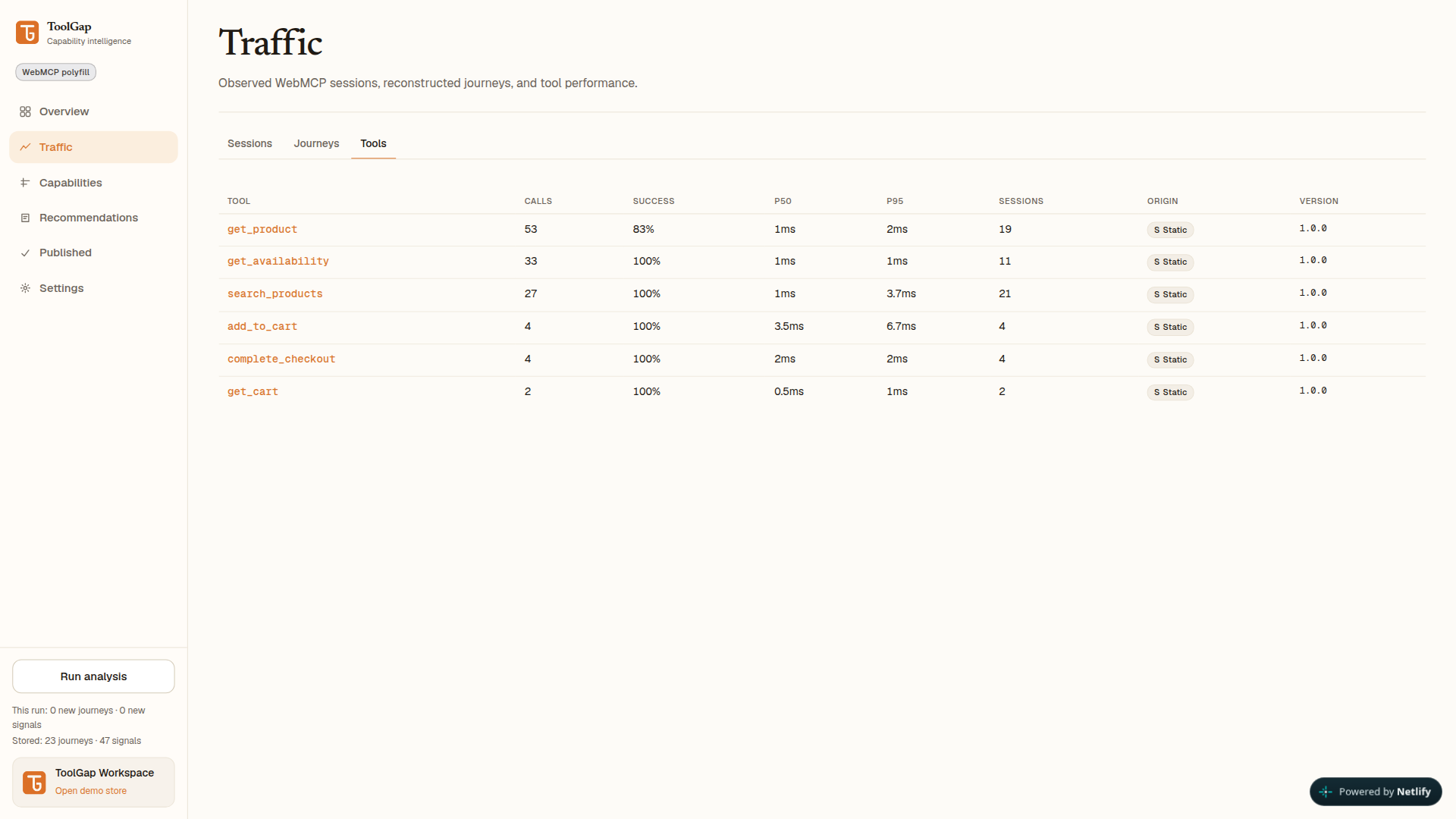
- Agents use static tools:
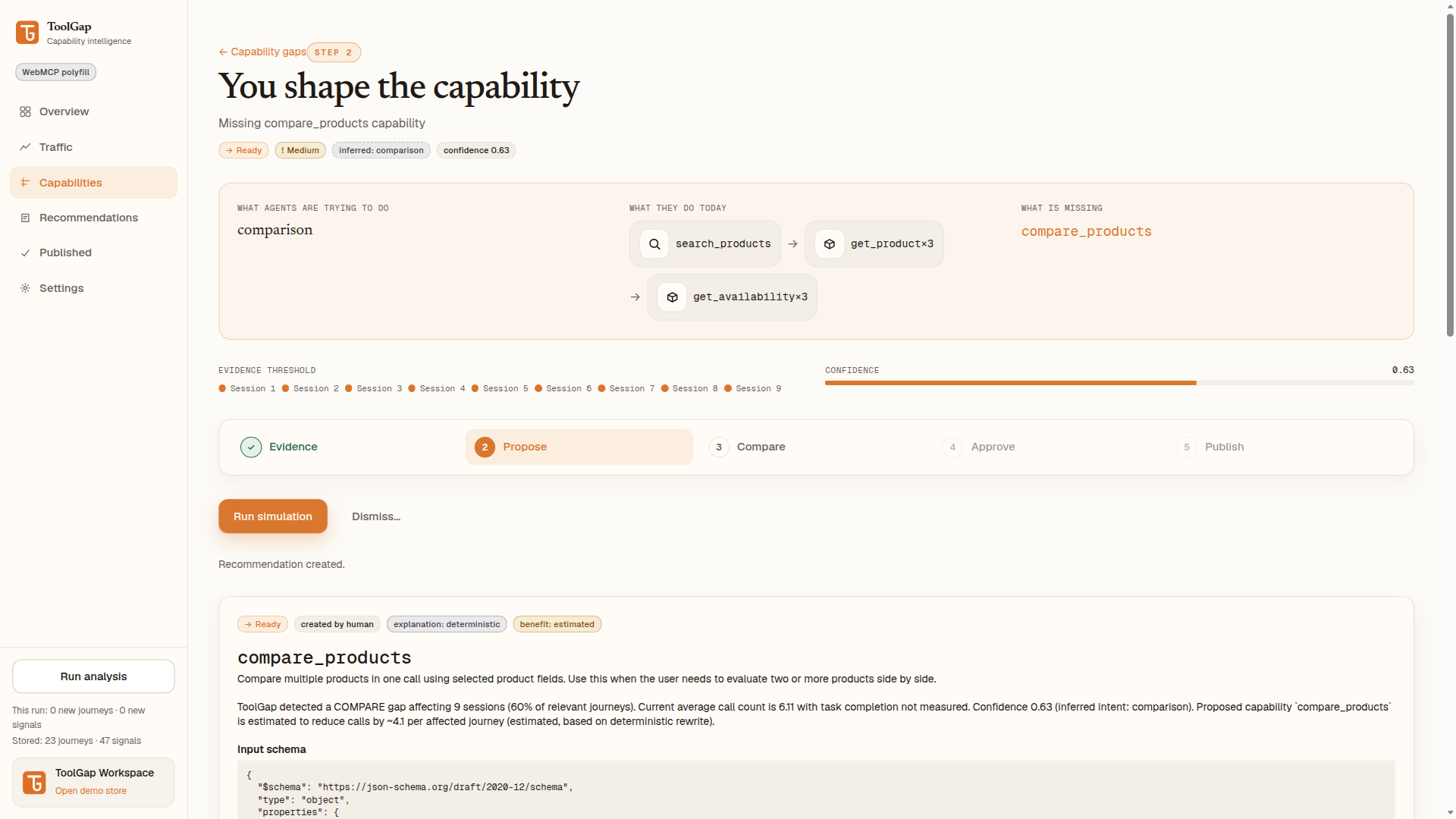
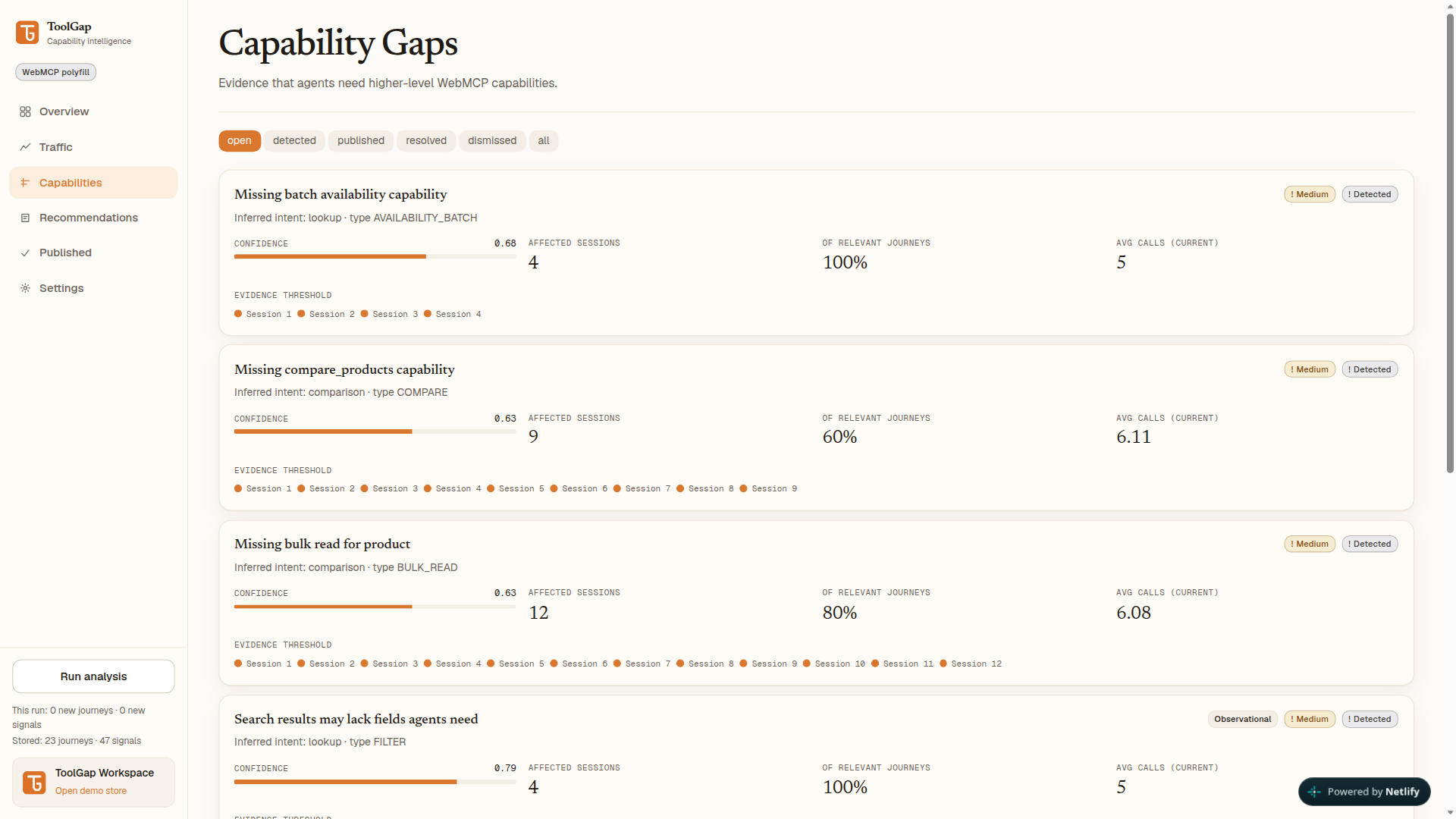
search_products,get_product,get_availability,add_to_cart,get_cart,complete_checkout. - ToolGap sessionizes calls, scores friction, and opens a COMPARE gap named
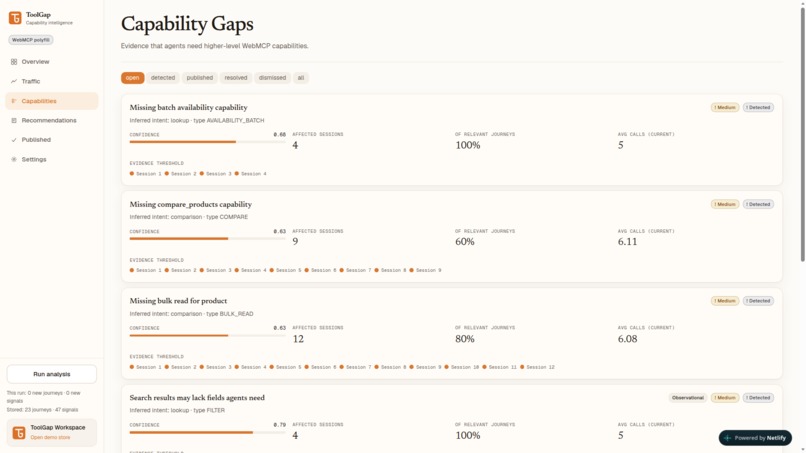
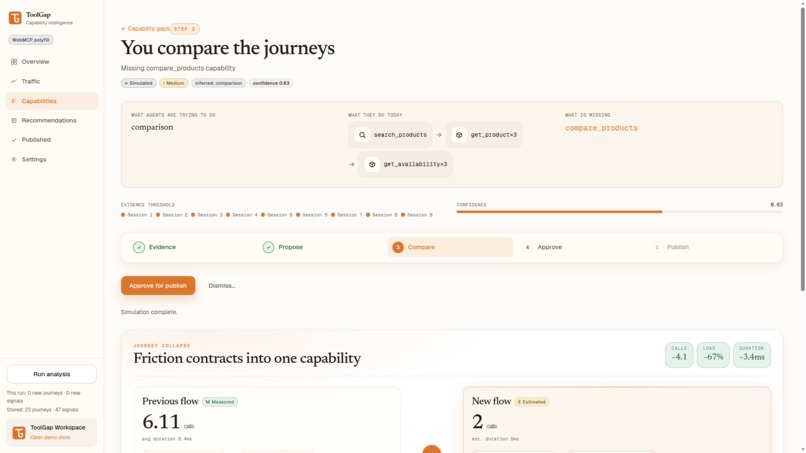
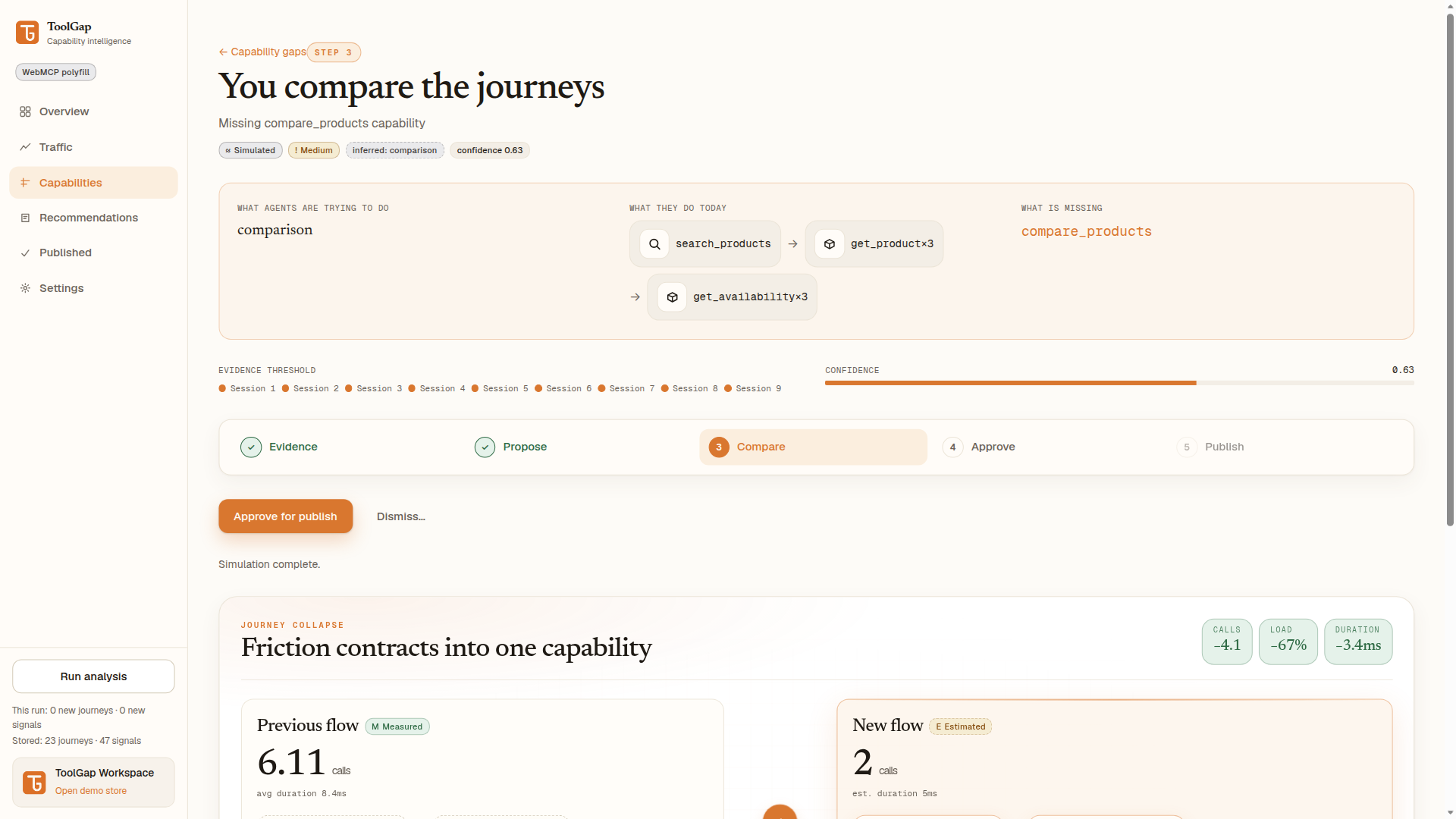
compare_productsonly after 3 supporting sessions of that pattern, backed by exact session ids. - A human builds a recommendation from a read-only template, simulates it against recorded journeys, approves it, and publishes.
- Publishing calls
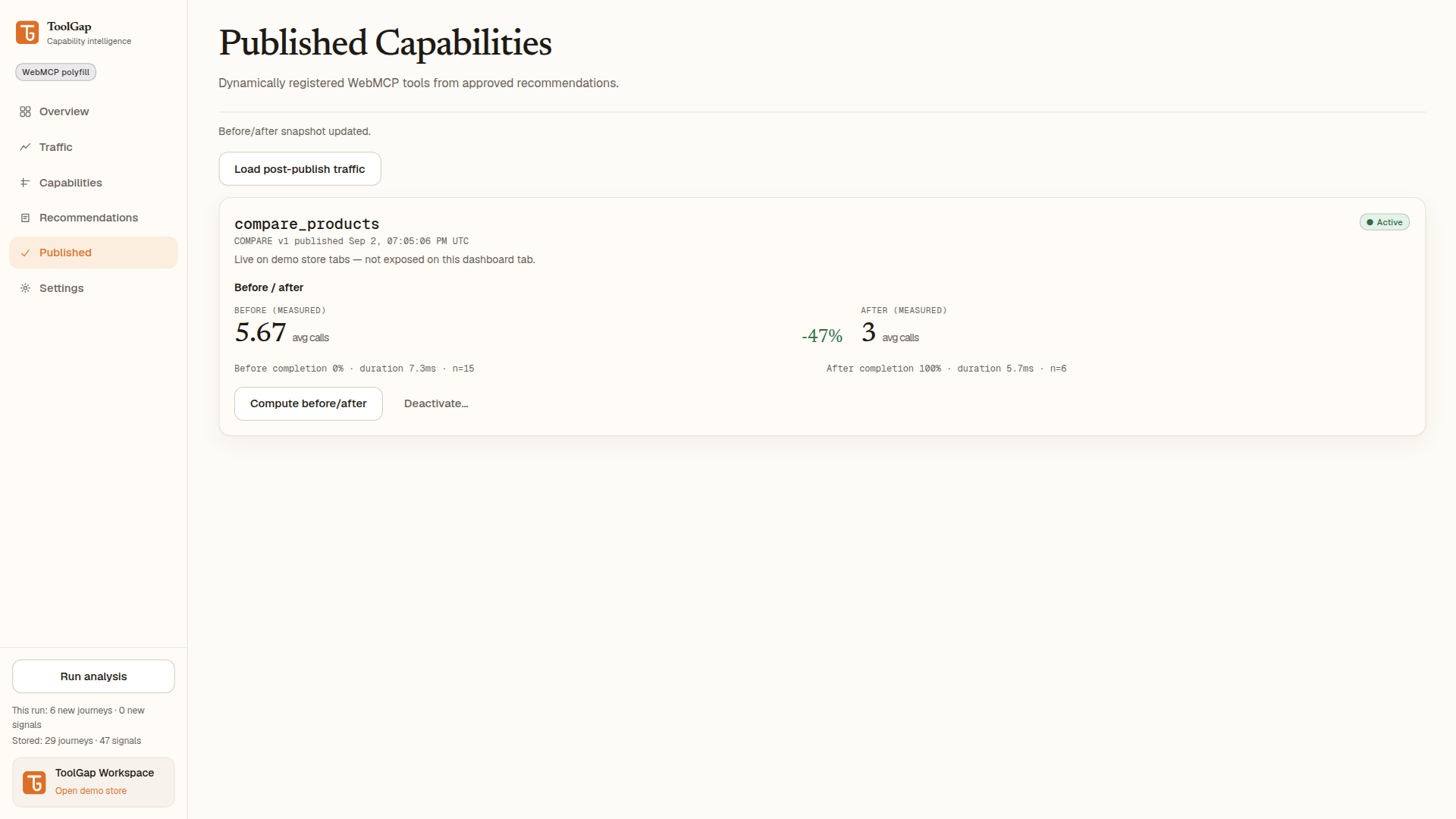
document.modelContext.registerToolin that tab, at runtime. No deploy. No API gateway change. Agents cannot publish. - After more traffic, Published measures before and after: fewer calls, shorter journeys, higher completion.
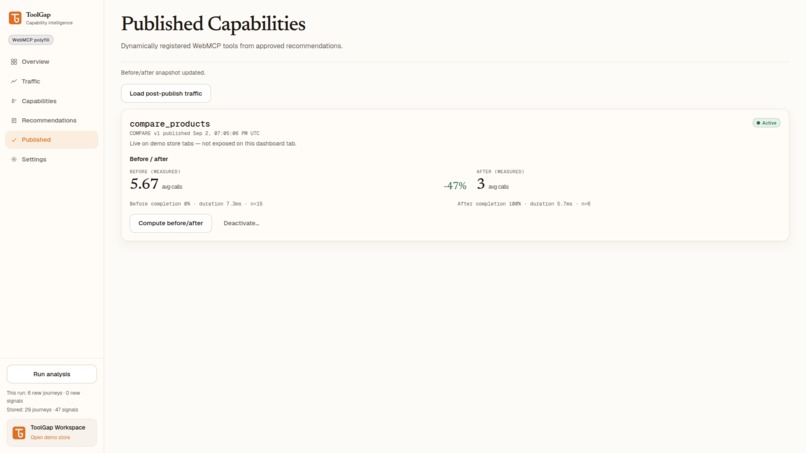
On the seeded demo this is concrete: comparison journeys drop from 5.67 to 3 avg calls (−47%) and completion goes from 0% to 100%.
Gaps that cannot be automated safely stay observational. ToolGap reports them instead of inventing a tool.
## Why this is a strong fit for WebMCP
Page views cannot express intent. A WebMCP tool call can. That structure is what makes journeys, friction, and a named gap computable. The fix ships on the same API the agent already uses (
document.modelContext.registerTool), so the next session already hascompare_products. People and agents can now do something that was awkward before: the agent stops comparing products by hand, and the site owner stays in the loop with evidence, simulation, and an explicit approve step. ## How I built it - WebMCP. Tools register through
document.modelContext.registerToolwhen that canonical surface exists (ChatGPT in-app browser, Chrome 149+ with WebMCP). Chrome builds that only expose a navigator-onlyregisterToolstub are not treated as native: the live site loads@mcp-b/global(NEXT_PUBLIC_WEBMCP_POLYFILL=1by default) so agents can list and call tools. If neither surface works, a noop mode keeps the dashboard usable. - Surfaces. Fieldkit Market (
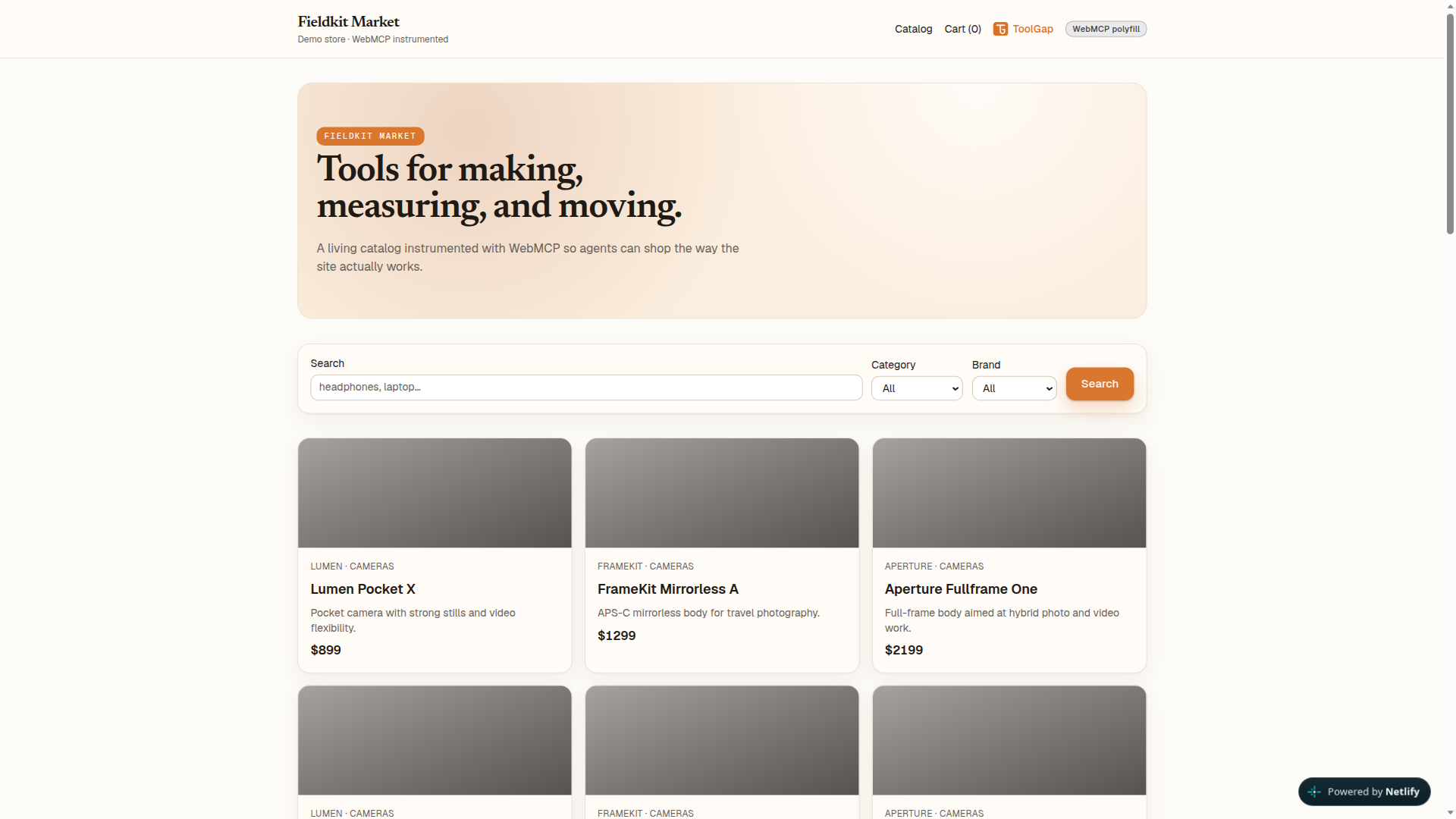
/store) exposes the six static commerce tools. The dashboard exposes read/simulate tools such aslist_capability_gaps. There is no publish tool for agents. - Pipeline.
WebMCP call → telemetry → session → journey → friction detectors → capability gap → template recommendation → simulation → human approve → dynamic register → before/after. - Safety. Dynamic tools are instantiated from approved templates (Zod-validated config, field whitelist, batch caps). No generated code runs. Inputs are redacted before persistence.
- Stack. Next.js 16, React 19, TypeScript, Tailwind CSS v4, Dexie (IndexedDB), Vitest. Hosted on Netlify.
Core logic lives under
lib/so it can be tested without the UI. Sample traffic and the live agent-driver enter the registry through the same instrumented path a real agent uses. They are regression checks, not a substitute for an external model. ## Challenges Native vs polyfill. Judges may open ChatGPT’s in-app browser or Chrome withchrome://flags/#enable-webmcp-testing. ChatGPT and Chrome 149+ usedocument.modelContext. Some Chromium builds only exposenavigator.modelContext.registerToolwithoutgetTools; treating that stub as native meant agents saw zero tools. The live site prefersdocument.modelContext, otherwise installs the polyfill, and the badge is honest: native, polyfill, or demo mode. Human control. The obvious hackathon move is “the agent publishes a new tool.” That is unsafe. Publishing is a human-only UI action. Templates stay read-only. If a detector cannot map to a template, the gap is observational. Telemetry that is not a lie. IndexedDB is per browser profile. An empty dashboard is expected until you click View demo with sample data. A single live tool call is a session, not a gap: 3 supporting sessions are required. Before/after numbers only appear after Load post-publish traffic and Compute before/after. The UI does not pretend live traffic arrived if it did not. ## What I learned Typed tool calls are a product surface, not only a model API. Once an agent’s work is named, parameterized, and scored, a site can detect a missing capability and ship it on the same channel — without giving the agent the power to publish.
Built With
- css
- dexie
- indexeddb
- motion
- netlify
- next.js
- react
- tailwind
- typescript
- vitest
- webmcp
- zod

Log in or sign up for Devpost to join the conversation.