-
-
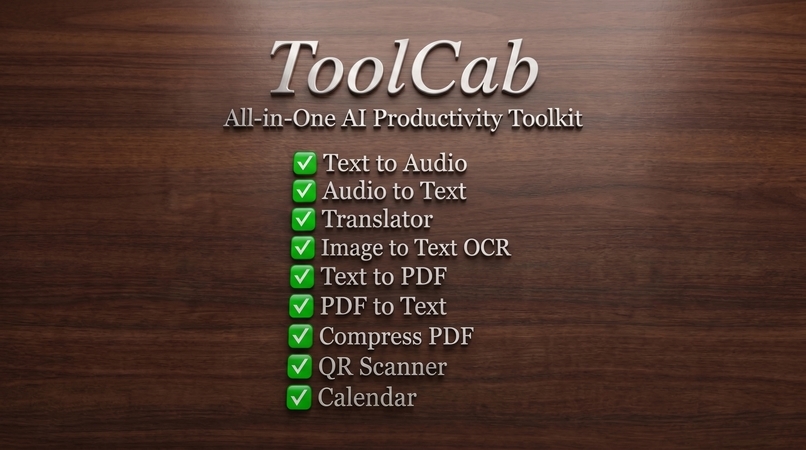
features
-
ToolCab - All-in-one AI prodectivity toolkit.
-
ToolCab - All-in-one AI prodectivity toolkit.
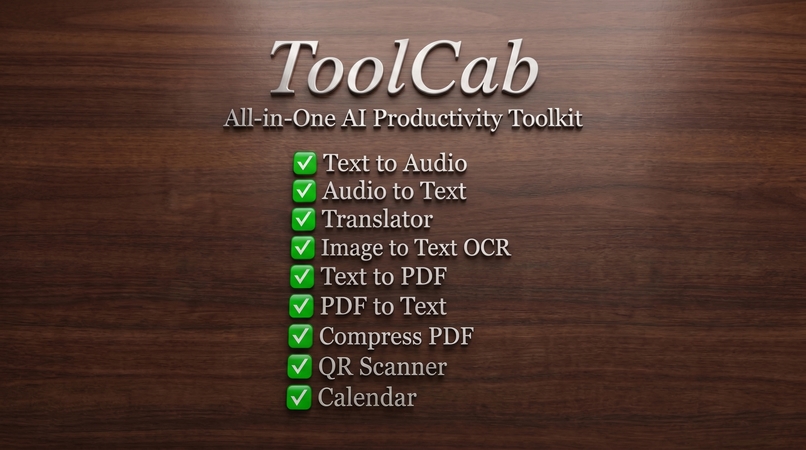
Inspiration
Everyday digital tasks often require switching between multiple apps and websites — one for OCR, another for speech-to-text, another for PDFs, another for translation, and another for QR scanning.
I wanted to solve this problem with one simple idea: why should users need a separate app for every small productivity task?
That idea became ToolCab, an all-in-one productivity toolkit designed to bring useful everyday tools together in a single, clean and easy-to-use application.
What it does
ToolCab combines multiple productivity and document utilities into one application.
Its core features include:
- 📝 Text → Audio — Convert written text into speech.
- 🎙️ Audio → Text — Convert speech into text.
- 🌐 Language Translator — Translate text between supported languages.
- 📷 Image → Text (OCR) — Extract text from images.
- 📅 Calendar & Events — Organize important events and dates.
- 🔳 QR Code Scanner — Scan QR codes quickly.
- 📄 Text → PDF — Generate PDF documents from text.
- 📖 PDF → Text — Extract text from PDF documents.
- 🔗 Merge PDFs — Combine multiple PDF files into one.
- ✂️ Split PDFs — Extract selected pages from PDFs.
- ⚡ Compress PDFs — Reduce PDF file size for easier sharing and storage.
The goal is to make these tools accessible from one consistent interface instead of forcing users to install and switch between many different applications.
How I built it
ToolCab was built as a cross-platform mobile application using Flutter and Dart.
The application uses a modular approach so individual tools can operate independently while sharing a consistent design system and navigation structure.
Key technologies and libraries include:
- Flutter & Dart
- Material 3
- Google ML Kit
- Speech recognition and text-to-speech technologies
- PDF processing libraries
- Local storage
- Mobile scanner capabilities
- Responsive UI components
- Google Fonts
- Platform APIs and permissions
I focused heavily on usability, responsive layouts, smooth interactions, dark/light themes, error handling, loading states, and a consistent visual experience across the application.
Challenges I ran into
One of the biggest challenges was bringing many completely different utilities into one application without making the experience feel complicated.
PDF processing required careful handling of files, pages, temporary storage, and different document operations.
Speech and OCR features also required proper permission handling and lifecycle management.
Another challenge was maintaining a polished and responsive interface while supporting multiple tools with different workflows.
I also spent significant time testing navigation, edge cases, responsive layouts, loading states, and resource handling to make the final application reliable enough for a hackathon submission.
Accomplishments I'm proud of
I'm proud that ToolCab evolved from an idea into a complete, functional productivity toolkit containing multiple independent utilities inside one application.
I'm especially proud of:
- Building a unified experience for many different productivity tasks.
- Implementing real document-processing workflows instead of relying on static demonstrations.
- Creating a professional Material 3 interface.
- Supporting dark and light themes.
- Making the application responsive across different screen sizes.
- Adding proper loading, error, and empty states.
- Testing the application and resolving issues before release.
- Preparing the project as a complete open-source hackathon submission with source code and release documentation.
Most importantly, ToolCab demonstrates that a collection of useful everyday utilities can be brought together into one focused application rather than scattered across many separate tools.
What I learned
Building ToolCab taught me that creating a multi-feature application is not only about implementing individual features.
I learned a lot about:
- Structuring a larger Flutter application.
- Managing application state and navigation.
- Working with device permissions.
- Handling files and temporary storage.
- Processing PDFs programmatically.
- Integrating OCR and speech technologies.
- Designing responsive interfaces.
- Managing different platform capabilities.
- Testing edge cases and handling failures gracefully.
- Using Git and GitHub to organize and publish a complete software project.
The biggest lesson was that polish, reliability, and user experience are just as important as the feature list.
What's next for ToolCab
ToolCab is designed to continue growing as a unified productivity platform.
Future improvements could include:
- More advanced AI-powered document tools.
- Smarter document summarization.
- More powerful translation capabilities.
- Batch PDF processing.
- Cloud synchronization and optional backup.
- More advanced file conversion tools.
- Additional accessibility features.
- More platform-specific optimizations.
- Expanded productivity and utility modules.
The long-term vision is to make ToolCab a reliable digital toolbox for everyday tasks, where users can find the tools they need without constantly switching between different applications.


Log in or sign up for Devpost to join the conversation.