Inspiration
When thinking about retro electronics and technology, we can be reminded about simple yet well-engineered devices that brought magic to our day to day lives. By introducing retro-inspired aspects to our current technology, we can mix in fun with functionality.
Our main source of inspiration is the Tamagotchi, a colorful handheld device featuring a digital pet. It's known for being immensely popular in the late 1990s and early 2000s.
Tamagotchis are still being made and sold current-day, true to its original egg-shaped design with three simple buttons. Inspired by this, we brainstormed ideas on our own take on the popular toy and started building a Chromium extension with those features.
What it does
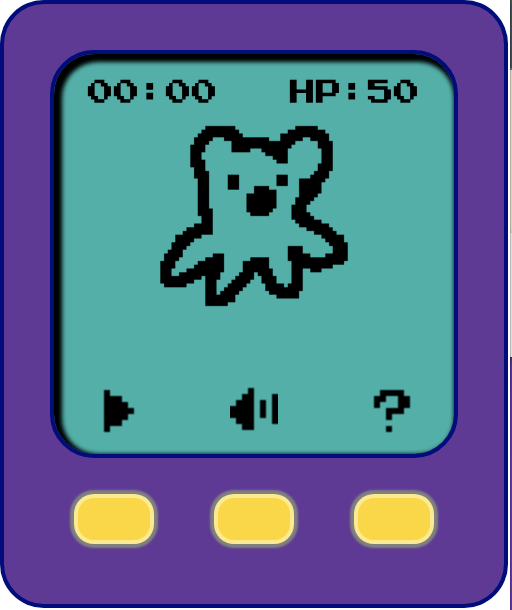
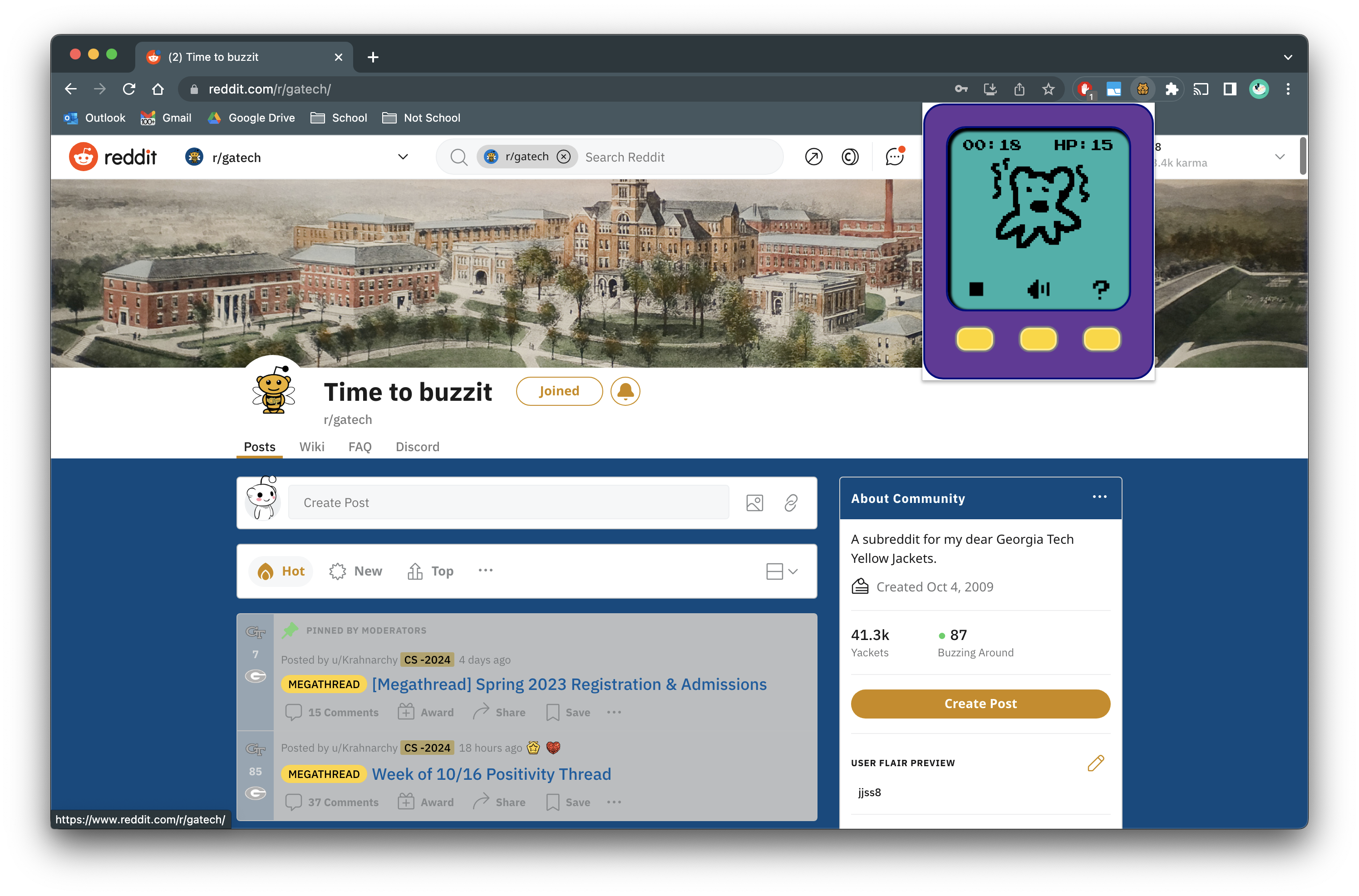
Toolbargochi is a productivity Chrome extension mimicking the Tamagotchi interface.
When you want to be productive, you can go into the extension and press on the start button to turn on a stopwatch in the Toolbargochi. As you are doing work and continue to stay on whitelisted websites, the health of your pet increases, and you'll see a more happy-looking pet. However, if you go on any webpage of blacklisted websites such as YouTube or Instagram, the health decreases, leaving you with a sadder looking pet.
The objective is to keep track of how much you're studying, using your pet's happiness as an incentive.
How we built it
This extension has been built for Chromium-based browsers. Google Chrome was used in developer mode to load and debug our builds.
Challenges we ran into
When it comes to browser extensions, this was our first rodeo. However, we were able to grab ahold of the reigns after time spent on trial and error.
Another obstacle in the way was the difficulty narrowing down and prioritizing ideas on what we can implement. We realized while having a wide range of ideas that we are enthusiastic on is a positive thing, it is important to step aside and determine what really matters, as they are prerequisite to those many fun features we had in mind.
Accomplishments that we're proud of
We're proud to have made something that has been fun to develop! Although simple, it is visually pleasing, fitting in with the retro theme of this hackathon.
We wrangled with the Chrome extension API and made extensive use of event listeners. We put it all together in an interface with pixel art graphics. Most of all, we managed to lay down the foundations and ended up with an MVP.
What we learned
As a team, we've picked up new skills in extension development, which is useful when developing websites as well. We learned that even the smallest achievements, such as getting a timer to properly increase, as something to celebrate over.
What's next for Toolbargachi
There were a lot of features beyond the MVP that we would have liked to implement.
We would like to include more interactions with the Toolbargotchi buttons; for instance, having your pet make noises and do tricks (for a more delightful experience!). We would also like to add more visual validation for being productive and staying on track, such as showing confetti on your page when you have gotten your pet's health points up to 100.
We would also like more customizability on blacklisted websites through a settings page. We would also have liked to create a feature where you can view and export your statistics.
Lastly, we would like to add more graphical features, such as custom accessories, different pet types, and random combinations for the Toolbargotchi color theme!


Log in or sign up for Devpost to join the conversation.