-
-
Mascot
-
Tool-E
-
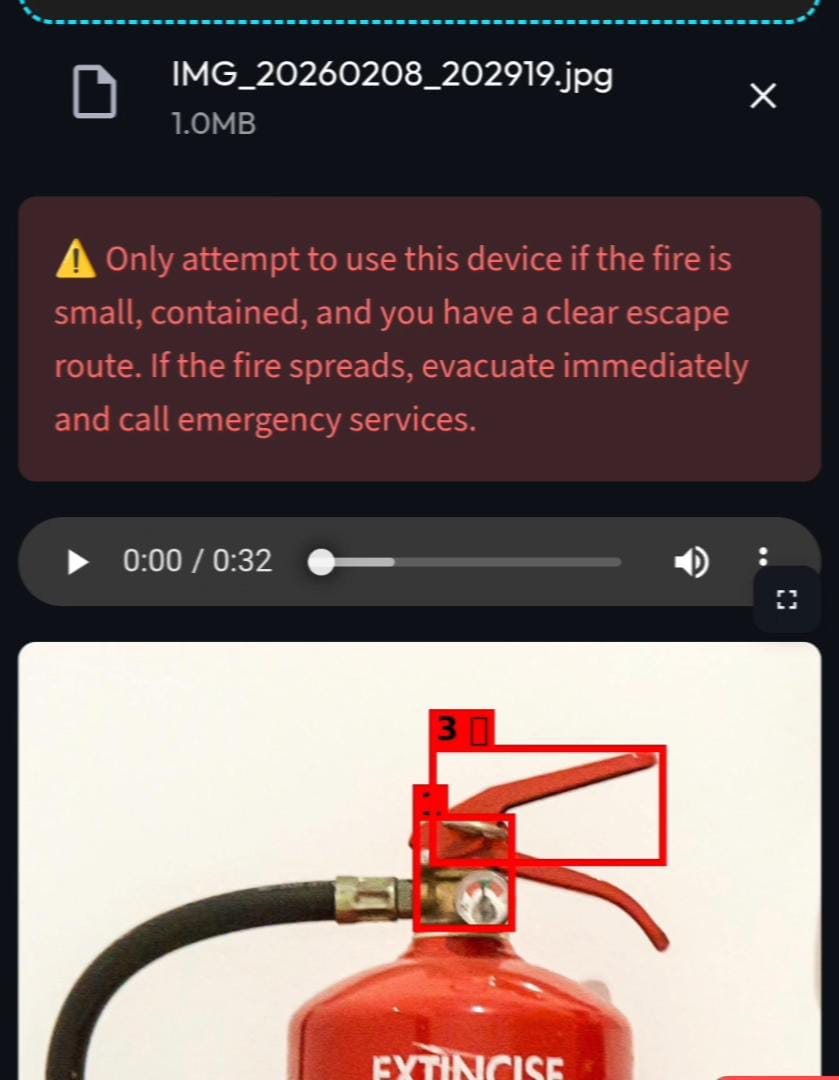
Warning
-
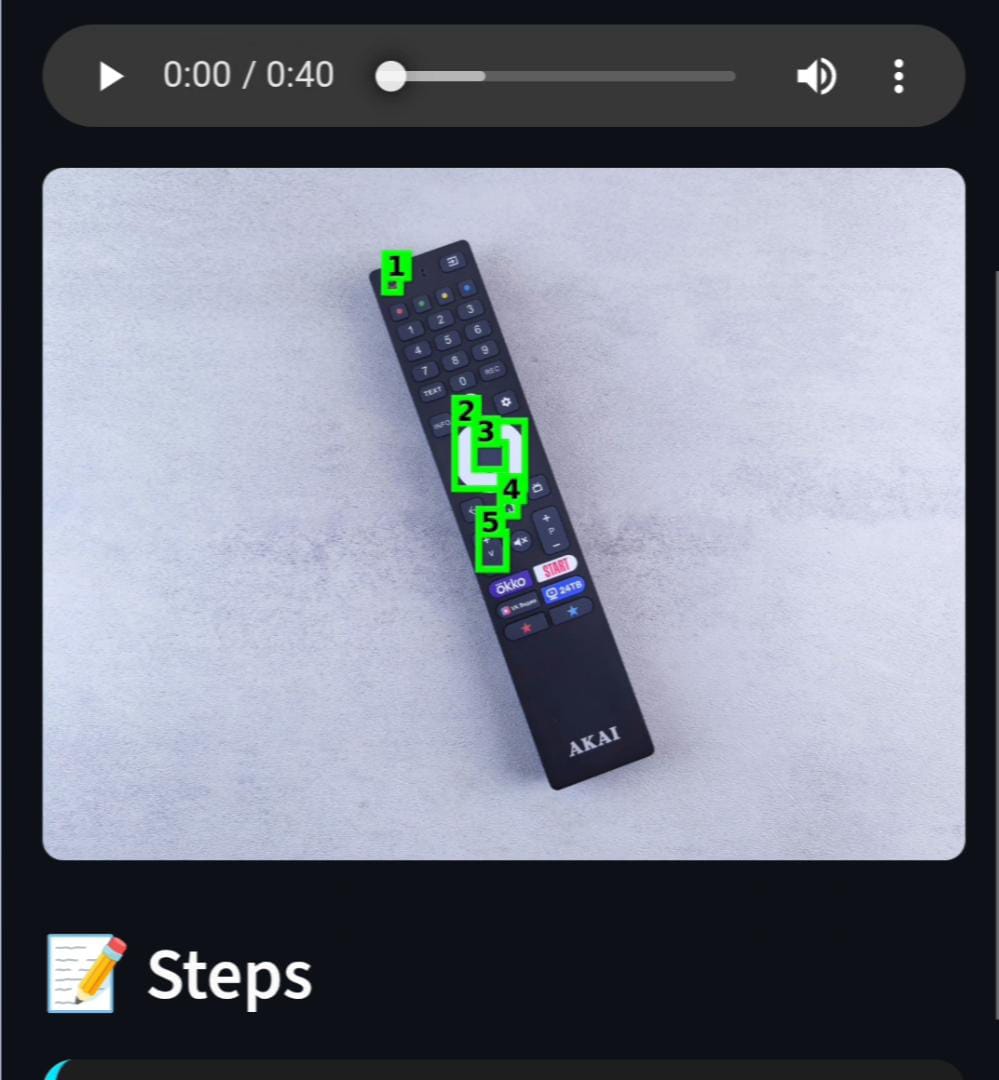
TV remote
-
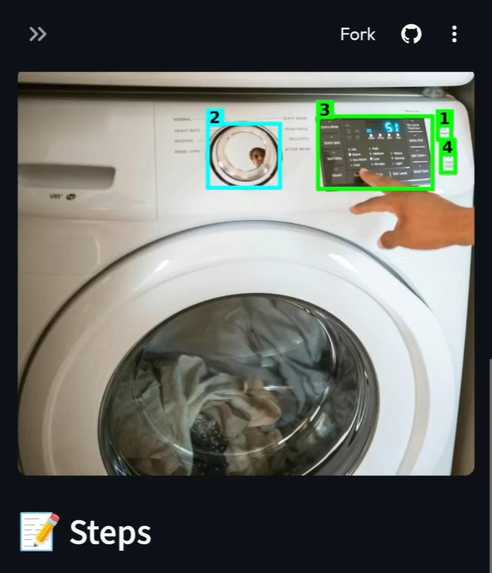
Washing Machine
Inspiration
We’ve all been there: staring at a washing machine with cryptic symbols, struggling to figure out a new coffee maker, or trying to help a grandparent use a TV remote over the phone. The inspiration for Tool-E came from this simple observation: Hardware can be hard, but the help shouldn't be. Whether it's a student facing complex lab equipment for the first time, a tourist trying to use a Japanese rice cooker, or someone with visual impairments needing audio guidance, the problem is universal. Manuals are often time-consuming, lost, confusing, or in the wrong language altogether. We wanted to build a bridge between humans and machines, an application that goes beyond simple translation to actually understand the device and guide you through it safely.
What it does
Tool-E turns any confusing device into a clear, step-by-step guide.
- Snap & Analyze: The user takes a photo of any device (kettle, microscope, fire extinguisher, etc.).
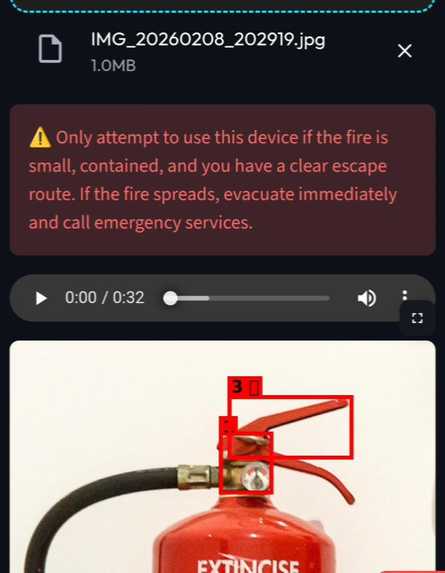
- Safety First Protocol: Before giving any instructions, Tool-E scans the image for hazards (e.g., frayed cords, water damage, open valves) and warns the user immediately.
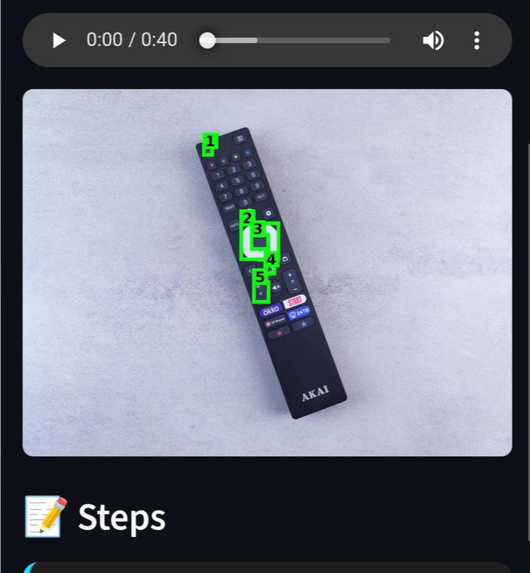
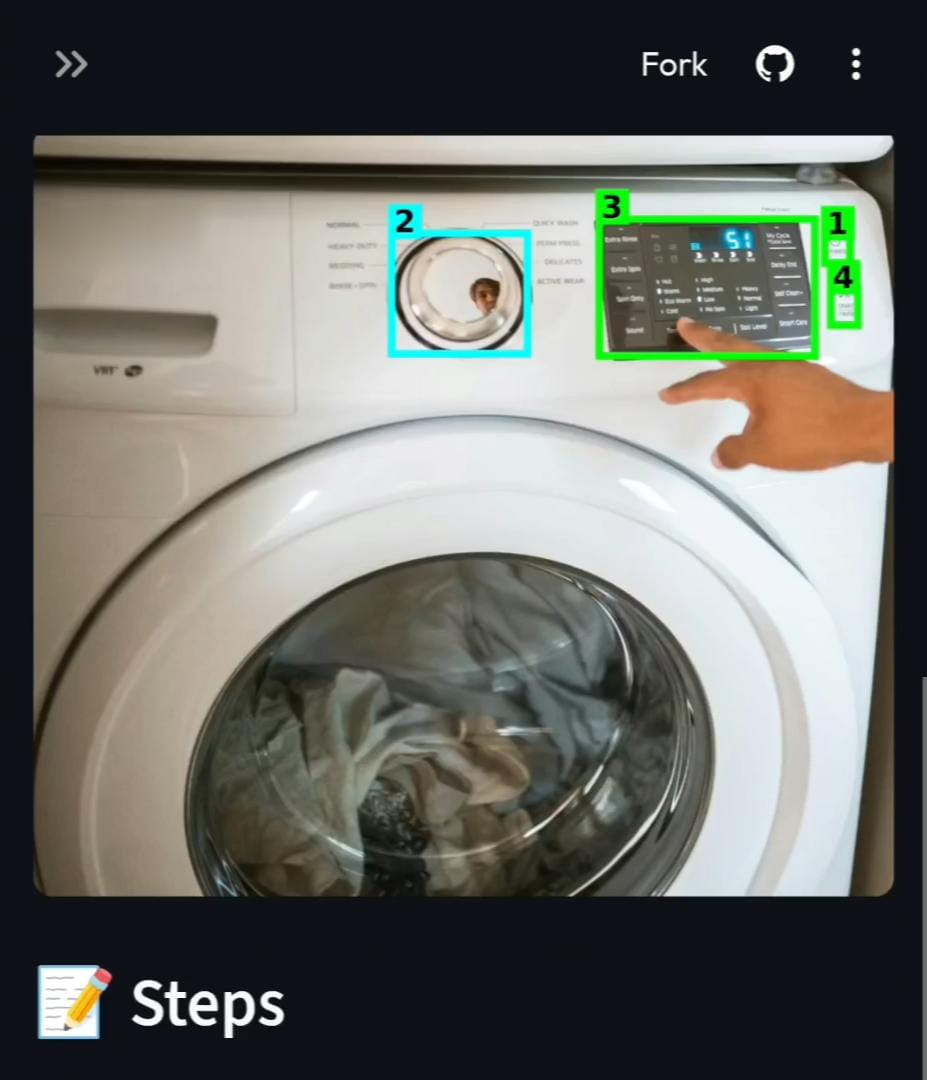
- AR-Style Visual Guides: It overlays color-coded bounding boxes on the image (Red for hazards and Green for actionable steps) so users know exactly where to touch.
- Universal Translation: It automatically detects the language of the device (e.g., Japanese labels) and translates the instructions into the user's preferred language.
- Accessibility:
- Audio Narration: Converts written steps into speech for visually impaired users.
- Speed Control: Allows users to speed up playback when in a rush.
- Offline Mode: Users can download the audio instructions to save for later use without internet.
How we built it
We built Tool-E using a modern, multimodal AI stack optimized for speed and accuracy.
- The Brain (Gemini 3 Integration): We utilized Google's Gemini 3 Flash Preview as the core intelligence engine. We chose this specific model for its native multimodal capabilities, allowing us to feed raw device images and complex system prompts simultaneously without intermediate OCR steps. Crucially, we made use of its ability to generate structured JSON output, which enabled us to parse safety warnings, step-by-step instructions, and normalized bounding box coordinates (
[ymin, xmin, ymax, xmax]) directly into our Python frontend. We also relied on the model's low latency to ensure our "Safety First" checks happen in near real-time, a requirement for users handling potentially dangerous hardware. - The Frontend: We used Streamlit (Python) to create a responsive, mobile-friendly web interface that handles camera input and real-time rendering.
- Image Processing: We used PIL (Python Imaging Library) to draw the "AR-style" bounding boxes.
- Audio Engine: We integrated gTTS (Google Text-to-Speech) to dynamically generate audio files from the AI's text output, enabling the accessibility features.
Challenges we ran into
- Hallucination vs. Safety: Early on, the AI would sometimes suggest pressing buttons that weren't there. We fixed this by implementing a "Strict Safety" system prompt, forcing the model to verify physical components before generating a step.
- Coordinate Mapping: Getting the AI to "point" at the right button was tricky. We had to refine our prompt to request specific bounding box coordinates in the format
[y_min, x_min, y_max, x_max]on a normalized0-1000scale. This ensured that regardless of the input image resolution (W * H), the bounding boxes remained accurate. - Audio Latency: Generating audio on the fly caused delays. We optimized this by parallelizing the text generation and audio conversion so the visual steps appear instantly while the audio loads in the background.
Accomplishments that we're proud of
- The "Safety Check" Layer: We are most proud that Tool-E prioritizes user safety. It doesn't just say "turn it on", it looks for danger first.
- Breaking Language Barriers: Seeing the app successfully translate and explain a Japanese washing machine interface in real-time was a huge win.
- True Accessibility: Implementing the variable playback speed and audio download features makes this a tool that everyone, regardless of ability or internet connectivity, can actually rely on.
What we learned
- Multimodal AI is the future of UX: We learned that combining text + vision + audio creates a user experience that is far superior to just a simple chatbot.
- Empathy in Engineering: Building for all possible users including "Grandma" and "Tourists" forced us to simplify the UI. If it takes more than 2 clicks, it's too complicated.
- Latency Matters: When a user is in an emergency, they can't wait for more than 10 seconds. Optimizing for Gemini 3 Flash was crucial for that "real-time" feel.
What's next for TOOL-E
- Live AR Video Mode: Moving from static photos to a live camera feed where instructions float over the device in real-time.
- Haptic Feedback: Adding vibration cues for blind users to help them locate buttons physically as they move their phone camera across a device.
- Community Guidebook: Allowing users to save their successful scans to a public database, creating a crowdsourced library of manuals for every device in the world.


Log in or sign up for Devpost to join the conversation.