-
-
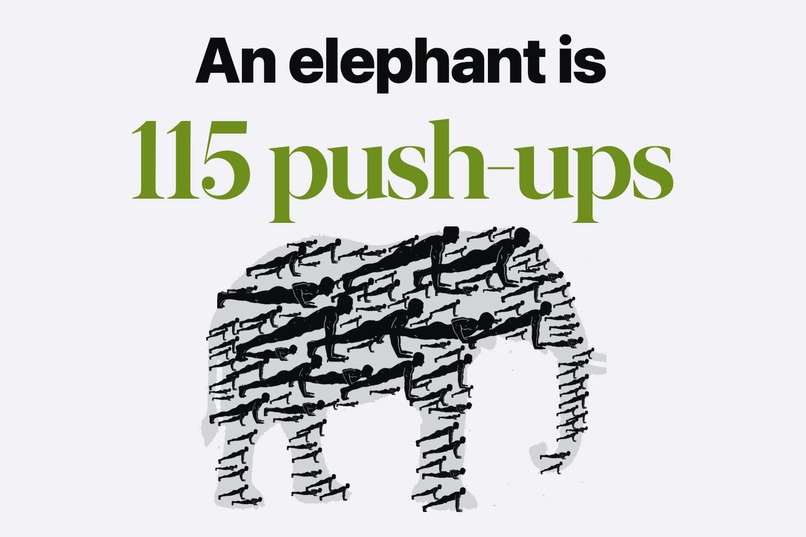
Tons counts the tons you lift.
-

App icon
-
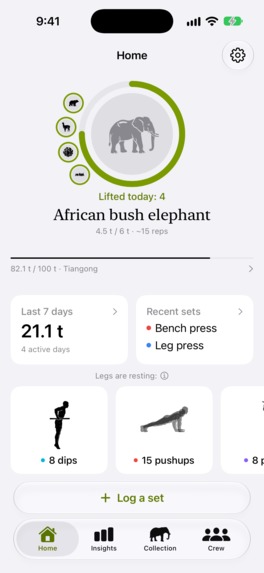
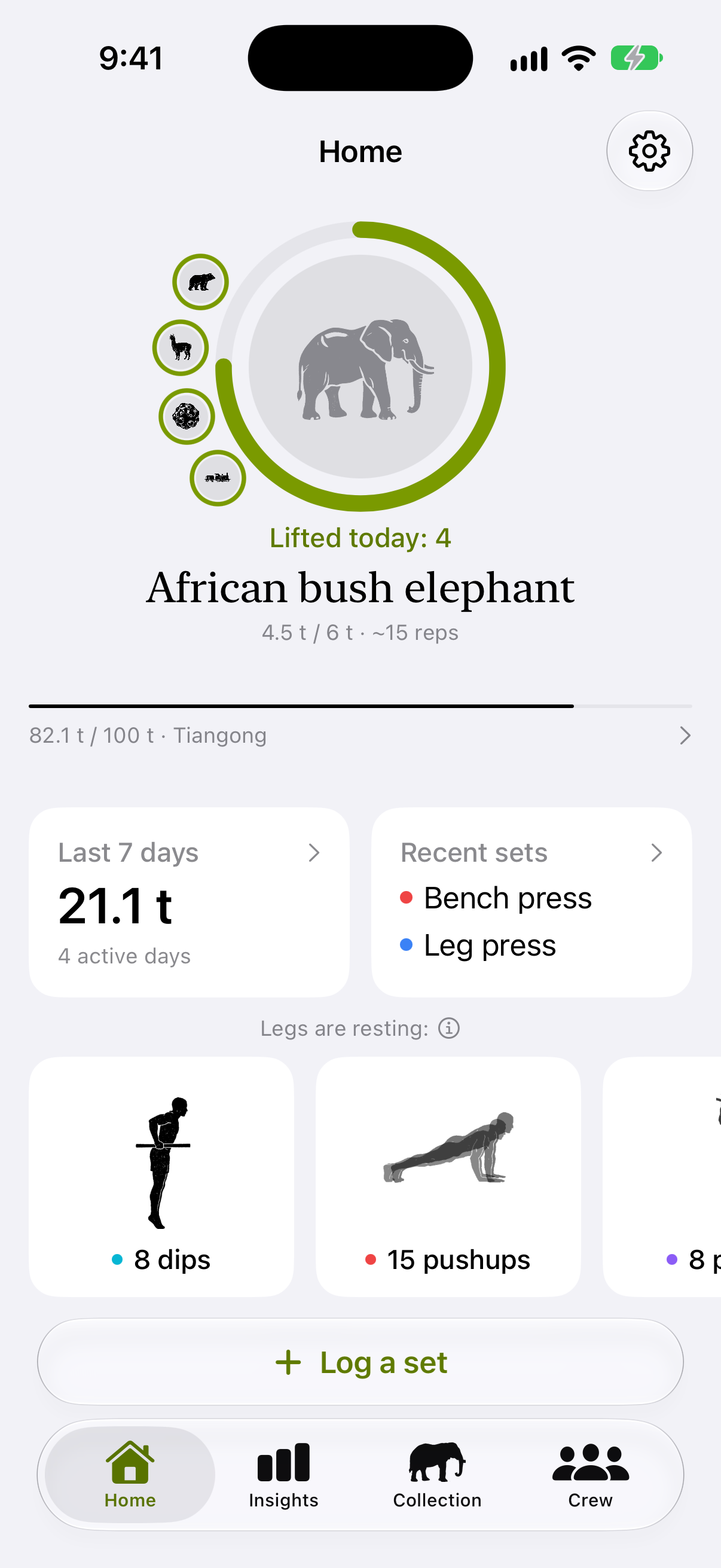
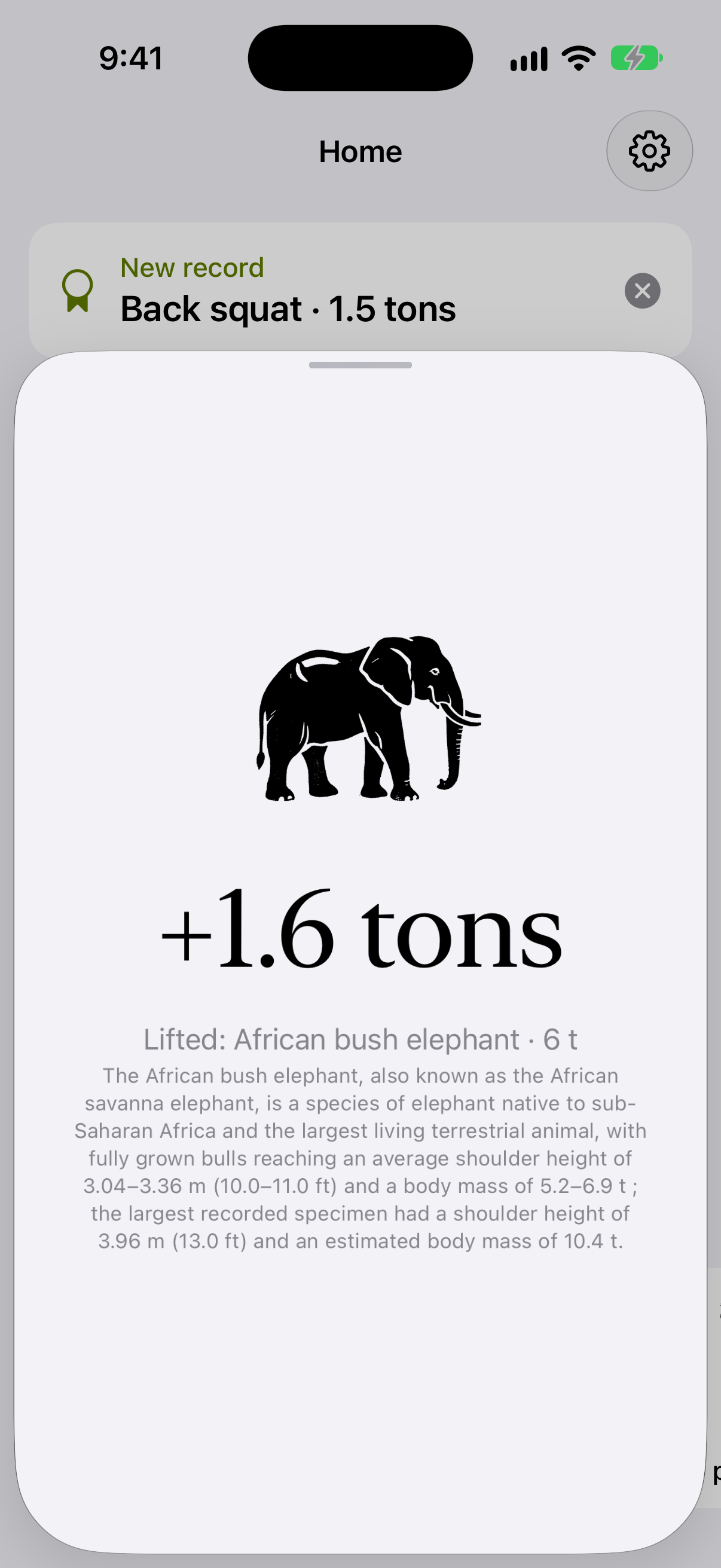
Home: today's thing is an African bush elephant, 4.5 of 6 t lifted
-
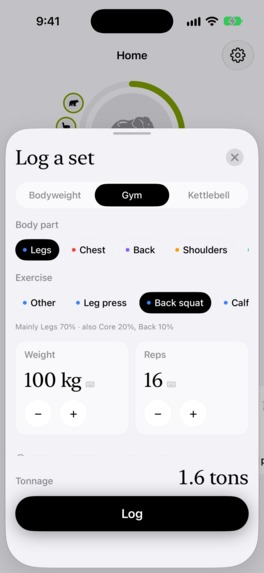
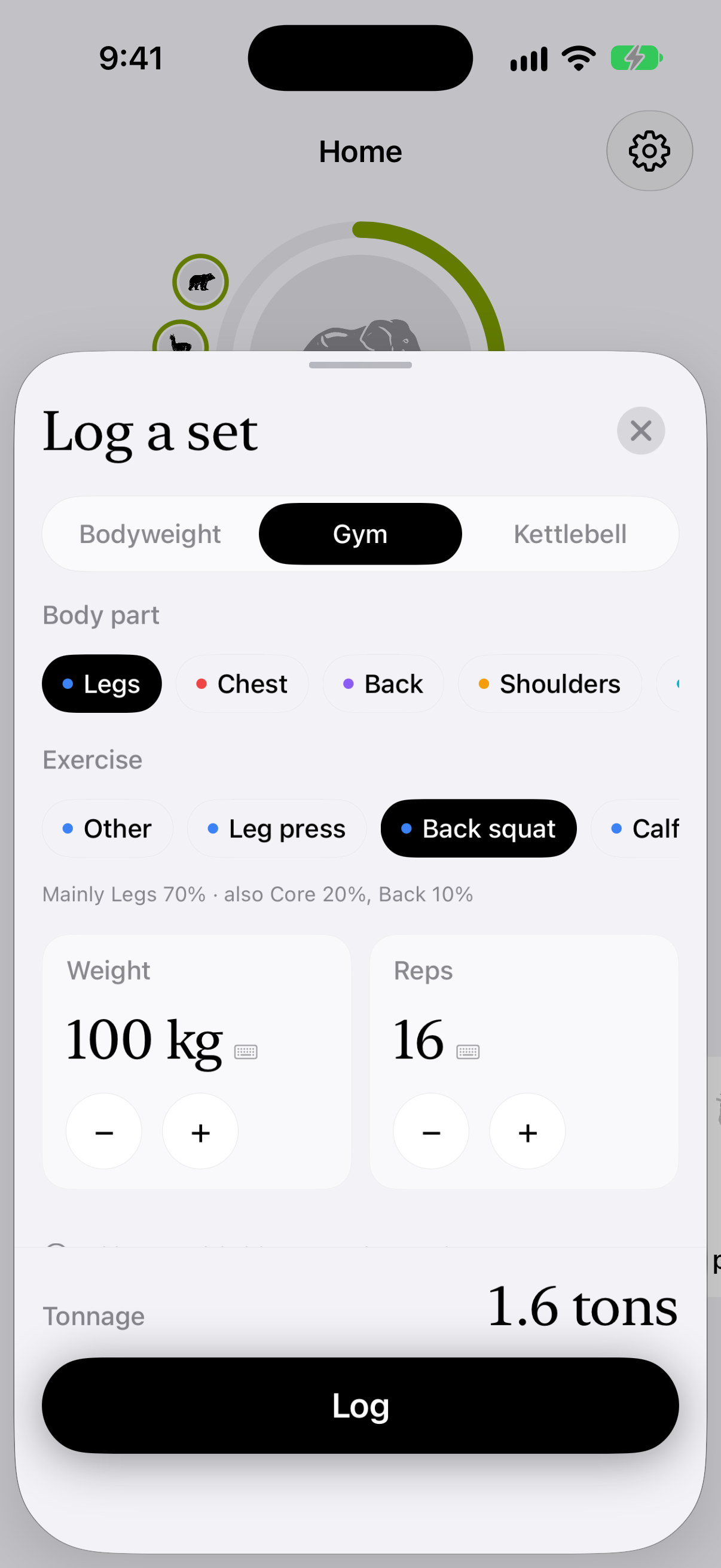
Log a set in seconds: back squat, 100 kg × 16
-
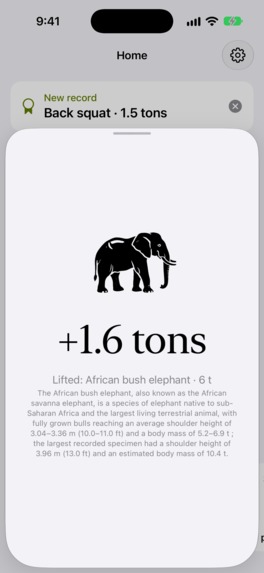
The set that finishes the elephant
-
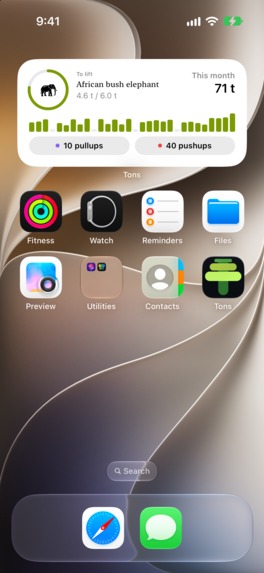
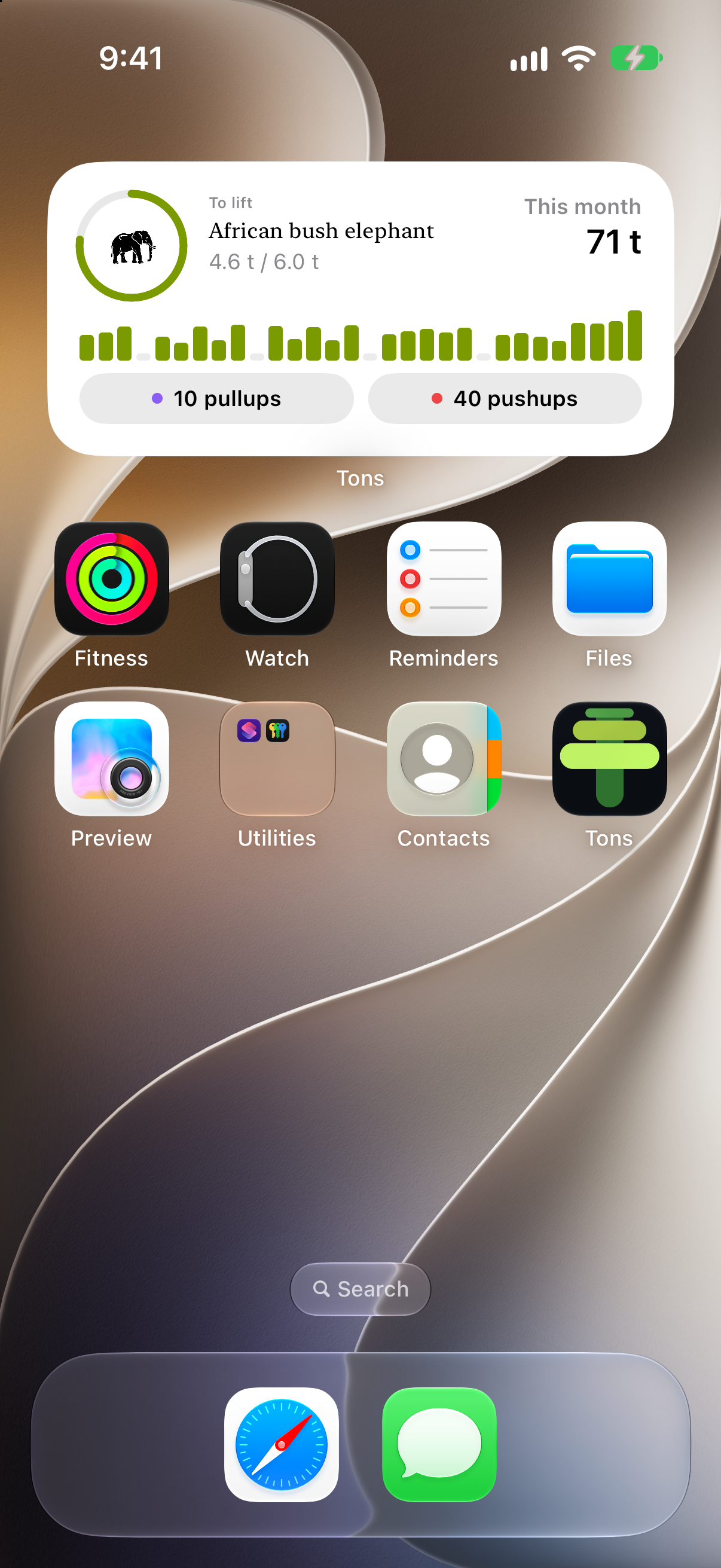
Home screen widget
-
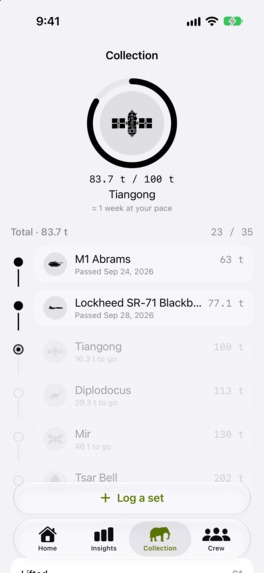
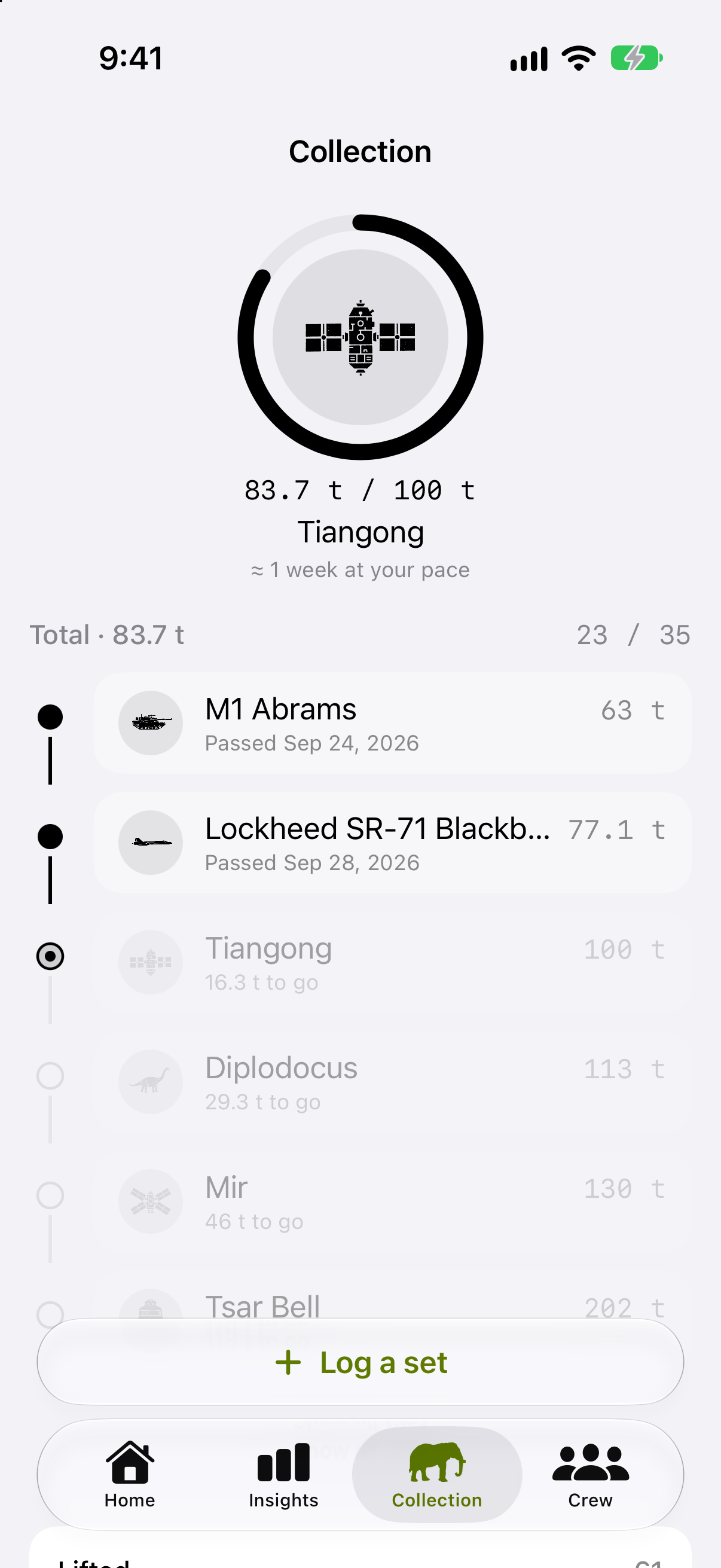
Collection: a lifetime road of real objects
-
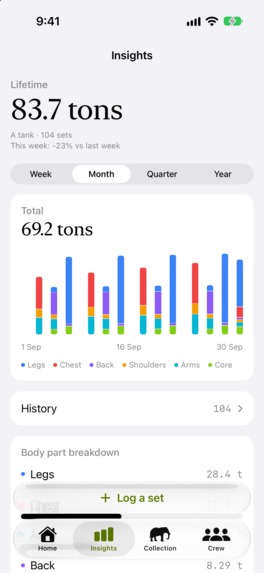
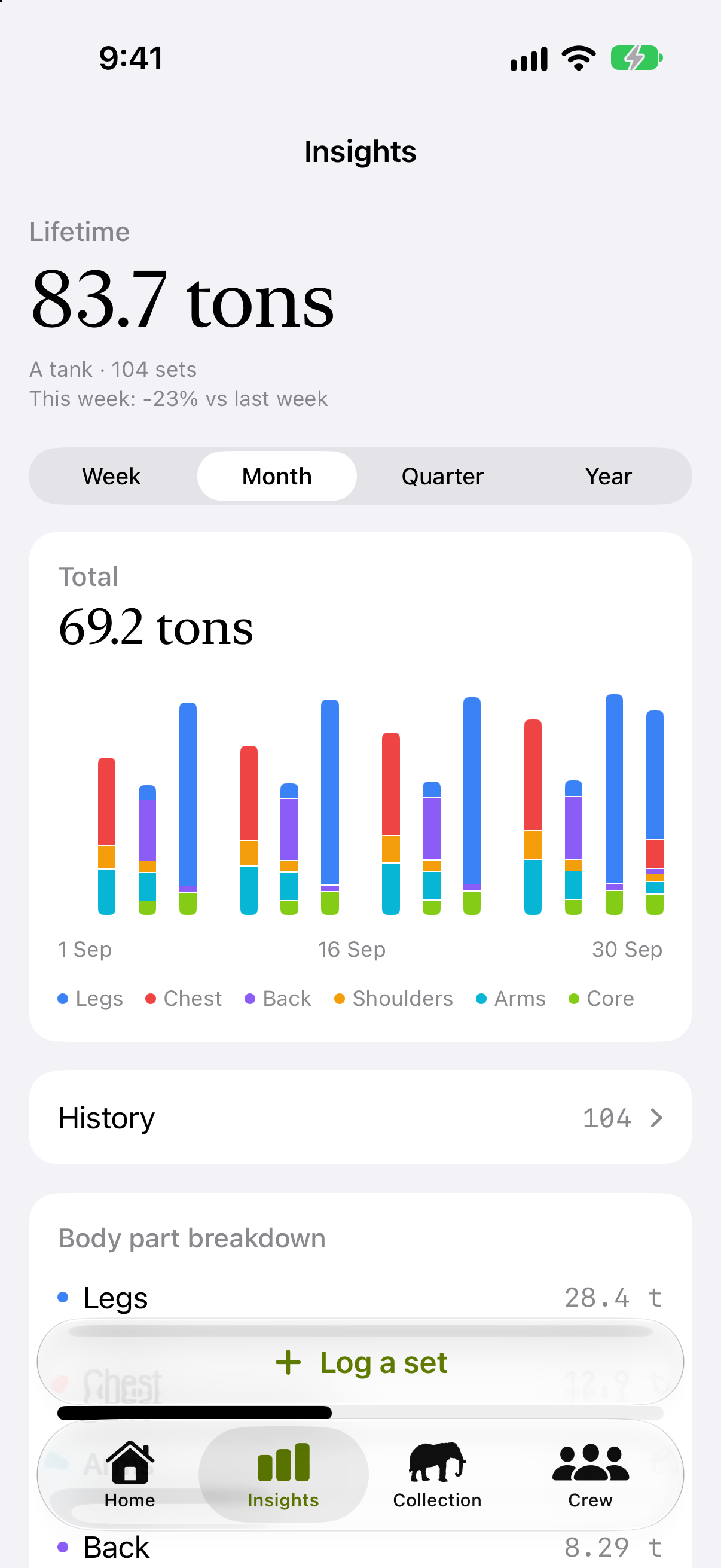
Insights: tonnage over time, by body part
-
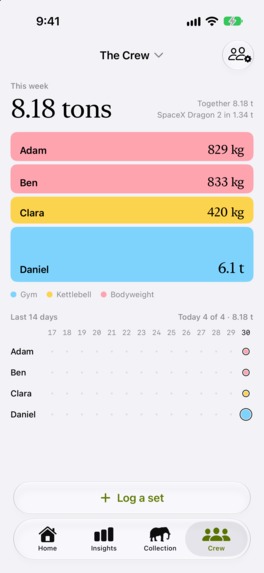
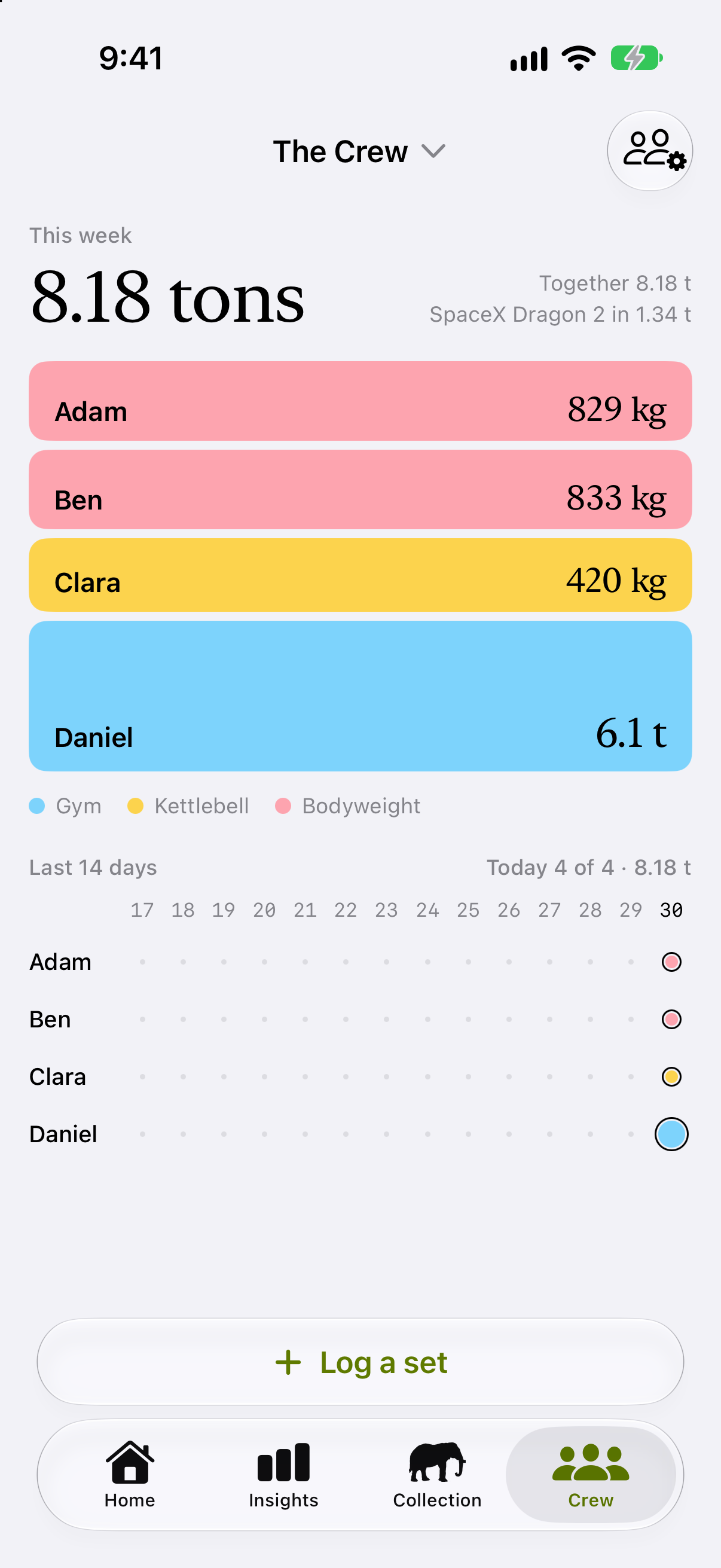
Crew: a private group's week together
-
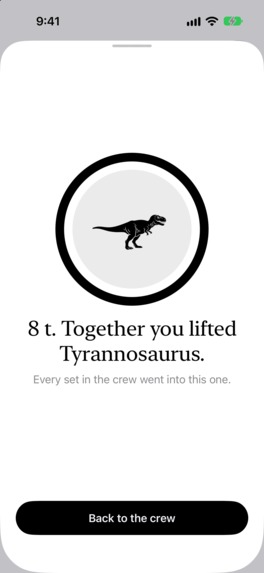
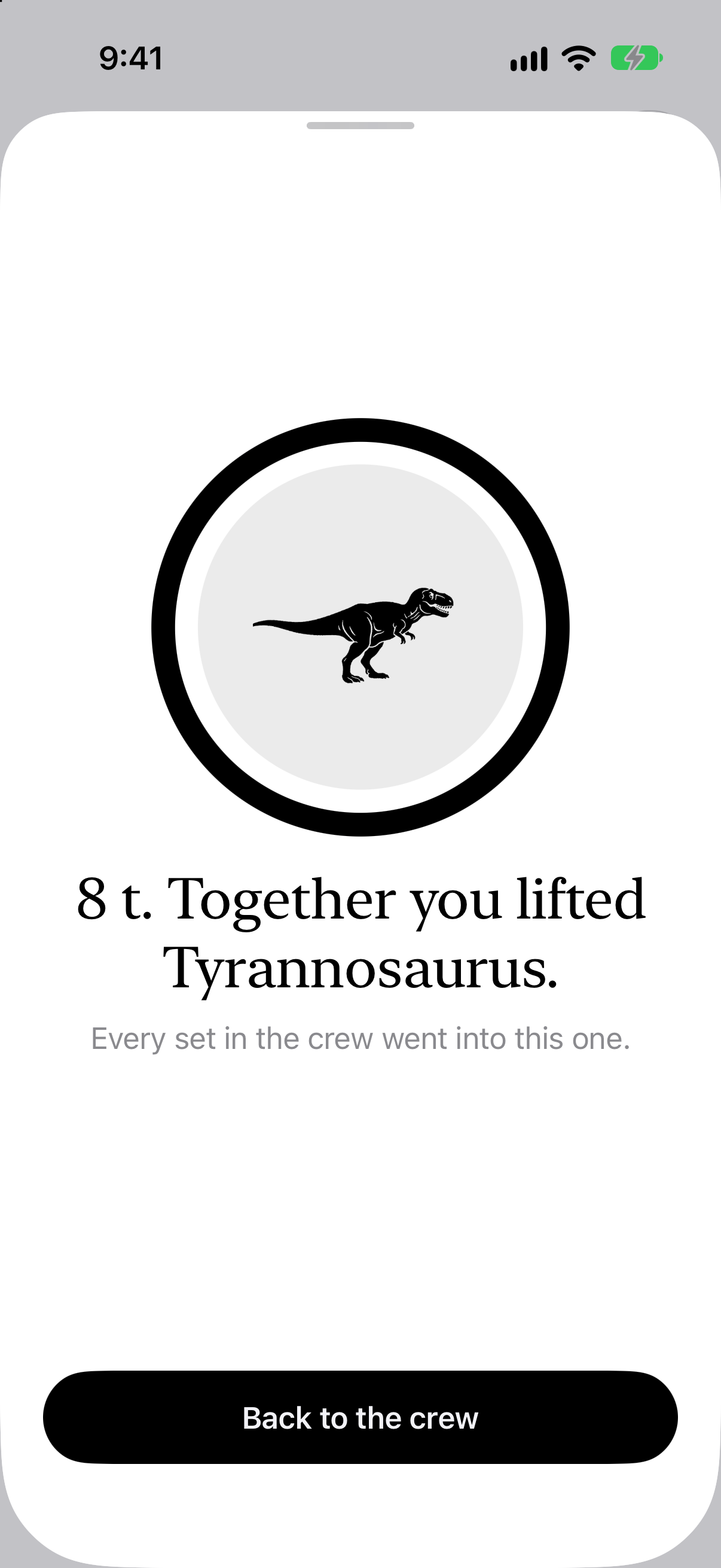
Crew: what the group lifted together

Inspiration
Years ago I was at the gym, looking at the guys who basically live there, and wondered how much they lift in a session compared to my 20-minute workout. Later I read about tonnage training. Counting total volume (weight × reps) is an old method that weightlifting coaches have used for decades. The idea stayed with me for years before I finally built it.
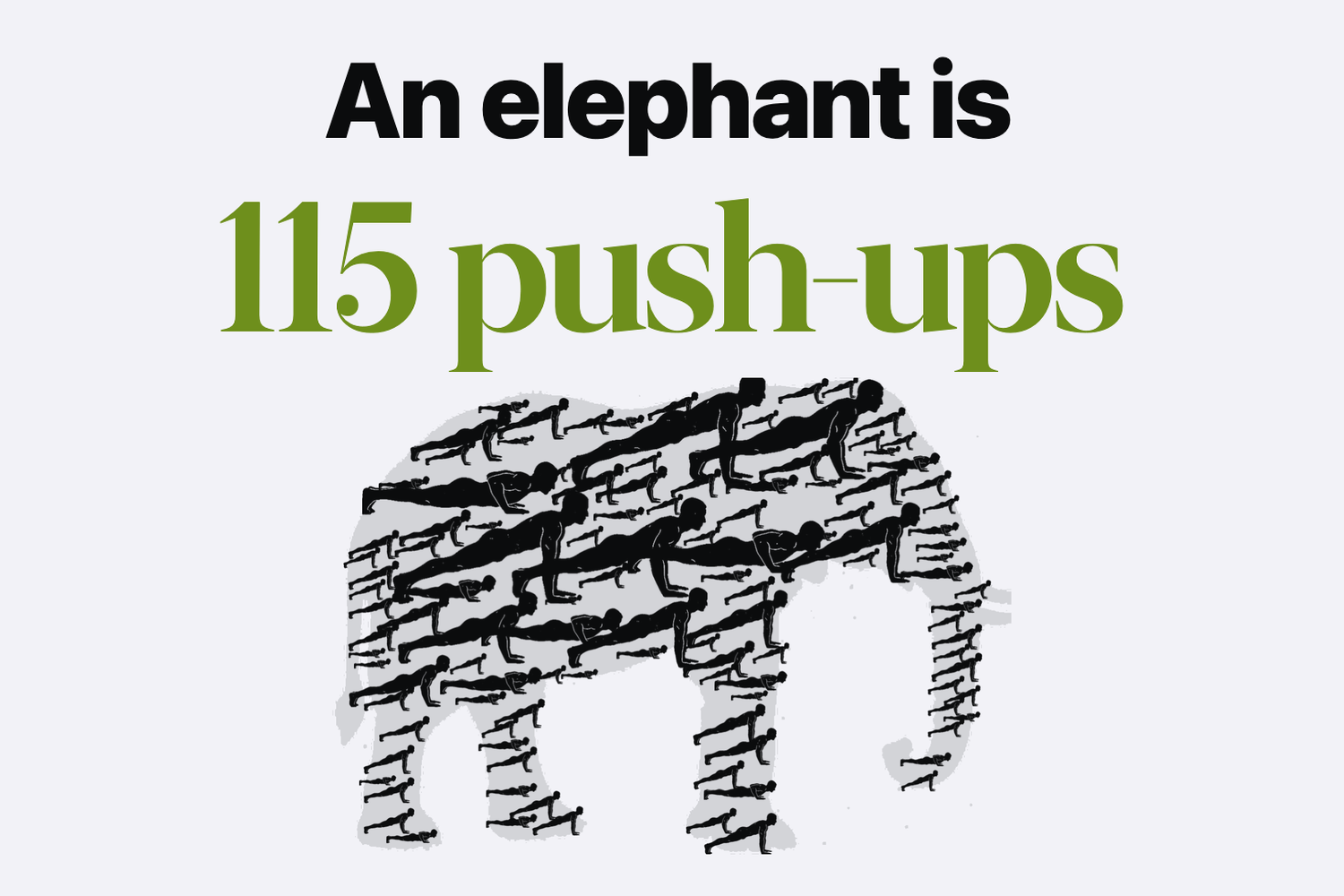
While building it I noticed you don't need a gym to lift tons. Push-ups in the kitchen count too. Then I found exercise snacking, short bursts of exercise spread across the day, and Tons fit it well.
I was also thinking about early Instagram. It was a good photo app even if none of your friends used it, and it got better when they did. I wanted Tons to work like that: useful alone, better with friends. Something like Strava for lifting, for people like me who don't like cardio but know strength training is good for them.
I also built it for myself. I'm lazy, and I wanted a way to trick myself into exercise snacks. Seeing the tons add up, and knowing my friends can see them, works on me.
And with an app called Tons, a Ship-a-ton was the obvious time to ship it.
What it does
Tons counts the tons you lift. A squat at the gym, a kettlebell swing and push-ups at home all end up as kilograms moved, so one number covers any kind of training. For bodyweight moves it counts the part of your body you actually lift, about 65% of it in a push-up.
Your totals turn into real objects: a car, an elephant, a tank, and eventually the Eiffel Tower. There are no training plans and no guilt. One set counts.
Crews are small private groups of friends who see each other's tons and cheer each other on. They see that you lifted and nothing more.
If you want to support Tons, there are optional tips and a monthly supporter badge through RevenueCat.
How I built it
Tons is Swift 6 and SwiftUI on Skip Fuse, so one Swift codebase can build for iOS and Android. I focused on iOS first and followed Apple's guidelines: an Apple Watch app, widgets, a Liquid Glass icon, Apple Health, iCloud sync without an account, Siri and Shortcuts, and 11 languages.
RevenueCat handles the tips and the supporter subscription. Crews run on Supabase with Sign in with Apple, and pushes go straight to APNs. The object stencils and exercise animations are generated with Nano Banana and cleaned up in Python. I wrote the code with Claude Code, across 370+ merged PRs.
Challenges I ran into
The hard part was design: making an app people want to open.
- The home screen went through many versions before it did one job well: getting you to log the next set.
- Bar exercises like skin the cat or a muscle-up took many rounds before the animations looked right.
- A random satellite from Wikidata means nothing to anyone, and Wikidata lists a newborn giraffe (54 kg) as "giraffe". I kept only objects people recognise and checked the masses by hand.
Accomplishments that I'm proud of
Shipping it: Tons is live on the App Store, with a watch app and widgets. And Crews, where friends lift together and cheer each other on without it becoming another social feed.
What I learned
AI coding makes the algorithmic problems easy, but it doesn't give you taste. Building an app now feels like sculpting: you can generate a lot very fast, and most of the work is deciding what to cut.
What's next for Tons
Marketing, getting Tons to people, and improving it based on their feedback. On the product side: a Crew widget and Android, since the Swift code already builds for it.
Built With
- app-intents
- claude-code
- healthkit
- icloud
- nano-banana
- postgresql
- python
- revenuecat
- sign-in-with-apple
- skip
- supabase
- swift
- swiftui
- watchos
- widgetkit
- wikidata

Log in or sign up for Devpost to join the conversation.