Inspiration
Tonot began with a familiar problem: ideas rarely arrive when it is convenient to type.
The initial spark came while I was getting coffee. I had a useful connection for a project, opened my notes app, looked at the keyboard—and by the time I typed a few vague words, much of the thought was gone.
That made me think about the gap between having an idea and capturing it. Voice is the most natural interface in those moments, but ordinary recordings become a pile of unnamed audio files that nobody wants to replay. Meeting-transcription tools solve a different problem: they are built for long, structured conversations, not a 30-second thought while walking, cooking, or moving between meetings.
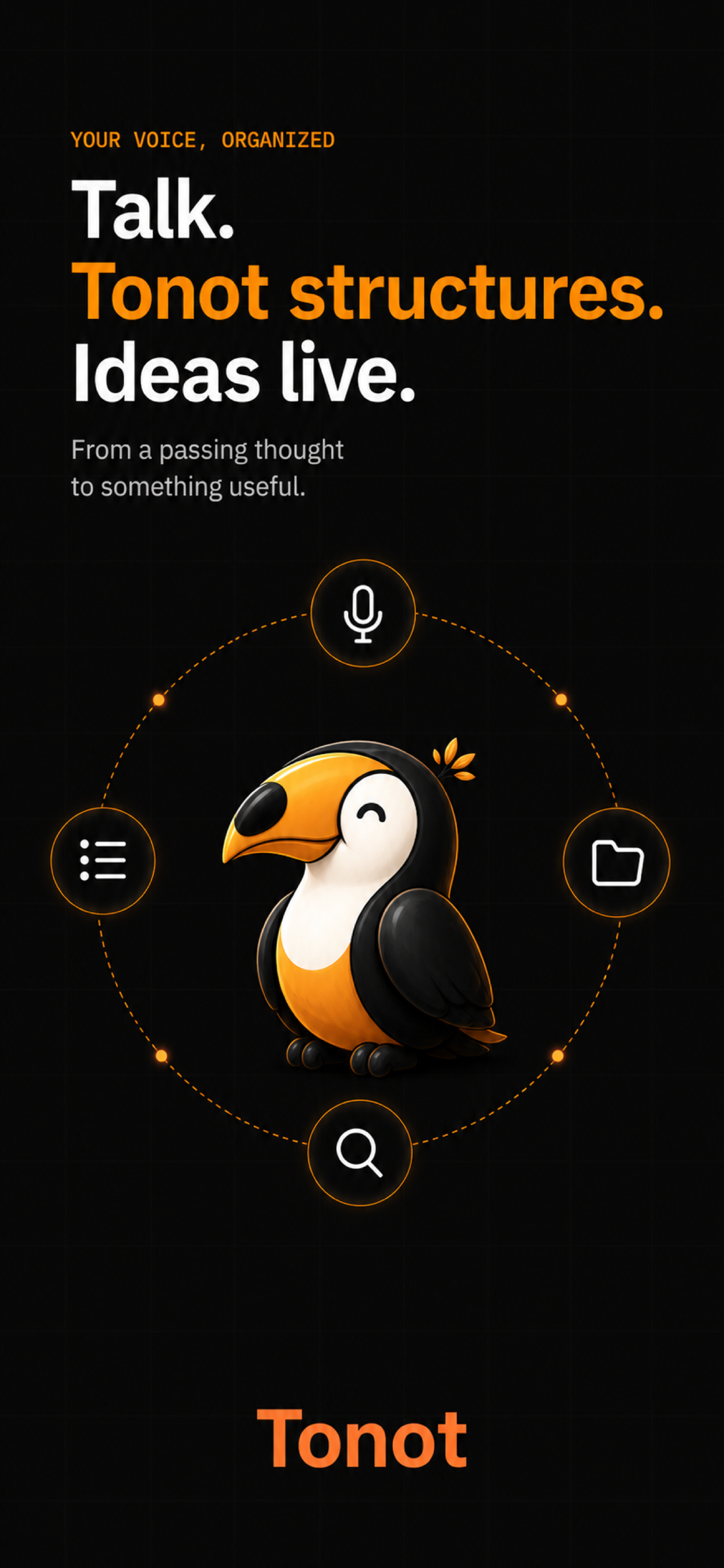
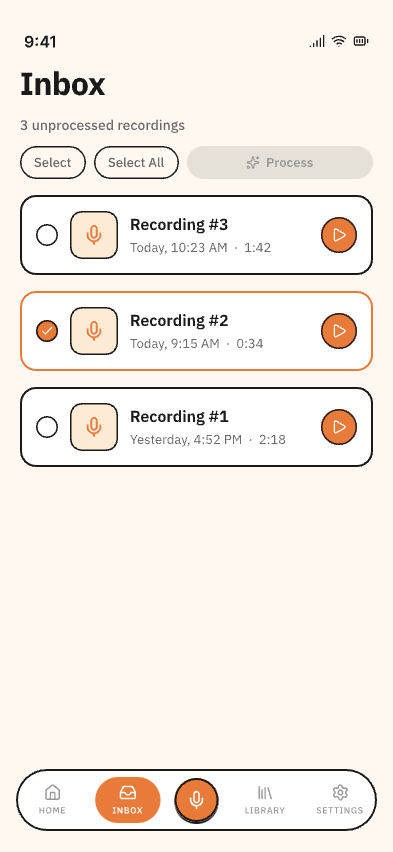
Tonot is built around a simple principle: capture first, process later.
What it does
Tonot is a voice-first note-taking app that helps people capture a thought in one tap, then turn it into something they can actually revisit and use.
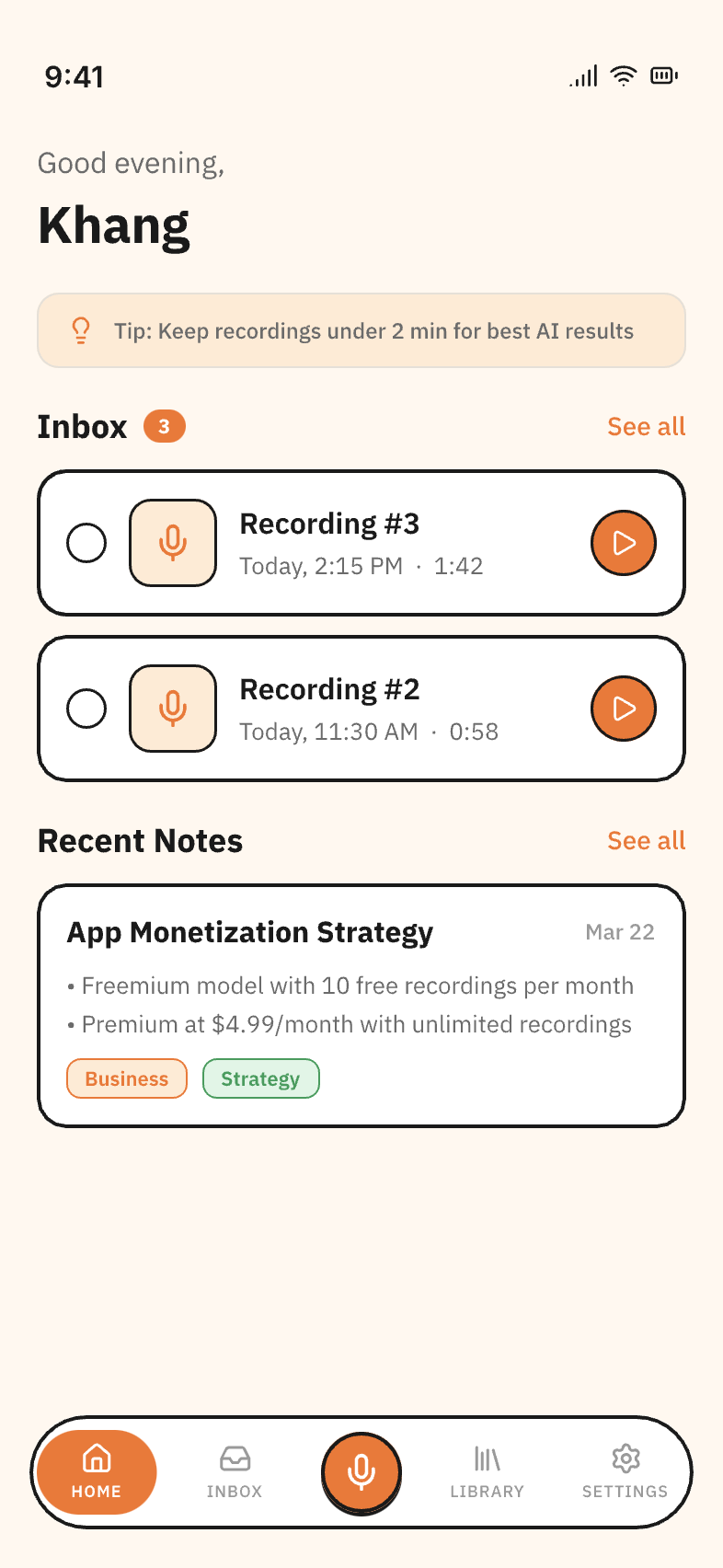
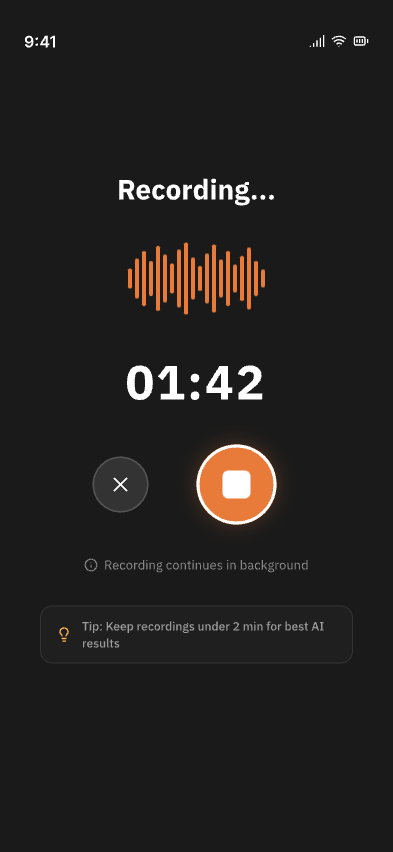
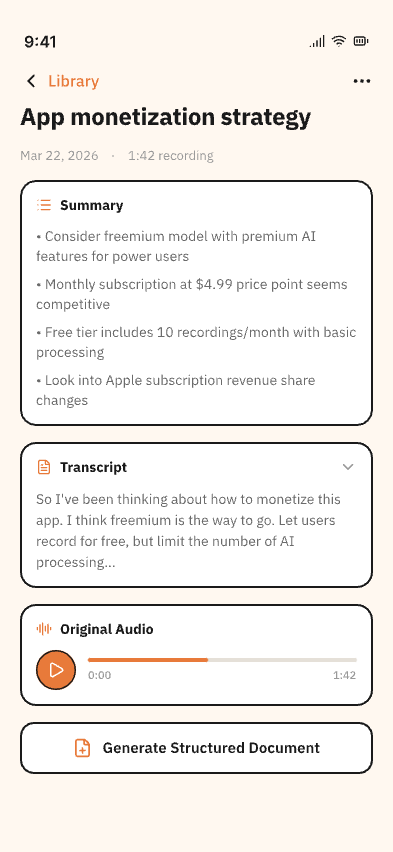
Users can record an idea immediately—even offline—without naming it, choosing a folder, or formatting anything. When they are ready, they explicitly process the recording. Tonot transcribes it, generates a clear title and summary, and preserves the full transcript alongside the original audio.
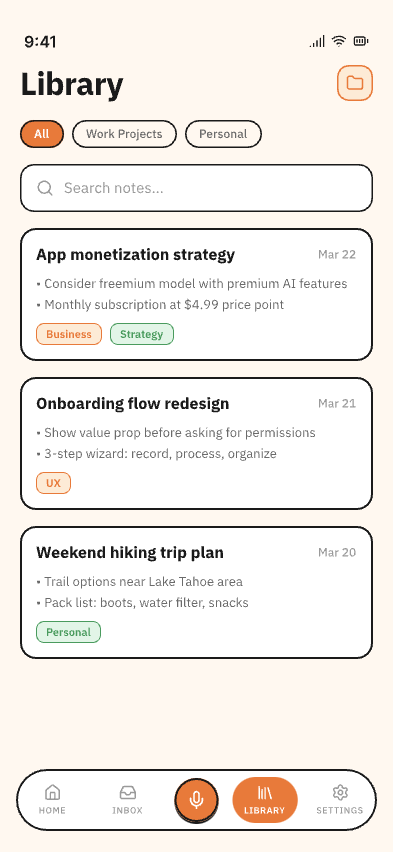
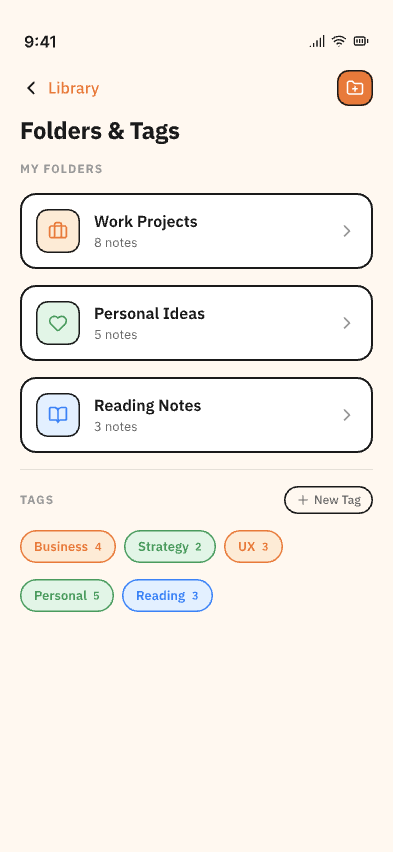
From there, users can search their library, organize notes with folders and tags, export notes as text or Markdown, or turn an idea into a structured document with an executive summary, sections, and action items.
Privacy is part of the product design: recordings are stored locally by default and are only sent for transcription when the user chooses to process them.
How I built it
Tonot is built with React Native, Expo, TypeScript, and Expo Router, which lets me maintain one codebase for iOS, Android, and web.
The app uses a dedicated native voice-recording module, local device storage for recordings, Firebase Authentication, TanStack Query for server state, Zustand for local state, and i18next for English and Vietnamese localization. The processing flow combines speech-to-text with an AI structuring pipeline that turns a raw spoken thought into a readable note and, optionally, a structured document.
I also built the app around a clear separation between recording, processing, library management, note detail, structured documents, and subscriptions. That separation has made it much easier to improve one part of the product without making the capture experience more complicated.
How RevenueCat fits in
Tonot needs a sustainable subscription model without making purchases another source of friction. I integrated RevenueCat to manage the subscription layer, including offerings, purchase flows, entitlement checks, restores, and account changes across the native app.
Keeping the RevenueCat integration behind a dedicated gateway means the rest of the app works with simple subscription concepts rather than platform-specific StoreKit details. This gives me a cleaner path to iterate on free and paid tiers while keeping the core capture experience accessible.
Challenges I ran into
The biggest challenge was resisting the temptation to add complexity during capture.
It is easy to add live transcription, folders, prompts, titles, and AI suggestions to the recording screen. But every extra decision increases the chance that a user loses the thought they were trying to save. I intentionally kept the capture flow to one job: tap, speak, stop.
The other challenge was balancing AI usefulness with user control. Processing is on demand rather than automatic, so users decide which recordings deserve transcription and AI processing. This also avoids spending resources on recordings they may delete.
Finally, audio is personal. Designing around local-first storage and explicit processing was important both for privacy and for earning user trust.
What I learned
I learned that a useful AI product is often less about adding intelligence everywhere and more about placing it at the right moment.
For Tonot, AI should not interrupt the moment of thinking. Its role is to do the organizing work later: clean up a transcript, surface the point, and make an idea easy to find again.
I also learned that constraints create clarity. By focusing Tonot on short bursts of thought rather than long meetings or full brainstorming sessions, the product became easier to explain and the output became more useful.
What’s next
Next, I’m continuing to refine the recording and processing experience with real user feedback, improve transcript quality and structured-document output, and validate which subscription tiers provide genuine value.
My goal is simple: make sure a good idea has somewhere to land before it disappears.
