-
-
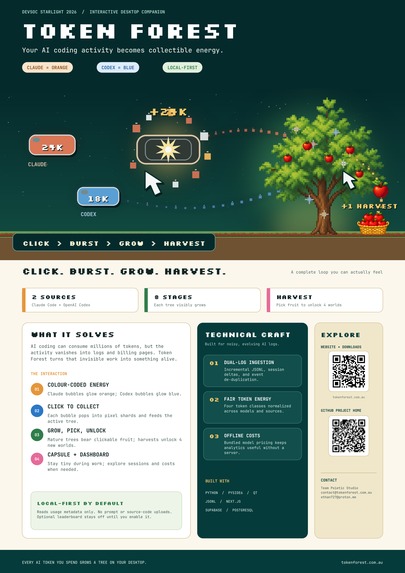
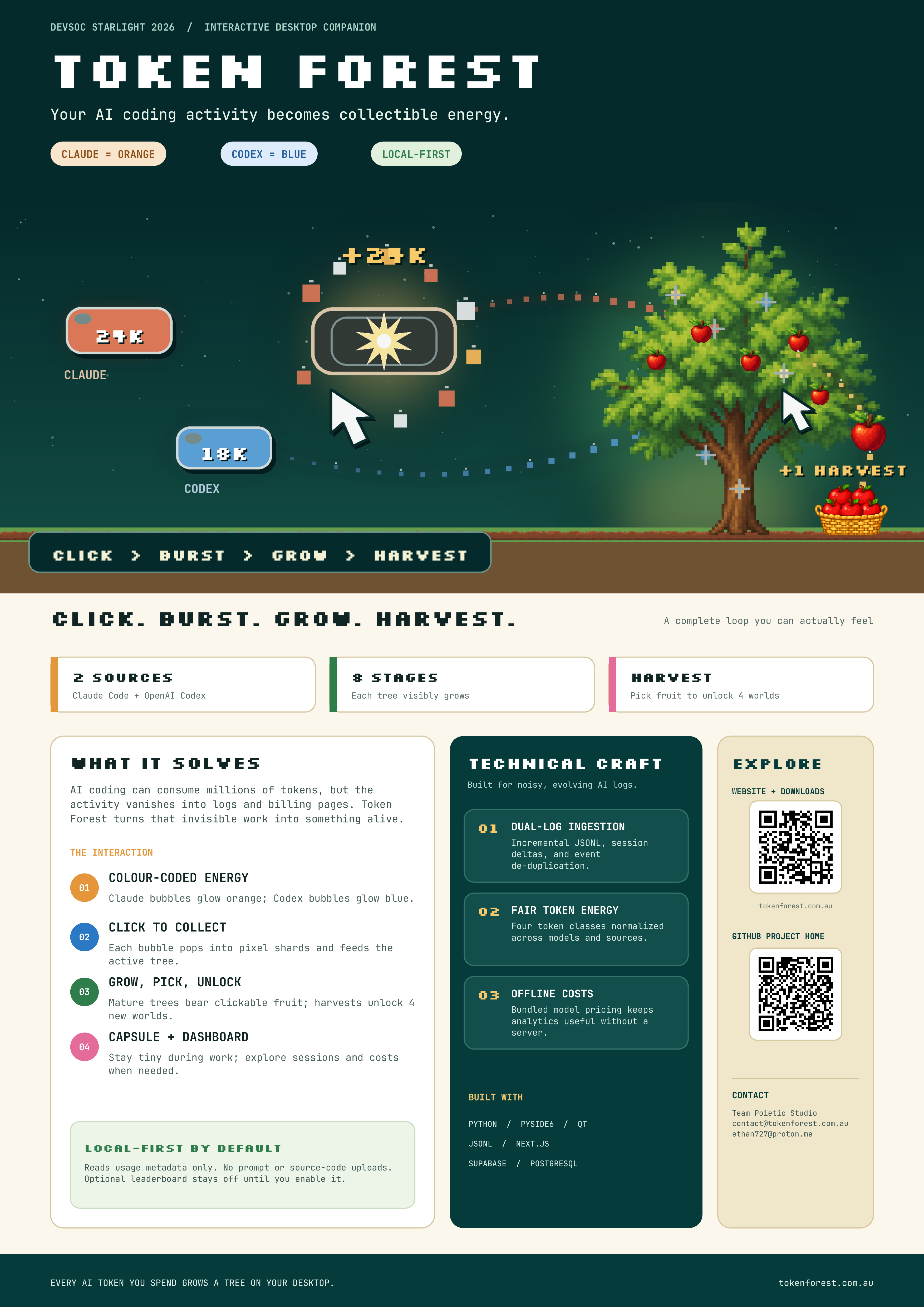
Our A3 submission poster — what Token Forest is, the core loop, technical challenges, QR links, and contact info.
-
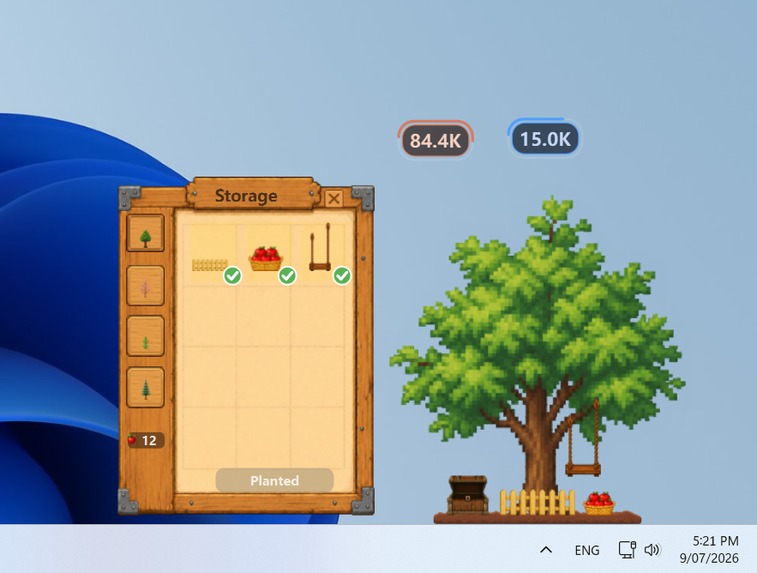
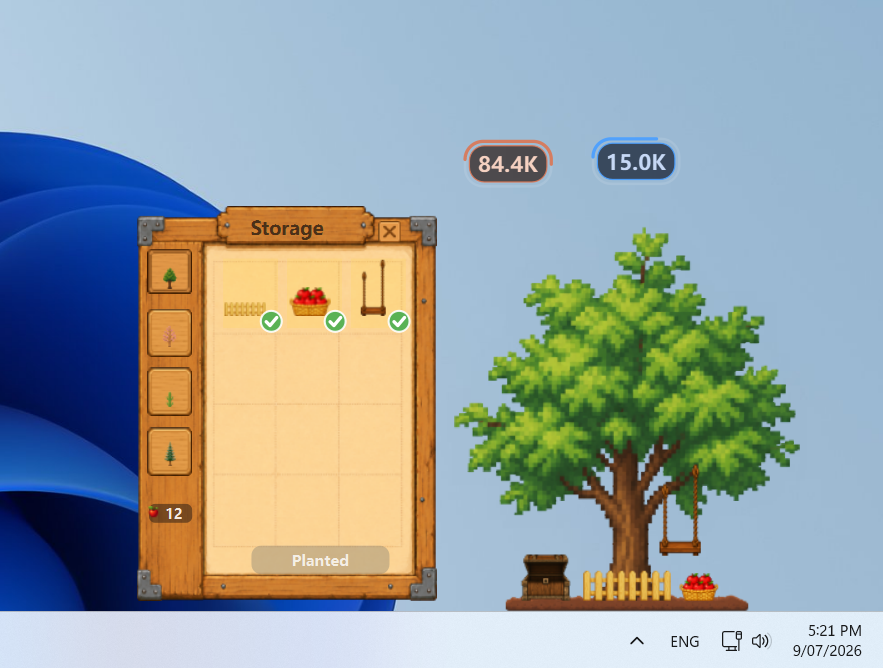
Apple Tree showcase with Storage, decorations, fruit, energy bubbles, and the desktop scene.
-
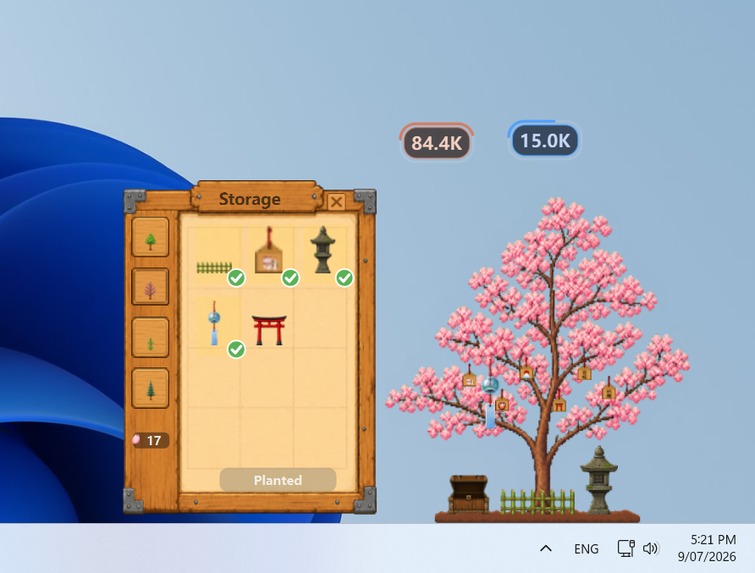
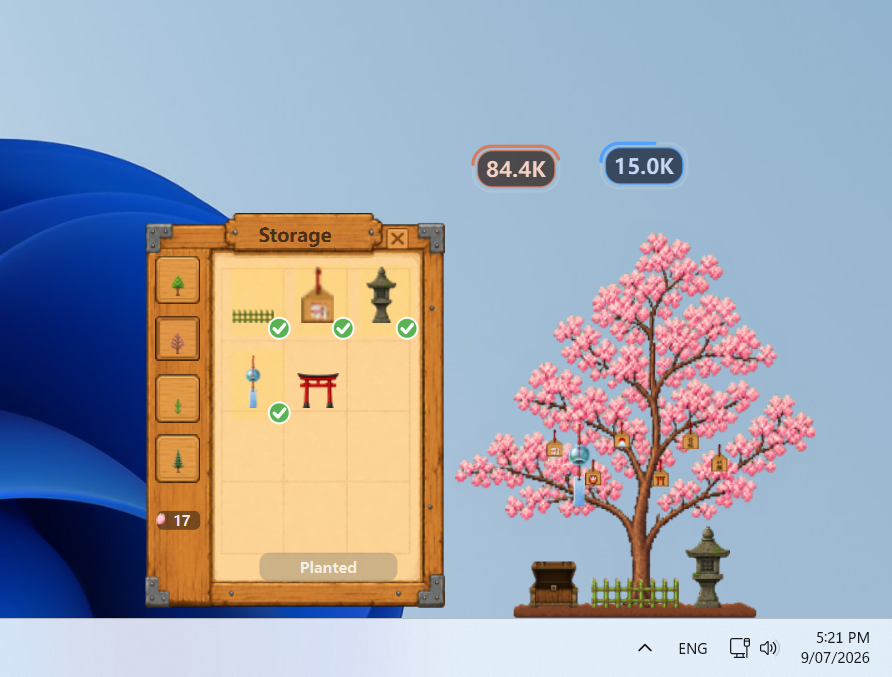
Cherry Tree showcase with planted decorations, petals, and the desktop growth scene.
-
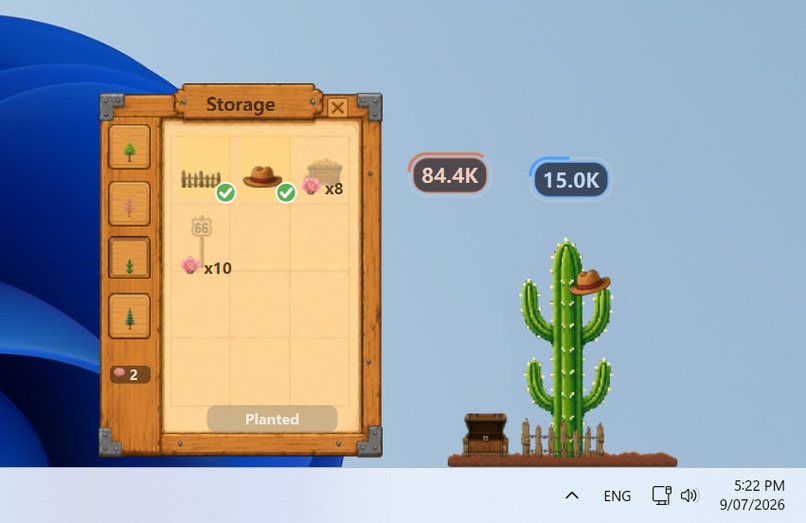
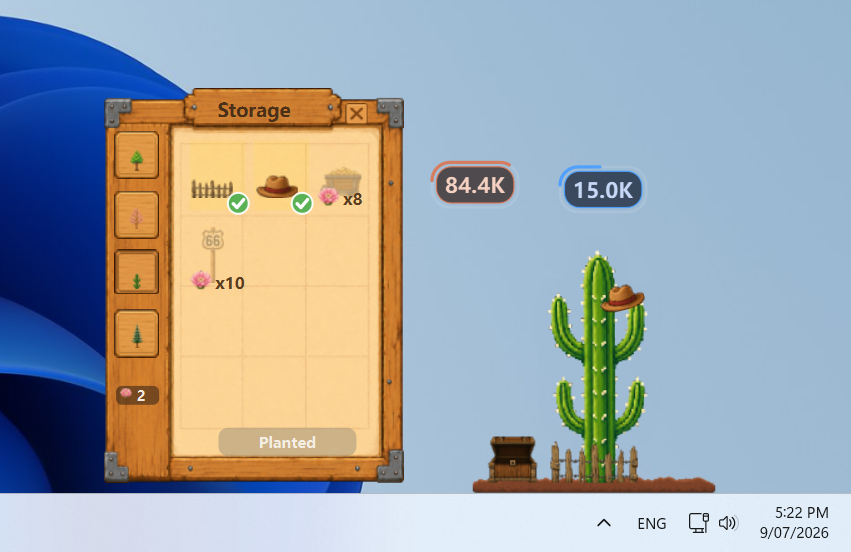
Cactus showcase with desert decorations, cactus flowers, and the live desktop scene.
-
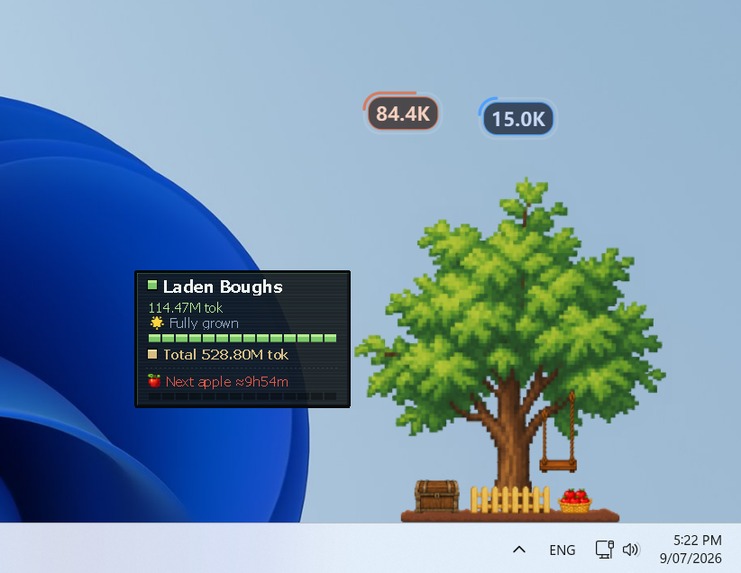
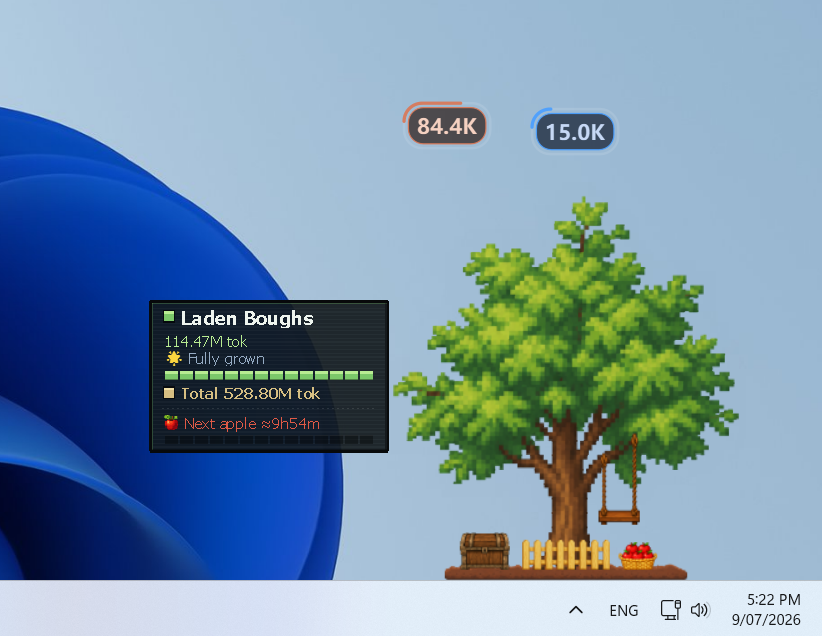
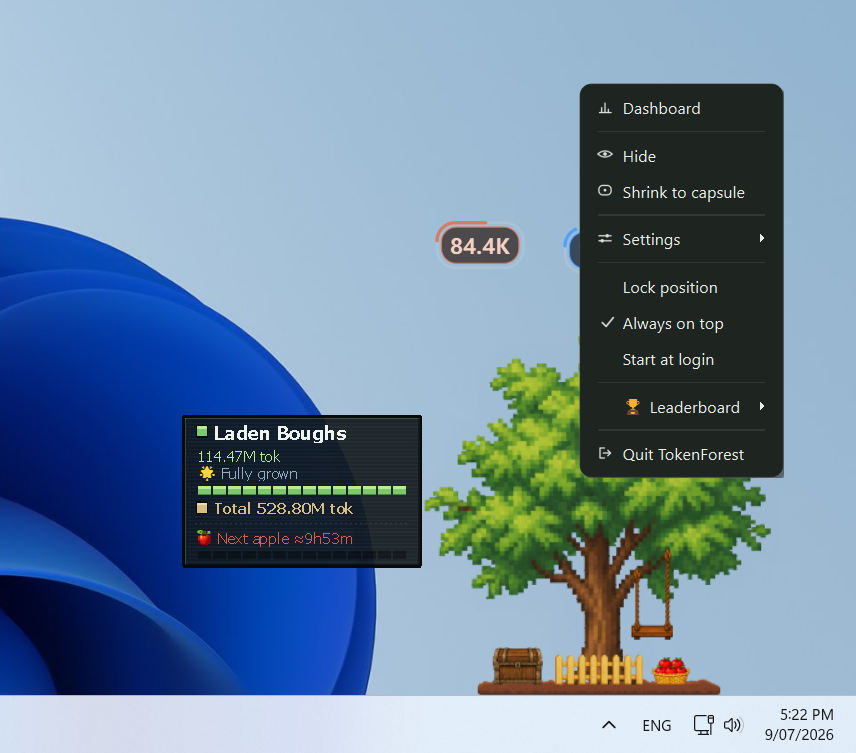
Hover HUD showing the tree stage, token progress, total growth, and next apple timer.
-
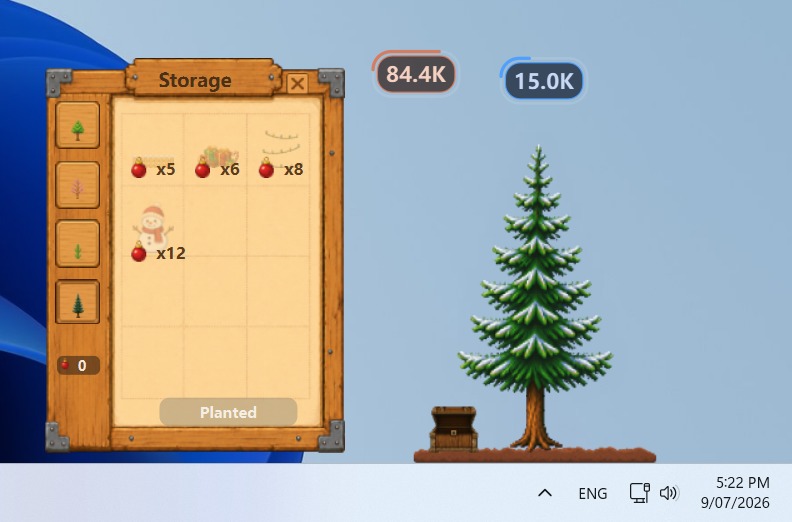
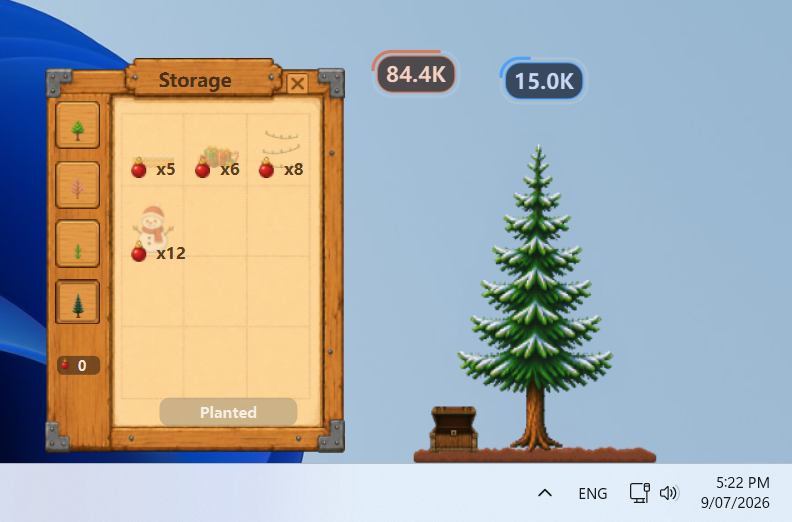
Christmas Tree showcase with festive decoration choices and the desktop tree scene.
-
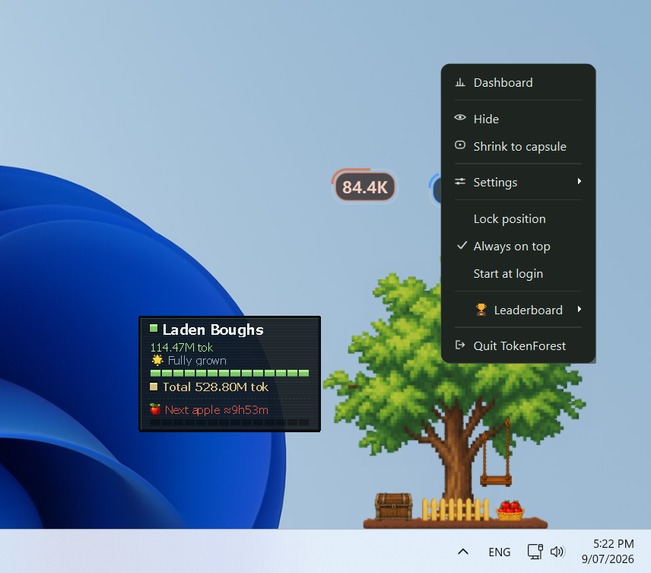
Right-click controls for Dashboard, capsule mode, settings, leaderboard, and app options.
-
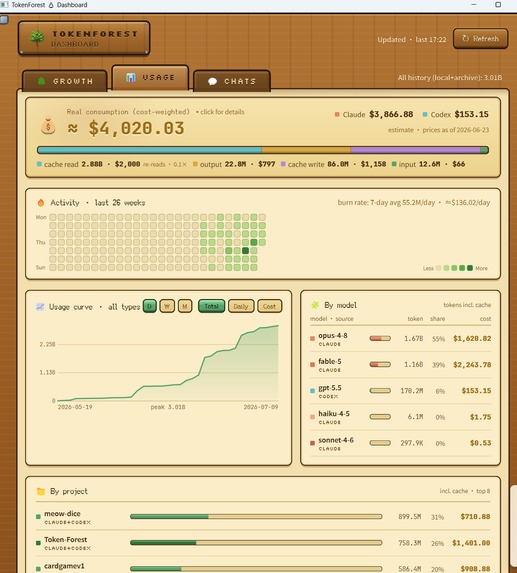
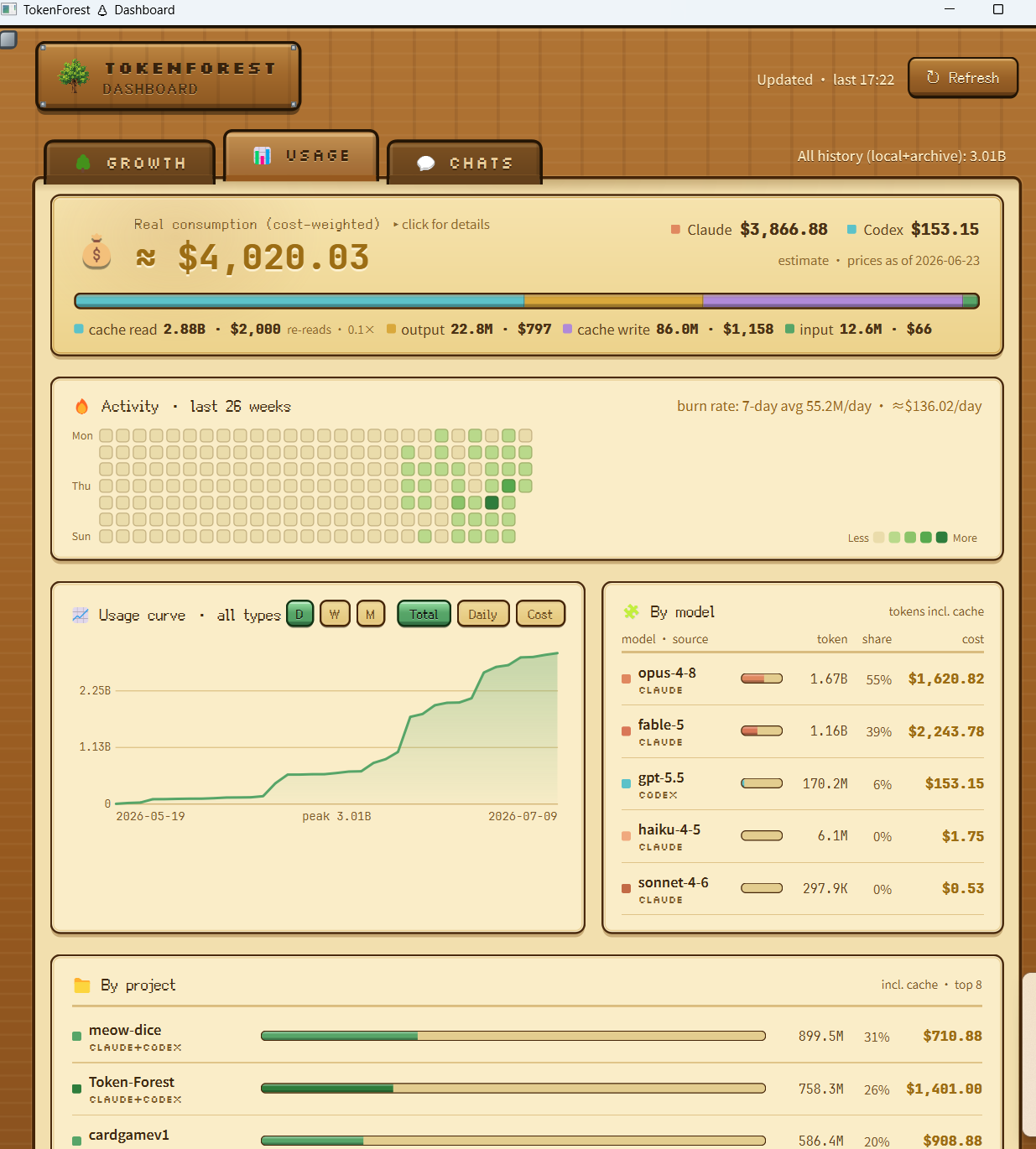
Usage dashboard with local cost estimates, activity heatmap, usage curve, models, and projects.
-
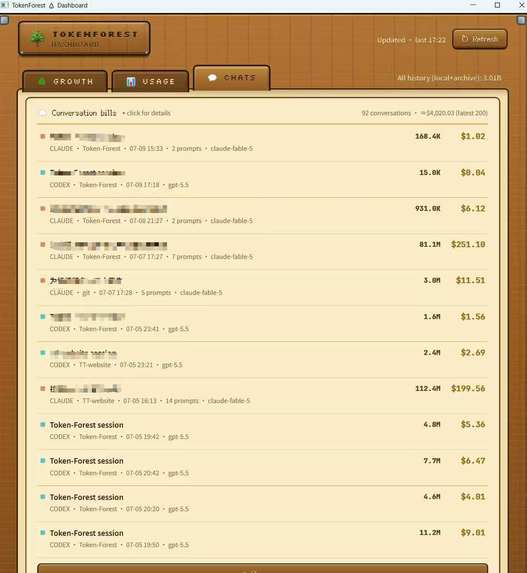
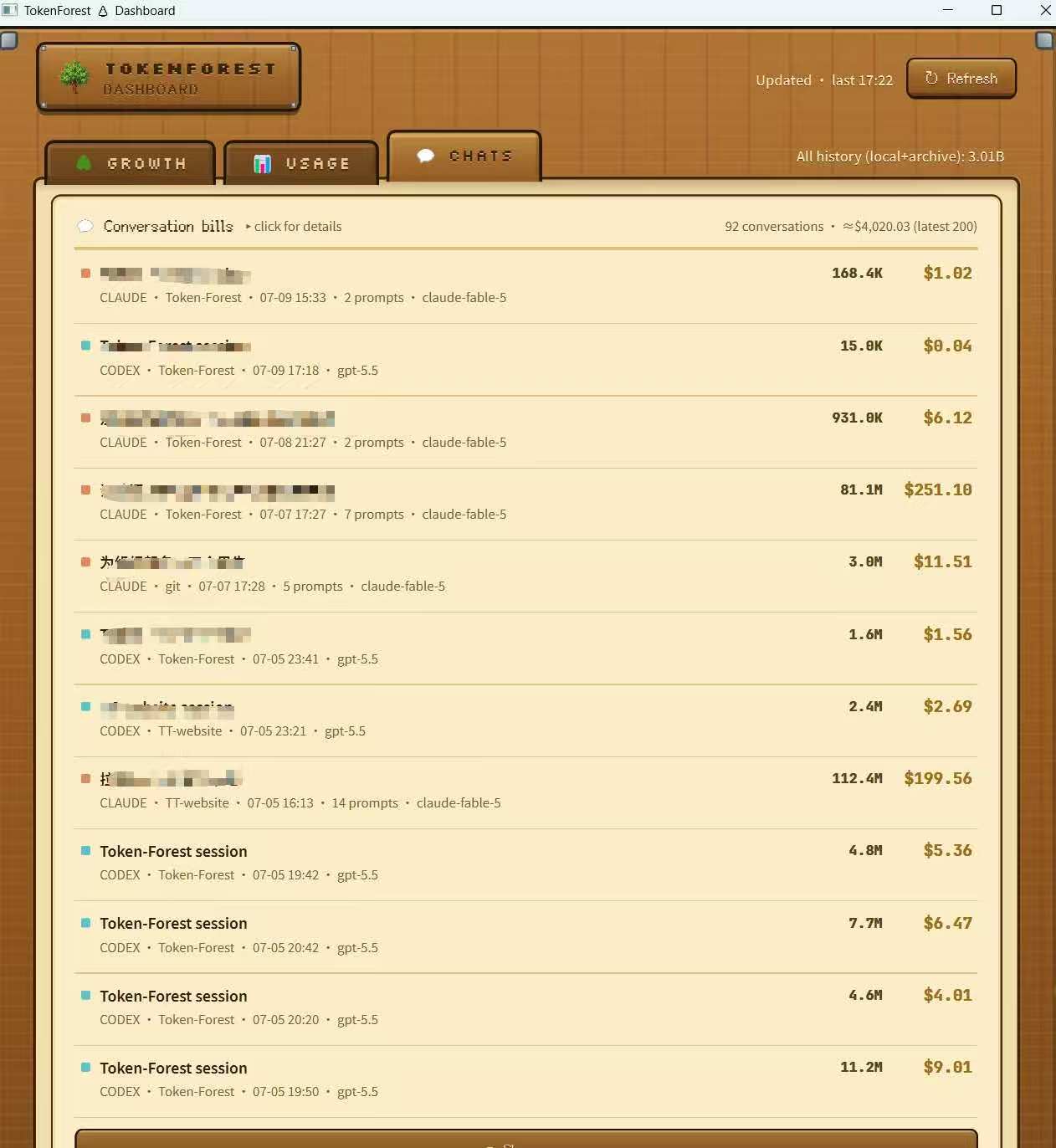
Chats dashboard listing recent Claude and Codex sessions with token totals and estimated costs.
-
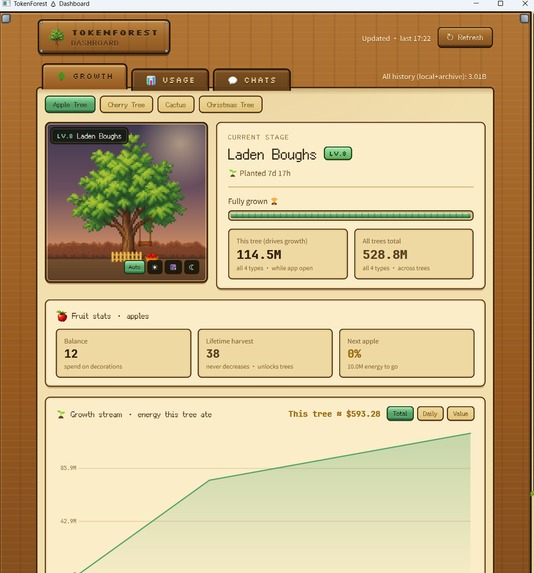
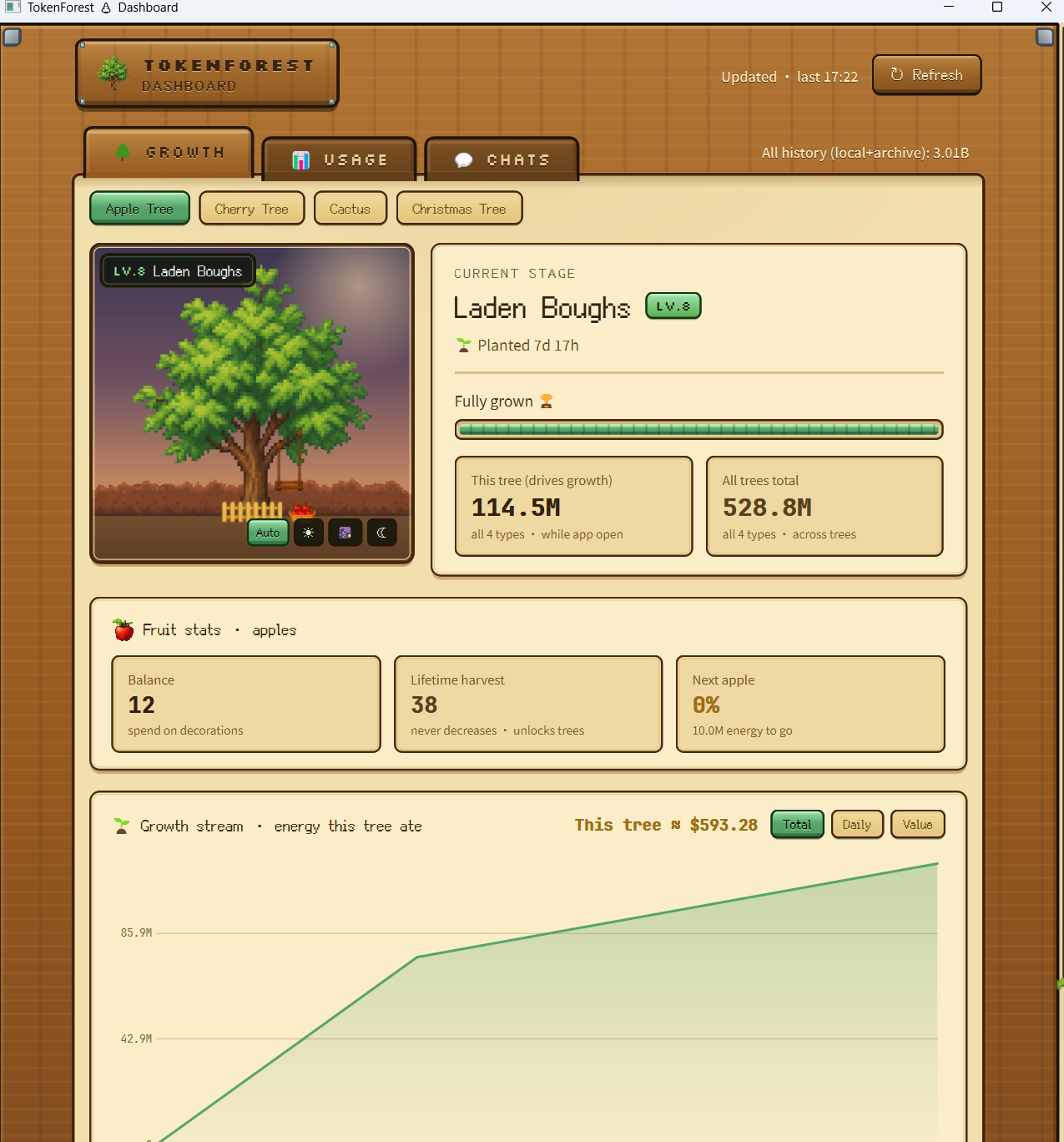
Growth dashboard showing the Apple Tree stage, fruit stats, tree value, and growth stream.
-
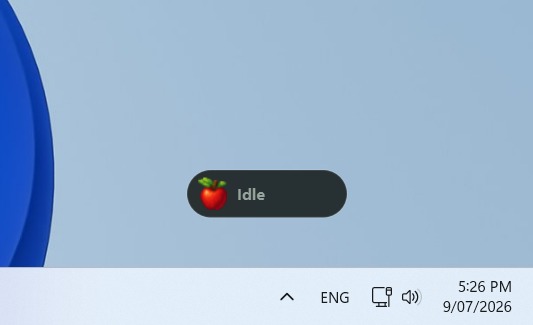
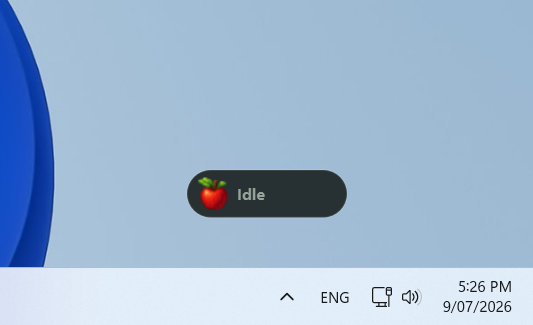
Capsule mode in idle state, keeping Token Forest compact above the taskbar.
-
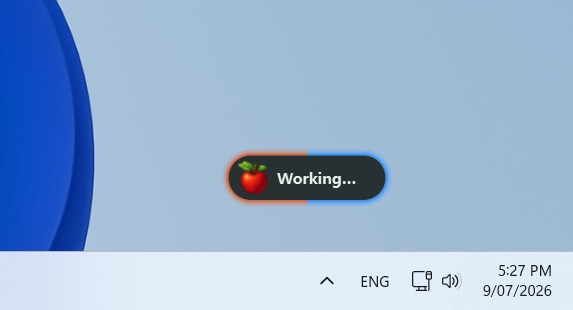
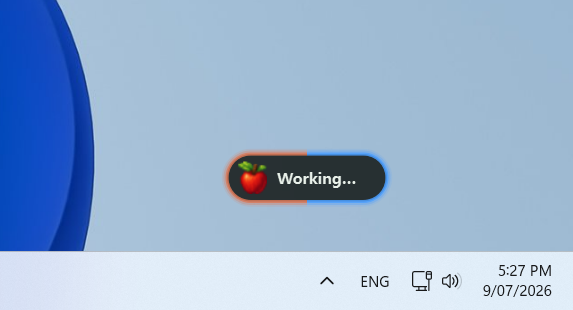
Capsule mode while Claude and Codex are both active, shown by the orange and blue ring.
-
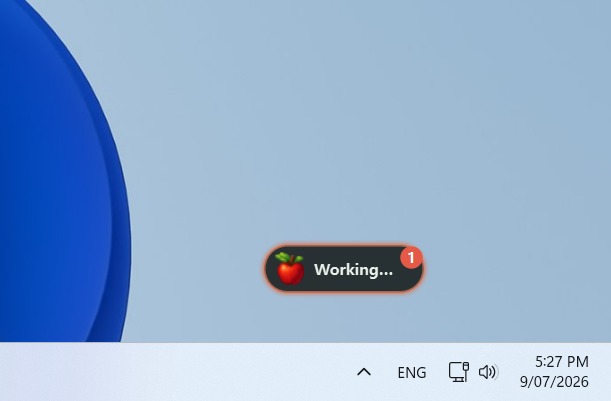
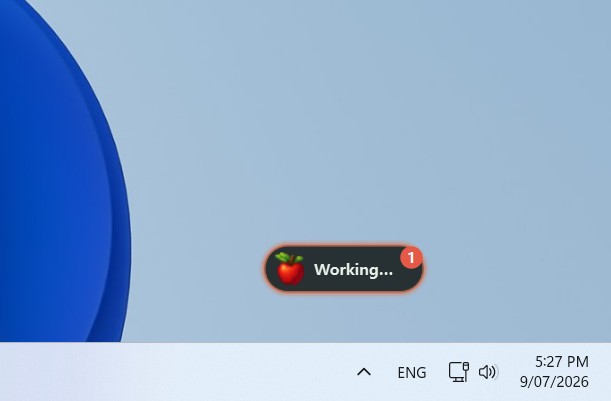
Capsule mode with Claude active and a badge showing one pending harvest.
-
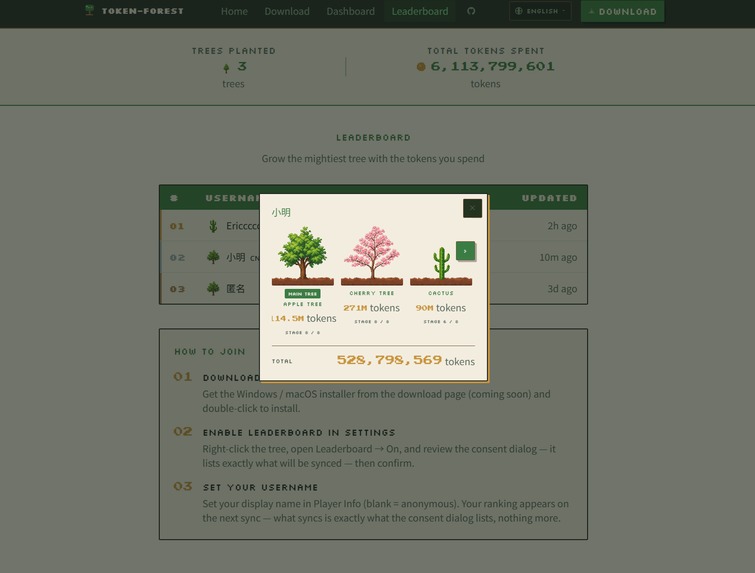
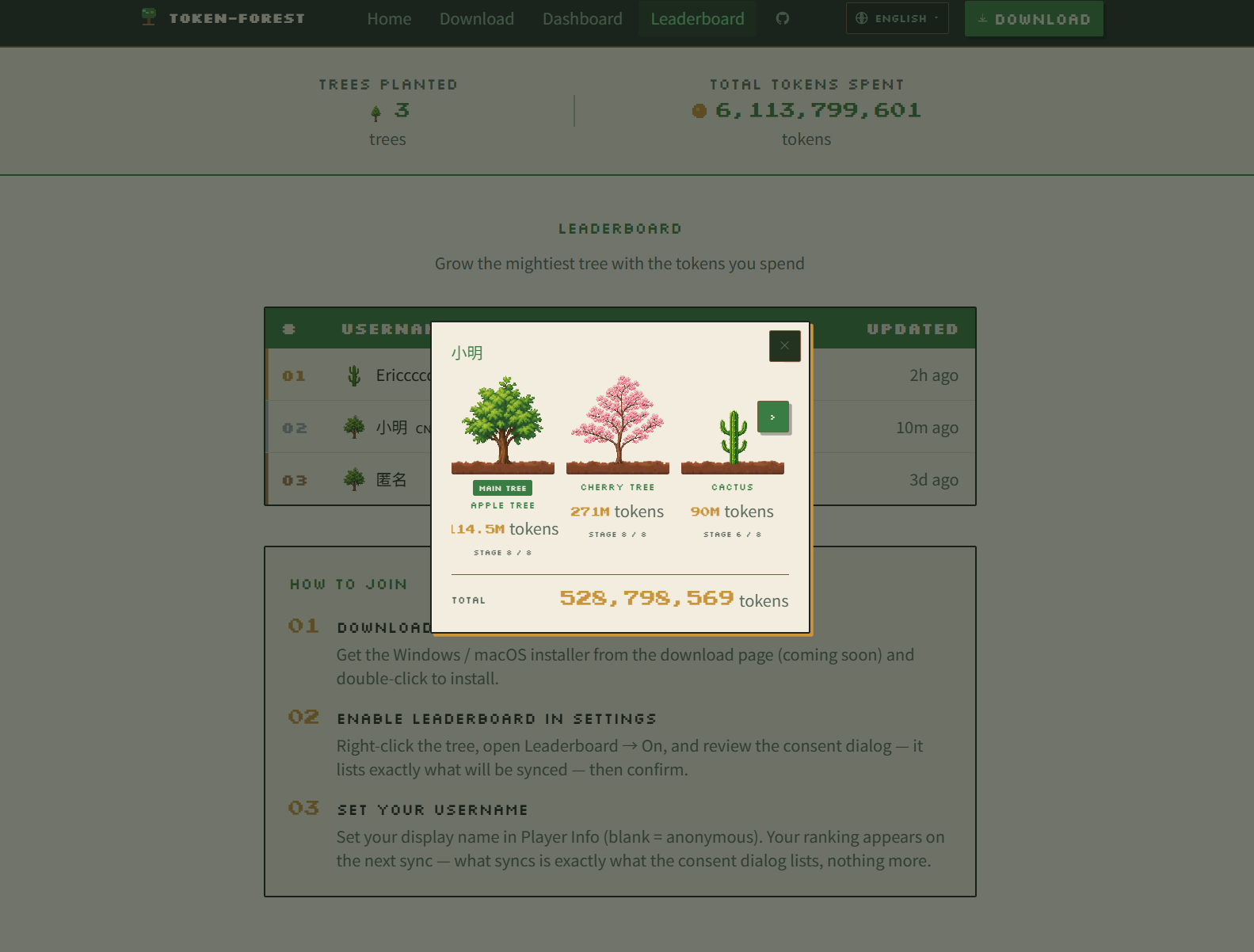
Website leaderboard profile showing each player’s tree progress and total tokens.
Inspiration
AI-assisted coding produces an enormous amount of activity, but most of it disappears into an abstract token counter or a billing page. A number can tell us how much we used; it does not make the work feel tangible.
We wanted to turn that invisible activity into something calm, playful, and alive. Instead of adding another productivity dashboard that demands attention, we imagined a tiny tree living at the edge of the desktop. As we build with AI, the tree should grow with us. That simple metaphor became Token Forest: invisible computation becomes visible growth.
What it does
Token Forest is a lightweight pixel-art desktop companion for people who build with Claude Code and OpenAI Codex.
The app incrementally reads the usage information already written to local Claude Code and Codex JSONL logs. New usage appears above the tree as animated, source-coloured energy bubbles—warm orange for Claude and blue for Codex. The developer clicks a bubble to collect it, and that energy advances the current tree through eight growth stages. This small moment of interaction turns a background metric into a satisfying record of work completed.
The experience grows into a complete collection loop:
- Mature trees produce harvestable fruit over time and through collected energy.
- Harvests can be spent on themed decorations in a small in-app shop.
- Cumulative harvests unlock new species: apple tree, cherry blossom, cactus, and Christmas tree.
- Every species has its own growth thresholds, harvest behaviour, artwork, and decorative world.
- A compact capsule mode replaces the full tree with a tiny status pill that shows whether Claude, Codex, or both are working, then reacts when a task finishes.
Hovering over the tree reveals its current stage, progress, collected harvests, and tokens remaining until the next stage. A local three-layer dashboard goes deeper: it visualises growth over time, daily/weekly/monthly usage, contribution heatmaps, token classes, per-model and per-project breakdowns, recent AI sessions, burn rate, and an offline cost estimate based on a bundled pricing table.
Privacy is part of the product architecture, not an afterthought. Growth, analytics, and cost calculations happen on the user's device. Token Forest does not need an account or a network connection for its core experience. It does not access source-code files, retain prompt bodies, or upload conversation content. The only online feature is an optional global leaderboard, which is off by default. If a user opts in, the app submits only the disclosed leaderboard identity and tree-progress fields needed to rank the forest. Turning it off stops synchronization and requests removal of the user's entry.
How we built it
The desktop application is built in Python with PySide6/Qt. We chose a native widget instead of a game engine so the pet could start quickly, use few resources, float above the taskbar without occupying a normal application window, and remain easy to run on both Windows and macOS.
Our local usage reader handles two very different event formats. Claude Code records usage per assistant message, so we incrementally scan appended JSONL data and de-duplicate messages by UUID. Codex exposes per-turn token events and cumulative session snapshots, so we prefer per-turn deltas and fall back to snapshot differences for older logs. File offsets are retained in memory so the app only parses new bytes during each polling cycle.
We deliberately separate three kinds of state:
- Live usage creates temporary energy bubbles.
- Collected energy advances a specific tree and is persisted in an atomic local save.
- Historical analytics are aggregated by date, model, project, session, source, and token class for the dashboard.
That separation lets the playful game loop and the analytical dashboard coexist without confusing their meanings. It also allowed us to migrate the token metric safely when we standardised the product on all four token classes: input, output, cache read, and cache creation. Growth uses the full count, while cost estimates weight each class by its actual model price.
The interface is custom drawn with Qt and QPainter: frameless transparent windows, animated bubbles, fruit physics, layered decorations, the compact capsule, the shop, hover masks, and the parchment-and-wood dashboard. Local state is stored in small JSON files using atomic replacement, with corruption backups and migrations for older saves.
The companion website is built with Next.js, React, TypeScript, and Tailwind CSS. next-intl provides English, Chinese, Japanese, and Korean interfaces. The optional leaderboard uses Supabase/PostgreSQL with anonymous authentication and row-level security so a client can only modify its own entry. The site is deployed on Netlify at https://www.tokenforest.com.au.
The current desktop core is covered by 117 automated tests, including usage parsing, de-duplication, save migration, multi-tree progression, fruit and decoration state, analytics, pricing, ledger recovery, capsule behaviour, and leaderboard-related state transitions.
Challenges we ran into
Making two incompatible log formats feel like one live signal
Claude Code and Codex do not record usage in the same way, and interrupted or retried turns can easily be double-counted. We had to build source-specific parsers, incremental file reading, UUID de-duplication, cumulative-delta fallbacks, and tests based on realistic synthetic logs before the tree could grow reliably.
Defining what a “token” means
Agentic coding tools can generate huge cache-read counts. Ignoring cache would make the tree disagree with the dashboard; pricing every token at one flat rate would make the cost estimate misleading. We solved this by using one consistent four-class quantity metric for growth and visualisation, while calculating cost separately with per-model, per-class prices.
Preserving privacy while adding a social feature
A global leaderboard is fun, but it conflicts with an offline-first promise if it silently transmits data. We made the leaderboard strictly opt-in and off by default, isolated networking from the core application, limited the uploaded fields, used anonymous identities plus database row-level security, and delete the entry when a user opts out.
Building a desktop pet that stays out of the way
Transparent, frameless, always-on-top windows behave differently across Windows and macOS. We worked through taskbar/Dock placement, drag-and-snap behaviour, high-DPI sizing, system-tray controls, hover gaps inside tree artwork, window focus, and the fact that Qt tool windows can disappear on macOS when another app gains focus. Capsule mode grew directly from this challenge: users can keep the useful activity signal while reducing the pet to a roughly one-centimetre status pill.
Keeping the playful loop coherent as the project expanded
Adding four species, eight stages per species, different fruit behaviours, animated decorations, a shop, and a dashboard created many opportunities for state to drift. We moved progression into testable pure-Python modules, gave every tree independent state, used cumulative harvests for unlocks so spending never reverses progress, and added save migrations instead of invalidating early users' forests.
Accomplishments that we're proud of
- We turned a raw usage counter into a complete and demonstrable loop: code with AI, see energy appear, collect it, grow a tree, harvest fruit, unlock species, and personalise the scene.
- The app supports both Claude Code and Codex without requiring an API key, account, SDK integration, or access to the user's source code.
- Four visually distinct tree worlds share one extensible rendering and progression system.
- Capsule mode communicates live AI activity in a tiny footprint, while the dashboard can explain the same activity in depth when the user wants it.
- Privacy-sensitive networking is optional, visible, and designed to be reversible.
- The product has grown from a vertical slice into a tested system with 117 passing desktop tests and a multilingual web companion.
What we learned
We learned that local logs can be a powerful integration surface. They let us create a responsive product around existing developer tools without intercepting prompts, changing the coding workflow, or requiring cloud credentials.
We also learned that measurement and meaning are different design problems. Accurate parsing made Token Forest trustworthy, but the tree, bubbles, harvests, and tiny animations made the data emotionally legible. The most useful version of the project is neither only a game nor only an analytics tool—it is a gentle bridge between the two.
Finally, privacy claims become much stronger when they shape defaults and failure modes. The tree must keep working when the network is absent, analytics must stay local, and an optional network feature must fail without affecting the desktop experience. Those constraints improved the architecture as well as the user's trust.
What's next for Token Forest
Next, we want to finish signed one-click installers, add offline catch-up growth, and let the forest react to real time through day/night and seasonal themes. We are also exploring achievements, streaks, more tree species and decorations, and support for additional AI coding tools.
Our long-term goal is simple: as AI becomes a larger part of how people create, Token Forest should make that invisible collaboration feel more tangible, personal, and a little more joyful.
Built With
- enter-these-as-separate-devpost-technology-tags:-python
- jsonl
- netlify
- next-intl
- next.js
- postgresql
- pyside6
- qpainter
- qt
- react
- supabase
- tailwind-css
- typescript


Log in or sign up for Devpost to join the conversation.