-
-
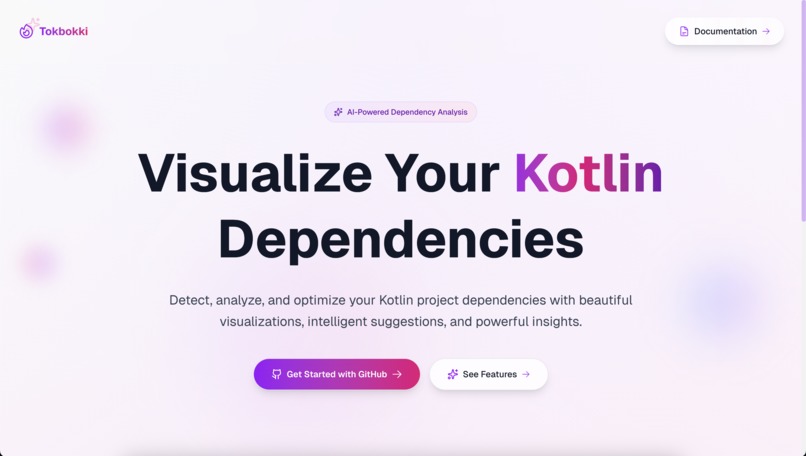
Landing Page
-
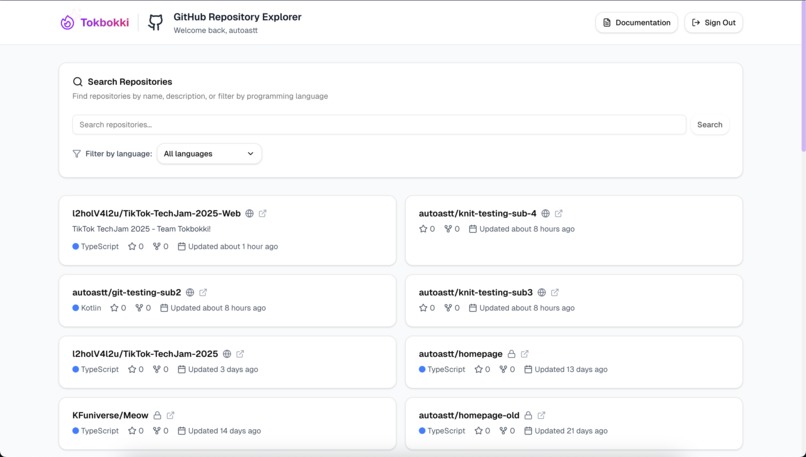
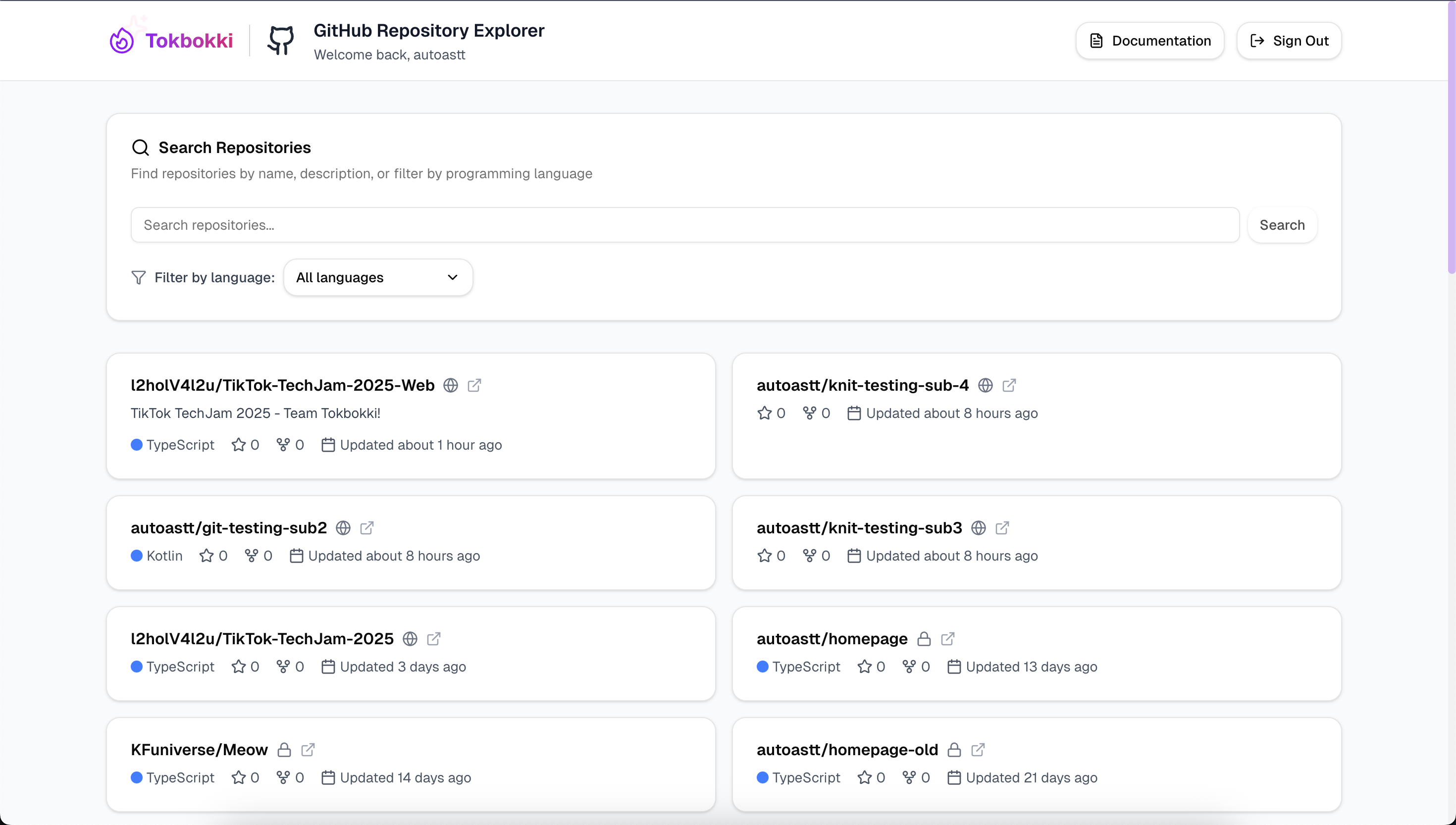
Dashboard
-
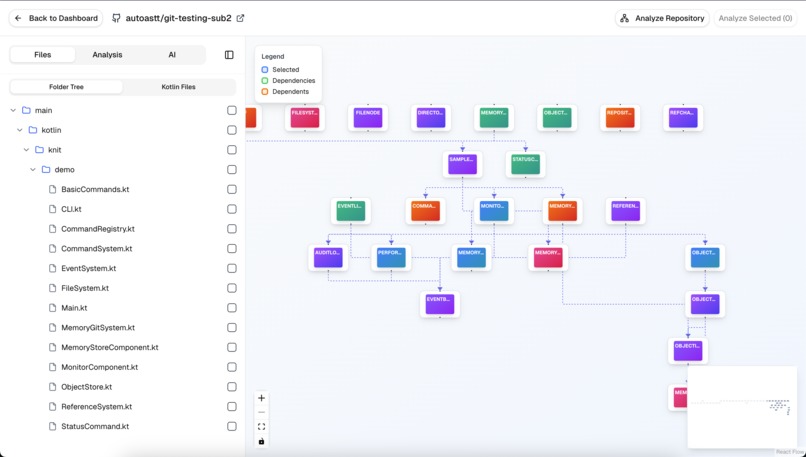
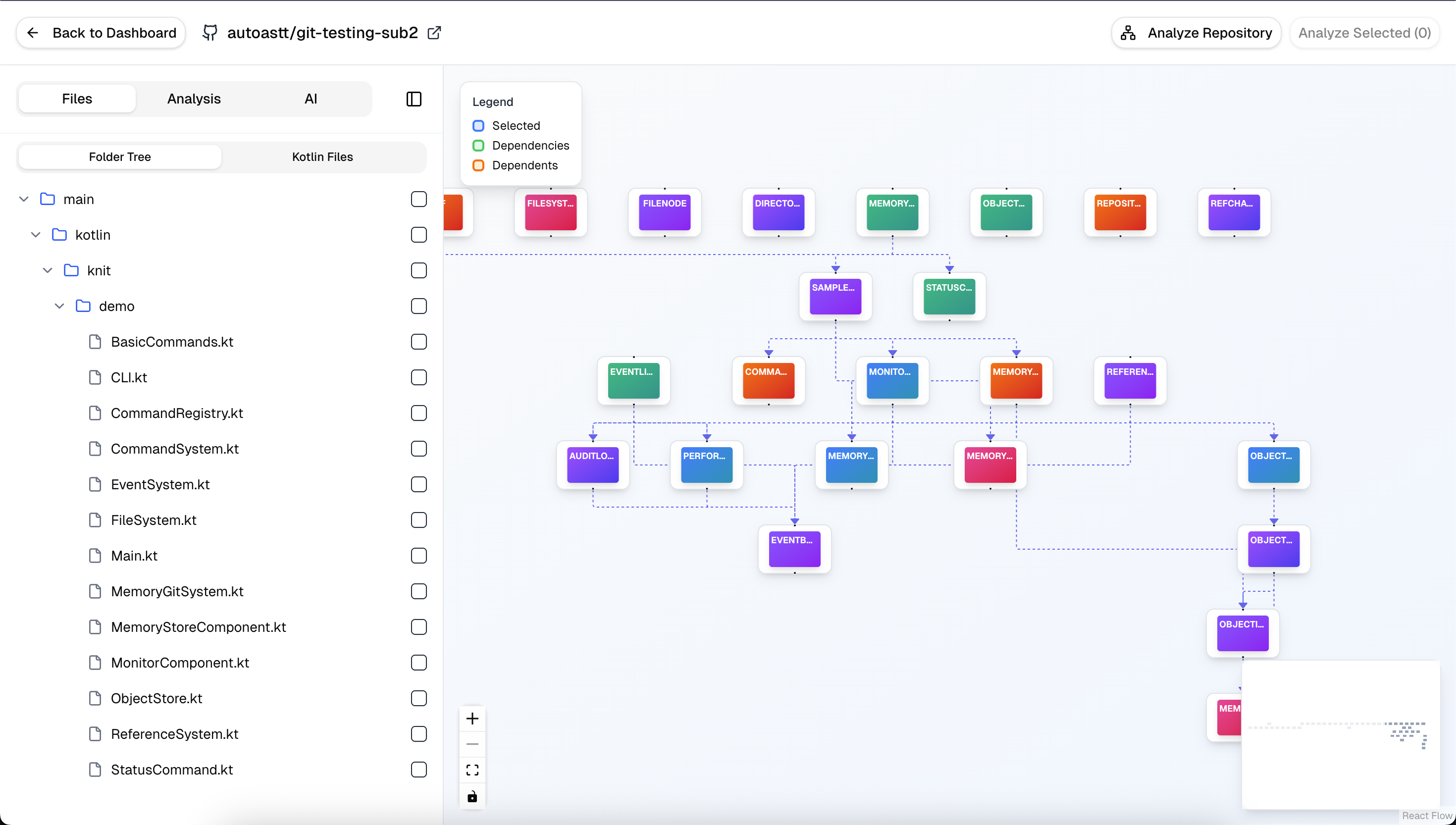
Dependencies Visualization
-
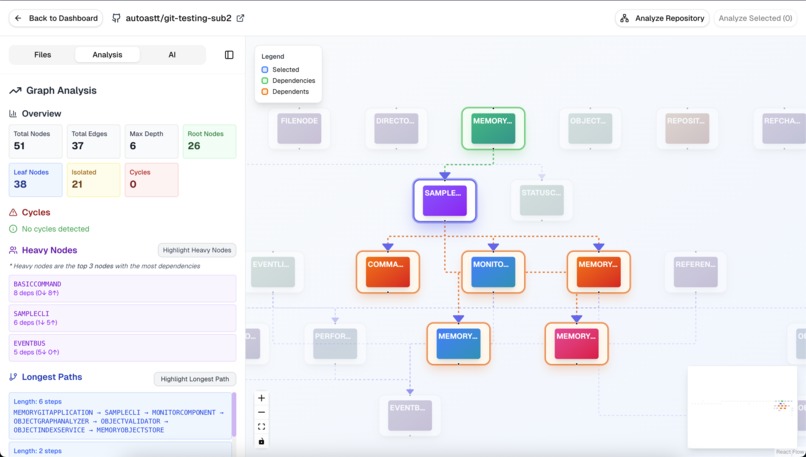
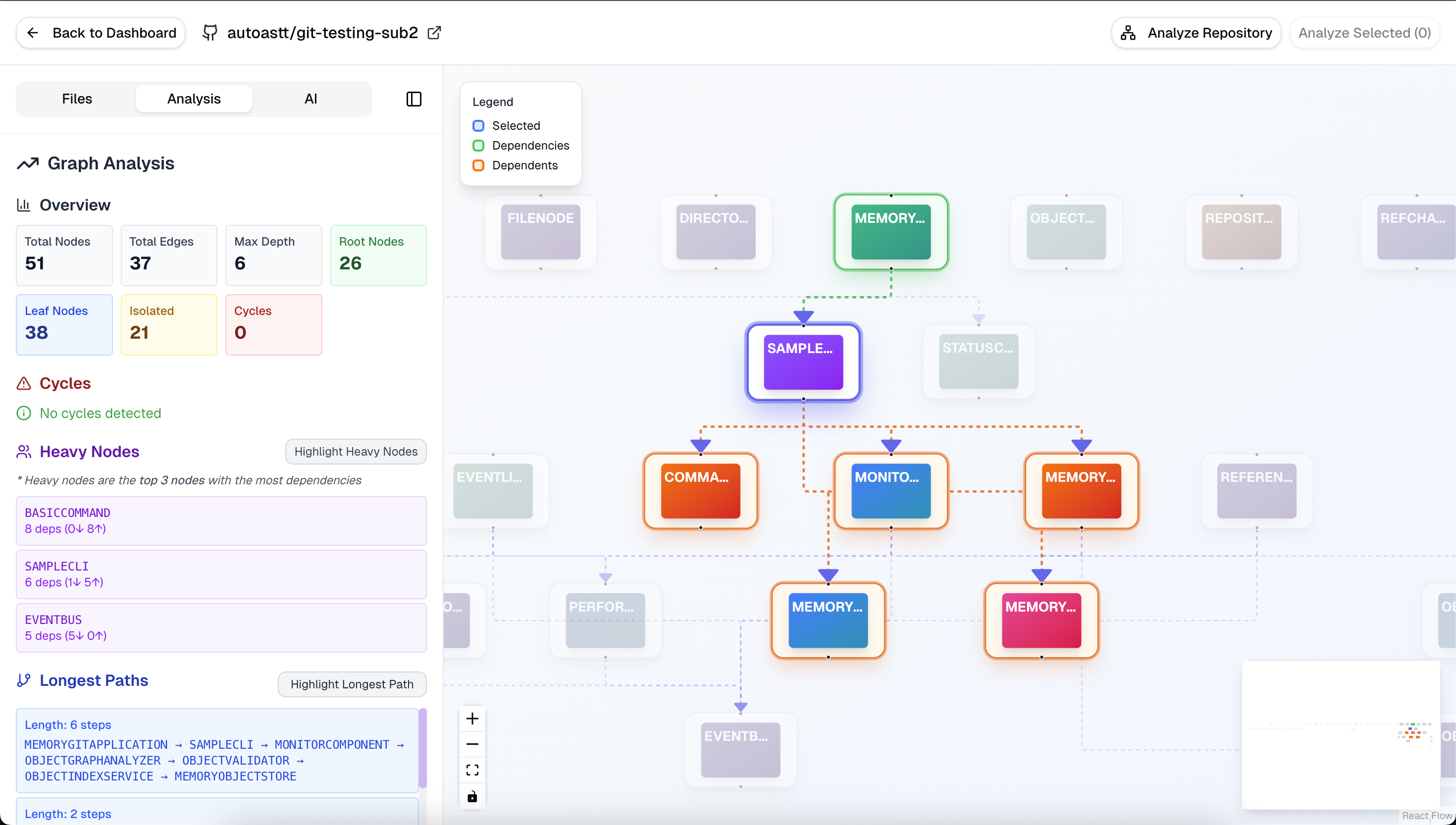
Analysis
-
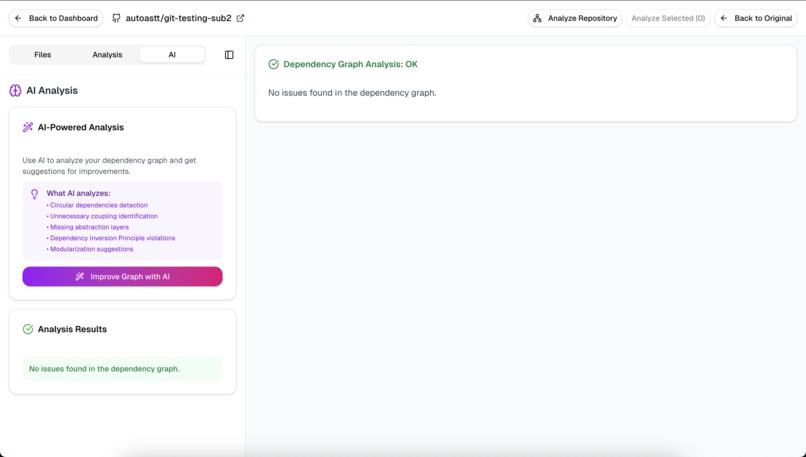
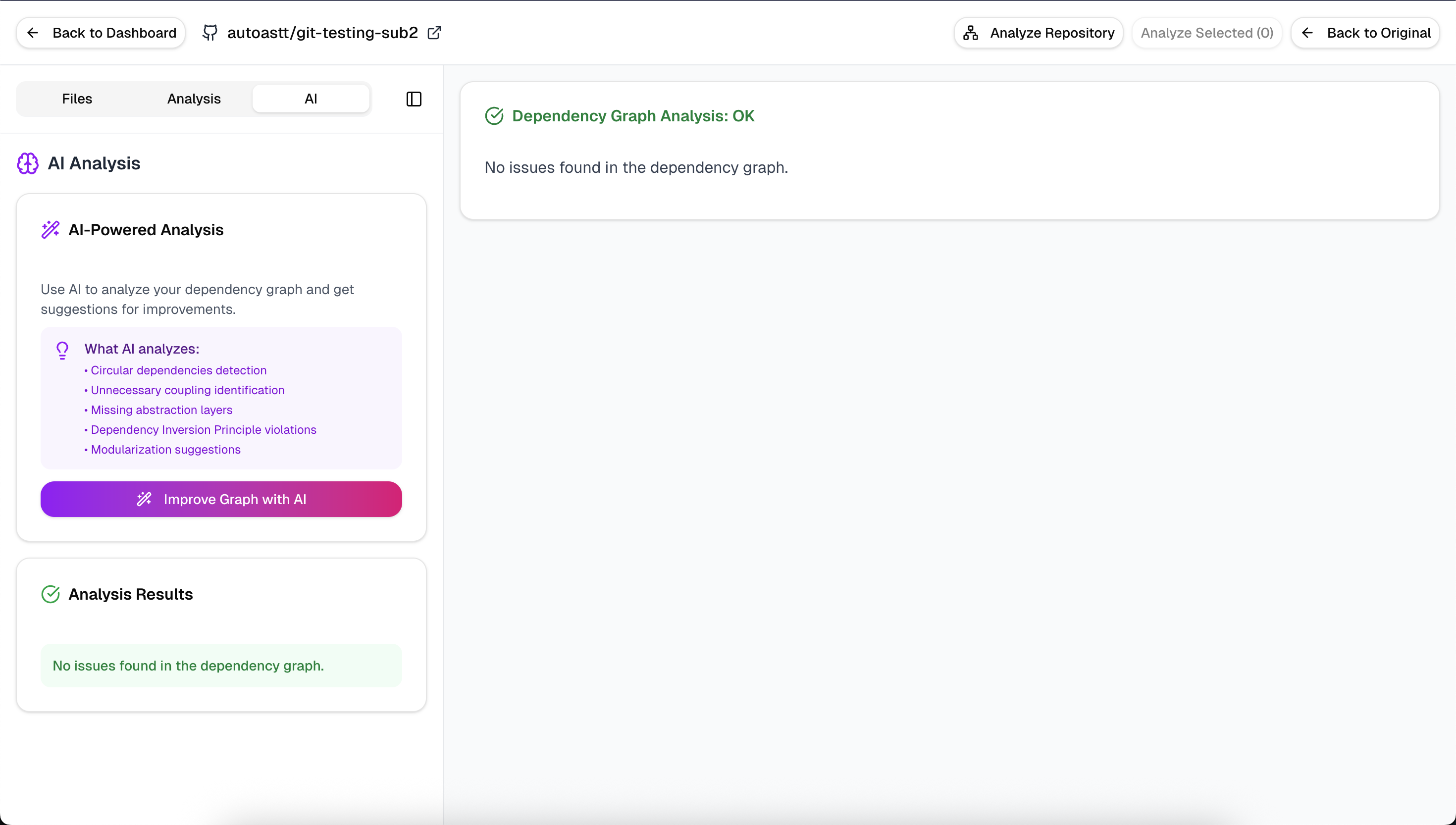
AI Improvement
-
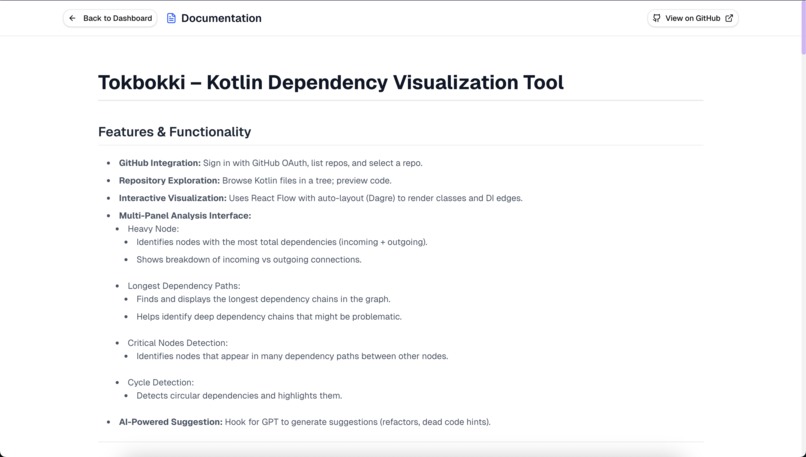
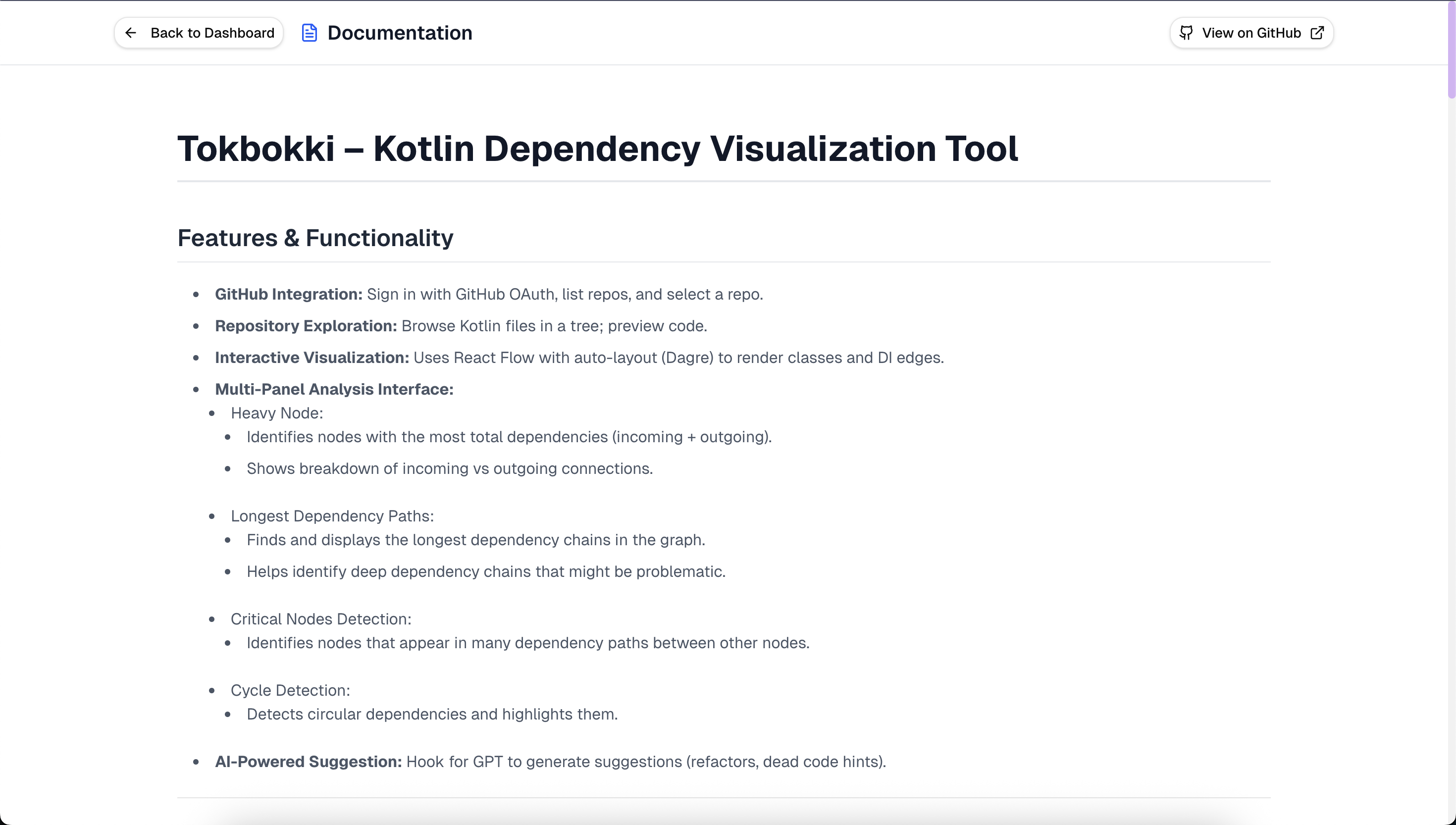
Documentation
Tokbokki – Kotlin Dependency Visualization Tool
(Track #5 Visualising Architecture with Knit)
Features & Functionality
- GitHub Integration: Sign in with GitHub OAuth, list repos, and select a repo.
- Repository Exploration: Browse Kotlin files in a tree; preview code.
- Interactive Visualization: Uses React Flow with auto-layout (Dagre) to render classes and DI edges.
- Multi-Panel Analysis Interface:
- Heavy Node:
- Identifies nodes with the most total dependencies (incoming + outgoing).
- Shows breakdown of incoming vs outgoing connections.
- Longest Dependency Paths:
- Finds and displays the longest dependency chains in the graph.
- Helps identify deep dependency chains that might be problematic.
- Critical Nodes Detection:
- Identifies nodes that appear in many dependency paths between other nodes.
- Cycle Detection:
- Detects circular dependencies and highlights them.
- AI-Powered Suggestion: Hook for GPT to generate suggestions (refactors, dead code hints).
Architecture Overview
┌─────────────────────────────── Frontend (Next.js App Router) ───────────────────────────────┐
│  src/app                                                                                    │
│  ├─ (UI) pages/routes (dashboard, repo viewer, graph view)                                  │
│  ├─ components (graph, toolbar, panels)                                                     │
│  ├─ api/* (server routes: analyze, github, chat)                                            │
│  └─ middleware.ts (auth/session & edge logic)                                               │
└─────────────────────────────────────────────────────────────────────────────────────────────┘
                     │ (fetch)
                     ▼
┌────────────────────────────── Serverless / Edge APIs (Next.js) ─────────────────────────────┐
│  /api/analyze/github       → orchestrates Kotlin analysis (Tree-sitter/worker, JSON graph)  │
│  /api/github/*             → GitHub repo list, file tree, file content (OAuth token)        │
│  /api/chat                 → OpenAI GPT suggestions (cycles, refactors)                     │
│  lib/*                     → shared code (types, analysis utils, adapters)                  │
└─────────────────────────────────────────────────────────────────────────────────────────────┘
                     │ (third-party calls)
        ┌────────────┴───────────────┐
        ▼                            ▼
┌───────────────┐            ┌────────────────┐
│   GitHub API  │            │  OpenAI API    │
│ (repos/files) │            │ (analysis tips)│
└───────────────┘            └────────────────┘

Artifacts/Data flow:
1) User logs in → middleware & auth handle session.
2) User selects repo → /api/github fetches tree/files → Kotlin files sent to /api/analyze/github.
3) Analyzer emits TokGraph JSON (nodes/edges) → UI renders with React Flow.
4) (Optional) Graph sent to /api/chat → GPT returns insights (cycles, unused, refactors).
Development Tools
- Framework: Next.js 15 (App Router), React 19, TypeScript
- Build/Dev: Node ≥ 18, pnpm/yarn/npm, Vite-powered Next toolchain
- Styling: Tailwind CSS
- Graph: React Flow + Dagre (auto-layout)
APIs Used
- GitHub REST API: List repositories, fetch file trees/contents.
- OpenAI API: Summarize issues, propose refactors.
Libraries
react,react-dom,nextreactflow(graph rendering)dagre(graph auto-layout)tailwindcss,postcss,autoprefixer- (optional)
lucide-react,zod
How to Use
- Sign In & Select Repository:
- Click “Sign in with GitHub” (NextAuth handles OAuth).
- The dashboard shows your GitHub repositories.
- Pick a repo to explore.
- Explore Repository:
- File Tree Viewer: Browse repo structure → only .kt files are parsed.
- Run Dependency Analysis:
- Click Analyze Repo → backend parses Kotlin files using Tree-sitter.
- Produces a TokGraph JSON (classes, providers, injected deps).
- Visualize Graph:
- Dependency relationships render in React Flow:
- Pan / Zoom: navigate large graphs
- Multi-Panel Analysis Interface: show important insights
- Dependency relationships render in React Flow:
- AI Insights:
- Click “Get AI Suggestions” → TokGraph sent to /api/chat.
JSON Graph Schema (Input)
// types/
export type GraphNode = {
  id: string;
  kind: string;
  definedIn?: {
    file: string;
    line: number;
  };
  usedIn?: string[];
};

export type GraphEdge = {
  source: string;
  target: string;
  type: string; // e.g. "dependsOn", "calls", etc.
};

export type DependencyGraphProps = {
  nodes: GraphNode[];
  edges: GraphEdge[];
};
Sample Data (Knit‑style)
{
  "nodes": [
    {
      "id": "NetworkModule",
      "kind": "object",
      "annotations": ["@Module"],
      "provides": ["HttpClient"]
    },
    {
      "id": "HttpClient",
      "kind": "class",
      "annotations": ["@Provides"],
      "file": "di/NetworkModule.kt"
    },
    {
      "id": "UserRepository",
      "kind": "class",
      "injectedProps": ["HttpClient"],
      "file": "data/UserRepository.kt"
    },
    {
      "id": "UserService",
      "kind": "class",
      "injectedProps": ["UserRepository"],
      "file": "domain/UserService.kt"
    },
    {
      "id": "UserViewModel",
      "kind": "class",
      "injectedProps": ["UserService"],
      "file": "ui/UserViewModel.kt"
    },
    {
      "id": "Analytics",
      "kind": "class",
      "annotations": ["@Provides"],
      "file": "di/Analytics.kt"
    },
    {
      "id": "Telemetry",
      "kind": "class",
      "injectedProps": ["Analytics"],
      "file": "infra/Telemetry.kt"
    },
    {
      "id": "CycleA",
      "kind": "class",
      "injectedProps": ["CycleB"],
      "file": "weird/CycleA.kt"
    },
    {
      "id": "CycleB",
      "kind": "class",
      "injectedProps": ["CycleA"],
      "file": "weird/CycleB.kt"
    }
  ],
  "edges": [
    {
      "id": "NetworkModule->HttpClient",
      "source": "NetworkModule",
      "target": "HttpClient",
      "type": "provides"
    },
    {
      "id": "HttpClient->UserRepository",
      "source": "HttpClient",
      "target": "UserRepository",
      "type": "uses"
    },
    {
      "id": "UserRepository->UserService",
      "source": "UserRepository",
      "target": "UserService",
      "type": "injects"
    },
    {
      "id": "UserService->UserViewModel",
      "source": "UserService",
      "target": "UserViewModel",
      "type": "injects"
    },
    {
      "id": "Analytics->Telemetry",
      "source": "Analytics",
      "target": "Telemetry",
      "type": "provides"
    },
    {
      "id": "CycleA->CycleB",
      "source": "CycleA",
      "target": "CycleB",
      "type": "injects"
    },
    {
      "id": "CycleB->CycleA",
      "source": "CycleB",
      "target": "CycleA",
      "type": "injects"
    }
  ]
}
Future Plan
Advanced AI Features:
- Refactoring Suggestions: AI-powered recommendations for dependency restructuring
- Architecture Patterns Detection: Identify and suggest MVVM, Clean Architecture patterns
- Performance Impact Analysis: Predict performance implications of dependency changes
- Auto-Documentation: Generate dependency documentation and architecture diagrams
Collaboration Features:
- Team Sharing: Share dependency analysis results with team members
- Change Impact Analysis: Track how code changes affect dependency graphs over time
- Integration Hooks: Webhook support for CI/CD pipeline integration
Platform Expansion:
- IDE Plugins: VS Code, IntelliJ IDEA extensions for real-time dependency insights
- CLI Tool: Command-line interface for automated analysis in CI/CD pipelines
- API Platform: Public API for third-party integrations and custom tooling
- Mobile App: Mobile companion for quick dependency reviews
Advanced Analytics:
- Dependency Trends: Historical analysis of dependency evolution
- Technical Debt Metrics: Quantify and track technical debt accumulation
- Architecture Visualization: 3D dependency graphs and interactive architecture views
- ML-Powered Insights: Machine learning for predicting dependency issues and optimization opportunities
Built With
- nextjs
- vercel


Log in or sign up for Devpost to join the conversation.