-
-
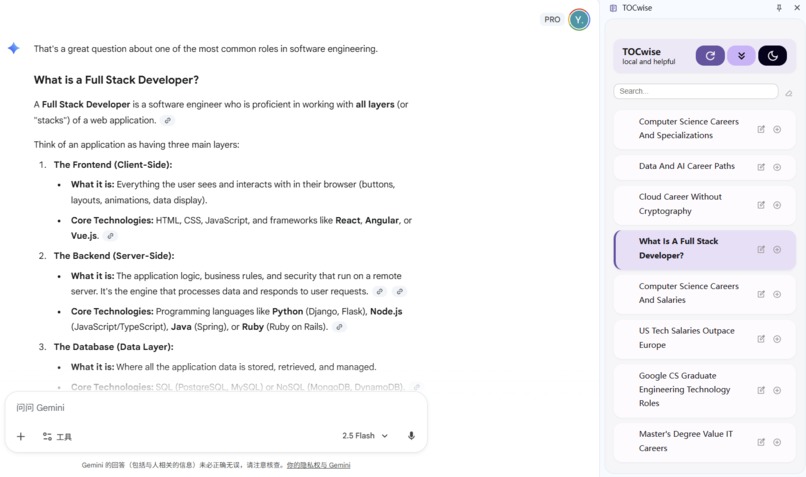
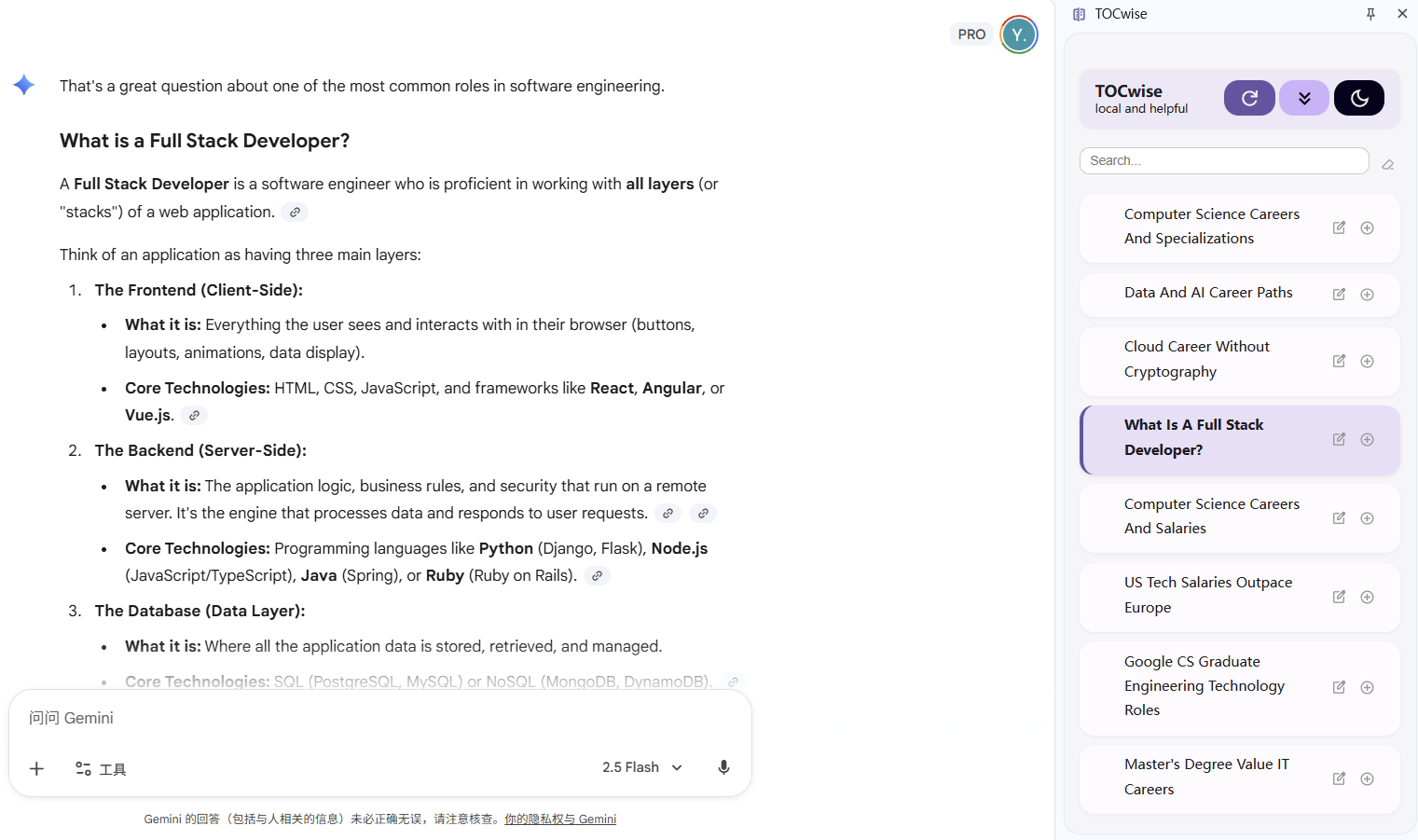
AI-generated sidebar outline on Google Gemini page
-
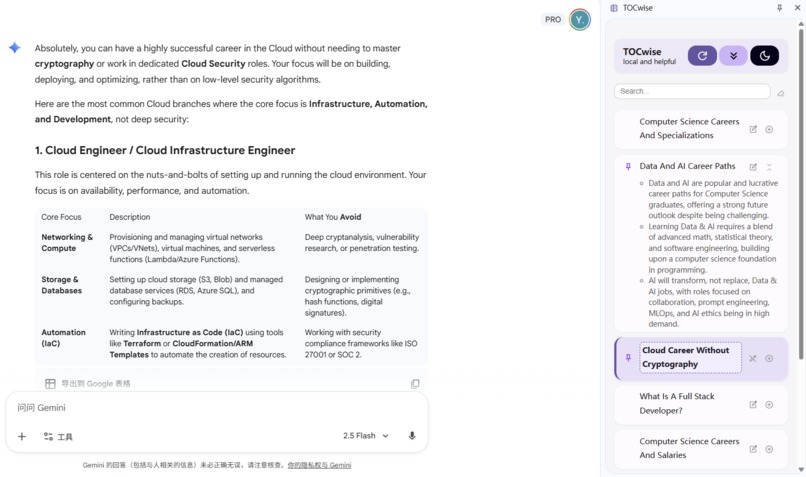
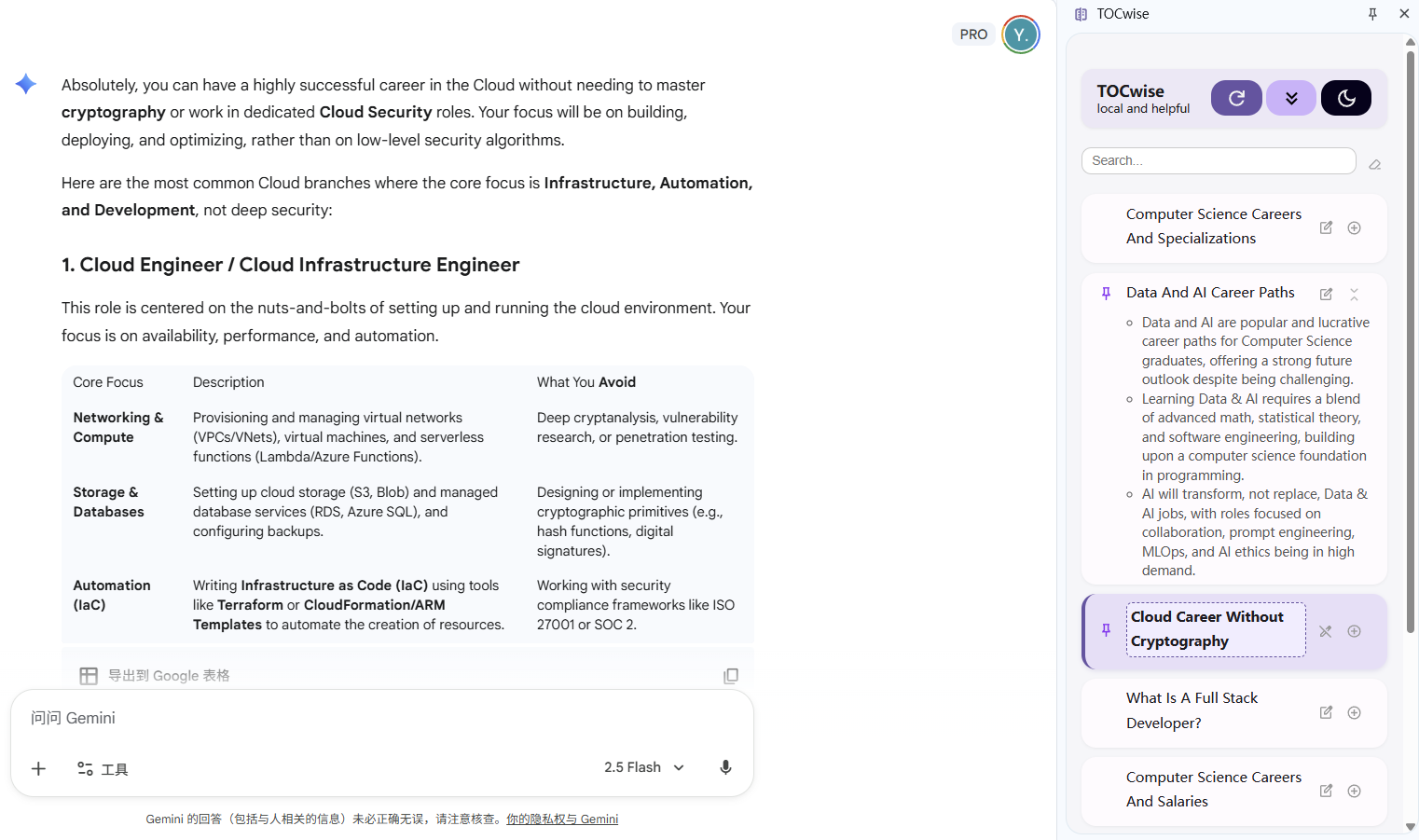
Expandable AI Summary, inline editing, and pinning features
-
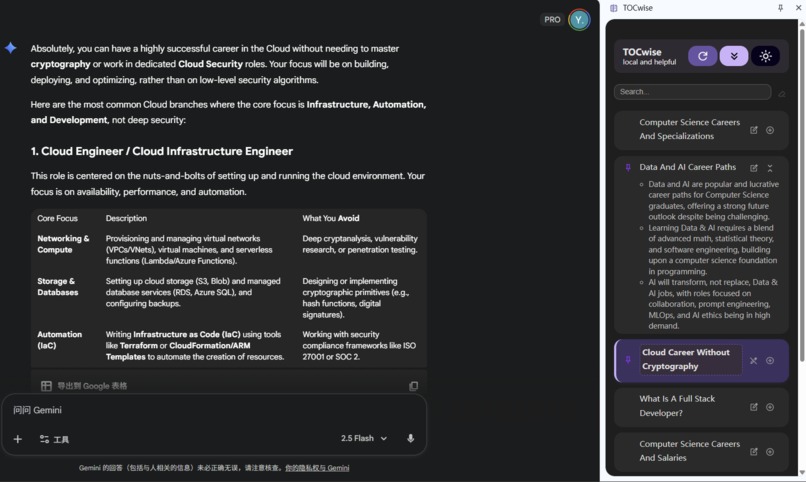
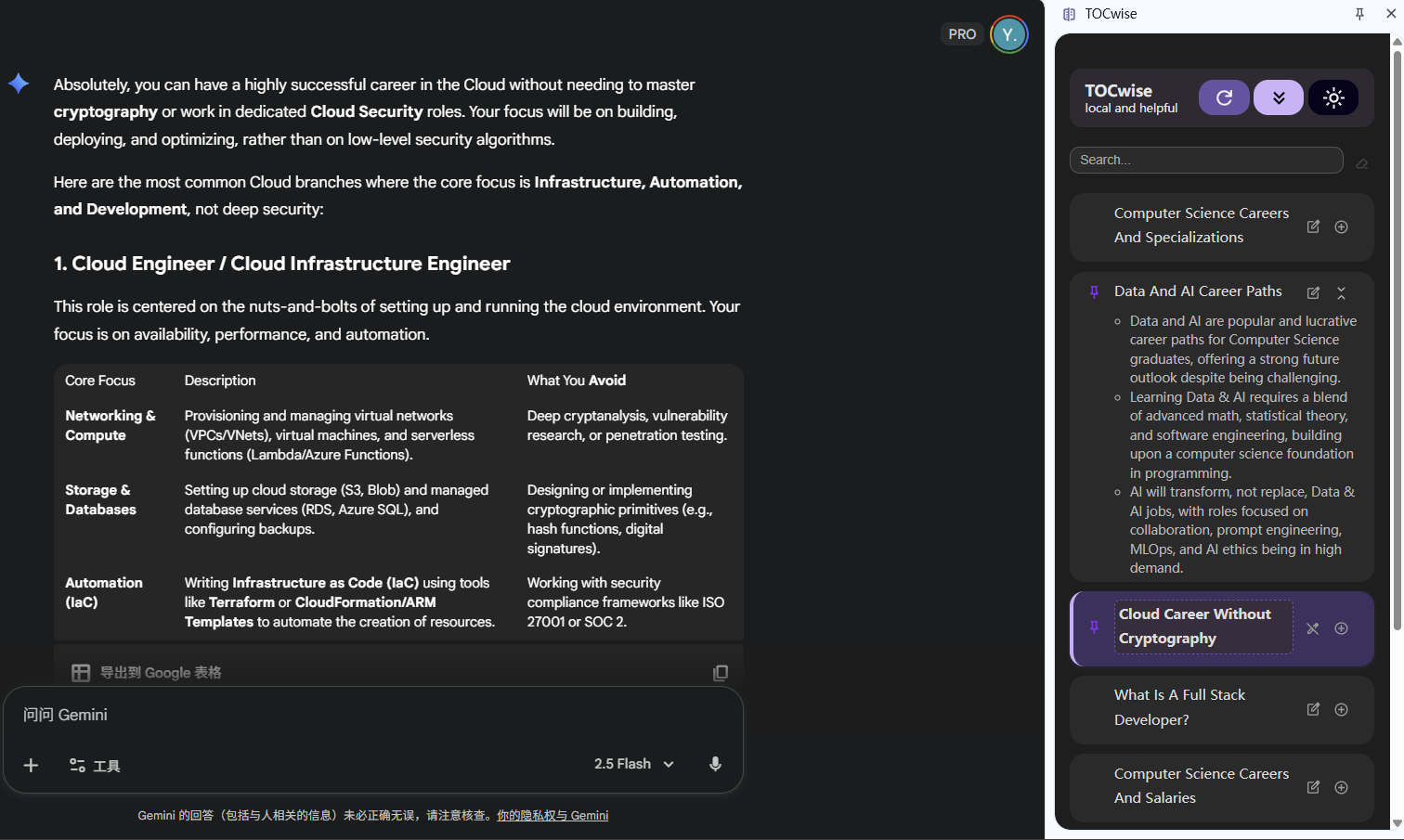
Dark mode
-
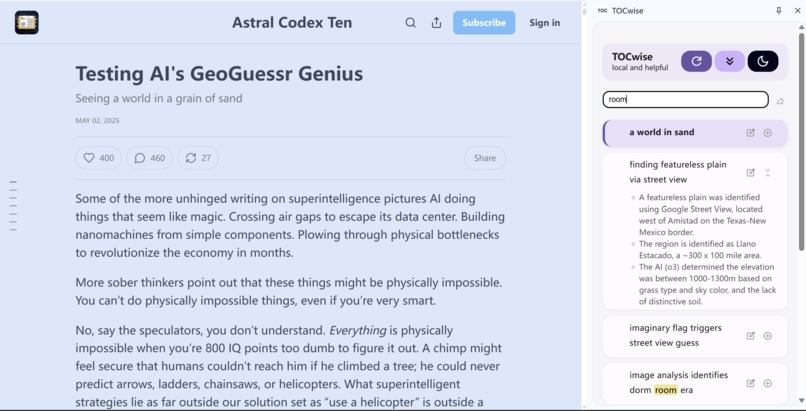
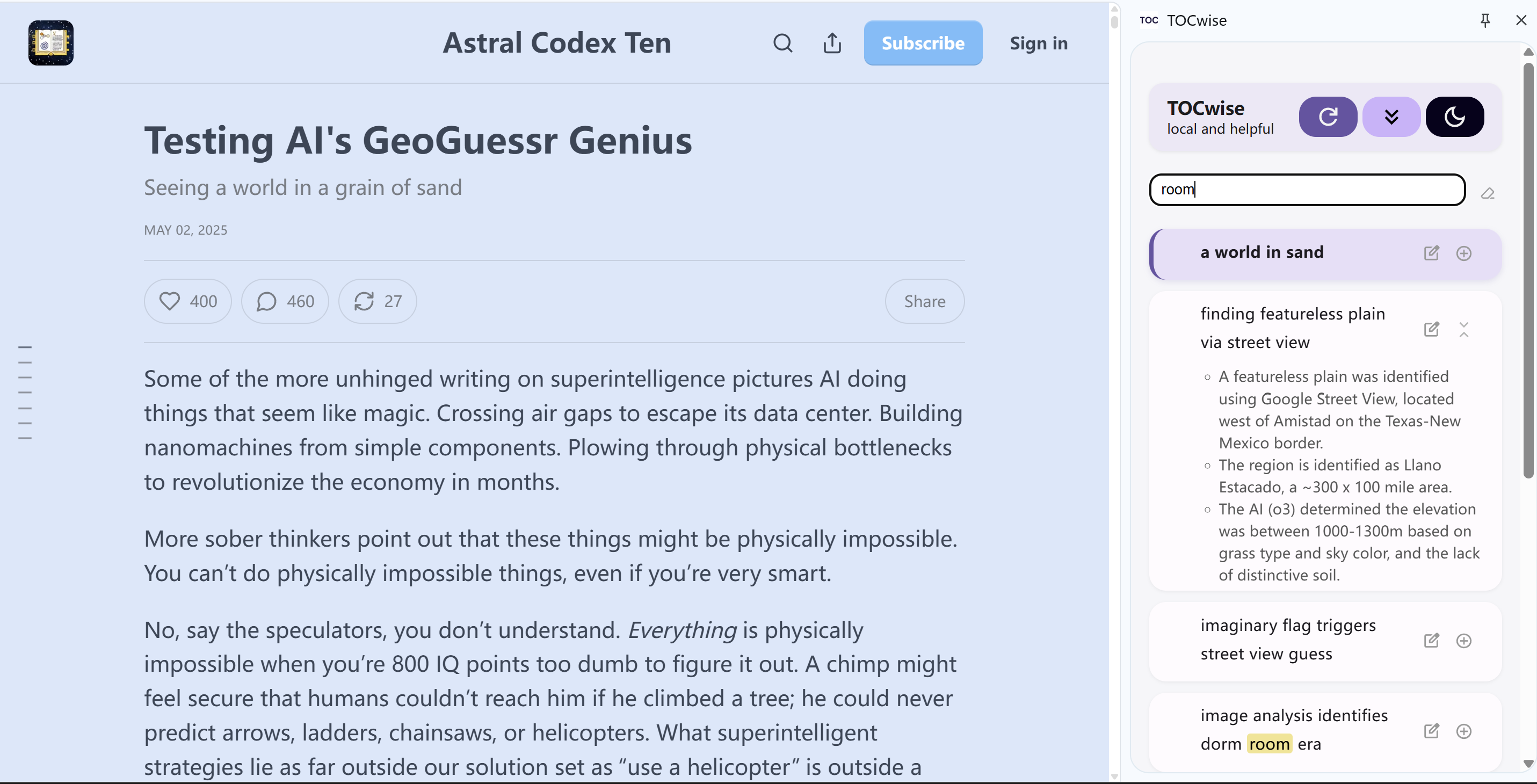
Support for general blog pages
Inspiration
After a few rounds of chatting with an AI like Gemini or ChatGPT, the conversation easily turns into an endless waterfall of text. It becomes almost impossible to find what you said earlier — no structure, no overview.
We looked for a fix, but existing TOC extensions only read <h1–h6> headings, and chat visualizers for GPT show nice graphs but no semantic titles or clickable jumps. That’s when we thought: what if a TOC could use local AI to guide users through long AI chats?
Our goal was to bring clarity and structure back to chaotic AI chats — through design that feels simple, human, and intuitive.
We aimed not just to fix a problem, but to inspire new ideas in chatbot UI design, moving beyond the static layouts that haven’t evolved since 2022.
What it does
TOCwise brings structure and clarity back to long, chaotic webpages.
Built on Chrome’s on-device Gemini Nano, it runs fully offline and private, turning any chat or article into a semantic, clickable table of contents.
Key Highlights
- AI Semantic Titles & Bullet Summaries – Each section first gets a concise title, and users can then expand to generate a bullet-point summary on demand.
- Adaptive Segmentation – Works seamlessly on Gemini, ChatGPT, Claude, Qwen, and structured blogs or docs.
- Click & Jump – One click takes you exactly where you left off.
- Edit & Pin – Refine titles or bookmark key sections instantly.
- Search & Highlight – Find what you need within seconds.
- 100% Local – All AI runs locally via Gemini Nano for privacy and speed.
- Dark Mode + Material Design – Clean and minimal.
Every part of TOCwise follows one rule: simple by default, powerful on demand.
How we built it
We built it as a Chrome Extension (MV3) using Summarizer API of Gemini Nano, Chrome’s built-in on-device AI model.
segment.jsadapts segmentation rules for different layouts (Gemini, ChatGPT, Claude, Qwen, blogs).content.jsbridges the webpage and AI: segments content, requests AI generation, and syncs outlines with the sidebar.llm.jscalls the local Gemini Nano API to generate concise titles and one-line summaries.sidebar.jshandles search, editing, pinning, dark mode, and precise scroll navigation.
Everything happens on your device. No data leaves the browser.
Challenges we ran into
Design-wise:
- Every time we added a new button or feature, we had to ask: does this still feel simple? The biggest challenge was finding the right balance between functionality and clarity — keeping TOCwise powerful, yet effortless to use.
- We also focused on making it intuitive: users should open it and just “get it”, without reading a guide.
Technically:
- Gemini Nano is small but limited, so we spent time crafting and refining prompts to keep titles short, consistent, and stable.
- Every AI chat site has a unique DOM, meaning we had to manually locate and tune selectors for each platform.
- Managing independent states across multiple tabs required caching and careful cleanup logic.
- Styling — especially aligning multiple buttons and dark mode — demanded deep iteration for a team that started with zero CSS experience.
Accomplishments that we're proud of
We managed to build a universal, local AI TOC that works smoothly across Gemini, ChatGPT, Claude, and Qwen, as well as blog and documentation pages.
The whole flow, from opening the sidebar, generating AI titles, to clicking and jumping, feels natural and fluid. Most importantly, it genuinely helps users make sense of long pages again.
What we learned
- We learned to see from the user’s point of view. We design not just a demo, but a tool someone would actually want to use.
- We learned how Chrome’s MV3 architecture and built-in AI APIs interact, and how to divide work efficiently within a small hackathon team.
- Through fast iteration and close teamwork, we experienced the full cycle, including creating a concept sketch, building the MVP, and polishing it, all within a hackathon timeframe.
- And most of all, we learned how to turn a small local model into a practical, delightful product.
What's next for TOCwise
We want to evolve TOCwise into a smart reading assistant for the web:
- Support for more webpage contexts.
- Multi-language support via Translation API.
- Smarter re-segmentation and summarization with upcoming Gemini Nano updates.
- Release on the Chrome Web Store and explore Edge/Firefox compatibility.
Our goal: keep TOCwise smart, simple, and 100% private for every reader on the web.


Log in or sign up for Devpost to join the conversation.