YourDrobe

Description
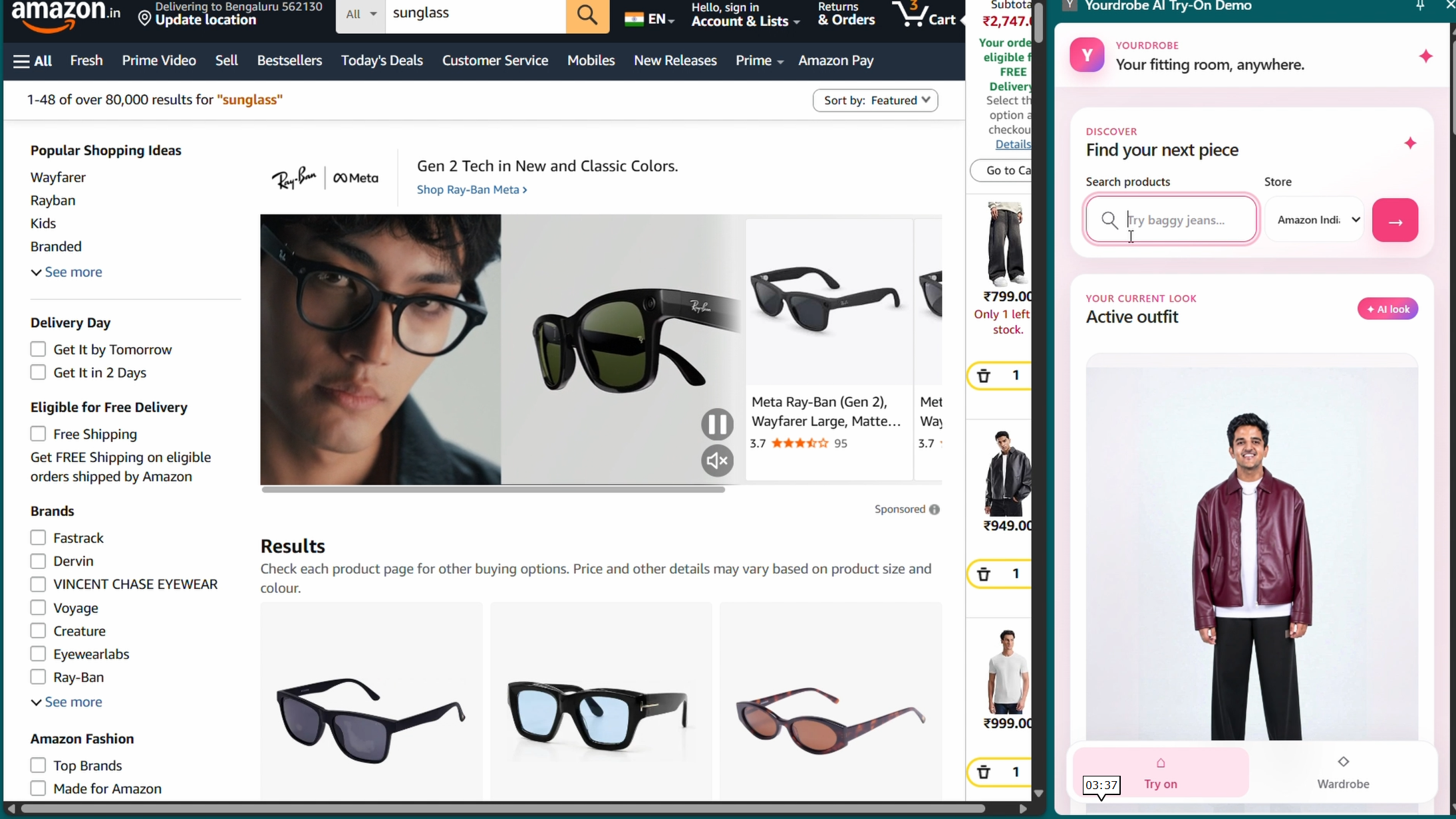
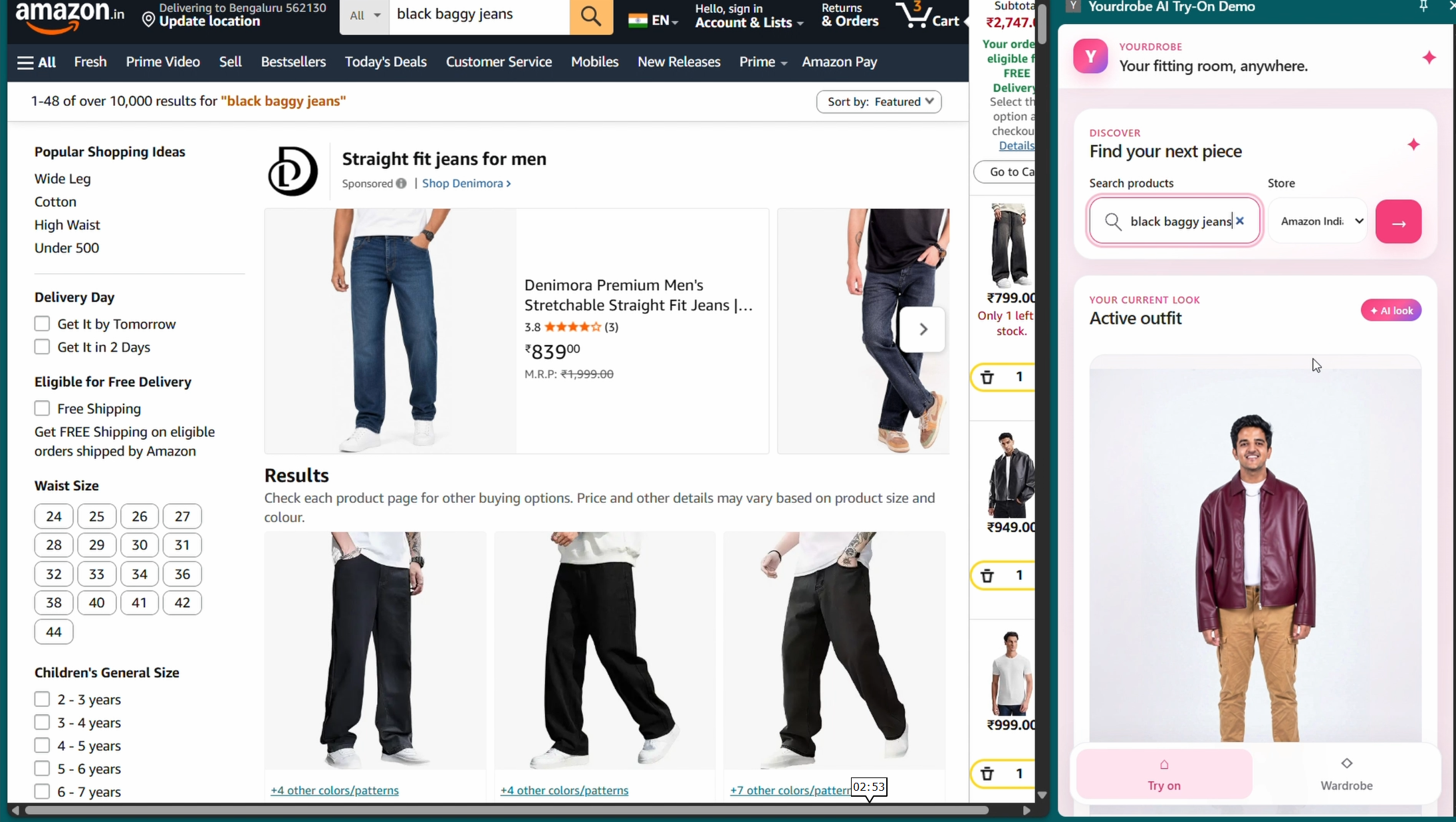
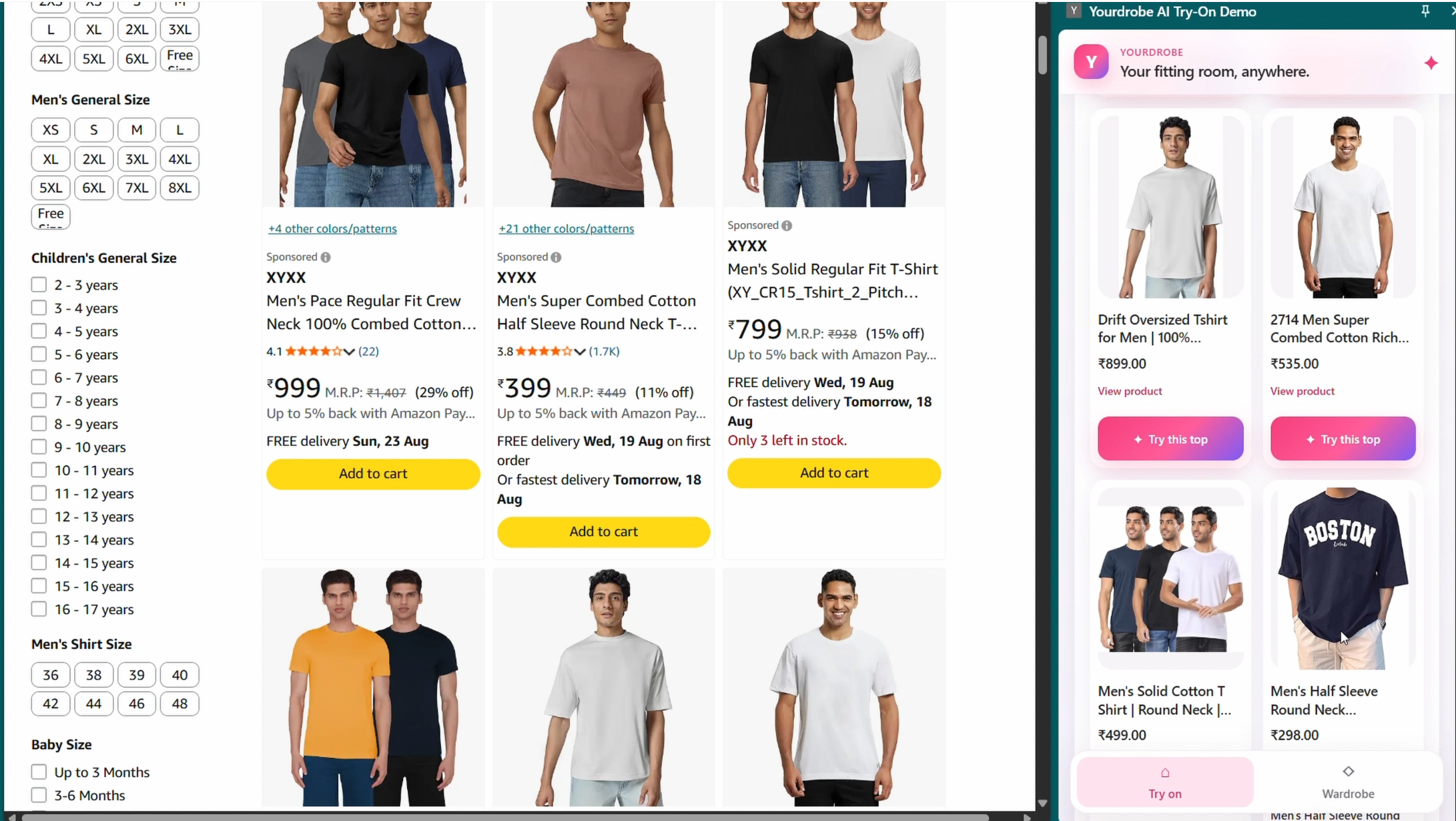
YourDrobe is a Chrome extension that brings virtual try-on into the shopping page. It works with Amazon, Flipkart, and Nykaa, reads the product cards visible on supported listing pages, and shows them in a side panel. The shopper can choose an item without copying links, downloading product images, or opening another application.
The shopper starts by creating a profile from one clear, full-body photo. The extension stores the profile and its related data on the shopper's device. When the shopper selects a product and agrees to cloud processing, YourDrobe sends only the data needed for that try-on request to its hosted backend. The completed preview returns to the side panel, where it can be saved, compared, or used as the starting point for another item.
This creates a sequential outfit workflow. A shopper can begin with a dress, save the result, add shoes to that result, and then add a hat. Each saved stage records both the preview and the products used to create it. The shopper can return to an earlier stage, try a different combination, and finally send the chosen products back to the retailer's cart.
Impact
Online stores usually show products separately and on different models. This makes it difficult to judge whether a dress, shoes, outer layer, and hat work together as one outfit. It also forces shoppers to remember products across several tabs while mentally combining them.
YourDrobe addresses this problem inside the existing shopping flow:
- Outfit-level comparison: Each saved preview can become the source for the next product. The shopper evaluates a combined look instead of reviewing isolated product photos.
- Less repeated setup: One local profile can be reused across supported stores and products. The shopper does not need to upload the same photo for every item.
- Less context switching: Product discovery, selection, preview, outfit history, and cart handoff remain connected to the active retailer tab.
- Reversible choices: Saved outfits keep their product lists. A shopper can restore an earlier version and build a different combination from that point.
- Retailer handoff: YourDrobe does not replace the store. It returns the selected items to the retailer's normal cart and checkout flow.
- Local control: Profile photos, saved outfits, preferences, and consent state remain in browser storage unless the shopper starts a cloud try-on request.
The generated preview is a visual aid for comparing appearance. It does not promise exact sizing, fabric behavior, measurements, or physical fit.
How we integrated the YouCam API
The Chrome extension never calls YouCam directly. It sends a normalized product type, the retailer product image URL, and the approved source image to the YourDrobe backend. Keeping this integration on the server protects the API key and gives every supported product type one consistent request flow.
The extension classifies each selected product from its title and listing data. If the type is clear, the backend maps it to the matching Perfect Corp YouCam API. If the classification is missing or ambiguous, the shopper is asked to choose a type instead of sending a guessed category.
| Product | YouCam route | Category sent |
|---|---|---|
| Top or outerwear | Clothes V3 | upper_body |
| Bottom | Clothes V3 | lower_body |
| Dress | Clothes V3 | full_body |
| Footwear | Shoes | Gender and style selected in the extension |
| Headwear | Hat | Gender and style selected in the extension |
Request lifecycle
Each live request follows the same lifecycle:
- The shopper chooses a product and approves cloud processing.
- The extension sends the product type, product image URL, and either the saved profile or active outfit to the hosted backend.
- The backend validates the retailer host, request size, image data, consent flag, and required profile view.
- The backend selects Clothes V3, Shoes, or Hat and builds the parameters required by that task type.
- It requests signed upload details from YouCam and uploads the source image using the returned URL and headers.
- It creates the YouCam task with the uploaded source file and the retailer's product image URL.
- The extension polls the YourDrobe job while the backend polls the corresponding YouCam task.
- When processing completes, the backend downloads and validates the result before returning it as image bytes to the side panel.
The task identifier, task type, and key used to start the request are kept together. Polling uses the same API key because a task created under one key might not be visible to another key. If more than one YouCam key is configured, the backend can rotate to the next key when task creation fails because of authentication, rate limits, server errors, or network problems.
Result handling and outfit composition
YouCam result links can expire, so YourDrobe does not treat the provider URL as a permanent wardrobe image. The backend verifies that the result uses HTTPS, comes from an approved result host, has an accepted image content type, and stays within the configured size limit. It then streams the verified image back through the YourDrobe API so the extension can save the bytes locally.
When the shopper saves a preview, that image becomes the active outfit. The next request uses the active outfit instead of returning to the original profile photo. Clothes V3 can therefore produce the clothing stage, followed by the Shoes API and then the Hat API. The process is sequential, and each completed result becomes the visual base for the next step.
Key handling and POC access
The API key is stored in Google Secret Manager and is read only by the Cloud Run service. It is never bundled with or returned to the Chrome extension. For this POC, the backend endpoint is public so the extension can work without account setup.
The public endpoint means anyone with the extension can submit a request, but all callers share the same hosted service and provider quota. This setup is suitable for a controlled demonstration. Authentication, per-user quotas, and long-term server-side storage would be required before using the same design as a public production service.
What we used
| Layer | Technology | Purpose |
|---|---|---|
| Browser extension | Chrome Extensions Manifest V3 | Provides the side panel, content scripts, service worker, permissions, and retailer cart handoff |
| Interface | React 19, TypeScript, and Vite | Builds the side-panel interface, manages typed state, and produces the extension bundle |
| Retailer adapters | TypeScript content scripts | Read product titles, images, prices, links, and add-to-cart controls from supported pages |
| Local data | IndexedDB and chrome.storage.local |
Store profile images, active outfits, wardrobe history, preferences, and consent state on the device |
| Hosted API | FastAPI and Python | Validate requests, normalize products, create jobs, route YouCam tasks, poll results, and stream verified images |
| Hosting | Google Cloud Run | Runs the backend as a public POC endpoint that the packaged extension can reach |
| Secret storage | Google Secret Manager | Supplies the YouCam API key to the backend without placing it in source code or the extension bundle |
| Virtual try-on | Perfect Corp YouCam Clothes V3, Shoes, and Hat APIs | Generate previews for supported clothing, footwear, and headwear categories |
| Testing | Vitest and Python unittest |
Cover extension logic, product classification, backend endpoints, provider routing, and error handling |
The extension and backend communicate through JSON over HTTPS. Image results are returned through the backend as validated image responses, while reusable profiles and wardrobe history remain in browser storage.
System architecture

Example
Consider a shopper building an outfit from three products:
- The shopper opens a page of dresses on Amazon. The content script reads the visible cards and sends their titles, image URLs, prices, and links to the side panel.
- The shopper selects a dress. Its title is classified as
dress, so the backend maps it to Clothes V3 withgarment_category=full_body. - After the shopper approves cloud processing, the backend uploads the saved profile image, creates the task with the Amazon product image, waits for completion, and returns the verified preview.
- The shopper saves the dress preview. YourDrobe stores the image and dress details locally and marks that result as the active outfit.
- The shopper opens a shoe listing and selects a pair. The product is classified as
footwearand routed to the Shoes API. This request uses the saved dress preview as its source image, so the result contains both the dress and shoes. - The shopper saves the second preview and adds a hat. The Hat API receives the dress-and-shoes image as its source, producing the third stage of the outfit.
- The wardrobe now contains the dress-only, dress-and-shoes, and completed versions. The shopper can compare them or restore the first version to test different footwear.
- After choosing the final look, the shopper starts cart handoff. The extension revisits the selected retailer product pages, uses the retailer's own add-to-cart controls, and finishes on the Amazon cart.
This example shows the full value of the project: product discovery stays connected to the retailer, each try-on builds on the previous result, alternative outfits remain recoverable, and the final selection returns to the normal checkout flow.
Built With
- chrome
- chrome-storage-api
- cloud-storage
- fastapi
- google-cloud-run
- google-secret-manager
- indexeddb
- javascript
- manifest-v3
- perfect-corp
- python
- react
- rest
- typescript
- vite
- youcam-api



Log in or sign up for Devpost to join the conversation.