-
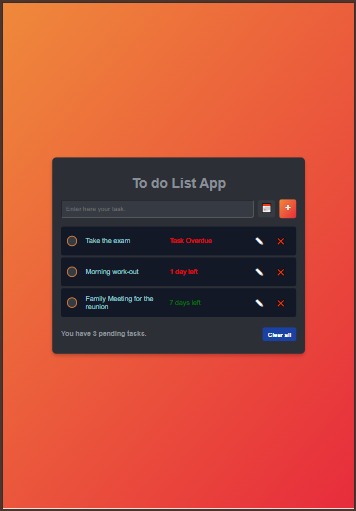
This is the Ipad View of the Web App
-
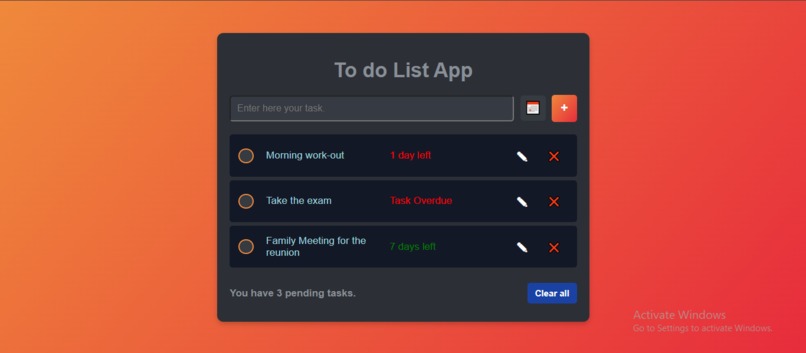
This is the Desktop View of the Web App
🧠 Inspiration
Time is one of our most valuable resources, yet it’s easy to waste if we don’t manage it wisely. I wanted to build a simple tool that helps people stay focused, organized, and productive. That’s how the idea of creating a minimalist To-Do List Web App came to mind — something that anyone can use daily to track tasks and make better use of their time.
💡 What it does
The To-Do List Web App allows users to:
- Add new tasks
- Mark tasks as completed
- Delete tasks when no longer needed
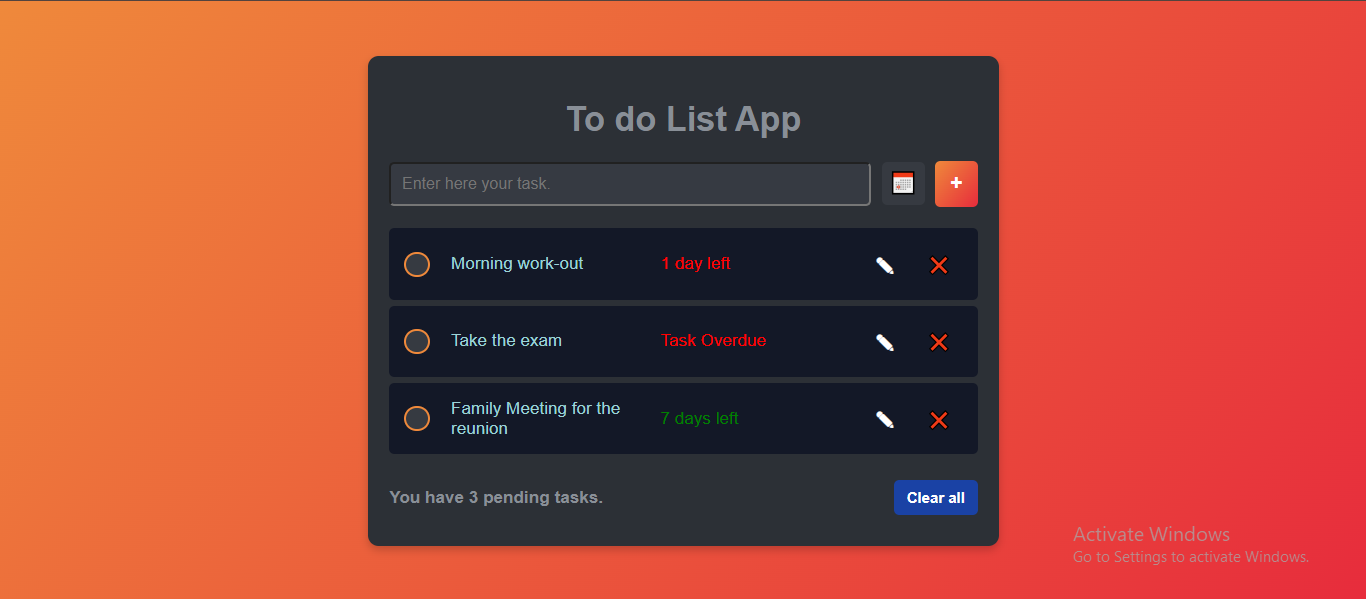
It provides a clean and responsive interface that works across some devices, helping users manage their time efficiently and stay organized.
🛠️ How I built it
This project was built using:
- HTML for structure
- CSS for styling and layout
- JavaScript for dynamic functionality (adding, completing, and removing tasks)
It’s a lightweight and beginner-friendly project using only vanilla front-end technologies. The project is also deployed online via GitHub Pages.
🚧 Challenges I ran into
- Making the design responsive on some screen sizes
- Managing task states cleanly in JavaScript
- Learning how to structure interactive components without external libraries
🏆 Accomplishments that I'm proud of
- Successfully created a fully working To-Do app from scratch
- Gained a deeper understanding of DOM manipulation in JavaScript
- Published and deployed the app publicly for others to use
📚 What I learned
- Improved front-end development skills, especially in vanilla JavaScript
- Learned how to structure and style a responsive web layout
- Gained hands-on experience with GitHub and GitHub Pages for project deployment
🔮 What's next for To Do List Web App
- Add LocalStorage to save tasks between sessions
- Introduce due dates and reminder alerts
- Enable editing of existing tasks
- Add filtering and sorting features
- Implement dark mode and other themes


Log in or sign up for Devpost to join the conversation.