Inspiration

To work on new project

What it does

It helps to display images with edges

How we built it

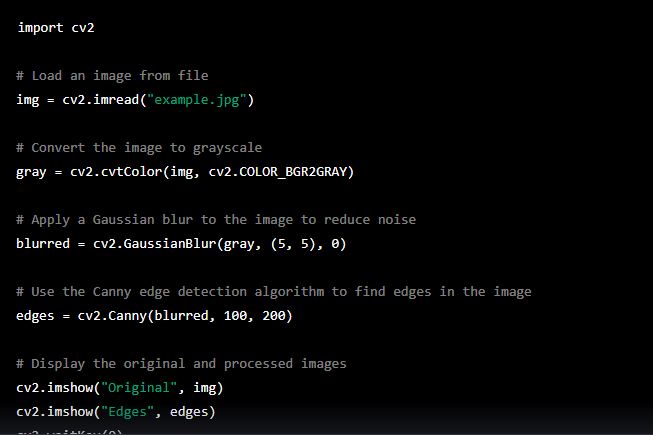
with the help of python code

Challenges we ran into

to display in proper orientation

Accomplishments that we're proud of

successfully built it

What we learned

use of computer vision

What's next for To display an image with edges.

to make high graphics image

Built With

Share this project:

Updates

posted an update

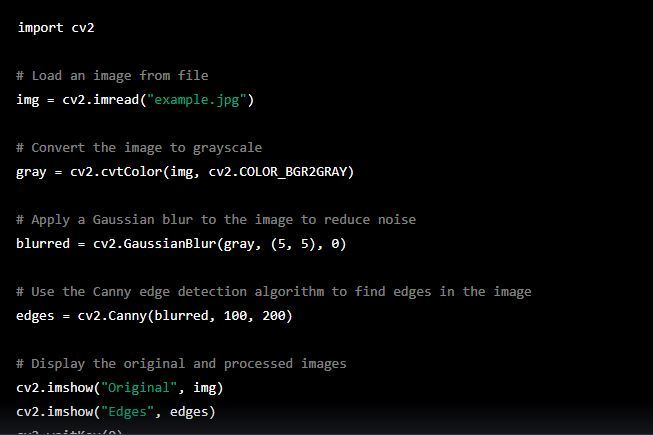
import cv2

Load an image from file

img = cv2.imread("example.jpg")

Convert the image to grayscale

gray = cv2.cvtColor(img, cv2.COLOR_BGR2GRAY)

Apply a Gaussian blur to the image to reduce noise

blurred = cv2.GaussianBlur(gray, (5, 5), 0)

Use the Canny edge detection algorithm to find edges in the image

edges = cv2.Canny(blurred, 100, 200)

Display the original and processed images

cv2.imshow("Original", img) cv2.imshow("Edges", edges) cv2.waitKey(0) cv2.destroyAllWindows()

Log in or sign up for Devpost to join the conversation.