Why did you decide to choose this use case?
I love using productivity apps like Coda to organize my tasks. But a huge drawback of these tools is that I spend too much time messing with databases—time that I could have spent doing work instead.
For example, let’s say that I have a homework assignment. I have to:
- Open Coda
- Find my homework database
- Input the assignment name
- Use the date picker to select the due date (and time)
- Select the correct class from the dropdown
In the time I spent entering my tasks in the database, I could have already completed half the assignment 😢.
The same goes for having multiple databases — when I start my day, I don’t want to have to go through ten different databases to figure out what I have to do.
With this template, I wanted to leverage AI to make this process easier.
How does this template work?
This template uses Coda AI — nicknamed “Hana” — to categorize your tasks.
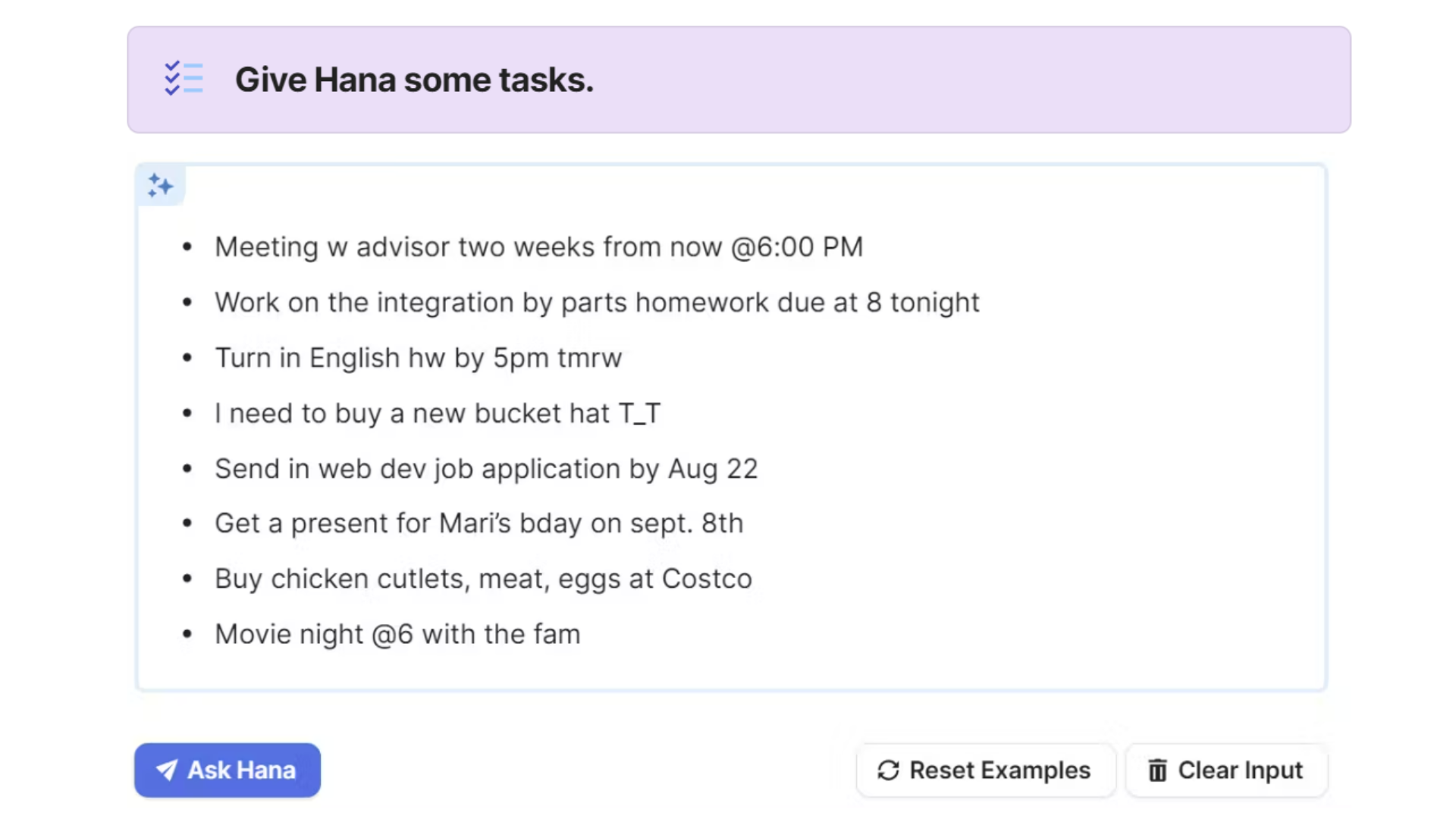
- In the Hana chat box on the Homepage, you can enter some tasks using freeform natural language — just like how you’d talk to a friend. No special formatting is necessary.
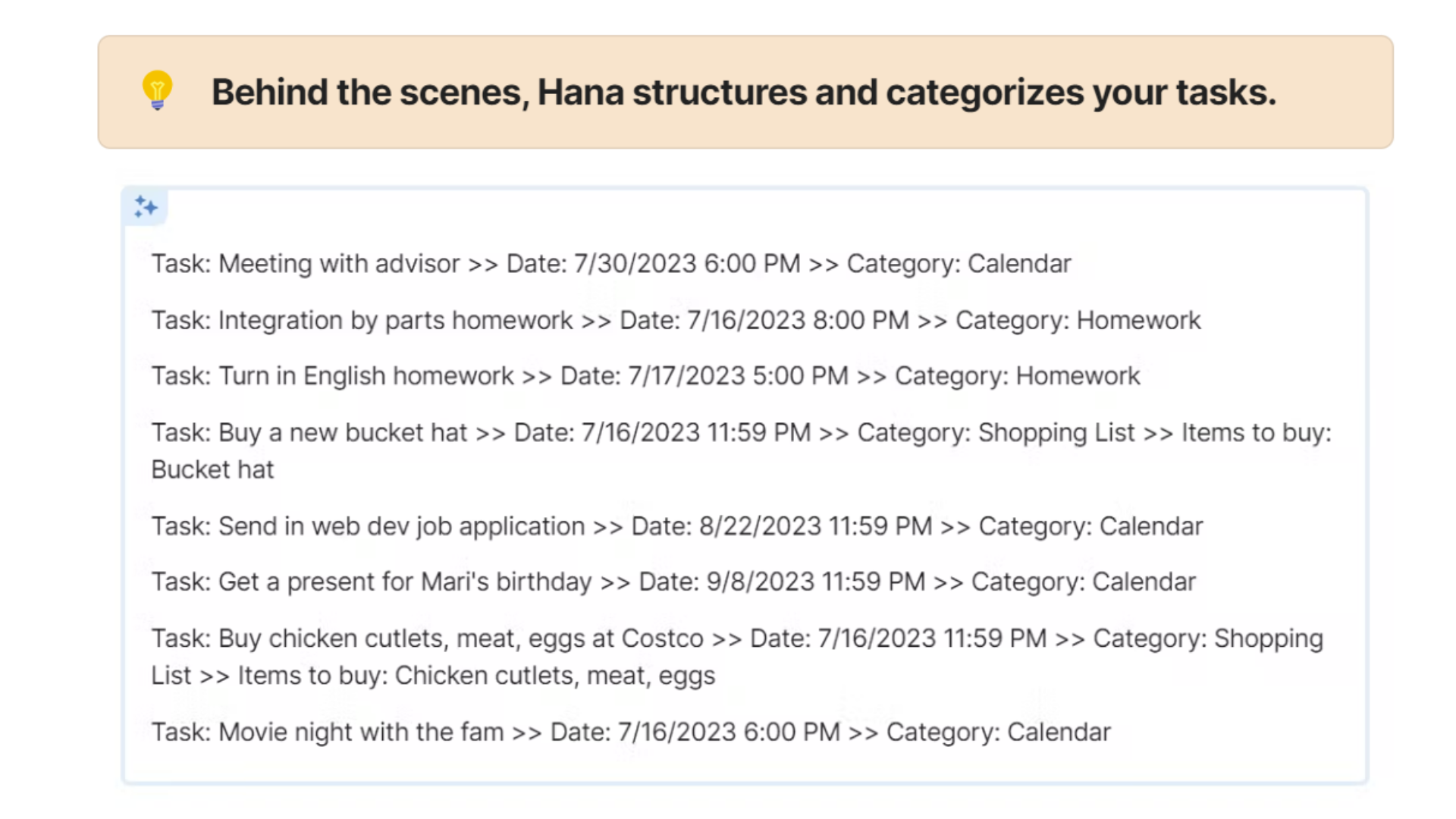
- Once you click Ask Hana, Hana will interpret your natural language input and formalize it into tasks. This happens in the AI Lab page
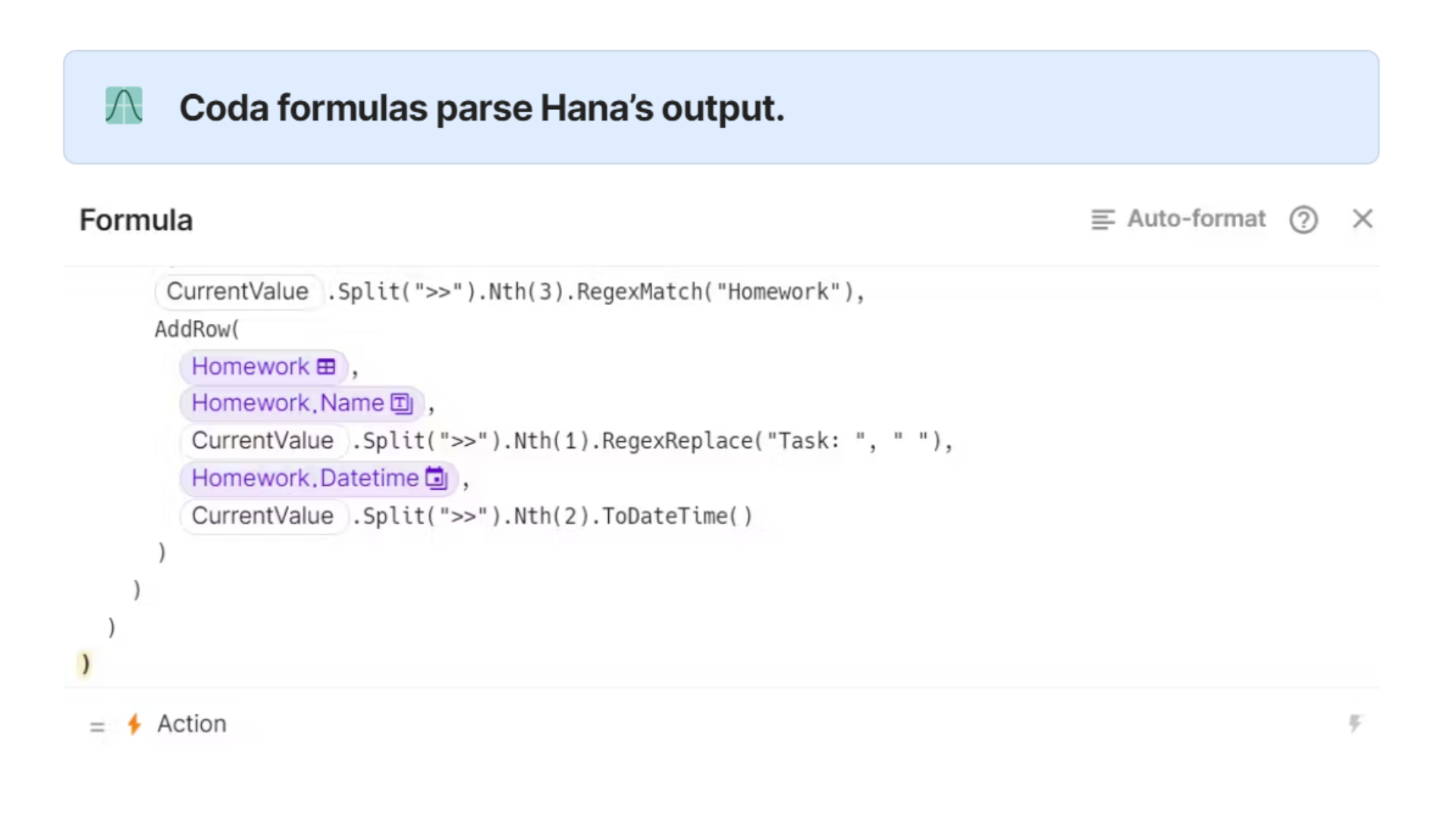
- The Ask Hana button has a formula that parses this list of tasks and sends each task to the correct database.
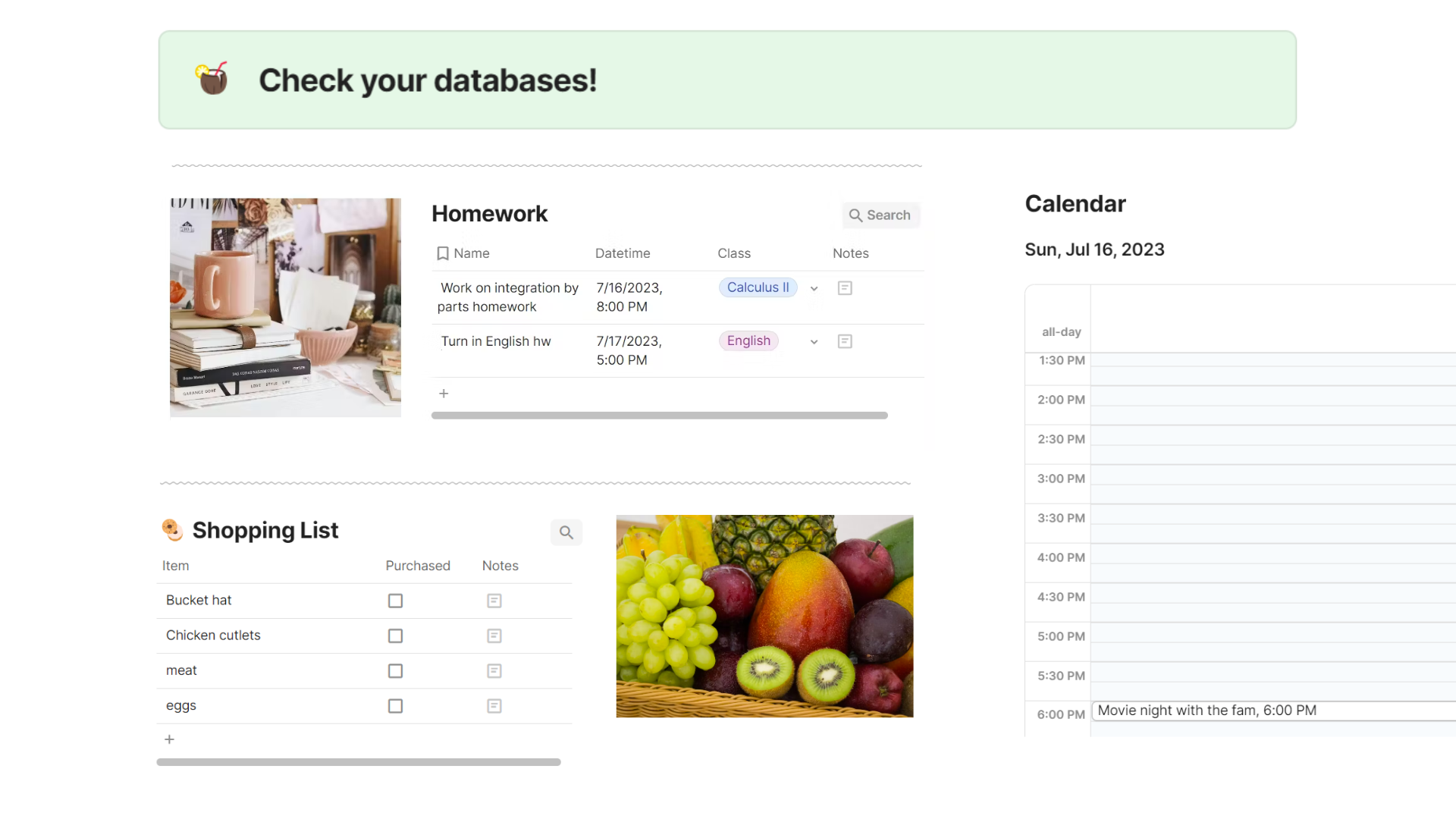
- Take a look at your databases to see the output!
How do you want others to use this template?
Create your own databases.
Then modify the prompt in AI Lab and add to the Ask Hana button formula to help Hana adapt to your workflow and categorize your tasks correctly.
Built With
- coda

Log in or sign up for Devpost to join the conversation.