Building the Gym Planner App: A Development Journey
🎯 What Inspired This Project
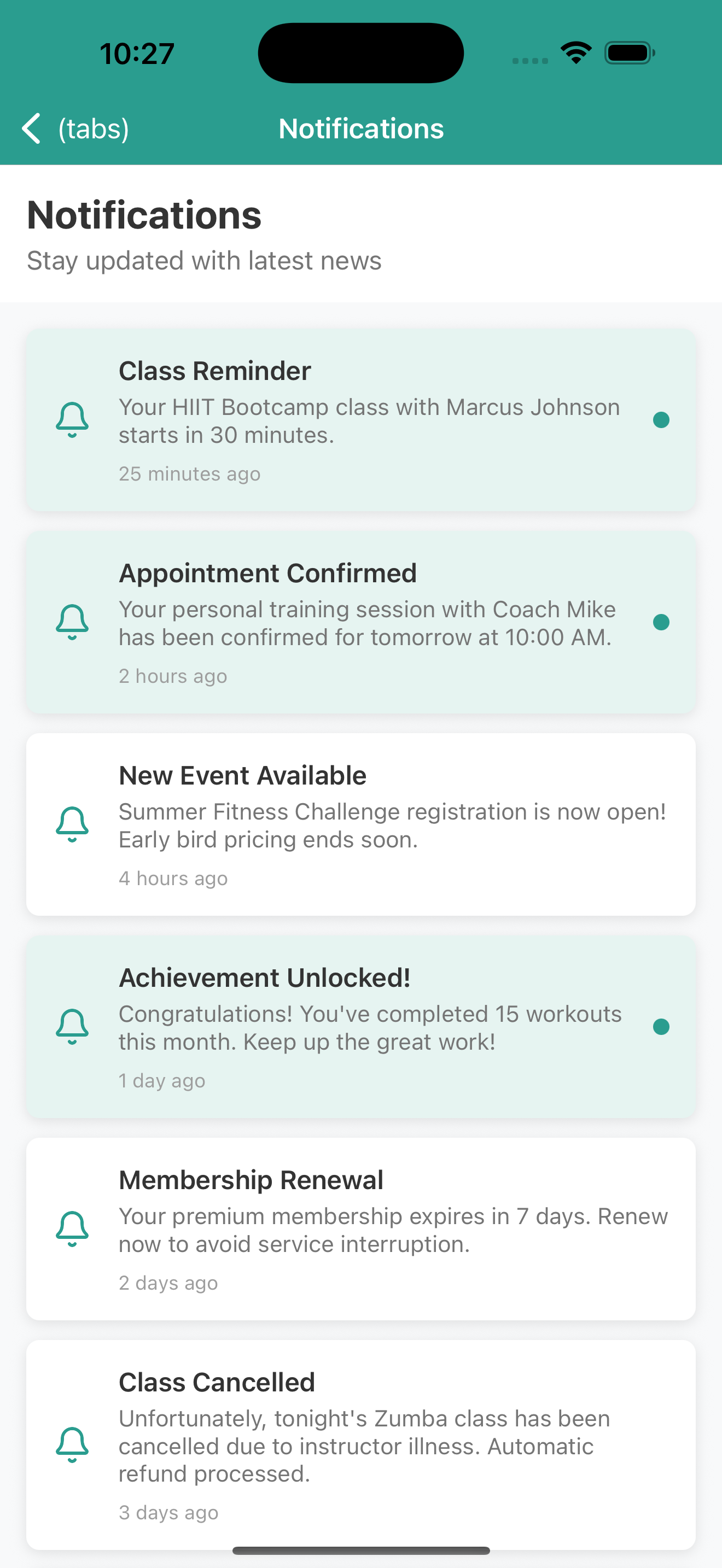
The inspiration for this gym planner app came from a very personal place - my wife's gym mobile app, which honestly looked like it was designed in 1995. The UI was clunky, outdated, and frustrating to use for something as important as managing fitness goals and gym activities. This sparked the idea to create what a modern, beautiful, and functional gym app should actually look like.
I wanted to build a comprehensive fitness tracking solution that goes beyond simple workout logging - something that would serve as a complete fitness companion. The vision was to create an app that could handle everything from class bookings and personal training appointments to workout tracking and progress monitoring, all wrapped in a premium user experience that would make people actually want to use it.
Drawing inspiration from the best aspects of apps like MyFitnessPal, Strava, and premium gym management systems, I set out to create something more holistic and user-friendly than what's currently available in many gym apps.
🧠 What I Learned
Technical Learnings
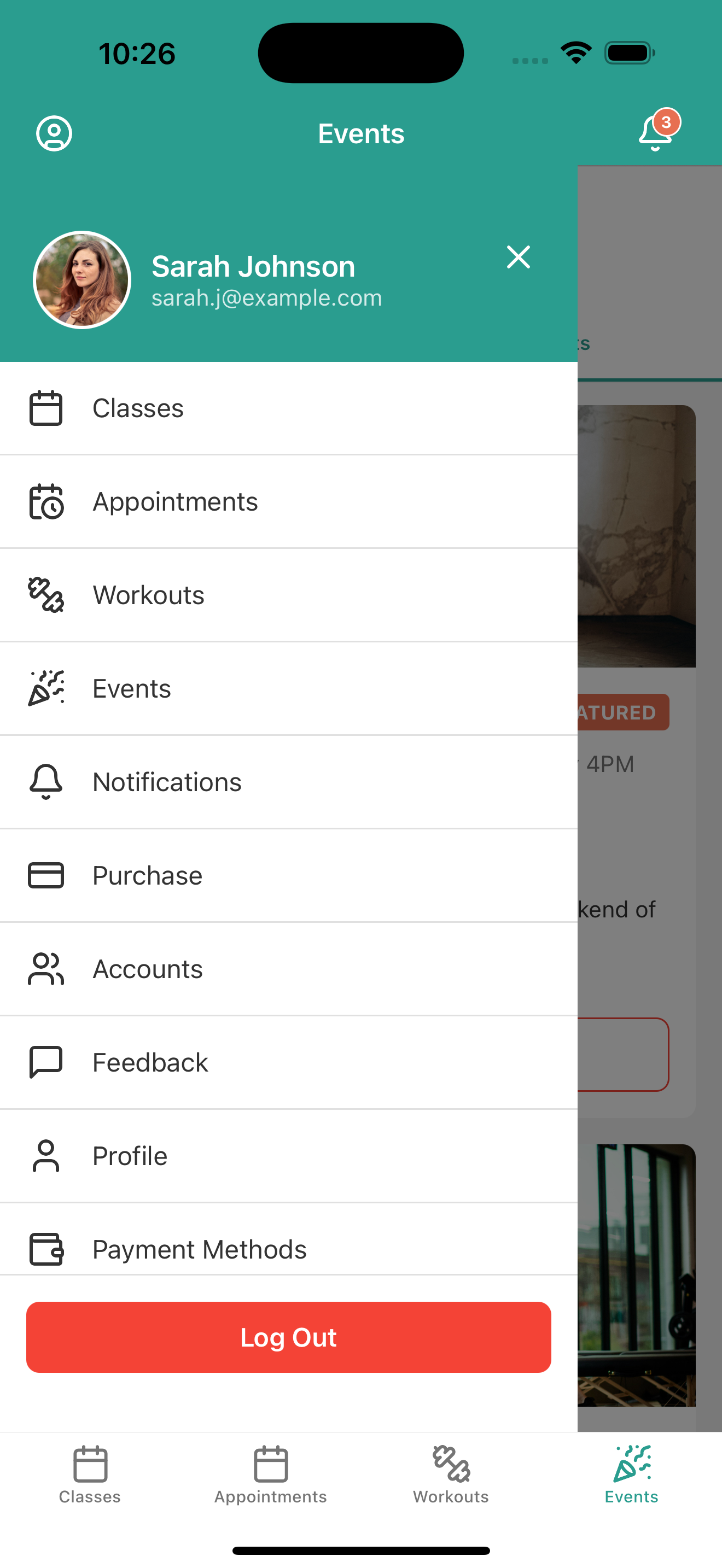
Expo Router Mastery: This project deepened my understanding of Expo Router's file-based routing system. I learned how to effectively structure complex navigation hierarchies using tab layouts, stack navigation, and modal presentations. The (tabs) directory structure became second nature, and I gained expertise in managing navigation state across different screens.
React Native Performance: Working with large datasets (workout history, calendar data, user profiles) taught me valuable lessons about performance optimization. I learned to implement proper data filtering, lazy loading, and efficient state management to keep the app responsive even with extensive mock data.
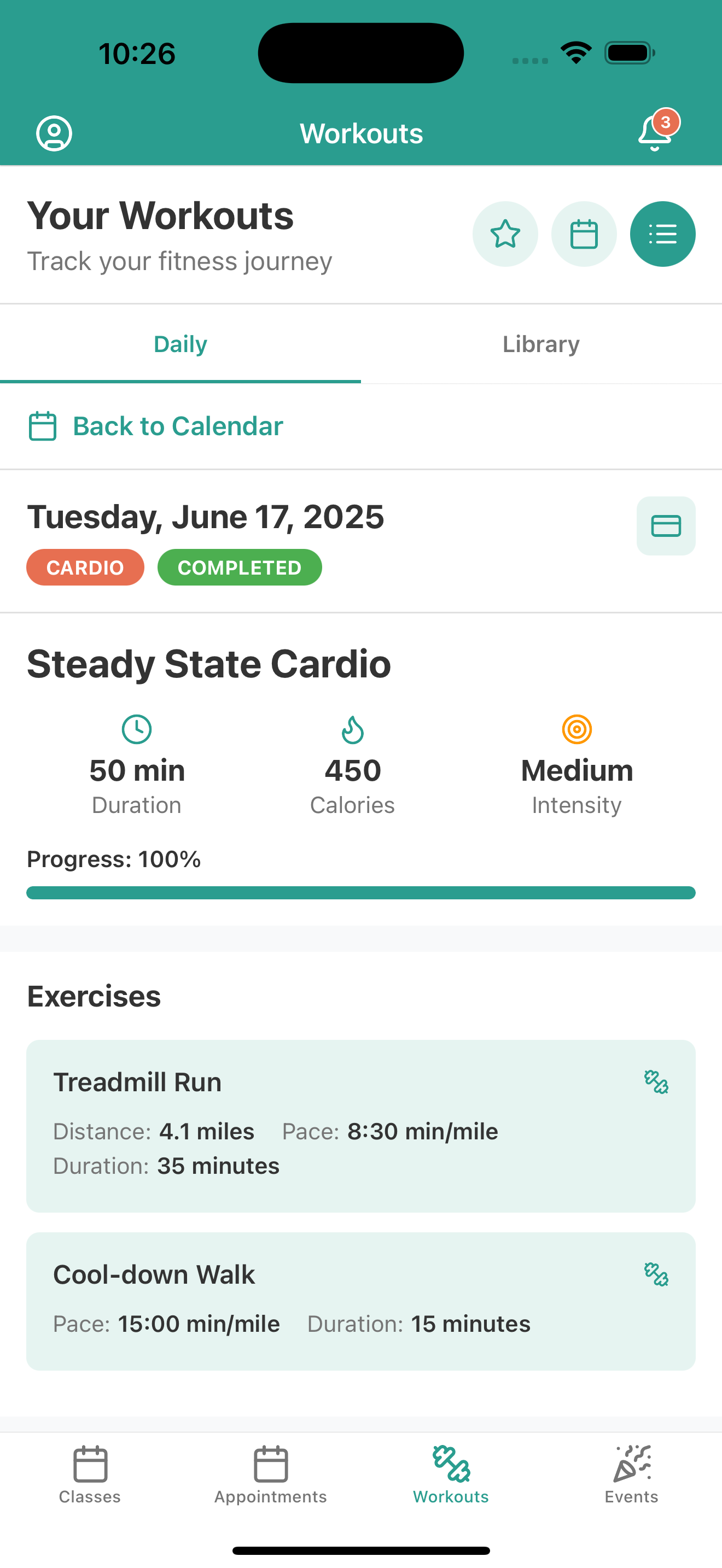
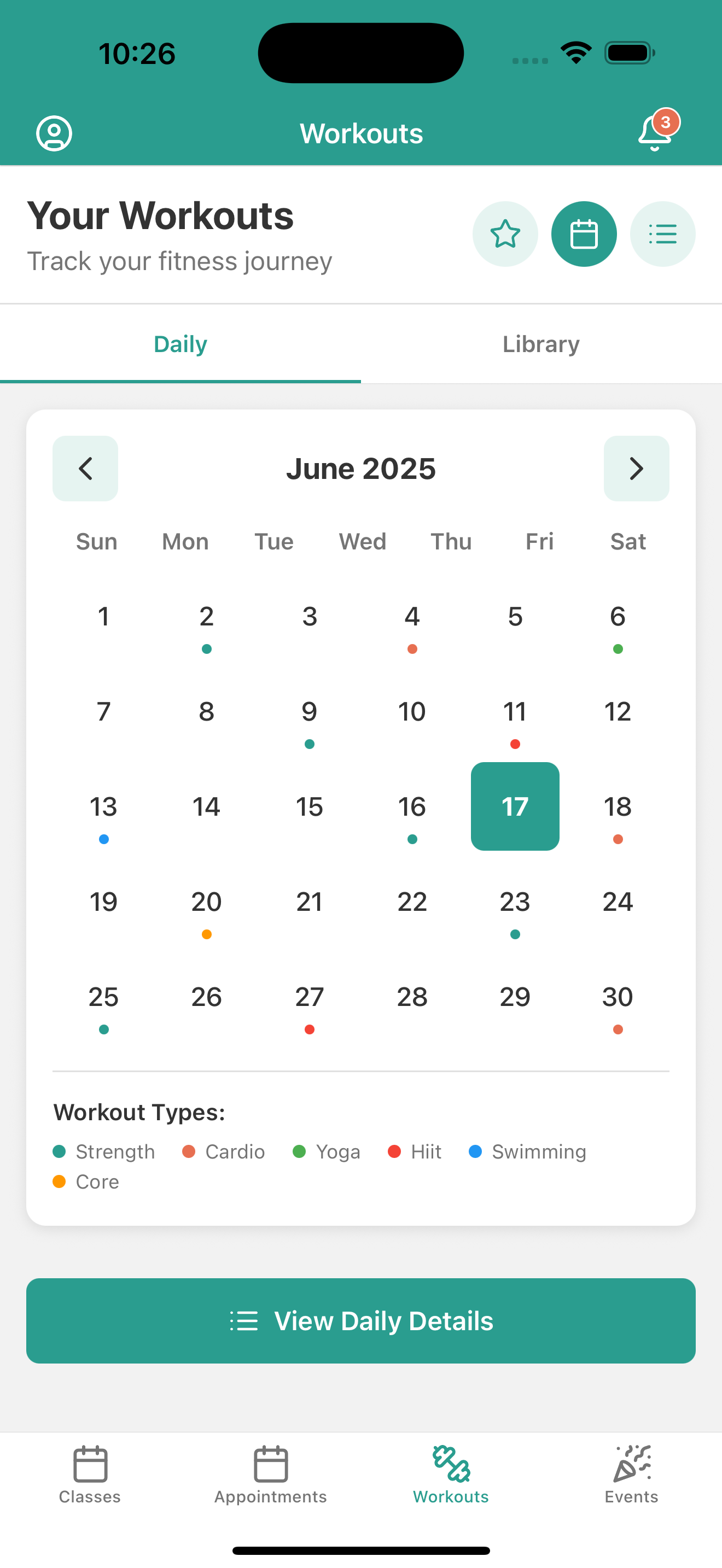
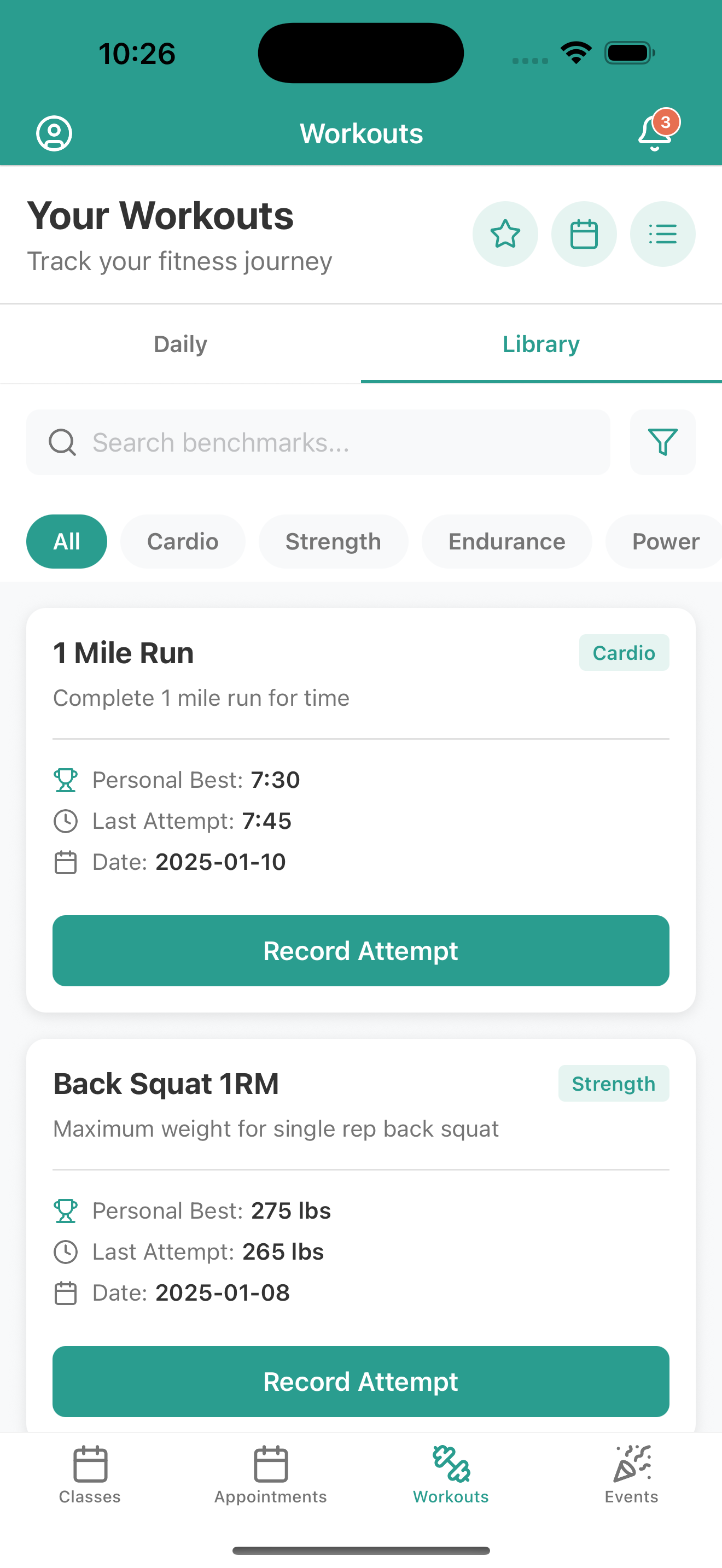
Component Architecture: Building reusable components like WorkoutCalendar, TodaysFeaturedWorkout, and DailyWorkoutView taught me how to create flexible, maintainable component APIs. I learned to balance component reusability with specific feature requirements.
Design Learnings
Mobile-First Design: Creating layouts that work seamlessly across different screen sizes taught me the importance of responsive design in mobile apps. I learned to use flexbox effectively and create layouts that adapt gracefully.
User Experience Flow: Designing the workout tracking flow - from browsing workouts to starting sessions to viewing progress - taught me how to create intuitive user journeys that feel natural and engaging.
Visual Hierarchy: Working with complex data displays (workout calendars, progress charts, appointment lists) helped me understand how to use typography, spacing, and color to guide user attention and create clear information hierarchies.
🛠 How I Built This Project
Phase 1: Foundation and Architecture
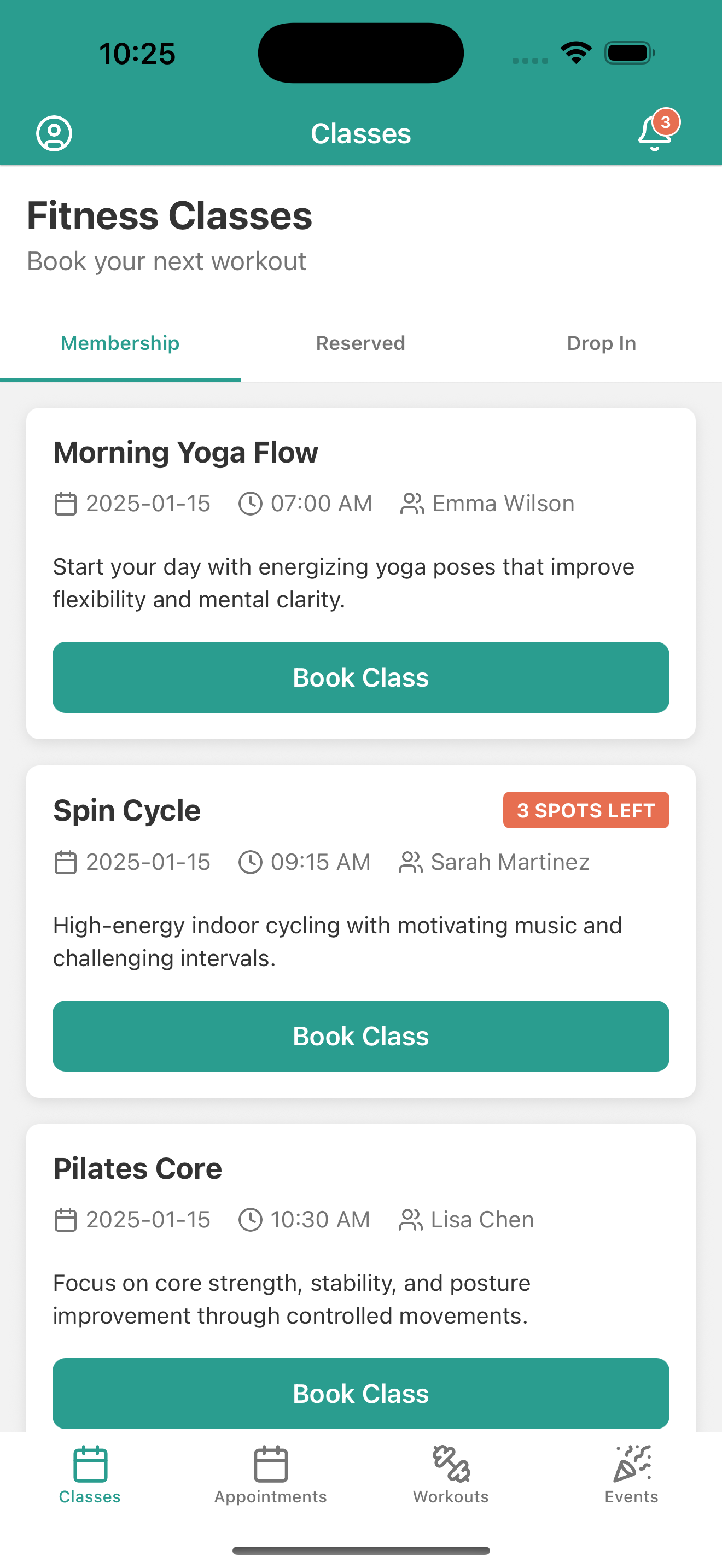
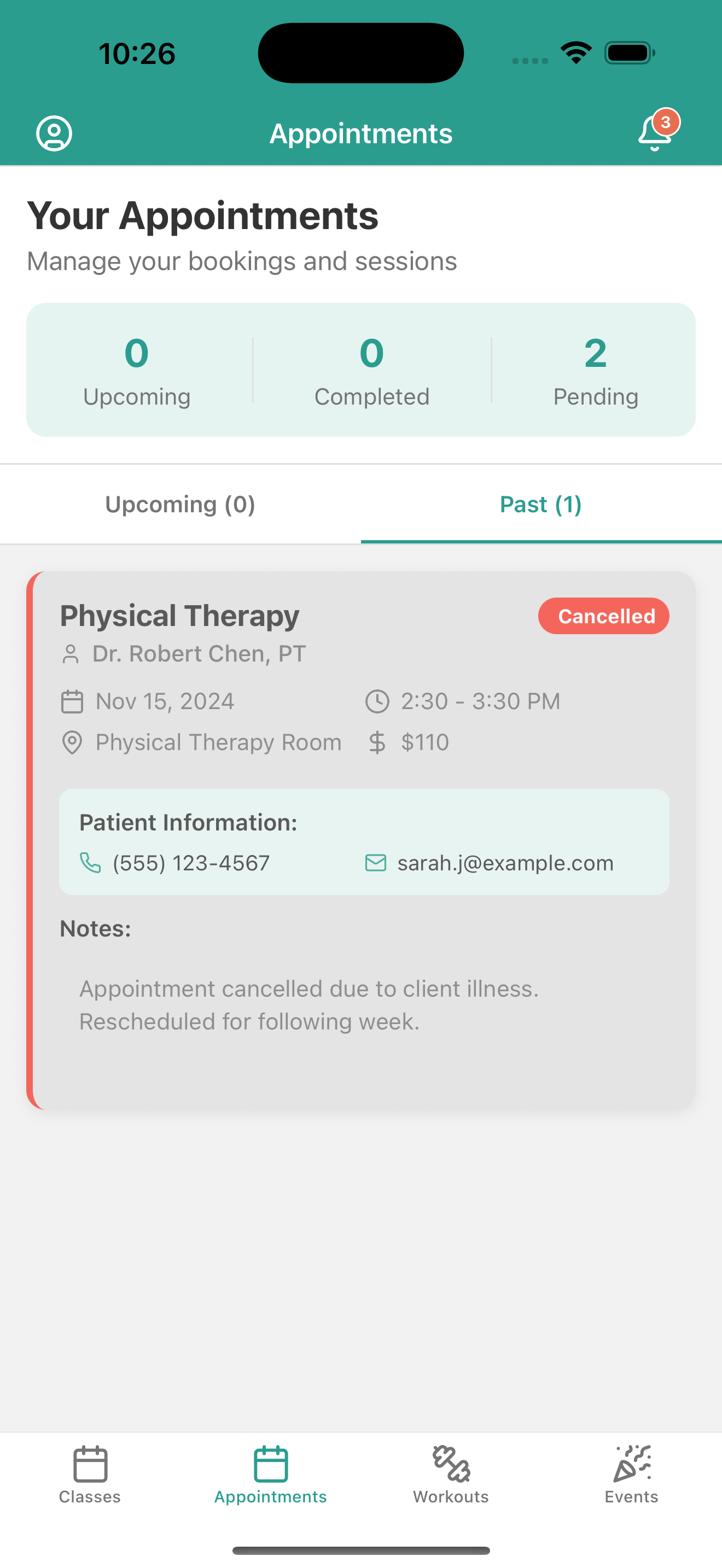
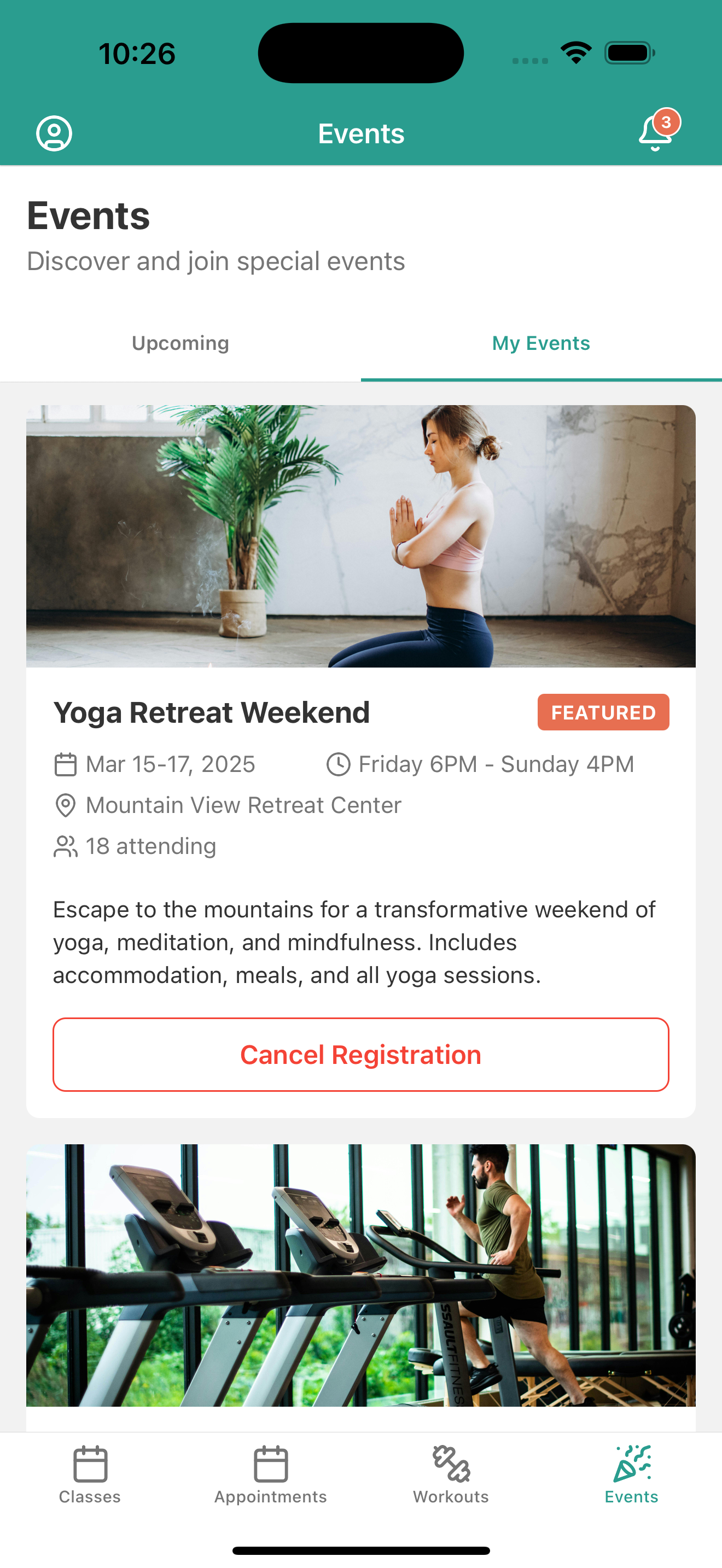
I started by setting up the core navigation structure using Expo Router's tab-based layout. The main tabs (Classes, Appointments, Workouts, Events) formed the backbone of the app's information architecture.
// Core navigation structure
app/
├── _layout.js (Root layout with authentication)
├── (tabs)/
│   ├── _layout.js (Tab configuration)
│   ├── classes.js
│   ├── appointments.js
│   ├── workouts.js
│   └── events.js
Phase 2: Data Architecture
I created comprehensive mock data structures that would support all the app's features:
- User profiles with authentication context
- Workout data with calendar integration and progress tracking
- Appointment systems with scheduling and status management
- Class booking with capacity and instructor information
- Event management with registration and attendance tracking
The mock data was designed to be realistic and comprehensive enough to demonstrate all app features without requiring a backend.
Phase 3: Component Development
I built the app using a component-first approach, creating reusable pieces that could be composed into complex screens:
Core Components:
WorkoutCalendar- Interactive calendar with workout indicatorsTodaysFeaturedWorkout- Rich workout display with exercise breakdownsDailyWorkoutView- Detailed workout planning and trackingSideMenu- Navigation drawer with user profile integration
Feature Components:
AppointmentsTab- Appointment management with filteringClassesTab- Class booking with real-time availabilityEventsTab- Event discovery and registrationWorkoutsTab- Workout history and progress tracking
Phase 4: Advanced Features
I implemented sophisticated features that would make the app feel production-ready:
Workout Tracking System:
- Real-time workout session management
- Progress tracking with completion percentages
- Exercise-by-exercise breakdown with modifications
- Calendar integration with visual indicators
User Management:
- Authentication flow with profile management
- Linked accounts for family fitness tracking
- Payment method management
- Billing history with detailed transaction records
Interactive Elements:
- Swipeable tabs with material design
- Collapsible sections and expandable content
- Real-time status updates (workout in progress, class availability)
- Contextual action buttons that adapt to current state
Phase 5: Polish and User Experience
The final phase focused on creating a premium user experience:
Visual Design:
- Consistent color scheme with primary/secondary colors
- Thoughtful typography hierarchy
- Smooth animations and transitions
- Professional iconography using Lucide React Native
Interaction Design:
- Intuitive gesture support
- Clear feedback for user actions
- Loading states and error handling
- Contextual help and guidance
🚧 Challenges I Faced
Navigation Complexity
Challenge: Managing complex navigation flows with multiple tab levels, modal presentations, and deep linking requirements.
Solution: I implemented a hierarchical navigation structure using Expo Router's file-based system, carefully organizing routes and ensuring proper state management across navigation boundaries. The key was understanding when to use stack navigation within tabs versus modal presentations.
Complex UI Interactions
Challenge: Creating smooth, intuitive interactions for features like the workout calendar, expandable workout sections, and real-time workout tracking.
Solution: I leveraged React Native's built-in animation capabilities and react-native-reanimated for complex gestures. The key was breaking down complex interactions into smaller, manageable pieces and ensuring each interaction felt natural and responsive.
Cross-Platform Compatibility
Challenge: Ensuring the app works seamlessly on both iOS and Android while being developed primarily for web preview.
Solution: I used platform-specific code where necessary and tested extensively with Expo's development tools. I also made sure to use web-compatible APIs and provide fallbacks for native-only features.
Performance Optimization
Challenge: Maintaining smooth performance with complex screens containing multiple data sources and real-time updates.
Solution: I implemented several optimization strategies:
- Virtualized lists for large datasets
- Memoized components to prevent unnecessary re-renders
- Efficient data structures and filtering algorithms
- Strategic use of React's optimization hooks
The 1995 UI Challenge
Challenge: Overcoming the inspiration from my wife's gym app that looked like it was from 1995 - essentially starting from a place of "what NOT to do."
Solution: I focused on modern design principles, studying current best practices in mobile app design. I prioritized clean layouts, intuitive navigation, and beautiful visual elements that would feel at home in 2025, not 1995. This meant paying attention to details like proper spacing, modern color schemes, smooth animations, and intuitive user flows.
🎨 Design Philosophy
Throughout the development process, I maintained a focus on creating a premium, production-ready experience. This meant:
User-Centric Design: Every feature was designed with the end user's fitness journey in mind. The workout tracking flow, for example, guides users naturally from planning to execution to reflection.
Visual Excellence: I prioritized beautiful, modern design that would feel at home alongside the best fitness apps in the market. This included careful attention to typography, spacing, color usage, and micro-interactions.
Functional Depth: Rather than creating a shallow demo, I built deep functionality that would actually be useful for fitness tracking. The workout system, for example, includes exercise modifications, progress tracking, and comprehensive data visualization.
Technical Excellence: I wrote clean, maintainable code with proper separation of concerns, reusable components, and efficient data management patterns.
🚀 The Result
The final product is a comprehensive fitness app that demonstrates:
- Professional UI/UX that rivals commercial fitness applications (and definitely looks better than 1995!)
- Complex data management with realistic workout, appointment, and user data
- Advanced React Native patterns including navigation, state management, and performance optimization
- Production-ready architecture that could be extended with a real backend
- Comprehensive feature set covering all aspects of fitness tracking and gym management
This project showcases the power of Bolt.new, React Native and Expo for building sophisticated mobile applications, and demonstrates how thoughtful architecture and design can create truly engaging user experiences.
The app successfully bridges the gap between a simple demo and a production application, providing a solid foundation that could be extended with real backend integration, push notifications, social features, and advanced analytics.
🔮 Future Enhancements
While the current version is feature-complete for a demonstration, there are several areas where it could be extended:
- Backend Integration: Connect to a real API for data persistence
- Social Features: Add friend connections and workout sharing
- Advanced Analytics: Implement detailed progress tracking and insights
- Wearable Integration: Connect with fitness trackers and smartwatches
- AI Coaching: Add personalized workout recommendations
- Video Integration: Include exercise demonstration videos
- Nutrition Tracking: Expand beyond fitness to include meal planning
- Modern UI Updates: Continue evolving the design to stay current (unlike that 1995 gym app!)
This project represents a significant achievement in mobile app development, demonstrating both technical proficiency and design excellence in creating a comprehensive fitness tracking solution that actually looks and feels like it belongs in the modern era.
💡 Key Takeaways
Building this gym planner app taught me that sometimes the best inspiration comes from seeing what not to do. My wife's outdated gym app served as the perfect counter-example, showing me exactly what modern users expect and deserve from their fitness apps.
The project reinforced the importance of:
- User-first design thinking
- Modern visual design principles
- Comprehensive feature planning
- Technical architecture that scales
- Performance optimization from day one
Most importantly, it showed me that with the right tools (Expo, React Native) and attention to detail, it's possible to create mobile experiences that truly delight users - something that 1995-era gym app definitely wasn't doing!

Log in or sign up for Devpost to join the conversation.