-
-
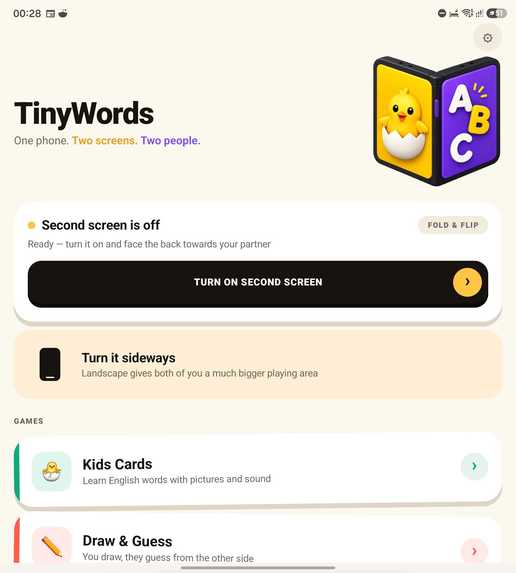
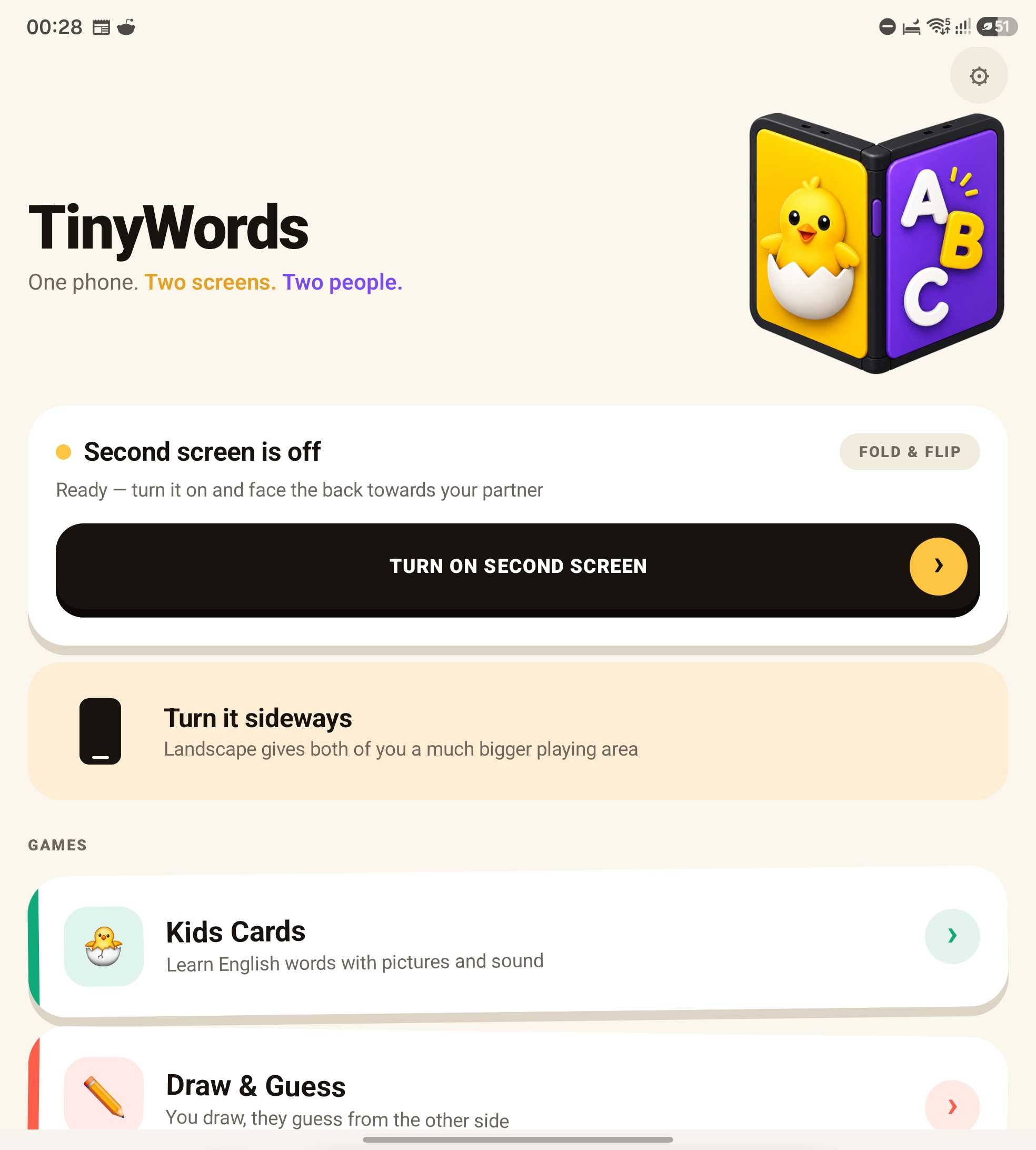
Home screen: the app detects the foldable and offers the cover display. Every game also works on one phone, passed between you.
-
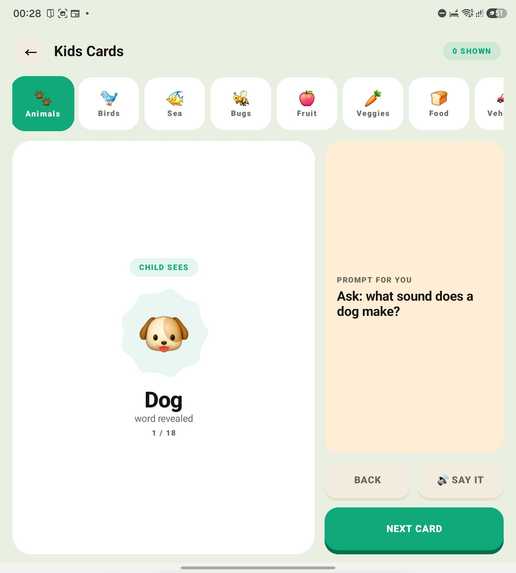
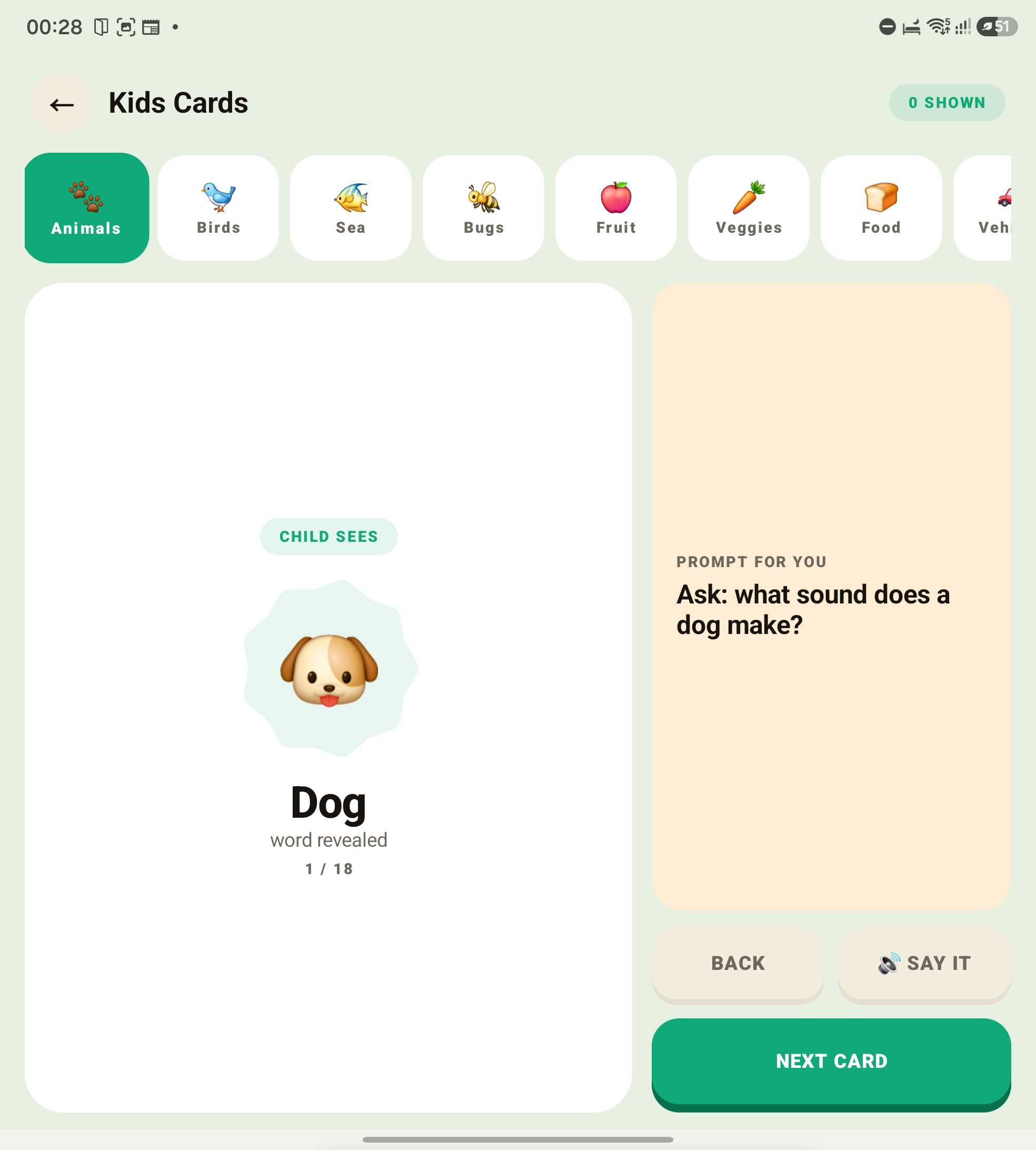
The parent's side: the word, a question to ask, and a speaker button. The child's side shows only the picture until they guess.
-
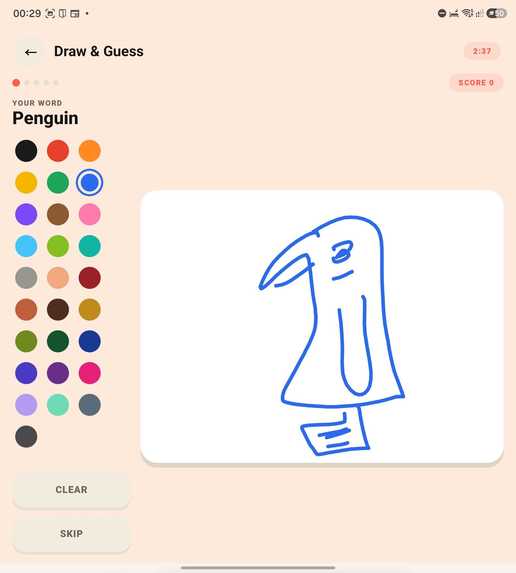
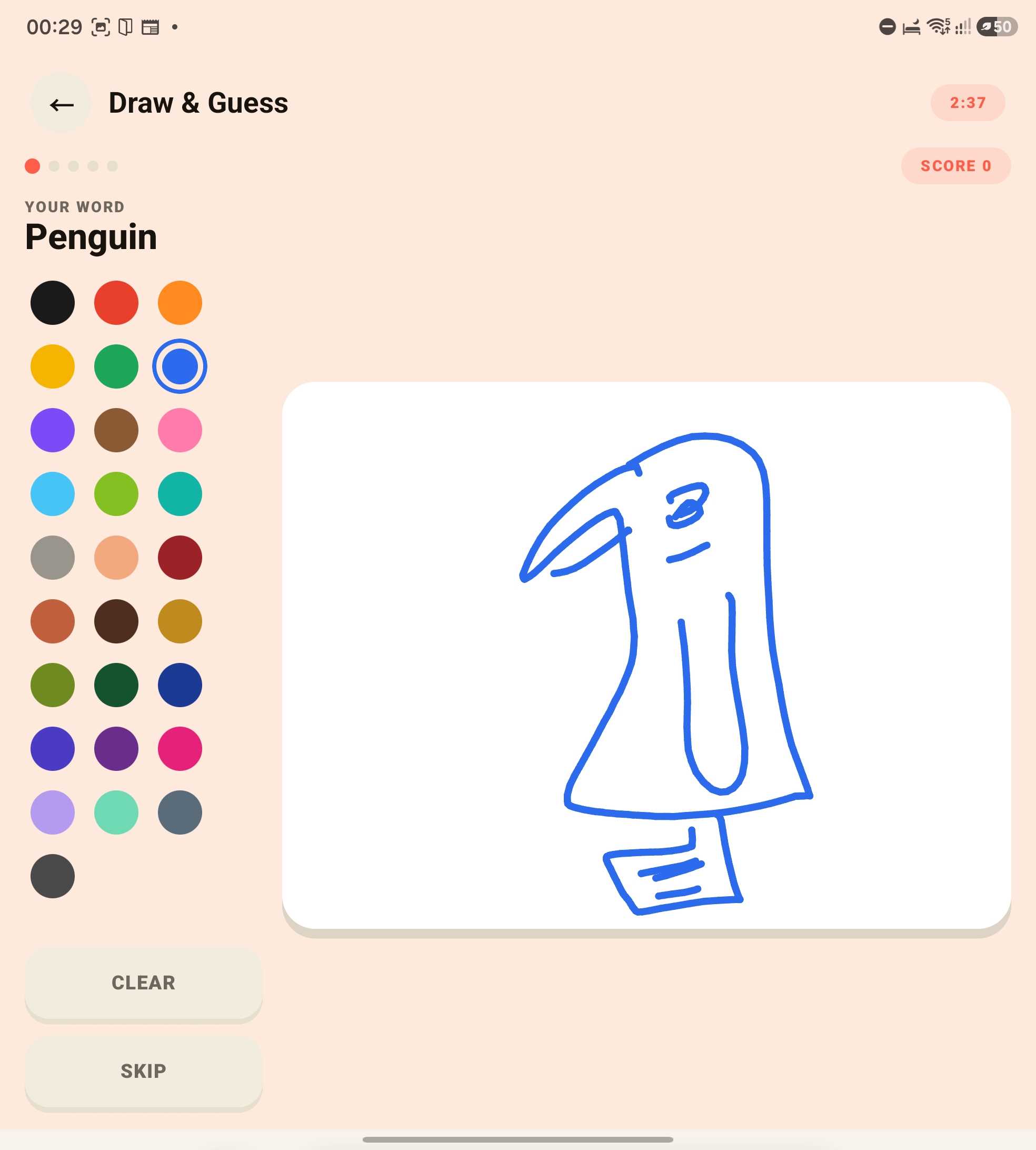
Draw & Guess: the parent gets the word and three minutes. The child watches the strokes appear live and never sees the word.
ONE PHONE. TWO PEOPLE. TWO DIFFERENT SCREENS.
TinyWords is an app for a parent and a child to learn first English words together, on a single Galaxy Fold or Flip.
The child looks at the cover display and sees only a picture. The parent looks at the main display and sees the English word, plus a question to ask about it. Two people, sitting across from each other, holding one phone — and neither is looking over the other's shoulder.
THE PROBLEM WE ACTUALLY SET OUT TO SOLVE
Most "English for kids" apps quietly assume the adult already speaks English. The menus are English, the hints are English, the parent guidance is English. If you are a Ukrainian, Turkish or Vietnamese parent who wants to teach your child their first English words, the app is talking past you.
So we split the app in two. The interface speaks 32 languages. The cards never leave English.
Every menu, every hint, every prompting question is translated into the parent's language. The words on the cards — and the pronunciation — stay English, because English is exactly what the child came here to learn. The parent never has to translate anything in their head.
The second thing we noticed: an app you hand a child to keep them busy is a different product from an app two people use together. We built the second one. There are no timers on the cards, no scores, no way to lose. Under every card there is a question only the grown-up sees — not "next card", but "Ask: why is its neck so long?" Ten minutes of pictures becomes ten minutes of talking. That is the entire idea.
WHAT'S IN IT
Flashcards — 142 picture cards in 13 decks: animals, birds, sea life, bugs, fruit, vegetables, food, vehicles, home, clothes, nature, shapes, numbers. Every word is spoken out loud by the device's text-to-speech, locked to Locale.US and slowed slightly below normal speed so small ears catch every sound.
Draw and Guess — one player gets a word and three minutes to draw it with 28 coloured pencils. The other watches the strokes appear live on their own screen and never sees the word. There is also a free mode with no word and no timer, for a two-year-old who cannot read yet but will tell you with total confidence that a wobbly circle with legs is a spider.
Both games have a full single-screen version. The foldable is an upgrade, never a requirement.
WHY IT'S BUILT FOR GALAXY
The two-screen mode uses the Jetpack WindowManager WindowArea API (OPERATION_PRESENT_ON_AREA) to present a second, independent Compose tree on the cover display. This is not screen mirroring — the two screens show deliberately different content at the same time, which is the whole mechanic.
Architecturally this turned out to be the cleanest part of the project. Both Compose trees read one AppState object, so there is no synchronisation code anywhere in the app: change a field, both screens recompose.
HOW IT MAKES MONEY
Everything described above is free and stays free. The 13 original decks are free forever we are not taking back anything anyone already has.
TinyWords Plus is a one-time purchase that adds 6 new decks and 60 new words: Feelings, Body, Jobs, Sports, Music, Seasons. Purchases go through RevenueCat with the Galaxy Store (the purchases-store-galaxy module), with a "plus" entitlement gating the premium decks. No subscription, no ads, no data collection — the price shown on the paywall comes from the store already localised, and "Restore purchase" sits next to the buy button rather than hidden in settings.
HOW WE BUILT IT
Native Android, Kotlin and Jetpack Compose. No React Native, no game engine.
- androidx.window:window for the cover display, pinned to 1.5.x, because in 1.3.0 WindowAreaController was still an interface and the app dies with IncompatibleClassChangeError
- Compose Material 3, plus androidx.graphics:graphics-shapes for the soft card shapes
- Coil 3 for the animated Noto emoji, with a static fallback so the app is fully usable offline
- RevenueCat Android SDK with the Galaxy Store module
- The i18n layer is a plain map of language to map of English text to translation, where the English string is both the key and the fallback. A missing translation degrades to English instead of crashing or showing a blank.
CHALLENGES
Two screens, one truth. The first version passed state between the screens explicitly and drifted constantly. Collapsing everything into a single observable AppState removed an entire category of bugs — the cover screen sees the in-progress pencil stroke because the stroke colour lives in state, not in the drawing composable.
32 languages is a data problem, not a translation problem. 101 interface strings across 32 languages is 3,232 values, and a single missing comma in a generated block fails the build in a file nobody wants to read. We ended up generating the language files from a script and verifying field counts programmatically.
We also cut a game. A third mode existed and worked, but it did not belong in an app for small children. It now lives outside the build in its own folder — removed from the APK rather than left in "just in case".
Getting into the Kids category. Galaxy Store guideline 3.3.1 forbids apps in the Kids category from containing any links that leave the app. Ours had three: privacy policy, terms, and a support email. We moved the full legal text into in-app screens and turned the email into a copy-to-clipboard address. The app now contains no outbound navigation at all — the only network request it makes is fetching emoji images.
WHAT WE LEARNED
Ship the store listing earlier than feels necessary. The code was finished days before the app was; store review, Android Developer Verification, EU trader registration under the DSA, Kids-category rules and seven localised listings all turned out to be real engineering work with their own failure modes.
And: integrate billing on day one, even in a free app. Adding it at the end meant a new binary, a new review, and a race against the clock we did not need to be in.
WHAT'S NEXT
More decks, a parent-facing progress view, and pronunciation practice using the microphone — the one permission we have deliberately not asked for yet.
CATEGORIES WE'RE ENTERING
Best App for Galaxy (Samsung) — the app exists because of the cover display. Two independent Compose trees over the WindowArea API, a dedicated pre-game screen that walks the parent through enabling the second screen, and full single-screen fallbacks so nothing is locked away on a regular Galaxy.
RevenueCat Peace Prize — the app is built to put an adult and a child in the same conversation rather than to hold a child's attention. No ads, no data collection, no scores, nothing that can go wrong, and the parent's own language is a first-class feature rather than an afterthought.
RevenueCat Design Award — hand-built Compose interface with soft polygon card shapes, sticker-style depth, per-game colour identity and full right-to-left support for Arabic and Hebrew.


Log in or sign up for Devpost to join the conversation.