-
-

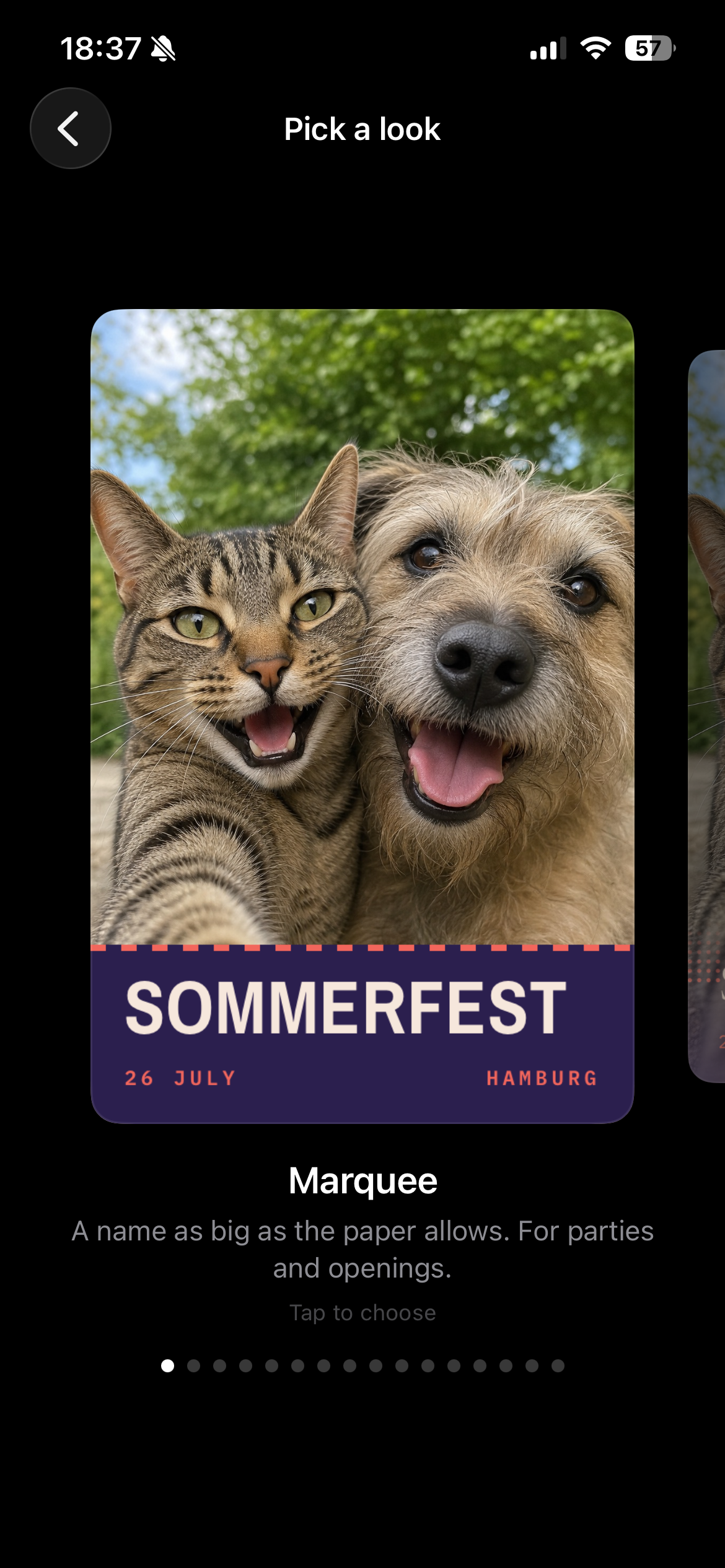
Design selector
-
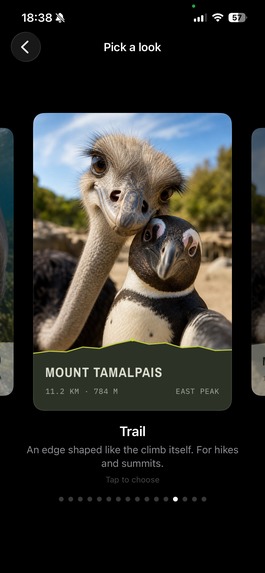
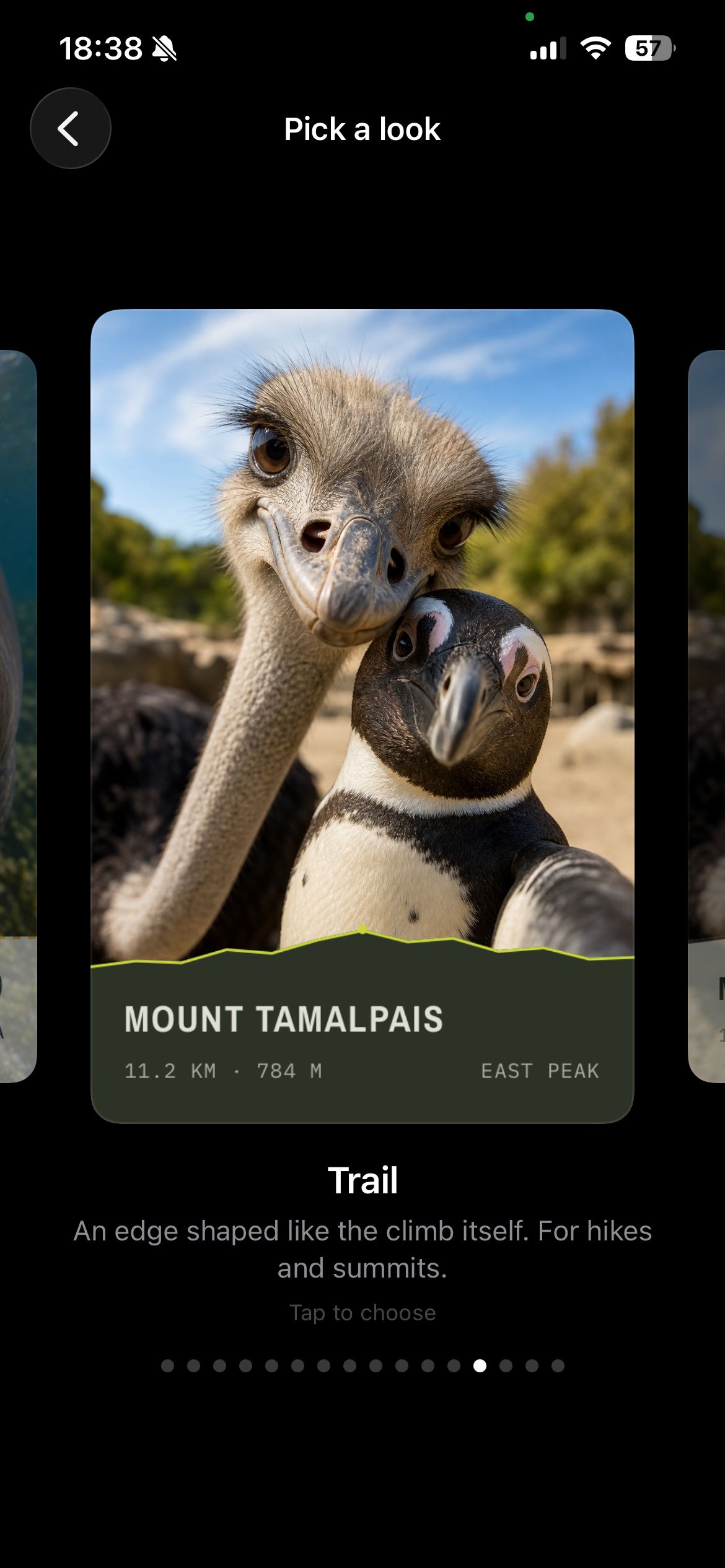
Design selector
-
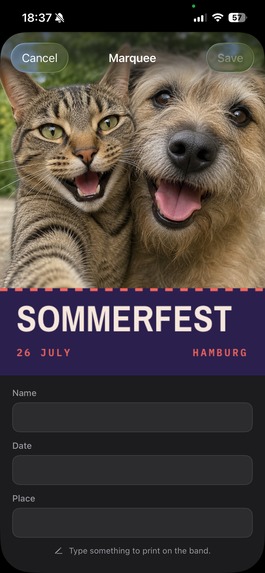
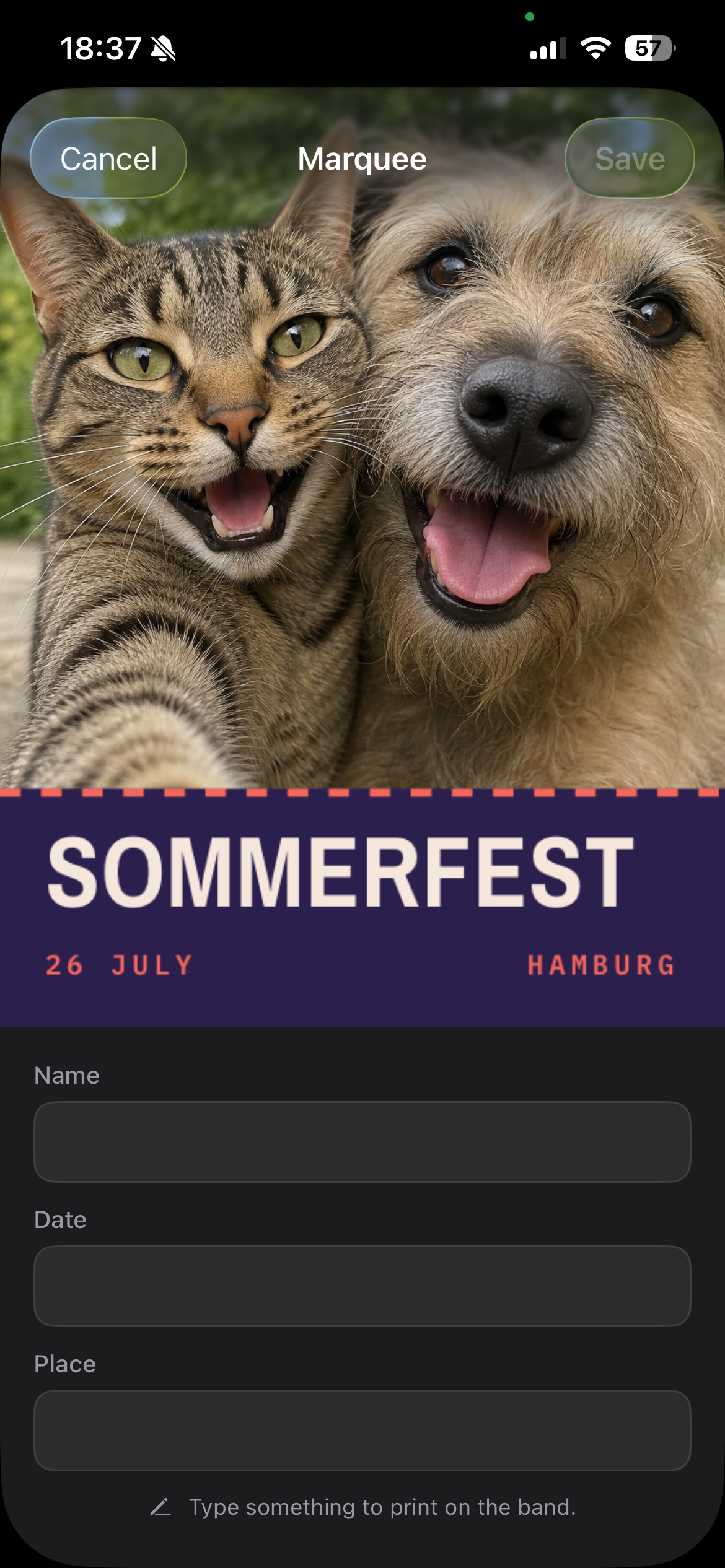
Overlay editor
-
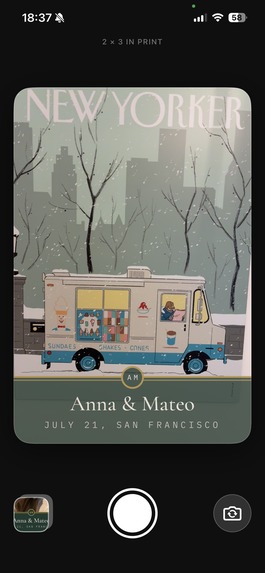
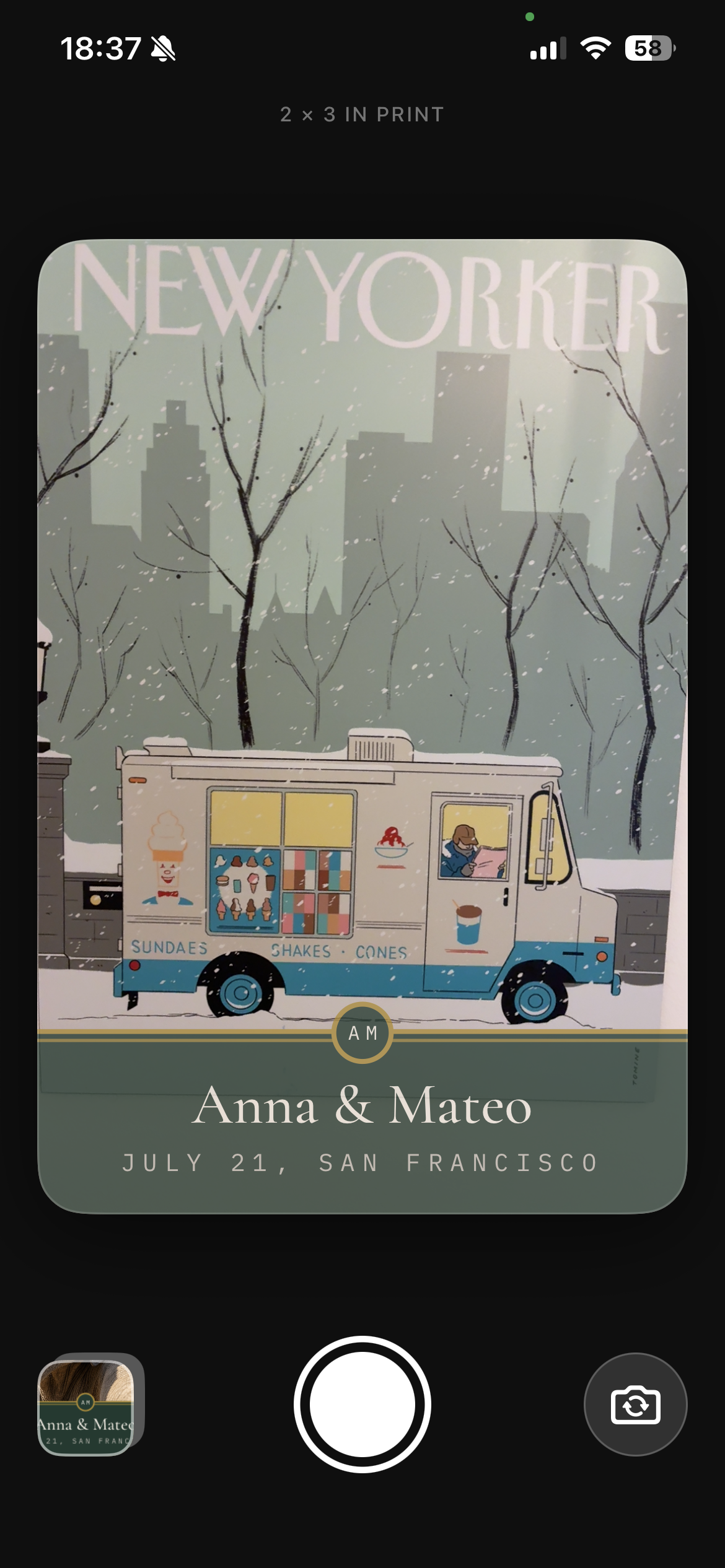
Camera view
-
Icon
Inspiration
Small photo printers are perfect for events, but adding the same branding to every picture is surprisingly tedious. Overlazy grew from the idea that it should be super quick and easy to add beautiful overlays to photos instantly: Take a branded photo and quickly print it with zero fiddling.
What it does
Overlazy is an iPhone camera app for branded event photos. Users choose a curated look, add their text and optional artwork, then see the overlay directly in the viewfinder.
After taking a photo, Overlazy renders the full-resolution composite, saves it to Photos, and makes it ready to share or print, for example through the HP Sprocket app or Canon Mini Print app on 2 × 3-inch paper.
How we built it
We built Overlazy with SwiftUI, AVFoundation, and Swift 6.
A custom rendering engine powers the editor, camera preview, and final export. Overlay designs are structured data describing their typography, colors, layout, ornaments, and artwork requirements. This lets us offer varied designs while keeping every result predictable.
The camera uses a testable state machine alongside an actor-isolated AVFoundation service. We also created automated tests, pixel-level golden references, a command-line design renderer, and localizations for English, German, Spanish, and Brazilian Portuguese.
Challenges we ran into
The hardest challenge was making the screen and the physical print agree. Details that look great on an iPhone can become tiny, disappear near a cropped edge, or become unreadable on a 2 × 3-inch print.
We introduced physical measurements, print-safe margins, contrast rules, and text fitting based on actual font measurements. Camera permissions, interruptions, orientation, responsiveness, and repeated shutter presses also required careful handling.
Accomplishments that we're proud of
We are especially proud that the viewfinder and exported photo use the same rendering system. What the photographer frames is what Overlazy saves.
We also built a flexible design engine without turning the app into a complicated design tool. Overlazy provides creative variety while keeping the workflow fast: choose a look, add the content, and start taking photos.
What we learned
We learned that constraints can improve a creative product. Limiting the number of decisions makes the app easier to use, while measurable print rules protect users from designs that only work on screen.
We also learned that visual quality needs several kinds of verification: automated geometry tests, golden images, Simulator checks, real-device testing, and physical prints each catch different problems.
What's next for Overlazy
Next, we want to refine the experience using feedback from real events, expand the collection of curated looks, and continue improving print calibration across different pocket printers.
Built With
- swift
- swiftui

Log in or sign up for Devpost to join the conversation.