Inspiration
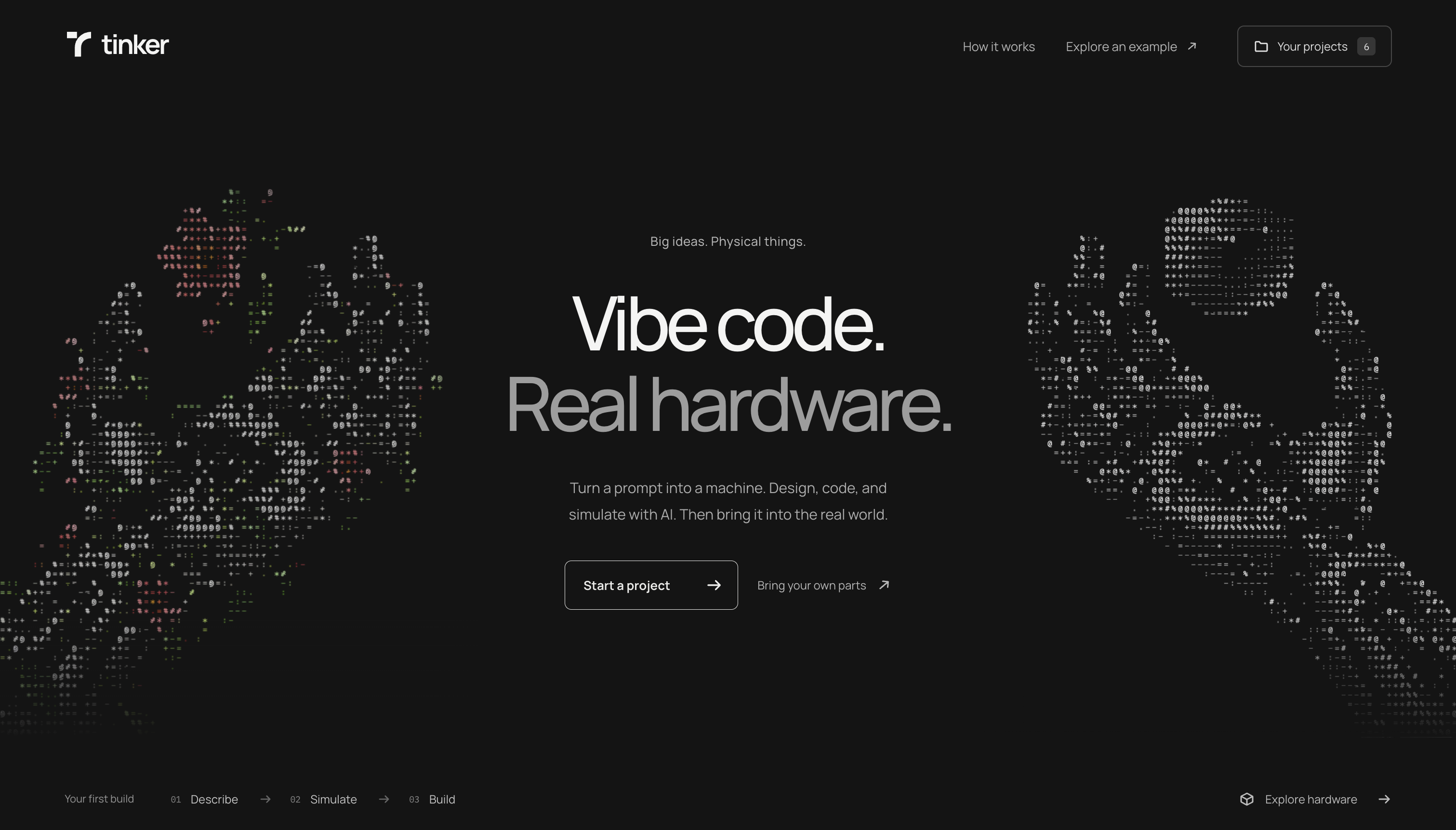
As a CS student who is pure software, I honestly get a little jealous of all the cool hardware projects I see being built around me. I've tried time and time again to watch tutorials and use ai to help guide me through learning hardware, but I've always seemed to struggle with picking it up. Naturally, this led me to building Tinker, a tool that aims to be Cursor for hardware.
What it does
You can either describe a machine/robot you want to build, or you record a video of your workbench with all the hardware parts and machinery you have available to you. Tinker takes this through a few stages.
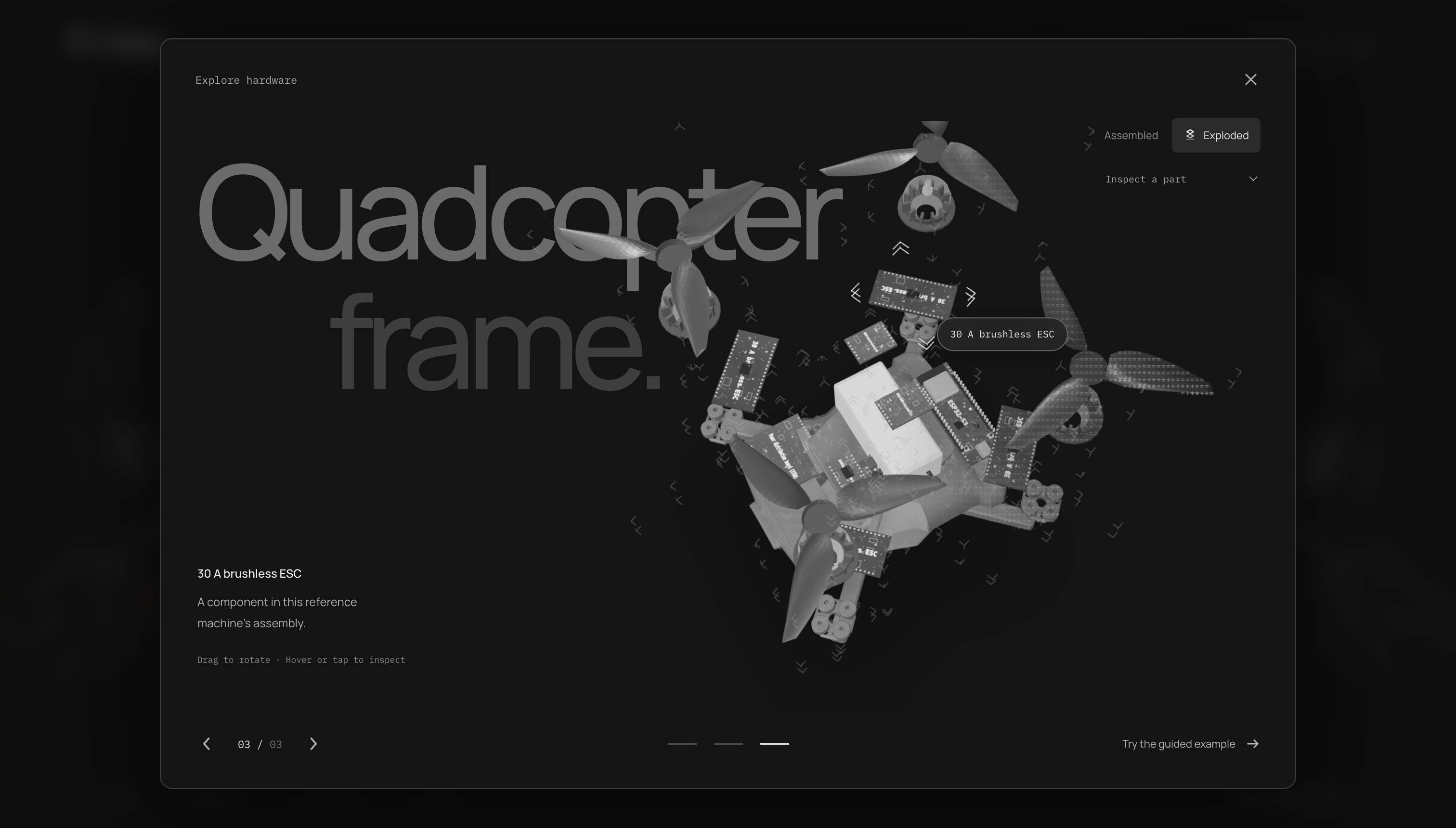
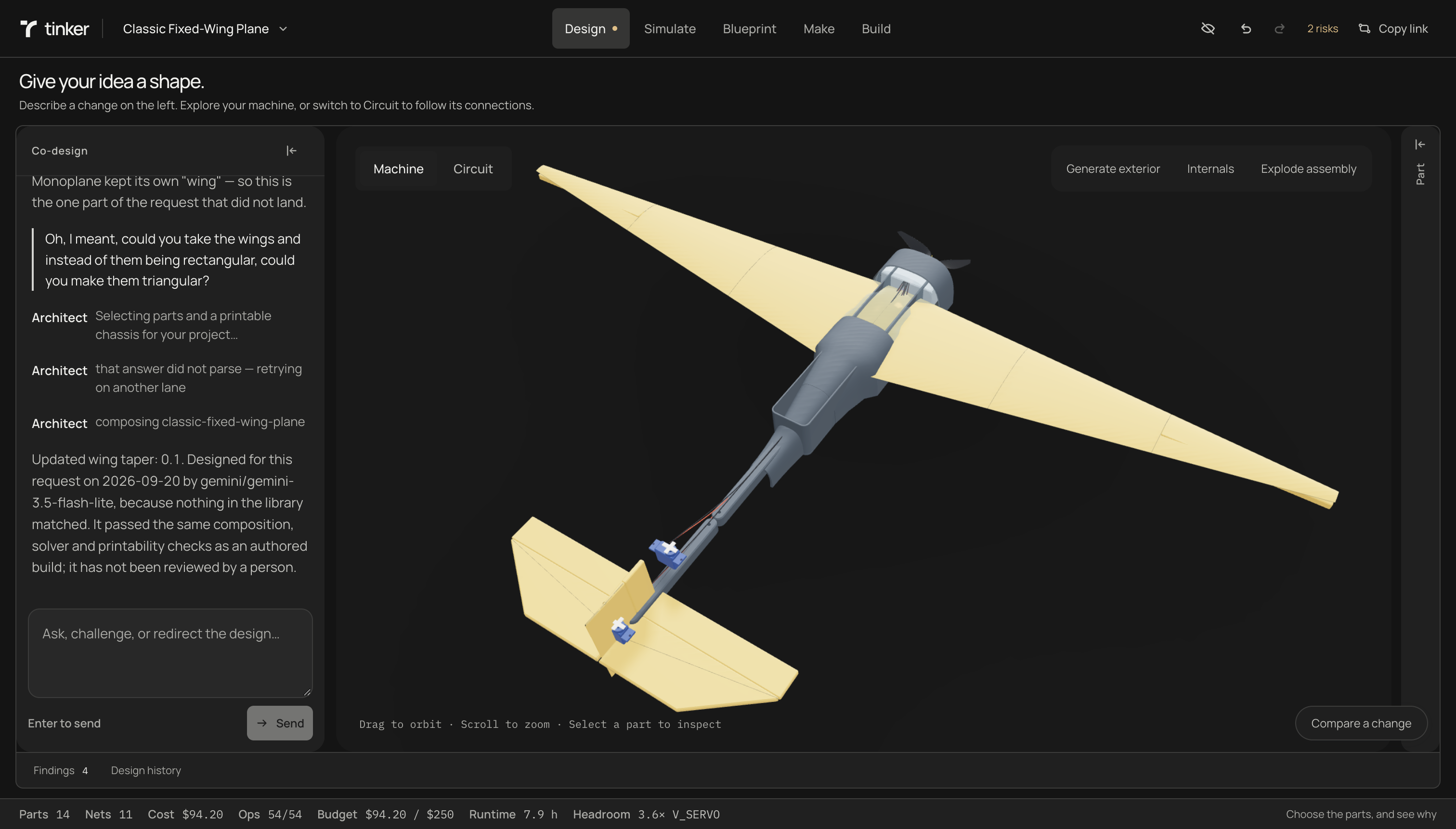
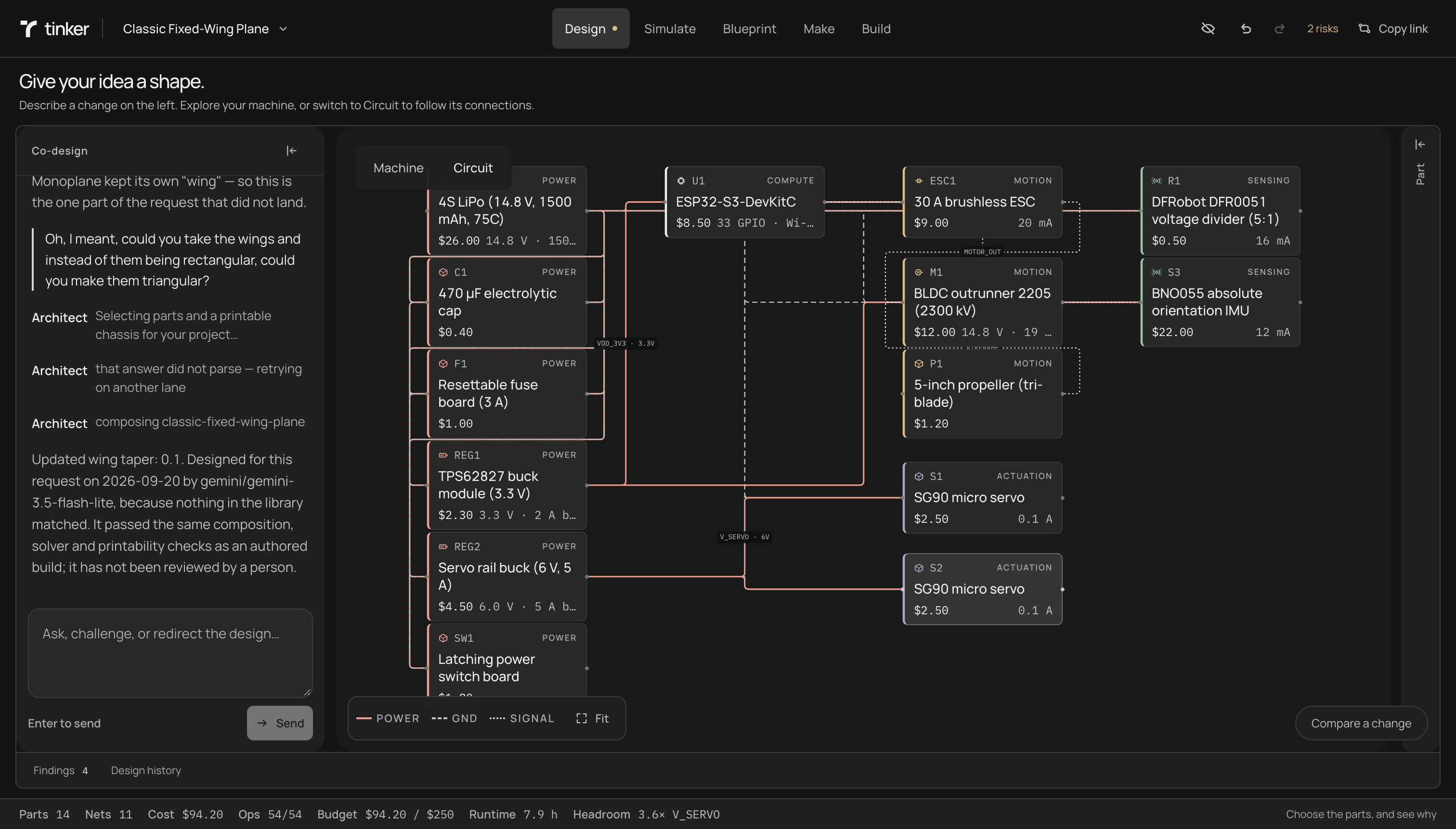
Design. An agents scrapes through an adaptive catalog of chassis, wiring, circuitry, chips, motors, propellors and other components, pulling what's relevant into the design and connecting everything procedurally on pre-defined connection points. If a new component is needed, it generates the model and scrapes the data for that component and dynamically adds it to the component library, making Tinker smarter as time goes on. Budget, electrical constraints and other factors are considered when selecting components.
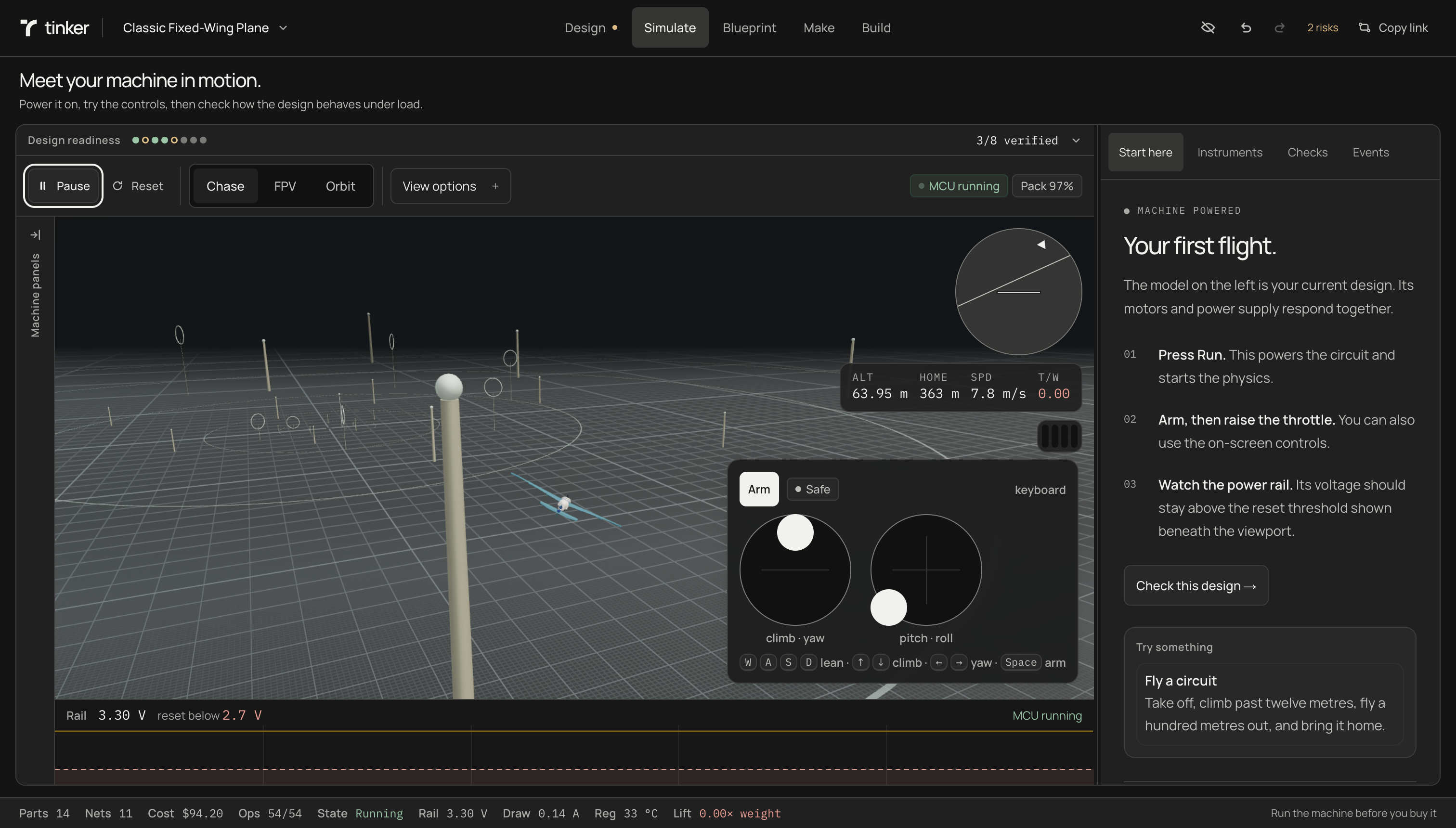
Simulate. A 3D simulation is then produced to validate the build. Using Unity rigid bodies, physics materials, forces and kinematic interactions as well as an underlying electrical simulation, the user can simulate what the final build will feel like and spot issues before building.
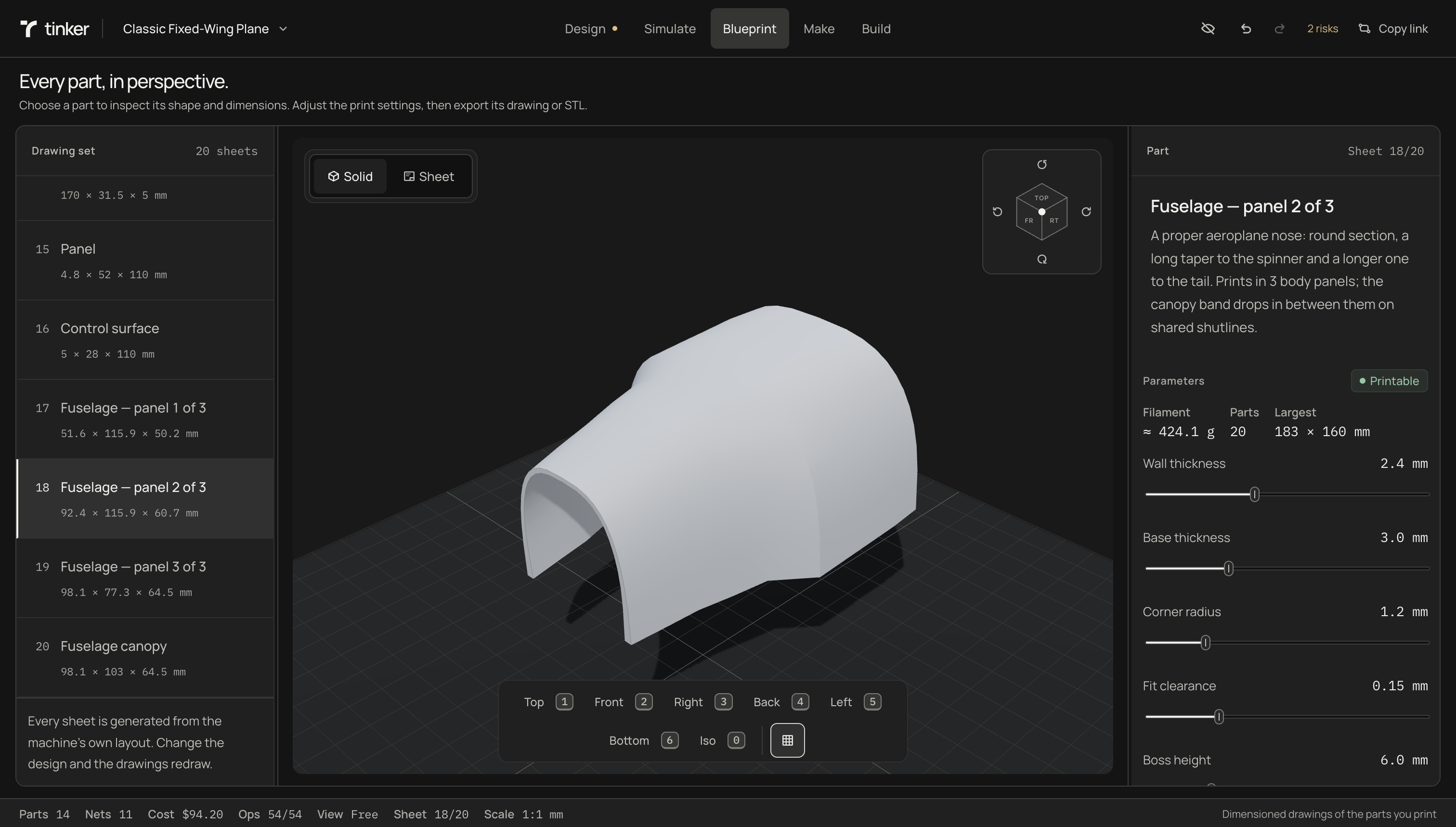
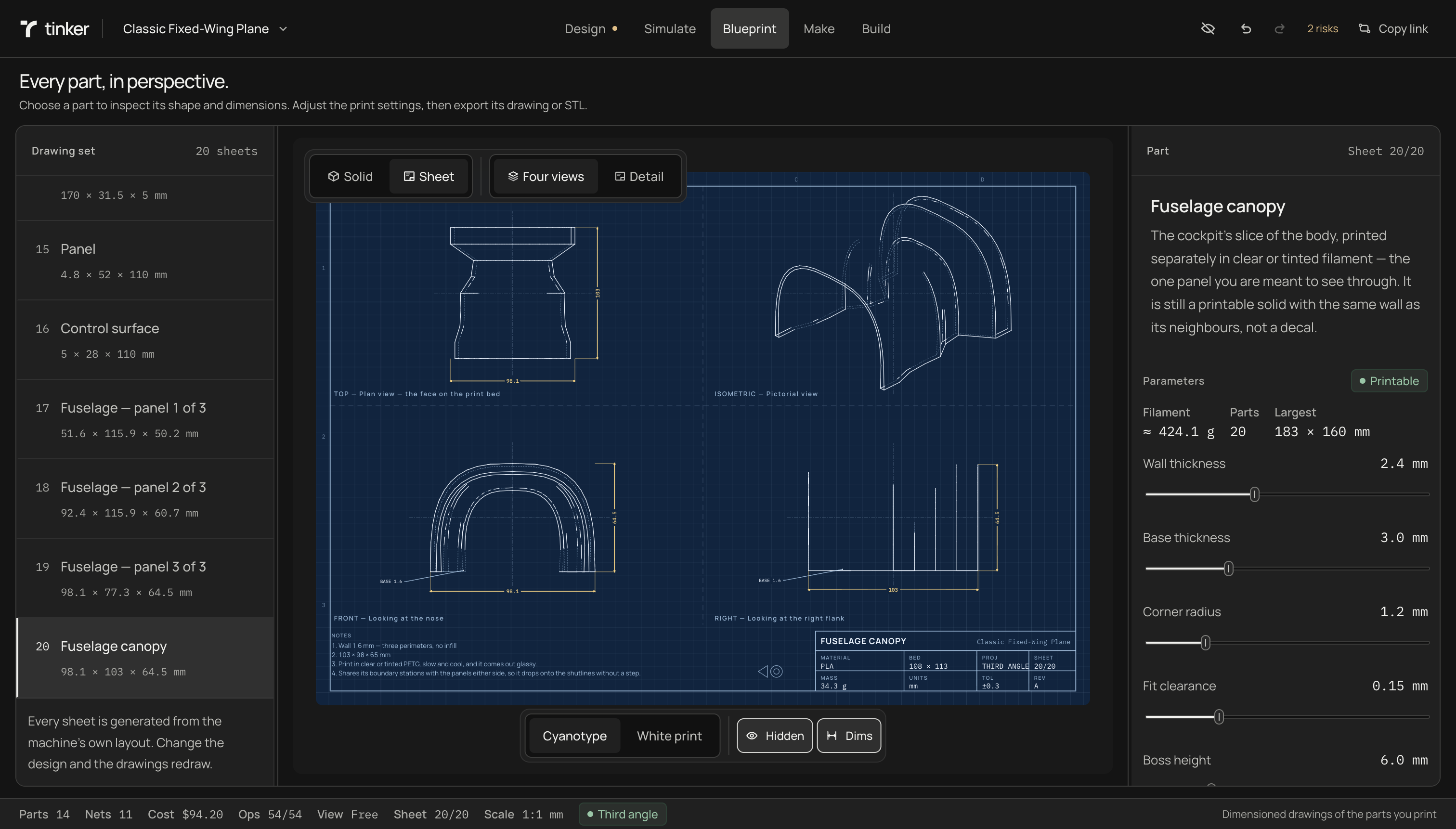
Blueprint. In this tab you can view all the 3d printed components that are needed for the build. These 3d models, validated for 3d printers, can also be thrown under an orthographic view combined with hidden-line removal and automatic dimensioning to turn them into blueprints with dimensions users can follow.
Make. Once users are happy with their build, they can move on to actually building the project! The first step is getting all the required components. This tab features links for all the components required to build the project along with architecture and circuitry diagram and all of the firmware.
By this points, users are provided with an accurate sim, blueprints and all the 3d models they'll need, and all the firmware and circuitry they'll need.
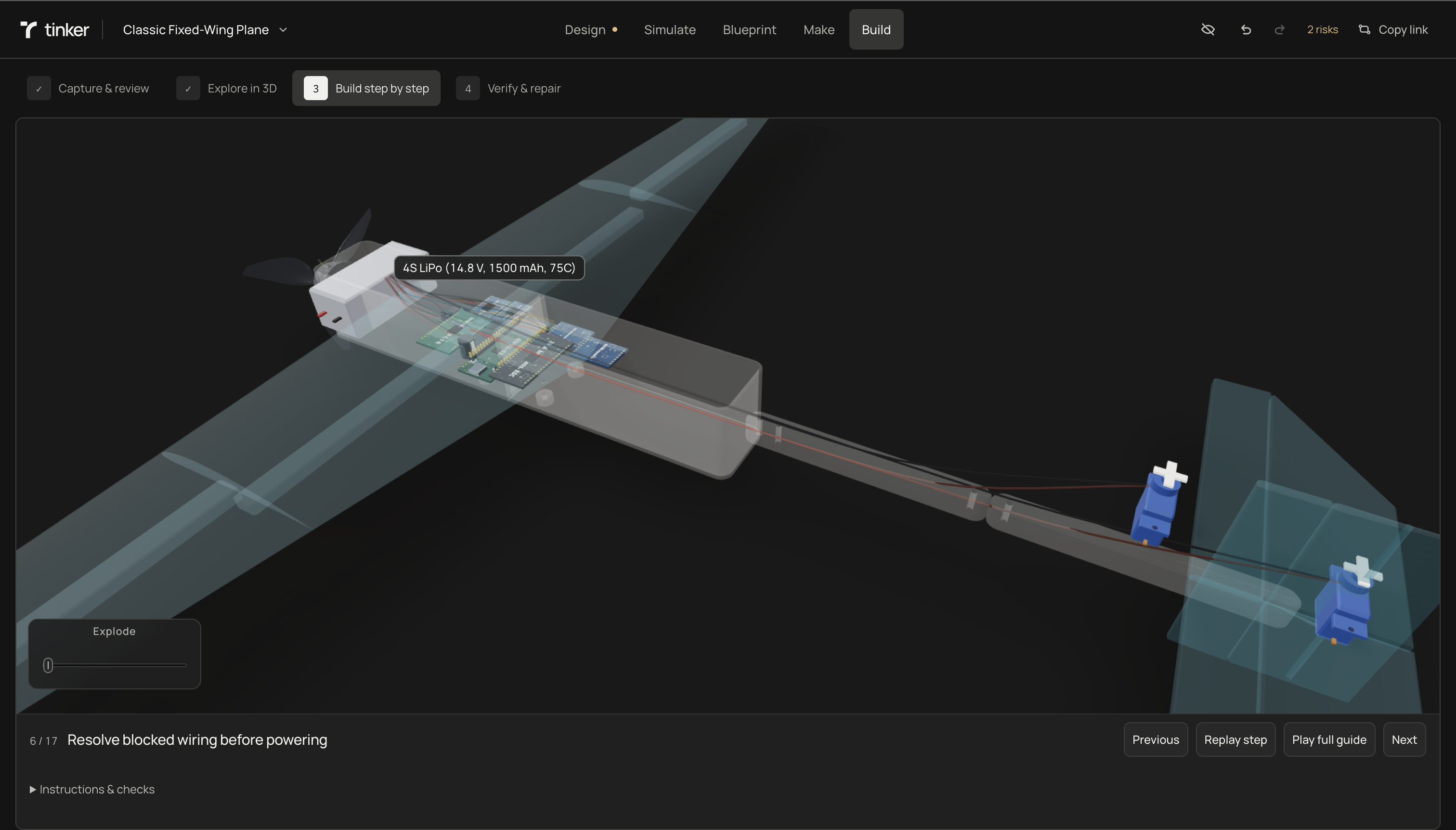
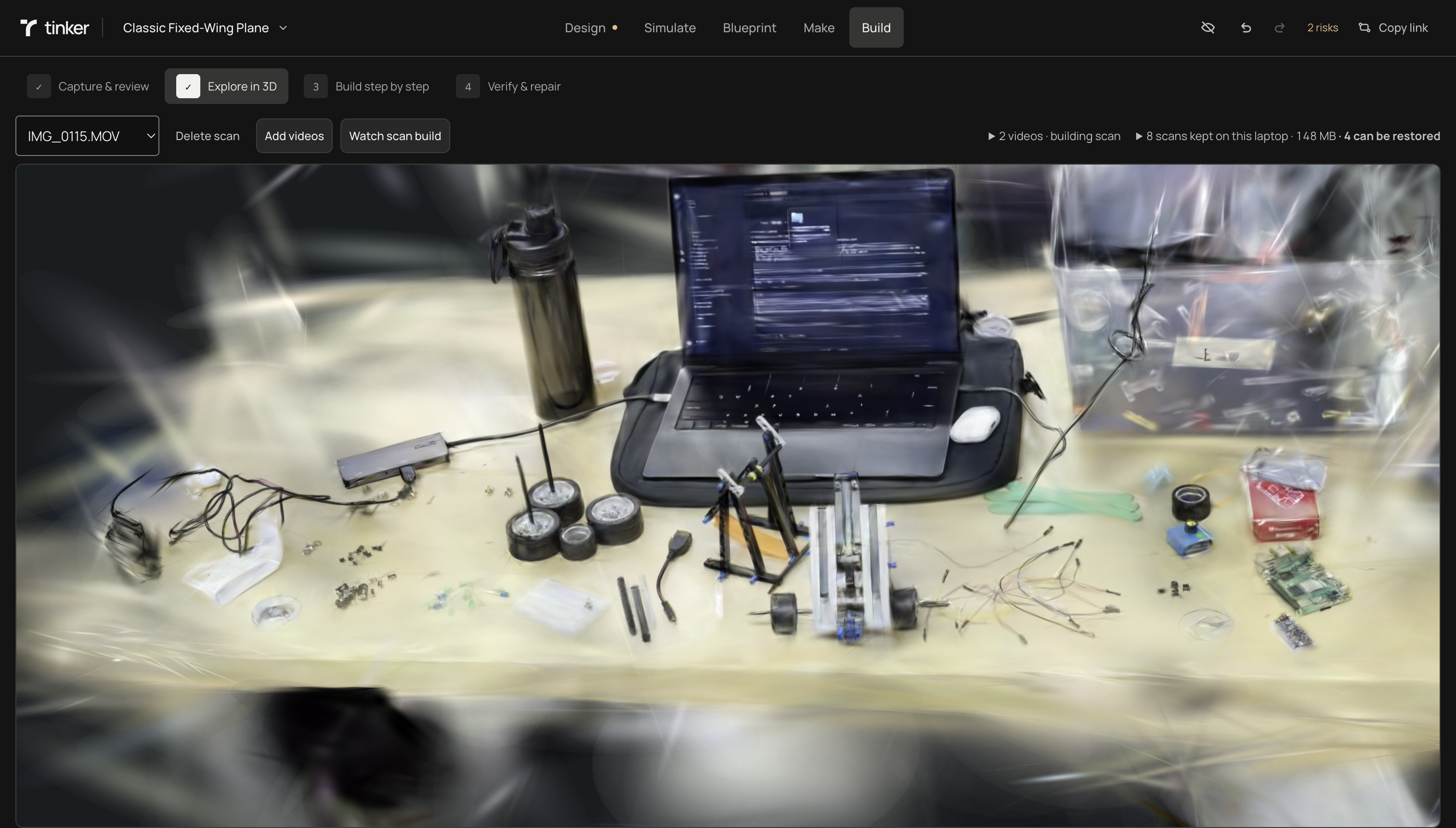
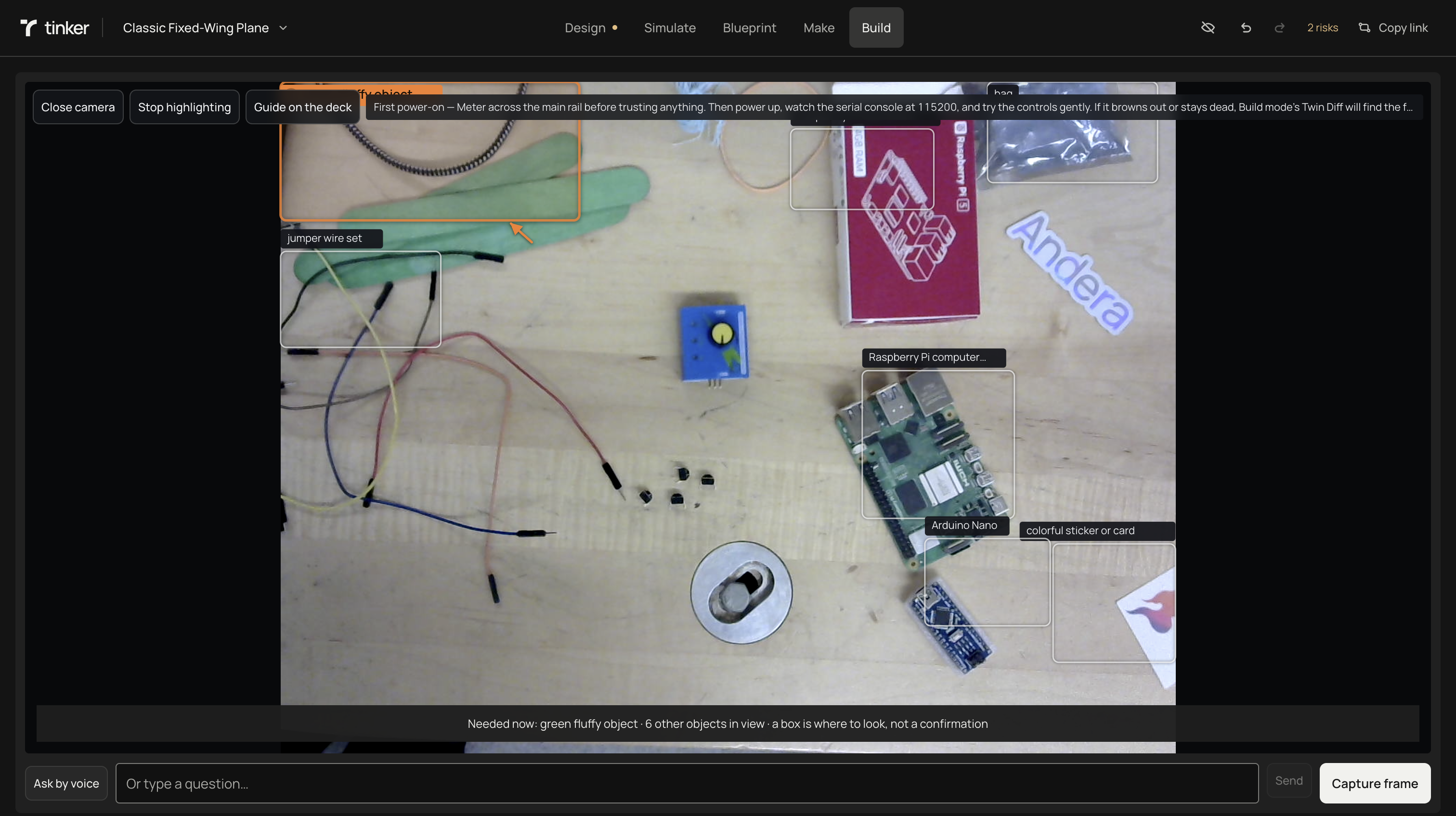
- Build. This is where the recording comes in. Tinker can provide you with an animated step by step build guide. However, to take it a step further, you can record your work station and Tinker will produce a gaussian splat of your table and all your hardware materials with a local object detection model fine-tuned for hardware.
Once it understands your work station, it edits the gaussian splatting, creating an animated step-by-step guide for the project using the splatted components on your desk!
How we built it
React, Three.js, Node behind it.
Rapier+Unity for physics and simulation.
avr8js runs the actual compiled hex for the ATmega328P.
Manifold produces the manufacturing solids. COLMAP and Brush handle local reconstruction on a GPU if you have one, CPU point previews if you don't.
OpenAI API for inference and tying pipeline together. Composio for search-focused tooling. Gemini is primary visual model + visual qa. Elastic for searchable components, measurements, evidence. Backboard for session through session context and optimized long-term pipeline performance. openJiuwei for multi-agent architecture for design verification.
Challenges we ran into
- simulation jitter
- clamped rotation on splats and object detection layer failing over splat and splat not generating
- mesh clipping on robot models
Accomplishments that we're proud of
managed to get it to actually work end-to-end
What we learned
Gaussian splats are a pain, custom 3D mesh generation is a bigger pain, object detection over that combined with making the splat interactable is a nightmare 😭
What's next for Tinker
The hardware half of Tinker is something I wanted to work on, but I couldn't get my hands on some of the most important components (I had 0 servos 😢) - this would be the next step though.
- have a table-mounted arm that helps navigate the user through the process of building their project
- acts like a helper, takes user step by step, and features voice capabilities so that it can have a convo with user
Built With
- backboard
- brush
- codex
- composio
- elastic
- gemini
- openai
- openjiuwen
- python
- rapier
- react
- rox
- typescript
- unity


Log in or sign up for Devpost to join the conversation.