-
-
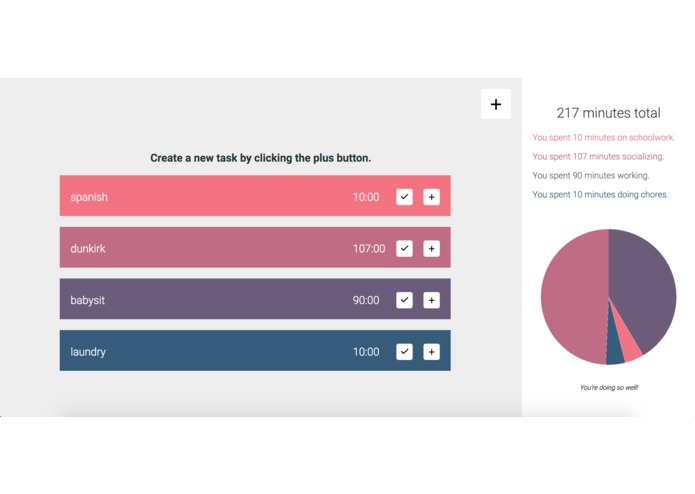
The main screen with added items.
Inspiration
Time management is always I've had trouble with, so I decided to make a better tool to see what's taking up your time.
What it does
When a user logs into the app, they can add things to their to-do list. These items are categorized by their type (social, school, work, or chores). The user can add time to each item or remove the item from the list. A sidebar shows the user their total time and a pie chart of what they spent the most time on.
How I built it
I built the app by creating an 'add' form and main page. When the user submits data on the form, it is made into a div and appended to the main page. Then, the app calculates user metrics and forms a pie chart that shows the percentages of time dedicated to each item.
Challenges I ran into
The database that I was going to use went down in the middle of the project, so I had to host all of my values locally. I also ran into challenges with creating asynchronous timers.
Accomplishments that I'm proud of
I'm very proud of the styling, pie chart, add time button, and the delete button.
What I learned
I didn't know about the event.target jQuery feature.
What's next for timeTracker
I'm planning to make the countdown buttons functional and storing the data inside of a database instead of locally.

Log in or sign up for Devpost to join the conversation.