-
-
The simplest way to generate and export timesheets!
-
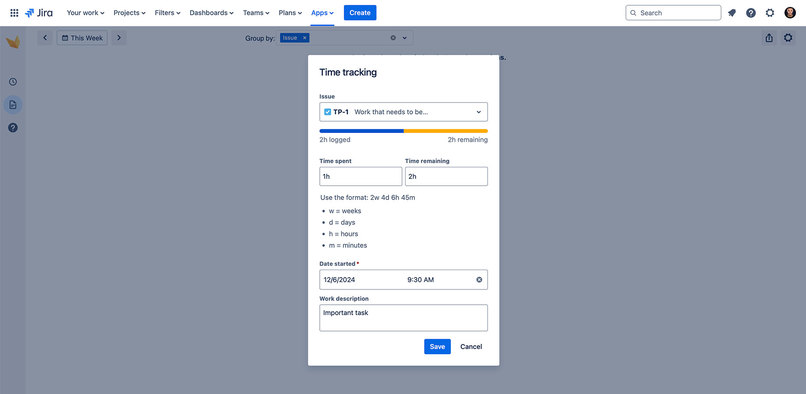
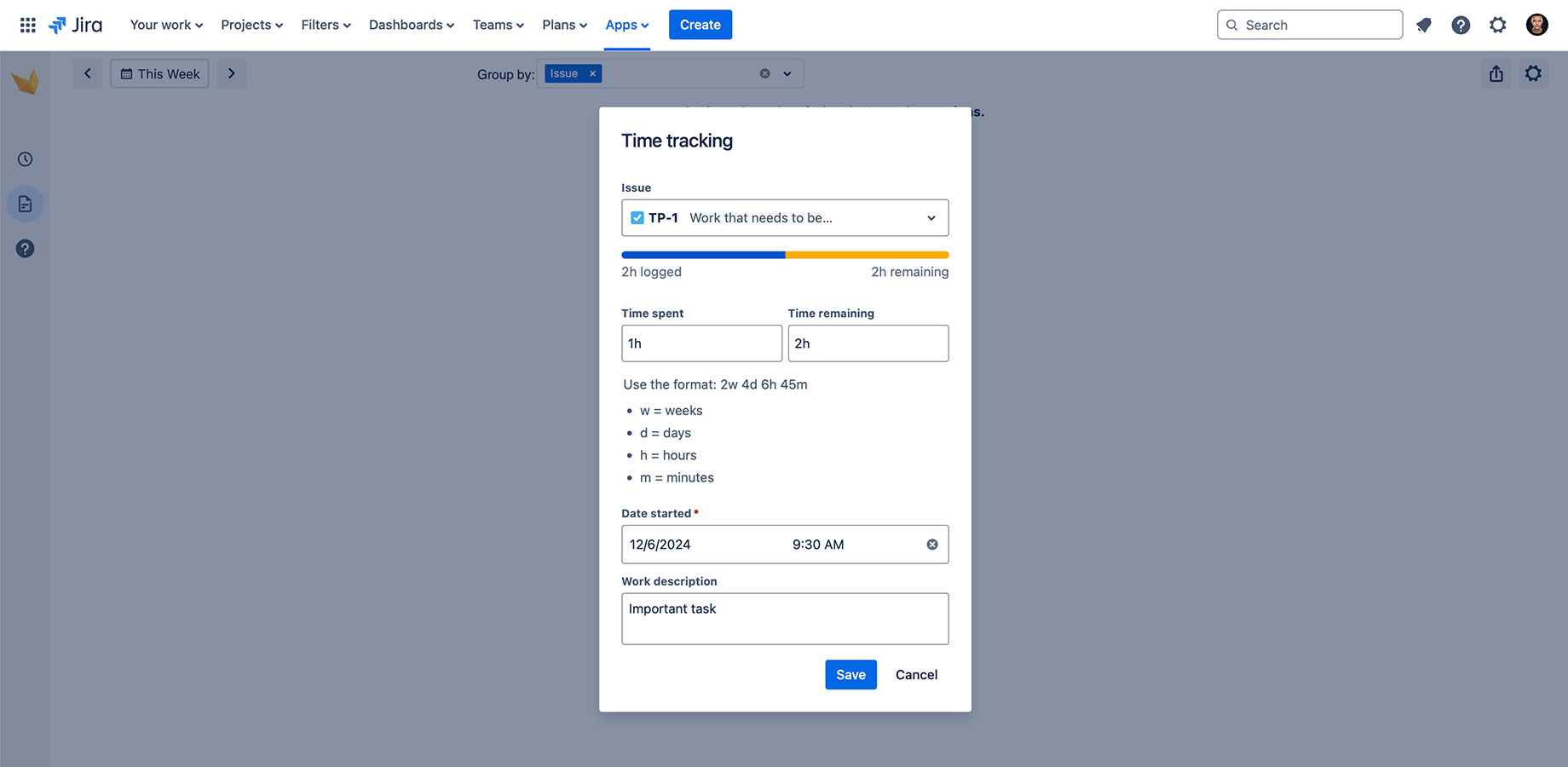
Select the issue you want to log time for and enter your information for fast and easy capture of delivered hours.
-
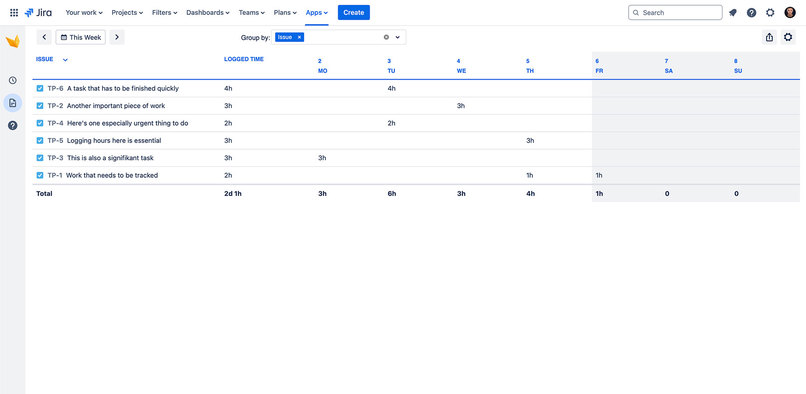
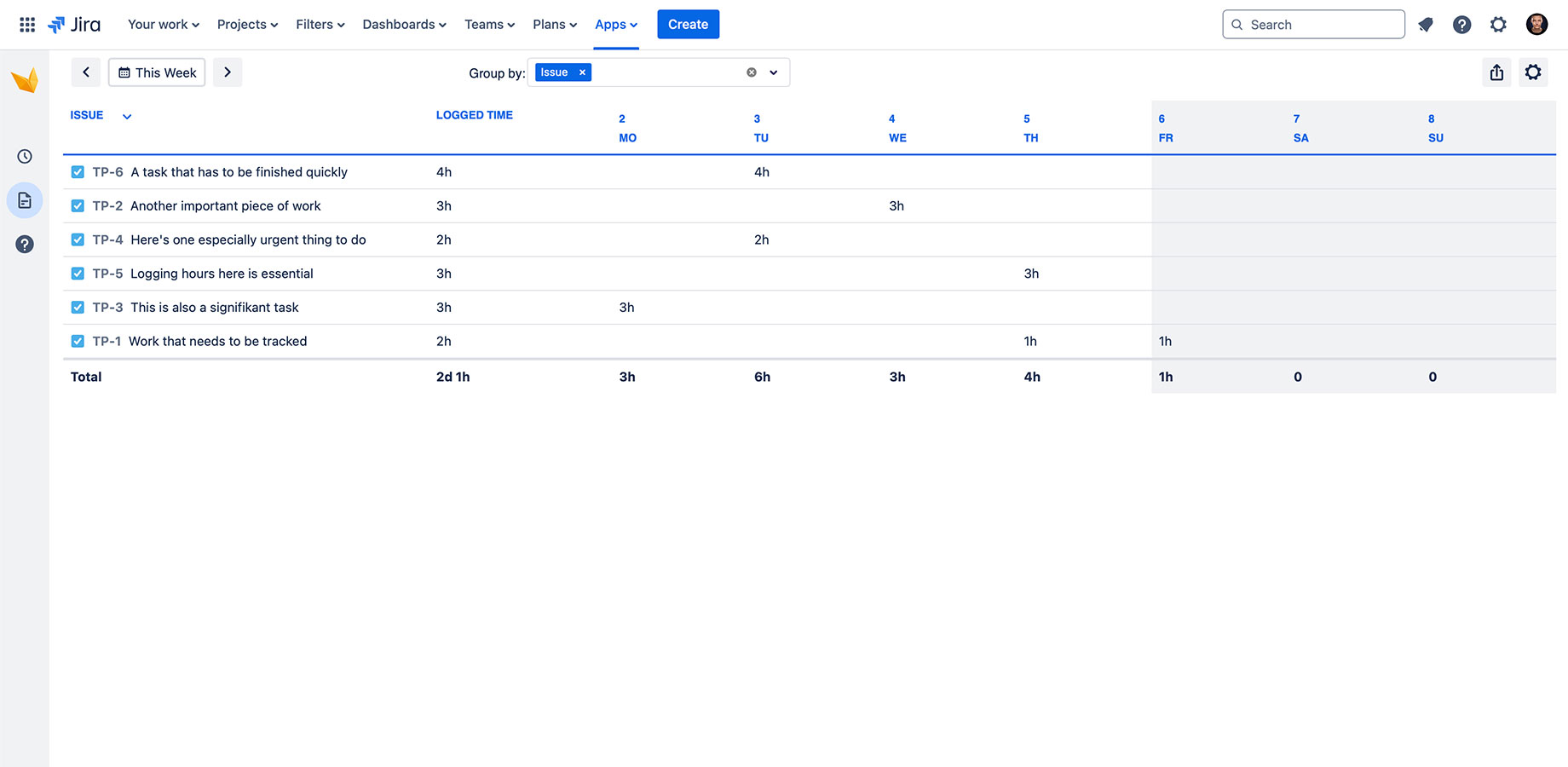
Once you have logged your work and defined a reporting period, a simple time sheet is created automatically-
-
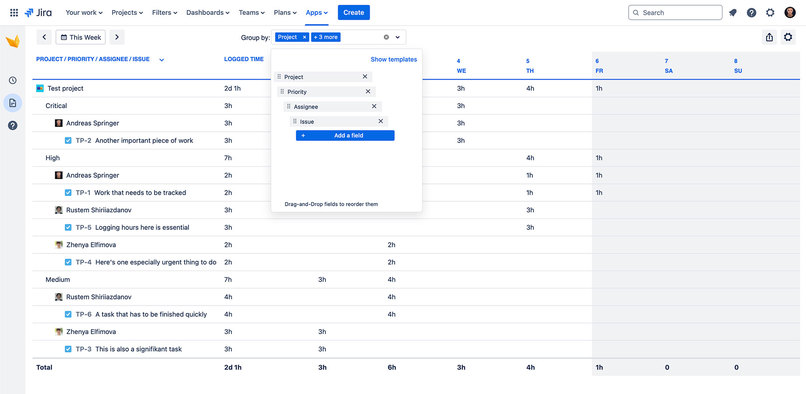
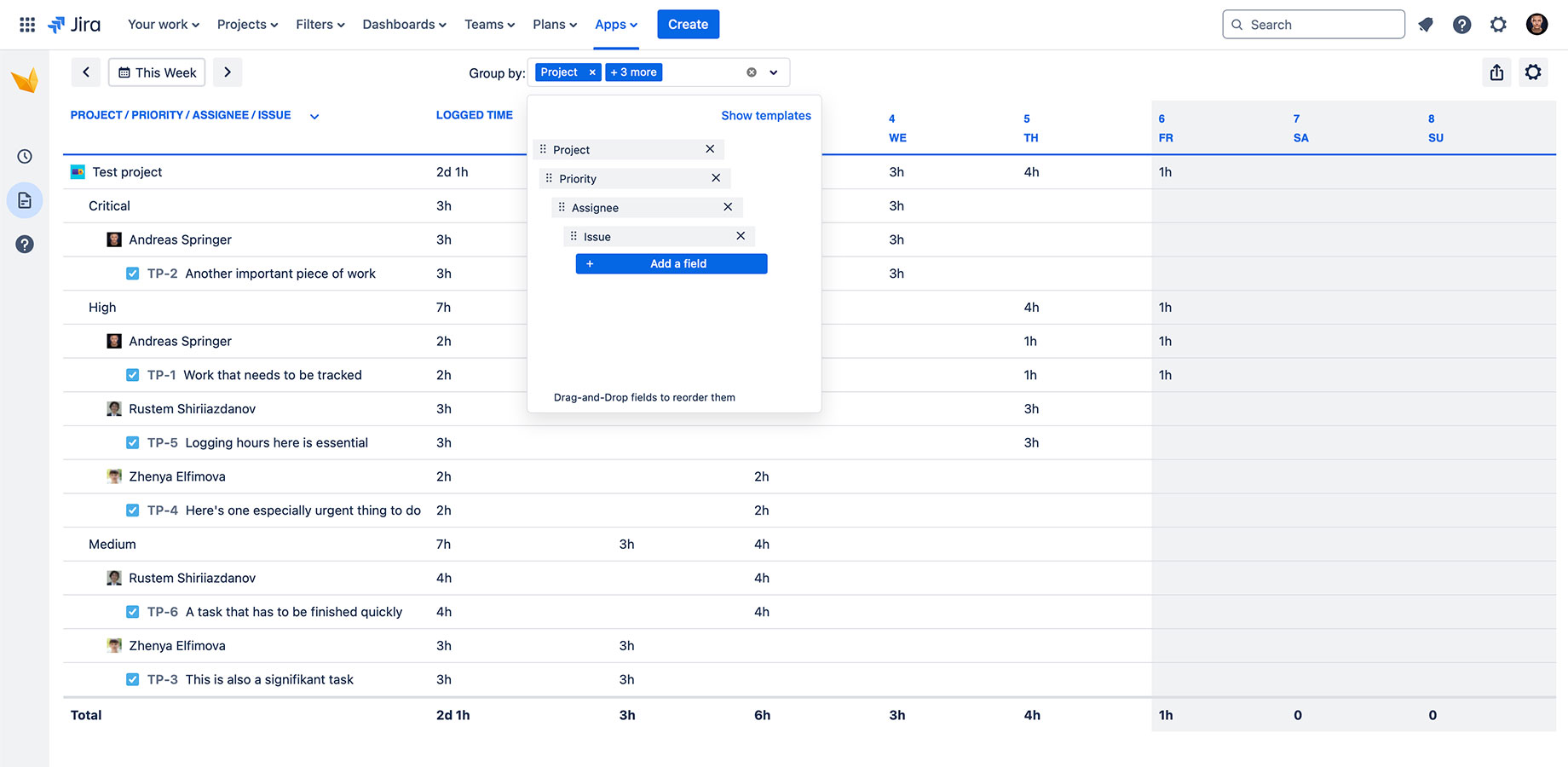
Add any Jira field to the grouping options to create custom hierarchy structures.
About us
At Actonic Products, we develop applications to make your daily work with Jira and Confluence easier and more productive every day. Our product portfolio consists of a variety of tools that unlimit your potential for time tracking, reporting, and compliance with data protection and security requirements.
Website: https://actonic.de/en/products
Discover our apps: https://marketplace.atlassian.com/vendors/1214306/actonic-gmbh
Inspiration
Time tracking is a painful process that requires a lot of time to be accurate and precise. But at the same time, it is very useful to identify key issues in the process, where resources are being used more and why. It helps us understand where we should allocate more resources and where we should cut them.
Recorded time can help people plan their future work and make the right decisions based on existing time statistics. But how to track personal logged work easily and quickly, ensuring that all our time bookings can be found in one place? The Timesheets app is the tool you need to create personal timesheets and analyze logs using various group parameters such as project, issue, creator, etc.
The idea came from our experience and user feedback. There are many Jira users who would like to create their own timesheets to ensure that the time is booked correctly.
What it does
The app allows users to create personal timesheets for a selected time period, which can be very custom to the user. Timesheets can be used to log time or edit and delete existing work logs.
Group settings allow employees to display their work logs in an easy-to-read format. You can easily add a new group, delete an existing one, or change the group hierarchy with drag and drop.
Display your time in your preferred time unit. Choose from formats that are native to Jira: hour, minute, day, or printable.
Export timesheet to use it somewhere else or to send it to your line manager or customer.
How we built it
Following the news and suggestions from Atlassian, we decided to develop this app on Forge.
We built it using Forge's Custom UI, React + Redux Toolkit, and Atlaskit. This model helps us to avoid storage of any data on our side.
On the frontend, we used React + Redux Toolkit, leveraging Atlaskit for almost all components that don’t require complex logic.
Challenges we ran into
Efficiently retrieve user work log data without too many requests: As timesheet contains a lot of worklogs, and as the list of worklogs is getting bigger, when user selects a long time frame, we should avoid any additional requests for getting data, and this process should e optimize
Implement this grouping capability for any standard and custom fields: Since we provide the ability to group worklogs by any field, does not matter if this field is a standard or a custom one, it was difficult to ensure, that it will work accurately for any type of the fields.
Create and display user work logs according to their time zone directly in the timesheet view: To ensure that the time will be logged to a correct date and start time, we had to implement a unique mechanism, that makes it possible for any user in any time zone.
Accomplishments that we're proud of
- Getting new experience working with various APIs
- Developing an app that is fully on Forge
- Creating a solution that is easy to understand and at the same time delivers clear value
What we learned
- How different Forge modules and APIs work.
- The differences between Atlassian Connect Express apps and Forge apps.
What's next for Simple Timesheet Export
We are going to provide the ability to log time directly in a Jira issue. We are going to create a timer feature that will allow users to book time using automatic calculation. All you need to do to calculate time effortlessly is to click the play button before you start working on the issue and stop the timer once you are done.
Another view will appear next to the timesheet that will display all the bookings in the calendar. This will allow you to view worklogs in weekly and monthly views.
Built With
- atlaskit
- forge
- forge-custom-ui
- react-router


Log in or sign up for Devpost to join the conversation.