Inspiration
Many people find it difficult to study when having the distraction of Facebook, YouTube, online games, etc... and we thought there should be an easy way to block these sites for different periods of time
What it does
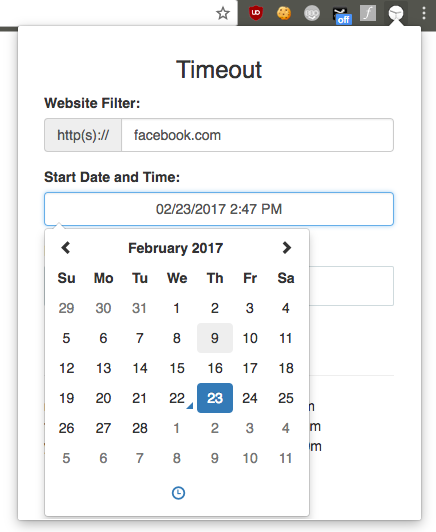
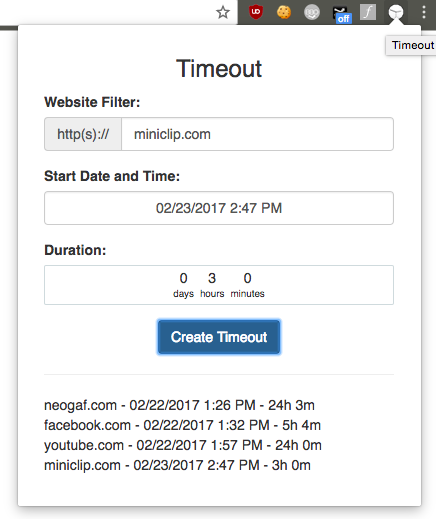
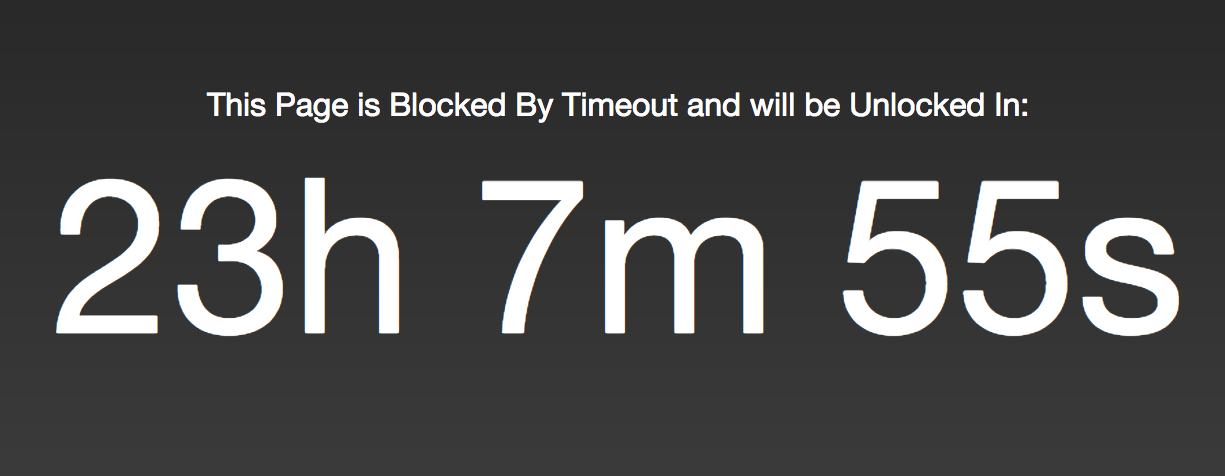
Timeout allows you to set specific blocks on any website by specifying the start time, affected website, and duration of the block. Any current tabs that are open for that website are instantly blocked with a timer specifying how long until the ban is lifted. If you go to the site on a new tab or current tab, the same system applies.
All "Timeouts" or blocks are synced across all your Chrome devices on your Google accounts and across Chrome restarts.
How we built it
Since this is a Chrome extension, it is completely built in JavaScript/HTML/CSS. We use the Bootstrap CSS framework and Datetime/Duration picker libraries. Timeouts are saved to 'sync' Chrome storage (fallback onto 'local' if the user isn't signed into a Google account).
There is a background script that continually checks the current timeouts in storage and communicates to affected tabs with new duration information. Each tab has an injected content script on behalf of the extension in order to communicate with the events that background.js sends.
Challenges we ran into
There were a couple issues regarding the asynchronous nature of JavaScript. At times, some events to specific tabs simply disappear.
Accomplishments that we're proud of
This was mostly a learning experience for most members of the group to expose them to web technologies and chrome's apis. The extension is fully functional, and we hope to squish bugs, add features, and improve it's performance in the future.
What we learned
- Web technologies
- HTML/CSS/JS
- Chrome Extension APIs
What's next for Timeout
- Fix event handling bugs
- Improve blocking page functionality
- Update the JS codebase to use more ES6 syntax
- Allow importing calendars to auto block
Built With
- bootstrap
- chrome
- extension
- javascript

Log in or sign up for Devpost to join the conversation.