-
-
Splash Screen
-
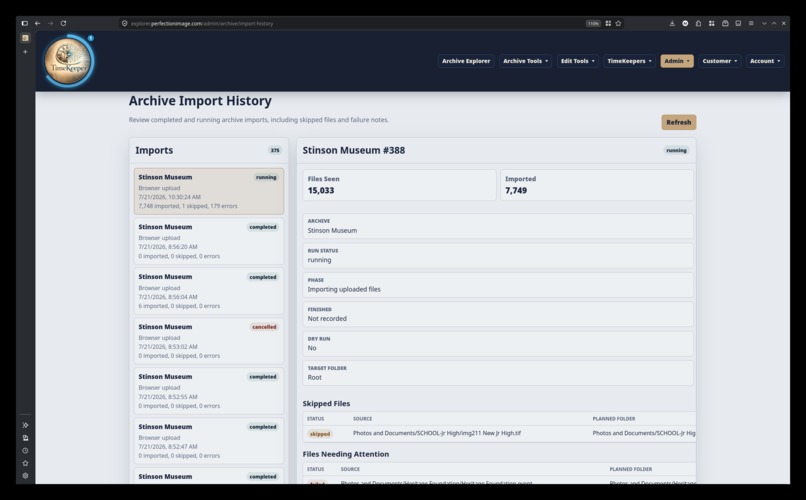
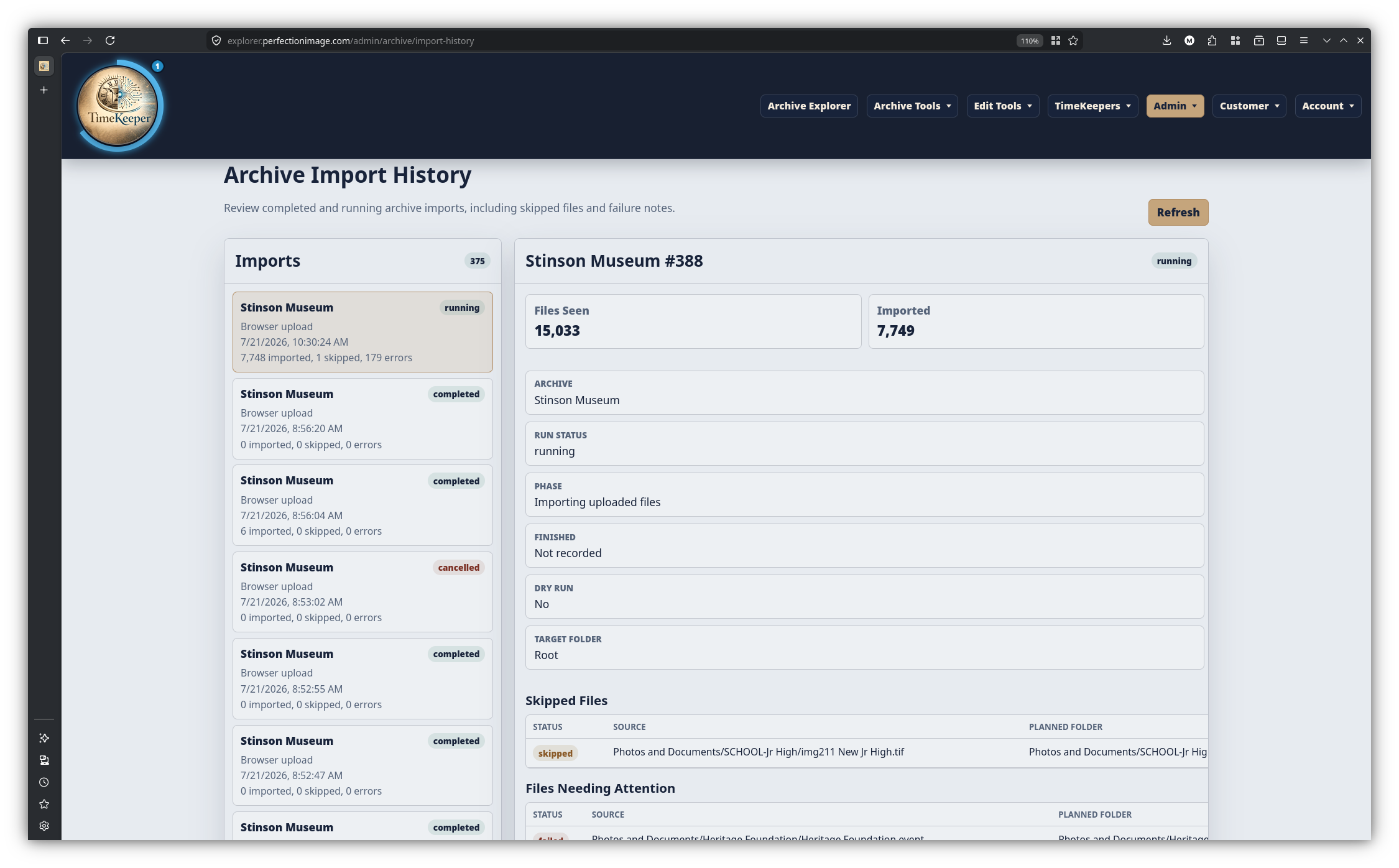
Import History
-
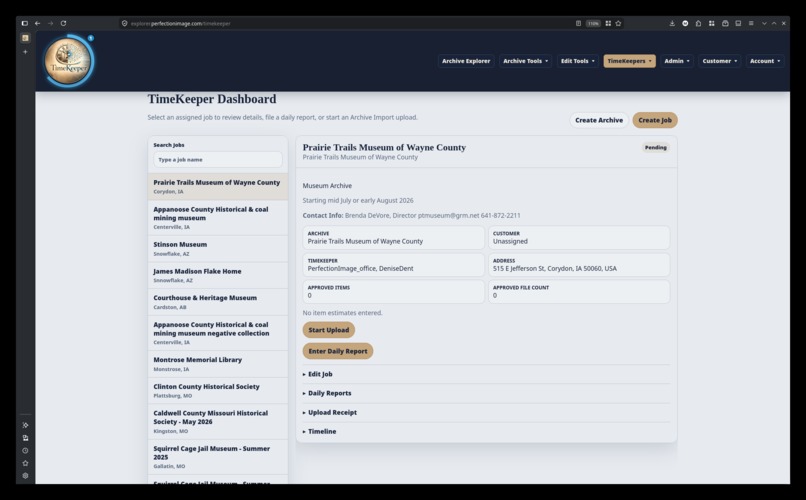
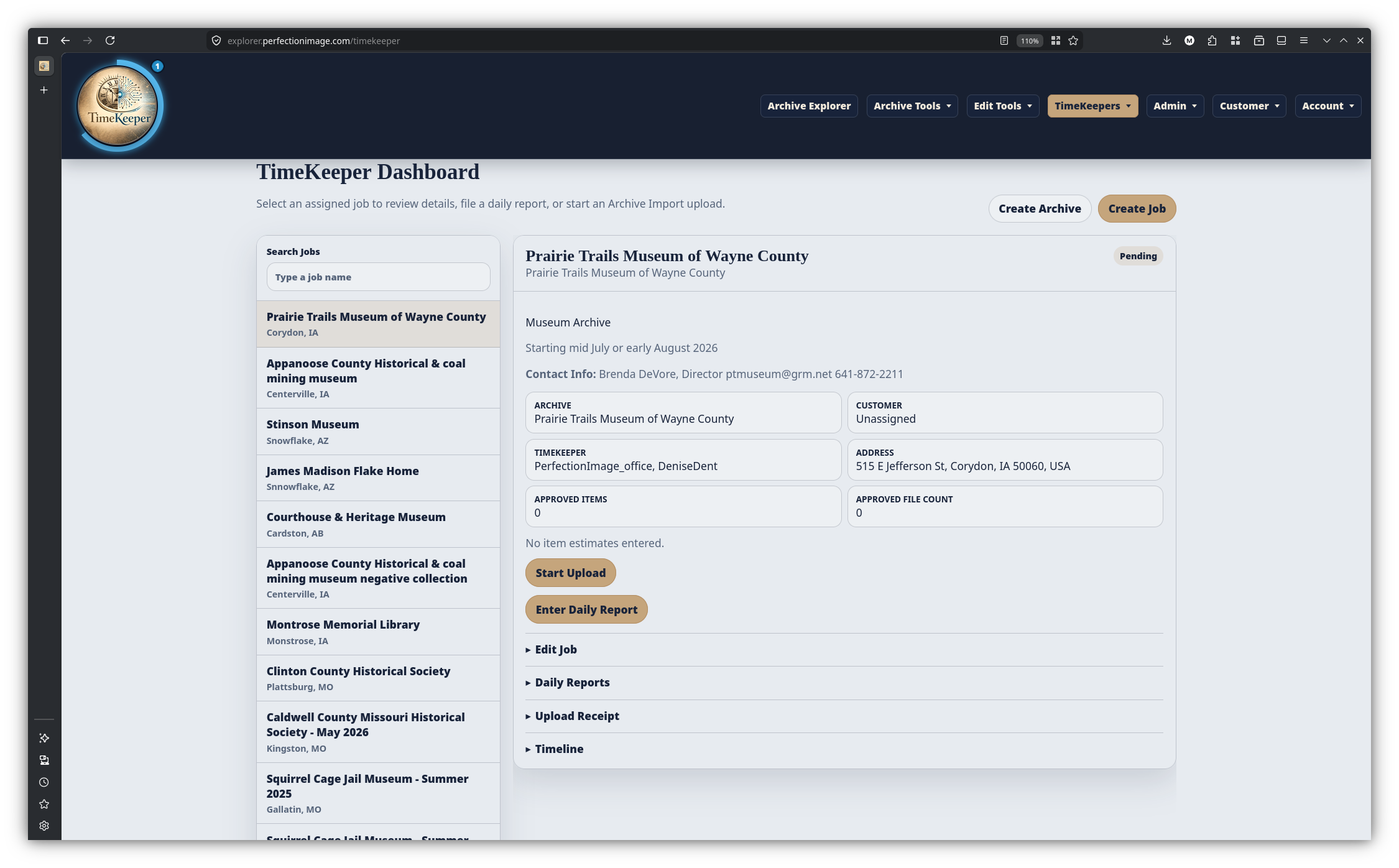
TimeKeeper Dashboard
-
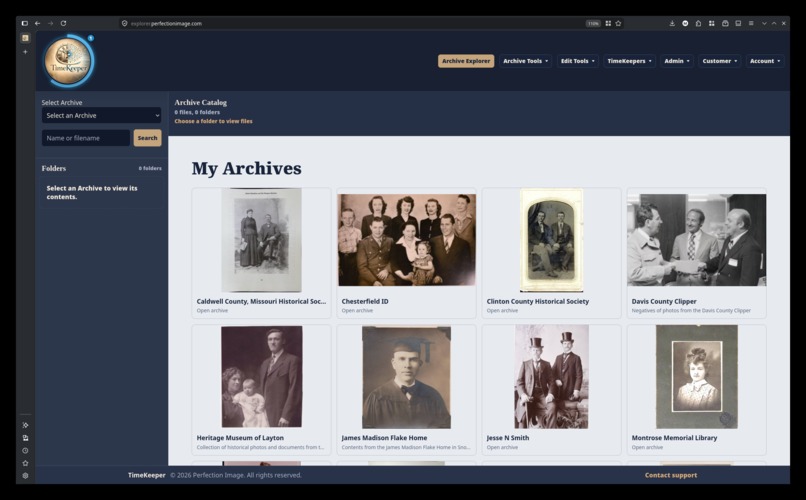
Archive Landing Page
-
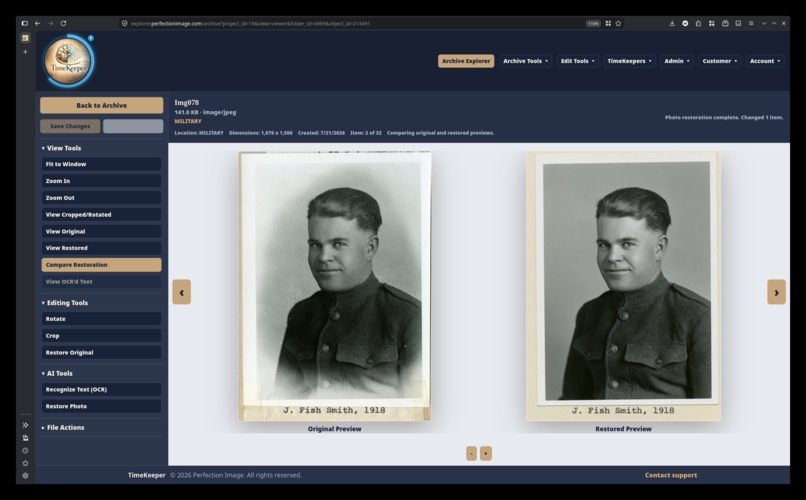
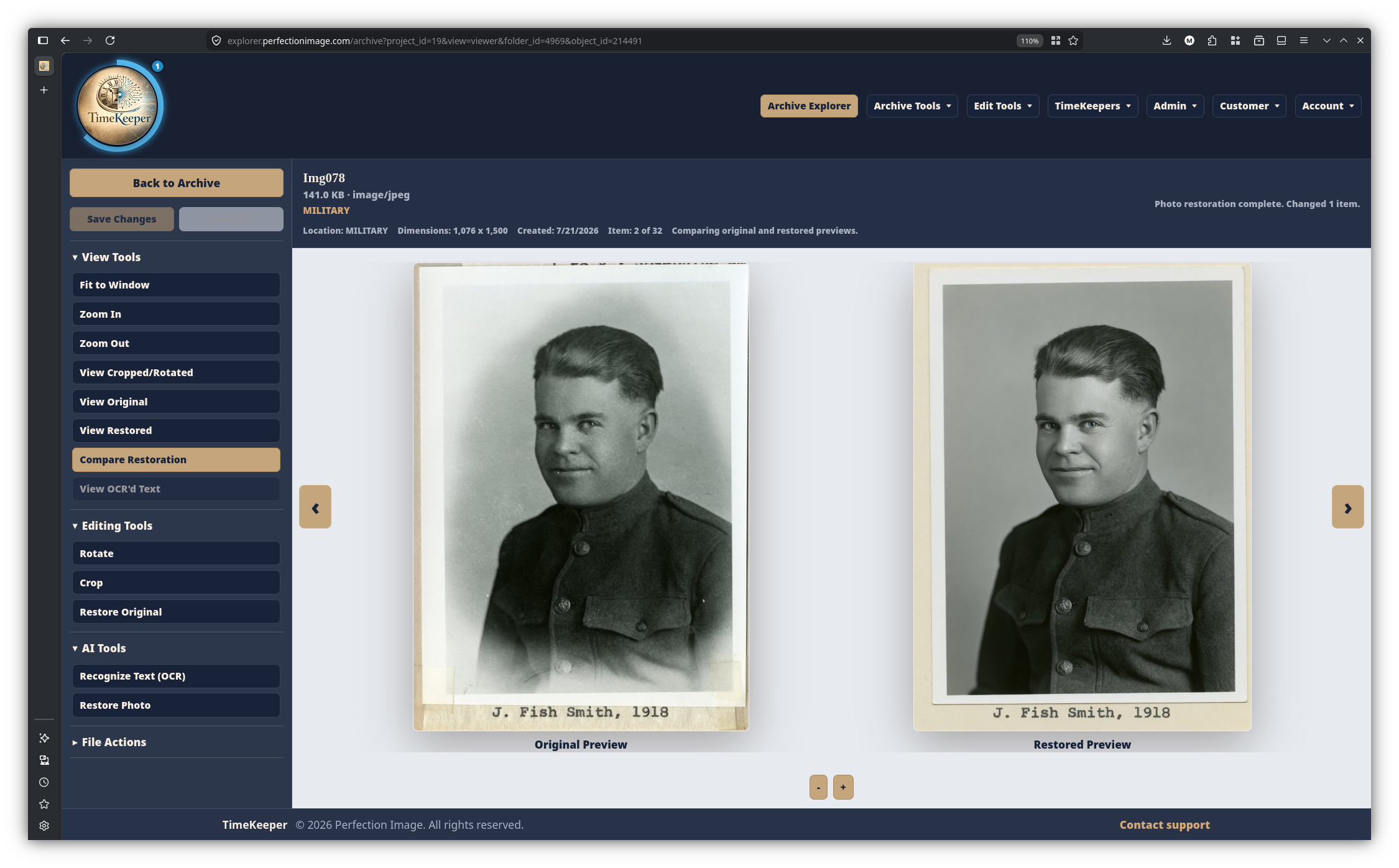
AI Powered Photo Restoration
-
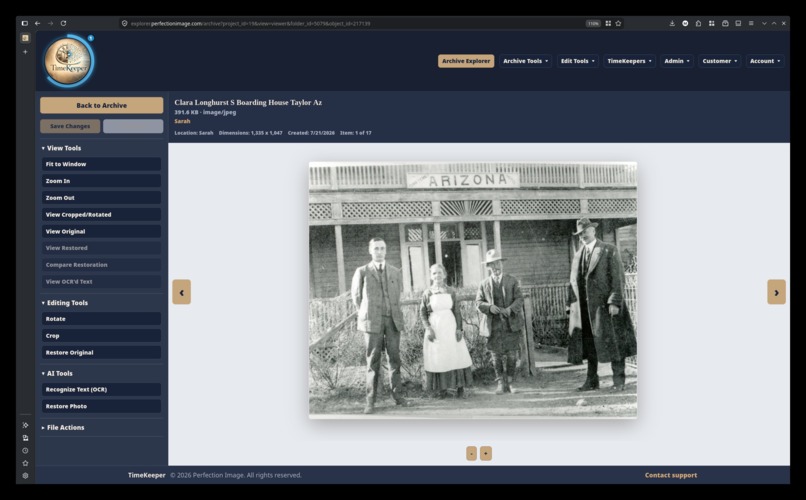
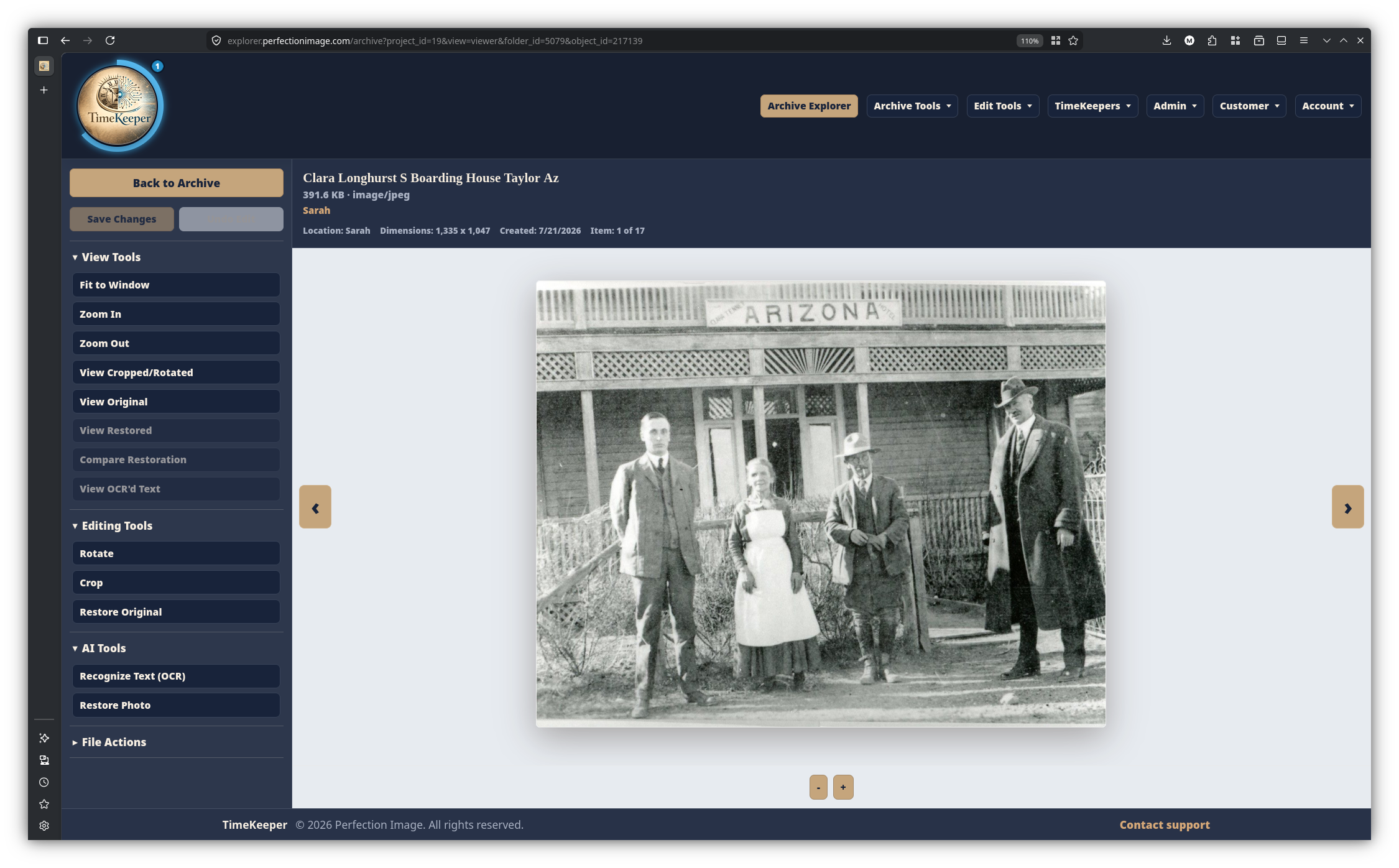
Image Viewer/Editor
-
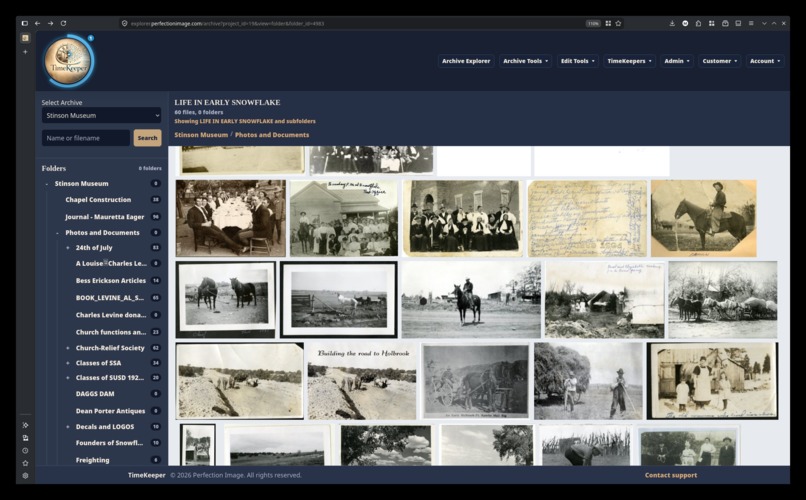
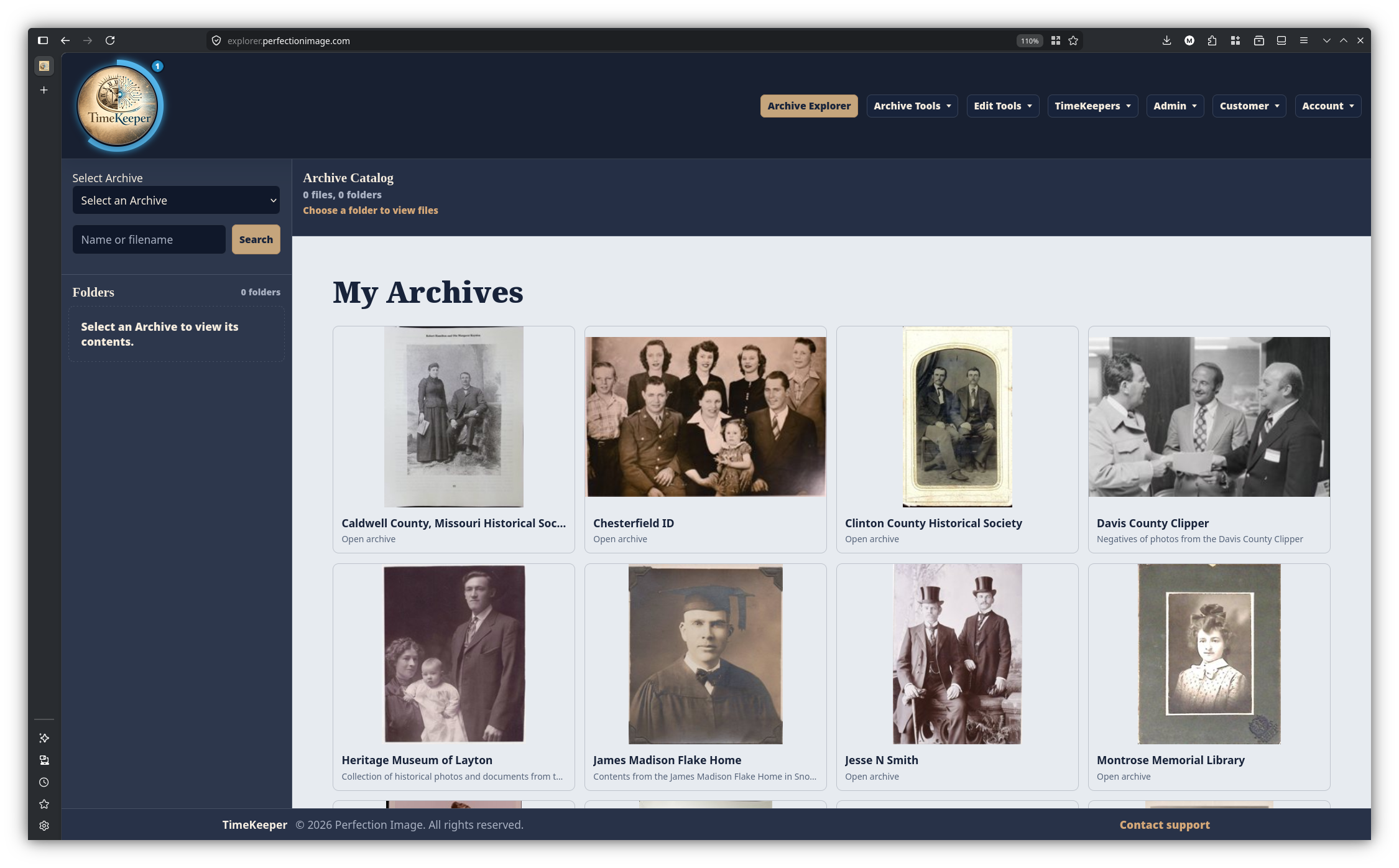
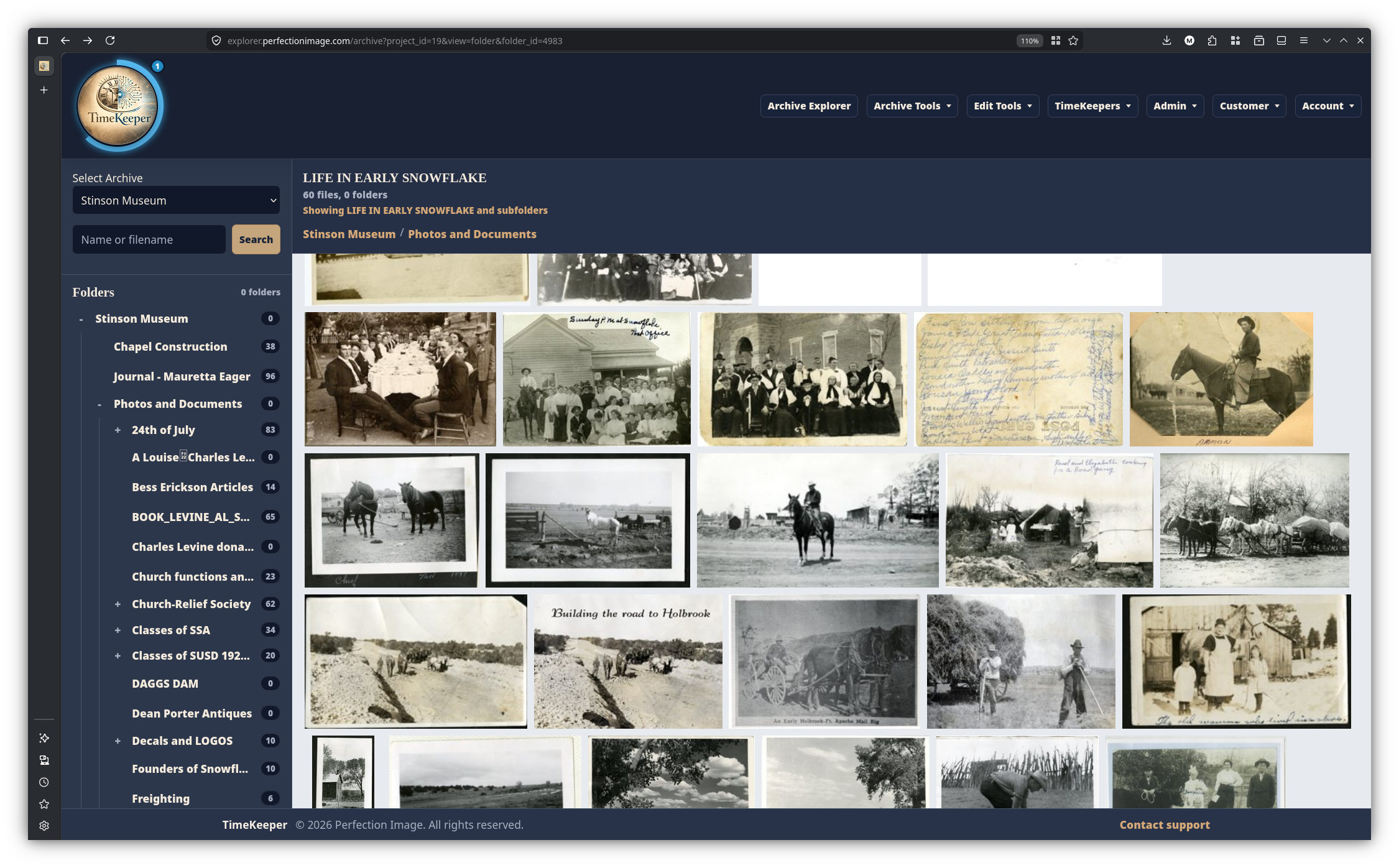
Archive Explorer
-
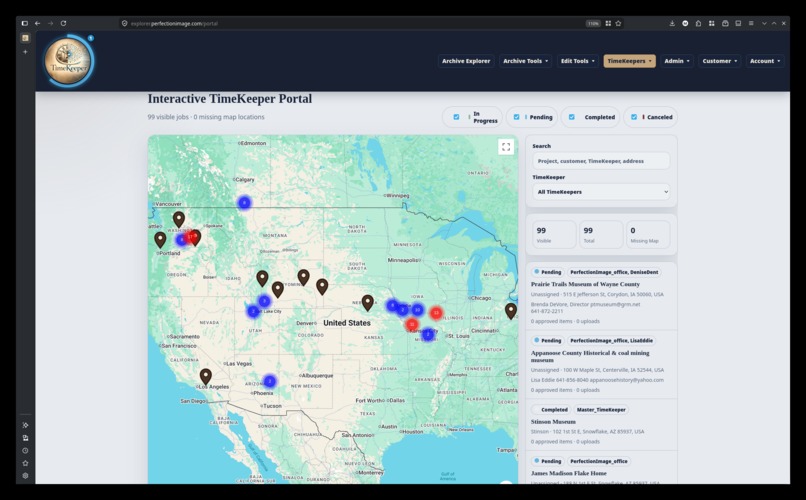
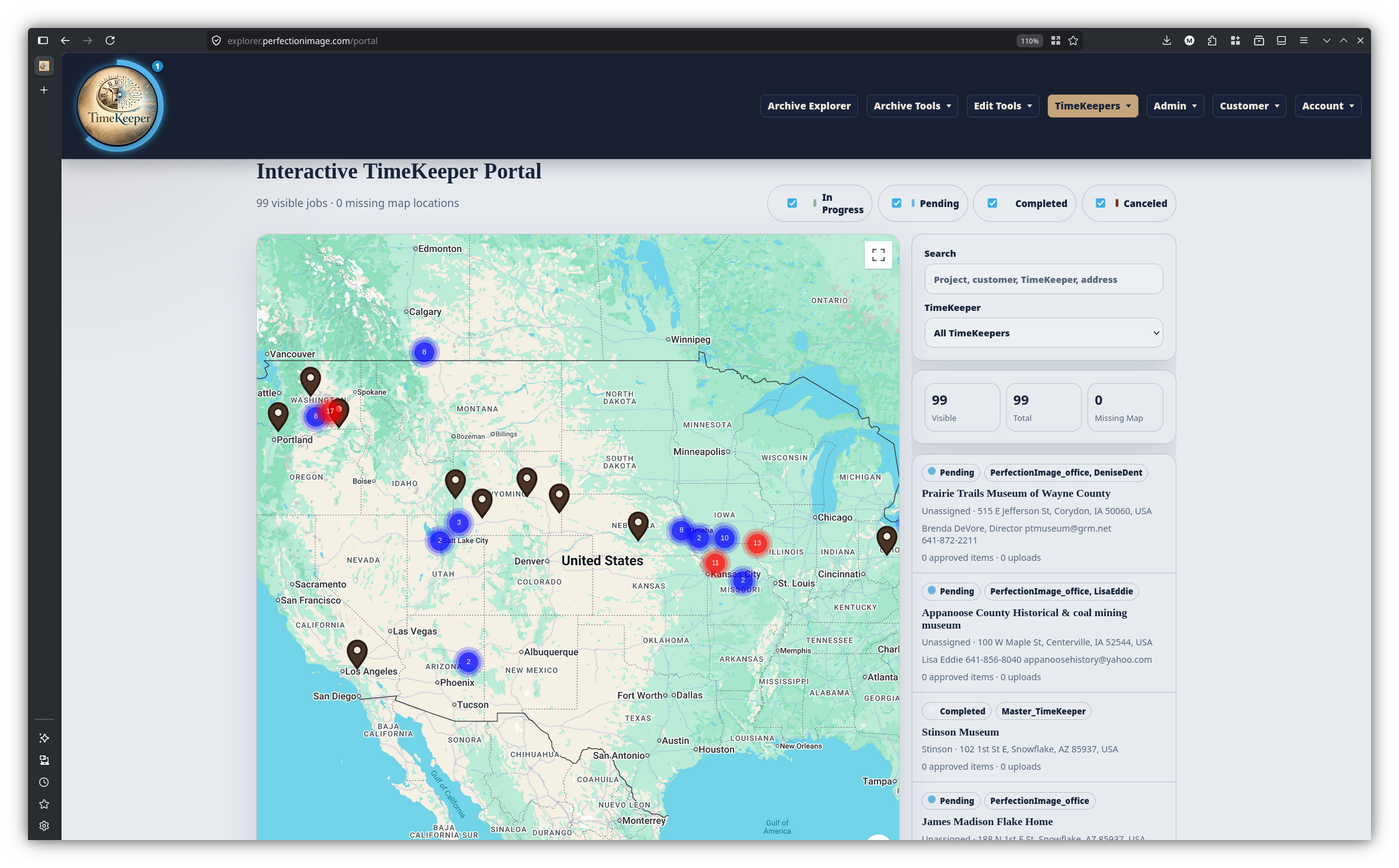
Interactive Job Map
TimeKeeper App
Note: "We" refers to me and Louisa, my Codex-powered coding assistant. ;)
From a physical collection to a searchable, customer-approved digital archive without losing the history between those steps.
Inspiration
This all started with an idea and grew into a full-stack app, all built with my imagination and prompting Codex in the CLI.
I set out to build a user interface for interacting with files stored in Storj, an S3-compatible storage system. When I saw how easy it was to build with Codex, I just kept going. I am now building my dream app: TimeKeeper.
I have been quoted between $90,000 and $150,000 to build what I have created with Codex over the past few months.
TimeKeeper solves many real-world needs. Historical collections rarely arrive ready for the cloud. They arrive as boxes of photographs, handwritten records, books, negatives, hard drives, inconsistent filenames, and folder structures that only make sense to the person who created them.
Digitization adds another layer of complexity:
- Scheduling projects
- Assigning technicians
- Tracking production
- Validating uploads
- Processing images
- Organizing files
- Securing customer access
- Delivering the finished archive
Most tools solve only one piece of that journey. TimeKeeper was created to connect the entire process:
Physical Collection -> Digitization -> Preservation -> Discovery
Our guiding idea is simple: preserving files is not enough. We must also preserve their context, relationships, provenance, and meaning in a way that lets the next generation interact with the data.
What it does
TimeKeeper is an end-to-end digitization operations and digital archive platform.
Manage digitization projects
Administrators can create customers, define projects, record physical addresses, estimate material by item type, assign one or more TimeKeepers, and track each job through production, review, approval, and delivery.
Every project maintains its own:
- Timeline
- Storage location
- Estimates
- Reports
- Uploads
- Archive connection
- Approval status
Coordinate field and production work
TimeKeeper geocodes project addresses and displays authorized jobs on an interactive, clustered map.
Teams can search and filter projects by:
- Status
- Customer
- TimeKeeper
- Location
Assigned TimeKeepers can upload work directly from their computers to Storj, preserve relative folder paths, monitor per-file progress, and submit daily production reports.
Validate and measure production
Uploads generate receipts and manifests. Daily reports record:
- Titles
- Authors
- Material types
- Notes
- Scanned quantities
TimeKeeper compares reported work against uploaded files.
Production variance = reported files minus recorded uploads
When the reported file count matches the recorded upload count, the report can be approved automatically.
Mismatches are held for review instead of silently becoming production totals.
Approved work feeds:
- A searchable scanned-item ledger
- Weekly TimeKeeper leaderboards
- Monthly TimeKeeper leaderboards
- All-time TimeKeeper leaderboards
Build and process digital archives
Administrators can create archives, assign customers, define canonical Storj locations, and import material from browser uploads or existing Storj folders.
Imports use a plan-first workflow that can:
- Preview the proposed archive before execution
- Preserve or remap folder structures
- Group physical files into archival objects
- Detect likely front-and-back pairs
- Flag ambiguous files for human review
- Correct rotation and cropping
- Invert scanned negatives
- Mirror incorrectly scanned images
- Generate thumbnails and previews
- Avoid reimporting previously recorded files
Large imports and processing tools run through persistent background workers with:
- Progress tracking
- Cancellation
- Skipped-file records
- Error histories
- Recovery from interrupted jobs
Organize without disturbing the originals
TimeKeeper separates physical storage from the structure presented to users.
Digital Archive Structure
Canonical Originals + Editable Metadata + Generated Derivatives
Archivists can:
- Create folders
- Build nested hierarchies
- Promote folders to the archive root
- Rename records
- Drag objects between folders
- Undo moves
All of this can be done without changing the canonical Storj object keys.
Each archive includes a protected Unassigned folder so uncataloged material always has a safe destination.
Explore and improve collections
The responsive Archive Explorer provides:
- Lazy-loaded folder trees
- Continuous-scroll galleries
- Archive-wide search
- Front-and-back object viewing
- Object metadata
- Physical-file metadata
- Mobile navigation
- Multi-file selection
- Range selection
- Zoom
- Rotation
- Automatic cropping
- Manual cropping
- Non-destructive image processing
- Background pairing tools
- Background rotation tools
- Background cropping tools
- Negative inversion
- Image mirroring
- Derivative regeneration
Original files remain preserved while corrected versions, thumbnails, and previews are maintained separately.
Deliver archives reliably
Customers can:
- Review completed work
- Inspect reports
- Review archive totals
- Request changes with notes
- Approve a project for payment
TimeKeeper supports:
- Individual file downloads
- Selected file downloads
- Folder downloads
- Complete archive downloads
Large downloads use persistent file-level manifests, allowing them to resume after:
- A computer sleeps
- A browser closes
- A network connection is interrupted
A single bad file is logged and skipped rather than stopping the entire archive.
Failed files can be retried separately.
Secure every role
TimeKeeper supports:
- Administrators
- TimeKeepers
- Customers
- Read-only users
Permissions can be controlled at the archive, folder, upload, download, and organizer levels.
TimeKeeper also includes:
- Signed sessions
- Secure password hashing
- Account lockouts
- Session expiration
- Customer registration
- Account administration
- Role-aware navigation
How we built it
TimeKeeper is a full-stack Python web application backed by SQLite and Storj-compatible object storage.
The browser interfaces are written in:
- HTML
- CSS
- JavaScript
Its architecture has three primary layers:
Storj
Storj stores canonical originals and durable derivatives.
SQLite
SQLite stores:
- Users
- Jobs
- Reports
- Permissions
- Archives
- Metadata
- Persistent job state
The database is planned for an upgrade to PostgreSQL.
Browser
The browser interface handles:
- Uploading
- Reviewing
- Organizing
- Processing
- Exploring
- Downloading
Presigned uploads send file bytes directly from the workstation to Storj.
Cached indexes make large buckets practical to browse.
Background workers handle:
- Imports
- Image processing
- Raw storage moves
- Other long-running operations
These jobs run independently of the web request.
Archive objects represent intellectual items, while physical-file records represent the actual files.
This allows one archival object to contain multiple sides or related scans without pretending each file is unrelated.
We also built operational safeguards into the architecture:
- Plan-before-execute imports
- Analyze-only processing
- Dry-run processing
- Non-destructive image derivatives
- Persistent progress records
- Persistent heartbeat records
- Per-item errors instead of all-or-nothing jobs
- Conflict-aware archive moves
- Move history
- Undo support
- Concurrent-safe database migrations
- Automated regression coverage for critical workflows
Challenges we ran into
Reconciling folders with object storage
My first instinct was to treat a cloud archive like Windows Explorer.
That made organization dependent on expensive and risky physical object moves.
The solution was a metadata-first archive.
Storj preserves the bytes, while the database controls how those bytes are organized and understood.
Making long operations resilient
Imports and downloads can run for hours.
Browsers close, computers sleep, networks fail, and individual files become unavailable.
We replaced fragile request-bound operations with:
- Persistent jobs
- Heartbeats
- File-level checkpoints
- Retries
- Explicit terminal states
Preserving originals while improving usability
Archivists need:
- Corrected rotations
- Crops
- Negative inversion
- Previews
- Thumbnails
Preservation, however, requires an untouched original.
TimeKeeper records transformations separately and regenerates derivatives without silently overwriting canonical source files.
Serving very different users
An administrator, digitization technician, customer, and archive researcher all need different capabilities.
They should not need four separate applications.
We built role-aware navigation and granular permissions while keeping the Archive Explorer familiar to nontechnical users.
Building against real collections
Real archives contain:
- Inconsistent names
- Ambiguous pairs
- Duplicate sources
- Unexpected formats
- Deep folder trees
- Enormous file counts
- Incomplete metadata
Those constraints forced us to build:
- Review queues
- Import histories
- Unassigned folders
- Resumable workflows
- Tools that continue past individual failures
Accomplishments that we are proud of
- Built a working platform that connects digitization operations with final archive delivery
- Created direct-to-Storj uploads with receipts, progress tracking, and assignment controls
- Linked jobs, imports, daily reports, scanned items, customer approvals, and archives
- Built a production map portal
- Built a verified-work leaderboard
- Developed plan-first archive imports with previews and human review
- Made archive organization fast and reversible without moving cloud originals
- Added non-destructive rotation
- Added automatic and manual cropping
- Added negative inversion
- Added image mirroring
- Added front-and-back pairing
- Added derivative generation
- Built resumable archive downloads that tolerate sleeping computers and bad files
- Created customer review and approval workflows tied to payment readiness
- Added persistent background workers
- Added audit histories
- Added cancellation and recovery
- Maintained 237 passing regression tests while evolving a live application around real archival material
Most importantly, TimeKeeper is not built around a perfect demonstration dataset.
It is being shaped by real people doing real preservation work.
What we learned
We learned that an archive is more than a collection of files.
Archive Value = Preservation x Context x Accessibility
If any factor approaches zero, the collection loses much of its usefulness.
We learned that metadata is not merely supplementary information.
Metadata is the layer that turns stored bytes into a navigable historical collection.
We also learned that reliability is part of the user experience.
A beautiful progress bar means little if a sleeping computer destroys four hours of work.
Trust comes from:
- Resumability
- Transparency
- Non-destructive actions
- Clear records of what succeeded
- Clear records of what failed
Finally, we learned that automation should support human judgment.
Historical materials are full of ambiguity.
The strongest system is not one that hides uncertainty, but one that identifies it, explains it, and gives a human the final decision.
What's next for TimeKeeper App
The next phase is to make TimeKeeper an intelligent archival research and preservation partner.
We plan to add:
- Natural-language archive search
- Semantic archive search
- Handwriting transcription linked to source pages
- Document transcription linked to source pages
- Suggested titles
- Suggested dates
- Suggested people
- Suggested places
- Suggested subjects
- Human-reviewed folder recommendations
- Human-reviewed metadata recommendations
- Duplicate image detection
- Visually related image detection
- Connections between photographs, letters, people, places, and events
- An AI-powered archive research assistant
- Answers grounded in the collection
- Citations to supporting archive evidence
- Confidence scores
- Review queues for uncertain results
- Collaborative annotations
- Curated digital exhibits
- Broader preservation reporting
- Integrity verification
Our long-term mission
Help people preserve more history than they could ever organize alone and make that history discoverable without sacrificing trust in the original record.
Built With
- backgroundworkers
- css3
- digitalocean
- digitalpreservation
- google-maps
- gunicorn
- html5
- imageprocessing
- javascript
- metadatamanagement
- nginx
- objectstorage
- openaiapi
- opencv
- paddlex
- pillow
- presigneduploads
- pytest
- python
- restapi
- rolebasedaccesscontrol
- s3api
- sqlite
- storj
- systemd


Log in or sign up for Devpost to join the conversation.