-
-
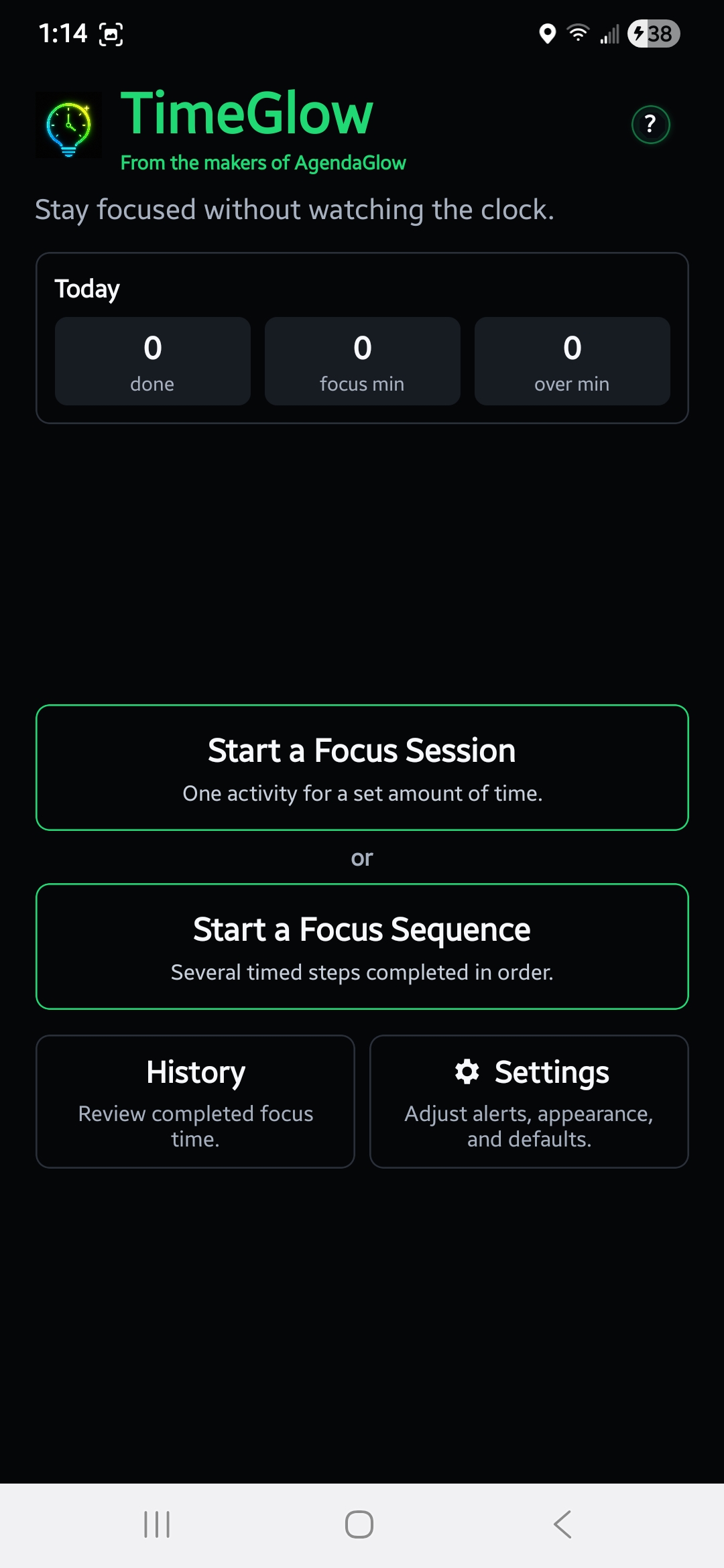
TimeGlow: A clean, focused timer app that helps you follow timed steps for productivity.
-
Create a Focus Sequence: Enter your goal and let AI suggest a plan for your time.
-
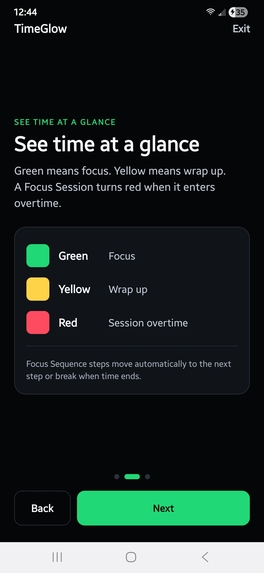
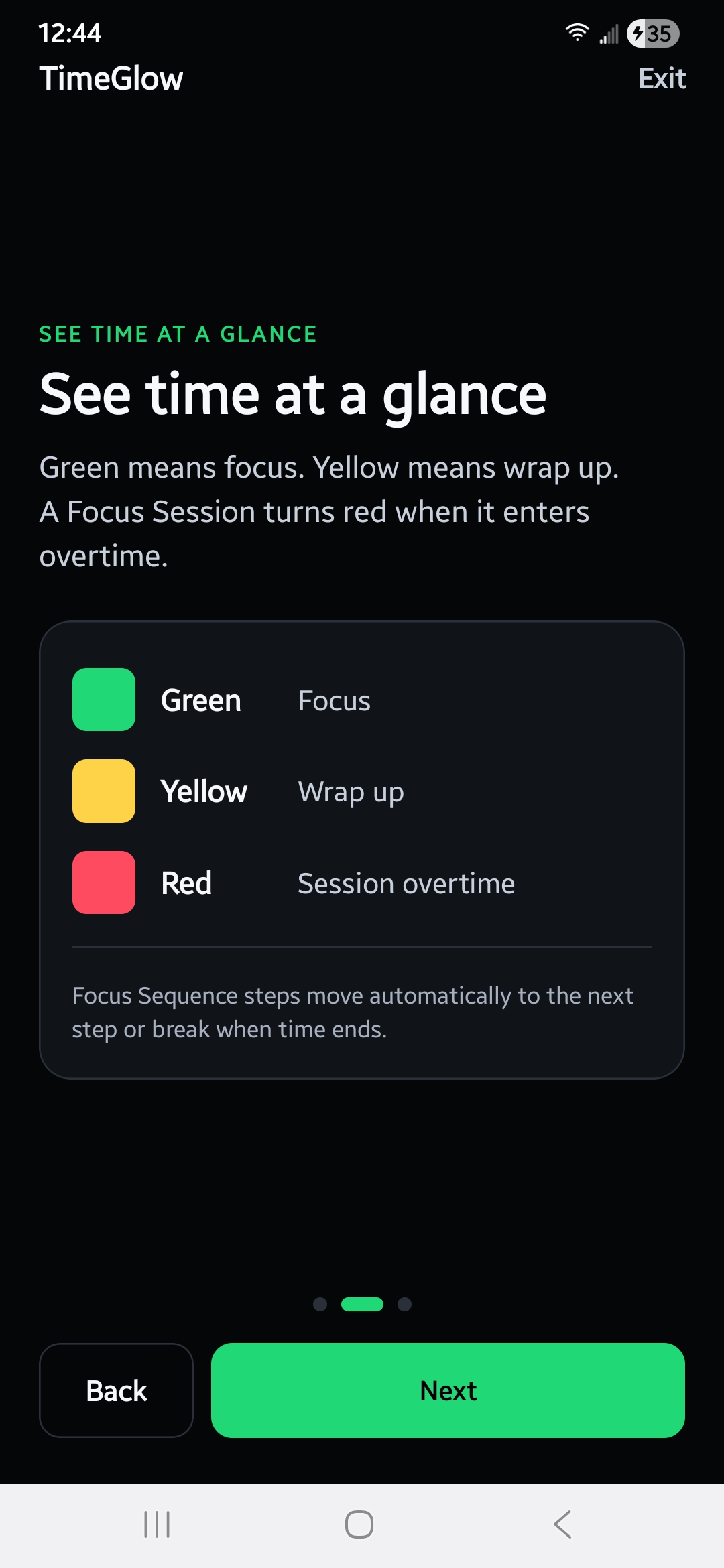
TimeGlow’s visual cues: Green means focus, yellow means wrap up, and red means session over.
-
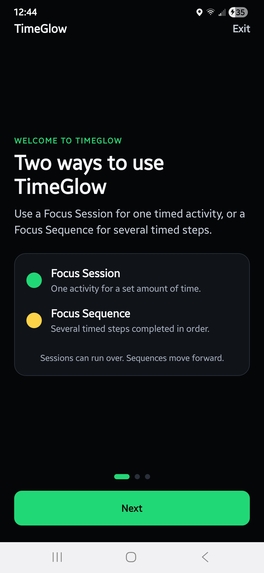
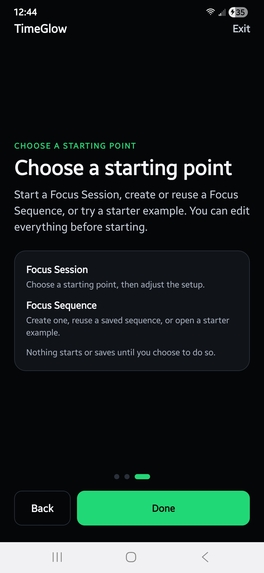
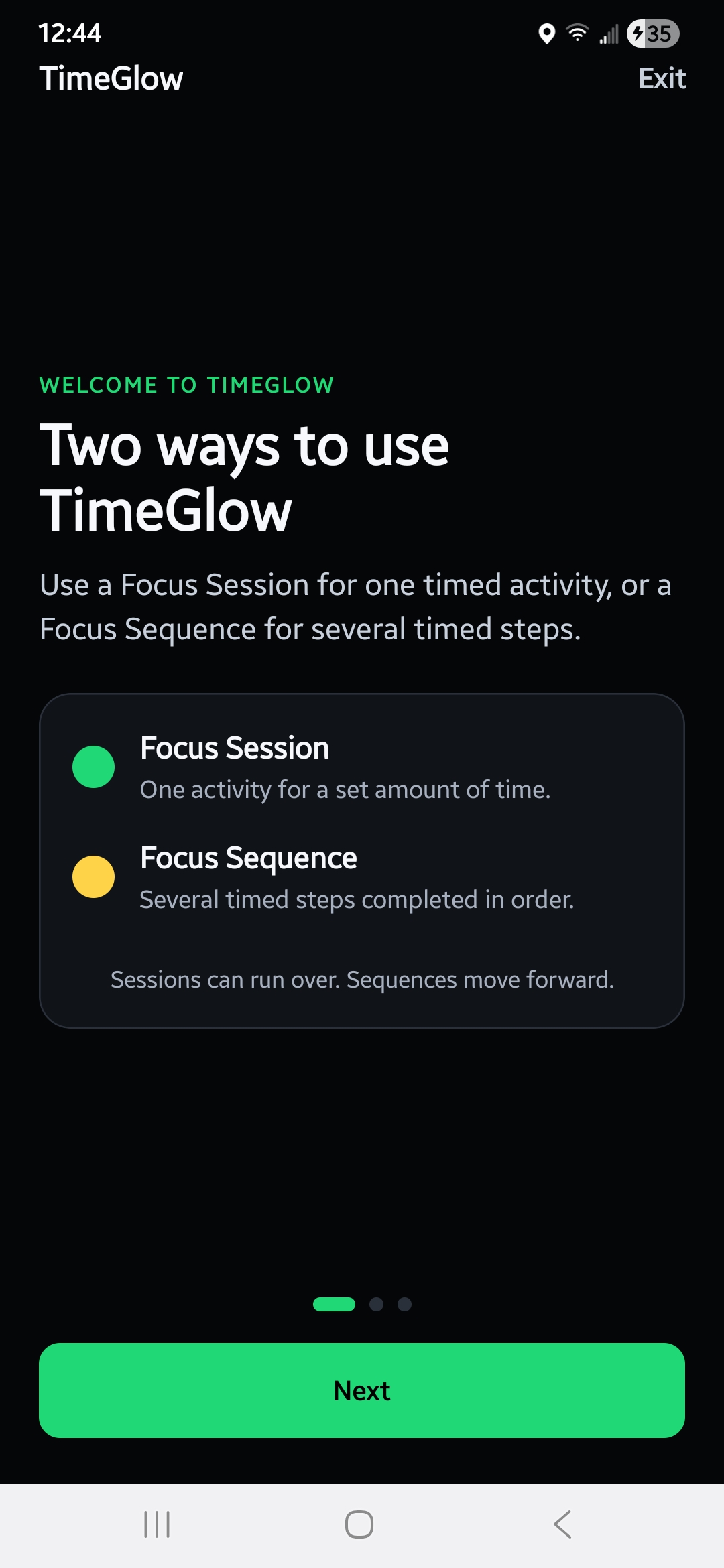
Choose a Focus Session (one task) or a Focus Sequence (multiple steps).
-
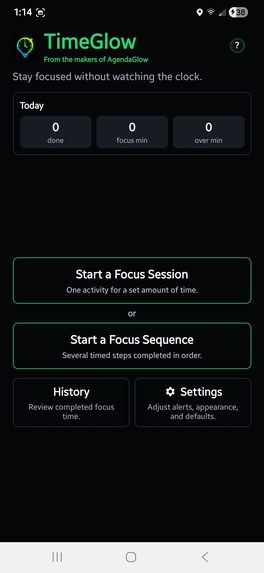
Start with a Focus Session or a Sequence, guiding you step-by-step through your plan.
-
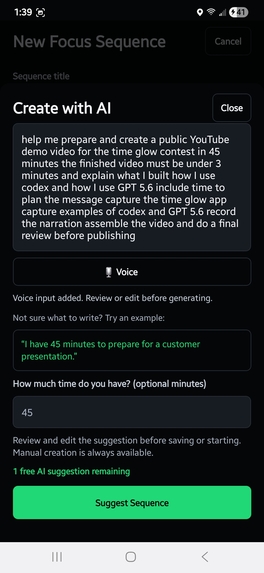
Describe your goal and available time, then let GPT-5.6 generate an editable Focus Sequence.
-
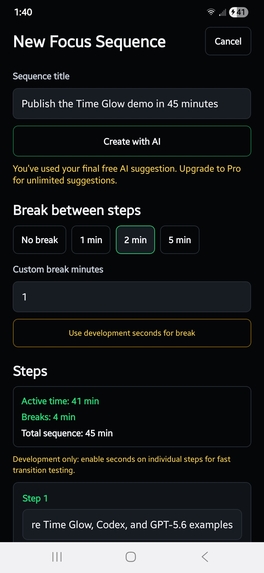
Review and customize the AI-generated sequence before saving or starting it.
-
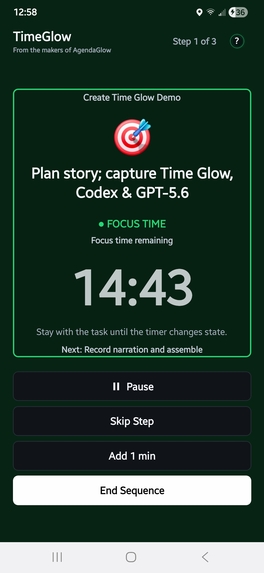
Green indicates focused work, with the current step and remaining time clearly displayed.
-
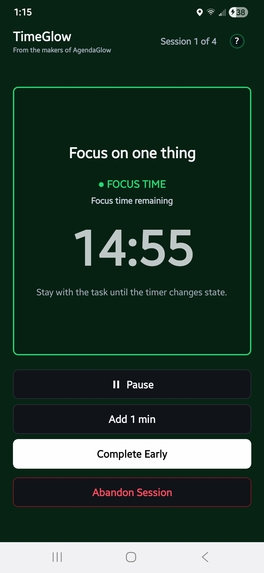
TimeGlow keeps the current task prominent while guiding you through the sequence.
-
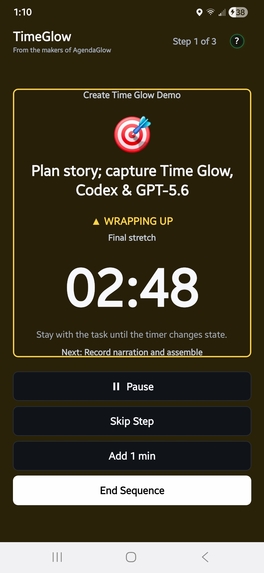
Yellow signals that the step is nearing completion and it is time to wrap up.
-
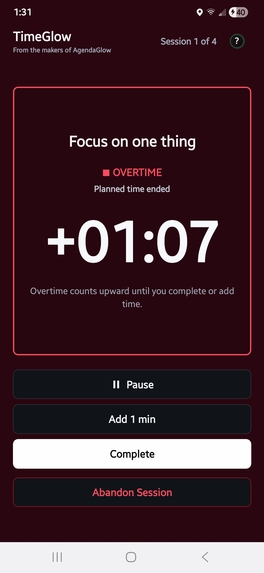
Red shows that time has expired, making overtime immediately visible.
-
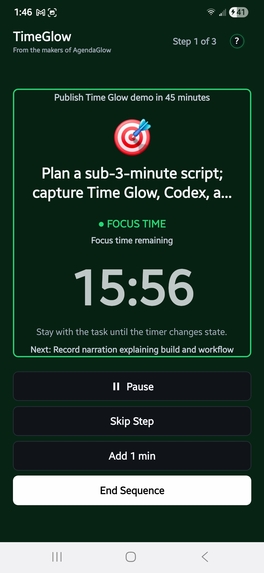
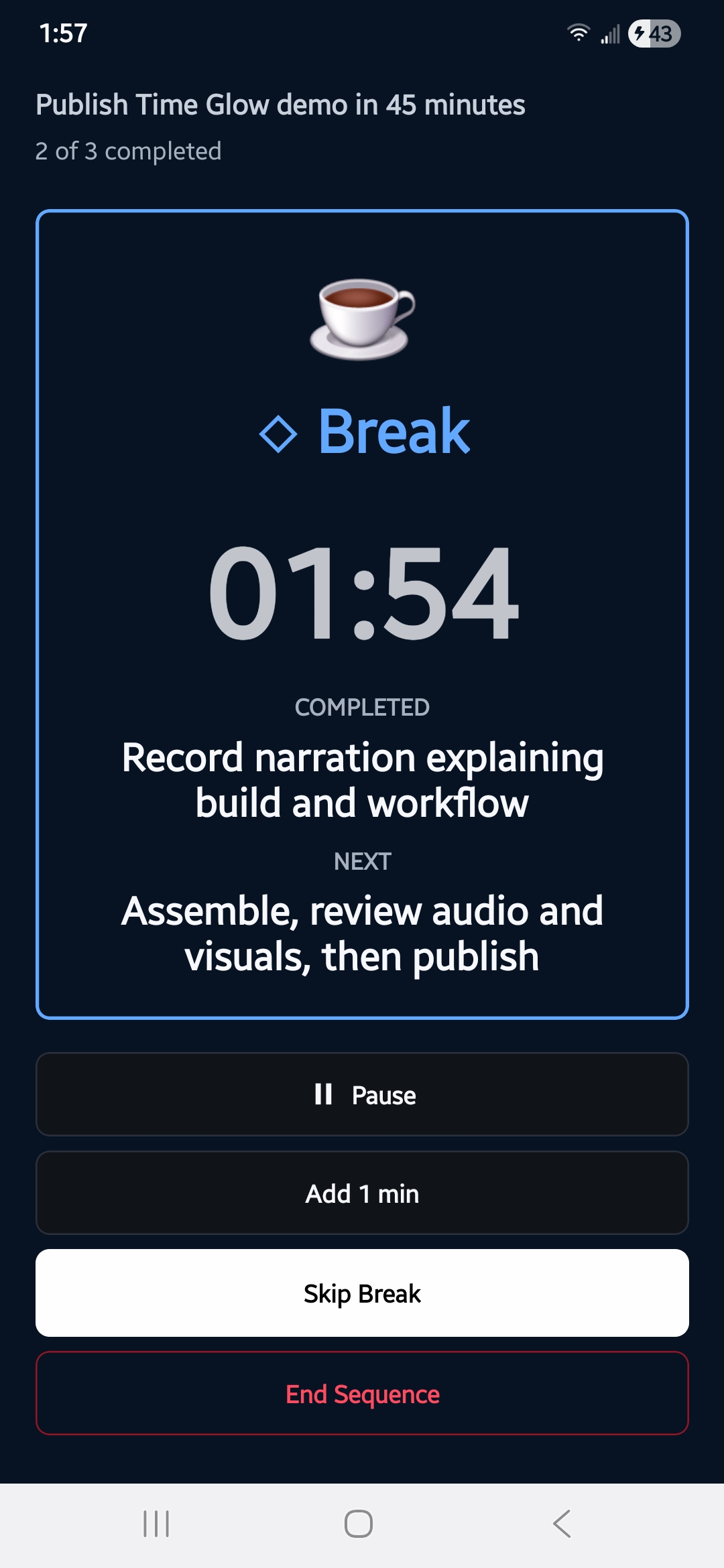
Focus Sequences keep each step clear while preserving a calm, low-distraction timer experience.
-
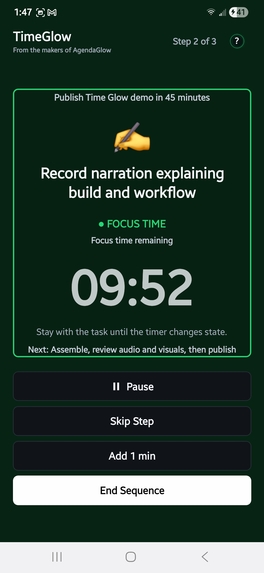
TimeGlow guides you from one focused task to the next with clear timing and visual cues.
-
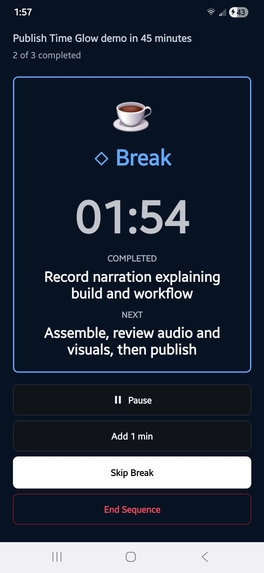
Break screens provide a distinct pause before the next focus step begins.




Inspiration
I built TimeGlow because I wanted a timer that helped people stay aware of time without forcing them to keep staring at a countdown (time fades into the background, but you stay on track towards your goals).
A lot of productivity tools either tell you what to do or simply count down the minutes. I wanted something quieter and easier to use—something that could guide you through your time without becoming another distraction.
TimeGlow already supported visual Focus Sessions and multi-step Focus Sequences before Build Week. For this contest, I used Codex and GPT-5.6 to add a new option: users can describe what they want to accomplish and how much time they have, and TimeGlow creates an editable Focus Sequence for them.
What it does
TimeGlow has two main ways to work:
- A Focus Session for one activity
- A Focus Sequence for several timed steps, with optional breaks
Users can still create sequences manually. The new AI feature simply gives them another starting point.
For example, someone can enter:
I have 45 minutes to prepare for a customer presentation.
GPT-5.6 can turn that into a sequence such as reviewing the objective, building the presentation, and rehearsing the delivery.
The result is not automatically started or locked in. The user can change the title, rename steps, adjust durations, add or remove breaks, and then decide whether to save or start it.
That was important to me. I did not want AI to take over the experience. I wanted it to reduce the friction of getting started.
How I built it
TimeGlow is a React Native and Expo mobile app.
I did not put the OpenAI API key inside the app. Instead, the mobile app sends the user’s goal and available time to a Firebase Cloud Function. The API key is stored securely in Firebase Secret Manager.
The function calls GPT-5.6 and asks for structured data rather than a normal conversational response. It returns a sequence title, focus-step names, durations, and break information.
TimeGlow validates that response and loads it into the same Focus Sequence editor that the app already uses.
The rest of the app also includes RevenueCat for TimeGlow Pro, AdMob ads during breaks, local storage for saved sequences and history, and Android notifications for timer transitions.
How I used Codex
I used Codex throughout the Build Week work.
It helped me inspect the existing codebase, identify where the AI feature should fit, build the Firebase function, connect the generated sequence to the existing editor, add validation, and troubleshoot deployment problems.
Codex was especially useful when I ran into issues with Firebase Functions, package dependencies, public access permissions, environment variables, and an invalid API key.
I made the main product decisions. I wanted AI to remain optional. I wanted manual sequence creation to stay available. I wanted every generated sequence to be editable. Most importantly, I did not want to radically redesign an app that was already working.
Challenges
The biggest challenge was not generating text with AI. It was making the feature work safely and reliably inside a real mobile app.
I had to:
- keep the OpenAI key out of the app;
- deploy and configure a Firebase Cloud Function;
- manage Secret Manager and Cloud Run permissions;
- fix cloud-build and package-lock problems;
- diagnose an invalid API key without exposing sensitive information;
- preserve the existing RevenueCat configuration;
- and make sure the AI response matched TimeGlow’s existing sequence format.
The final integration mattered more than simply getting an API response.
Accomplishments
What I am most proud of is that the AI output becomes something the user can actually use.
The flow is simple:
- Describe a goal.
- Enter the time available.
- Receive a suggested sequence.
- Review and edit it.
- Start working through it in TimeGlow.
Many AI productivity tools stop after generating advice or a list. TimeGlow takes the plan one step further and turns it into a live timed experience.
What I learned
I learned that AI is most useful when it fits naturally into an existing workflow.
GPT-5.6 handles the interpretation and planning. TimeGlow handles the execution.
I also learned how important user control is. The generated sequence should be helpful, but it should never feel final or forced.
From a technical perspective, I gained a much better understanding of secure API architecture, structured output, Firebase deployment, environment configuration, and graceful error handling.
What’s next
The next improvements I would like to make include:
- stronger protection against automated abuse;
- better accessibility;
- voice-to-text prompt entry;
- helpful example prompts;
- more personalization;
- and easier ways to reuse successful Focus Sequences.
Build Week disclosure
TimeGlow existed before OpenAI Build Week as a visual focus timer.
During Build Week, I used Codex and GPT-5.6 to add the AI-generated Focus Sequence workflow, the secure Firebase backend, structured-response validation, integration with the existing editor, supporting user experience, testing, and documentation.

Log in or sign up for Devpost to join the conversation.