-
-
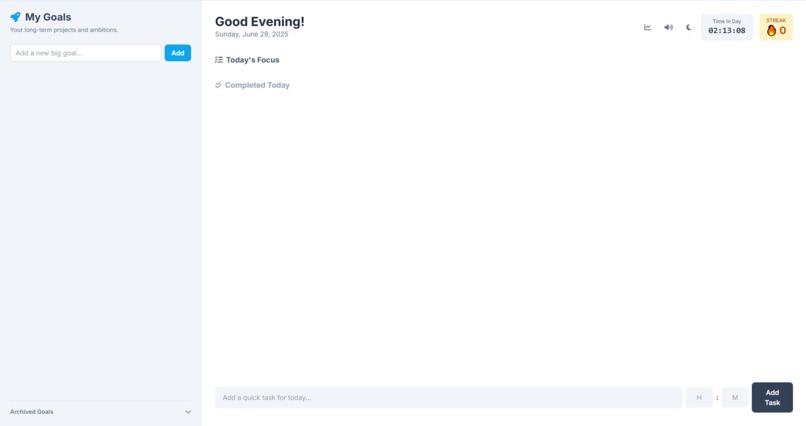
Initialized Application
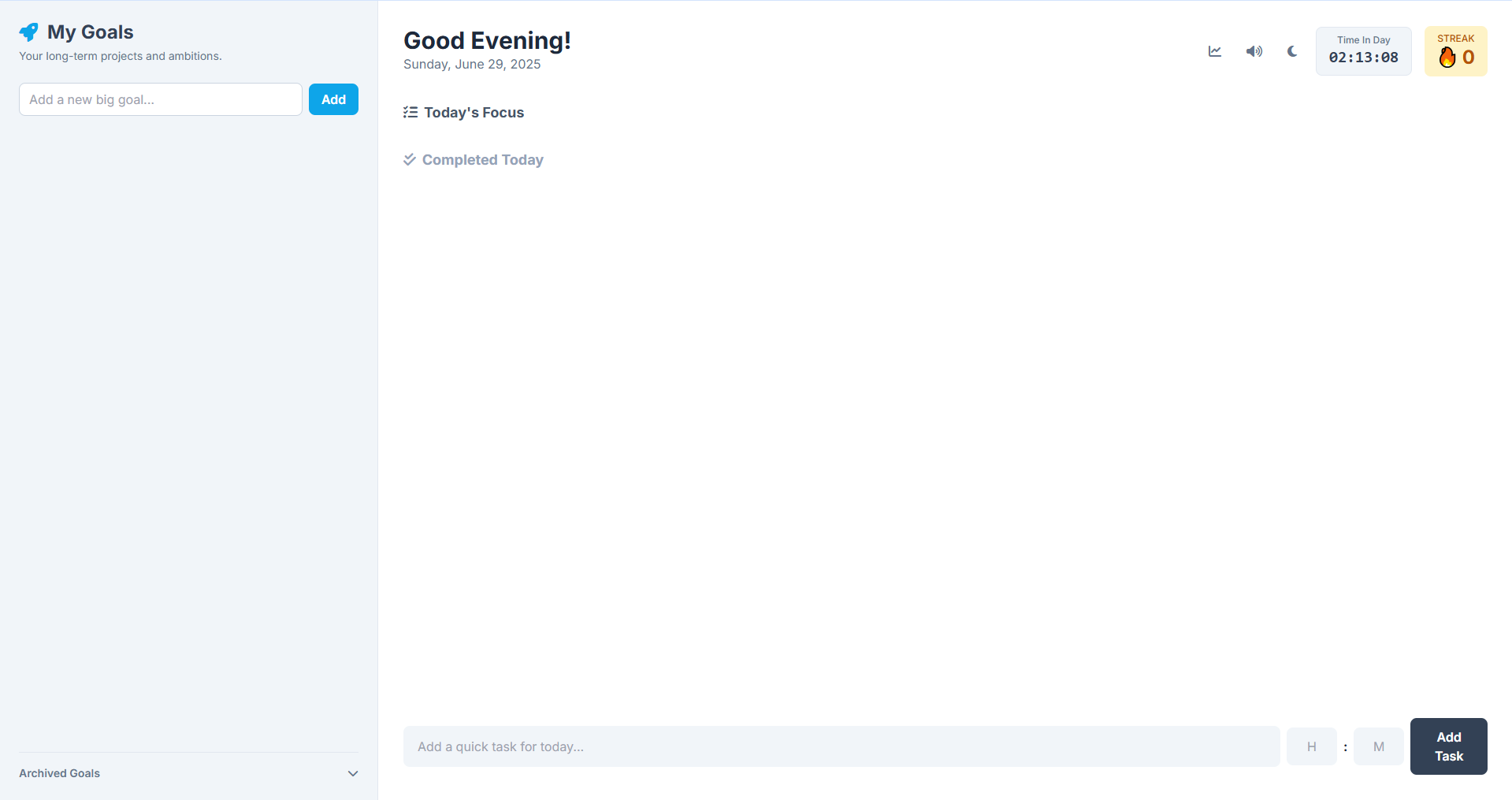
Inspiration
The inspiration for Momentum came from a common, frustrating feeling: being busy all day but not feeling productive. We all have long-term ambitions—learning a new skill, completing a big project, planning a trip—but it's easy to get lost in the chaos of daily tasks and lose sight of the bigger picture. We wanted to create a tool that bridges the gap between our big goals and our daily actions, a simple yet powerful app that we would actually want to use every single day to build real, tangible momentum toward what matters most.
What it does
Momentum is a single-page web application designed to be your personal productivity hub. It allows you to:
Set Long-Term Goals: Create high-level goals or projects that you want to achieve.
Break Them Down: Under each goal, you can add small, actionable "mini-tasks."
Plan Your Day: Drag tasks from your goal list into a "Today's Focus" view. This simple action is a powerful way to commit to what you'll work on.
Time Your Work: Every task in your daily list has a built-in timer, allowing you to use timeboxing techniques to stay focused and dedicated.
Stay Motivated: The app tracks your daily completion streak and provides a weekly stats view to visualize your progress and keep you engaged.
Customize Your Experience: It includes a sleek dark mode, satisfying sound effects, and the ability to edit and organize your tasks and goals with simple drag-and-drop actions.
Best of all, it's completely private. All your data is stored securely in your browser's local storage, so it works offline and your plans stay yours.
How we built it
We built Momentum iteratively from the ground up using core web technologies: HTML, CSS, and modern JavaScript.
Styling: We used the Tailwind CSS CDN for rapid, utility-first styling to create a clean and responsive interface.
Functionality: All the application logic—from managing state to handling drag-and-drop—is written in plain, vanilla JavaScript (ES6).
Sound: We integrated Tone.js to provide subtle, satisfying audio feedback for actions like completing a task or when a timer finishes.
Persistence: To ensure user privacy and offline capability, all data is saved directly to the browser's localStorage.
The development process was highly collaborative and iterative. We started with a basic idea and added features in batches, debugging and refining with each step.
Challenges we ran into
One of the biggest challenges was implementing the drag-and-drop functionality correctly. We encountered several bugs where tasks would disappear or couldn't be dropped into the right place. This required a full refactor of the event handlers to be more robust, correctly identifying what was being dragged (a goal or a task) and which drop zones were valid.
We also ran into a tricky CSS bug where our Dark Mode theme wasn't applying correctly. This taught us a valuable lesson about the specifics of using the Tailwind CSS CDN, which doesn't support certain directives like @apply out of the box. We had to rewrite our custom styles to be compatible, which ultimately made the styling more resilient.
Accomplishments that we're proud of
We're incredibly proud of creating a polished, fully-featured, and stable single-page application that solves a real-world problem. The seamless integration of long-term planning with daily, time-boxed execution feels powerful yet simple to use.
We're also proud that the app is completely client-side. It requires no backend, no login, and respects user privacy by default, which is something we valued from the start. Finally, successfully debugging the complex drag-and-drop and CSS issues to create a smooth, bug-free experience was a major accomplishment.
What we learned
Throughout this project, we learned the importance of prioritizing a solid, reliable core user experience over adding complex features that might be unstable. We also learned that even simple-seeming features like drag-and-drop can have hidden complexities that require careful planning and debugging. The iterative development process—building in batches, testing, and refining—was key to our success and resulted in a much stronger final product.
What's next for Momentum - Goals, Tasks & Timers
The foundation of Momentum is solid, but there's always room to grow. The next logical step is to explore bringing it to different platforms. This could mean:
Wrapping it in Electron to create a native desktop application for Windows, macOS, and Linux.
Rebuilding it with a framework like React Native to create a true mobile app for iOS and Android.
Adding a Data Backup & Restore feature, allowing users to export their data to a file and import it on another device or browser.
Deciding on the platform will guide which of these exciting new features we tackle next.
Built With
- browser-localstorage
- css3
- html5
- javascript
- javascript-(es6)-frameworks/libraries:-tailwind-css:-for-utility-first-styling.-tone.js:-for-generating-audio-feedback.-platform/storage:-browser-localstorage:-for-all-data-persistence
- tailwind
- tone.js

Log in or sign up for Devpost to join the conversation.